# tabularis
Tabularis は、PostgreSQL、MySQL/MariaDB、SQLite に加え、DuckDB、ClickHouse、Redis、Firestore など 15 以上のデータベースに対応するオープンソースのデスクトップ SQL ワークスペースです。
組み込みの MCP サーバーにより、Claude、Cursor、Devin(旧 Windsurf)が、あなたが普段使っているアプリの中でスキーマを読み取り、クエリを実行できます。
README:
English |
Italiano |
Español |
中文 |
Français |
Deutsch |
日本語 |
Русский |
Tagalog |
한국어 |
Português (Brasil)




[](https://discord.com/invite/K2hmhfHRSt)
[](https://gitster.dev/repo/TabularisDB/tabularis)




**Discord** - [サーバーに参加](https://discord.com/invite/K2hmhfHRSt) して、メンテナーと交流したり、フィードバックを共有したり、コミュニティからサポートを得たりできます。
> これは翻訳版のドキュメントです。最新かつ正式な内容は [英語版 README](./README.md) を参照してください。
## ダウンロード
```bash
winget install Debba.Tabularis # Windows
brew tap TabularisDB/tabularis && brew install --cask tabularis # macOS
sudo snap install tabularis # Linux
```
または、インストーラーを直接ダウンロードしてください。
[](https://github.com/TabularisDB/tabularis/releases/download/v0.17.0/tabularis_0.17.0_x64-setup.exe) [](https://github.com/TabularisDB/tabularis/releases/download/v0.17.0/tabularis_0.17.0_aarch64.dmg) [](https://github.com/TabularisDB/tabularis/releases/download/v0.17.0/tabularis_0.17.0_x64.dmg) [](https://github.com/TabularisDB/tabularis/releases/download/v0.17.0/tabularis_0.17.0_amd64.AppImage) [](https://github.com/TabularisDB/tabularis/releases/download/v0.17.0/tabularis_0.17.0_amd64.deb) [](https://github.com/TabularisDB/tabularis/releases/download/v0.17.0/tabularis-0.17.0-1.x86_64.rpm)
アプリの UI は英語、イタリア語、スペイン語、中国語(簡体字)、フランス語、ドイツ語、日本語、ロシア語、タガログ語、ポルトガル語(ブラジル)に対応しています。
## なぜ tabularis なのか?
| | **tabularis** | DBeaver CE | TablePlus | Beekeeper Studio |
|---|---|---|---|---|
| ライセンス | Apache 2.0、無料 | Apache 2.0、無料(Pro は有料) | 商用 | GPLv3(有料エディションあり) |
| SQL ノートブック(SQL + Markdown セル、セル間変数、チャート) | ✅ | ❌ | ❌ | ❌ |
| AI エージェント向けの組み込み MCP サーバー | ✅ | ❌ | ❌ | ❌ |
| **任意の言語**でプラグイン開発(stdio 経由の JSON-RPC) | ✅ | Java/Eclipse プラグイン | JavaScript プラグイン | ❌ |
| **ローカルモデル**(Ollama)対応の AI テキストから SQL 変換 | ✅ | クラウドベースの AI アシスタント | ❌ | ❌ |
| インタラクティブなプラングラフ付き Visual EXPLAIN | ✅ | ✅ | ❌ | ❌ |
| 標準対応データベース数 | 標準搭載 3 + 公式プラグイン 15 | 100+ | 20+ | 約 10 |
> 比較は 2026 年 6 月時点のものです。他ツールの機能はその後変わっている可能性があります。数十のドライバーが必要な場合は DBeaver を使ってください。tabularis は、少数のデータベースをしっかりサポートすることに注力しています。
### 対応データベース
PostgreSQL、MySQL/MariaDB、SQLite は標準搭載されています。それ以外はすべてプラグインです。ここでは各インテグレーションの現状を、ウェブサイトの[ドライバー&プラグイン対応状況](https://tabularis.dev/#driver-coverage)に合わせて示します。
ClickHouse(提供中)、Cloudflare D1(提供中)、DuckDB(提供中)、Firestore(提供中)、IBM Db2(提供中)、IBM Informix(提供中)、Redis(提供中)、CSV Folder(提供中)、Google Sheets(提供中)、HackerNews(提供中)、Google BigQuery(担当者決定)、LibSQL / Turso(担当者決定)、Meilisearch(担当者決定)、MongoDB(担当者決定)、Oracle(担当者決定)、SQL Server(担当者決定)、Amazon Redshift(計画策定済み)、CockroachDB(計画策定済み)、TiDB(計画策定済み)、DynamoDB(近日対応)、Snowflake(近日対応)、Cassandra(募集中)、Elasticsearch(募集中)、Etcd(募集中)、Firebird(募集中)、ScyllaDB(募集中)、SQL Anywhere(募集中)、SurrealDB(募集中)、Trino / Presto(募集中)。
> **提供中**のドライバーは[プラグインレジストリ](https://tabularis.dev/plugins)からインストールできます。それ以外は[バウンティボード](https://tabularis.dev/plugins/bounties)に掲載されています。担当する、スポンサーになる、または[データベースをリクエスト](https://github.com/TabularisDB/tabularis/discussions)してください。
## インストール
### Windows
```bash
winget install Debba.Tabularis
```
または [Releases ページ](https://github.com/TabularisDB/tabularis/releases) からインストーラーをダウンロードしてください。
### macOS
```bash
brew tap TabularisDB/tabularis
brew install --cask tabularis
```
v0.13.1 以降のビルドは Apple による署名と公証(notarization)が行われているため、追加の手順なしでそのまま開けます。
以下の手順は、v0.13.1 より前の古いリリースを直接ダウンロードした場合にのみ必要です。
- tabularis アプリにアクセシビリティアクセス(プライバシーとセキュリティ)を許可する必要があります。アップグレードする際に、すでに tabularis が許可リストに登録されている場合は、新しいバージョンにアクセシビリティアクセスを許可する前に手動で削除してください。
- アプリを Applications ディレクトリにコピーした後、次のコマンドの実行が必要になる場合があります: `xattr -c /Applications/tabularis.app`
### Linux
Snap:
```bash
sudo snap install tabularis
```
Flatpak:
```bash
flatpak remote-add --if-not-exists flatpark https://dl.flatpark.org/flatpark.flatpakrepo
flatpak install flatpark dev.tabularis.Tabularis
```
AppImage:
```bash
chmod +x tabularis_x.x.x_amd64.AppImage
./tabularis_x.x.x_amd64.AppImage
```
Arch Linux:
```bash
yay -S tabularis-bin
```
## アップデート
- 起動時に自動でアップデートを確認します。
- GitHub Releases から手動でアップデートすることもできます。
## ギャラリー
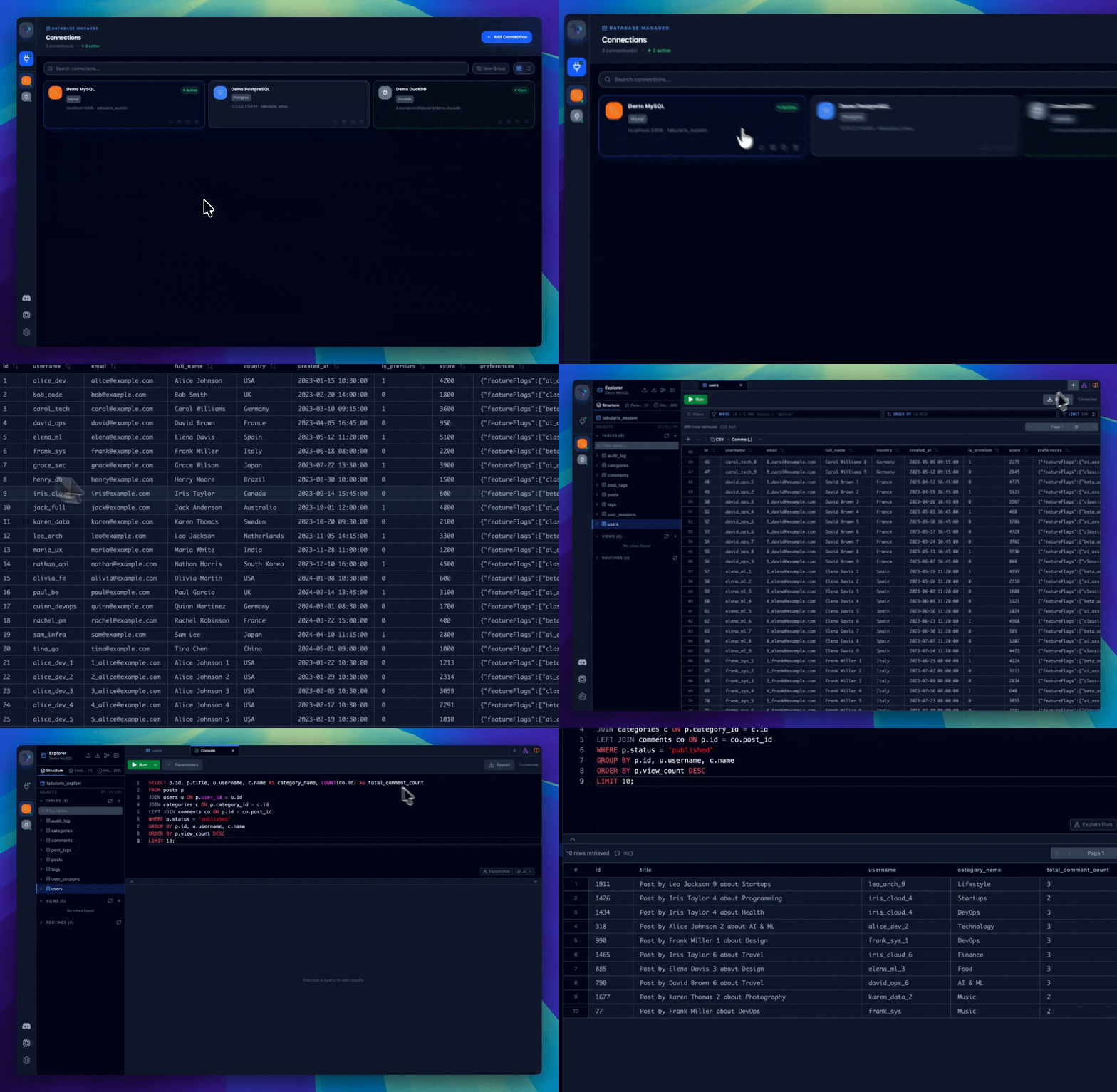
完全なギャラリーは [tabularis.dev](https://tabularis.dev) で確認できます。
## 機能
### 接続管理
- PostgreSQL、MySQL/MariaDB、SQLite に対応。
- 接続プロファイルをローカルに保存。
- SSH トンネルとシステムキーチェーンによるパスワード保存。
- グリッド/リスト表示とリアルタイム検索を備えた接続ページ。
- 接続ごとの外観カスタマイズ:アイコン(Lucide/絵文字/画像)とアクセントカラーを個別に設定可能。
### データベースエクスプローラー
- テーブル、カラム、キー、インデックス、ビュー、ルーチンの参照。
- スキーマ要素のインライン編集。
- インタラクティブな ER 図。
- コンテキストメニューによるクイックアクション。
### SQL エディター
- シンタックスハイライトと自動補完を備えた Monaco Editor。
- 接続ごとに分離された複数タブ。
- 結果を分離して表示するマルチクエリ実行。
- 保存済みクエリとエディター内 AI オーバーレイ。
### SQL ノートブック
- 同一ドキュメント内で SQL と Markdown のセルを併用。
- インライン結果とチャート表示。
- セル間変数とグローバルパラメーター。
- 全セルの順次実行。
### ビジュアルクエリビルダー
- ドラッグ&ドロップでクエリを構築。
- ビジュアル JOIN、フィルター、集計、ソート、リミット。
- SQL をリアルタイムに生成。
### Visual EXPLAIN
- 実行計画をナビゲート可能なグラフとして表示。
- テーブル表示、生データ表示、任意の AI 分析。
- PostgreSQL、MySQL/MariaDB、SQLite に対応。
### データグリッド
- インラインおよびバッチ編集。
- 行の作成、選択、削除。
- CSV または JSON でのエクスポート。
- 空間データ(ジオメトリ)の初期サポート。
- JSON/JSONB セルのハイライトと専用エディターウィンドウ(Tree / Monaco / Raw)。接続ごとにテキストカラムでの JSON 検出を有効化可能。
### ロギング
- 設定画面でリアルタイムにログを表示。
- レベルによるフィルタリング。
- `.log` ファイルへのエクスポート。
- CLI デバッグモード: `tabularis --debug`。
### プラグイン
- stdin/stdout 経由の JSON-RPC 2.0 による外部プラグインシステム。
- コミュニティドライバーを再起動なしでインストール可能。
- 公式レジストリ: [`plugins/registry.json`](./plugins/registry.json)。
- 開発者ガイド: [`plugins/PLUGIN_GUIDE.md`](./plugins/PLUGIN_GUIDE.md)。
## 設定
設定は以下の場所に保存されます。
- Linux: `~/.config/tabularis/`
- macOS: `~/Library/Application Support/tabularis/`
- Windows: `%APPDATA%\\tabularis\\`
主なファイル:
- `connections.json`
- `saved_queries.json`
- `config.json`
- `themes/`
- `preferences/`
- `connection-icons/`(接続アイコン用のカスタム画像)
`config.json` の `language` フィールドは `auto`、`en`、`it`、`es`、`zh`、`fr`、`de`、`ja`、`ru`、`tl` をサポートします。
## AI
オプションのテキストから SQL への変換とクエリ説明機能は、以下のプロバイダーに対応しています。
- OpenAI
- Anthropic
- MiniMax
- OpenRouter
- Ollama
- OpenAI 互換 API
モデルは動的に取得され、ローカルにキャッシュされます。
## MCP
組み込みの MCP サーバーを起動します。
```bash
tabularis --mcp
```
対応クライアント:
- Claude Desktop
- Cursor
- Windsurf
利用可能なツール:
- `list_connections`
- `list_databases`
- `list_tables`
- `describe_table`
- `run_query`
## 技術スタック
- フロントエンド: React 19、TypeScript、Tailwind CSS v4
- バックエンド: Rust、Tauri v2、SQLx
## 開発
セットアップ:
```bash
pnpm install
pnpm tauri dev
```
ビルド:
```bash
pnpm tauri build
```
## ロードマップ
- リモートコントロール
- コマンドパレット
- JSON/JSONB エディター&ビューアー
- SQL フォーマット / Prettier
- データ比較 / 差分ツール
- チームコラボレーション
## コントリビューション
コントリビューションを歓迎します。詳しくは [CONTRIBUTING.md](./CONTRIBUTING.md) をご覧ください。始めやすいテーマは次のとおりです。
- [SQL Server ドライバー — 実装ロードマップとコントリビューター募集](https://github.com/TabularisDB/tabularis/issues/150)
- [UI デザインシステムとビジュアルアイデンティティ — コントリビューター募集](https://github.com/TabularisDB/tabularis/issues/195)
- 好きな言語でドライバープラグインを書く — [プラグインガイド](./plugins/PLUGIN_GUIDE.md) を参照
## プロジェクトの成り立ち
Tabularis は、AI 支援開発でゼロから動くツールをどこまで作れるかという実験として始まりました。結果は予想以上で、現在では定期的なリリースとプラグインエコシステムを持つ、活発にメンテナンスされているプロジェクトになっています。
## ライセンス
Apache License 2.0
---
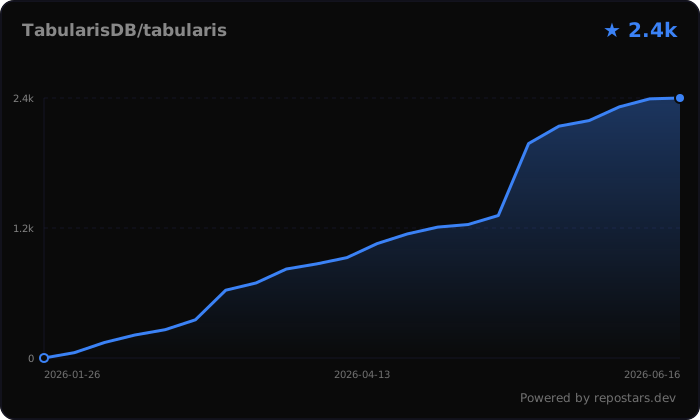
tabularis を気に入ったら、リポジトリにスターを付けてください ⭐。プロジェクトの大きな助けになります。