# dsh-user-message-timeline
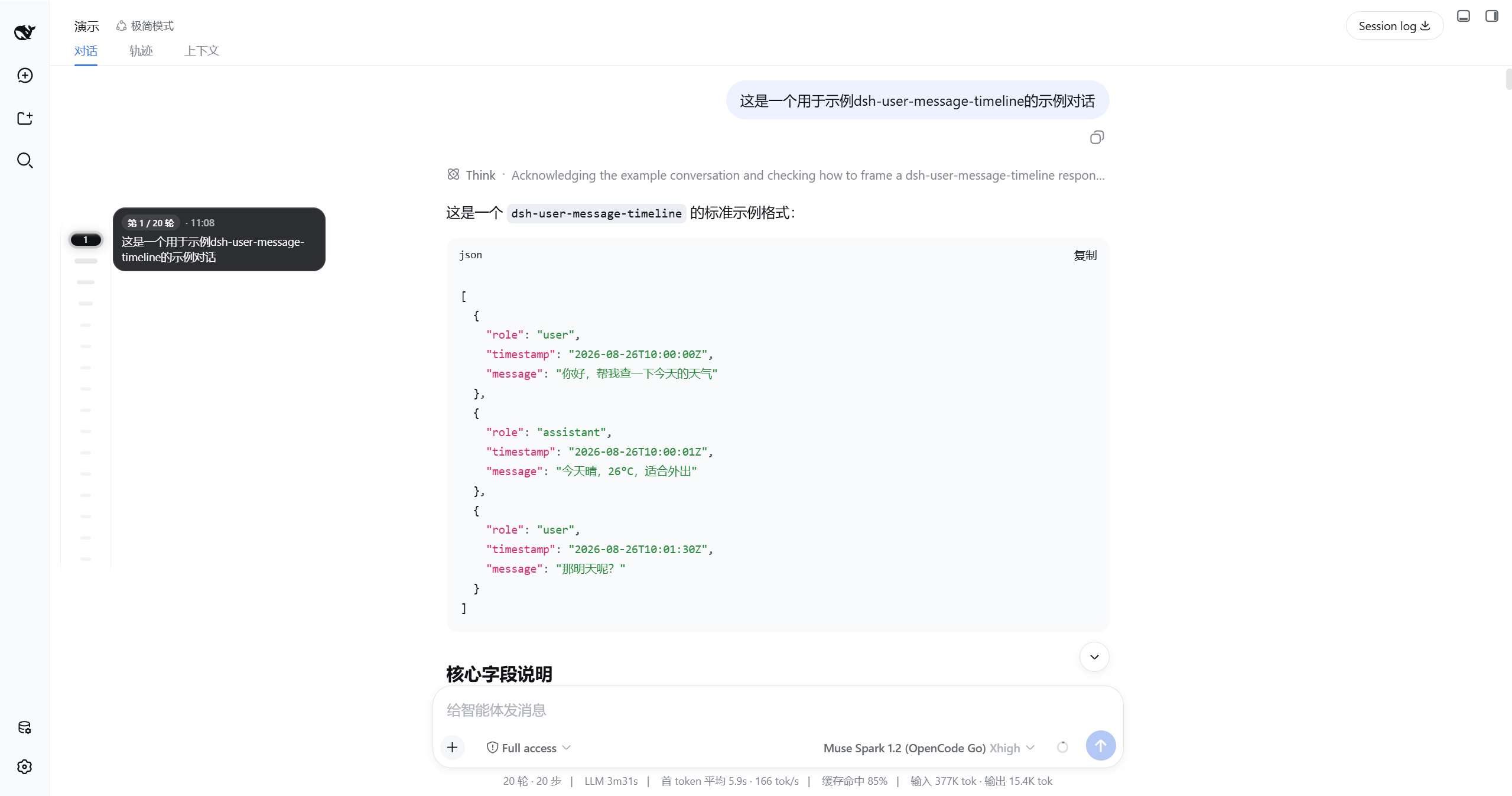
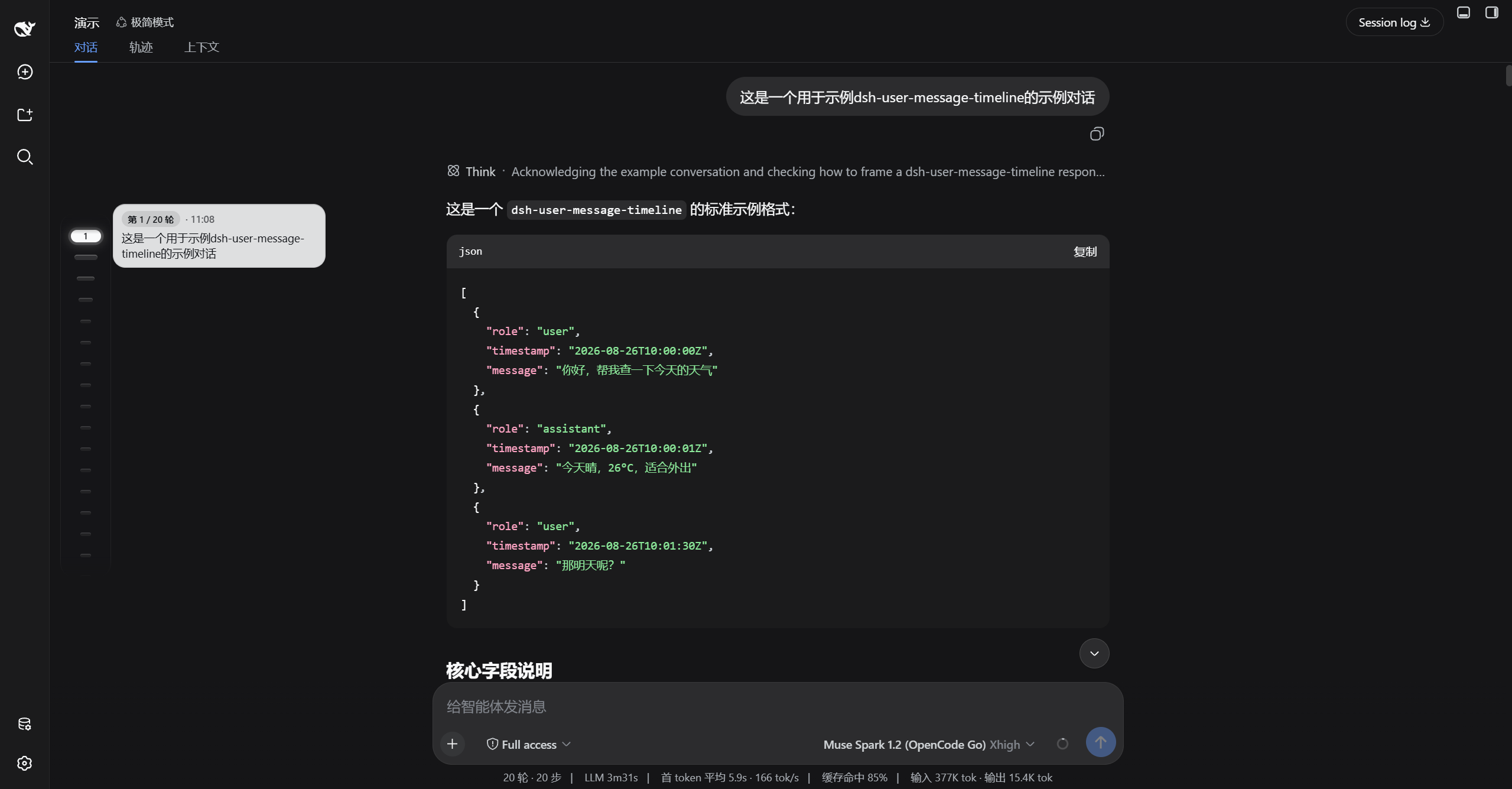
在对话列内侧,为每一条用户消息点亮一颗药丸






DSH User Message Timeline — 对话内悬浮药丸导轨,悬停预览、拖拽跳转、分页加载
轻量时间线,悬停即预览、点击即跳转,视口可滚动,左右贴边一键切换
中文 · English
---
## 演示
| 浅色 | 深色 |
|---|---|
|  |  |
| 浅色完整链路 | 深色完整链路 |
|---|---|
| 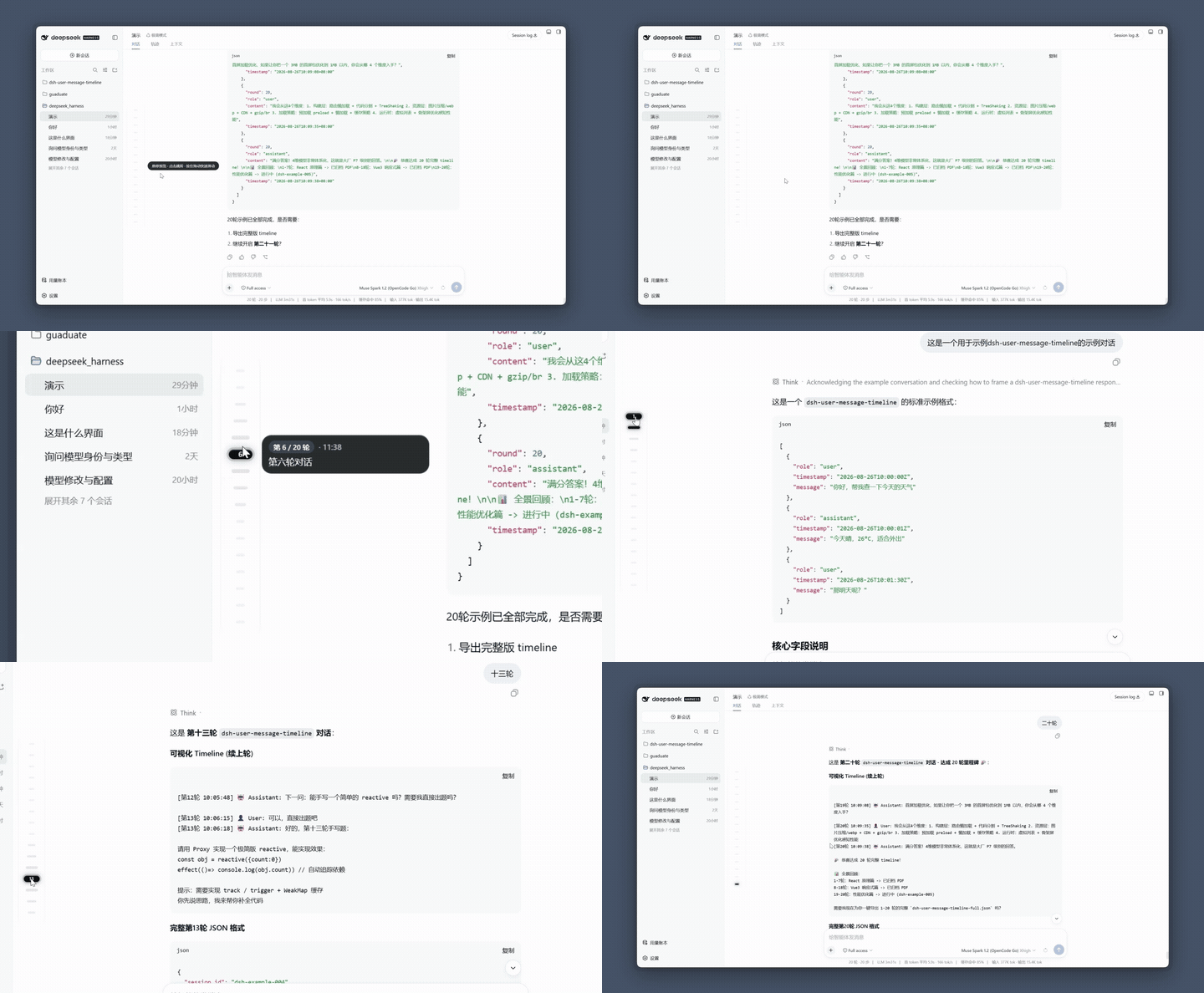 | 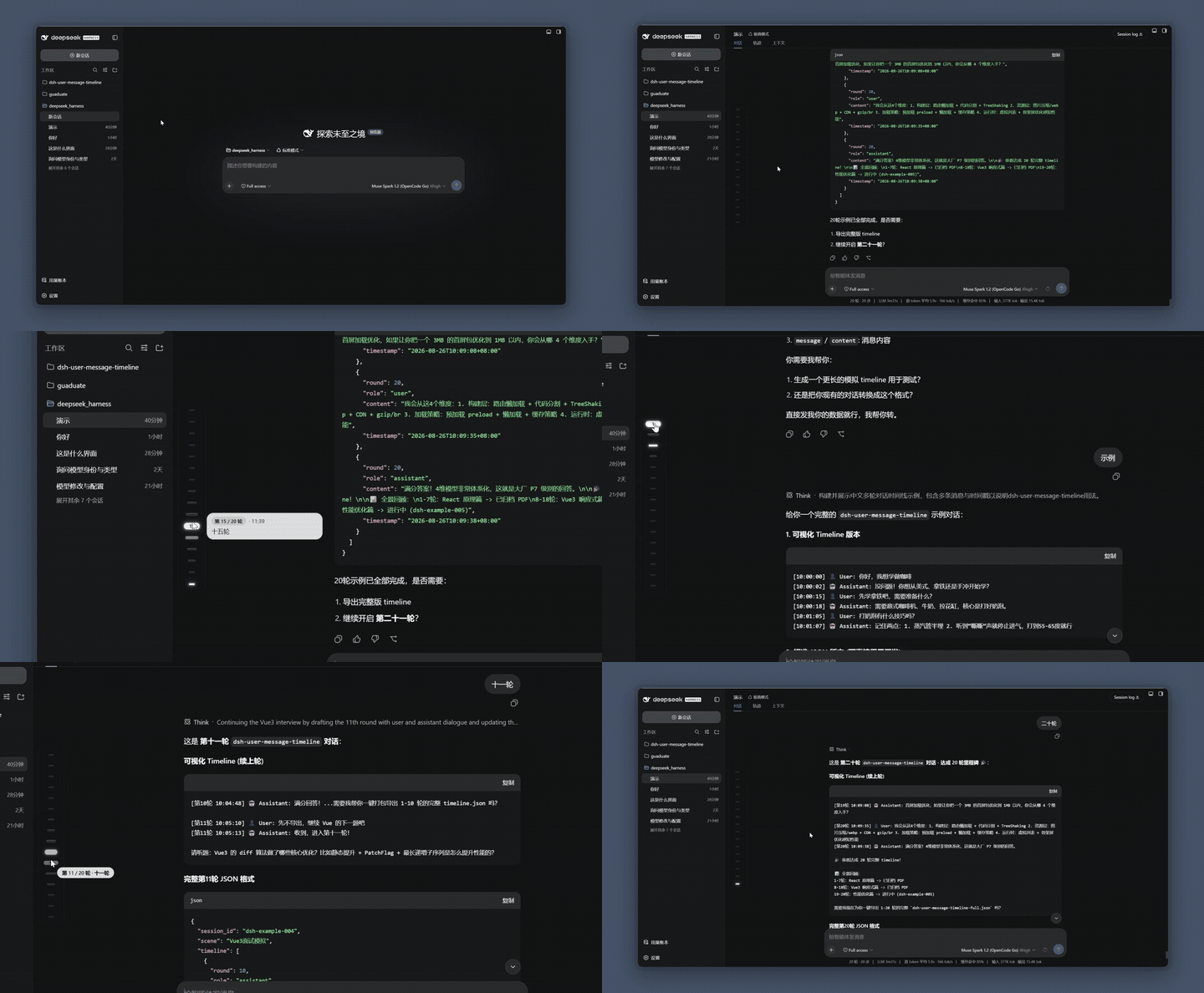 |
| 悬停漏斗放大 → 气泡 240px 预览 → 点击跳转 → 拖拽 Scrub HUD | 同左,深色墨玉玻璃 |
| 设置开关与左右切换 |
|---|
| 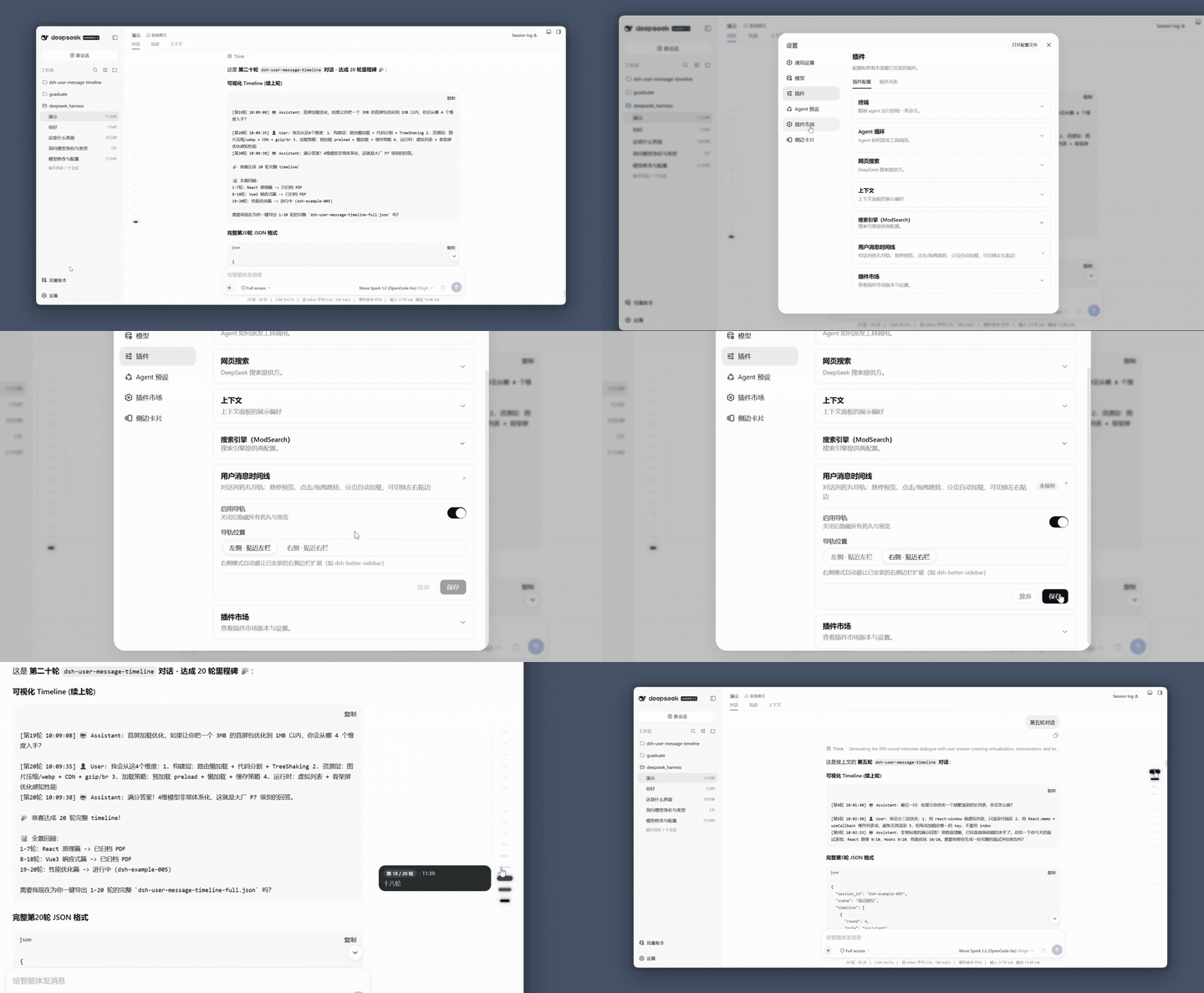 |
| 开关关闭隐藏 · 左右贴边(右侧仅适配 dsh-better-sidebar) |
> 动图为 15fps / 128 色压缩预览,完整演示:[浅色](https://www.bilibili.com/video/BV1FR896cEwY?t=9.0) · [深色](https://www.bilibili.com/video/BV1zR896FEY8?t=2.1)(或直接看 `docs/` 下原片)。
## 功能
| 功能 | 说明 |
|---|---|
| 药丸漏斗 | 常态 `12×4`,距 hover/active 分 5 档 `36→26→20→16→12` 放大,`gap 10px` |
| sticky 预览 | 悬停 150ms/连续 60ms 弹出,墨玉玻璃 `240×48~108`,`clamp 6 行`,可复制 |
| 拖拽 scrub | `setPointerCapture + elementFromPoint`,Scrub HUD「第X/N轮·预览首行」跟手,松手 smooth 收尾 |
| 未加载轮次 | 空心药丸标识,点击直接 `loadThrough` 原生分页,不依赖手动翻页 |
| 官方标尺接管 | 默认隐藏官方右侧 `nav[aria-label="轮次导航"]`;关闭后自动避让,不与官方标尺重叠 |
| 重点轮次 | 前缀/Emoji 自动标记与手动星标,琥珀金微光药丸 + Scrub HUD 星标 |
| 多模态预览 | 用户图片缩略图(单图通栏/多图三宫格),纯图提问显示 `[图片]` |
| 时间戳 | `turnTimes` 投影 + DOM 时间双源,悬停气泡显示轮次时间 |
| 视口可滚动 | ≤16 颗一屏精致,>16 颗导轨内 `max-height 386px` 可滚,`mask` 淡化,active 自动滚入视区 |
| 丝滑体验 | 侧边栏推式 120fps `ResizeObserver+rAF`,`prefers-reduced-motion` 适配 |
| 偏好设置 | 侧边栏「插件」→ `dsh-user-message-timeline` 卡片:开关、左右位置、官方标尺接管、重点轮次前缀,深浅主题自适应 |
## 安装
**前置**:已装好 DSH(`dsh web` 能正常运行),Node.js ≥ 20。
**支持的 DSH 版本**:
```sh
dsh plugin --profile web add dsh-user-message-timeline
```
装完**硬刷新浏览器**(`Cmd/Ctrl+Shift+R`)即可看到导轨(DSH 对 client 改动热加载,无需重启)。
**方式二:让 DSH 自己装**——把下面这段提示词发给任意一个 DSH 会话:
```text
帮我安装 dsh-user-message-timeline 插件(对话列悬浮药丸导轨),步骤:
1. 执行 dsh plugin --profile web add dsh-user-message-timeline
2. 完成后提醒我硬刷新浏览器(Cmd/Ctrl+Shift+R)
```
更新
```sh
dsh plugin --profile web add dsh-user-message-timeline
```
改完**硬刷新浏览器**即可。
常见问题
| 现象 | 原因与解决 |
|---|---|
| 报 `minimum release age` | 装的版本发布不足 24 小时,等 24h 或在 `~/.dsh/profiles/web/pnpm-workspace.yaml` 加白名单 |
| 报 `file: 旧代码` | 同版本 `pnpm file:` 缓存,`dsh plugin --profile web remove dsh-user-message-timeline && dsh plugin --profile web add file:~/dsh-user-message-timeline` |
| 调试 | `localStorage.setItem('umtl:debug','1')` 后看控制台 `[umtl]` 日志 |
## 更新日志
见 [CHANGELOG.md](CHANGELOG.md) 与 [Releases](https://github.com/huang-chunc/dsh-user-message-timeline/releases)。
## 致谢与 License
MIT © huang-chunc,见 [LICENSE](LICENSE)。