<p align="center">
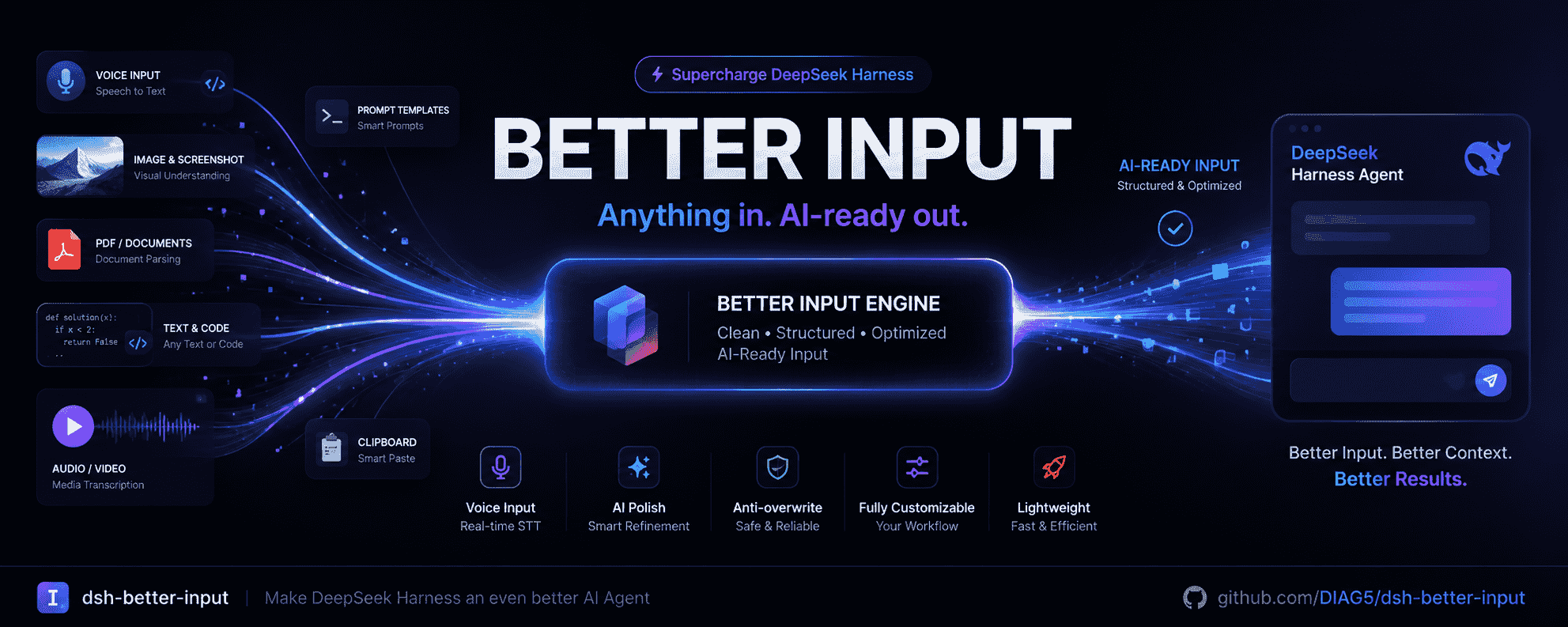
  <img src="./assets/banner.png" width="100%" alt="dsh-better-input banner" />
</p>

<h1 align="center">🎤 dsh-better-input</h1>

<p align="center"><b>A better way to feed your DeepSeek Harness agent.</b></p>

<p align="center">
  Open-source input-experience enhancement plugin for <a href="https://github.com/deepseek-ai/deepseek-harness">DeepSeek Harness</a>
</p>

<p align="center">
  <a href="./README.en.md">English</a> · <a href="./README.md">简体中文</a>
</p>

<p align="center">
  <a href="https://www.npmjs.com/package/dsh-better-input"><img src="https://img.shields.io/npm/v/dsh-better-input?style=flat-square" alt="npm version"></a>
  <a href="https://www.npmjs.com/package/dsh-better-input"><img src="https://img.shields.io/npm/dm/dsh-better-input?style=flat-square" alt="npm downloads"></a>
  <a href="https://shields.io"><img src="https://img.shields.io/badge/dsh-%3E%3D%200.1.2--rc.1-blue?style=flat-square" alt="DSH"></a>
  <img src="https://img.shields.io/badge/platform-Chrome%20%7C%20Edge-1a73e8?style=flat-square" alt="Platform">
  <a href="./LICENSE"><img src="https://img.shields.io/badge/license-MIT-blue?style=flat-square" alt="MIT"></a>
  <a href="https://github.com/DIAG5/dsh-better-input/stargazers"><img src="https://img.shields.io/github/stars/DIAG5/dsh-better-input?style=flat-square" alt="Stars"></a>
  <a href="https://github.com/DIAG5/dsh-better-input/blob/main/CHANGELOG.en.md"><img src="https://img.shields.io/badge/changelog-CHANGELOG.en.md-blue?style=flat-square" alt="Changelog"></a>
</p>

> 💡 **What problem does it solve?** Talking to an agent shouldn't mean only typing. BetterInput is an **input-enhancement suite**: voice recognition, AI polishing, prompt optimization, on-demand prompt templates, more local file formats you can bring into the input, and file-to-Markdown — plus the small UX refinements — **making every input you feed an agent better**.

---

## 🎬 Feature Demo

https://github.com/user-attachments/assets/caae08fc-2d8e-43c6-8bab-ade2d278337f

> V0.1.5 version demo of four core features

## ✨ Implemented today

<table>
<tr><th align="center" width="120">Module</th><th align="left">Description</th></tr>
<tr>
<td align="center">🎙️<br/><b>Voice input</b></td>
<td>Click the mic and speak; transcript <strong>streams</strong> into the draft in real time. Browser-native recognition, <strong>no API key</strong>.</td>
</tr>
<tr>
<td align="center">🤖<br/><b>AI polishing</b></td>
<td>Auto-cleanse after recognition: drop fillers, fix homophone errors (根木鹿→根目录, 脱肯→Token), restore punctuation, turn spoken enumerations into lists. <strong>Reuses your configured dsh models</strong> — no extra key.</td>
</tr>
<tr>
<td align="center">✨<br/><b>Prompt optimization</b></td>
<td>An icon at the top right of the composer — the AI refines your prompt to be more precise; a <strong>before / after comparison panel</strong> pops up so you can review before adopting. Reuses your dsh models — no extra key.</td>
</tr>
<tr>
<td align="center">📝<br/><b>Prompt templates</b></td>
<td>Save frequently used prompts as templates — type <code>/</code> in the composer to search and insert the body in one click; create / edit / delete in Settings, <strong>stored locally</strong>, nothing leaves your machine.</td>
</tr>
<tr>
<td align="center">📎<br/><b>More file formats input</b></td>
<td>An "Add file" button at the top right of the composer (collapsed by default). Bring local files into the input: plain text (<code>.txt / .json / .py / .md</code> etc.) can be <strong>sent directly</strong>; documents are converted first and inserted as an <code>@<filename></code> reference chip. Bring in files outside the workspace even without any conversion need.</td>
</tr>
<tr>
<td align="center">🔄<br/><b>File-to-Markdown</b></td>
<td>Convert PDF / DOCX / XLSX / PPTX / HTML / EPUB / CSV / JSON / XML into clean, structured Markdown, expanded into the message on send; results can be re-edited.</td>
</tr>
<tr>
<td align="center">🐘<br/><b>Edit-safe guard</b></td>
<td>If you edit the draft while polishing runs, the result <strong>won't</strong> overwrite your edits; on failure the original is kept.</td>
</tr>
<tr>
<td align="center">🔄<br/><b>Update check</b></td>
<td>A one-click **About & Updates** section at the bottom of Settings checks the npm registry for the latest release and shows a **copy-paste update command**, so you can adopt bug fixes and new features quickly.</td>
</tr>
<tr>
<td align="center">⏱️<br/><b>Auto-stop recording</b></td>
<td>Configurable per-session recording limit (1–600 s), never holds the mic forever.</td>
</tr>
<tr>
<td align="center">⚙️<br/><b>Visual settings page</b></td>
<td>Recognition language, recording limit, polish toggle, plus <strong>model, reasoning effort, and custom prompt</strong> for both polish and optimization. The built-in prompt is one click away. Enabled by default, with your primary model auto-selected.</td>
</tr>
</table>

## 🗺️ Next (directions for better input)

BetterInput is a complete **input-enhancement suite**: not just one kind of input, but making every input you feed an agent smoother and easier. Voice is already in place; next we go in three directions:

### Files → structured (format upgrades)

> 📷 Image input: **natively supported by DSH since `rc.8`** — the DeepSeek API supports image input natively, so we **no longer ship an image plugin**.

Turn docs, sheets, and decks into clean, structured Markdown so the agent reads them at a glance.
- [x] 🧾 **PDF → structured** — PDF into an AI-friendly readable format (Markdown / plain text)
- [x] 📄 **Office parsing** — DOCX / PPT / XLSX into clean Markdown structure in one click
- [ ] 🎬 **Audio/video transcription** — paste a local media file and get text (an upgrade to voice input)

### Text & prompts
- [x] ✨ **Prompt optimization** — a one-click icon beside the input to have the AI polish / improve the prompt you wrote
- [x] 📝 **Prompt template library** — type `/` in the composer to search & insert common templates (coding / summarize / translate / role-play…)
- [ ] 🧹 **Text cleaning** — paste messy / line-numbered / timestamped text and get clean copy
- [ ] 🔤 **Instant translation** — one click to turn Chinese into English (or vice versa)
- [ ] 📋 **Smart paste** — detect code / table / URL / quote on paste and wrap it appropriately

### Interaction refinements

Input isn't just about features — it's also how comfortable and polished it feels.
- [x] 🎚️ **Effort slider** — removed; for slider-style reasoning-effort adjustment, install <a href="https://github.com/HanaAyane/dsh-reasoning-effort">@HanaAyane/dsh-reasoning-effort</a>
- [ ] ✍️ **Auto-complete suggestions** — contextual continuations while you type, adopt in one click
- [ ] 🧮 **Variable fill** — `{{date}}`, `{{cwd}}` and other tokens replaced automatically in the input

> Planned around the directions; iterating continuously. **Ideas welcome — file an [Issue](https://github.com/DIAG5/dsh-better-input/issues) or open a PR.**

> 💭 **On settings toggles**: for features that **modify DSH's built-in plugins**, adding another toggle in the settings screen is really **redundant** — if a feature can in principle be **split out as its own plugin**, it should be enabled/disabled by **installing / uninstalling** it, not by another switch inside BetterInput. So this plugin no longer pays the price of core-feature toggles: **anything that can be split out already has been split out of BetterInput** — install the standalone plugin when you want it, uninstall it when you don't.

## 🚀 Install

Prereqs: [DeepSeek Harness](https://github.com/deepseek-ai/deepseek-harness) (`>= 0.1.2-rc.1`) + Node.js `^22.19.0 || >=24.0.0` + Chrome/Edge.

> 💡 **Pick either way.** If you have the `dsh` CLI installed, use the short commands below. If not — or you don't want to install anything globally — use the **npx full form**: no global configuration needed at all. Published on [npm](https://www.npmjs.com/package/dsh-better-input).

### Option A: global `dsh` CLI

```sh
# Install from npm (recommended)
dsh plugin --profile web add dsh-better-input

# Or from the GitHub repo
dsh plugin --profile web add github:DIAG5/dsh-better-input

# Uninstall
dsh plugin --profile web remove dsh-better-input
```

### Option B: no `dsh`, or avoid global installs (npx full form)

Run dsh via `npx` — pulled on demand, **nothing written to your global environment**:

```sh
# Install from npm (recommended)
npx -y @deepseek-ai/dsh plugin --profile web add dsh-better-input

# Or from the GitHub repo
npx -y @deepseek-ai/dsh plugin --profile web add github:DIAG5/dsh-better-input

# Uninstall
npx -y @deepseek-ai/dsh plugin --profile web remove dsh-better-input
```

> `-y` auto-confirms the download; the first run fetches the dsh CLI, cached by npx afterwards.

### From source (development)

```sh
git clone https://github.com/DIAG5/dsh-better-input.git
cd dsh-better-input
npm install
npm run build
# with a global CLI:
dsh plugin --profile web add "$PWD"
# without a global CLI:
npx -y @deepseek-ai/dsh plugin --profile web add "$PWD"
```

### Alternative: no package install — add a row to a preset's `cordis.yml`

If you already use an agent preset, just add one line (no install command needed):

```yaml
- insert:
    - id: dsh-better-input
      name: dsh-better-input
```

After installing, refresh the Web UI — a **microphone icon** 🎤 appears on the right of the composer.

## 📖 Usage

### 1. Voice input

1. Open any conversation and click the **microphone button** on the right of the input row.
2. Start speaking — recognized text **streams into** the input in real time.
3. Click again (or press **Stop** on the recognition bar) to finish.
4. Review, edit, and send.

> Recognition runs fully in your browser via the Web Speech API — no API key, no server round-trip. Auto-disabled in unsupported browsers (Firefox/Safari).

### 2. AI polishing

Settings → **BetterInput** → enable **AI polishing** → pick a model already configured in dsh.

The built-in prompt removes fillers, fixes homophone errors, restores punctuation, and formats spoken enumerations into numbered lists. Leave blank to use the built-in prompt (expand via **Show the built-in prompt**), or paste a custom prompt (the output-contract guard is always appended, so it returns clean text rather than answering).

### 3. Prompt optimization

1. Type your prompt in the composer.
2. Click the **✨ Optimize** icon at the top right of the input row.
3. After a short wait, a **before / after comparison panel** appears.
4. Click **Adopt** to replace the draft with the optimized result, or **Cancel** to keep the original.

> Thinking is off by default for fast, low-cost output. You can raise the effort tier in settings for deeper optimization.

### 4. Prompt templates

Save frequently used prompts (coding / summarizing / translating / role-play…) as templates and insert them on demand:

1. Go to Settings → **BetterInput** → the "**Prompt templates**" section and click "**New template**"
2. Fill in the name, description (optional), body, and tags (optional, comma-separated, used for search), then save
3. Back in the composer, type `/` — template candidates pop up; keep typing to filter live by name / description / tag
4. Pick one and the template body is inserted into the input, ready to edit further before sending

> Templates are stored locally on the host machine at `~/.dsh/better-input/templates.json` — nothing leaves your machine; up to 200 templates, 8,000 chars per body, sorted by most recently updated.

### 5. Add file / file-to-Markdown

1. Click the **📎 Add file** button at the top right of the composer to expand the file panel (click again to collapse).
2. Click "**Add file**" to pick files (multiple allowed); they appear as small tags in the panel.
3. **Plain-text files** (`.txt / .md / .json / .py` etc.) are marked ✓ immediately — type `@` to insert and send them directly, no conversion. This is the "more file formats input" capability.
4. **Document files** (`.pdf / .docx / .xlsx` etc.): click "**Start conversion**" — this is the "file-to-Markdown" capability:
   - Once converted they are marked ✓.
   - Type `@` in the composer and pick the file from the candidates — it inserts as an `@<filename>` reference chip.
   - On send the chip expands into the converted Markdown body.
   - The panel keeps an "**Edit**" button so you can revise the converted result.
5. Remove an unwanted file with `×`.

> Conversion runs locally via built-in parsers (PDF / Word / Excel / PPT / EPUB / HTML / CSV / JSON / XML etc.); the generated Markdown is sent with your message so the agent can read the document at a glance.

### 6. OCR vision recognition (scanned PDF / PPT)

For documents **without a text layer** — scanned PDFs, image-only PDFs, or PPTs whose slides are just pictures — regular conversion yields little or no text. Use OCR to let a vision model "read the pixels":

1. First, in Settings → **BetterInput**, pick an "**OCR vision model**" (a vision model supporting image input; independent of the polish model)
2. Add a `.pdf` / `.pptx` file and click "**Start conversion**" — you'll be asked "Use OCR?"
3. Choose "**Use OCR**": PDF pages are rendered to images (or PPT embedded images extracted) and fed one at a time to the vision model as Markdown
4. Choosing "Regular conversion" keeps the built-in text-layer extraction

> If no OCR model is set, clicking "Use OCR" shows a neutral toast guiding you to Settings instead of a red error; if the chosen model explicitly declares it does not support image input, you're told upfront to switch, avoiding a confusing empty result.

### 7. Check for updates

1. Open Settings → **BetterInput** → scroll to the bottom to the "**About & Updates**" section
2. Click "**Check for updates**"
3. If a newer version exists, it shows `installed → latest` plus an update command
4. Run one of the commands below, depending on how you installed DSH:
   - With a global `dsh` CLI:
     ```sh
     dsh plugin --profile web update dsh-better-input
     ```
   - Without one, via npx:
     ```sh
     npx -y @deepseek-ai/dsh plugin --profile web update dsh-better-input
     ```

> Note: DSH does not auto-update third-party plugins on launch — run the command above to pull the new release. This section simply helps you notice and follow updates promptly.

### 8. Settings

| Setting | Meaning |
| --- | --- |
| UI language | Plugin copy supports <strong>Chinese / English</strong>, follows DSH's UI language switch, applied instantly |
| Recognition language | Empty follows the browser language (e.g. `zh-CN`, `en-US`) |
| Recording limit | 1–600 seconds, default 120, auto-stop |
| AI polishing | On/off; when on, the transcript is auto-polished into the draft |
| Polish model | A dsh model route |
| Polish reasoning effort | Default: thinking off; optional higher tiers the model supports |
| Custom polish prompt | Optional replacement of the built-in prompt |
| Prompt optimization | On/off; when on, the ✨ button shows in the composer |
| Optimize model | A dsh model route |
| Optimize reasoning effort | Default: thinking off; optional higher tiers the model supports |
| Custom optimize prompt | Optional replacement of the built-in optimize prompt |
| OCR vision model | Vision model for scanned pages / embedded images; independent of the polish model. OCR is unavailable without one |
| Prompt templates | Create / edit / delete templates (name, description, body, tags) in Settings; data is stored in a local JSON file on the host |
| About & Updates | Shows installed version / license / repo, and a one-click "Check for updates" for the latest release and update command |

> Polish and optimization are configured independently — model, effort, and prompt each.

## 🧩 Compatibility

- DeepSeek Harness `>= 0.1.2-rc.1` (verified against `0.1.5-rc.1`)
- Node.js `^22.19.0 || >=24.0.0`
- Chromium-based browsers (Chrome / Edge)

## 🛠️ Development

```sh
npm install
npm run check    # typecheck
npm run build    # build lib/ (host ESM + browser bundle)
```

Client-only UI: `npm run dev:watch`, then refresh the UI. Host changes: restart dsh web.

## 🏗️ Architecture

- `src/index.ts` — Host plugin entry, mounts the polish service
- `src/polish/service.ts` — `BetterInputPolishService` (Typert remote): settings, dsh route discovery, LLM polishing & prompt optimization, file-to-Markdown (`convertFile`, via `ctx.llm`), prompt-template storage (`templatesList` / `templatesSave` / `templatesRemove`)
- `src/templates/` — prompt-template data model and host-side JSON store (atomic writes, corruption self-healing)
- `src/converter/` — pure-TypeScript file→Markdown conversion layer (PDF / DOCX / XLSX / PPT / EPUB / HTML / CSV / JSON / XML / ZIP), bundled on the Host only
- `src/about.ts` — plugin identity and npm version check (About & Updates)
- `src/client/` — browser half: microphone/optimize/choose-file buttons (`conversation.input.right`), recognition bar/file panel (`conversation.input.dock`), settings page & template management (`settings.section`), `@` reference-chip source (`conversion-source`), `/` template-candidate source (input trigger)
- `src/typert.ts` / `src/remote.ts` — Client↔Host typed contract

## 📄 License

[MIT](./LICENSE)

---

## ⭐ Support

This plugin is growing from "voice" toward a **complete input-enhancement suite** — think it's worth watching?

- Give it a **Star ⭐** (your stargazes fuel continued iteration)
- File an [Issue](https://github.com/DIAG5/dsh-better-input/issues) / open a [PR](https://github.com/DIAG5/dsh-better-input/pulls)
- Share it with fellow DSH users

Thanks for your support ❤️




