/!\ Work in progress, use at your own risk /!\
Altamoon
A trading interface for Binance Perpetual Futures.
Altamoon is a libre desktop & web app made by professional traders, designed for fast and precise trading. Some of our main features:
- Place orders directly on the chart and change their price by dragging them
- See your liquidation price on the chart
- Place price alerts
- Use single-click buttons to place orders of a preset % of your account
- Keep an eye on all markets with the minicharts widget
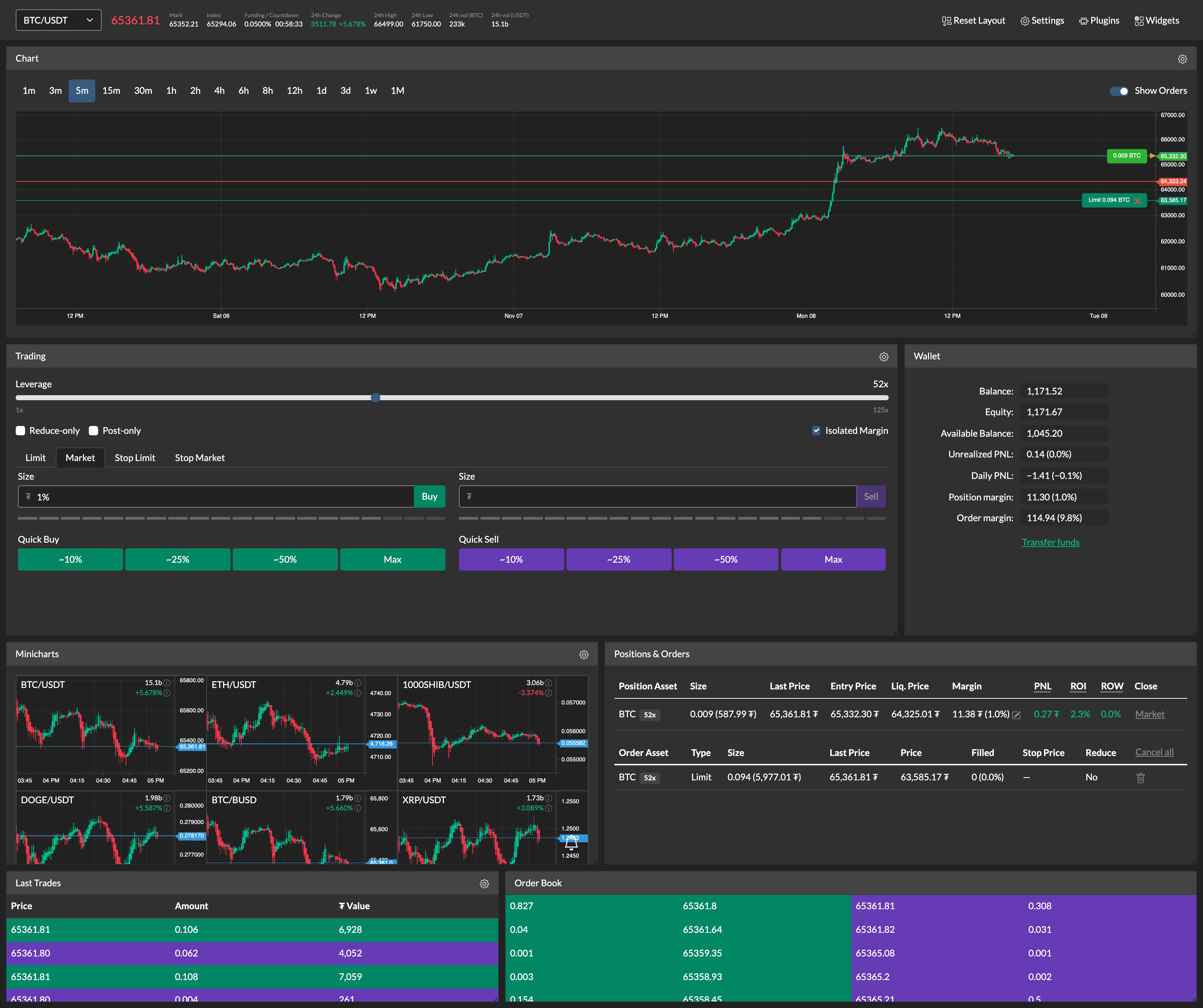
Widgets
Altamoon provides a user-friendly customizable interface. Widgets can be resized & moved around and some of them provide configuration options using the settings icon. (More customization will be added with time)
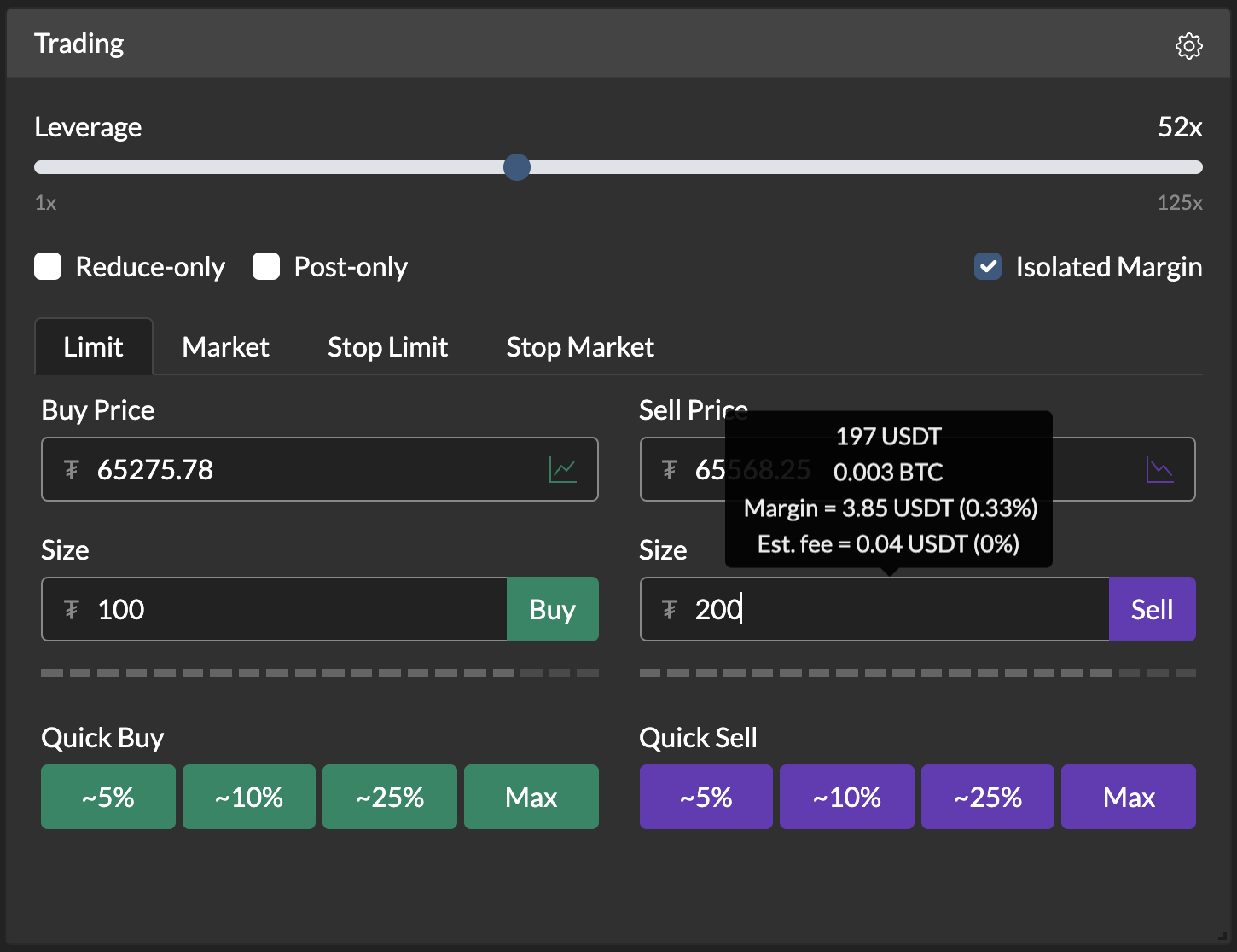
Trade with one click
Instead of manually entering fixed amounts to place orders, the "Quick Order" buttons let you place orders using a preset percentage of your account with just one click. The percentage on each button can be configured in the widget's settings.
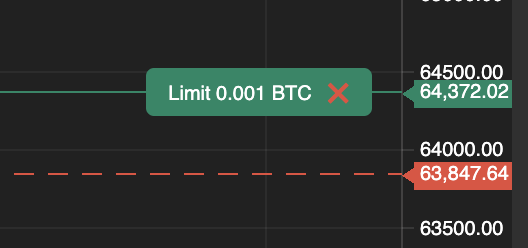
Candle chart
Draft orders
Prepare your order by double clicking on the chart (this works for limit orders only). A dashed line will show up under the cursor, you can drag it up or down to adjust the price and when you're ready, click on the green checkmark to place the order in the book.

Positions and orders on the chart
All your positions and open orders are displayed on the chart and order lines can be dragged to change their price. Filled orders are represented as small right-pointing triangles.

Price alerts
To create an alert, simply right click (NB: binding likely to change in the future) on the chart at the desired price. Like orders, alert lines can be dragged to change their price. A sound will be played on trigger.

Predictive liquidation line
A solid red line shows your current position's liquidation price. Altamoon also predicts your liquidation price based on your current position + draft order + open orders, letting you know were your position is going to be liquidated after all the orders are filled. It's displayed as a dashed red line and there is one for both the long and short sides.
Positions and Orders
All your open positions and orders in one place.

Wallet
The wallet widget shows your balance, the global Unrealized PNL of your positions, the margin amount used by your current position and orders, today's PNL to check your performance, etc.

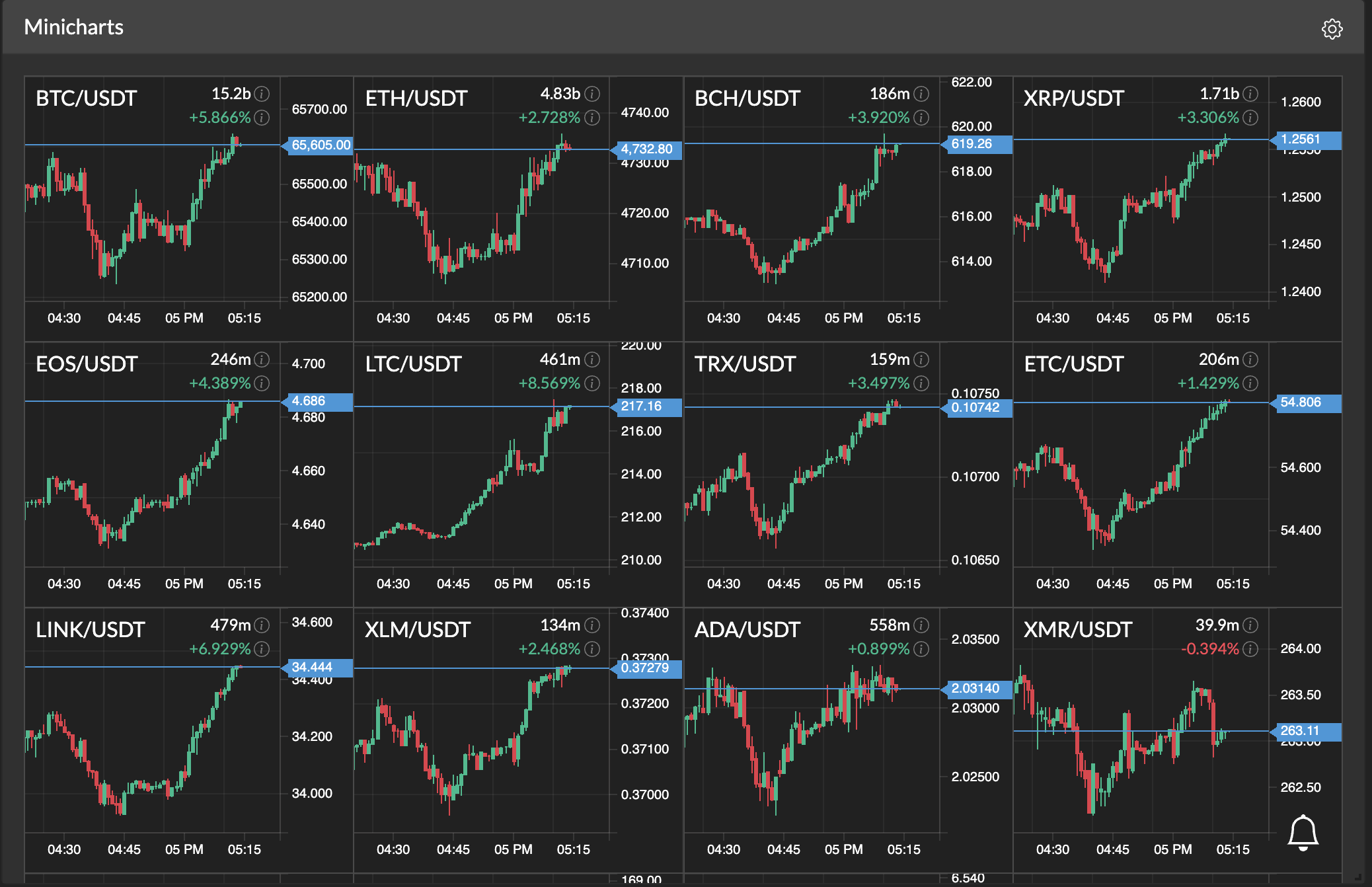
Minicharts
Candle charts for all of the futures markets. Place price alerts on a market with a right click. You can also take a look at the standalone tool called altamoon-minicharts.
Last trades and Order book
And last but not least, the Last trades and Order book widgets.

Plugins
Altamoon has a powerful plugin system. With an intuitive API and modern web development technologies, anybody who knows JavaScript can do whatever they want: create widgets, implement automated strategies, add third-party APIs. For more information take a look at plugins documentation.