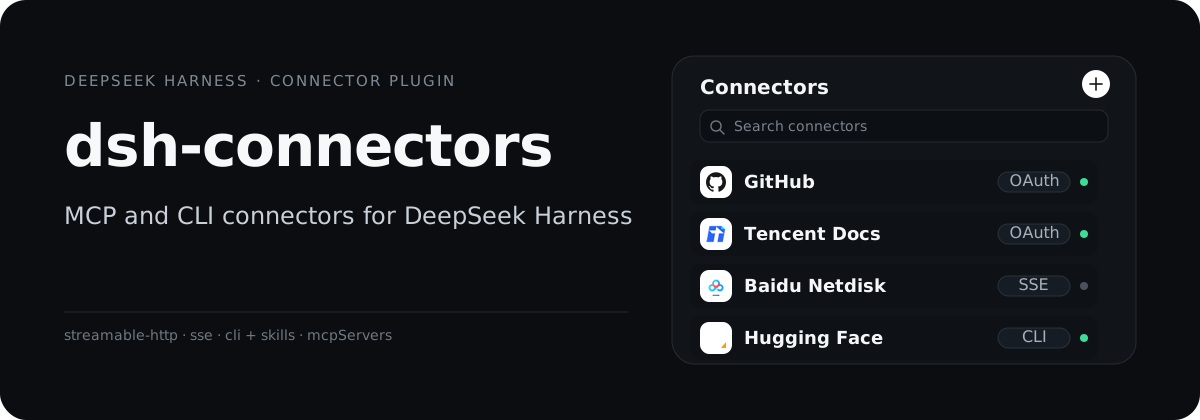
dsh-connectors is the **Connectors** panel for DeepSeek Harness. It includes 27 MCP connectors and 6 CLI connectors (DingTalk, Feishu, Tencent Meeting, WeCom, Hugging Face, Agent Mail). OAuth runs in your browser, credentials stay on your machine, and connected tools show up in your conversations.
## Architecture
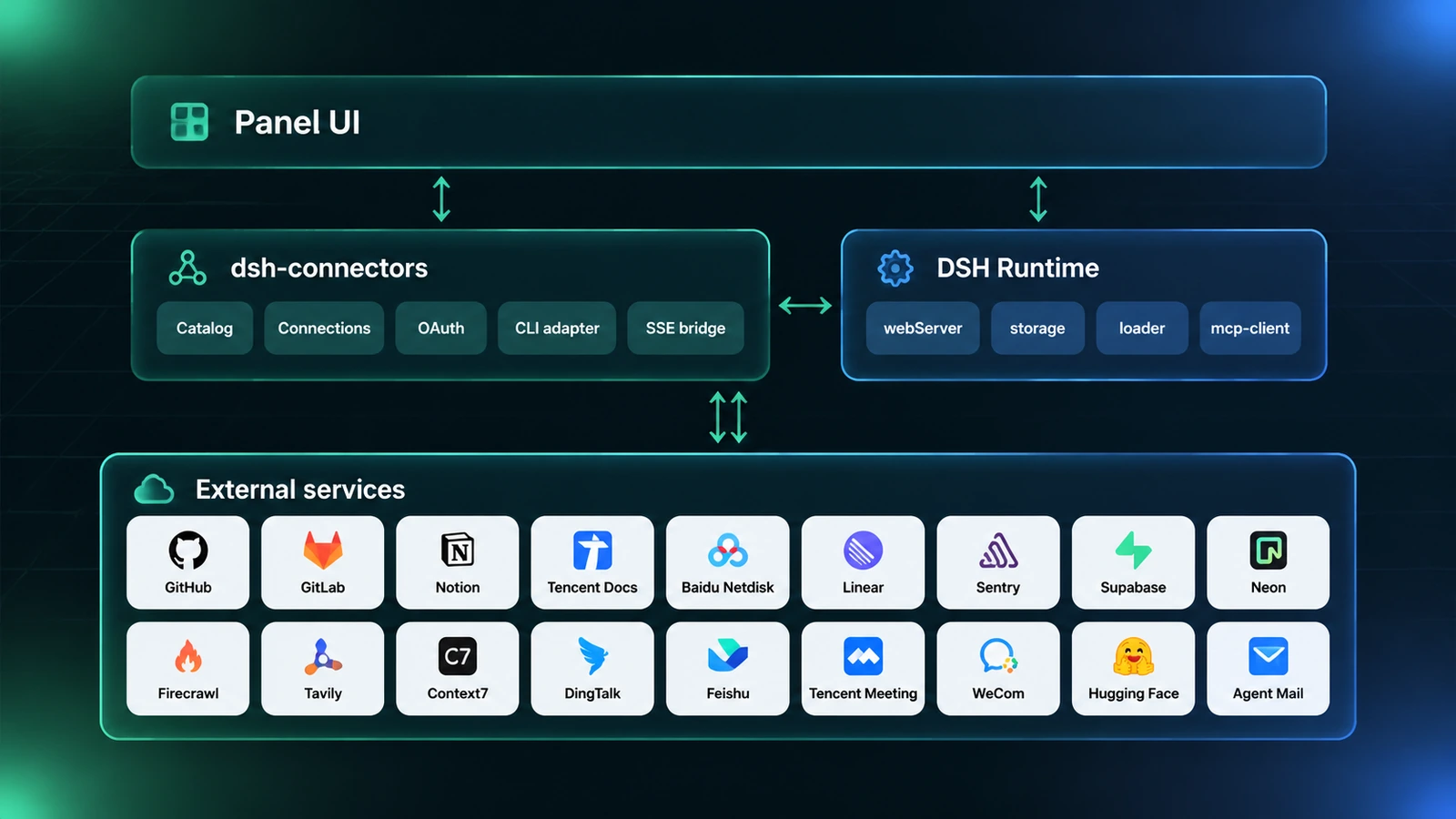
- The panel talks to the plugin host over `/dsh-connectors/api/*`; no token is kept in the browser.
- The host writes each connection as a `dsh-mcp-client` loader entry, so DSH owns the connection, tool registration, and reconnects.
- Three external paths: MCP over Streamable HTTP, legacy MCP over the SSE bridge, and CLI + Skills. OAuth runs in the system browser and returns to a host callback.
## UI and demo
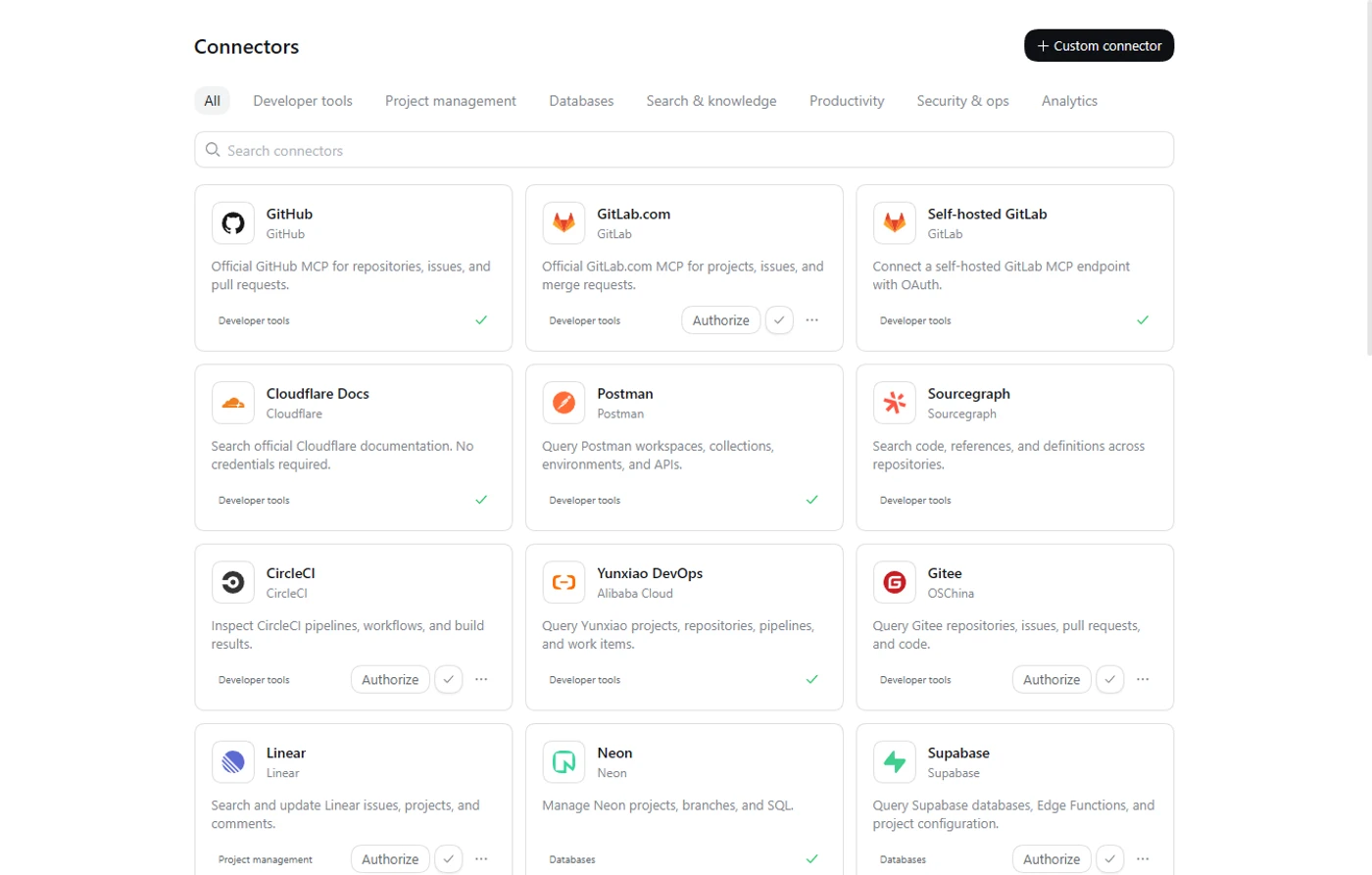
Browse by category or search, then click the plus button on a card to install.
## What it does
- **OAuth in your browser**: DCR + PKCE with automatic token refresh, including self-hosted GitLab and services that need a user-supplied endpoint.
- **Tokens and custom endpoints**: API-key services use a token dialog; self-hosted services take a full MCP URL that stays on your machine.
- **CLI login and updates in the panel**: DingTalk, Feishu, Tencent Meeting, WeCom, Hugging Face, and Agent Mail run through their official CLIs; install, login, update, and uninstall all happen in the panel.
- **SSE-only servers work too**: a built-in stdio bridge adapts them for `dsh-mcp-client`; Baidu Netdisk uses this path.
- **Custom `mcpServers`**: paste standard JSON for Streamable HTTP, SSE, or stdio; private or localhost URLs require explicit confirmation; descriptions, category labels, and examples can be provided in both Chinese and English.
- **A provider is a data file**: adding a connector means adding a `provider.json`; no core code changes and no per-vendor branches.
- **Follows the DSH language**: the panel, catalog copy, and CLI capability descriptions switch between Chinese and English in Settings, live.
- **Credentials stay on the machine**: connection records, tokens, and OAuth client data live on the host, are never returned by the API, and are redacted from logs.
## Built-in catalog
The plugin ships 27 MCP providers and 6 CLI connectors. The category table covers MCP only; CLI connectors are listed separately and custom connectors are not counted.
| Category | Connectors |
| --- | --- |
| Developer tools | GitHub, GitLab, self-hosted GitLab, Gitee, Postman, CircleCI, Yunxiao, Sourcegraph, Cloudflare Docs |
| Search & knowledge | Context7, Microsoft Learn, DeepWiki, Firecrawl, Tavily, Tencent Yuanbao Search, Amap |
| Productivity | Notion, Tencent Docs, Baidu Netdisk |
| Analytics | PostHog, Tianyancha, QCC |
| Security & ops | Sentry, Grafana |
| Databases | Neon, Supabase |
| Project management | Linear |
| CLI | DingTalk, Feishu, Tencent Meeting, WeCom, Hugging Face, Agent Mail |
By auth method: OAuth 2.0 (16), API key or token (6), no credentials (5), CLI + Skills (6).
| Auth method | How it works | Examples |
| --- | --- | --- |
| OAuth 2.0 (DCR + PKCE) | Browser authorization with automatic token refresh | GitLab, Notion, Firecrawl, Tencent Docs |
| API key / token | Paste a key in the token dialog; sent as a Bearer header | GitHub, Grafana, Baidu Netdisk |
| No credentials | The card asks for no credential; connect directly after install | Context7, Microsoft Learn, DeepWiki |
| CLI + Skills | Runs the vendor CLI; login, update, and uninstall in the panel; no remote MCP server | DingTalk, Feishu, Hugging Face |
## Install
Requirements: Node `^22.19.0 || >=24.0.0`, DeepSeek Harness `>=0.2.0-rc.2 <0.3.0`.
### DSH Desktop
Open **Settings → Plugins** or **Add plugin**, enter the package name `@double-coding/dsh-connectors` (a GitHub repo URL or a local directory also works), and install it from the dialog.
The Desktop app manages its own profile. A terminal install into `web` or another profile will not show up in Desktop. Fully quit and restart Desktop after installation.
### dsh web
```bash
dsh plugin --profile web add @double-coding/dsh-connectors
```
`web` is the default web profile. If you use a custom profile, replace `web` with the name your host actually loads:
```bash
dsh plugin --profile add @double-coding/dsh-connectors
```
Stop the running `dsh web` process and start it again; refreshing the page alone does not load the host plugin.
Install from source
```bash
npm install
npm run build
dsh plugin --profile add link:.
```
Use your actual profile name, then restart as described above.
### Open the panel
After the restart, **Connectors** appears in the sidebar. Pick a connector and click the plus button on its card; follow the browser or token prompt to finish.
## Add a provider
Built-in providers are pure data: `providers//provider.json`, plus an optional icon (`icon.svg`, `icon.png`, or `icon.webp`).
```bash
npm run provider:new -- acme --auth bearer --name "Acme"
```
```json
{
"$schema": "../../schema/provider.schema.json",
"schemaVersion": 1,
"id": "acme",
"name": "Acme",
"category": "开发工具",
"summary": "One line describing what this connector does.",
"examples": ["Use Acme to check the latest build"],
"server": {
"serverName": "acme",
"transport": "streamable-http",
"url": "https://mcp.example.com/mcp"
},
"auth": { "type": "bearer", "label": "Acme API Key" }
}
```
`category` uses the fixed identifiers defined by the schema (`开发工具` means Developer tools).
Then run:
```bash
npm run check
```
See [CONTRIBUTING.en.md](./CONTRIBUTING.en.md) and [provider.schema.json](./schema/provider.schema.json) for the contract, auth types, OAuth registration, and the PR checklist. Providers cannot contain executable code; use the in-app **Custom connector** for local stdio or private endpoints.
## Security and limits
- Single-user and local: no backend, no telemetry; records and credentials stay on the machine.
- Tokens and OAuth refresh credentials are used only on the host, are not returned by the API, and are redacted from error logs.
- Authorization scopes, quotas, and terms of third-party services belong to those vendors; the catalog only declares endpoints and auth methods.
- The SSE bridge forwards tool calls only; for example, Baidu Netdisk's SSE mode does not include local uploads.
## Contributing
Open a PR for a new official MCP provider, a fix, or a docs change. Read [CONTRIBUTING.en.md](./CONTRIBUTING.en.md) before adding a provider.
## License
[MIT](./LICENSE)



