[![Banners](docs/images/banner1.png)](https://github.com/xinnan-tech/xiaozhi-esp32-server)

<h1 align="center">小智后端服务xiaozhi-esp32-server</h1>

<p align="center">
本项目基于人机共生智能理论和技术研发智能终端软硬件体系<br/>为开源智能硬件项目
<a href="https://github.com/78/xiaozhi-esp32">xiaozhi-esp32</a>提供后端服务<br/>
根据<a href="https://ccnphfhqs21z.feishu.cn/wiki/M0XiwldO9iJwHikpXD5cEx71nKh">小智通信协议</a>使用Python、Java、Vue实现<br/>
支持MQTT+UDP协议、Websocket协议、MCP接入点、声纹识别、知识库
</p>

<p align="center">
<a href="./docs/FAQ.md">常见问题</a>
· <a href="https://github.com/xinnan-tech/xiaozhi-esp32-server/issues">反馈问题</a>
· <a href="./README.md#%E9%83%A8%E7%BD%B2%E6%96%87%E6%A1%A3">部署文档</a>
· <a href="https://github.com/xinnan-tech/xiaozhi-esp32-server/releases">更新日志</a>
</p>

<p align="center">
  <a href="./README.md"><img alt="简体中文版自述文件" src="https://img.shields.io/badge/简体中文-DBEDFA"></a>
  <a href="./docs/readme/README_en.md"><img alt="README in English" src="https://img.shields.io/badge/English-DFE0E5"></a>
  <a href="./docs/readme/README_vi.md"><img alt="Tiếng Việt" src="https://img.shields.io/badge/Tiếng Việt-DFE0E5"></a>
  <a href="./docs/readme/README_de.md"><img alt="Deutsch" src="https://img.shields.io/badge/Deutsch-DFE0E5"></a>
  <a href="./docs/readme/README_pt_BR.md"><img alt="Português (Brasil)" src="https://img.shields.io/badge/Português (Brasil)-DFE0E5"></a>
  <a href="https://github.com/xinnan-tech/xiaozhi-esp32-server/releases">
    <img alt="GitHub Contributors" src="https://img.shields.io/github/v/release/xinnan-tech/xiaozhi-esp32-server?logo=docker" />
  </a>
  <a href="https://github.com/xinnan-tech/xiaozhi-esp32-server/blob/main/LICENSE">
    <img alt="GitHub pull requests" src="https://img.shields.io/badge/license-MIT-white?labelColor=black" />
  </a>
  <a href="https://github.com/xinnan-tech/xiaozhi-esp32-server">
    <img alt="stars" src="https://img.shields.io/github/stars/xinnan-tech/xiaozhi-esp32-server?color=ffcb47&labelColor=black" />
  </a>
</p>

<p align="center">
Spearheaded by Professor Siyuan Liu's Team (South China University of Technology)
</br>
刘思源教授团队主导研发（华南理工大学）
</br>
<img src="./docs/images/hnlg.jpg" alt="华南理工大学" width="50%">
</p>

---

## 适用人群 👥

本项目需要配合 ESP32 硬件设备使用。如果您已经购买了 ESP32 相关硬件，且成功对接过虾哥部署的后端服务，并希望独立搭建自己的
`xiaozhi-esp32` 后端服务，那么本项目非常适合您。

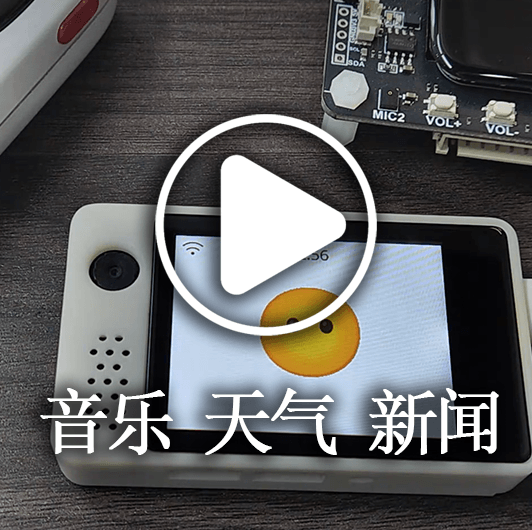
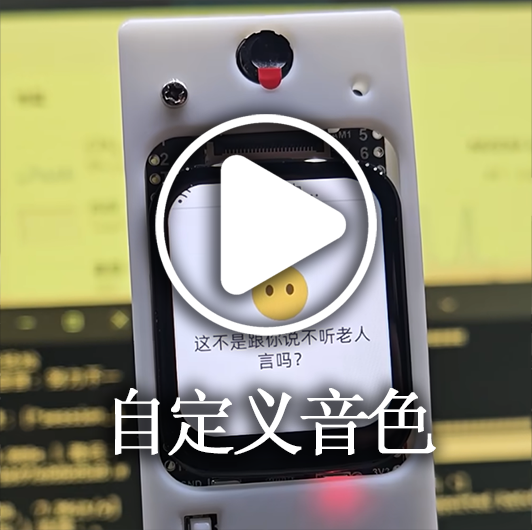
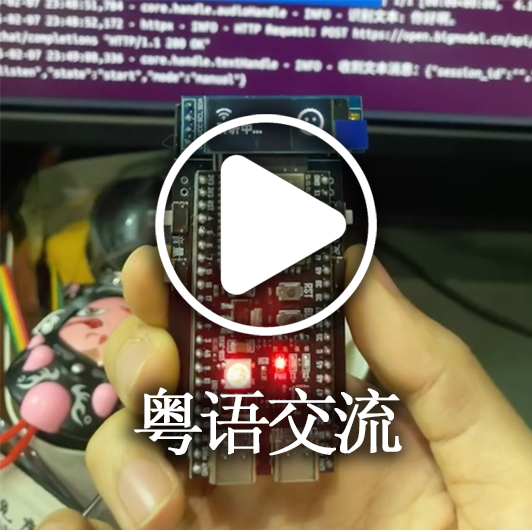
想看使用效果？请猛戳视频 🎥

<table>
  <tr>
    <td>
      <a href="https://www.bilibili.com/video/BV1FMFyejExX" target="_blank">
        <picture>
          <img alt="响应速度感受" src="docs/images/demo9.png" /></picture>
      </a>
    </td>
    <td>
      <a href="https://www.bilibili.com/video/BV1vchQzaEse" target="_blank">
        <picture>
          <img alt="速度优化秘诀" src="docs/images/demo6.png" /></picture>
      </a>
    </td>
    <td>
      <a href="https://www.bilibili.com/video/BV1WEcxzFEAT" target="_blank">
        <picture>
          <img alt="小智数字人 支持语音唤醒" src="docs/images/demo8.png" /></picture>
      </a>
    </td>
    <td>
      <a href="https://www.bilibili.com/video/BV1CKVz6UEuB" target="_blank">
        <picture>
          <img alt="设备呼叫设备，打电话" src="docs/images/demo0.png" /></picture>
      </a>
    </td>
    <td>
      <a href="https://www.bilibili.com/video/BV1C1tCzUEZh" target="_blank">
        <picture>
          <img alt="复杂医疗场景" src="docs/images/demo1.png" /></picture>
      </a>
    </td>
  </tr>
  <tr>
    <td>
      <a href="https://www.bilibili.com/video/BV1VC96Y5EMH" target="_blank">
        <picture>
          <img alt="播放音乐查询天气播报新闻" src="docs/images/demo7.png" /></picture>
      </a>
    </td>
    <td>
      <a href="https://www.bilibili.com/video/BV12J7WzBEaH" target="_blank">
        <picture>
          <img alt="实时打断" src="docs/images/demo10.png" /></picture>
      </a>
    </td>
    <td>
      <a href="https://www.bilibili.com/video/BV1Co76z7EvK" target="_blank">
        <picture>
          <img alt="拍照识物品" src="docs/images/demo12.png" /></picture>
      </a>
    </td>
    <td>
      <a href="https://www.bilibili.com/video/BV1pNXWYGEx1" target="_blank">
        <picture>
          <img alt="控制家电开关" src="docs/images/demo5.png" /></picture>
      </a>
    </td>
    <td>
      <a href="https://www.bilibili.com/video/BV1TJ7WzzEo6" target="_blank">
        <picture>
          <img alt="多指令任务" src="docs/images/demo11.png" /></picture>
      </a>
    </td>
  </tr>
  <tr>
    <td>
      <a href="https://www.bilibili.com/video/BV1ZQKUzYExM" target="_blank">
        <picture>
          <img alt="MCP接入点" src="docs/images/demo13.png" /></picture>
      </a>
    </td>
    <td>
      <a href="https://www.bilibili.com/video/BV1zUW5zJEkq" target="_blank">
        <picture>
          <img alt="MQTT指令下发" src="docs/images/demo4.png" /></picture>
      </a>
    </td>
    <td>
      <a href="https://www.bilibili.com/video/BV1Exu3zqEDe" target="_blank">
        <picture>
          <img alt="声纹识别" src="docs/images/demo14.png" /></picture>
      </a>
    </td>
    <td>
      <a href="https://www.bilibili.com/video/BV1CDKWemEU6" target="_blank">
        <picture>
          <img alt="自定义音色" src="docs/images/demo2.png" /></picture>
      </a>
    </td>
    <td>
      <a href="https://www.bilibili.com/video/BV12yA2egEaC" target="_blank">
        <picture>
          <img alt="使用粤语交流" src="docs/images/demo3.png" /></picture>
      </a>
    </td>
  </tr>
</table>

---

## 警告 ⚠️

1、本项目为开源软件，本软件与对接的任何第三方API服务商（包括但不限于语音识别、大模型、语音合成等平台）均不存在商业合作关系，不为其服务质量及资金安全提供任何形式的担保。
建议使用者优先选择持有相关业务牌照的服务商，并仔细阅读其服务协议及隐私政策。本软件不托管任何账户密钥、不参与资金流转、不承担充值资金损失风险。

2、本项目功能未完善，且未通过网络安全测评，请勿在生产环境中使用。 如果您在公网环境中部署学习本项目，请务必做好必要的防护。

---

## 部署文档

![Banners](docs/images/banner2.png)

本项目提供两种部署方式，请根据您的具体需求选择：

#### 🚀 部署方式选择
| 部署方式 | 特点 | 适用场景 | 部署文档 | 配置要求 | 视频教程 | 
|---------|------|---------|---------|---------|---------|
| **最简化安装** | 智能对话、单智能体管理 | 低配置环境，数据存储在配置文件，无需数据库 | [①Docker版](./docs/Deployment.md#%E6%96%B9%E5%BC%8F%E4%B8%80docker%E5%8F%AA%E8%BF%90%E8%A1%8Cserver) / [②源码部署](./docs/Deployment.md#%E6%96%B9%E5%BC%8F%E4%BA%8C%E6%9C%AC%E5%9C%B0%E6%BA%90%E7%A0%81%E5%8F%AA%E8%BF%90%E8%A1%8Cserver)| 如果使用`FunASR`要2核4G，如果全API，要2核2G | - | 
| **全模块安装** | 智能对话、多用户管理、多智能体管理、智控台界面操作 | 完整功能体验，数据存储在数据库 |[①Docker版](./docs/Deployment_all.md#%E6%96%B9%E5%BC%8F%E4%B8%80docker%E8%BF%90%E8%A1%8C%E5%85%A8%E6%A8%A1%E5%9D%97) / [②源码部署](./docs/Deployment_all.md#%E6%96%B9%E5%BC%8F%E4%BA%8C%E6%9C%AC%E5%9C%B0%E6%BA%90%E7%A0%81%E8%BF%90%E8%A1%8C%E5%85%A8%E6%A8%A1%E5%9D%97) / [③源码部署自动更新教程](./docs/dev-ops-integration.md) | 如果使用`FunASR`要4核8G，如果全API，要2核4G| [本地源码启动视频教程](https://www.bilibili.com/video/BV1wBJhz4Ewe) | 

常见问题及相关教程，可参考[这个链接](./docs/FAQ.md)

> 💡 提示：以下是按最新代码部署后的测试平台，有需要可烧录测试，并发为6个，每天会清空数据，

```
智控台地址: https://2662r3426b.vicp.fun
智控台(h5版): https://2662r3426b.vicp.fun/h5/index.html

服务测试工具： https://2662r3426b.vicp.fun/test/
OTA接口地址: https://2662r3426b.vicp.fun/xiaozhi/ota/
Websocket接口地址: wss://2662r3426b.vicp.fun/xiaozhi/v1/
```

#### 🚩 配置说明和推荐
> [!Note]
> 本项目提供两种配置方案：
> 
> 1. `入门全免费`配置：适合个人家庭使用，所有组件均采用免费方案，无需额外付费。
> 
> 2. `流式配置`：适合演示、培训、超过2个并发等场景，采用流式处理技术，响应速度更快，体验更佳。
> 
> 自`0.5.2`版本起，项目支持流式配置，相比早期版本，响应速度提升约`2.5秒`，显著改善用户体验。

| 模块名称 | 入门全免费设置 | 流式配置 |
|:---:|:---:|:---:|
| ASR(语音识别) | FunASR(本地) | 👍XunfeiStreamASR(讯飞流式) |
| LLM(大模型) | glm-4-flash(智谱) | 👍qwen-flash(阿里百炼) |
| VLLM(视觉大模型) | glm-4v-flash(智谱) | 👍qwen3.5-flash(阿里百炼) |
| TTS(语音合成) | EdgeTTS(微软) | 👍HuoshanDoubleStreamTTS(火山流式) |
| Intent(意图识别) | function_call(函数调用) | function_call(函数调用) |
| Memory(记忆功能) | mem_local_short(本地短期记忆） | mem_local_short（本地短期记忆） |

如果您关心各组件的耗时，请查阅[小智各组件性能测试报告](https://github.com/xinnan-tech/xiaozhi-performance-research)，可按报告中的测试方法在您的环境中实际测试。

#### 🔧 测试工具
本项目提供以下测试工具，帮助您验证系统和选择合适的模型：

| 工具名称 | 位置 | 使用方法 | 功能说明 |
|:---:|:---|:---:|:---:|
| 音频交互测试工具 | main》digital-human》index.html | 在 `main/digital-human` 执行 `python start.py` 后访问 `http://127.0.0.1:8006/index.html` | 测试音频播放和接收功能，验证Python端音频处理是否正常 |
| 模型响应测试工具 | main》xiaozhi-server》performance_tester.py | 执行 `python performance_tester.py` | 测试ASR(语音识别)、LLM(大模型)、VLLM(视觉模型)、TTS(语音合成)三个核心模块的响应速度 |

> 💡 提示：测试模型速度时，只会测试配置了密钥的模型。

---
## 功能清单 ✨
### 已实现 ✅
![请参考-全模块安装架构图](docs/images/deploy2.png)
| 功能模块 | 描述 |
|:---:|:---|
| 核心架构 | 基于[MQTT+UDP网关](https://github.com/xinnan-tech/xiaozhi-esp32-server/blob/main/docs/mqtt-gateway-integration.md)、WebSocket、HTTP服务器，提供完整的控制台管理和认证系统 |
| 语音交互 | 支持流式ASR(语音识别)、流式TTS(语音合成)、VAD(语音活动检测)，支持多语言识别和语音处理 |
| 声纹识别 | 支持多用户声纹注册、管理和识别，与ASR并行处理，实时识别说话人身份并传递给LLM进行个性化回应 |
| 智能对话 | 支持多种LLM(大语言模型)，实现智能对话 |
| 视觉感知 | 支持多种VLLM(视觉大模型)，实现多模态交互 |
| 意图识别 | 支持外挂的大模型意图识别、大模型自主函数调用，提供插件化意图处理机制 |
| 记忆系统 | 支持本地短期记忆、mem0ai接口记忆、PowerMem智能记忆，具备记忆总结功能 |
| 知识库 | 支持RAGFlow知识库，让大模型判断需要调度知识库后再回答 |
| 工具调用 | 支持客户端IOT协议、客户MCP协议、服务端MCP协议、MCP接入点协议、自定义工具函数 |
| 指令下发 | 依托MQTT协议，支持从智控台将MCP指令下发到ESP32设备 |
| 管理后台 | 提供Web管理界面，支持用户管理、系统配置和设备管理；界面支持中文简体、中文繁体、英文显示 |
| 测试工具 | 提供性能测试工具、视觉模型测试工具和音频交互测试工具 |
| 部署支持 | 支持Docker部署和本地部署，提供完整的配置文件管理 |
| 插件系统 | 支持功能插件扩展、自定义插件开发和插件热加载 |

### 正在开发 🚧

想了解具体开发计划进度，[请点击这里](https://github.com/users/xinnan-tech/projects/3)。常见问题及相关教程，可参考[这个链接](./docs/FAQ.md)

如果你是一名软件开发者，这里有一份[《致开发者的公开信》](docs/contributor_open_letter.md)，欢迎加入！

---

## 产品生态 👬
小智是一个生态，当你使用这个产品时，也可以看看其他在这个生态圈的[优秀项目](https://github.com/78/xiaozhi-esp32/blob/main/README_zh.md#%E7%9B%B8%E5%85%B3%E5%BC%80%E6%BA%90%E9%A1%B9%E7%9B%AE)

---

## 本项目支持的平台/组件列表 📋
### LLM 语言模型

| 使用方式 | 支持平台 | 免费平台 |
|:---:|:---:|:---:|
| openai 接口调用 | 阿里百炼、火山引擎、DeepSeek、智谱、Gemini、科大讯飞 | 智谱、Gemini |
| ollama 接口调用 | Ollama | - |
| dify 接口调用 | Dify | - |
| fastgpt 接口调用 | Fastgpt | - |
| coze 接口调用 | Coze | - |
| xinference 接口调用 | Xinference | - |
| homeassistant 接口调用 | HomeAssistant | - |

实际上，任何支持 openai 接口调用的 LLM 均可接入使用。

---

### VLLM 视觉模型

| 使用方式 | 支持平台 | 免费平台 |
|:---:|:---:|:---:|
| openai 接口调用 | 阿里百炼、智谱ChatGLMVLLM | 智谱ChatGLMVLLM |

实际上，任何支持 openai 接口调用的 VLLM 均可接入使用。

---

### TTS 语音合成

| 使用方式 | 支持平台 | 免费平台 |
|:---:|:---:|:---:|
| 接口调用 | EdgeTTS、科大讯飞、火山引擎、腾讯云、阿里云及百炼、CosyVoiceSiliconflow、TTS302AI、CozeCnTTS、GizwitsTTS、ACGNTTS、OpenAITTS、灵犀流式TTS、MinimaxTTS | 灵犀流式TTS、EdgeTTS、CosyVoiceSiliconflow(部分) |
| 本地服务 | FishSpeech、GPT_SOVITS_V2、GPT_SOVITS_V3、Index-TTS、PaddleSpeech | Index-TTS、PaddleSpeech、FishSpeech、GPT_SOVITS_V2、GPT_SOVITS_V3 |

---

### VAD 语音活动检测

| 类型  |   平台名称    | 使用方式 | 收费模式 | 备注 |
|:---:|:---------:|:----:|:----:|:--:|
| VAD | SileroVAD | 本地使用 |  免费  |    |

---

### ASR 语音识别

| 使用方式 | 支持平台 | 免费平台 |
|:---:|:---:|:---:|
| 本地使用 | FunASR、SherpaASR | FunASR、SherpaASR |
| 接口调用 | FunASRServer、火山引擎、科大讯飞、腾讯云、阿里云、百度云、OpenAI ASR | FunASRServer |

---

### Voiceprint 声纹识别

| 使用方式 | 支持平台 | 免费平台 |
|:---:|:---:|:---:|
| 本地使用 | 3D-Speaker | 3D-Speaker |

---

### Memory 记忆存储

|   类型   |      平台名称       | 使用方式 |   收费模式    | 备注 |
|:------:|:---------------:|:----:|:---------:|:--:|
| Memory |     mem0ai      | 接口调用 | 1000次/月额度 |    |
| Memory |     [powermem](./docs/powermem-integration.md)    | 本地总结 | 取决于LLM和DB |  OceanBase开源，支持智能检索  |
| Memory | mem_local_short | 本地总结 |    免费     |    |
| Memory |     nomem       | 无记忆模式 |    免费     |    |

---

### Intent 意图识别

|   类型   |     平台名称      | 使用方式 |  收费模式   |          备注           |
|:------:|:-------------:|:----:|:-------:|:---------------------:|
| Intent |  intent_llm   | 接口调用 | 根据LLM收费 |    通过大模型识别意图，通用性强     |
| Intent | function_call | 接口调用 | 根据LLM收费 | 通过大模型函数调用完成意图，速度快，效果好 |
| Intent |    nointent   | 无意图模式 |    免费     |    不进行意图识别，直接返回对话结果     |

---

### Rag 检索增强生成

|   类型   |     平台名称      | 使用方式 |  收费模式   |          备注           |
|:------:|:-------------:|:----:|:-------:|:---------------------:|
| Rag |  ragflow   | 接口调用 | 根据切片、分词消耗的token收费 |    借助RagFlow的检索增强生成功能，提供更准确的对话回复     |

---

## 鸣谢 🙏

| Logo | 项目/公司 | 说明 |
|:---:|:---:|:---|
| <img src="./docs/images/logo_bailing.png" width="160"> | [百聆语音对话机器人](https://github.com/wwbin2017/bailing) | 本项目受[百聆语音对话机器人](https://github.com/wwbin2017/bailing)启发，并在其基础上实现 |
| <img src="./docs/images/logo_tenclass.png" width="160"> | [十方融海](https://www.tenclass.com/) | 感谢[十方融海](https://www.tenclass.com/)为小智生态制定了标准的通讯协议、多设备兼容性方案及高并发场景实践示范；为本项目提供了全链路技术文档支持 |
| <img src="./docs/images/logo_xuanfeng.png" width="160"> | [玄凤科技](https://github.com/Eric0308) | 感谢[玄凤科技](https://github.com/Eric0308)贡献函数调用框架、MCP通信协议及插件化调用机制的实现代码，通过标准化的指令调度体系与动态扩展能力，显著提升了前端设备(IoT)的交互效率和功能延展性 |
| <img src="./docs/images/logo_junsen.png" width="160"> | [huangjunsen](https://github.com/huangjunsen0406) | 感谢[huangjunsen](https://github.com/huangjunsen0406) 贡献`智控台移动端`模块，实现了跨平台移动设备的高效控制与实时交互，大幅提升了系统在移动场景下的操作便捷性和管理效率 |
| <img src="./docs/images/logo_huiyuan.png" width="160"> | [汇远设计](http://ui.kwd988.net/) | 感谢[汇远设计](http://ui.kwd988.net/)为本项目提供专业视觉解决方案，用其服务超千家企业的设计实战经验，赋能本项目产品用户体验 |
| <img src="./docs/images/logo_qinren.png" width="160"> | [西安勤人信息科技](https://www.029app.com/) | 感谢[西安勤人信息科技](https://www.029app.com/)深化本项目视觉体系，确保整体设计风格在多场景应用中的一致性和扩展性 |
| <img src="./docs/images/logo_contributors.png" width="160"> | [代码贡献者](https://github.com/xinnan-tech/xiaozhi-esp32-server/graphs/contributors) | 感谢[所有代码贡献者](https://github.com/xinnan-tech/xiaozhi-esp32-server/graphs/contributors)贡献者，你们的付出让项目更加健壮和强大。 |


<a href="https://star-history.com/#xinnan-tech/xiaozhi-esp32-server&Date">

 <picture>
   <source media="(prefers-color-scheme: dark)" srcset="https://api.star-history.com/svg?repos=xinnan-tech/xiaozhi-esp32-server&type=Date&theme=dark" />
   <source media="(prefers-color-scheme: light)" srcset="https://api.star-history.com/svg?repos=xinnan-tech/xiaozhi-esp32-server&type=Date" />
   <img alt="Star History Chart" src="https://api.star-history.com/svg?repos=xinnan-tech/xiaozhi-esp32-server&type=Date" />
 </picture>
</a>