Open Design:開源的 Claude Design 替代方案
> ⚡ **Open Design Cloud——官方模型服務。** 一次儲值,即可在 Open Design 中直接使用 GPT、Claude、Gemini 與 DeepSeek:20+ 旗艦模型、零設定、依實際 token 用量計費。[立即體驗](https://open-design.ai/cloud/?utm_source=github&utm_medium=referral&utm_content=readme_try_cloud)
>
> 🏅 **Open Design Fellow 計畫現已開放。** 如果你也相信設計應該是開放的——歡迎成為 Open Design Fellow,與核心團隊一同形塑這項產品,並協助更多人參與定義設計的未來。詳情請見 → [`MAINTAINERS.md`](../../MAINTAINERS.md) 與 [Discord](https://discord.gg/mHAjSMV6gz)。

官方網站 ·
下載 ·
Open Design Cloud ·
Discord ·
追蹤 @OpenDesignHQ




English · Español · Português · Deutsch · Français · 简体中文 · 繁體中文 · 한국어 · 日本語 · العربية · Русский · Українська · Türkçe · ภาษาไทย
---
## 什麼是 Open Design
🎨 **本地優先、開源的 Claude Design 替代方案。** 🖥️ **macOS 與 Windows 的原生桌面應用程式。** ⚡ **100+ 個功能 skills + 獨立渲染範本型錄** · ✨ **151 套品牌級設計系統套件** · 📦 **277 個開箱即用的外掛。** 🖼️ 可生成 **網頁 · 桌面 · 行動裝置原型**、**即時儀表板/artifacts**、**簡報**、**圖片**、**影片**,外加 **HyperFrames** 動態圖像。🔒 沙箱化 iframe 預覽 · 支援 HTML / PDF / PPTX / MP4 匯出。 🤖 **可在 Claude Code · OpenClaw · Codex · Cursor · OpenCode · Qwen · Copilot · Hermes · Kimi · Antigravity 等 25 個不同的本地 CLI 可執行檔上執行**,或透過 BYOK 接上任何相容 OpenAI 的端點。
Open Design 是這樣誕生的:當 Anthropic 隨 Claude Design 推出的那套 **agent 原生** 迴圈——釐清需求、鎖定方向、串流產出 artifact、評析、交付——不再封閉,而是化為一個由 **功能 skills、渲染設計範本、設計系統與外掛組成的檔案系統**,讓你筆電上既有的編碼 agent 都能讀取、寫入、再混搭。你的 CLI 成為設計引擎,你的筆電成為工作室,而你團隊的 `DESIGN.md` 則成為品牌契約。
它同時也是 **agent 時代的 Figma 替代方案**——不必在畫布上推動像素,而是以真實 CSS、真實字型、真實元件交付單頁 artifact,直接匯出成 HTML / PDF / PPTX / MP4——這些產出早已由你的設計系統塑形,也早已能在你每天使用的 agent 中執行。
---
## 產品導覽
快速看看 Open Design 是什麼、能做什麼。從 **首頁** 起步,用 **自動化** 編排重複的工作流程,在 **設計系統** 中提煉品牌契約,再以 **外掛** 與 **整合** 擴充;在任何專案的 **Studio** 中,同一套設計系統就能串流產出原型、即時 artifact、HyperFrames、簡報與圖片。
### 核心頁面
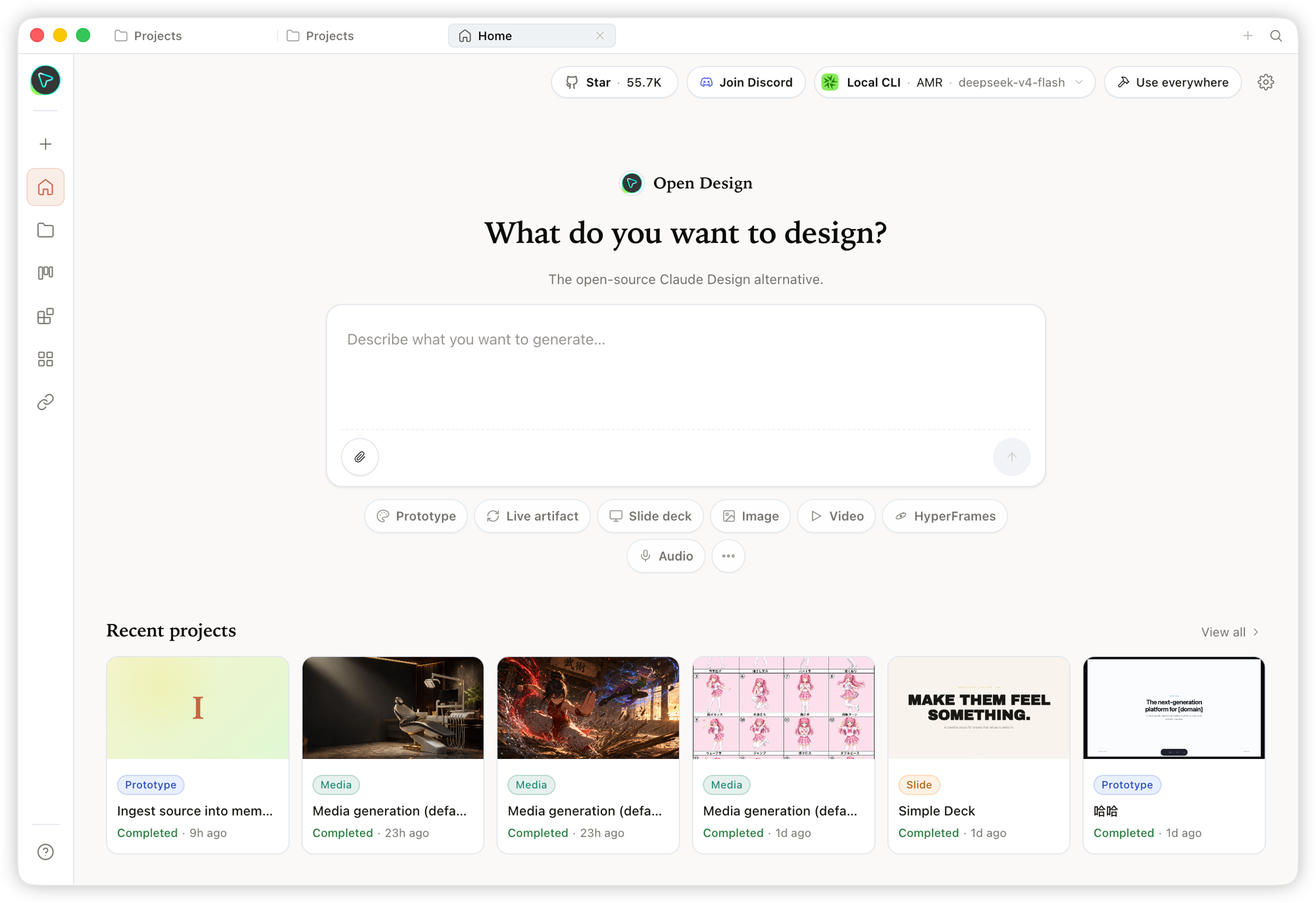
首頁——總覽入口。選一個 skill 與一套設計系統,輸入需求,從一處啟動一切。
|
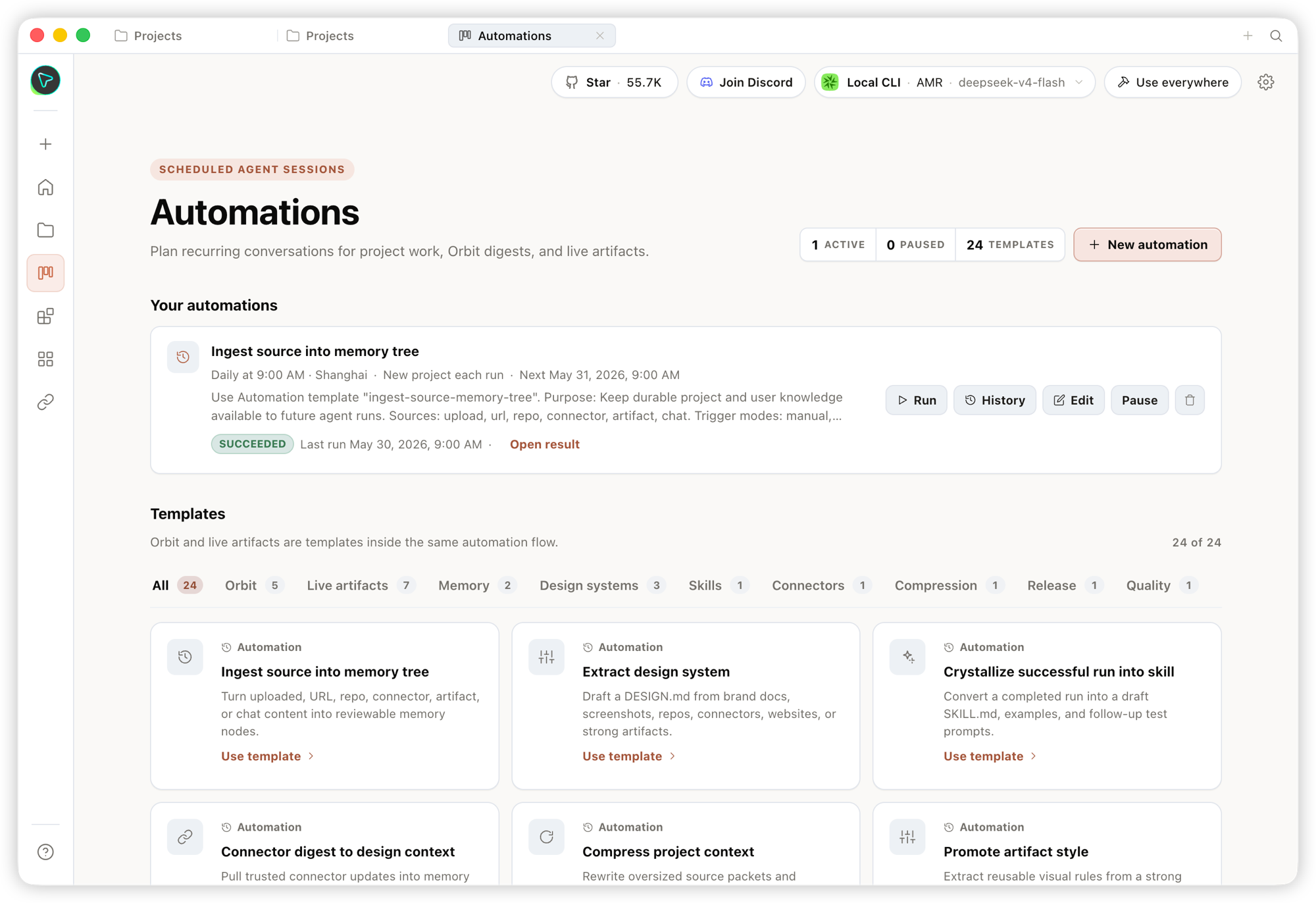
自動化——把重複性的設計工作流程編排成可重複使用、可排程的自動化任務。
|
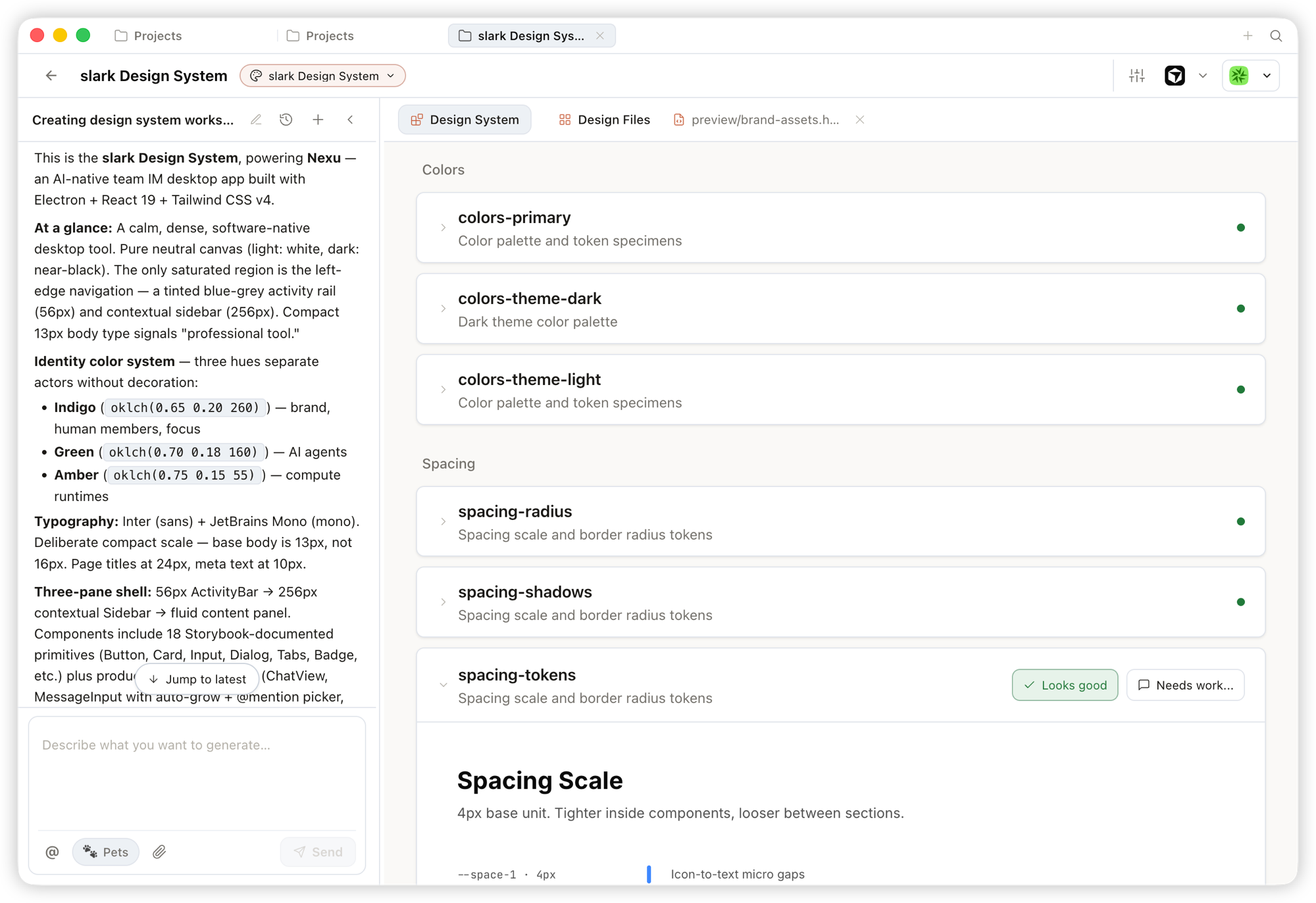
設計系統——把團隊的 DESIGN.md 提煉成一份品牌契約,塑形每一份產出。
|
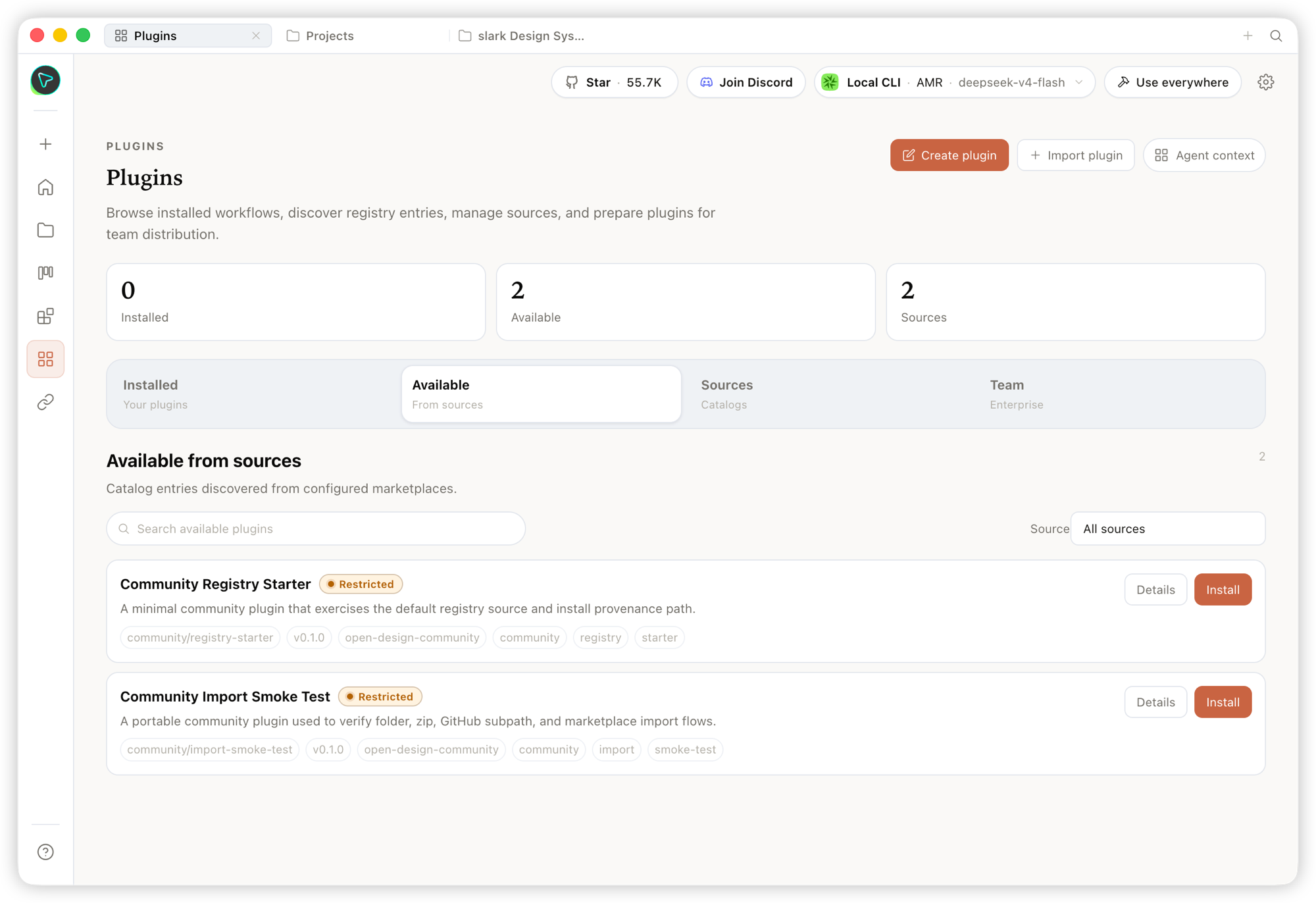
外掛——瀏覽、安裝並散布工作流程外掛,隨需擴充生成能力。
|
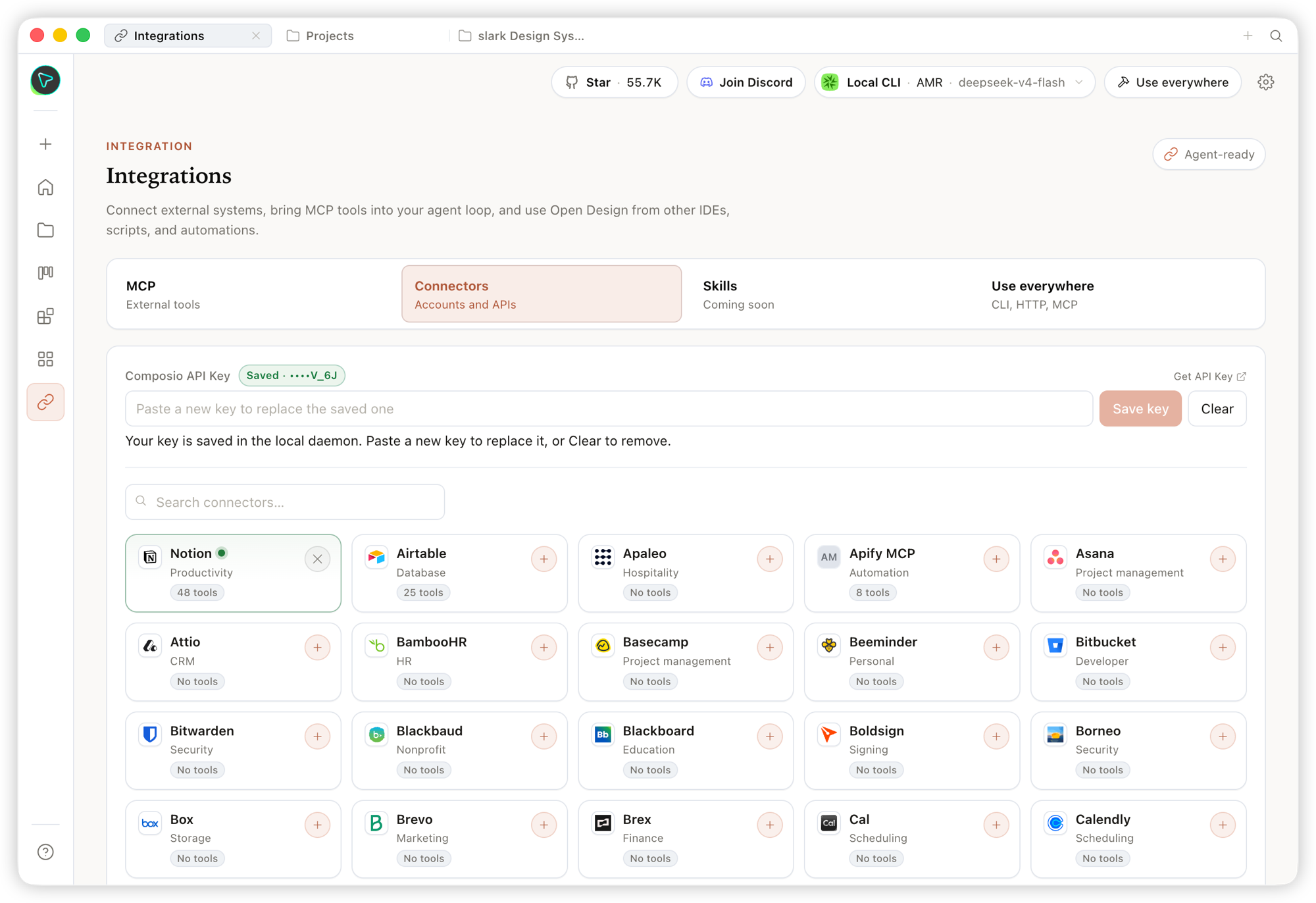
整合——連接外部系統與 MCP 工具,並從任何 IDE、腳本或自動化流程使用 Open Design。
|
### Studio——一個專案中的多種 artifact 類型
在專案的 Studio 中,同一套設計系統可串流產出多種 artifact 類型:
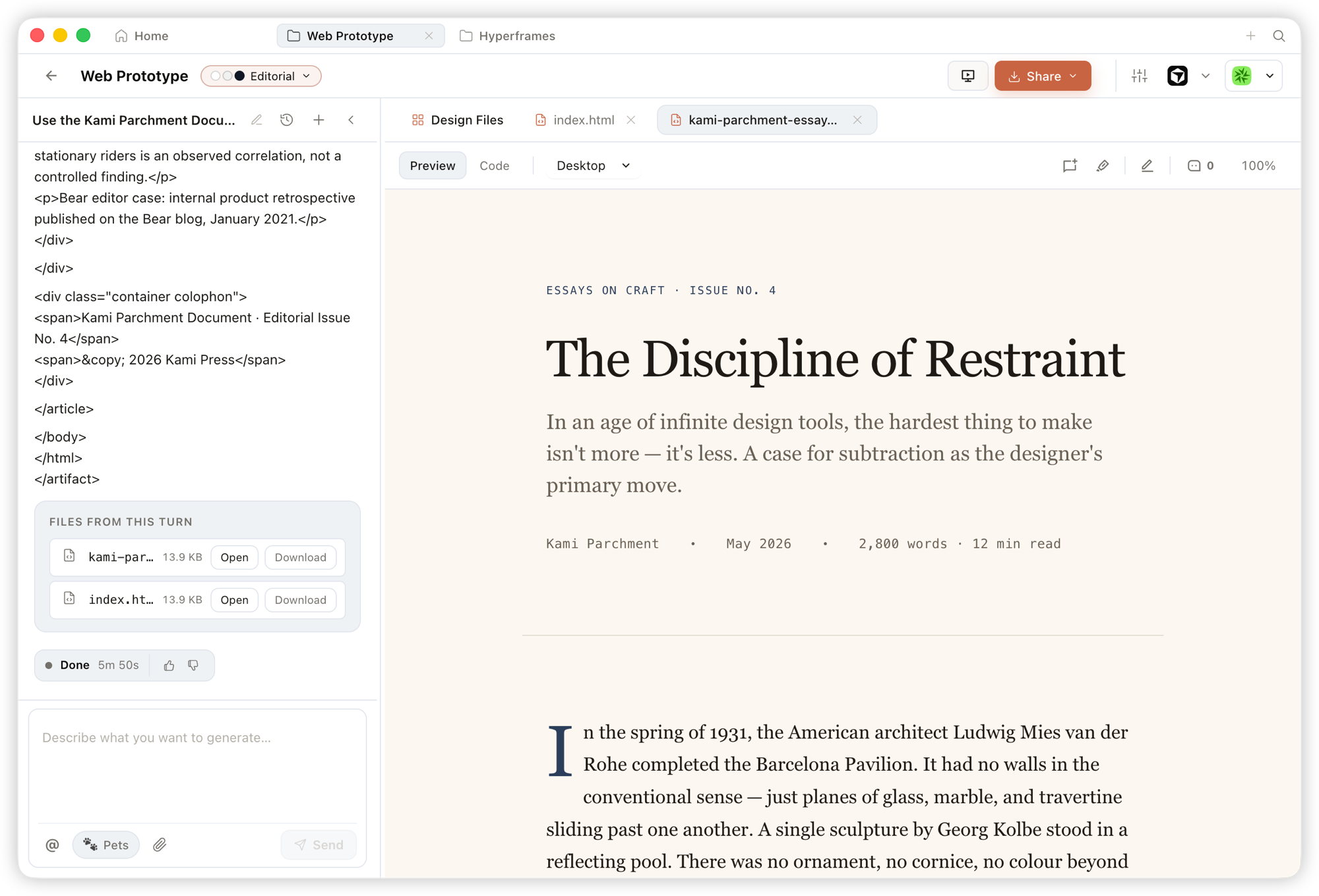
原型——單頁 HTML artifact,讀取你的設計系統並在沙箱化 iframe 中渲染,可即時預覽,也可下載原始碼。
|
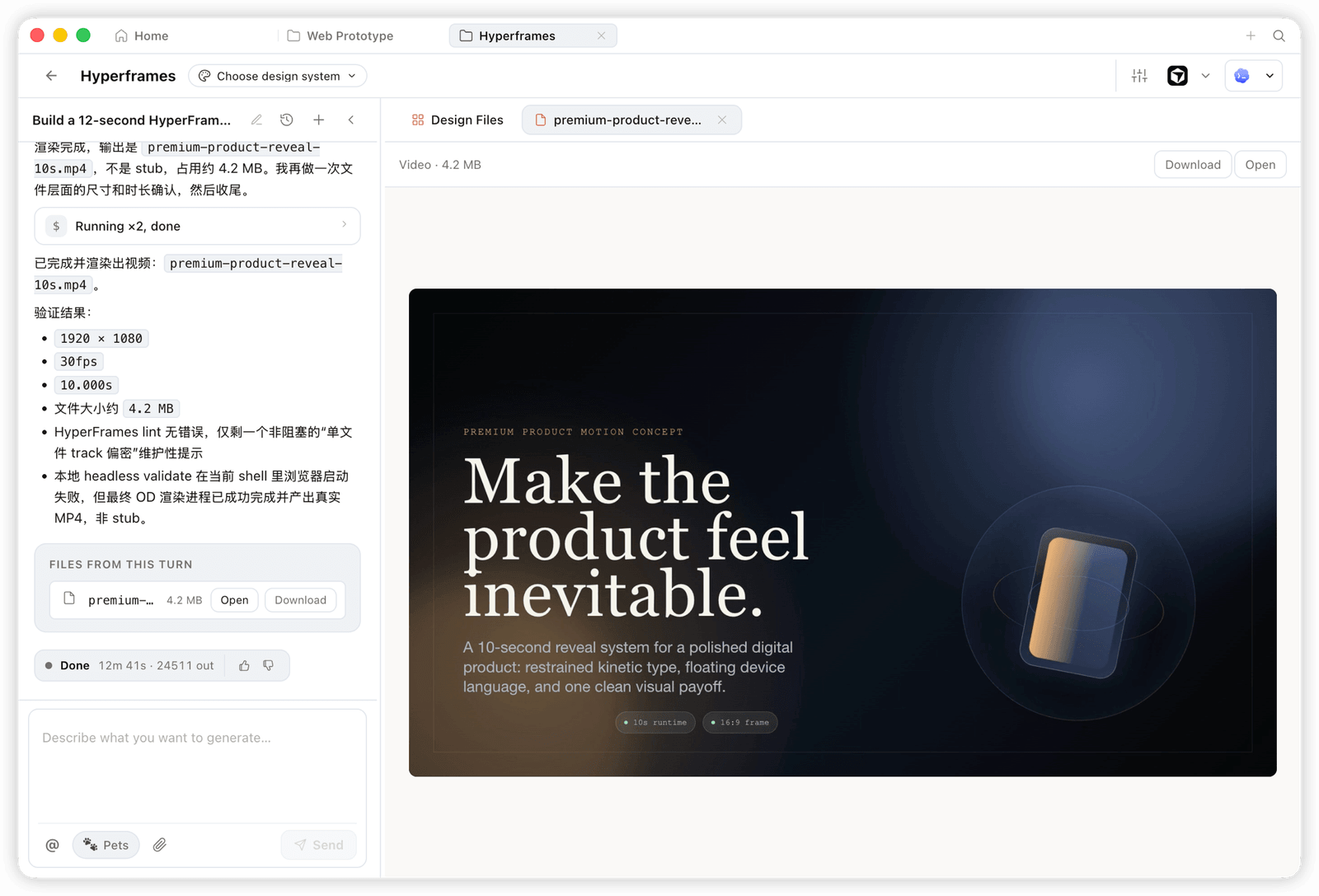
HyperFrame——程式化動態與動畫圖像,渲染成真實的 MP4(例如 1920×1080 · 30fps)。
|
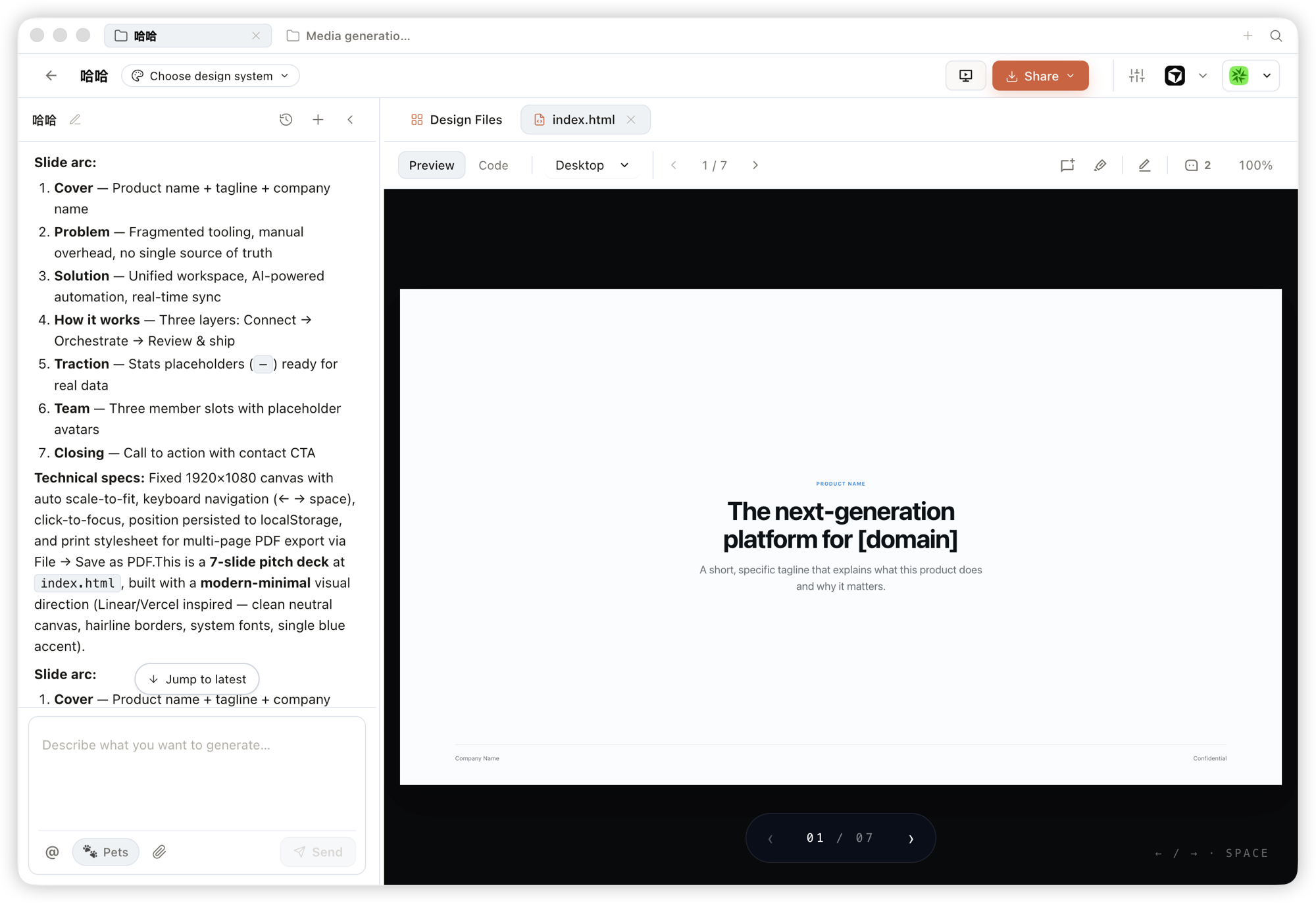
簡報——可翻頁、可用鍵盤瀏覽,並可匯出成 PPTX / PDF 的 pitch deck。
|
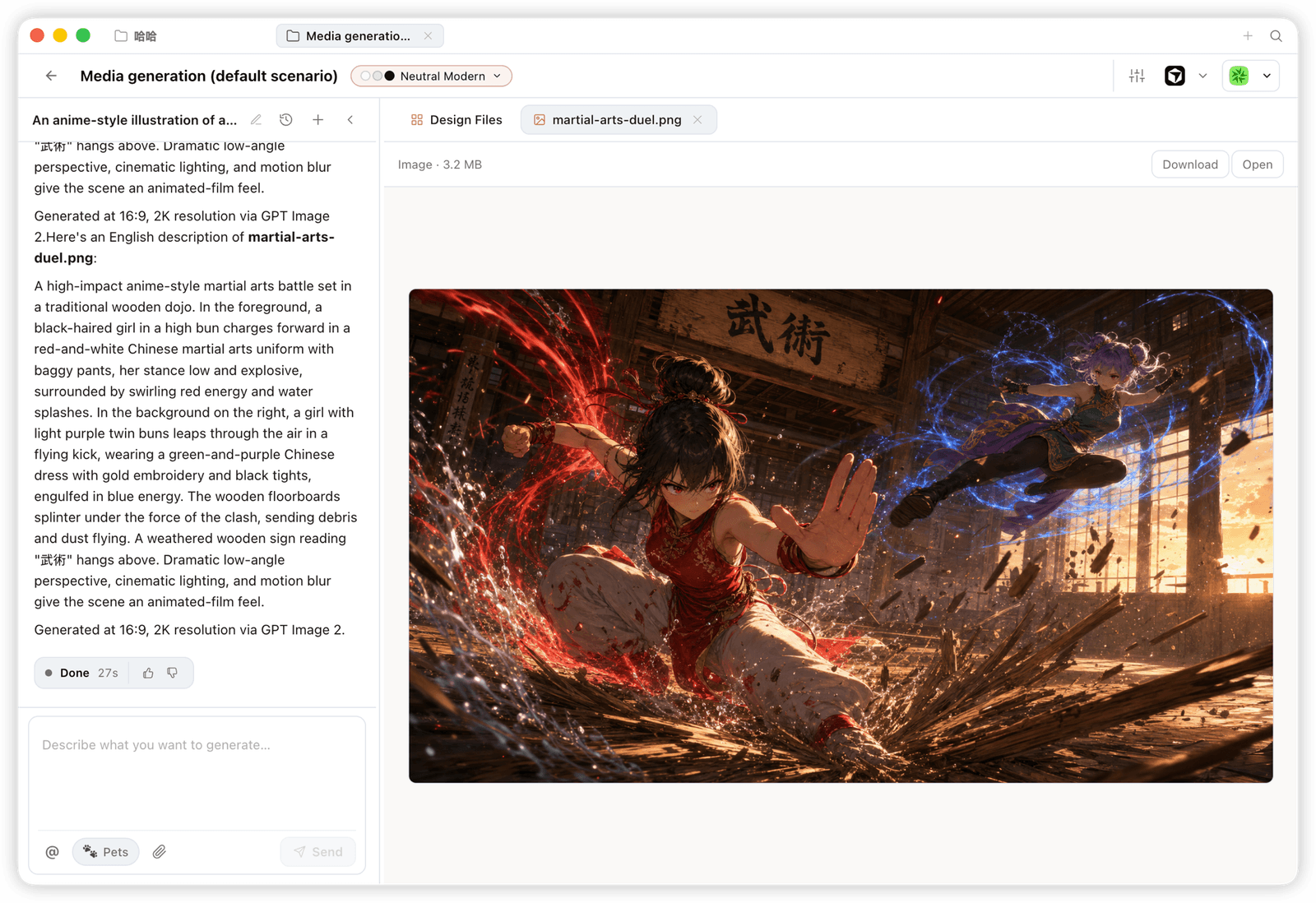
圖片——品牌級圖片與視覺素材,支援高解析度生成與下載。
|
---
## 平台相容性
> Open Design 以 **skills、CLI 與 MCP server** 的形式發行,主流編碼 agent 都能原生使用。安裝 OD 後,只要一句 `od mcp install ` 就能把 MCP server 接進該 agent 的設定,你便能在任何 agent 內呼叫同一組工具。
| 編碼 agent/平台 | 狀態 | 一行指令安裝 MCP server |
|---|:---:|---|
| [Claude Code](https://docs.anthropic.com/en/docs/claude-code) | ✅ 已支援 | `od mcp install claude` |
| [Codex CLI](https://github.com/openai/codex) | ✅ 已支援 | `od mcp install codex` |
| [DeepSeek Reasonix](https://github.com/esengine/DeepSeek-Reasonix) | ✅ 已支援 | `od mcp install reasonix` |
| [Raven](https://github.com/EverMind-AI/Raven) | ✅ 已支援 | `od mcp install raven` |
| [Cursor](https://www.cursor.com/cli) | ✅ 已支援 | `od mcp install cursor` |
| [VS Code + GitHub Copilot](https://github.com/features/copilot) | ✅ 已支援 | `od mcp install copilot` |
| [GitHub Copilot CLI](https://github.com/features/copilot/cli) | ✅ 已支援 | `od mcp install copilot` |
| [OpenCode](https://opencode.ai/) | ✅ 已支援 | `od mcp install opencode` |
| [OpenClaw](https://github.com/openclaw/openclaw) | ✅ 已支援 | `od mcp install openclaw` |
| [Antigravity](https://antigravity.google) | ✅ 已支援 | `od mcp install antigravity` |
| [Cline](https://github.com/cline/cline) | ✅ 已支援 | `od mcp install cline` |
| [Trae](https://www.trae.ai/) | ✅ 已支援 | `od mcp install trae` |
| [Kimi CLI](https://github.com/MoonshotAI/kimi-cli) | ✅ 已支援 | `od mcp install kimi` |
| [Kiro](https://kiro.dev) | ✅ 已支援 | `od mcp install kiro` |
| [Pi Agent](https://github.com/badlogic/pi-mono) | ✅ 已支援 | `od mcp install pi` |
| [Mistral Vibe CLI](https://github.com/mistralai/mistral-vibe) | ✅ 已支援 | `od mcp install vibe` |
| [Hermes Agent](https://github.com/nousresearch/hermes-agent) | ✅ 已支援 | `od mcp install hermes` |
`od mcp install --print` 可預覽 dry-run · `--uninstall` 可移除 · 完整清單請執行 `od mcp install --help`。
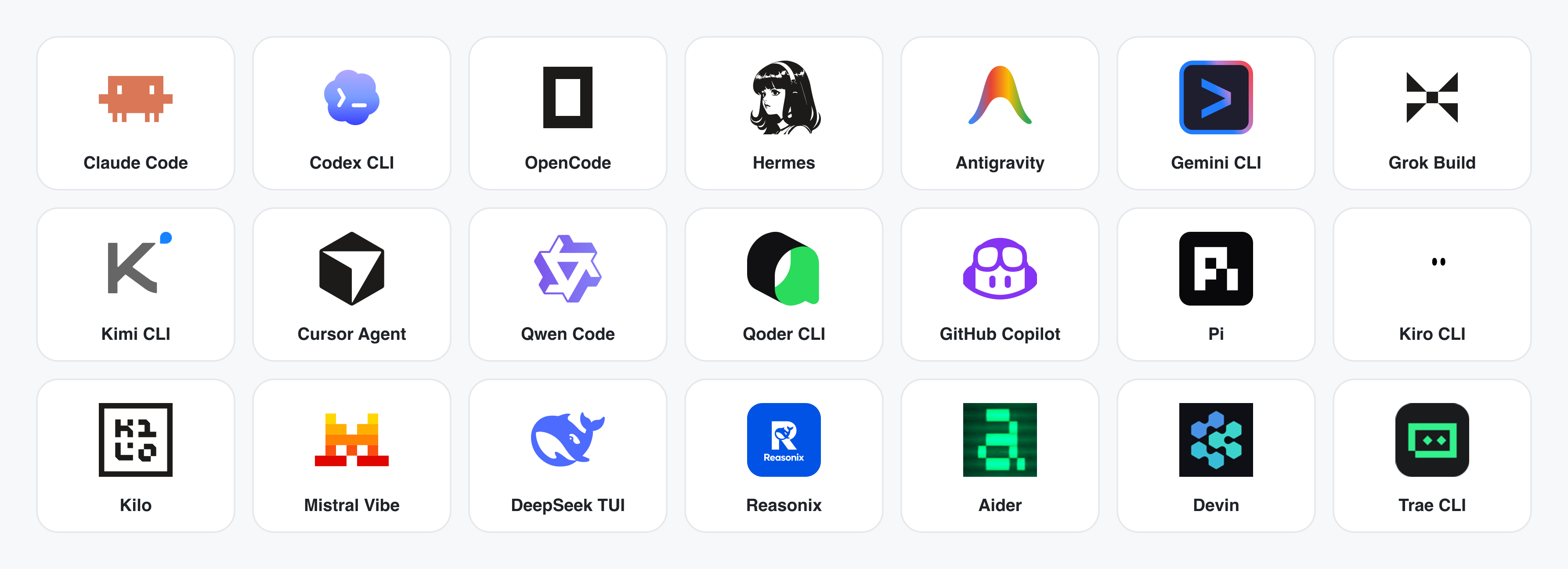
**沒有安裝任何 CLI?** 位於 `POST /api/proxy/{anthropic,openai,azure,google,ollama,senseaudio}/stream` 的 BYOK 代理可提供相同的迴圈(不需衍生程序)——貼上 `baseUrl` + `apiKey` + `model` 即可,支援 OpenAI、Anthropic、Azure OpenAI、Google Gemini、Ollama、LM Studio、vLLM,或任何相容 OpenAI 的端點。逐目標的 SSRF 防護會在 daemon 邊界阻擋內部 IP/link-local/CGNAT。
Runtime 定義位於 [`apps/daemon/src/runtimes/defs/`](../../apps/daemon/src/runtimes/defs/),並在 `runtimes/registry.ts` 註冊;只有新的 wire format 才需要新增 parser——參見 [`docs/agent-adapters.md`](../../docs/agent-adapters.md)。
---
## Demo
四大核心產品類別,全部由一個在你筆電上執行的編碼 agent 渲染而成。點擊縮圖即可查看真實範例。
### 1 · 原型——網頁 · 桌面 · 行動裝置
預設的產出介面。單頁 HTML artifact,讀取你的 `DESIGN.md` 並在沙箱化 iframe 中渲染。
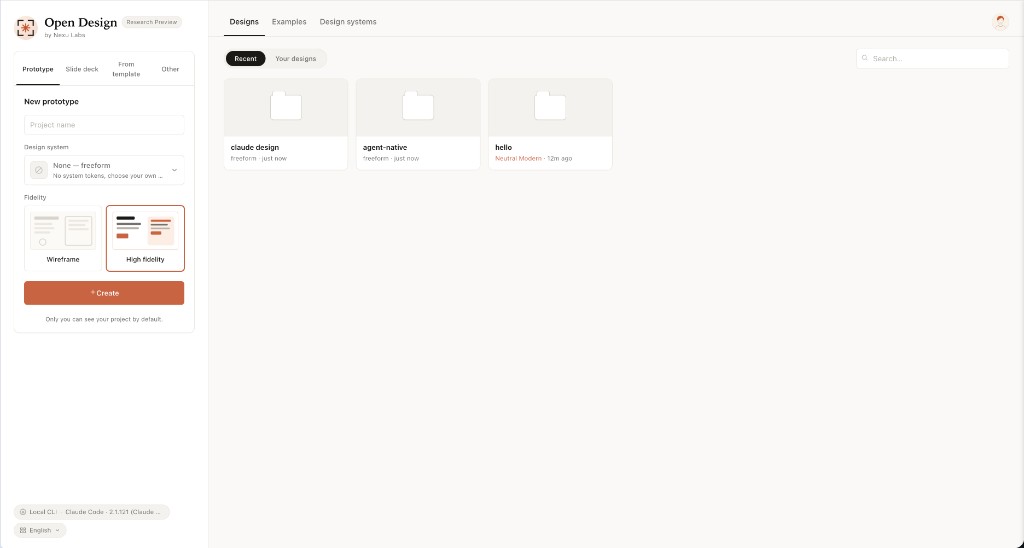
入口視圖——選一個 skill、選一套設計系統、輸入需求。原型、儀表板、簡報、行動應用程式、雜誌頁面,共用同一個介面。
|

行動原型——像素精準的 iPhone 15 Pro 外框,多畫面流程。agent 永遠不會重畫手機外框;共用的裝置外框存放於 assets/frames/。
|

網頁原型——一個帶有捲軸、KPI 與圖表的編輯型儀表板。直接從 design-templates/dating-web/ 渲染而成。
|

行動應用程式原型——一段三畫面的遊戲化流程,帶有 XP 緞帶與任務細節。可直接交給 Cursor / Codex / Claude Code 轉成 React/Next/Vue。
|
### 2 · 即時 artifact 與儀表板
即時儀表板、決策室、KPI 牆——這些單頁 artifact 透過 tweaks 面板拉取資料,並可就地持續編輯。

即時儀表板——一面可編輯的 KPI 牆,其 tweaks 面板會浮現值得微調的參數。agent 發出一份 manifest,iframe 便會在不重新載入的情況下重新渲染。
|

決策室——供產品/研究/營運會議使用的多來源簡報 artifact。
|
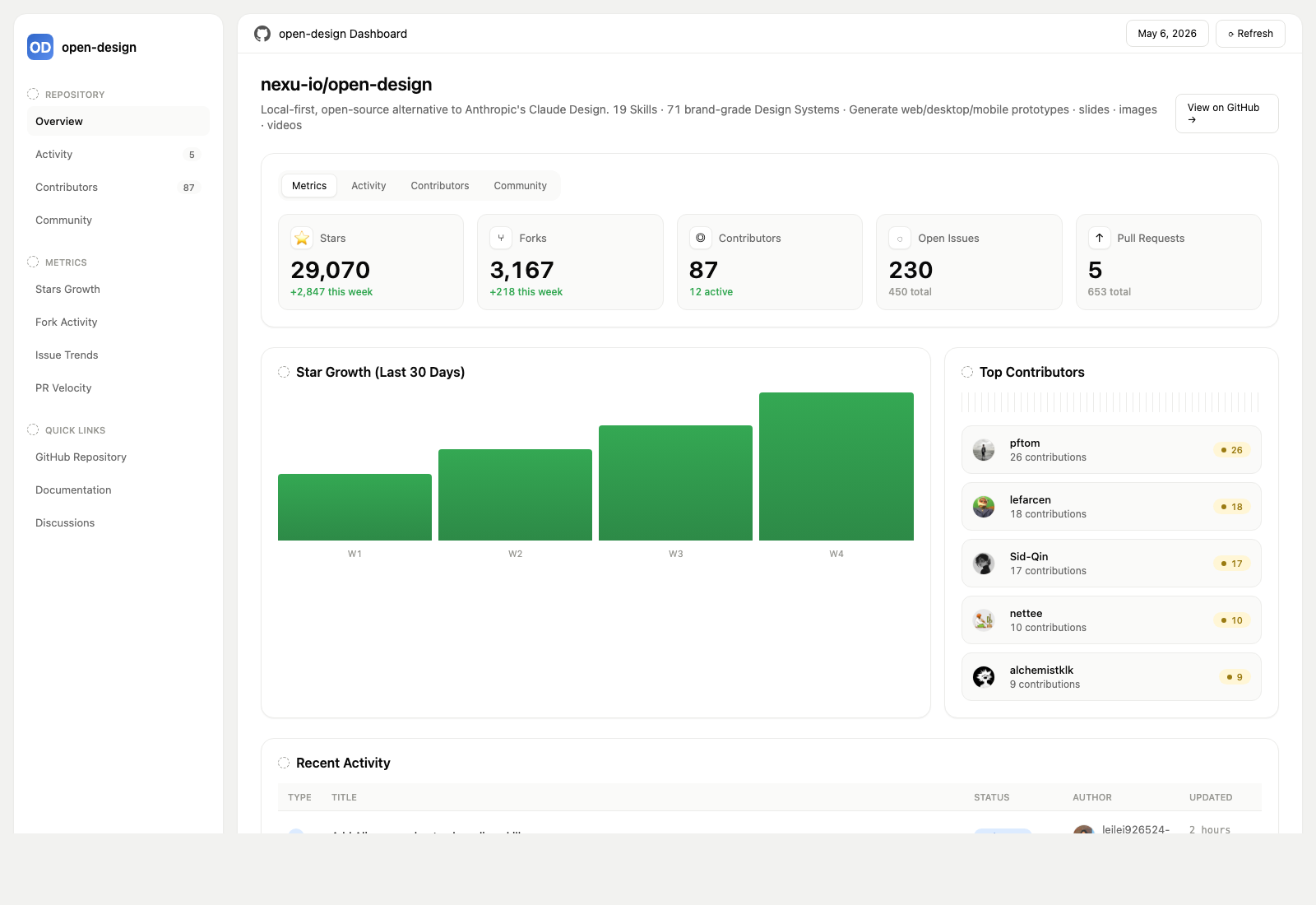
GitHub 風格儀表板——以即時 artifact 呈現的儲存庫指標。
|

Flow 即時儀表板範本——一個特定領域的 KPI 範本,透過目前啟用的 DESIGN.md 套上品牌。
|
### 3 · 簡報——雜誌型簡報、週報、提案

簡報模式(guizang-ppt)——雜誌型版面、WebGL 主視覺、P0/P1/P2 檢查清單。原封不動地內建自 op7418/guizang-ppt-skill,並保留其原始授權。
|

瑞士國際風格簡報——以網格為基礎、單色點綴。是 design-templates/html-ppt-*/ 之下 15 套簡報範本 與 36 種主題 的其中之一。
|
每一份簡報都可匯出成 **HTML**(單一檔案、內嵌素材)、**PDF**(瀏覽器列印、簡報感知)、**PPTX**(agent 驅動的 skill)、**ZIP**(壓縮封存)或 **Markdown**。
### 4 · 圖片——`gpt-image-2`、ImageRouter、自訂 API
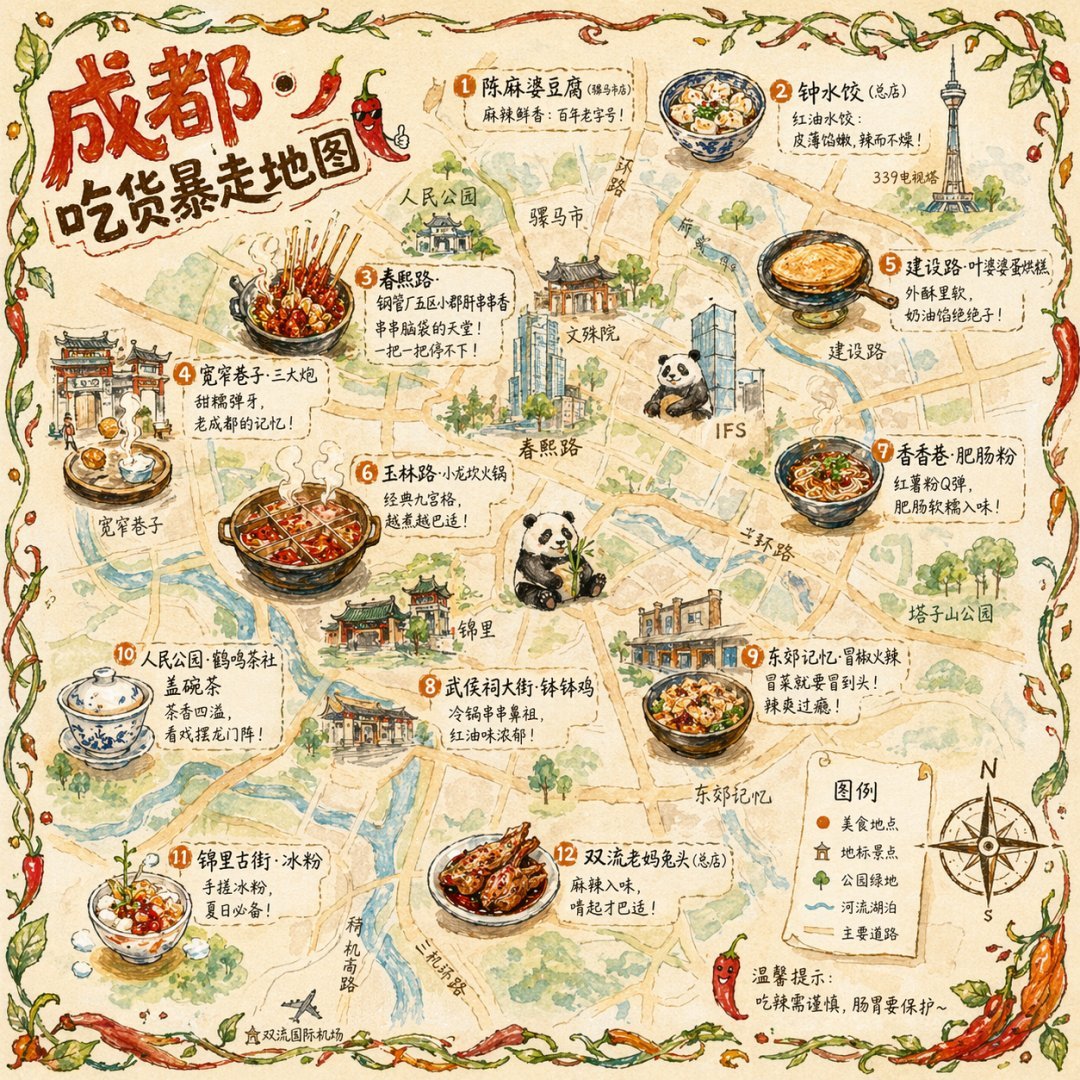
插畫城市美食地圖
手繪編輯風旅遊海報 |
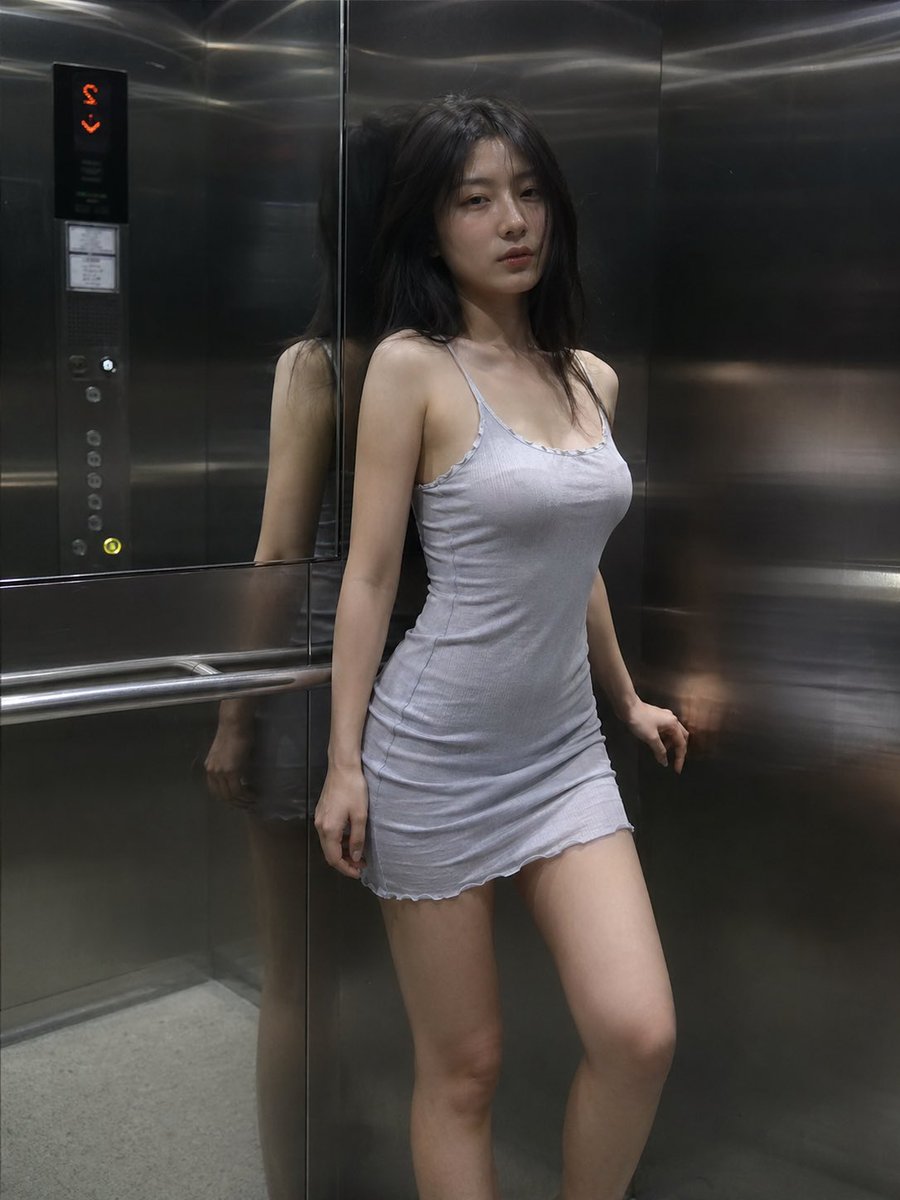
電影感電梯場景
單格編輯風劇照 |

賽博龐克肖像
個人頭像——霓虹臉部文字 |
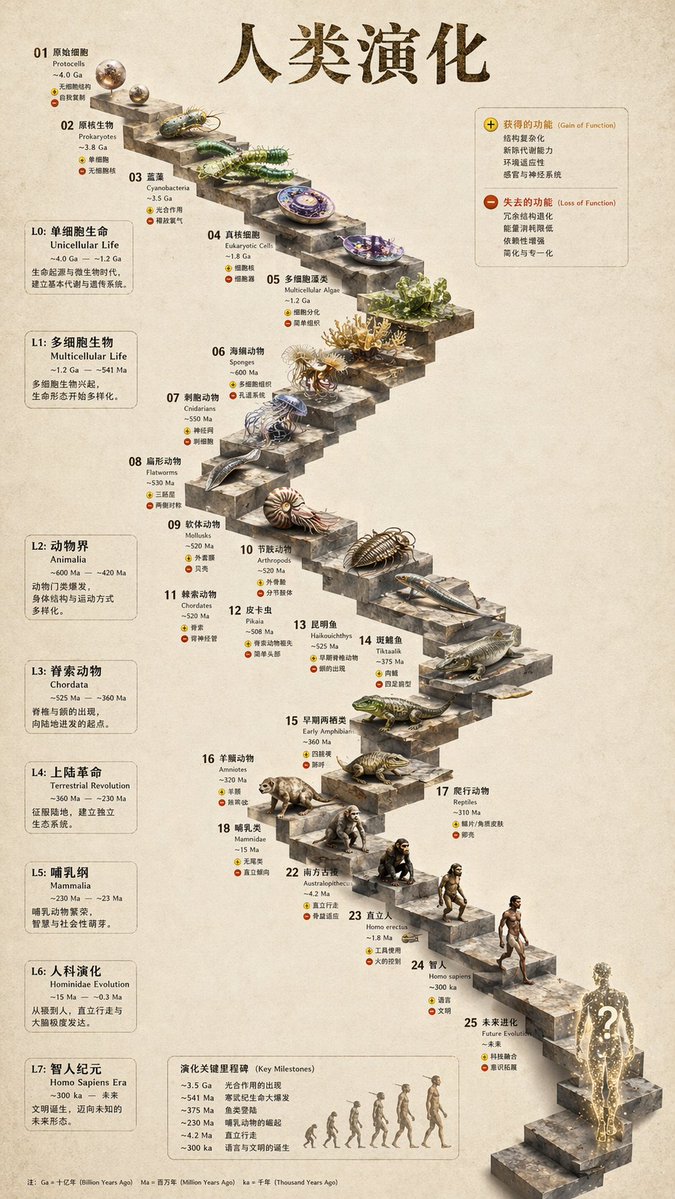
3D 石階
鑿石資訊圖表 |

魅力肖像
編輯風棚拍 |
**93 組可即刻複製的 prompt** 收錄於 [`prompt-templates/`](../../prompt-templates/)——含預覽縮圖、完整 prompt 內文、目標模型、長寬比與來源出處。點一下即可把需求放進撰寫框。
### 5 · 影片與 HyperFrames——agent 原生的動態圖像
**[HyperFrames][hyperframes]** 是 HeyGen 開源、agent 原生的影片框架,在 Open Design 中以一等公民的身分整合。agent 撰寫 HTML + CSS + GSAP,HyperFrames 透過無頭 Chrome + FFmpeg 將其渲染成一支確定性的 MP4。搭配 **Seedance 2.0** 可做電影感的 t2v / i2v,**Veo 3 / Sora 2 / Kling 2** 提供路由後的模型變體,**Suno v5 / Lyria 2** 則負責音訊層。
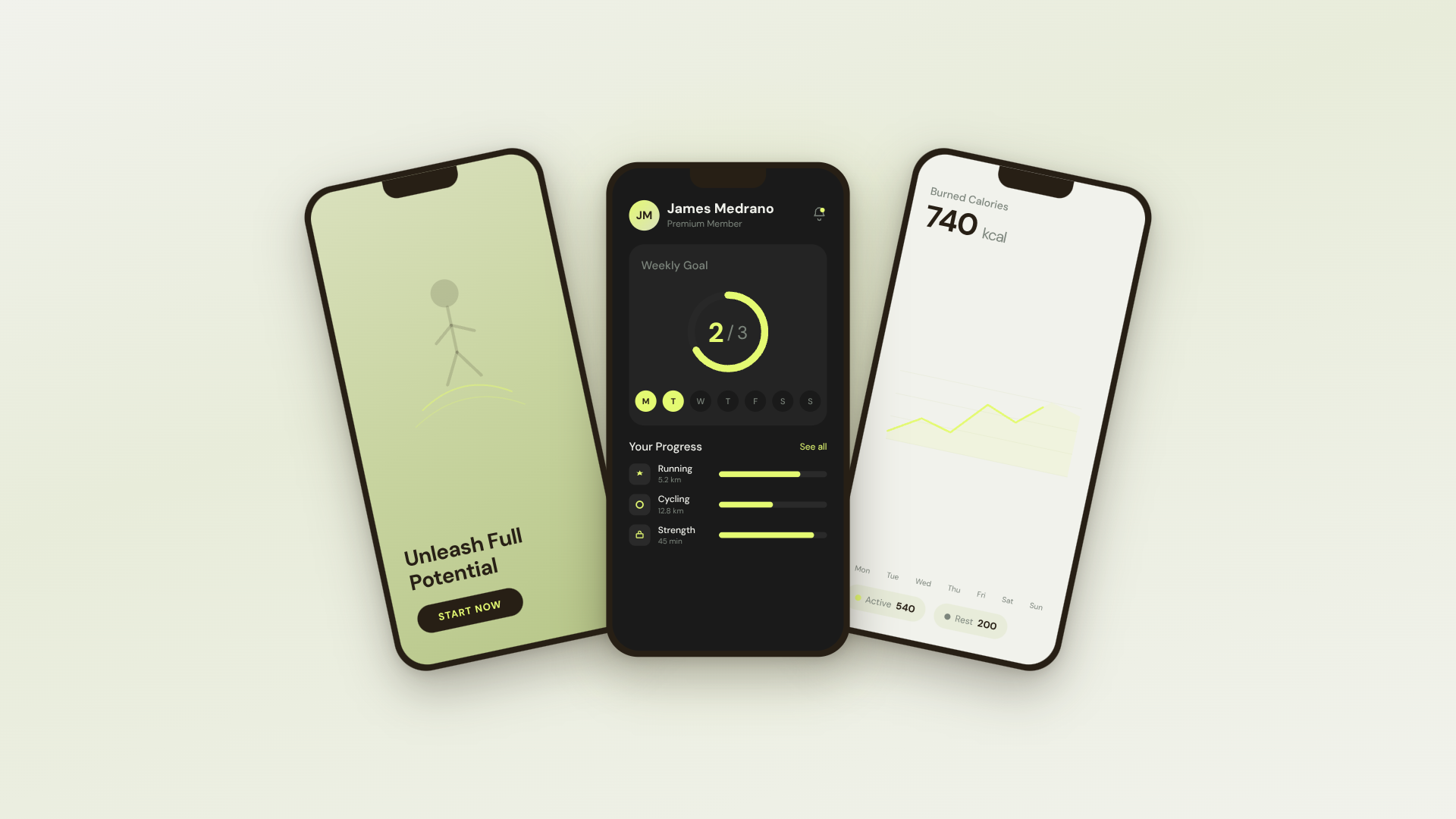
30 秒 SaaS 產品宣傳片 · 16:9 · UI 3D 揭示 |
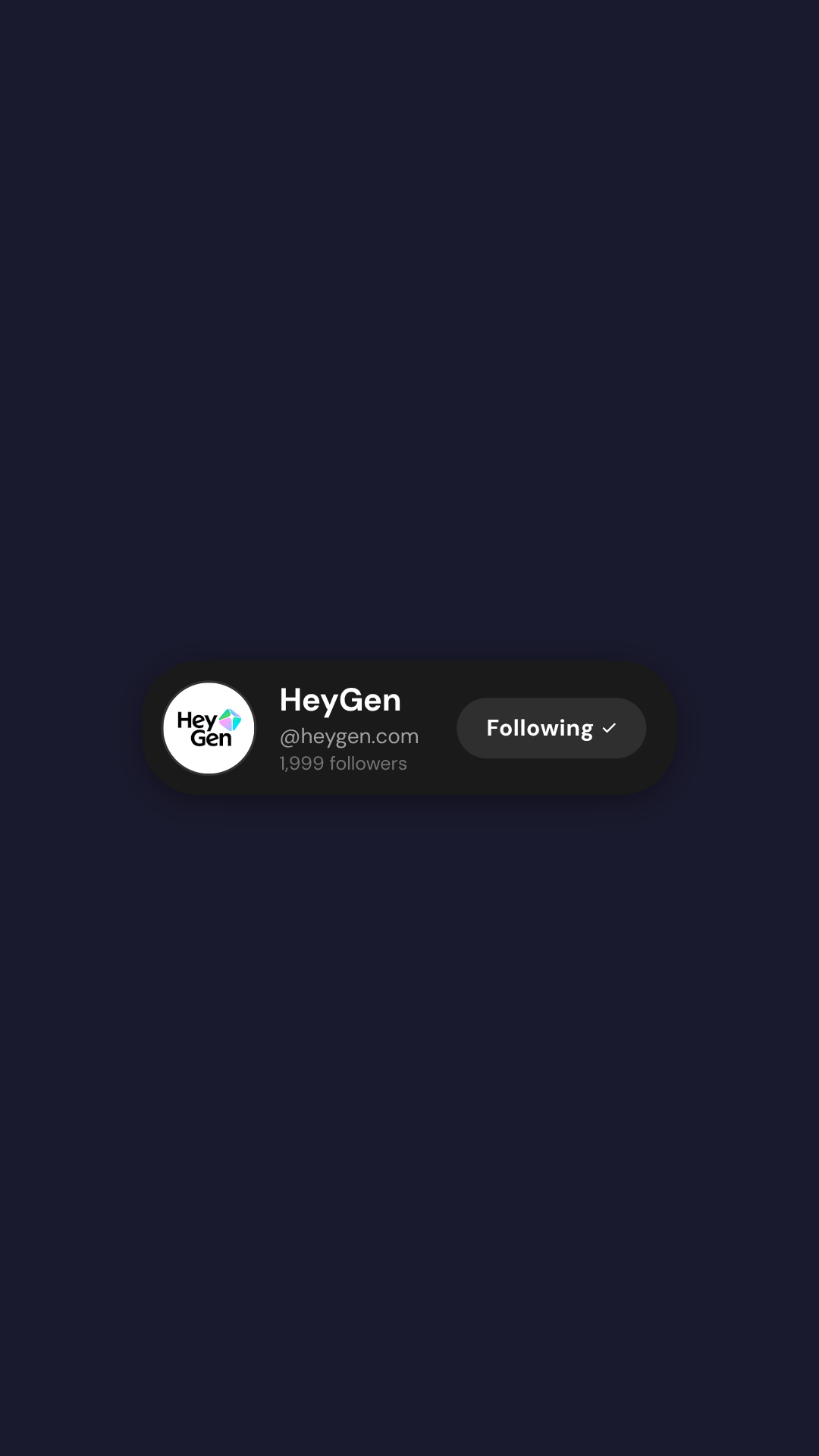
TikTok 卡拉 OK 真人講解 · 9:16 · TTS + 逐字同步字幕 |
30 秒品牌精華片 · 16:9 · 音訊反應式動態字體 |
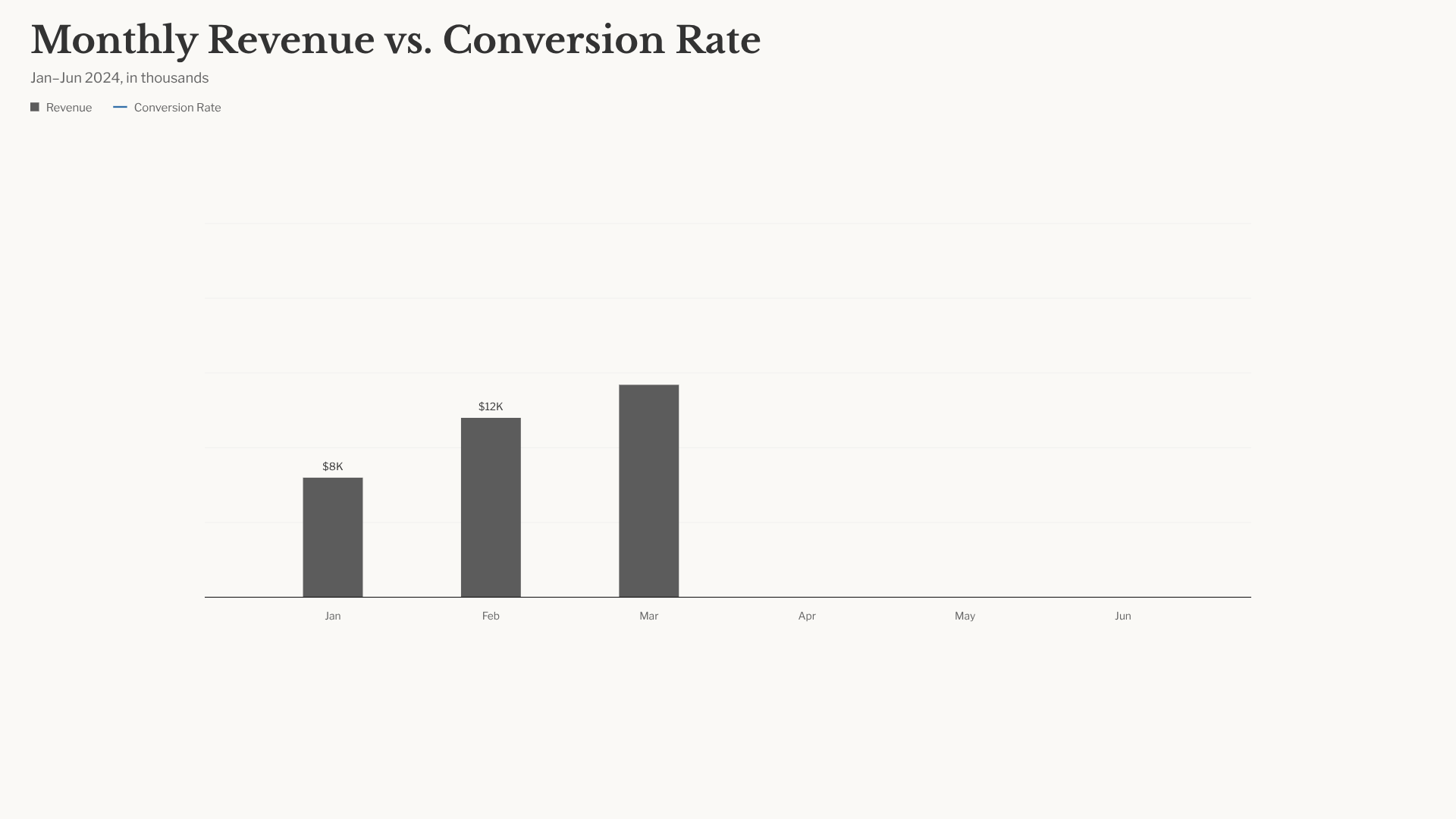
長條圖競賽 · 16:9 · NYT 風格資料資訊圖表 |
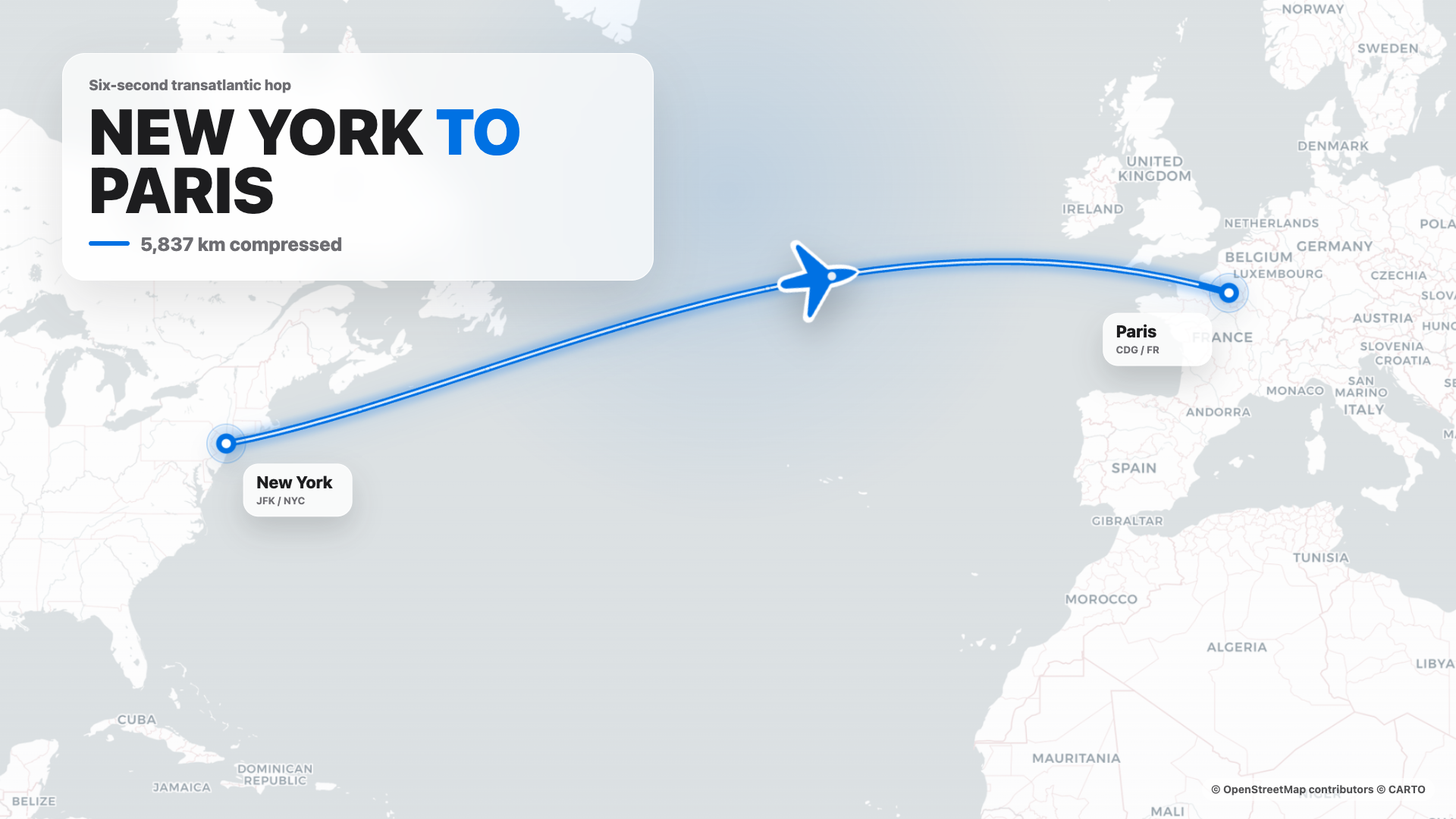
航線地圖 · 16:9 · Apple 風格路線揭示 |
4 秒電影感 logo 片尾 · 16:9 · 逐塊組裝 + bloom |
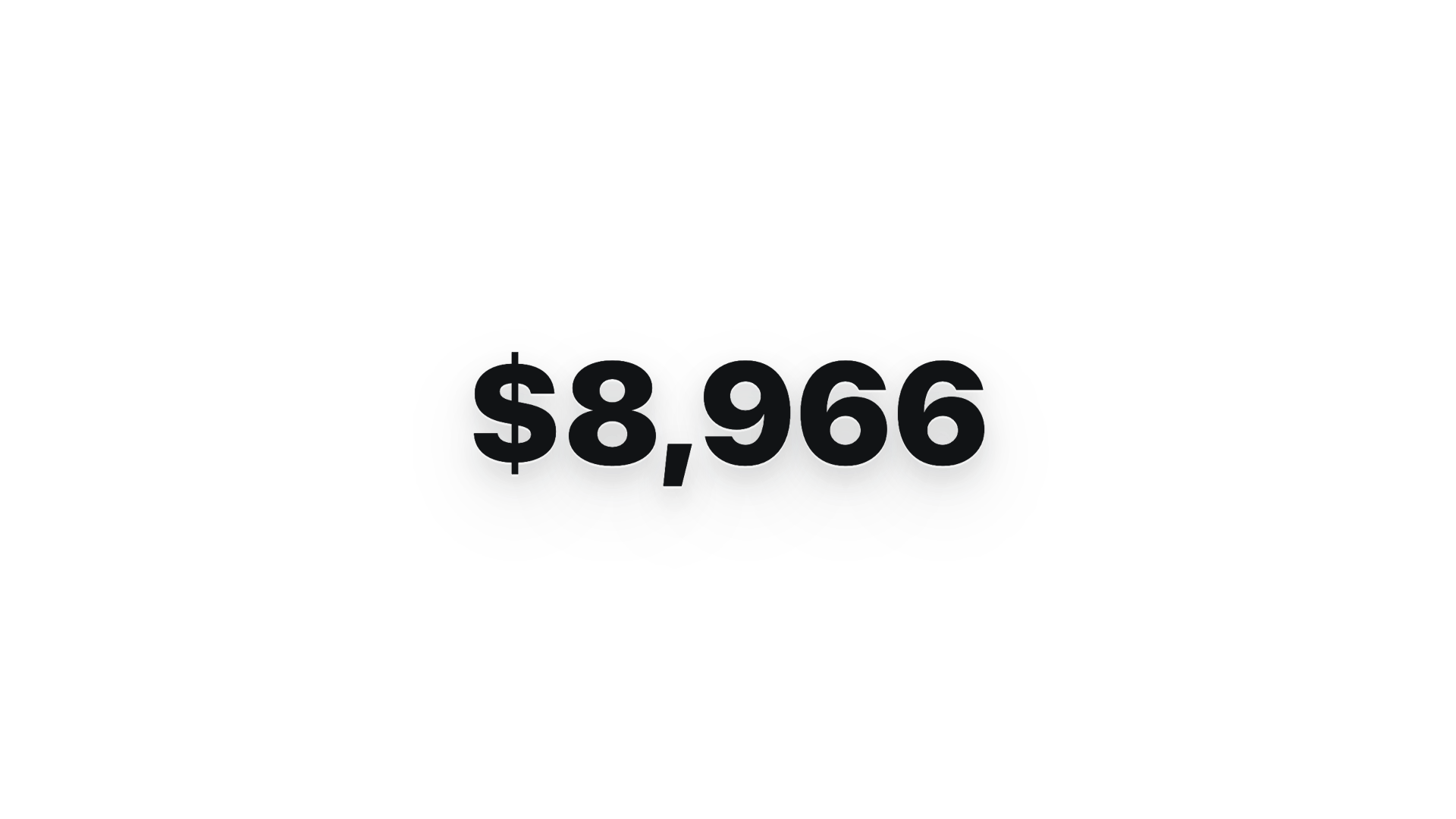
$0 → $10K 金額計數器 · 9:16 · Apple 風格炒熱氣氛 |

網站轉影片 · 16:9 · 以 3 種視窗尺寸擷取網站 |
儲存庫隨附 11 套 HyperFrames 範本 + 39 組 Seedance prompt。型錄縮圖版權 © HeyGen;框架本身採 Apache-2.0。OD 專屬的渲染工作流程(composition cache、sandbox-exec 變通方案、MP4-as-chip)詳述於 [`design-templates/hyperframes/`](../../design-templates/hyperframes/)。
[hyperframes]: https://github.com/heygen-com/hyperframes
---
## 為什麼選 Open Design
> **2026 年 4 月,Anthropic 發表了 Claude Design——這是 LLM 首次不再撰寫散文,而是直接交付設計 artifact。** 它爆紅。但它始終封閉原始碼、僅限付費、僅限雲端,並被綁死在 Anthropic 的模型、Anthropic 的 skills、Anthropic 的介面上。無法結帳、無法自架、無法部署到 Vercel、無法換上你自己的 agent。
Open Design(OD)就是那個開源的替代方案。同樣的迴圈、同樣以 artifact 為先的思維模式,卻沒有任何鎖定:
- 🤖 **agent 原生、模型無關。** 我們不附帶 agent。你 `PATH` 上既有的 `claude` / `codex` / `cursor-agent` / `copilot` / `hermes` / `kimi` 就是設計引擎。一鍵即可切換。
- 🧠 **預設即品牌級。** 每次渲染都把目前套件的 `DESIGN.md` 當作核心品牌契約讀取。儲存庫隨附 151 套設計系統套件;舊套件可以只含 `DESIGN.md`,新套件還可加入 `manifest.json`、`tokens.css`、元件、資產與來源資訊。放進資料夾,選擇器就會找到它。
- 🖥️ **本地優先、每一層都可 BYOK。** 原生桌面應用程式保持本地優先,不會雲端往返。在描述 daemon 資料路徑之前,必須閱讀儲存庫根目錄 `AGENTS.md` 中的 **Daemon data directory contract**。
- 🌍 **在四個平面上可組合。** **外掛**承載可執行的工作流程 · 功能 **skills** 承載 agent 行為 · **設計範本**承載渲染藍圖 · **設計系統**承載品牌。四者都採用可攜、可版控的目錄,任何人都能撰寫與發布。
- 🔁 **翻新既有的程式碼庫。** 把一個 `git` 儲存庫 + `DESIGN.md` 交給 agent,它就會把你真實的元件重構至品牌規格。專屬外掛能把 Figma / Pencil 工作流程遷移成 React / Next.js / Vue 程式碼。
- 🔒 **出於信念的隱私。** 一切都在你資料所在之處執行——你的筆電、你團隊的伺服器、你的 Vercel 專案。當需要連網時,BYOK 代理具備 SSRF 防護。
### 比較
| | Claude Design | Figma | Lovable / v0 / Bolt | **Open Design** |
|---|---|---|---|---|
| 開源 | ❌ | ❌ | ❌ | **✅ Apache-2.0** |
| 自架/桌面 | ❌ | ❌ | ❌ | **✅ macOS + Windows + Docker** |
| agent 原生(在你的 CLI 中執行) | 僅限 Anthropic | ❌ | 僅限雲端 agent | **✅ 25 個 CLI + BYOK** |
| 品牌級 `DESIGN.md` | 專有 | Theme JSON | 有限的 token | **✅ 隨附 151 套系統** |
| skills/外掛/範本 | 封閉 | 外掛商店 | 封閉 | **✅ 100+ 個功能 skills · 獨立渲染範本型錄 · 277 個外掛** |
| HyperFrames(HTML→MP4) | ❌ | ❌ | ❌ | **✅ 一等公民** |
| 把既有儲存庫翻新至品牌 | ❌ | ❌ | ❌ | **✅ 透過 agent + `DESIGN.md`** |
| 最低計費 | Pro / Max / Team | Pro / Org | Pro / Team | **BYOK · 任何相容端點** |
---
## 快速開始
### 🖥️ 下載桌面應用程式(推薦——零設定)
使用 Open Design 最快的方式。無須 Node、無須 pnpm、無須 clone。
- **macOS**(Apple Silicon · Intel x64)→ [**open-design.ai**](https://open-design.ai/?utm_source=github&utm_medium=referral&utm_content=readme_download_macos) 或 [GitHub Releases](https://github.com/nexu-io/open-design/releases)
- **Windows**(x64)→ [**open-design.ai**](https://open-design.ai/?utm_source=github&utm_medium=referral&utm_content=readme_download_windows) 或 [GitHub Releases](https://github.com/nexu-io/open-design/releases)
- **Linux**(AppImage,選用通道)→ [GitHub Releases](https://github.com/nexu-io/open-design/releases)
安裝後:應用程式會自動偵測你 `PATH` 上的每一個編碼 agent CLI、載入 100+ 個功能 skills、獨立渲染範本型錄與 151 套設計系統套件,並讓你在入口視圖中輸入需求。
### 🤖 安裝進你的編碼 agent(無 UI)
你完全不必打開 GUI 也能使用 Open Design——在 Claude Code、Codex、Cursor、Copilot、OpenClaw、Antigravity、Hermes、Kimi 等等之中,把它當成 skill、外掛或 MCP server 來呼叫。
```bash
# One-line install into the agent you're using:
od mcp install
# = claude | codex | reasonix | raven | cursor | copilot | openclaw | antigravity
# | pi | vibe | hermes | cline | kimi | kiro | trae | opencode
# Hosted equivalent for curl-based setup:
curl -fsSL https://open-design.ai/install.sh | sh -s
```
`install.sh` 是包在 `od mcp install` 外的輕量 shell wrapper;它的用途是讓 hosted URL 回傳 shell 指令、而非 landing page 的 HTML fallback,並在你的 shell 解析到非 Open Design 的 `od` 執行檔時快速失敗。
> **WSL2 使用者:** 若你的編碼 agent CLI 跑在 WSL2 內,請先依照
> [`WSL2 設定指南`](../../docs/wsl-setup.md) 操作。Linux 的 `/usr/bin/od` 可能會
> 遮蔽 Open Design 的 `od` 指令。
接著,在 agent 內:
```
> Use open-design to generate a landing page with the Linear design system
```
在具備檔案系統的本地 CLI 執行中,agent 會把選定的功能 skill 或設計範本與 `DESIGN.md` 組合、寫入標準專案檔案,Open Design 直接預覽這些檔案。沒有檔案系統工具的 BYOK/純 API 執行則回傳一個完整的 `` 區塊。
### 🐳 以 Docker 執行
```bash
git clone https://github.com/nexu-io/open-design.git
cd open-design/deploy
cp .env.example .env
echo "OD_API_TOKEN=$(openssl rand -hex 32)" >> .env
docker compose up -d
# open http://localhost:7456
```
> **macOS 使用者:** 若網頁 UI 顯示 `Authorization: Bearer required`,原因是 Docker Desktop 的 bridge 網路。修正方式請參見 [Docker Desktop on macOS](../../deploy/README.md#docker-desktop-on-macos)。
### 🚀 部署到 Sealos
[](https://sealos.io/products/app-store/open-design/)
Sealos App Store 範本會執行已發布的 Open Design Docker 映像,提供持久化工作區儲存,並在公開代理層啟用 Basic Auth。自訂公開或共享 Docker 部署請遵循 [`deploy/README.md`](../../deploy/README.md#local-compose) 中的反向代理與 `OPEN_DESIGN_ALLOWED_ORIGINS` 指引。
### 🧑💻 從原始碼執行
```bash
git clone https://github.com/nexu-io/open-design.git
cd open-design
corepack enable && pnpm install
pnpm tools-dev run web
```
請開啟 `tools-dev` 印出的 URL;除非明確傳入連接埠參數,開發連接埠會動態配置。
Node `~24`、pnpm `10.33.x`。WSL2 使用者請參見 [`docs/wsl-setup.md`](../../docs/wsl-setup.md);原生 Windows 使用者請參見 [`docs/windows-troubleshooting.md`](../../docs/windows-troubleshooting.md)。完整快速開始、環境變數、Nix flake 與打包建置流程 → [`QUICKSTART.zh-TW.md`](QUICKSTART.zh-TW.md)。
### 完整工作流程——從需求到 artifact
`需求 → 外掛 → 方向 → 設計系統 → artifact → 交接 → 記憶`
1. **PM 提交一份需求。** 外掛選擇器會提供著陸頁 · pitch deck · 儀表板 · 社群貼文 · PM 規格 · OKR 計分卡…
2. **設計師(或 agent)鎖定方向。** 沒有品牌?從 5 個精選方向中挑一個。已有品牌?放進一張截圖/URL → agent 會連接 GitHub、匯入 Figma,並編寫出一份可重複使用的 `DESIGN.md`。
3. **agent 建立第一份交付物。** 外掛 + 功能 skill 或設計範本 + `DESIGN.md` 都已綁定。具備檔案系統的 CLI 執行會寫入標準專案檔案,預覽隨檔案更新;沒有檔案工具的 BYOK/純 API 執行則回傳一個完整的 `` 區塊。
4. **交接給工程團隊。** 這份 artifact 是真實的 HTML/CSS——把它丟進 Cursor、Codex 或 Claude Code,就能以程式碼繼續開發。或直接匯出 PPTX / PDF / MP4 給行銷團隊。
5. **Open Design 會隨著你的使用愈來愈聰明。** 你的截圖、字型、色票與確認過的 artifact 會累積成下一次工作階段的預設值。更少返工、更少偏移。
---
## 從你的編碼 agent 使用 Open Design
Open Design 隨附一個 **stdio MCP server** 與各 agent 專屬的 **安裝腳本**。任何在其他儲存庫中、相容 MCP 的 agent,都能直接讀取你本地 Open Design 專案的檔案——tokens CSS、JSX 元件、入口 HTML——當成一個可按名稱查詢的結構化 API。agent 看到的永遠是即時檔案,而非過期的匯出檔。
```bash
# One-line install (16+ CLIs supported):
od mcp install
# Then the agent can:
od project list --json
od files list --json
od files read
od plugin list --json
od skills list --json
```
**為什麼用 MCP?** 每次迭代都匯出再重新附上一個 zip 會打斷心流。MCP 直接揭露設計來源——agent 看到的永遠是即時檔案。
**對於從零開始的 agent,** 安裝程式會放置 `~/.config//open-design.json`(或對應平台的等價檔案),外加一段可複製貼上的 MCP 片段。Cursor 會得到一鍵 deeplink;Claude Code 會得到一行 `claude mcp add-json`;其餘每一個 agent 都會得到符合其設定所需 schema 的 JSON。完整的各 agent 流程 → 桌面應用程式中的 **Settings → MCP server**,或 [`docs/agent-adapters.md`](../../docs/agent-adapters.md)。
**安全模型。** 預設唯讀,daemon 綁定於 `127.0.0.1`,SSRF 在代理邊界被阻擋。要在區域網路曝露,需明確設定 `OD_BIND_HOST` 加上 `OD_ALLOWED_ORIGINS`。連接器憑證與即時 artifact 預覽路由無論如何都僅限 loopback。
---
## Skills 與設計範本
**100+ 個功能 skills 位於 [`skills/`](../../skills/)**。它們遵循 Agent Skills [`SKILL.md`][skill] 慣例,提供可重用的 agent 行為、參考資料或工具。可渲染的起始範本另放在 [`design-templates/`](../../design-templates/);它們也可使用 `SKILL.md`,但會進入設計範本型錄,而非功能 skill registry。
兩種 **mode** 構成設計範本型錄的骨幹:`prototype`(網頁/行動/桌面單頁 artifact)與 `deck`(橫向滑動的簡報)。其他範本涵蓋 `image`、`video`、`audio` 與 utility 介面。**`scenario`** 欄位則依受眾分組:`design` · `marketing` · `operation` · `engineering` · `product` · `finance` · `hr` · `sale` · `personal`。
| 設計範本 | Mode | Scenario | 產出什麼 |
|---|---|---|---|
| [`web-prototype`](../../design-templates/web-prototype/) | prototype | design | 預設的著陸頁/主視覺 |
| [`saas-landing`](../../design-templates/saas-landing/) | prototype | marketing | 主視覺/功能/定價/CTA |
| [`dashboard`](../../design-templates/dashboard/) | prototype | operation | 管理後台/分析(含側欄) |
| [`mobile-app`](../../design-templates/mobile-app/) | prototype | design | iPhone 15 Pro / Pixel 外框的應用程式 |
| [`mobile-onboarding`](../../design-templates/mobile-onboarding/) | prototype | design | 啟動頁 · 價值主張 · 登入流程 |
| [`social-carousel`](../../design-templates/social-carousel/) | prototype | marketing | 3 卡 1080×1080 輪播 |
| [`email-marketing`](../../design-templates/email-marketing/) | prototype | marketing | 以 table 後援為安全機制的品牌郵件 |
| [`magazine-poster`](../../design-templates/magazine-poster/) | prototype | marketing | 單頁雜誌版面 |
| [`motion-frames`](../../design-templates/motion-frames/) | prototype | marketing | 循環 CSS 動態主視覺 |
| [`sprite-animation`](../../design-templates/sprite-animation/) | prototype | marketing | 8-bit 像素動畫解說 |
| [`pm-spec`](../../design-templates/pm-spec/) | prototype | product | PM 規格文件(含 TOC + 決策紀錄) |
| [`team-okrs`](../../design-templates/team-okrs/) | prototype | product | OKR 計分卡 |
| [`eng-runbook`](../../design-templates/eng-runbook/) | prototype | engineering | 事件處理 runbook |
| [`finance-report`](../../design-templates/finance-report/) | prototype | finance | 高階主管財務摘要 |
| [`hr-onboarding`](../../design-templates/hr-onboarding/) | prototype | hr | 職務到職計畫 |
| [`guizang-ppt`](../../design-templates/guizang-ppt/) | deck | marketing | 雜誌風格網頁 PPT(簡報預設) |
| [`html-ppt-*`](../../design-templates/) | deck | marketing | 15 套簡報範本 × 36 種主題(主範本位於 [`design-templates/html-ppt/`](../../design-templates/html-ppt/)) |
| [`hyperframes`](../../design-templates/hyperframes/) | video | marketing | HTML → MP4 動態圖像(HeyGen OSS 框架) |
| [`critique`](../../design-templates/critique/) | utility | design | 五維自我評析計分表 |
| [`tweaks`](../../design-templates/tweaks/) | utility | design | AI 發出的 tweaks 面板 manifest |
完整協定與目錄分工 → [`docs/skills-protocol.md`](../../docs/skills-protocol.md)。Registry 端點:功能 skills 使用 `GET /api/skills`,渲染範本使用 `GET /api/design-templates`。
---
## 設計系統
**151 套以 `DESIGN.md` 為核心的品牌級設計系統套件**隨儲存庫一同附帶。舊套件可只有這份 Markdown 契約;新套件還可包含 `manifest.json`、編譯後的 `tokens.css`、元件範例、資產與來源證據。型錄同時包含由上游整理而來的系統與專案自有補充;[`design-systems/README.md`](../../design-systems/README.md) 記錄套件結構與來源。切換一套系統 → 下一次渲染就會使用新的 token。
完整型錄(點擊展開)
**AI 與 LLM** — `claude` · `cohere` · `mistral-ai` · `minimax` · `together-ai` · `replicate` · `runwayml` · `elevenlabs` · `ollama` · `x-ai`
**開發者工具** — `cursor` · `vercel` · `linear-app` · `framer` · `expo` · `clickhouse` · `mongodb` · `supabase` · `hashicorp` · `posthog` · `sentry` · `warp` · `webflow` · `sanity` · `mintlify` · `lovable` · `composio` · `opencode-ai` · `voltagent`
**生產力** — `notion` · `figma` · `miro` · `airtable` · `superhuman` · `intercom` · `zapier` · `cal` · `clay` · `raycast`
**金融科技** — `stripe` · `coinbase` · `binance` · `kraken` · `mastercard` · `revolut` · `wise`
**電子商務** — `shopify` · `airbnb` · `uber` · `nike` · `starbucks` · `pinterest`
**媒體** — `spotify` · `playstation` · `wired` · `theverge` · `meta`
**汽車** — `tesla` · `bmw` · `ferrari` · `lamborghini` · `bugatti` · `renault`
**其他** — `apple` · `ibm` · `nvidia` · `vodafone` · `resend` · `spacex`
**入門範本** — `default`(Neutral Modern)· `warm-editorial`
透過 [`scripts/sync-design-systems.ts`](../../scripts/sync-design-systems.ts) 重新匯入這套程式庫。新增你自己的品牌 → 把一份 `DESIGN.md` 放進 `design-systems//`。完整指南 → [`design-systems/README.md`](../../design-systems/README.md)。
[acd2]: https://github.com/VoltAgent/awesome-design-md
---
## 外掛
**277 個官方外掛與 183 個可混搭參考範例**位於 [`plugins/_official/`](../../plugins/_official/)。每個項目都是以 `open-design.json` 為核心的可攜式外掛目錄,並帶有類型所需的 payload,例如 agent 工作流程的 `SKILL.md`、媒體範本的 `template.json`,或設計系統項目的 `DESIGN.md`。直接跳到某個分類:
| 分類 | 數量 | 內容 |
|---|---|---|
| [`scenarios/`](../../plugins/_official/scenarios/) | 13 | 完整的設計情境——[`od-default`](../../plugins/_official/scenarios/od-default/)、[`od-design-refine`](../../plugins/_official/scenarios/od-design-refine/)、[`od-figma-migration`](../../plugins/_official/scenarios/od-figma-migration/)、[`od-code-migration`](../../plugins/_official/scenarios/od-code-migration/)、[`od-react-export`](../../plugins/_official/scenarios/od-react-export/)、[`od-nextjs-export`](../../plugins/_official/scenarios/od-nextjs-export/)、[`od-vue-export`](../../plugins/_official/scenarios/od-vue-export/)、[`od-media-generation`](../../plugins/_official/scenarios/od-media-generation/)、[`od-new-generation`](../../plugins/_official/scenarios/od-new-generation/)、[`od-tune-collab`](../../plugins/_official/scenarios/od-tune-collab/)、[`od-plugin-authoring`](../../plugins/_official/scenarios/od-plugin-authoring/), [`od-share-to-community`](../../plugins/_official/scenarios/od-share-to-community/), [`od-web-effect-extractor`](../../plugins/_official/scenarios/od-web-effect-extractor/) |
| [`image-templates/`](../../plugins/_official/image-templates/) | 45 | 一次性圖片 prompt——編輯、電影感、產品、肖像 |
| [`video-templates/`](../../plugins/_official/video-templates/) | 63 | HyperFrames / Seedance / Veo 動態範本 |
| [`design-systems/`](../../plugins/_official/design-systems/) | 143 | 包裝成外掛的品牌 `DESIGN.md` |
| [`atoms/`](../../plugins/_official/atoms/) | 13 | 可重複使用的 UI 片段(按鈕、主視覺、KPI 卡) |
| [`examples/`](../../plugins/_official/examples/) | 183 | 可再混搭的參考產出 |
另有 [`plugins/community/`](../../plugins/community/) 收錄社群外掛,以及 [`plugins/registry/`](../../plugins/registry/) 用於發布流程。
### 外掛能做什麼
- 🤖 **在任何編碼 agent 中執行**——[Claude Code](../../docs/agent-adapters.md)、Codex、Cursor、Copilot、[OpenClaw](https://github.com/openclaw/openclaw)、[Antigravity](https://antigravity.google)、Hermes、Kimi…透過 agent 早已熟悉的同一套 skill 協定。
- 🔁 **遷移 Figma / Pencil 工作流程** → React、Next.js 或 Vue 原始碼。參見 [`od-figma-migration`](../../plugins/_official/scenarios/od-figma-migration/)。
- 🛠️ **把既有的程式碼庫翻新至品牌規格**——把一個外掛指向某個 `git` 儲存庫 + `DESIGN.md`,就能得到一個 PR。參見 [`od-code-migration`](../../plugins/_official/scenarios/od-code-migration/)。
- 💾 **持久保存自訂工作流程**——你團隊可重複使用的範本,與隨附範本並列放置。
### 使用外掛
外掛在 **web UI** 與 **`od` CLI** 之間完全對等——使用同一組 `/api/plugins` 端點,挑哪個合適就用哪個。
**在桌面/網頁應用程式中:** 打開 **外掛** 頁面瀏覽市集並點擊 **安裝**;在專案的 Studio 中,外掛會以撰寫框 chip 的形式出現,點擊即可套用(連同它們宣告的輸入)。
**在命令列上**(不需 UI 即可執行——這正是外部 agent 採用的路徑):
```bash
od plugin list # list installed plugins (--task-kind / --mode / --tag filters)
od plugin search "landing page" # search by keyword
od plugin info od-default # inspect a plugin's metadata, inputs, capabilities
od plugin install od-figma-migration # install from a registry; also accepts ./local-folder or an https://… link
od plugin apply od-default --input brief="a one-page pitch for our seed round"
od plugin upgrade od-default # upgrade
od plugin uninstall od-default # uninstall
```
每個指令都支援 `--json`,因此你可以把它透過 `jq` / `xargs` 接進自動化流程。
### 建立外掛
Open Design 外掛必須包含 `open-design.json` 以及其類型所需的 payload。工作流程 skill 或 scenario 也包含 `SKILL.md`;僅 manifest 的範本與設計系統項目則使用各自的 payload:
```
my-plugin/
├── open-design.json ← required: marketplace metadata + inputs + pipeline + capabilities
├── SKILL.md ← agent-skill/scenario entries only; omit for other plugin types
├── README.md ← optional: usage, install, registry links
├── preview/ ← optional: index.html / poster.png (strongly recommended for visual plugins)
└── examples/ ← optional: concrete use cases
```
`open-design.json` 的核心欄位:`specVersion`(目前為 `1.0.0`)、`name`(穩定 ID)、`version`(semver)、選用的 `compat.agentSkills[].path`(項目公開 Agent Skill 時指向 `./SKILL.md`)、`od.kind`(`skill` / `scenario` / `atom` / `bundle`)、`od.taskKind`(`new-generation` / `figma-migration` / `code-migration` / `tune-collab`)、`od.mode`(輸出介面,例如 `prototype` / `deck` / `live-artifact` / `image` / `video` / `hyperframes` / `audio` / `design-system` / `scenario`)、`od.capabilities[]`(**宣告最小集合**——受限安裝預設只授予 `prompt:inject`)、`od.inputs[]`(套用時的參數)。
在本地搭建骨架並驗證:
```bash
od plugin scaffold --id my-plugin --title "My Plugin" # generate the skeleton
od plugin validate ./my-plugin # check manifest / file layout
pnpm guard && pnpm --filter @open-design/plugin-runtime typecheck
```
完整欄位集與執行期契約 → [`plugins/spec/SPEC.md`](../../plugins/spec/SPEC.md);用編碼 agent 開發外掛 → [`plugins/spec/AGENT-DEVELOPMENT.md`](../../plugins/spec/AGENT-DEVELOPMENT.md);可複製貼上的最小範本 → [`plugins/spec/examples/`](../../plugins/spec/examples/)。
### 貢獻一個外掛
1. 把外掛資料夾放進 [`plugins/community/`](../../plugins/community/)(第三方外掛),或——若要讓它隨 Open Design 一同附帶——放進 [`plugins/_official/`](../../plugins/_official/) 中對應的層級。
2. 通過驗證:`od plugin validate`、`pnpm guard`、`pnpm --filter @open-design/plugin-runtime typecheck`。
3. 使用 [`plugins/spec/CONTRIBUTING.md`](../../plugins/spec/CONTRIBUTING.md) 中的範本填寫 PR(ID、版本、通道、mode、能力、觸發範例;視覺型外掛請附上截圖/預覽)。
4. 若要發布到外部 registry(skills.sh / ClawHub / 獨立 GitHub)→ [`plugins/spec/PUBLISHING-REGISTRIES.md`](../../plugins/spec/PUBLISHING-REGISTRIES.md)。
外掛 registry 端點:`GET /api/plugins`。目錄總覽 → [`plugins/README.md`](../../plugins/README.md)([简体中文](../../plugins/README.zh-CN.md))。
---
## 架構
```
┌────────────────── browser (Next.js 16) / Electron shell ──────────────┐
│ chat · file workspace · iframe preview · settings · import · MCP │
└──────────────┬─────────────────────────────────────┬─────────────────┘
│ /api/* │
▼ ▼
┌─────────────────────────────────┐ /api/proxy/{provider}/stream (SSE)
│ local daemon (Express+SQLite) │ ─→ any OpenAI-compatible BYOK,
│ │ SSRF-guarded at the edge
│ /api/skills /api/design-templates /api/plugins │
│ /api/design-systems │
│ /api/chat (SSE) /api/proxy/* │
│ /api/projects/:id/files/... │
│ /api/artifacts/{save,lint} │
│ /api/import/claude-design │
│ MCP stdio server │
└─────────┬───────────────────────┘
│ spawn(cli, [...], { cwd: managed project cwd })
▼
┌──────────────────────────────────────────────────────────────────┐
│ Local runtime definitions come from runtimes/registry.ts; │
│ the base registry has 26 definitions (including byok-opencode), │
│ backed by 25 distinct local CLI executables because byok-opencode shares │
│ the OpenCode executable. See docs/agent-adapters.md. │
│ composes a functional skill or design template + DESIGN.md; writes files │
└──────────────────────────────────────────────────────────────────┘
```
| 層 | 技術堆疊 |
|---|---|
| 前端 | Next.js 16 App Router + React 18 + TypeScript |
| Daemon | Node 24 · Express · SSE 串流 · `better-sqlite3` |
| 儲存 | 在變更或記錄 daemon 儲存路徑之前,必須閱讀儲存庫根目錄 `AGENTS.md` 中的 **Daemon data directory contract**。本 README 不得重述該契約。 |
| 預覽 | 檔案系統執行渲染標準專案檔案;BYOK/純 API 執行把一個完整 `` 區塊解析到沙箱化 `srcdoc` iframe |
| 匯出 | HTML(內嵌)· PDF(瀏覽器列印)· PPTX(agent 驅動)· ZIP · Markdown · MP4(HyperFrames) |
| 桌面 | Electron shell + 沙箱化 renderer + sidecar IPC(STATUS · EVAL · SCREENSHOT · CONSOLE · CLICK · SHUTDOWN) |
| 生命週期 | 單一進入點:`pnpm tools-dev`(start / stop / run / status / logs / inspect / check) |
完整架構 → [`docs/architecture.md`](../../docs/architecture.md)。Skill 協定 → [`docs/skills-protocol.md`](../../docs/skills-protocol.md)。Agent adapter 契約 → [`docs/agent-adapters.md`](../../docs/agent-adapters.md)。
---
## 藍圖
- [x] Daemon + 25 個不同 CLI 可執行檔上的 26 個 runtime 定義 + skill/設計範本 registry + 設計系統型錄
- [x] Web 應用程式 + chat + 提問表單 + 5 方向選擇器 + todo 進度 + 沙箱化預覽
- [x] 100+ 個功能 skills · 獨立渲染範本型錄 · 151 套設計系統套件 · 5 種視覺方向 · 5 種裝置外框
- [x] 以 SQLite 為後援的專案 · 對話 · 訊息 · 分頁 · 範本
- [x] 多供應商 BYOK 代理(`/api/proxy/{anthropic,openai,azure,google,ollama,senseaudio}/stream`)+ SSRF 防護
- [x] Claude Design ZIP 匯入(`/api/import/claude-design`)
- [x] Sidecar 協定 + Electron 桌面 + IPC 自動化
- [x] Artifact lint API + 5 維自我評析的發出前閘門
- [x] **0.8.0**——外掛市集基礎建設(261 個官方外掛、manifest 規格、各 agent 安裝腳本)
- [x] **0.9.0**——Open Design Cloud(內建於應用程式的官方 Model Router:零設定、一鍵登入)
- [x] 打包的 Electron 建置——macOS(Apple Silicon + Intel)+ Windows(x64)+ Linux AppImage(選用通道)
- [ ] 註解模式的精準編輯——部分完成;可靠的定點修補開發中
- [ ] AI 發出的 tweaks 面板 UX——尚未實作
- [ ] `npx od init` 以 `DESIGN.md` 搭建專案骨架
- [ ] Plugin SDK + `od plugin {add,list,remove,test,publish}` CLI
- [ ] Figma / Pencil → React / Next / Vue 遷移外掛(alpha)
- [ ] 翻新既有程式碼庫的外掛(指向一個 git 儲存庫 + `DESIGN.md`)
分階段交付 → [`docs/roadmap.md`](../../docs/roadmap.md)。
---
## 社群
每個頻道背後都是真實的人。
- 💬 **Discord**——每日聊天、外掛分享、提問 → [**discord.gg/mHAjSMV6gz**](https://discord.gg/mHAjSMV6gz)
- 🐦 **X / Twitter**——發行說明、里程碑、幕後花絮 → [**@OpenDesignHQ**](https://x.com/OpenDesignHQ)
- 🗣️ **GitHub Discussions**——深入問答、RFC、「秀出你的成果」 → [**Discussions**](https://github.com/nexu-io/open-design/discussions)
- 🐛 **GitHub Issues**——錯誤回報、功能請求 → [**Issues**](https://github.com/nexu-io/open-design/issues)
[`good-first-issue`](https://github.com/nexu-io/open-design/issues?q=is%3Aissue+is%3Aopen+label%3A%22good+first+issue%22) 與 [`help-wanted`](https://github.com/nexu-io/open-design/issues?q=is%3Aissue+is%3Aopen+label%3A%22help+wanted%22) 這兩個標籤是最容易的入門方式。
---
## 貢獻
Open Design 之所以能持續前進,是因為貢獻者——設計師、工程師、prompt 作者——不斷現身。許多最常用的 skills、設計系統與外掛,都出自核心團隊以外的人之手。
### 🎯 從哪裡開始(最大槓桿、最小改動)
| 想交付… | 怎麼做 | 在哪裡 |
|---|---|---|
| 一個新的 **skill** | 放進一個含 `SKILL.md` + `assets/` + `references/` 的資料夾 | [`skills/`](../../skills/) · 規格見 [`docs/skills-protocol.md`](../../docs/skills-protocol.md) |
| 一套新的 **設計系統** | 放進以 `DESIGN.md` 為核心的套件;按需加入 `manifest.json`、`tokens.css`、元件、資產或來源資訊 | [`design-systems//`](../../design-systems/) |
| 一個新的 **外掛** | 在某個分類資料夾下放進 `open-design.json` + 對應類型的 payload | [`plugins/community/`](../../plugins/community/) · 規格見 [`plugins/spec/SPEC.md`](../../plugins/spec/SPEC.md) · agent 開發指南見 [`plugins/spec/AGENT-DEVELOPMENT.md`](../../plugins/spec/AGENT-DEVELOPMENT.md) |
| 支援一個新的 **編碼 agent CLI** | Runtime 定義 + registry 項目;僅新 wire format 需要 parser | [`apps/daemon/src/runtimes/defs/`](../../apps/daemon/src/runtimes/defs/) |
| 修錯誤或打磨 UI | 瀏覽 [`good-first-issue`](https://github.com/nexu-io/open-design/issues?q=is%3Aissue+is%3Aopen+label%3A%22good+first+issue%22) 標籤 | [Issues →](https://github.com/nexu-io/open-design/issues) |
| 翻譯文件 | 更新 `README..md` 檔案 | [`TRANSLATIONS.md`](../../TRANSLATIONS.md) |
### 🤖 以 agent 身分貢獻
如果 *正在讀這段的就是 agent 你本人*,最快的路徑是:
```bash
# 1. Boot locally
git clone https://github.com/nexu-io/open-design.git
cd open-design && corepack enable && pnpm install
pnpm tools-dev run web
# 2. Find a good-first-issue and assign yourself
gh issue list --label "good first issue" --state open --limit 20
gh issue develop # create a branch and worktree
# 3. Make the change, run the checks
pnpm guard && pnpm typecheck
pnpm --filter @open-design/ test
# 4. Open the PR
gh pr create --fill
```
完整的 agent 友善貢獻流程、程式碼風格與 PR 標準 → [`CONTRIBUTING.md`](../../CONTRIBUTING.md)([Deutsch](CONTRIBUTING.de.md) · [Français](CONTRIBUTING.fr.md) · [简体中文](CONTRIBUTING.zh-CN.md) · [日本語](CONTRIBUTING.ja-JP.md) · [Português](CONTRIBUTING.pt-BR.md))。
### 🏅 Open Design Fellow 計畫
我們正在全球招募 **Open Design Fellows**——Fellows 與核心團隊一同形塑產品、在各自地區正式代表 Open Design,並在當地壯大社群,背後有經費支援($1,000 / MR)、免費的 LLM credits,以及一條直通的審查通道。詳情請見 → [`MAINTAINERS.md`](../../MAINTAINERS.md) 與 [Discord](https://discord.gg/mHAjSMV6gz) 上的公告。
---
## 維護者
他們扛起了大部分的重擔——每日維護、審查與社群支援。
維護者規則、升任標準與退出流程 → [`MAINTAINERS.md`](../../MAINTAINERS.md)(亦有 [Deutsch](MAINTAINERS.de.md) · [Français](MAINTAINERS.fr.md) · [简体中文](MAINTAINERS.zh-CN.md) · [日本語](MAINTAINERS.ja-JP.md) · [Português](MAINTAINERS.pt-BR.md))。
## 貢獻者
感謝每一位參與過的人——程式碼、文件、回饋、一則犀利的 issue、一個新的 skill、一套新的設計系統。
 ---
## 儲存庫活動
---
## 儲存庫活動
 上方的 SVG 由 [`.github/workflows/metrics.yml`](../../.github/workflows/metrics.yml) 使用 [`lowlighter/metrics`](https://github.com/lowlighter/metrics) 每日重新生成。
---
## 給我們一顆星
上方的 SVG 由 [`.github/workflows/metrics.yml`](../../.github/workflows/metrics.yml) 使用 [`lowlighter/metrics`](https://github.com/lowlighter/metrics) 每日重新生成。
---
## 給我們一顆星
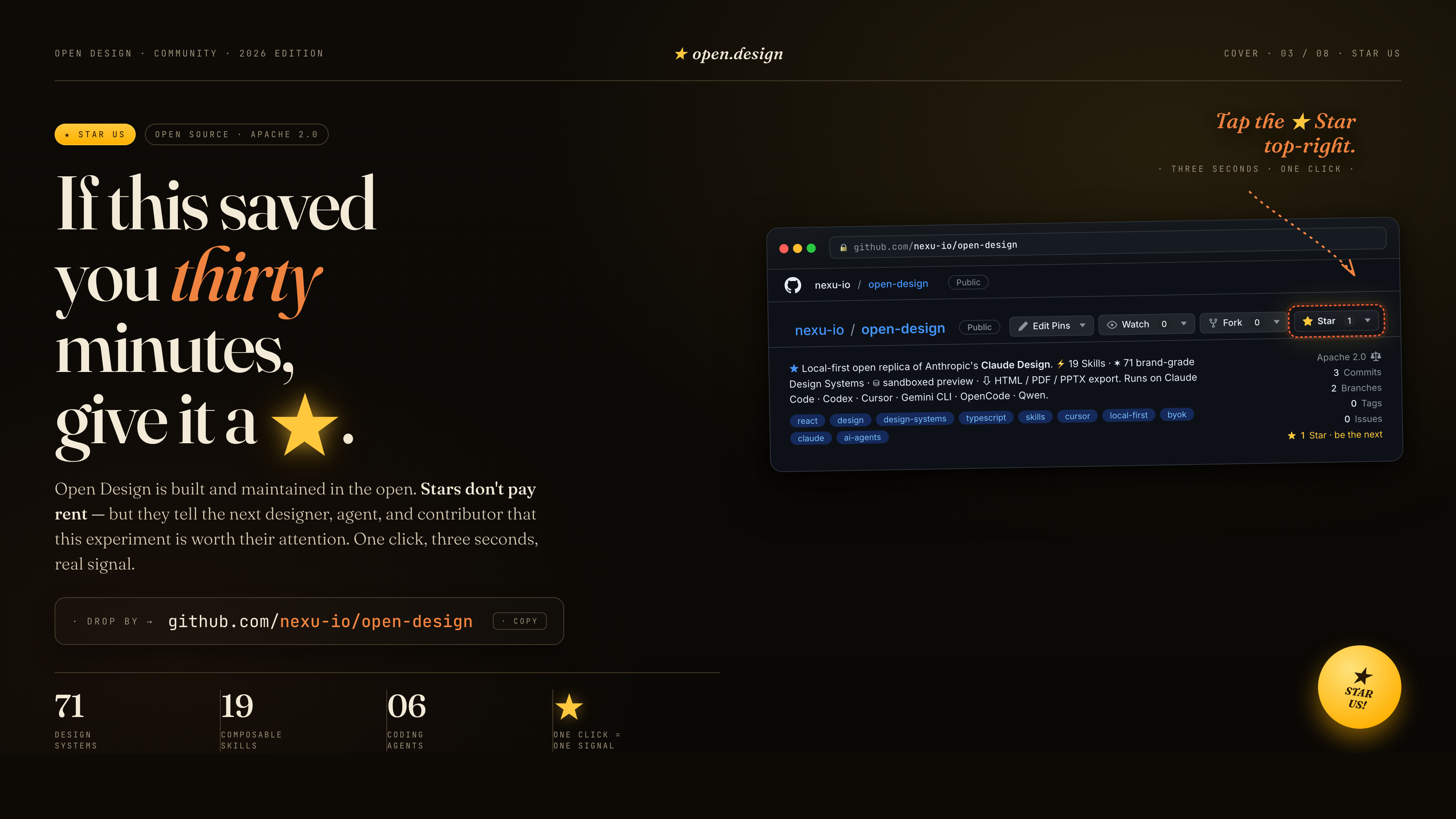
如果這幫你省下了三十分鐘,給它一顆 ★。星星不能付房租——但它們會告訴下一位設計師、agent 與貢獻者,這場實驗值得他們關注。一鍵、三秒,一個真實的訊號。
 ---
## 參考與淵源
| 專案 | 角色 |
|---|---|
| Claude Design | 本儲存庫作為開源替代方案所對應的那個閉源產品。 |
| [`alchaincyf/huashu-design`](https://github.com/alchaincyf/huashu-design) | 設計哲學的指南針——junior 設計師工作流程、品牌素材協定、反 AI-slop 檢查清單、五維評析。 |
| [`op7418/guizang-ppt-skill`](https://github.com/op7418/guizang-ppt-skill) | 雜誌風格網頁 PPT skill,原封不動地內建於 [`design-templates/guizang-ppt/`](../../design-templates/guizang-ppt/) 之下。為簡報模式的預設。 |
| [`lewislulu/html-ppt-skill`](https://github.com/lewislulu/html-ppt-skill) | HTML PPT Studio 家族——15 套簡報範本、36 種主題、31 種頁面版面、動畫執行期、磁吸卡片簡報模式。 |
| [`OpenCoworkAI/open-codesign`](https://github.com/OpenCoworkAI/open-codesign) | 第一個開源的 Claude Design 替代方案;我們借鏡的 UX 模式(串流 artifact 迴圈、沙箱化 iframe、即時 agent 面板)。 |
| [`multica-ai/multica`](https://github.com/multica-ai/multica) | daemon + adapter 架構——PATH 掃描的 agent 偵測、把本地 daemon 作為唯一的特權程序。 |
| [`VoltAgent/awesome-design-md`](https://github.com/VoltAgent/awesome-design-md) | 最初 9 段式 `DESIGN.md` schema 與 70 套上游衍生系統的歷史來源;目前套件可在此基礎上擴充。 |
| [`bergside/awesome-design-skills`](https://github.com/bergside/awesome-design-skills) | `design-systems/` 之下新增的 57 個設計 skill 的來源。 |
| [`heygen-com/hyperframes`](https://github.com/heygen-com/hyperframes) | HTML→MP4 動態圖像框架,在 Open Design 中整合為一等公民的 `hyperframes-html`。 |
| [Claude Code skills][skill] | 我們原封不動採用的 `SKILL.md` 慣例。 |
詳細出處 → [`docs/references.md`](../../docs/references.md)。
[skill]: https://docs.anthropic.com/en/docs/claude-code/skills
## 授權
Apache-2.0。內建的 `design-templates/guizang-ppt/` 保留其原始 [LICENSE](../../design-templates/guizang-ppt/LICENSE)(MIT,[@op7418](https://github.com/op7418))。內建的 `design-templates/html-ppt/` 保留其原始 [LICENSE](../../design-templates/html-ppt/LICENSE)(MIT,[@lewislulu](https://github.com/lewislulu))。
---
## 參考與淵源
| 專案 | 角色 |
|---|---|
| Claude Design | 本儲存庫作為開源替代方案所對應的那個閉源產品。 |
| [`alchaincyf/huashu-design`](https://github.com/alchaincyf/huashu-design) | 設計哲學的指南針——junior 設計師工作流程、品牌素材協定、反 AI-slop 檢查清單、五維評析。 |
| [`op7418/guizang-ppt-skill`](https://github.com/op7418/guizang-ppt-skill) | 雜誌風格網頁 PPT skill,原封不動地內建於 [`design-templates/guizang-ppt/`](../../design-templates/guizang-ppt/) 之下。為簡報模式的預設。 |
| [`lewislulu/html-ppt-skill`](https://github.com/lewislulu/html-ppt-skill) | HTML PPT Studio 家族——15 套簡報範本、36 種主題、31 種頁面版面、動畫執行期、磁吸卡片簡報模式。 |
| [`OpenCoworkAI/open-codesign`](https://github.com/OpenCoworkAI/open-codesign) | 第一個開源的 Claude Design 替代方案;我們借鏡的 UX 模式(串流 artifact 迴圈、沙箱化 iframe、即時 agent 面板)。 |
| [`multica-ai/multica`](https://github.com/multica-ai/multica) | daemon + adapter 架構——PATH 掃描的 agent 偵測、把本地 daemon 作為唯一的特權程序。 |
| [`VoltAgent/awesome-design-md`](https://github.com/VoltAgent/awesome-design-md) | 最初 9 段式 `DESIGN.md` schema 與 70 套上游衍生系統的歷史來源;目前套件可在此基礎上擴充。 |
| [`bergside/awesome-design-skills`](https://github.com/bergside/awesome-design-skills) | `design-systems/` 之下新增的 57 個設計 skill 的來源。 |
| [`heygen-com/hyperframes`](https://github.com/heygen-com/hyperframes) | HTML→MP4 動態圖像框架,在 Open Design 中整合為一等公民的 `hyperframes-html`。 |
| [Claude Code skills][skill] | 我們原封不動採用的 `SKILL.md` 慣例。 |
詳細出處 → [`docs/references.md`](../../docs/references.md)。
[skill]: https://docs.anthropic.com/en/docs/claude-code/skills
## 授權
Apache-2.0。內建的 `design-templates/guizang-ppt/` 保留其原始 [LICENSE](../../design-templates/guizang-ppt/LICENSE)(MIT,[@op7418](https://github.com/op7418))。內建的 `design-templates/html-ppt/` 保留其原始 [LICENSE](../../design-templates/html-ppt/LICENSE)(MIT,[@lewislulu](https://github.com/lewislulu))。

