<h1 align="center">Open Design: ทางเลือกโอเพนซอร์สแทน Claude Design</h1>

> ⚡ **Open Design Cloud — บริการโมเดลอย่างเป็นทางการ.** เติมเงินครั้งเดียวเพื่อใช้ GPT, Claude, Gemini และ DeepSeek ใน Open Design: โมเดลระดับ flagship กว่า 20 ตัว, ไม่ต้องตั้งค่า, คิดเงินตาม token ที่ใช้จริง. [ลองใช้ Open Design Cloud](https://open-design.ai/cloud/)
>
> 🏅 **Open Design Fellow program เปิดรับแล้ว.** ถ้าคุณเชื่อเหมือนกันว่า design ควรเปิดกว้าง มาเป็น Open Design Fellow, ร่วม shape ผลิตภัณฑ์กับ core team และช่วยให้คนมากขึ้นมีส่วนร่วมกำหนดอนาคตของ design. รายละเอียด → [`MAINTAINERS.th.md`](MAINTAINERS.th.md) และ [Discord](https://discord.gg/qhbcCH8Am4).

<p align="center">
  <img src="https://repo-assets.open-design.ai/resources/images/hero.png" alt="Open Design hero banner" width="100%" />
</p>

<p align="center">
  <a href="https://open-design.ai/">เว็บไซต์</a> ·
  <a href="https://open-design.ai/">ดาวน์โหลด</a> ·
  <a href="https://open-design.ai/cloud/">Open Design Cloud</a> ·
  <a href="https://discord.gg/qhbcCH8Am4">Discord</a> ·
  <a href="https://x.com/nexudotio">ติดตาม @nexudotio</a>
</p>

<p align="center">
  <a href="https://github.com/nexu-io/open-design/releases"><img alt="release" src="https://img.shields.io/github/v/release/nexu-io/open-design?style=flat&color=blueviolet&label=release&include_prereleases&display_name=tag" /></a>
  <a href="../../LICENSE"><img alt="license" src="https://img.shields.io/badge/license-Apache%202.0-blue.svg?style=flat" /></a>
  <a href="https://discord.gg/qhbcCH8Am4"><img alt="discord" src="https://img.shields.io/discord/1479002485040480266?style=flat&logo=discord&logoColor=white&label=discord&color=5865F2&cacheSeconds=3600" /></a>
  <a href="QUICKSTART.th.md"><img alt="quickstart" src="https://img.shields.io/badge/quickstart-3%20commands-green?style=flat" /></a>
</p>

<p align="center"><a href="../../README.md">English</a> · <a href="README.es.md">Español</a> · <a href="README.pt-BR.md">Português</a> · <a href="README.de.md">Deutsch</a> · <a href="README.fr.md">Français</a> · <a href="README.zh-CN.md">简体中文</a> · <a href="README.zh-TW.md">繁體中文</a> · <a href="README.ko.md">한국어</a> · <a href="README.ja-JP.md">日本語</a> · <a href="README.ar.md">العربية</a> · <a href="README.ru.md">Русский</a> · <a href="README.uk.md">Українська</a> · <a href="README.tr.md">Türkçe</a> · <b>ภาษาไทย</b></p>

---

## Open Design คืออะไร

🎨 **ทางเลือก Claude Design แบบ local-first และโอเพนซอร์ส.** &nbsp;🖥️ **แอป desktop native สำหรับ macOS และ Windows.** &nbsp;⚡ **functional skills 100+ รายการ + rendering-template catalog แยกต่างหาก** · ✨ **design-system packages ระดับแบรนด์ 151 ชุด** · 📦 **plugin พร้อมใช้ 277 ตัว.** &nbsp;🖼️ สร้าง **prototype สำหรับ web · desktop · mobile**, **live dashboard / artifact**, **deck**, **image**, **video** และ motion graphics ด้วย **HyperFrames**. 🔒 preview ผ่าน sandboxed iframe · export เป็น HTML / PDF / PPTX / MP4. &nbsp;🤖 **รันบน Claude Code · OpenClaw · Codex · Cursor · OpenCode · Qwen · Copilot · Amp · Hermes · Kimi · Antigravity และ local CLI executable ที่ไม่ซ้ำกัน 25 ตัว**, หรือ endpoint ที่เข้ากันได้กับ OpenAI ผ่าน BYOK.

Open Design คือสิ่งที่เกิดขึ้นเมื่อ loop แบบ **agent-native** ที่ Anthropic เปิดตัวกับ Claude Design — ค้นหา brief, ล็อก direction, stream artifact, critique, deliver — เลิกเป็นระบบปิด แล้วกลายเป็น **filesystem ของ functional skills, rendering design templates, design systems และ plugins** ที่ coding agent บน laptop ของคุณอ่าน เขียน และ remix ได้. CLI ของคุณกลายเป็น design engine, laptop ของคุณกลายเป็น studio, และ `DESIGN.md` ของทีมกลายเป็น brand contract.

มันยังเป็น **ทางเลือกแทน Figma สำหรับยุค agent** ด้วย แทนที่จะขยับ pixel บน canvas ระบบจะส่งมอบ artifact หน้าเดียวที่เป็น CSS จริง, font จริง, component จริง และ export ตรงเป็น HTML / PDF / PPTX / MP4 โดยถูก shape ด้วย design system ของคุณแล้ว และรันได้ใน agent ที่คุณใช้ทุกวัน.


---

## ทัวร์ผลิตภัณฑ์

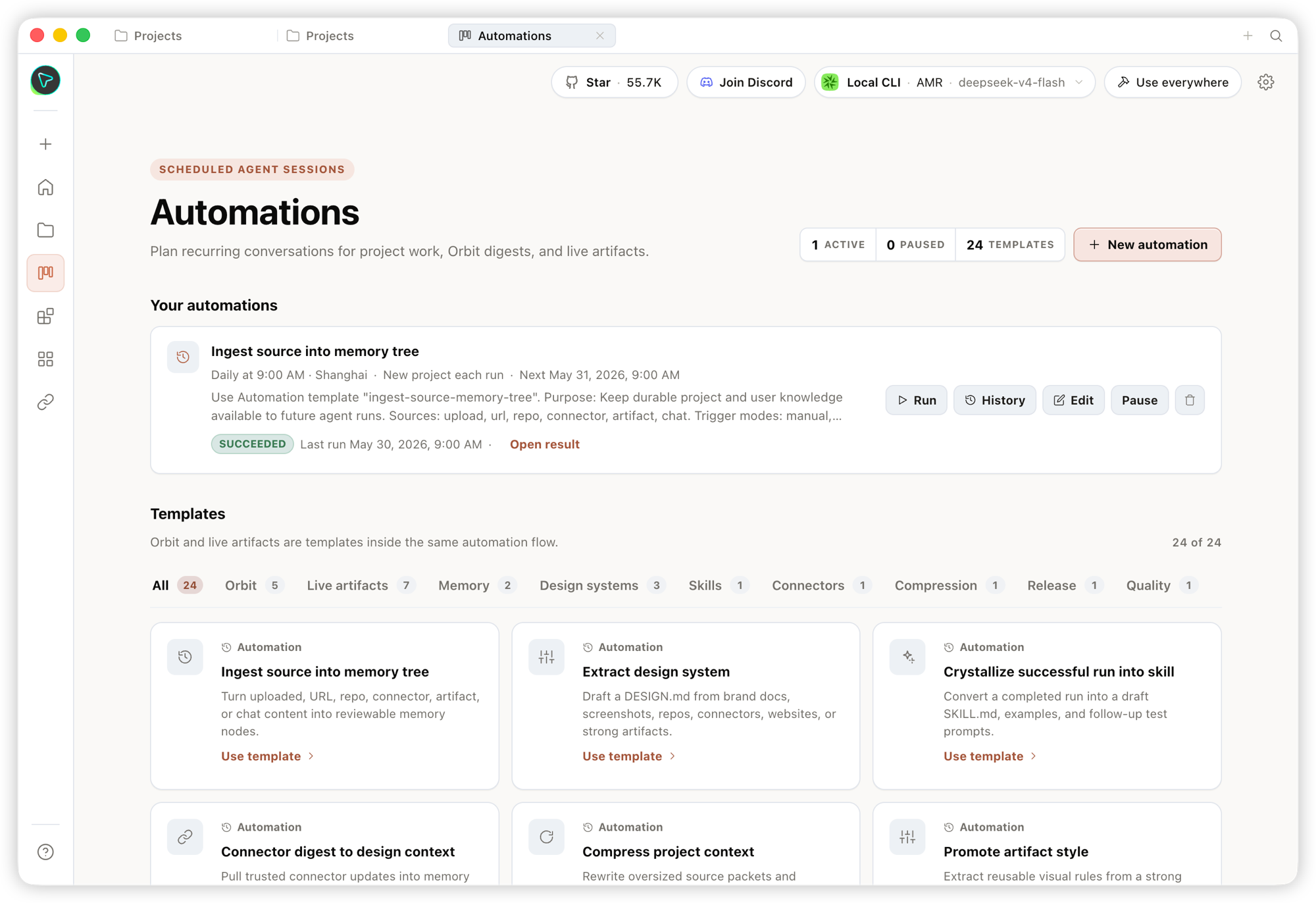
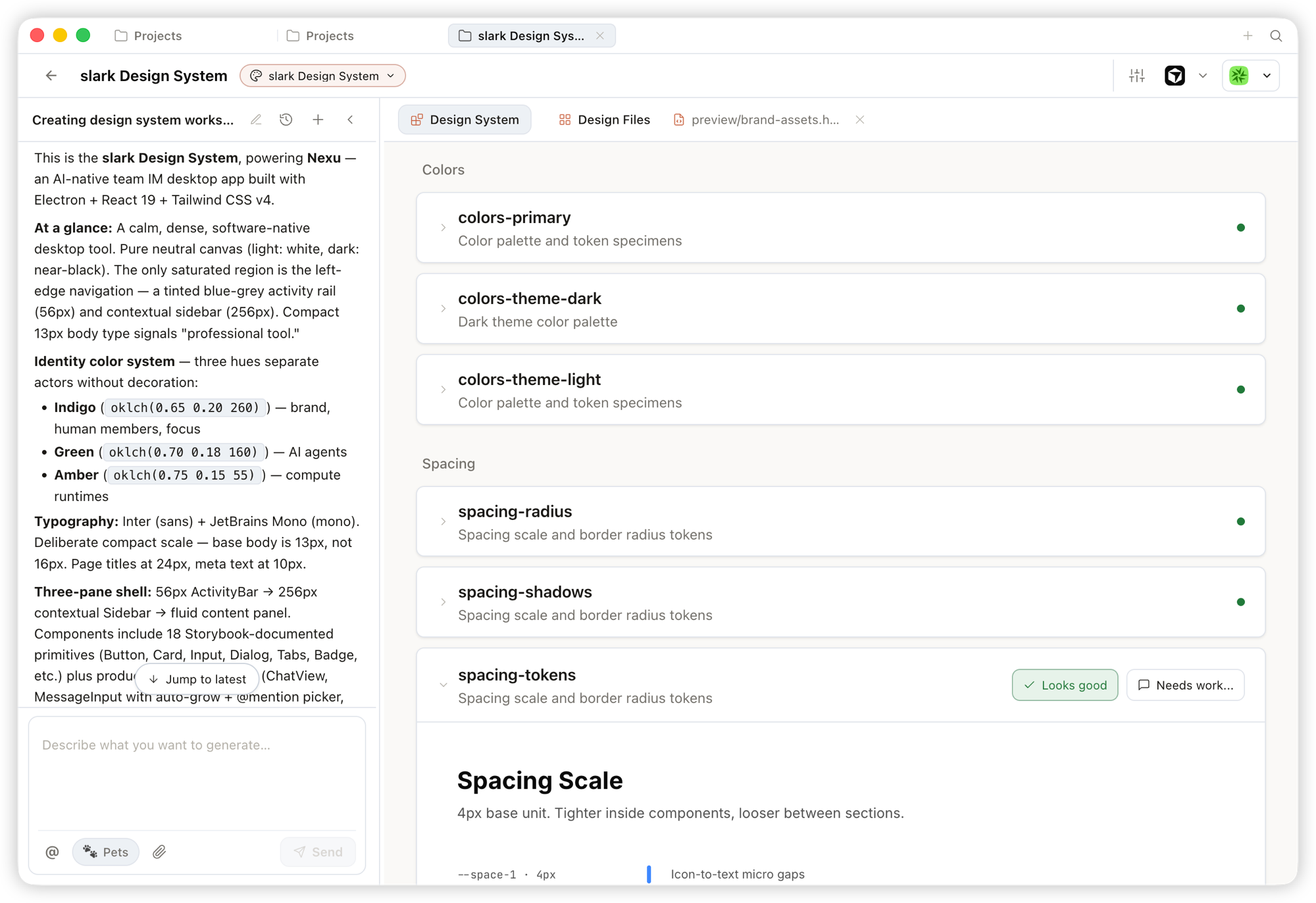
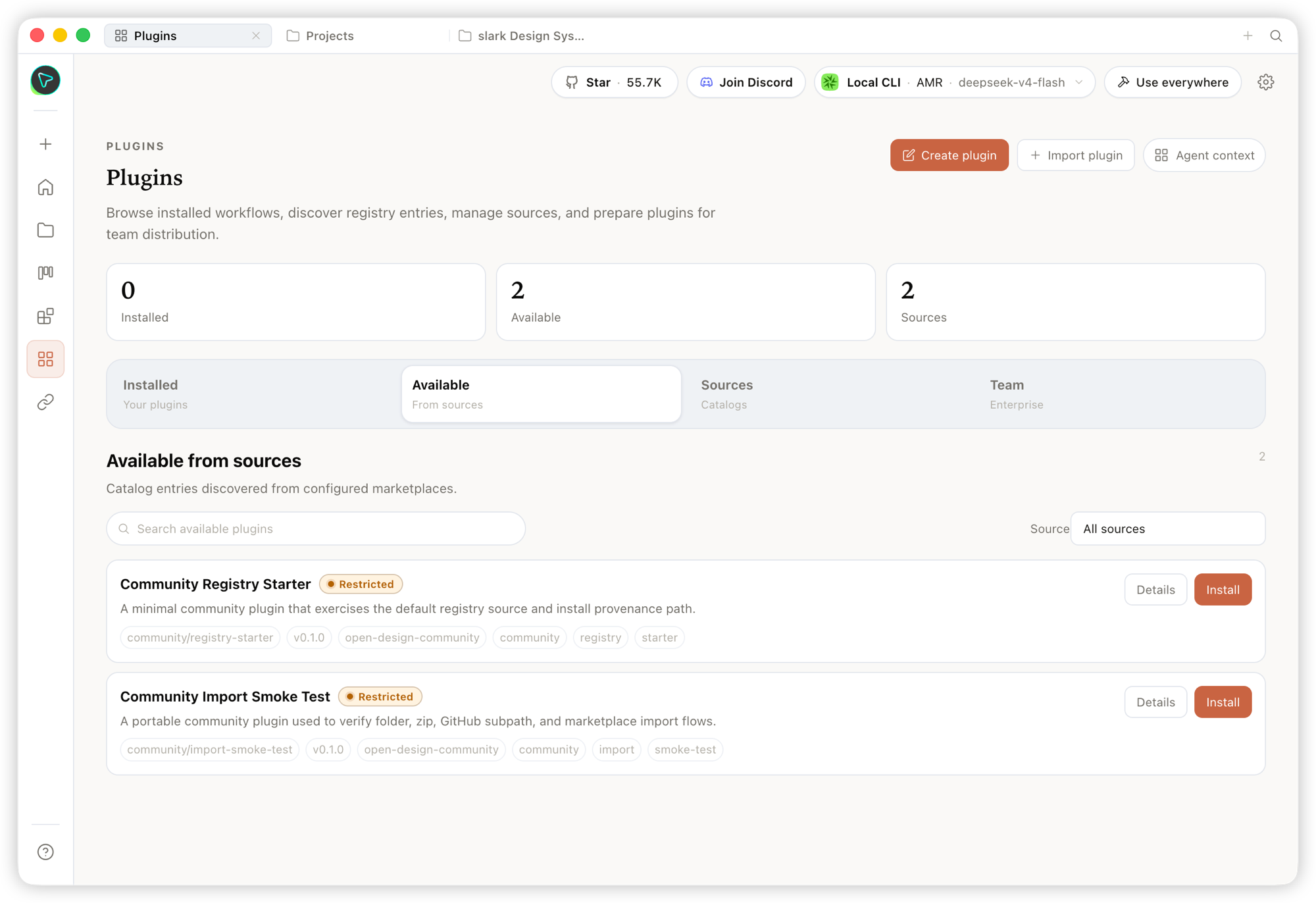
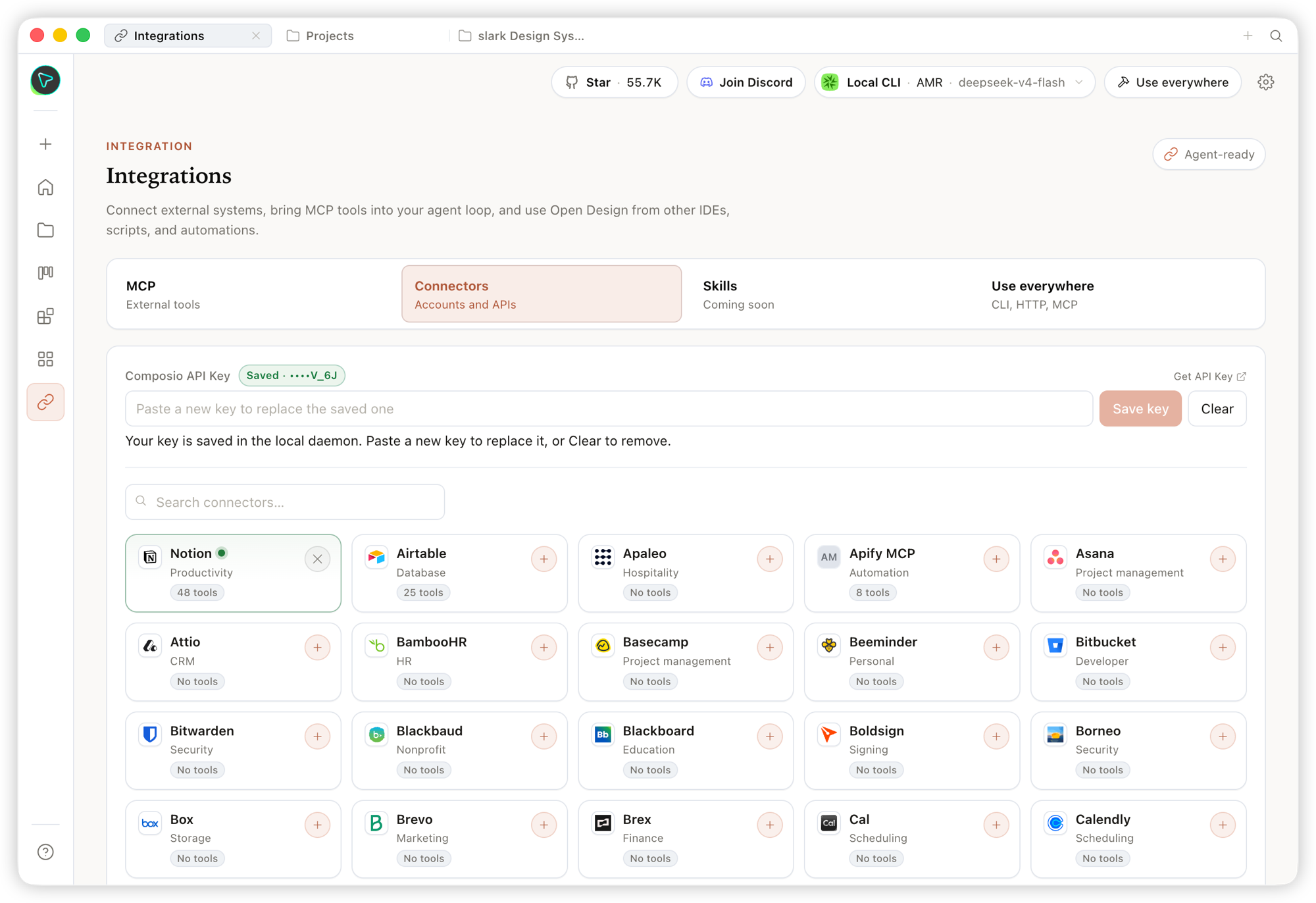
ภาพรวมเร็ว ๆ ว่า Open Design คืออะไรและทำอะไรได้บ้าง. เริ่มจาก **Home**, จัด workflow ซ้ำ ๆ ด้วย **Automation**, กลั่น brand contract ใน **Design System**, และต่อยอดด้วย **Plugins** กับ **integrations**; ภายใน **Studio** ของแต่ละ project, design system เดียวกันจะ stream ออกมาเป็น prototypes, live artifacts, HyperFrames, decks และ images.

### หน้าหลัก
<table>
<tr>
<td valign="top">
<img src="https://repo-assets.open-design.ai/resources/images/product/home.png" alt="หน้า Home" /><br/>
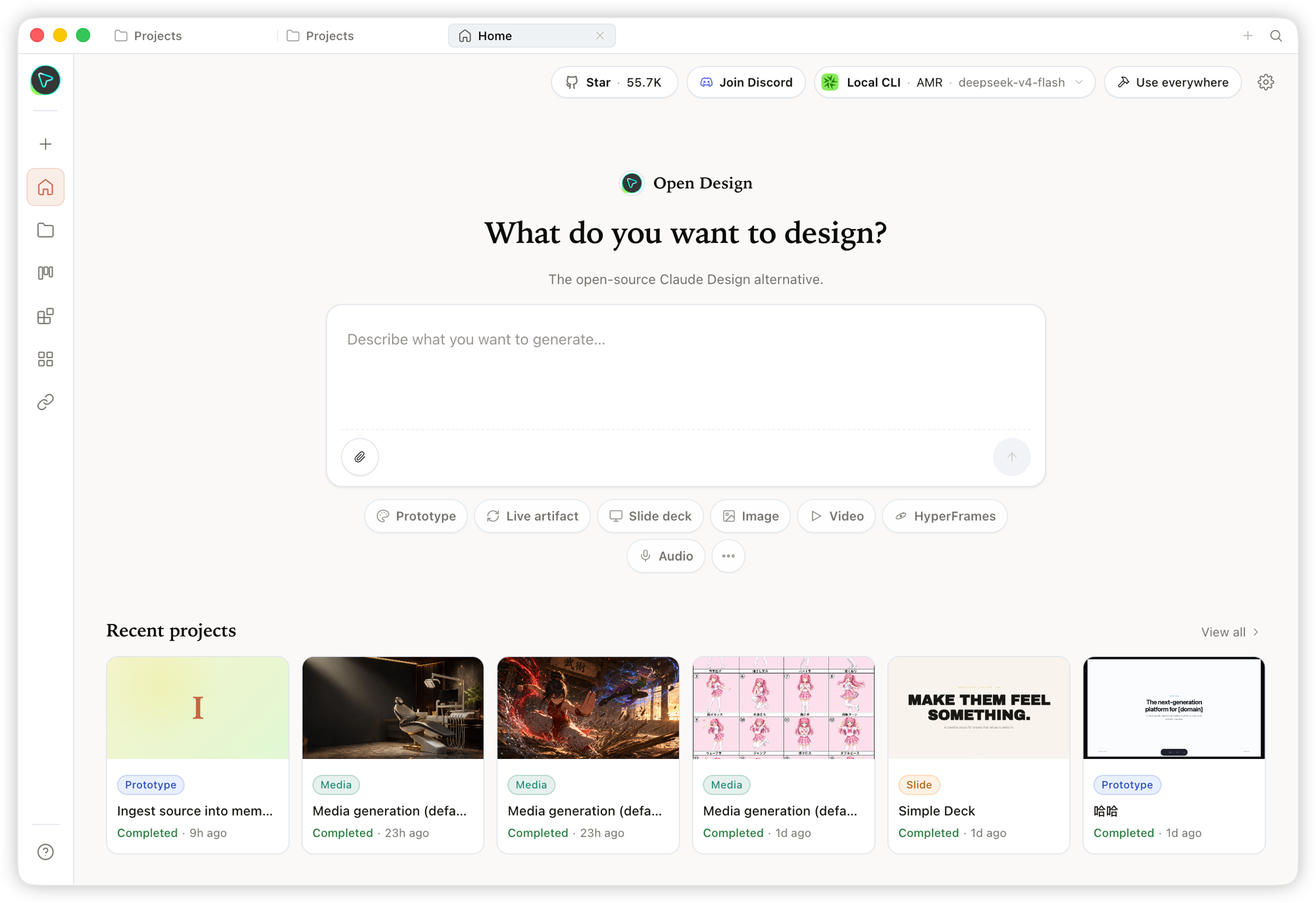
<sub><b>Home</b> — จุดเข้าใช้งานภาพรวม. เลือก skill และ design system, พิมพ์ brief แล้วเริ่มงานทุกอย่างจากที่เดียว.</sub>
</td>
</tr>
</table>

<table>
<tr>
<td width="50%" valign="top">
<img src="https://repo-assets.open-design.ai/resources/images/product/automation.png" alt="หน้า Automation" /><br/>
<sub><b>Automation</b> — จัด workflow งานออกแบบที่ทำซ้ำให้เป็น automation ที่ reusable และตั้ง schedule ได้.</sub>
</td>
<td width="50%" valign="top">
<img src="https://repo-assets.open-design.ai/resources/images/product/design-system.png" alt="หน้า Design System" /><br/>
<sub><b>Design System</b> — กลั่น <code>DESIGN.md</code> ของทีมให้เป็น brand contract ที่ shape ทุก output.</sub>
</td>
</tr>
<tr>
<td width="50%" valign="top">
<img src="https://repo-assets.open-design.ai/resources/images/product/plugin.png" alt="หน้า Plugin" /><br/>
<sub><b>Plugin</b> — browse, install และ distribute workflow plugins เพื่อขยาย generation ตามต้องการ.</sub>
</td>
<td width="50%" valign="top">
<img src="https://repo-assets.open-design.ai/resources/images/product/integrations.png" alt="หน้า Integrations" /><br/>
<sub><b>Integrations</b> — เชื่อมต่อระบบภายนอกและ MCP tools แล้วใช้ Open Design จาก IDE, script หรือ automation ใดก็ได้.</sub>
</td>
</tr>
</table>

### Studio — artifact หลายชนิดใน project เดียว

ภายใน Studio ของ project เดียวกัน, design system ชุดเดียวกันสามารถ stream artifact ได้หลายชนิด:

<table>
<tr>
<td width="50%" valign="top">
<img src="https://repo-assets.open-design.ai/resources/images/product/studio-prototype.png" alt="Prototype" /><br/>
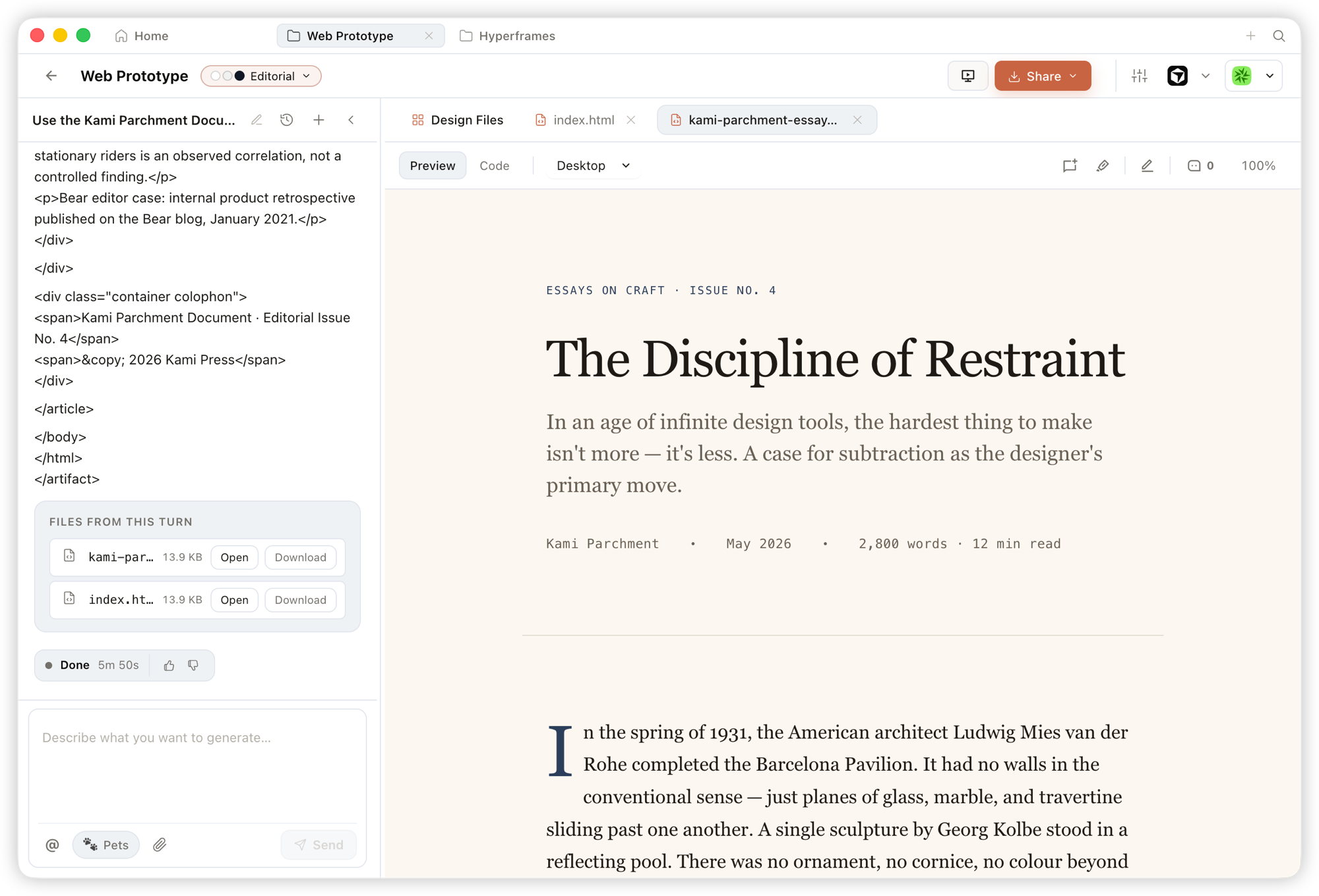
<sub><b>Prototype</b> — artifact HTML หน้าเดียวที่อ่าน design system ของคุณและ render ใน sandboxed iframe, preview ได้ทันทีและดาวน์โหลด source ได้.</sub>
</td>
<td width="50%" valign="top">
<img src="https://repo-assets.open-design.ai/resources/images/product/studio-hyperframe.png" alt="HyperFrame" /><br/>
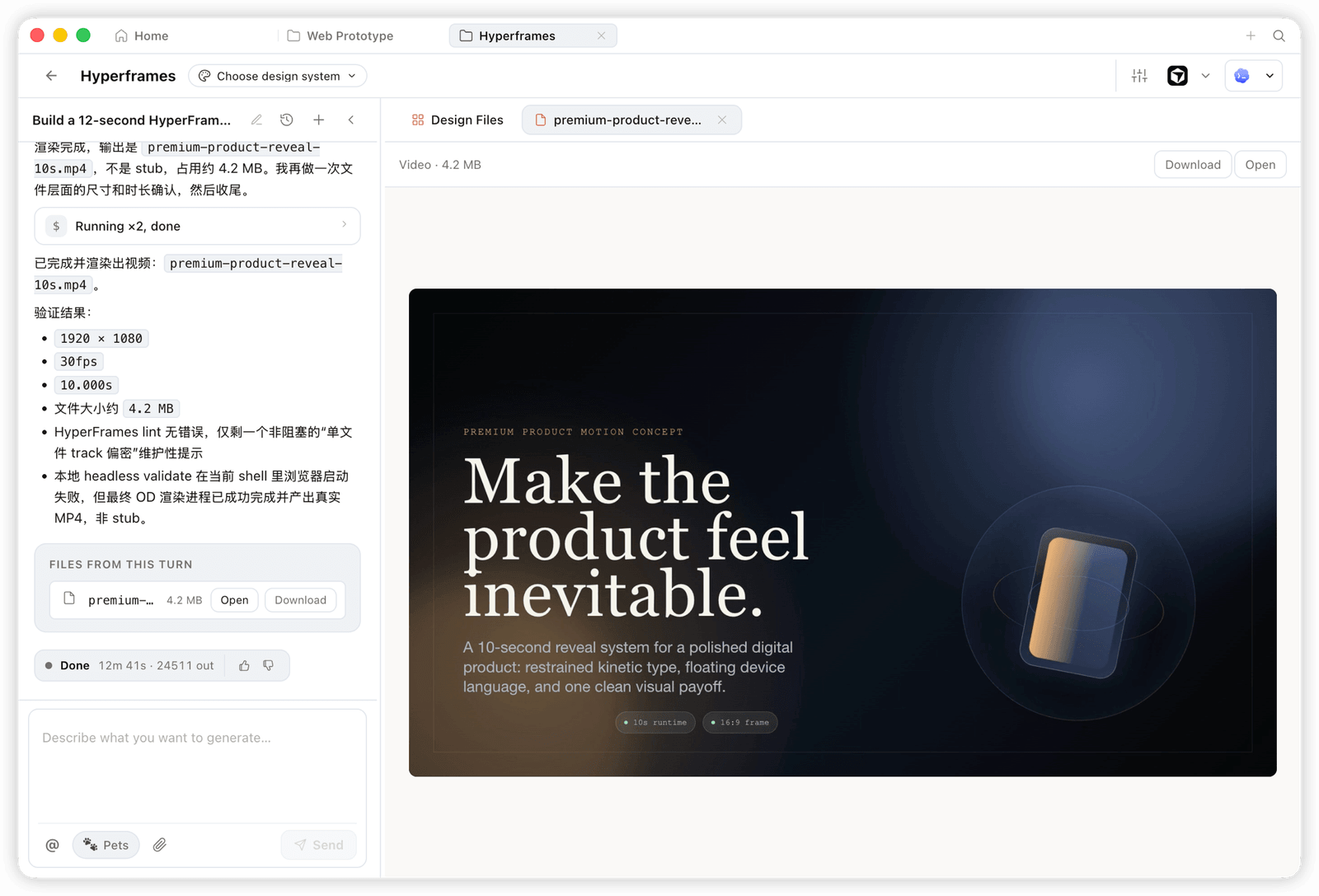
<sub><b>HyperFrame</b> — motion และ animated graphics แบบ programmatic, render เป็น MP4 จริง (เช่น 1920×1080 · 30fps).</sub>
</td>
</tr>
<tr>
<td width="50%" valign="top">
<img src="https://repo-assets.open-design.ai/resources/images/product/studio-ppt.png" alt="Deck" /><br/>
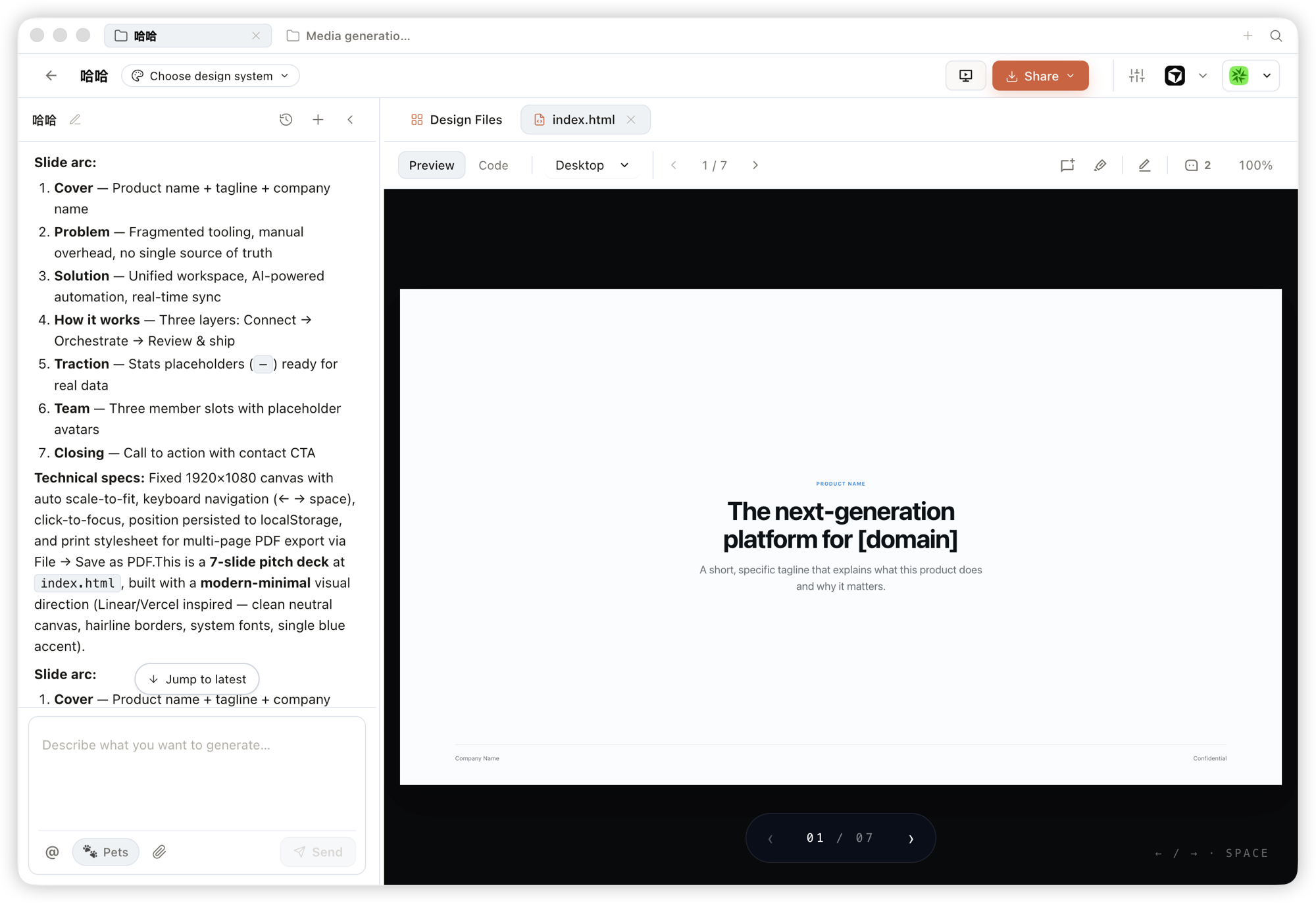
<sub><b>Deck</b> — pitch deck ที่พลิกหน้าได้, ใช้ keyboard นำทางได้ และ export เป็น PPTX / PDF ได้.</sub>
</td>
<td width="50%" valign="top">
<img src="https://repo-assets.open-design.ai/resources/images/product/studio-image.png" alt="Image" /><br/>
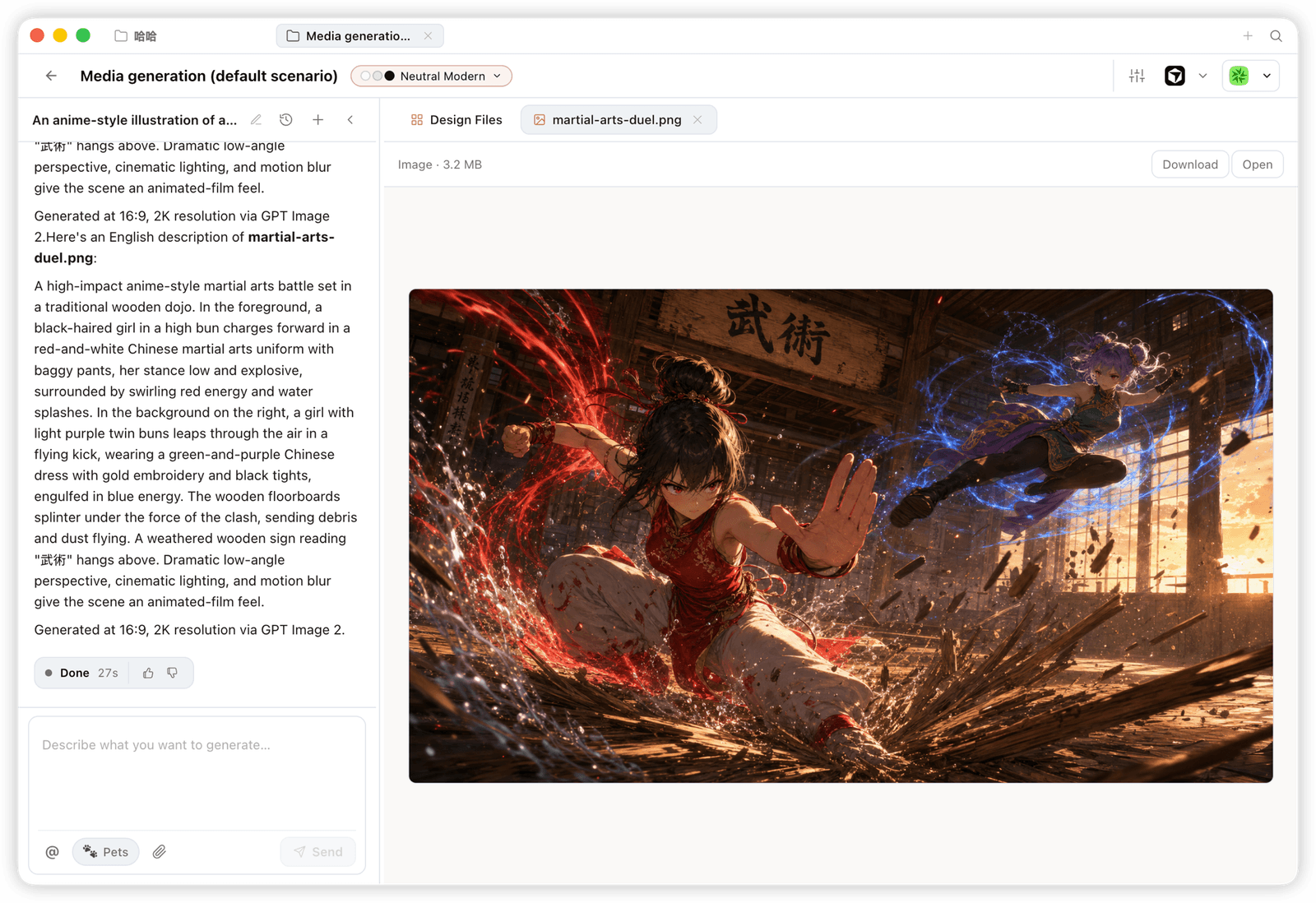
<sub><b>Image</b> — image และ visual assets ระดับแบรนด์ พร้อม high-resolution generation และ download.</sub>
</td>
</tr>
</table>

---

## ความเข้ากันได้ของแพลตฟอร์ม

> Open Design มาพร้อม **skills, CLI และ MCP server** ที่ coding agent กระแสหลักใช้งานได้แบบ native. เมื่อติดตั้ง OD แล้ว คำสั่งเดียว `od mcp install <agent>` จะเชื่อม MCP server เข้ากับ config ของ agent นั้น และคุณเรียกใช้ tools เดียวกันจากใน agent ใดก็ได้.

| Coding agent / platform &nbsp;&nbsp;&nbsp;&nbsp;&nbsp;&nbsp;&nbsp;&nbsp; | Status &nbsp;&nbsp; | One-line MCP server install &nbsp;&nbsp;&nbsp;&nbsp;&nbsp;&nbsp;&nbsp;&nbsp;&nbsp;&nbsp;&nbsp;&nbsp;&nbsp;&nbsp;&nbsp;&nbsp;&nbsp;&nbsp; |
|---|:---:|---|
| [Claude Code](https://docs.anthropic.com/en/docs/claude-code) | ✅ Supported | `od mcp install claude` |
| [Codex CLI](https://github.com/openai/codex) | ✅ Supported | `od mcp install codex` |
| [DeepSeek Reasonix](https://github.com/esengine/DeepSeek-Reasonix) | ✅ Supported | `od mcp install reasonix` |
| [Raven](https://github.com/EverMind-AI/Raven) | ✅ Supported | `od mcp install raven` |
| [Cursor](https://www.cursor.com/cli) | ✅ Supported | `od mcp install cursor` |
| [VS Code + GitHub Copilot](https://github.com/features/copilot) | ✅ Supported | `od mcp install copilot` |
| [GitHub Copilot CLI](https://github.com/features/copilot/cli) | ✅ Supported | `od mcp install copilot` |
| [OpenCode](https://opencode.ai/) | ✅ Supported | `od mcp install opencode` |
| [OpenClaw](https://github.com/openclaw/openclaw) | ✅ Supported | `od mcp install openclaw` |
| [Antigravity](https://antigravity.google) | ✅ Supported | `od mcp install antigravity` |
| [Cline](https://github.com/cline/cline) | ✅ Supported | `od mcp install cline` |
| [Trae](https://www.trae.ai/) | ✅ Supported | `od mcp install trae` |
| [Kimi CLI](https://github.com/MoonshotAI/kimi-cli) | ✅ Supported | `od mcp install kimi` |
| [Kiro](https://kiro.dev) | ✅ Supported | `od mcp install kiro` |
| [Pi Agent](https://github.com/badlogic/pi-mono) | ✅ Supported | `od mcp install pi` |
| [Mistral Vibe CLI](https://github.com/mistralai/mistral-vibe) | ✅ Supported | `od mcp install vibe` |
| [Hermes Agent](https://github.com/nousresearch/hermes-agent) | ✅ Supported | `od mcp install hermes` |

ใช้ `od mcp install <agent> --print` เพื่อ preview แบบ dry-run · ใช้ `--uninstall` เพื่อลบ · ดูรายการเต็มด้วย `od mcp install --help`.

<p align="center">
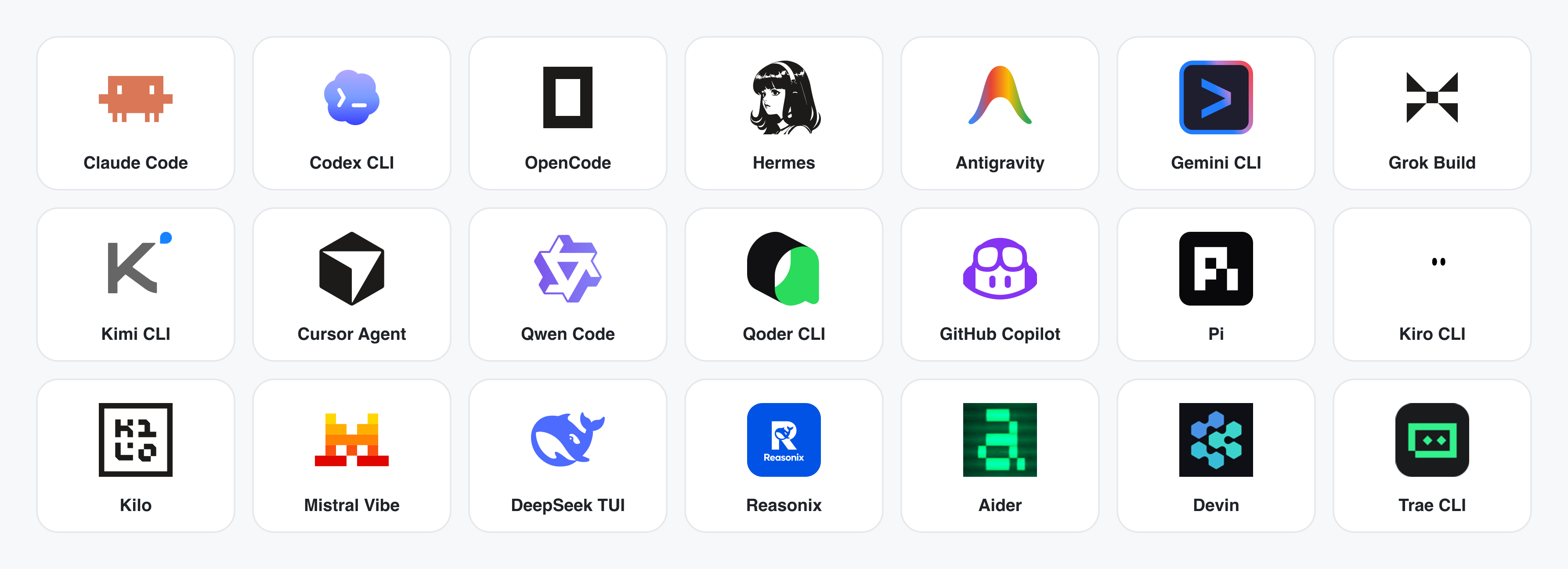
  <img src="https://repo-assets.open-design.ai/resources/images/coding-agents.png" alt="CLI coding-agent 25 ตัวที่ Open Design รองรับ — Claude Code · Codex · OpenCode · Hermes · Antigravity · Vela · Grok Build · Kimi · Cursor Agent · Qwen · Qoder · GitHub Copilot · Pi · Kiro · Kilo · Mistral Vibe · DeepSeek · Reasonix · Aider · Amp · CodeBuddy · Mimo · AtomCode · Devin · Trae" width="100%" />
</p>

**ยังไม่มี CLI ติดตั้ง?** BYOK proxy ที่ `POST /api/proxy/{anthropic,openai,azure,google,ollama,senseaudio}/stream` ให้ loop แบบเดียวกัน (ไม่ต้อง spawn process) — วาง `baseUrl` + `apiKey` + `model` ได้เลย พร้อมรองรับ OpenAI, Anthropic, Azure OpenAI, Google Gemini, Ollama, LM Studio, vLLM หรือ endpoint ที่เข้ากันได้กับ OpenAI. การป้องกัน SSRF ต่อ target จะบล็อก internal IPs / link-local / CGNAT ที่ daemon edge.

Runtime definitions อยู่ใน [`apps/daemon/src/runtimes/defs/`](../../apps/daemon/src/runtimes/defs/) และลงทะเบียนใน `runtimes/registry.ts`; ต้องเพิ่ม parser เฉพาะเมื่อมี wire format ใหม่ — ดู [`docs/agent-adapters.md`](../../docs/agent-adapters.md).

---

## Demo

ผลิตภัณฑ์หลัก 4 หมวด ทั้งหมด render โดย coding agent ที่รันบน laptop ของคุณ. คลิก thumbnail เพื่อดูตัวอย่างจริง.

### 1 · Prototypes — web · desktop · mobile

พื้นผิว output เริ่มต้น. Artifact HTML หน้าเดียวที่อ่าน `DESIGN.md` ของคุณและ render ใน sandboxed iframe.

<table>
<tr>
<td width="50%" valign="top">
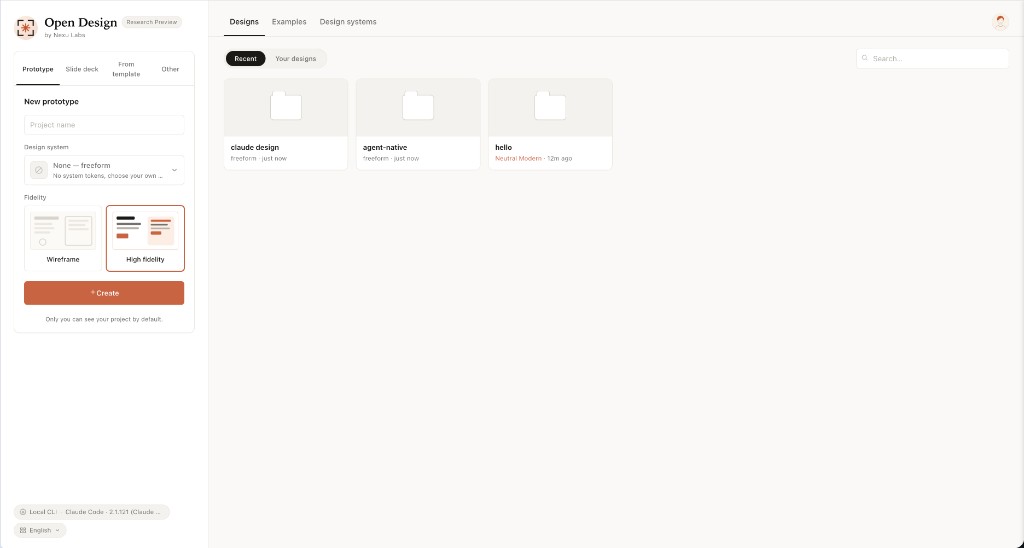
<img src="../../docs/screenshots/01-entry-view.png" alt="Entry view" /><br/>
<sub><b>Entry view</b> — เลือก skill, เลือก design system, พิมพ์ brief. พื้นผิวเดียวสำหรับ prototype, dashboard, deck, mobile app และหน้า magazine.</sub>
</td>
<td width="50%" valign="top">
<img src="../../docs/screenshots/skills/mobile-onboarding.png" alt="Mobile onboarding" /><br/>
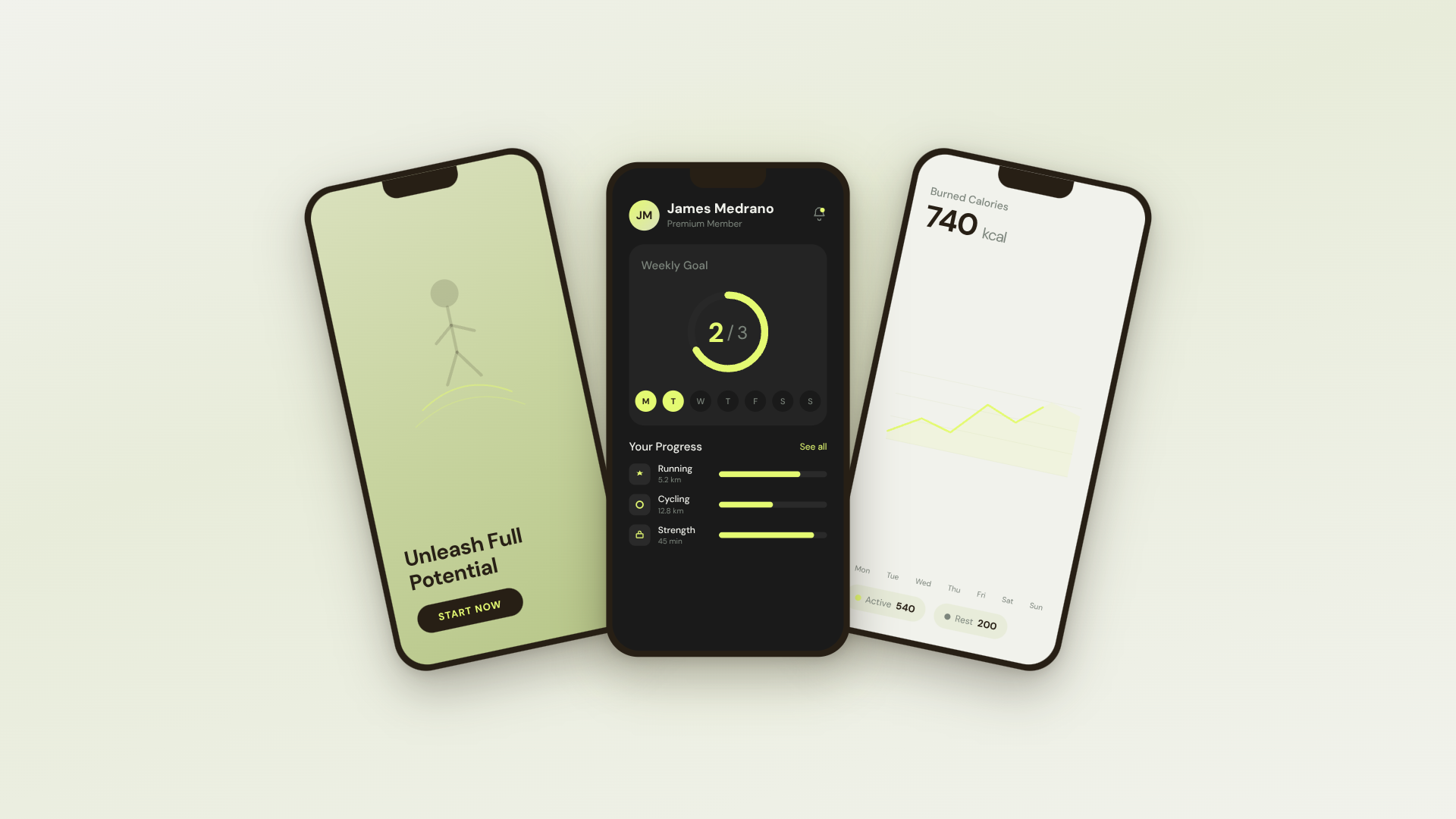
<sub><b>Mobile prototype</b> — chrome ของ iPhone 15 Pro แบบ pixel-accurate, flow หลายหน้าจอ. Agent ไม่ต้องวาดกรอบมือถือใหม่ เพราะ shared device frames อยู่ใน <code>assets/frames/</code>.</sub>
</td>
</tr>
<tr>
<td width="50%" valign="top">
<img src="../../docs/screenshots/skills/dating-web.png" alt="Web prototype dating-web" /><br/>
<sub><b>Web prototype</b> — dashboard แบบ editorial พร้อม scrollbar, KPI และ chart. Render ตรงจาก <code>design-templates/dating-web/</code>.</sub>
</td>
<td width="50%" valign="top">
<img src="../../docs/screenshots/skills/gamified-app.png" alt="Gamified app" /><br/>
<sub><b>Mobile app prototype</b> — flow gamified สามหน้าจอพร้อม XP ribbons และ quest detail. ส่งต่อให้ Cursor / Codex / Claude Code เพื่อเปลี่ยนเป็น React/Next/Vue ได้ทันที.</sub>
</td>
</tr>
</table>

### 2 · Live artifacts & dashboards

Live dashboard, decision room, KPI wall — artifact หน้าเดียวที่ดึงข้อมูลผ่าน tweaks panel และยังแก้ไขในที่เดิมได้.

<table>
<tr>
<td width="50%" valign="top">
<img src="../../docs/screenshots/skills/live-dashboard.png" alt="Live dashboard" /><br/>
<sub><b>Live dashboard</b> — KPI wall ที่แก้ไขได้ โดย tweaks panel แสดง parameter ที่ควรปรับ. Agent emit manifest แล้ว iframe re-render โดยไม่ reload.</sub>
</td>
<td width="50%" valign="top">
<img src="../../docs/screenshots/skills/research-decision-room.png" alt="Decision room" /><br/>
<sub><b>Decision room</b> — briefing artifact หลาย source สำหรับประชุม product / research / ops.</sub>
</td>
</tr>
<tr>
<td width="50%" valign="top">
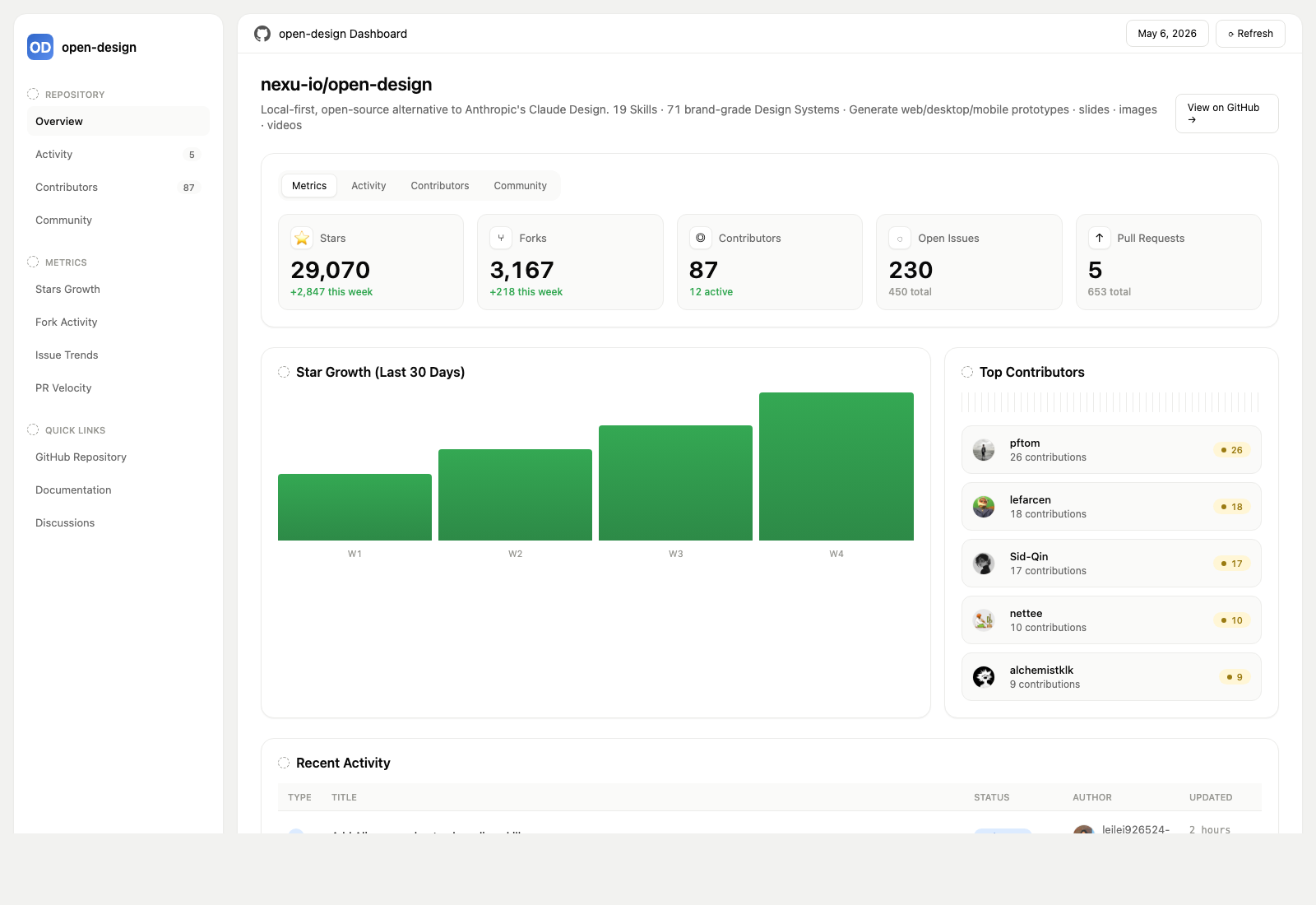
<img src="../../docs/screenshots/skills/github-dashboard.png" alt="GitHub dashboard" /><br/>
<sub><b>GitHub-style dashboard</b> — metrics ของ repo ในรูปแบบ live artifact.</sub>
</td>
<td width="50%" valign="top">
<img src="../../docs/screenshots/skills/flowai-live-dashboard-template.png" alt="Flow live dashboard" /><br/>
<sub><b>Flow live-dashboard template</b> — KPI template เฉพาะ domain ที่ brand ผ่าน <code>DESIGN.md</code> ที่ active อยู่.</sub>
</td>
</tr>
</table>

### 3 · Decks — magazine decks, weekly updates, pitches

<table>
<tr>
<td width="50%" valign="top">
<img src="../../docs/screenshots/07-magazine-deck.png" alt="Magazine deck (guizang-ppt)" /><br/>
<sub><b>Deck mode (guizang-ppt)</b> — layout แบบ magazine, WebGL hero, checklist P0/P1/P2. Bundle ตรงจาก <a href="https://github.com/op7418/guizang-ppt-skill"><code>op7418/guizang-ppt-skill</code></a> พร้อมคง license เดิม.</sub>
</td>
<td width="50%" valign="top">
<img src="../../docs/screenshots/skills/deck-swiss-international.png" alt="Swiss deck" /><br/>
<sub><b>Swiss International-style deck</b> — ยึด grid, accent monochrome. เป็นหนึ่งใน <b>15 deck templates</b> และ <b>36 themes</b> ใน <code>design-templates/html-ppt-*/</code>.</sub>
</td>
</tr>
</table>

ทุก deck export ได้เป็น **HTML** (ไฟล์เดียวพร้อม inline assets), **PDF** (browser print แบบรู้จัก deck), **PPTX** (agent-driven skill), **ZIP** (archive) หรือ **Markdown**.

### 4 · Images — `gpt-image-2`, ImageRouter, custom API

<table>
<tr>
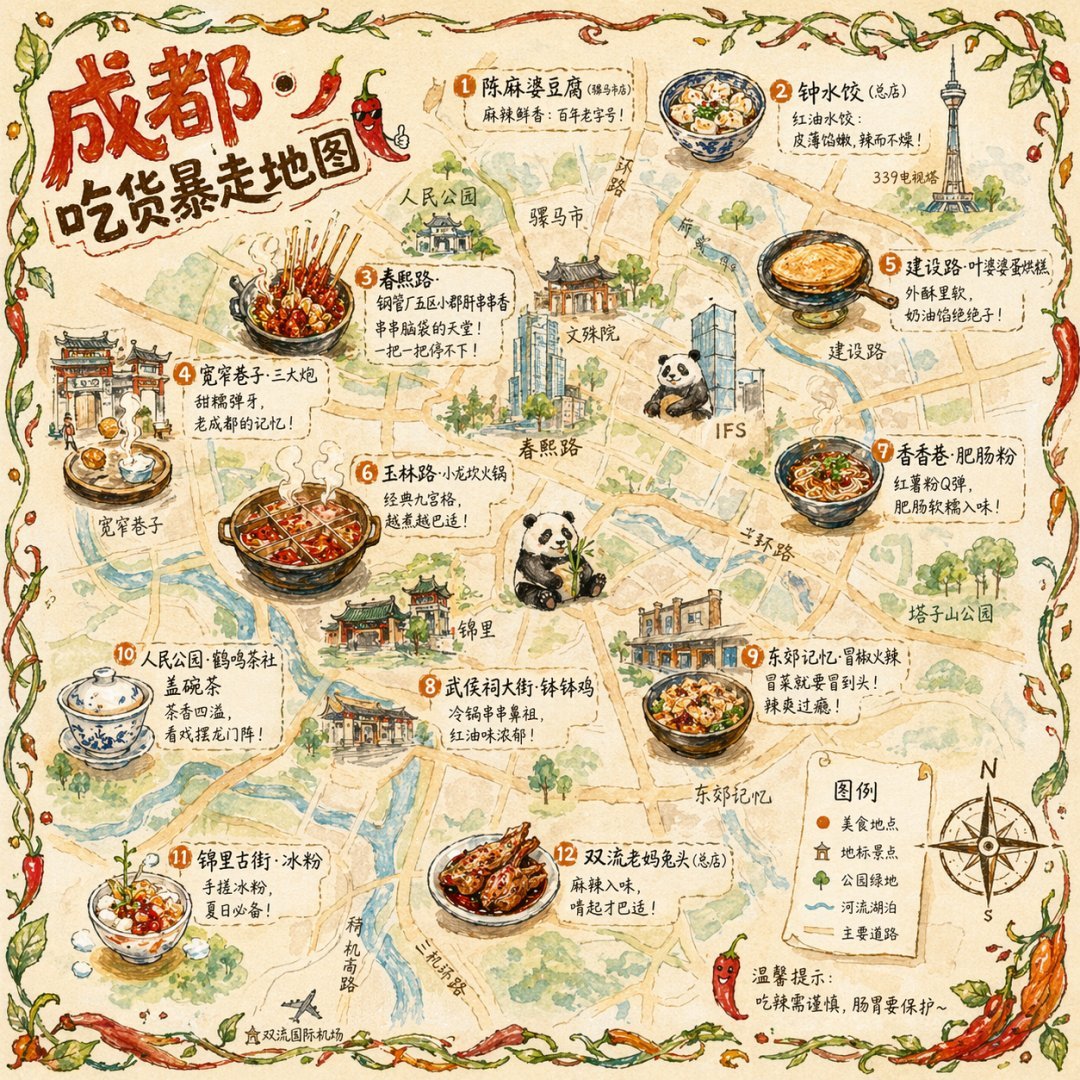
<td width="20%" valign="top"><img src="https://cms-assets.youmind.com/media/1776662673014_nf0taw_HGRMNDybsAAGG88.jpg" alt="แผนที่อาหารเมืองแบบ illustration" /><br/><sub><b>แผนที่อาหารเมืองแบบ illustration</b><br/>โปสเตอร์ท่องเที่ยว editorial แบบวาดมือ</sub></td>
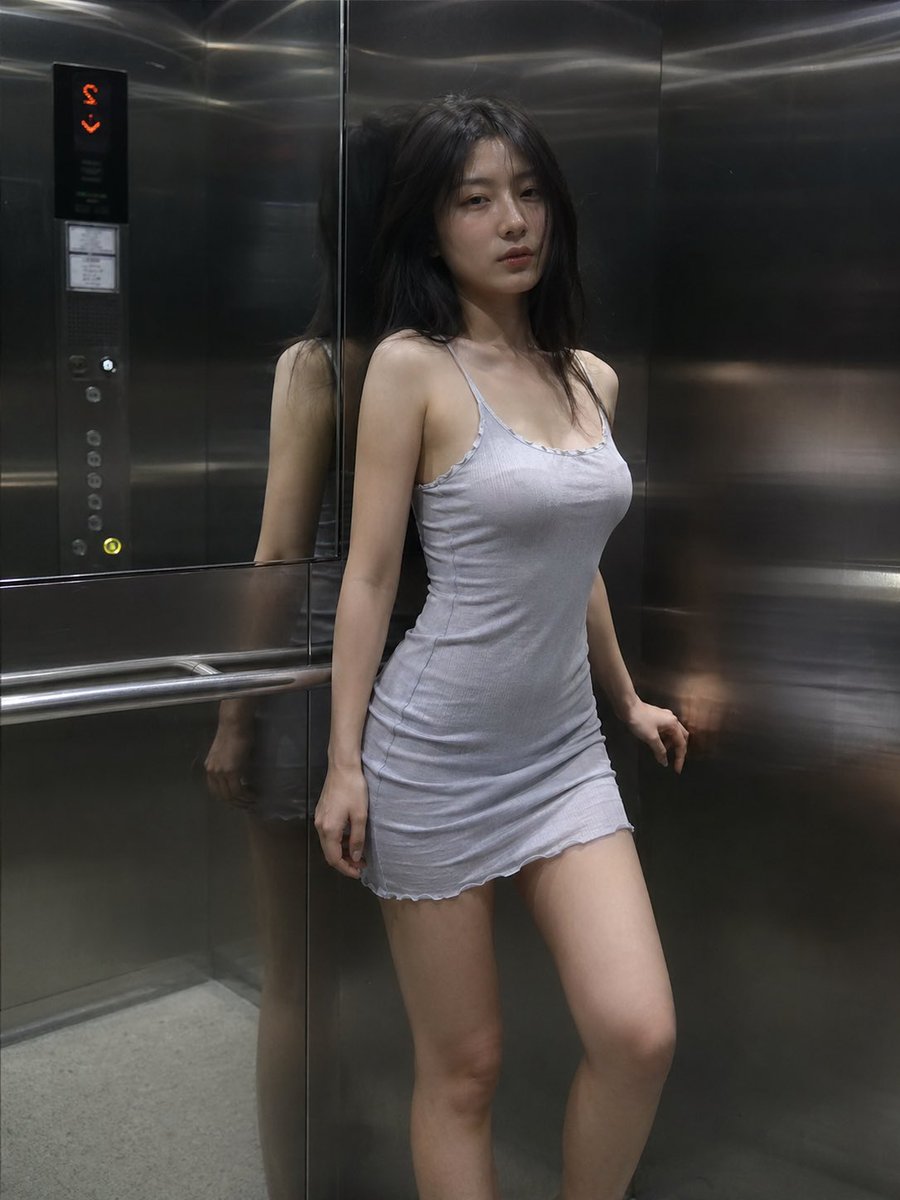
<td width="20%" valign="top"><img src="https://cms-assets.youmind.com/media/1777453149026_gd2k50_HHCSvymboAAVscc.jpg" alt="ฉากลิฟต์แบบ cinematic" /><br/><sub><b>ฉากลิฟต์แบบ cinematic</b><br/>ภาพนิ่ง editorial เฟรมเดียว</sub></td>
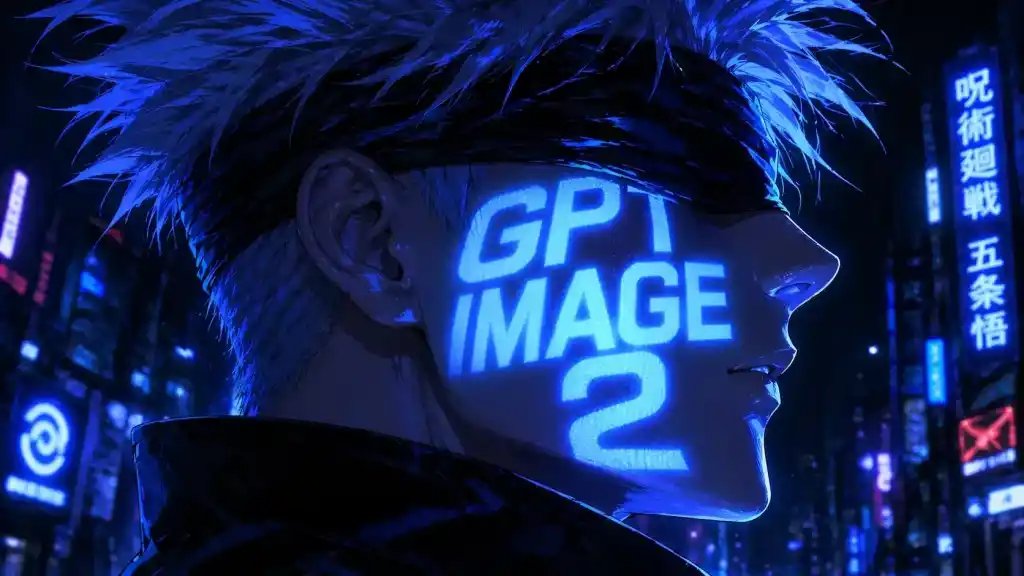
<td width="20%" valign="top"><img src="https://cms-assets.youmind.com/media/1777453164993_mt5b69_HHDoWfeaUAEA6Vt.jpg" alt="Cyberpunk anime portrait" /><br/><sub><b>Cyberpunk portrait</b><br/>Profile avatar — neon face text</sub></td>
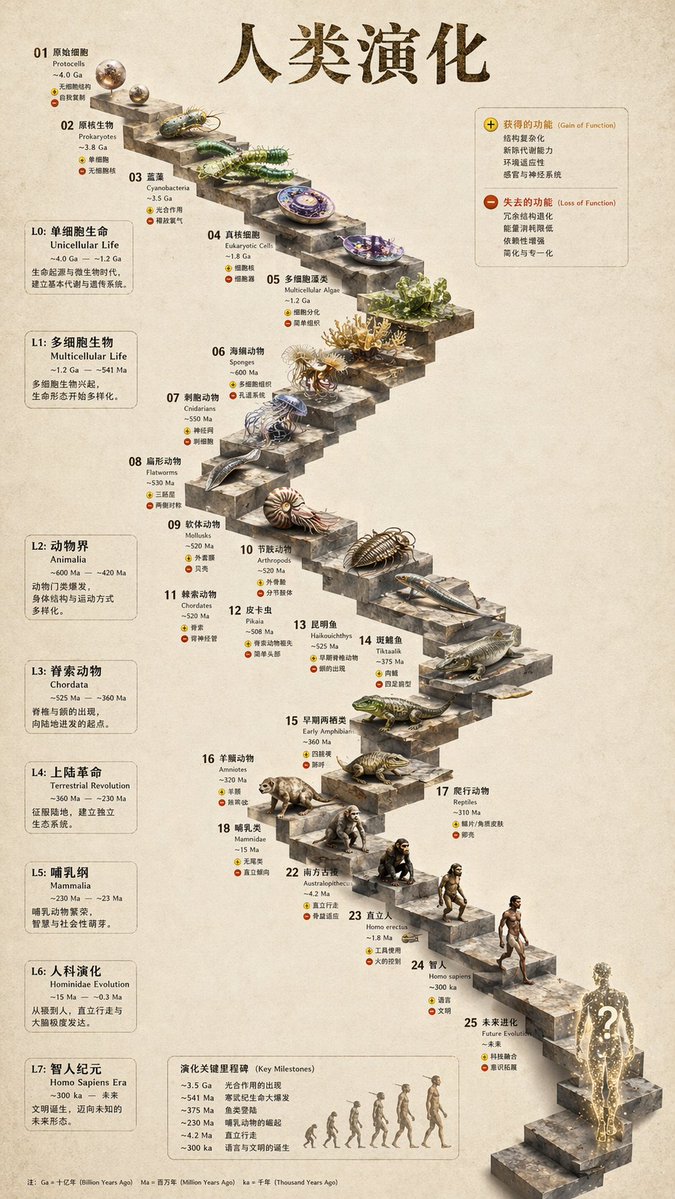
<td width="20%" valign="top"><img src="https://cms-assets.youmind.com/media/1776661968404_8a5flm_HGQc_KOaMAA2vt0.jpg" alt="วิวัฒนาการบันไดหิน 3D" /><br/><sub><b>บันไดหิน 3D</b><br/>infographic หินสกัด</sub></td>
<td width="20%" valign="top"><img src="https://cms-assets.youmind.com/media/1777453184257_vb9hvl_HG9tAkOa4AAuRrn.jpg" alt="Glamorous portrait" /><br/><sub><b>Glamorous portrait</b><br/>editorial studio shot</sub></td>
</tr>
</table>

**prompt พร้อม replicate 93 รายการ** อยู่ใน [`prompt-templates/`](../../prompt-templates/) — มี preview thumbnail, prompt body เต็ม, target model, aspect ratio และ source attribution. คลิกเดียวก็ใส่ brief ลง composer ได้.

### 5 · Video & HyperFrames — motion graphics แบบ agent-native

**[HyperFrames][hyperframes]** คือ framework วิดีโอแบบโอเพนซอร์สและ agent-native ของ HeyGen ซึ่งผสานเป็น first-class citizen ใน Open Design. Agent เขียน HTML + CSS + GSAP แล้ว HyperFrames render เป็น MP4 ที่ deterministic ผ่าน headless Chrome + FFmpeg. ใช้คู่กับ **Seedance 2.0** สำหรับ cinematic t2v / i2v, **Veo 3 / Sora 2 / Kling 2** สำหรับ routed model variants และ **Suno v5 / Lyria 2** สำหรับ audio layer.

<table>
<tr>
<td width="25%" valign="top"><a href="../../prompt-templates/video/hyperframes-saas-product-promo-30s.json"><img src="https://static.heygen.ai/hyperframes-oss/docs/images/catalog/blocks/app-showcase.png" alt="SaaS promo" /></a><br/><sub><b>30s SaaS product promo</b> · 16:9 · UI 3D reveals</sub></td>
<td width="25%" valign="top"><a href="../../prompt-templates/video/hyperframes-tiktok-karaoke-talking-head.json"><img src="https://static.heygen.ai/hyperframes-oss/docs/images/catalog/blocks/tiktok-follow.png" alt="TikTok karaoke" /></a><br/><sub><b>TikTok karaoke talking-head</b> · 9:16 · TTS + word-synced captions</sub></td>
<td width="25%" valign="top"><a href="../../prompt-templates/video/hyperframes-brand-sizzle-reel.json"><img src="https://static.heygen.ai/hyperframes-oss/docs/images/catalog/blocks/logo-outro.png" alt="Brand sizzle reel" /></a><br/><sub><b>30s brand sizzle reel</b> · 16:9 · audio-reactive kinetic type</sub></td>
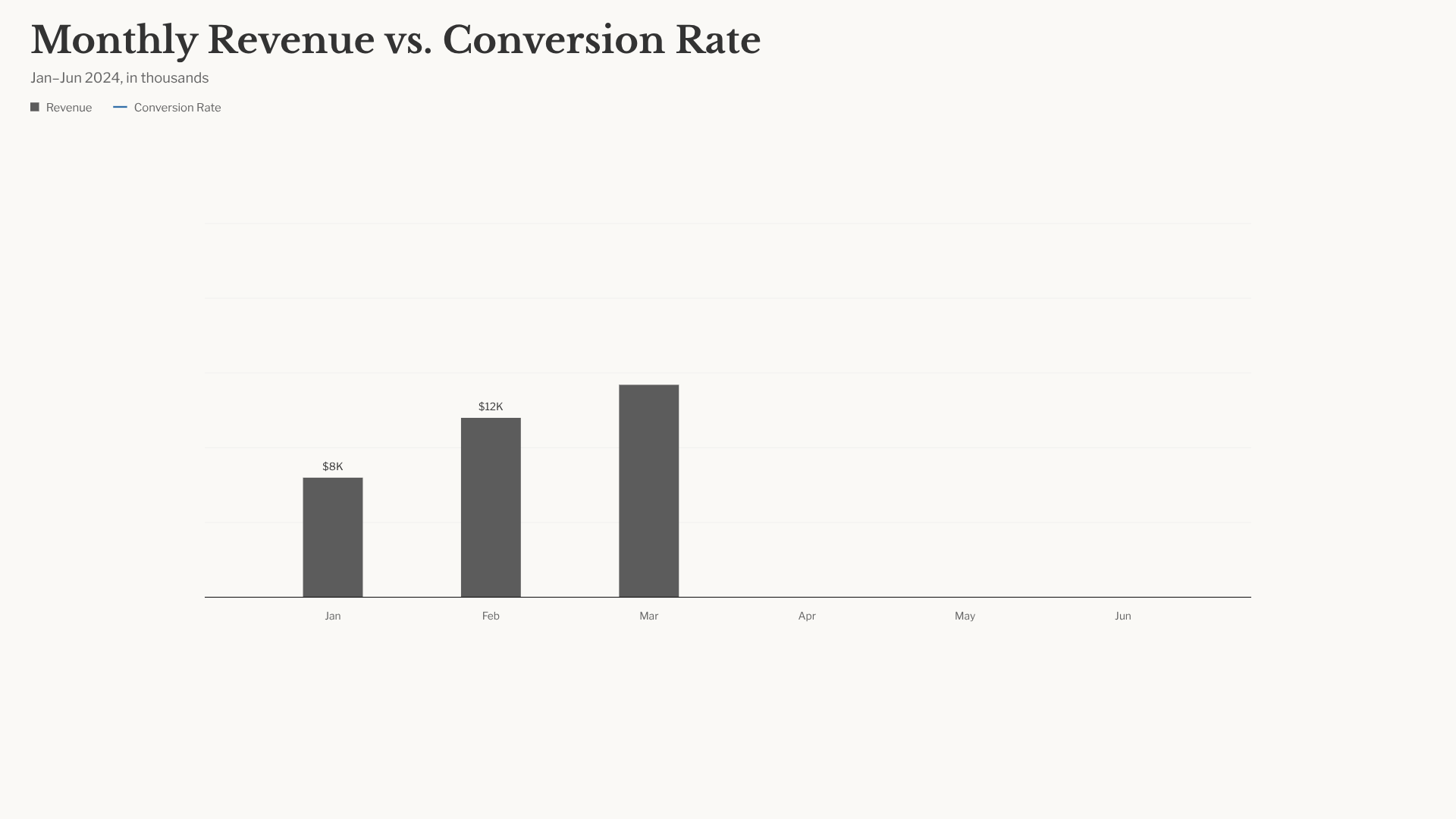
<td width="25%" valign="top"><a href="../../prompt-templates/video/hyperframes-data-bar-chart-race.json"><img src="https://static.heygen.ai/hyperframes-oss/docs/images/catalog/blocks/data-chart.png" alt="Bar chart race" /></a><br/><sub><b>Bar chart race</b> · 16:9 · data infographic สไตล์ NYT</sub></td>
</tr>
<tr>
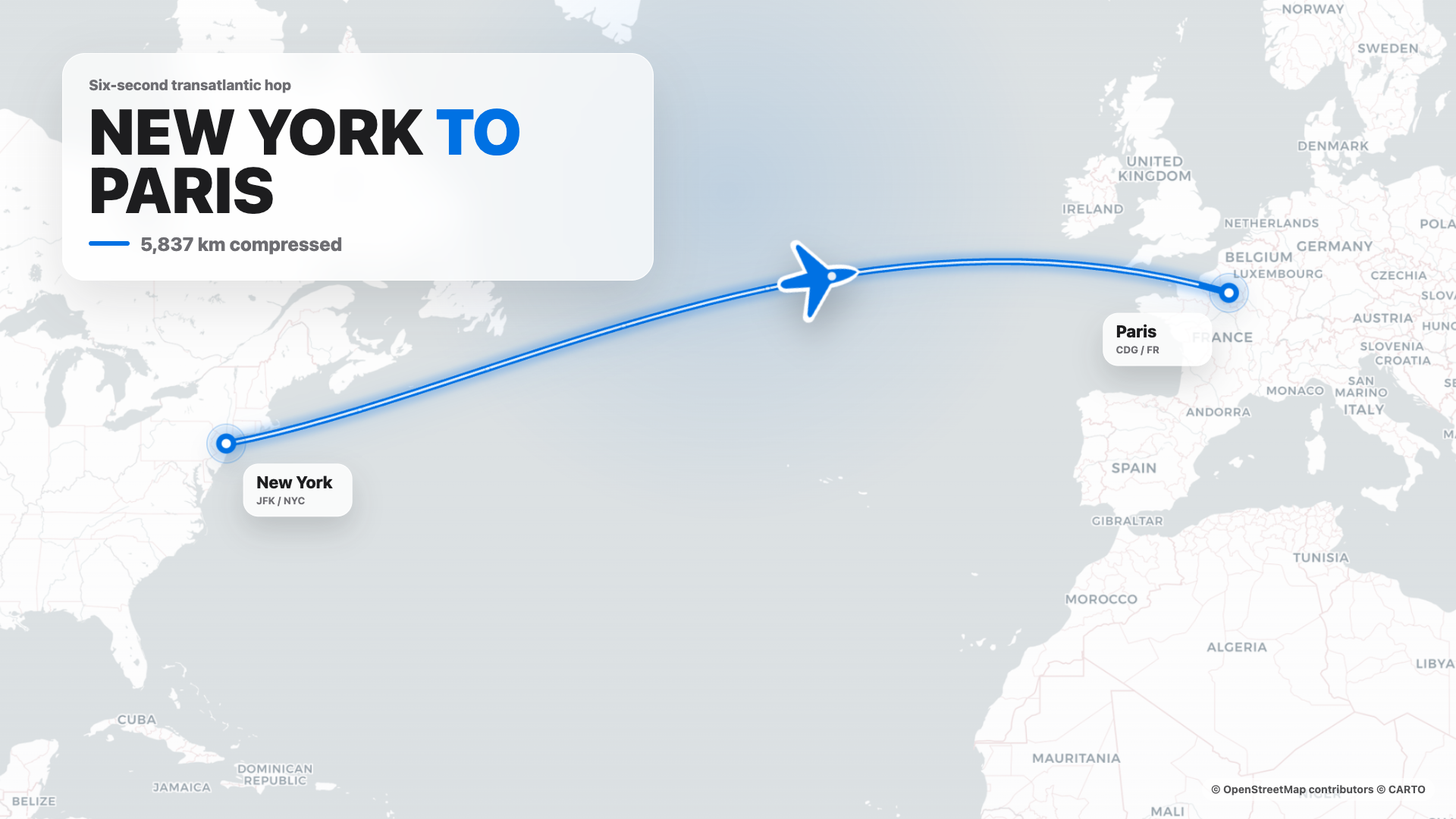
<td width="25%" valign="top"><a href="../../prompt-templates/video/hyperframes-flight-map-route.json"><img src="https://static.heygen.ai/hyperframes-oss/docs/images/catalog/blocks/nyc-paris-flight.png" alt="Flight map" /></a><br/><sub><b>Flight map</b> · 16:9 · route reveal สไตล์ Apple</sub></td>
<td width="25%" valign="top"><a href="../../prompt-templates/video/hyperframes-logo-outro-cinematic.json"><img src="https://static.heygen.ai/hyperframes-oss/docs/images/catalog/blocks/logo-outro.png" alt="Logo outro" /></a><br/><sub><b>4s cinematic logo outro</b> · 16:9 · piece-by-piece assembly + bloom</sub></td>
<td width="25%" valign="top"><a href="../../prompt-templates/video/hyperframes-money-counter-hype.json"><img src="https://static.heygen.ai/hyperframes-oss/docs/images/catalog/blocks/apple-money-count.png" alt="Money counter" /></a><br/><sub><b>$0 → $10K money counter</b> · 9:16 · hype สไตล์ Apple</sub></td>
<td width="25%" valign="top"><a href="../../prompt-templates/video/hyperframes-website-to-video-promo.json"><img src="https://static.heygen.ai/hyperframes-oss/docs/images/catalog/blocks/instagram-follow.png" alt="Website to video" /></a><br/><sub><b>Website-to-video</b> · 16:9 · capture เว็บไซต์ที่ 3 viewport</sub></td>
</tr>
</table>

ใน repo มี HyperFrames templates 11 รายการ + Seedance prompts 39 รายการ. Catalog thumbnails © HeyGen; framework เป็น Apache-2.0. Workflow render เฉพาะของ OD (composition cache, sandbox-exec workaround, MP4-as-chip) อธิบายไว้ใน [`design-templates/hyperframes/`](../../design-templates/hyperframes/).

[hyperframes]: https://github.com/heygen-com/hyperframes

---

## ทำไมต้อง Open Design

> **ในเดือนเมษายน 2026, Anthropic เปิดตัว Claude Design — ครั้งแรกที่ LLM หยุดแค่เขียนข้อความ และเริ่มส่งมอบ design artifacts โดยตรง.** มัน viral มาก แต่ยังเป็น closed-source, paid-only, cloud-only, ผูกกับโมเดลของ Anthropic, skills ของ Anthropic และ surface ของ Anthropic. ไม่มี checkout, ไม่มี self-host, ไม่มี Vercel deploy, ไม่มีการสลับ agent ของคุณเอง.

Open Design (OD) คือทางเลือกโอเพนซอร์ส. Loop เดียวกัน, mental model แบบ artifact-first เดียวกัน, แต่ไม่มี lock-in:

- 🤖 **Agent-native, model-agnostic.** เราไม่ได้ ship agent. `claude` / `codex` / `cursor-agent` / `copilot` / `hermes` / `kimi` ที่มีอยู่แล้วบน `PATH` ของคุณคือ design engine. สลับได้ในคลิกเดียว.
- 🧠 **Brand-grade เป็นค่าเริ่มต้น.** ทุก render อ่าน `DESIGN.md` ของ package ที่ active เป็น brand contract หลัก. Repo ship design-system packages 151 ชุด; package รุ่นเก่าอาจมีแค่ `DESIGN.md` ส่วน package รุ่นใหม่เพิ่ม `manifest.json`, `tokens.css`, components, assets และ provenance ได้. วาง folder เข้าไป picker ก็หาเจอ.
- 🖥️ **Local-first, BYOK ทุกชั้น.** แอป desktop native สำหรับ macOS (Apple Silicon + Intel) และ Windows (x64). Linux AppImage อยู่ใน release lane แบบ optional. Product analytics และ session replay ต้องได้รับ consent; safety/reliability telemetry ที่ scrub ข้อมูลแล้วทำงานตลอด. ก่อนอธิบาย path ของ daemon data ต้องอ่าน **Daemon data directory contract** ใน `AGENTS.md` ที่ราก repo และ README นี้ต้องไม่ระบุ path ซ้ำ.
- 🌍 **ประกอบกันได้บน 4 plane.** **Plugins** พา workflow ที่รันได้ · functional **skills** พาพฤติกรรมของ agent · **design templates** พา rendering blueprint · **design systems** พาแบรนด์. ทั้งสี่ใช้ directory แบบ portable และ versionable ที่ใครก็ author และ publish ได้.
- 🔁 **Refresh codebase เดิม.** ส่ง `git` repo + `DESIGN.md` ให้ agent แล้วมัน refactor component จริงของคุณให้เข้ากับ brand spec. มี plugin เฉพาะสำหรับ migrate workflow จาก Figma / Pencil ไปเป็น React / Next.js / Vue code.
- 🔒 **Privacy by conviction.** ทุกอย่างรันในที่ที่ข้อมูลของคุณอยู่ — laptop ของคุณ, server ของทีม, Vercel project ของคุณ. เมื่อจำเป็นต้องใช้ network, BYOK proxy ก็มี SSRF guard.

### เปรียบเทียบ

| | Claude Design | Figma | Lovable / v0 / Bolt | **Open Design** |
|---|---|---|---|---|
| Open source | ❌ | ❌ | ❌ | **✅ Apache-2.0** |
| Self-host / desktop | ❌ | ❌ | ❌ | **✅ macOS + Windows + Docker** |
| Agent-native (รันใน CLI ของคุณ) | Anthropic เท่านั้น | ❌ | Cloud agent เท่านั้น | **✅ 25 CLIs + BYOK** |
| `DESIGN.md` ระดับแบรนด์ | Proprietary | Theme JSON | Limited tokens | **✅ ship systems 151 ชุด** |
| Skills / plugins / templates | Closed | Plugin store | Closed | **✅ 100+ functional skills · separate rendering-template catalog · 277 plugins** |
| HyperFrames (HTML→MP4) | ❌ | ❌ | ❌ | **✅ First-class** |
| Refresh repo เดิมให้ตรง brand | ❌ | ❌ | ❌ | **✅ ผ่าน agent + `DESIGN.md`** |
| Minimum billing | Pro / Max / Team | Pro / Org | Pro / Team | **BYOK · endpoint ใดก็ได้ที่เข้ากันได้** |

---

## Quick start

### 🖥️ ดาวน์โหลด desktop app (แนะนำ — ไม่ต้องตั้งค่า)

วิธีที่เร็วที่สุดในการใช้ Open Design. ไม่ต้องมี Node, ไม่ต้องมี pnpm, ไม่ต้อง clone.

- **macOS** (Apple Silicon · Intel x64) → [**open-design.ai**](https://open-design.ai/) หรือ [GitHub Releases](https://github.com/nexu-io/open-design/releases)
- **Windows** (x64) → [**open-design.ai**](https://open-design.ai/) หรือ [GitHub Releases](https://github.com/nexu-io/open-design/releases)
- **Linux** (AppImage, optional lane) → [GitHub Releases](https://github.com/nexu-io/open-design/releases)

หลังติดตั้ง: แอปจะ auto-detect coding-agent CLI ทุกตัวบน `PATH`, โหลด functional skills 100+ รายการ, rendering-template catalog ที่แยกต่างหาก และ design-system packages 151 ชุด แล้วให้คุณพิมพ์ brief ใน entry view ได้ทันที.

### 🤖 ติดตั้งเข้า coding agent ของคุณ (ไม่ใช้ UI)

คุณใช้ Open Design ได้โดยไม่ต้องเปิด GUI เลย — เรียกใช้เป็น skill, plugin หรือ MCP server ใน Claude Code, Codex, Cursor, Copilot, OpenClaw, Antigravity, Hermes, Kimi และอื่น ๆ.

```bash
# One-line install into the agent you're using:
curl -fsSL https://open-design.ai/install.sh | sh -s <agent>
# <agent> = claude | codex | reasonix | raven | cursor | copilot | openclaw | antigravity
#         | pi | vibe | hermes | cline | kimi | kiro | trae | opencode
```

จากนั้นใน agent:

```
> Use open-design to generate a landing page with the Linear design system
```

ใน local CLI run ที่มี filesystem, agent จะ compose functional skill หรือ design template ที่เลือกกับ `DESIGN.md`, เขียน canonical project files และ Open Design preview ไฟล์เหล่านั้น. BYOK/plain-API run ที่ไม่มี filesystem tools จะคืน `<artifact>` block ที่สมบูรณ์หนึ่งก้อนแทน.

### 🐳 รันด้วย Docker

```bash
git clone https://github.com/nexu-io/open-design.git
cd open-design/deploy
cp .env.example .env
echo "OD_API_TOKEN=$(openssl rand -hex 32)" >> .env
docker compose up -d
# open http://localhost:7456
```

> **ผู้ใช้ macOS:** ถ้า web UI แสดง `Authorization: Bearer <OD_API_TOKEN> required`, สาเหตุคือ bridge networking ของ Docker Desktop. ดูวิธีแก้ที่ [Docker Desktop on macOS](../../deploy/README.md#docker-desktop-on-macos).

### 🧑‍💻 รันจาก source

```bash
git clone https://github.com/nexu-io/open-design.git
cd open-design
corepack enable && pnpm install
pnpm tools-dev run web
```

เปิด URL ที่ `tools-dev` พิมพ์ออกมา; development ports จะถูกจัดสรรแบบ dynamic เว้นแต่ส่ง port flags ชัดเจน.

Node `~24`, pnpm `10.33.x`. ผู้ใช้ Windows ดู [`docs/windows-troubleshooting.md`](../../docs/windows-troubleshooting.md). Quickstart เต็ม, env vars, Nix flake และ packaged build flow → [`QUICKSTART.th.md`](QUICKSTART.th.md).

### Workflow เต็ม — จาก brief ถึง artifact

`brief → plugin → direction → design system → artifact → handoff → memory`

1. **PM ส่ง brief.** Plugin picker เสนอ landing page · pitch deck · dashboard · social post · PM spec · OKR scorecard…
2. **Designer (หรือ agent) ล็อก direction.** ยังไม่มี brand? เลือกจาก 5 direction ที่ curate ไว้. มี brand แล้ว? วาง screenshot / URL → agent เชื่อม GitHub, import Figma และ codify เป็น `DESIGN.md` ที่ reusable.
3. **Agent สร้าง deliverable แรก.** Plugin + functional skill หรือ design template + `DESIGN.md` ถูก bind แล้ว. CLI run ที่มี filesystem เขียน canonical project files และ preview ตามไฟล์; BYOK/plain-API run ที่ไม่มี file tools คืน `<artifact>` block ที่สมบูรณ์หนึ่งก้อน.
4. **ส่งต่อให้ engineering.** Artifact คือ HTML/CSS จริง — วางเข้า Cursor, Codex หรือ Claude Code เพื่อ build ต่อเป็น code. หรือ export PPTX / PDF / MP4 ตรงไป marketing.
5. **Open Design ฉลาดขึ้นเมื่อคุณใช้มัน.** Screenshot, font, palette และ artifact ที่ confirm แล้วจะสะสมเป็น default สำหรับ session ถัดไป. งานซ้ำน้อยลง, drift น้อยลง.

---

## ใช้ Open Design จาก coding agent ของคุณ

Open Design ship **stdio MCP server** และ **install scripts** สำหรับแต่ละ agent. Agent ที่รองรับ MCP ใน repo อื่นสามารถอ่านไฟล์จาก project Open Design local ของคุณได้โดยตรง — tokens CSS, JSX components, entry HTML — ในรูปแบบ structured API ที่ query ตามชื่อได้. Agent เห็นไฟล์ live เสมอ ไม่ใช่ stale export.

```bash
# One-line install (รองรับ 16+ CLIs):
curl -fsSL https://open-design.ai/install.sh | sh -s <agent>

# Then the agent can:
od project list --json
od files list <project-id> --json
od files read <project-id> <relative-path>
od plugin list --json
od skills list --json
```

**ทำไมต้อง MCP?** การ export แล้ว attach zip ใหม่ทุก iteration ทำให้ flow สะดุด. MCP เปิด source ของ design โดยตรง — agent เห็นไฟล์ live เสมอ.

**สำหรับ agent ที่เริ่มจากศูนย์,** installer จะวาง `~/.config/<agent>/open-design.json` (หรือ path ตาม platform) พร้อม MCP snippet สำหรับ copy-paste. Cursor ได้ deeplink แบบ one-click; Claude Code ได้ one-liner `claude mcp add-json`; agent อื่นได้ JSON ตาม schema config ของตัวเอง. Flow ต่อ agent แบบเต็ม → **Settings → MCP server** ใน desktop app หรือ [`docs/agent-adapters.md`](../../docs/agent-adapters.md).

**Security model.** ค่าเริ่มต้นเป็น read-only, daemon bind กับ `127.0.0.1`, และ SSRF ถูกบล็อกที่ proxy edge. การเปิดให้ LAN ต้องตั้ง `OD_BIND_HOST` พร้อม `OD_ALLOWED_ORIGINS` อย่างชัดเจน. Connector credentials และ live-artifact preview routes ยังเป็น loopback-only เสมอ.

---

## Skills และ design templates

**มี functional skills 100+ รายการใน [`skills/`](../../skills/)**. แต่ละรายการใช้ convention [`SKILL.md`][skill] ของ Agent Skills และให้พฤติกรรม, reference หรือ utility ที่ reuse ได้. Renderable starters อยู่แยกใน [`design-templates/`](../../design-templates/); อาจใช้ `SKILL.md` เช่นกัน แต่จะอยู่ใน design-template catalog ไม่ใช่ functional-skill registry.

มี **modes** หลักสองแบบใน design-template catalog: `prototype` (artifact หน้าเดียวสำหรับ web/mobile/desktop) และ `deck` (presentation แนวนอนแบบ swipe). Template อื่นครอบคลุม `image`, `video`, `audio` และ utility surfaces. Field **`scenario`** จัดกลุ่มตาม audience: `design` · `marketing` · `operation` · `engineering` · `product` · `finance` · `hr` · `sale` · `personal`.

| Design template | Mode | Scenario | สิ่งที่ผลิต |
|---|---|---|---|
| [`web-prototype`](../../design-templates/web-prototype/) | prototype | design | Landing page / hero เริ่มต้น |
| [`saas-landing`](../../design-templates/saas-landing/) | prototype | marketing | Hero / features / pricing / CTA |
| [`dashboard`](../../design-templates/dashboard/) | prototype | operation | Admin / analytics (พร้อม sidebar) |
| [`mobile-app`](../../design-templates/mobile-app/) | prototype | design | แอปในกรอบ iPhone 15 Pro / Pixel |
| [`mobile-onboarding`](../../design-templates/mobile-onboarding/) | prototype | design | Splash · value-prop · sign-in flow |
| [`social-carousel`](../../design-templates/social-carousel/) | prototype | marketing | Carousel 3 cards ขนาด 1080×1080 |
| [`email-marketing`](../../design-templates/email-marketing/) | prototype | marketing | Brand email ที่ table-fallback-safe |
| [`magazine-poster`](../../design-templates/magazine-poster/) | prototype | marketing | Layout magazine หน้าเดียว |
| [`motion-frames`](../../design-templates/motion-frames/) | prototype | marketing | Hero motion loop ด้วย CSS |
| [`sprite-animation`](../../design-templates/sprite-animation/) | prototype | marketing | Animated explainer แบบ 8-bit pixel |
| [`pm-spec`](../../design-templates/pm-spec/) | prototype | product | PM spec doc (พร้อม TOC + decision log) |
| [`team-okrs`](../../design-templates/team-okrs/) | prototype | product | OKR scorecard |
| [`eng-runbook`](../../design-templates/eng-runbook/) | prototype | engineering | Incident runbook |
| [`finance-report`](../../design-templates/finance-report/) | prototype | finance | Exec finance summary |
| [`hr-onboarding`](../../design-templates/hr-onboarding/) | prototype | hr | Role onboarding plan |
| [`guizang-ppt`](../../design-templates/guizang-ppt/) | deck | marketing | Web PPT สไตล์ magazine (ค่าเริ่มต้นของ deck) |
| [`html-ppt-*`](../../design-templates/) | deck | marketing | 15 deck templates × 36 themes (master template อยู่ใน [`design-templates/html-ppt/`](../../design-templates/html-ppt/)) |
| [`hyperframes`](../../design-templates/hyperframes/) | video | marketing | HTML → MP4 motion graphics (HeyGen OSS framework) |
| [`critique`](../../design-templates/critique/) | utility | design | Self-critique scoresheet 5 มิติ |
| [`tweaks`](../../design-templates/tweaks/) | utility | design | Manifest สำหรับ tweaks-panel ที่ AI emit |

Protocol และ directory split → [`docs/skills-protocol.md`](../../docs/skills-protocol.md). Registry endpoints: `GET /api/skills` สำหรับ functional skills และ `GET /api/design-templates` สำหรับ rendering templates.

---

## Design Systems

**Design-system packages ระดับแบรนด์ 151 ชุดที่มี `DESIGN.md` เป็นแกนหลัก** ship มากับ repo. Legacy package อาจมีเพียง Markdown contract; package ใหม่อาจมี `manifest.json`, compiled `tokens.css`, component fixture, assets และ provenance evidence ด้วย. Catalog ผสมระบบที่ derive จาก upstream กับส่วนที่ project เป็นเจ้าของ; [`design-systems/README.md`](../../design-systems/README.md) บันทึก package shape และ provenance.

<details>
<summary><b>Catalog เต็ม (คลิกเพื่อขยาย)</b></summary>

**AI & LLM** — `claude` · `cohere` · `mistral-ai` · `minimax` · `together-ai` · `replicate` · `runwayml` · `elevenlabs` · `ollama` · `x-ai`

**Developer Tools** — `cursor` · `vercel` · `linear-app` · `framer` · `expo` · `clickhouse` · `mongodb` · `supabase` · `hashicorp` · `posthog` · `sentry` · `warp` · `webflow` · `sanity` · `mintlify` · `lovable` · `composio` · `opencode-ai` · `voltagent`

**Productivity** — `notion` · `figma` · `miro` · `airtable` · `superhuman` · `intercom` · `zapier` · `cal` · `clay` · `raycast`

**Fintech** — `stripe` · `coinbase` · `binance` · `kraken` · `mastercard` · `revolut` · `wise`

**E-commerce** — `shopify` · `airbnb` · `uber` · `nike` · `starbucks` · `pinterest`

**Media** — `spotify` · `playstation` · `wired` · `theverge` · `meta`

**Automotive** — `tesla` · `bmw` · `ferrari` · `lamborghini` · `bugatti` · `renault`

**Other** — `apple` · `ibm` · `nvidia` · `vodafone` · `resend` · `spacex`

**Starters** — `default` (Neutral Modern) · `warm-editorial`

</details>

Re-import library ผ่าน [`scripts/sync-design-systems.ts`](../../scripts/sync-design-systems.ts). เพิ่มแบรนด์ของคุณเอง → วาง `DESIGN.md` ใน `design-systems/<brand>/`. คู่มือเต็ม → [`design-systems/README.md`](../../design-systems/README.md).

[acd2]: https://github.com/VoltAgent/awesome-design-md

---

## Plugins

**Official plugins 277 ตัวและ remixable reference examples 183 รายการ** อยู่ใน [`plugins/_official/`](../../plugins/_official/). แต่ละ entry เป็น portable plugin directory ที่ยึด `open-design.json` เป็นหลัก พร้อม payload ตาม type เช่น `SKILL.md` สำหรับ agent workflow, `template.json` สำหรับ media template หรือ `DESIGN.md` สำหรับ design-system entry. ไปที่ category ได้ทันที:

| Category | Count | Contents |
|---|---|---|
| [`scenarios/`](../../plugins/_official/scenarios/) | 13 | Complete design scenarios — [`od-default`](../../plugins/_official/scenarios/od-default/), [`od-design-refine`](../../plugins/_official/scenarios/od-design-refine/), [`od-figma-migration`](../../plugins/_official/scenarios/od-figma-migration/), [`od-code-migration`](../../plugins/_official/scenarios/od-code-migration/), [`od-react-export`](../../plugins/_official/scenarios/od-react-export/), [`od-nextjs-export`](../../plugins/_official/scenarios/od-nextjs-export/), [`od-vue-export`](../../plugins/_official/scenarios/od-vue-export/), [`od-media-generation`](../../plugins/_official/scenarios/od-media-generation/), [`od-new-generation`](../../plugins/_official/scenarios/od-new-generation/), [`od-tune-collab`](../../plugins/_official/scenarios/od-tune-collab/), [`od-plugin-authoring`](../../plugins/_official/scenarios/od-plugin-authoring/), [`od-share-to-community`](../../plugins/_official/scenarios/od-share-to-community/), [`od-web-effect-extractor`](../../plugins/_official/scenarios/od-web-effect-extractor/) |
| [`image-templates/`](../../plugins/_official/image-templates/) | 45 | One-shot image prompts — editorial, cinematic, product, portrait |
| [`video-templates/`](../../plugins/_official/video-templates/) | 63 | HyperFrames / Seedance / Veo motion templates |
| [`design-systems/`](../../plugins/_official/design-systems/) | 143 | Brand `DESIGN.md` ที่ wrap เป็น plugins |
| [`atoms/`](../../plugins/_official/atoms/) | 13 | UI fragments ที่ reusable (buttons, heroes, KPI cards) |
| [`examples/`](../../plugins/_official/examples/) | 183 | Reference outputs ที่ remix ได้ |

ยังมี [`plugins/community/`](../../plugins/community/) สำหรับ community plugins และ [`plugins/registry/`](../../plugins/registry/) สำหรับ publishing flow.

### Plugin ทำอะไรได้บ้าง

- 🤖 **รันใน coding agent ใดก็ได้** — [Claude Code](../../docs/agent-adapters.md), Codex, Cursor, Copilot, [OpenClaw](https://github.com/openclaw/openclaw), [Antigravity](https://antigravity.google), Hermes, Kimi… ผ่าน skill protocol เดียวกับที่ agent รู้จักอยู่แล้ว.
- 🔁 **Migrate workflow จาก Figma / Pencil** → source แบบ React, Next.js หรือ Vue. ดู [`od-figma-migration`](../../plugins/_official/scenarios/od-figma-migration/).
- 🛠️ **Refresh codebase เดิมให้ตรง brand spec** — ชี้ plugin ไปที่ `git` repo + `DESIGN.md` แล้วได้ PR. ดู [`od-code-migration`](../../plugins/_official/scenarios/od-code-migration/).
- 💾 **Persist custom workflows** — reusable templates ของทีมคุณอยู่ข้าง ๆ ของที่ ship มากับระบบ.

### การใช้ plugins

Plugins มี parity เต็มระหว่าง **web UI** และ **`od` CLI** — ใช้ `/api/plugins` endpoints เดียวกัน เลือกทางที่เหมาะกับคุณ.

**ใน desktop / web app:** เปิดหน้า **Plugin** เพื่อ browse marketplace แล้วคลิก **Install**; ภายใน Studio ของ project, plugins จะปรากฏเป็น composer chips ที่คุณคลิกเพื่อ apply (พร้อม inputs ที่ประกาศไว้).

**บน command line** (รันได้โดยไม่ใช้ UI — เป็น path ที่ external agents ใช้):

```bash
od plugin list                       # list installed plugins (--task-kind / --mode / --tag filters)
od plugin search "landing page"      # search by keyword
od plugin info od-default            # inspect a plugin's metadata, inputs, capabilities
od plugin install od-figma-migration # install from a registry; also accepts ./local-folder or an https://… link
od plugin apply od-default --input brief="a one-page pitch for our seed round"
od plugin upgrade od-default         # upgrade
od plugin uninstall od-default       # uninstall
```

ทุก command รองรับ `--json` จึง pipe ผ่าน `jq` / `xargs` เข้า automation ได้.

### การสร้าง plugin

Open Design plugin ต้องมี `open-design.json` พร้อม payload ที่ type นั้นกำหนด. Workflow skill หรือ scenario มี `SKILL.md` เพิ่ม; manifest-only template และ design-system entry ใช้ payload ของตัวเอง:

```
my-plugin/
├── open-design.json    ← required: marketplace metadata + inputs + pipeline + capabilities
├── SKILL.md            ← required for agent-skill/scenario entries; omit for other plugin types
├── README.md           ← optional: usage, install, registry links
├── preview/            ← optional: index.html / poster.png (strongly recommended for visual plugins)
└── examples/           ← optional: concrete use cases
```

Field หลักของ `open-design.json`: `specVersion` (ปัจจุบัน `1.0.0`), `name` (stable ID), `version` (semver), optional `compat.agentSkills[].path` (ชี้ไป `./SKILL.md` เมื่อ entry expose Agent Skill), `od.kind` (`skill` / `scenario` / `atom` / `bundle`), `od.taskKind` (`new-generation` / `figma-migration` / `code-migration` / `tune-collab`), `od.mode` (output surface เช่น `prototype` / `deck` / `live-artifact` / `image` / `video` / `hyperframes` / `audio` / `design-system` / `scenario`), `od.capabilities[]` (**ประกาศเท่าที่จำเป็นขั้นต่ำ** — restricted install ให้แค่ `prompt:inject` โดย default), `od.inputs[]` (parameter ตอน apply).

Scaffold + validate ในเครื่อง:

```bash
od plugin scaffold --id my-plugin --title "My Plugin"   # generate the skeleton
od plugin validate ./my-plugin                          # check manifest / file layout
pnpm guard && pnpm --filter @open-design/plugin-runtime typecheck
```

Field set และ runtime contract เต็ม → [`plugins/spec/SPEC.md`](../../plugins/spec/SPEC.md); พัฒนา plugin ด้วย coding agent → [`plugins/spec/AGENT-DEVELOPMENT.md`](../../plugins/spec/AGENT-DEVELOPMENT.md); template ขั้นต่ำแบบ copy-paste → [`plugins/spec/examples/`](../../plugins/spec/examples/).

### การ contribute plugin

1. วาง plugin folder ใน [`plugins/community/`](../../plugins/community/) (third-party plugins), หรือ — ถ้าจะ ship bundled กับ Open Design — วางใน tier ที่ตรงกันของ [`plugins/_official/`](../../plugins/_official/).
2. ผ่าน validation: `od plugin validate`, `pnpm guard`, `pnpm --filter @open-design/plugin-runtime typecheck`.
3. กรอก PR ด้วย template ใน [`plugins/spec/CONTRIBUTING.md`](../../plugins/spec/CONTRIBUTING.md) (ID, version, lane, mode, capabilities, trigger examples; แนบ screenshot / preview สำหรับ visual plugins).
4. ถ้าจะ publish ไป registry ภายนอก (skills.sh / ClawHub / standalone GitHub) → [`plugins/spec/PUBLISHING-REGISTRIES.md`](../../plugins/spec/PUBLISHING-REGISTRIES.md).

Plugin registry endpoint: `GET /api/plugins`. ภาพรวม directory → [`plugins/README.md`](../../plugins/README.md) ([简体中文](../../plugins/README.zh-CN.md)).

---

## Architecture

```
┌────────────────── browser (Next.js 16) / Electron shell ──────────────┐
│  chat · file workspace · iframe preview · settings · import · MCP     │
└──────────────┬─────────────────────────────────────┬─────────────────┘
               │ /api/*                              │
               ▼                                     ▼
   ┌─────────────────────────────────┐   /api/proxy/{provider}/stream (SSE)
   │  local daemon (Express+SQLite)  │   ─→ any OpenAI-compatible BYOK,
   │                                  │       SSRF-guarded at the edge
   │  /api/skills    /api/design-templates    /api/plugins    │
   │  /api/design-systems            │
   │  /api/chat (SSE)   /api/proxy/* │
   │  /api/projects/:id/files/...    │
   │  /api/artifacts/{save,lint}     │
   │  /api/import/claude-design      │
   │  MCP stdio server                │
   └─────────┬───────────────────────┘
             │ spawn(cli, [...], { cwd: managed project cwd })
             ▼
   ┌──────────────────────────────────────────────────────────────────┐
   │  Local runtime definitions come from runtimes/registry.ts;                 │
   │  the base registry has 26 definitions (including byok-opencode),           │
   │  backed by 25 distinct local CLI executables because byok-opencode shares │
   │  the OpenCode executable. See docs/agent-adapters.md.                     │
   │  composes a functional skill or design template + DESIGN.md; writes files │
   └──────────────────────────────────────────────────────────────────┘
```

| Layer | Stack |
|---|---|
| Frontend | Next.js 16 App Router + React 18 + TypeScript |
| Daemon | Node 24 · Express · SSE streaming · `better-sqlite3` |
| Storage | ก่อนแก้ไขหรืออธิบาย daemon storage paths ต้องอ่าน **Daemon data directory contract** ใน `AGENTS.md` ที่ราก repo; README นี้ต้องไม่ระบุ path ซ้ำ. |
| Preview | Filesystem runs render canonical project files; BYOK/plain-API runs parse one complete `<artifact>` block into a sandboxed `srcdoc` iframe |
| Export | HTML (inlined) · PDF (browser print) · PPTX (agent-driven) · ZIP · Markdown · MP4 (HyperFrames) |
| Desktop | Electron shell + sandboxed renderer + sidecar IPC (STATUS · EVAL · SCREENSHOT · CONSOLE · CLICK · SHUTDOWN) |
| Lifecycle | Entry point เดียว: `pnpm tools-dev` (start / stop / run / status / logs / inspect / check) |

Architecture เต็ม → [`docs/architecture.md`](../../docs/architecture.md). Skill protocol → [`docs/skills-protocol.md`](../../docs/skills-protocol.md). Agent adapter contract → [`docs/agent-adapters.md`](../../docs/agent-adapters.md).

---

## Roadmap

- [x] Daemon + 26 runtime definitions across 25 distinct coding-agent CLI executables + skill/design-template registries + design-system catalog
- [x] Web app + chat + question form + 5-direction picker + todo progress + sandboxed preview
- [x] 100+ functional skills · separate rendering-template catalog · 151 design-system packages · 5 visual directions · 5 device frames
- [x] SQLite-backed projects · conversations · messages · tabs · templates
- [x] Multi-provider BYOK proxy (`/api/proxy/{anthropic,openai,azure,google,ollama,senseaudio}/stream`) + SSRF guard
- [x] Claude Design ZIP import (`/api/import/claude-design`)
- [x] Sidecar protocol + Electron desktop + IPC automation
- [x] Artifact lint API + 5-dim self-critique pre-emit gate
- [x] **0.8.0** — plugin marketplace infrastructure (official plugins 261 ตัว, manifest spec, per-agent install scripts)
- [x] **0.9.0** — Open Design Cloud (official Model Router ในตัวแอป: zero config, one-click sign-in)
- [x] Packaged Electron builds — macOS (Apple Silicon + Intel) + Windows (x64) + Linux AppImage (optional lane)
- [ ] Comment-mode surgical edits — ship บางส่วนแล้ว; reliable targeted patching กำลังทำอยู่
- [ ] AI-emitted tweaks panel UX — ยังไม่ implement
- [ ] `npx od init` เพื่อ scaffold project พร้อม `DESIGN.md`
- [ ] Plugin SDK + `od plugin {add,list,remove,test,publish}` CLI
- [ ] Figma / Pencil → React / Next / Vue migration plugins (alpha)
- [ ] Refresh-existing-codebase plugin (ชี้ไปที่ git repo + `DESIGN.md`)

Phased delivery → [`docs/roadmap.md`](../../docs/roadmap.md).

---

## Community

คนจริงอยู่เบื้องหลังทุกช่องทาง.

- 💬 **Discord** — คุยรายวัน, แชร์ plugin, ถามคำถาม → [**discord.gg/qhbcCH8Am4**](https://discord.gg/qhbcCH8Am4)
- 🐦 **X / Twitter** — release notes, milestones, behind the scenes → [**@nexudotio**](https://x.com/nexudotio)
- 🗣️ **GitHub Discussions** — Q&A เชิงลึก, RFCs, "show your work" → [**Discussions**](https://github.com/nexu-io/open-design/discussions)
- 🐛 **GitHub Issues** — bug reports, feature requests → [**Issues**](https://github.com/nexu-io/open-design/issues)

Label [`good-first-issue`](https://github.com/nexu-io/open-design/issues?q=is%3Aissue+is%3Aopen+label%3A%22good+first+issue%22) และ [`help-wanted`](https://github.com/nexu-io/open-design/issues?q=is%3Aissue+is%3Aopen+label%3A%22help+wanted%22) เป็นจุดเริ่มที่ง่ายที่สุด.

---

## Contributing

Open Design เดินหน้าได้เพราะ contributors — designers, engineers, prompt authors — กลับมา contribute อย่างต่อเนื่อง. Skills, design systems และ plugins ที่ถูกใช้มากที่สุดหลายตัวเขียนโดยคนนอก core team.

### 🎯 เริ่มตรงไหนดี (impact สูง, change น้อย)

| อยาก ship… | ทำอย่างไร | ที่ไหน |
|---|---|---|
| **skill** ใหม่ | วาง folder ที่มี `SKILL.md` + `assets/` + `references/` | [`skills/`](../../skills/) · spec ใน [`docs/skills-protocol.md`](../../docs/skills-protocol.md) |
| **design system** ใหม่ | วาง package ที่มี `DESIGN.md` เป็นแกน และเพิ่ม `manifest.json`, `tokens.css`, components, assets หรือ provenance ตามต้องการ | [`design-systems/<brand>/`](../../design-systems/) |
| **plugin** ใหม่ | วาง `open-design.json` + payload เฉพาะประเภทใน category folder | [`plugins/community/`](../../plugins/community/) · spec ใน [`plugins/spec/SPEC.md`](../../plugins/spec/SPEC.md) · agent dev guide ใน [`plugins/spec/AGENT-DEVELOPMENT.md`](../../plugins/spec/AGENT-DEVELOPMENT.md) |
| รองรับ **coding-agent CLI** ใหม่ | Runtime definition + registry entry; เพิ่ม parser เฉพาะ wire format ใหม่ | [`apps/daemon/src/runtimes/defs/`](../../apps/daemon/src/runtimes/defs/) |
| แก้ bug หรือ polish UI | ดู label [`good-first-issue`](https://github.com/nexu-io/open-design/issues?q=is%3Aissue+is%3Aopen+label%3A%22good+first+issue%22) | [Issues →](https://github.com/nexu-io/open-design/issues) |
| แปล docs | อัปเดตไฟล์ `README.<lang>.md` | [`TRANSLATIONS.md`](../../TRANSLATIONS.md) |

### 🤖 Contributing ในฐานะ agent

ถ้า *คุณคือ agent ที่กำลังอ่านข้อความนี้* path ที่เร็วที่สุดคือ:

```bash
# 1. Boot locally
git clone https://github.com/nexu-io/open-design.git
cd open-design && corepack enable && pnpm install
pnpm tools-dev run web

# 2. Find a good-first-issue and assign yourself
gh issue list --label "good first issue" --state open --limit 20
gh issue develop <number>   # create a branch and worktree

# 3. Make the change, run the checks
pnpm guard && pnpm typecheck
pnpm --filter @open-design/<package> test

# 4. Open the PR
gh pr create --fill
```

Contribution flow สำหรับ agent, code style และ PR bar แบบเต็ม → [`CONTRIBUTING.th.md`](CONTRIBUTING.th.md) ([Deutsch](CONTRIBUTING.de.md) · [Français](CONTRIBUTING.fr.md) · [简体中文](CONTRIBUTING.zh-CN.md) · [日本語](CONTRIBUTING.ja-JP.md) · [한국어](CONTRIBUTING.ko.md) · [Português](CONTRIBUTING.pt-BR.md)).

### 🏅 Open Design Fellow program

เรากำลังรับสมัคร **Open Design Fellows** ทั่วโลก — Fellows ร่วม shape ผลิตภัณฑ์กับ core team, เป็นตัวแทน Open Design อย่างเป็นทางการในภูมิภาคของตน และขยาย community local โดยมี funded support ($1,000 / MR), LLM credits ฟรี และ direct review track. รายละเอียด → [`MAINTAINERS.th.md`](MAINTAINERS.th.md) และประกาศใน [Discord](https://discord.gg/qhbcCH8Am4).

---

## Maintainers

พวกเขาแบกงานจำนวนมาก — maintenance รายวัน, review และ community support.

<table>
  <tr>
    <td align="center" valign="top" width="200">
      <a href="https://github.com/Nagendhra-web">
        <img src="https://github.com/Nagendhra-web.png" width="96" alt="@Nagendhra-web" /><br/>
        <sub><b>@Nagendhra-web</b></sub>
      </a><br/>
      <sub>Maintainer</sub>
    </td>
    <td align="center" valign="top" width="200">
      <a href="https://github.com/Sid-Qin">
        <img src="https://github.com/Sid-Qin.png" width="96" alt="@Sid-Qin" /><br/>
        <sub><b>@Sid-Qin</b></sub>
      </a><br/>
      <sub>Maintainer</sub>
    </td>
    <td align="center" valign="top" width="200">
      <a href="https://github.com/YOMXXX">
        <img src="https://github.com/YOMXXX.png" width="96" alt="@YOMXXX" /><br/>
        <sub><b>@YOMXXX</b></sub>
      </a><br/>
      <sub>Maintainer</sub>
    </td>
  </tr>
</table>

กติกา maintainer, promotion criteria และ exit protocol → [`MAINTAINERS.th.md`](MAINTAINERS.th.md) (มี [Deutsch](MAINTAINERS.de.md) · [Français](MAINTAINERS.fr.md) · [简体中文](MAINTAINERS.zh-CN.md) · [日本語](MAINTAINERS.ja-JP.md) · [한국어](MAINTAINERS.ko.md) · [Português](MAINTAINERS.pt-BR.md)).

## Contributors

ขอบคุณทุกคนที่มีส่วนร่วม — code, docs, feedback, issue ที่คม, skill ใหม่, design system ใหม่.

<a href="https://github.com/nexu-io/open-design/graphs/contributors">
  <img src="https://contrib.rocks/image?repo=nexu-io/open-design&max=500&columns=20&anon=1&cache_bust=2026-07-17" alt="Open Design contributors" />
</a>

---

## Repository activity

<picture>
  <img alt="Open Design — repository metrics" src="https://repo-assets.open-design.ai/resources/images/github-metrics.svg" />
</picture>

SVG ด้านบน regenerate ทุกวันโดย [`.github/workflows/metrics.yml`](../../.github/workflows/metrics.yml) ด้วย [`lowlighter/metrics`](https://github.com/lowlighter/metrics).

---

## Star us

<p align="center">
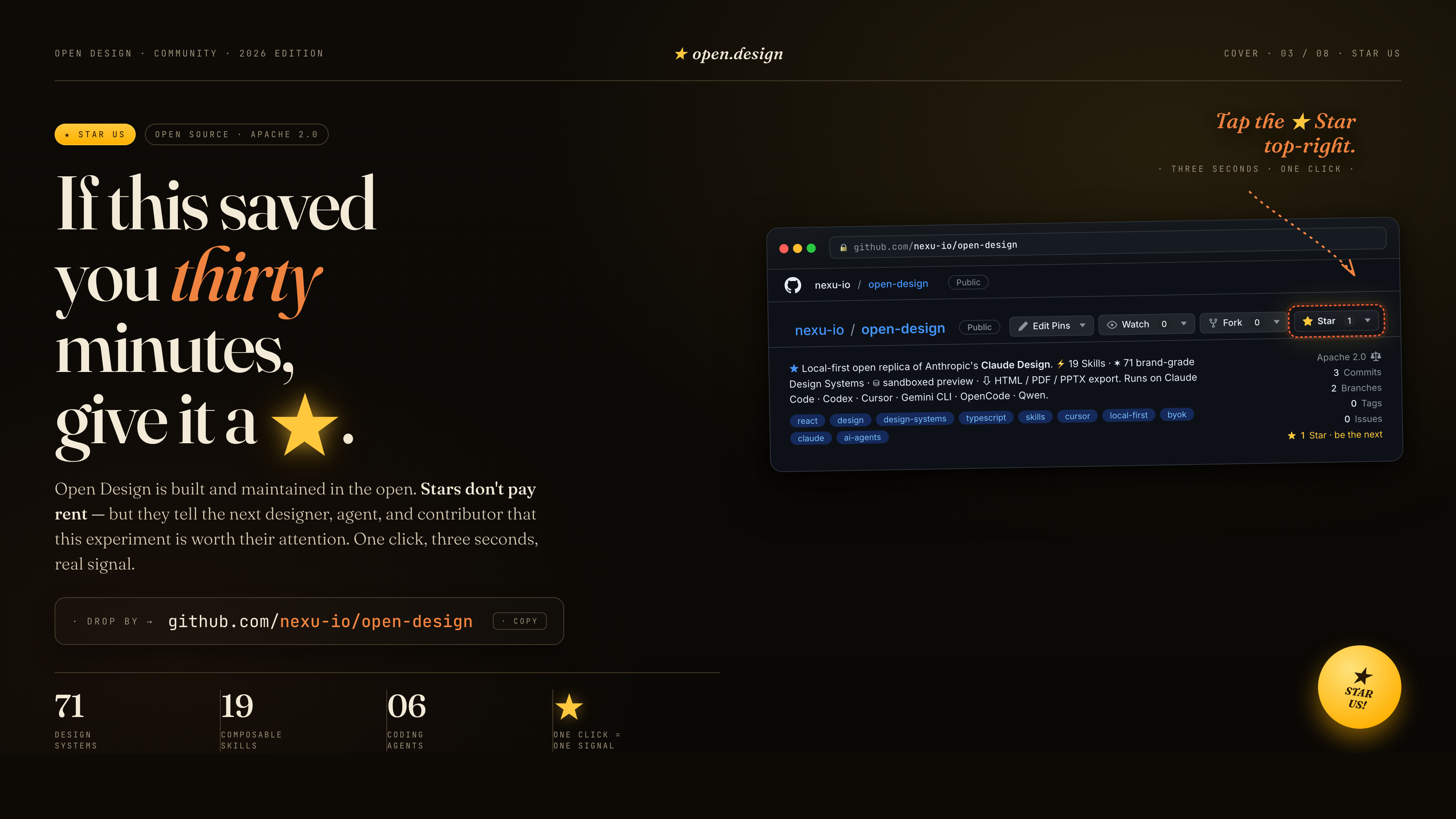
  <a href="https://github.com/nexu-io/open-design"><img src="https://repo-assets.open-design.ai/resources/images/star-us.png" alt="Star Open Design บน GitHub — github.com/nexu-io/open-design" width="100%" /></a>
</p>

ถ้าสิ่งนี้ช่วยคุณประหยัดเวลาได้สามสิบนาที กด ★ ให้เราได้เลย. Stars ไม่ได้จ่ายค่าเช่า — แต่มันบอก designer, agent และ contributor คนถัดไปว่าการทดลองนี้ควรค่าแก่ความสนใจ. คลิกเดียว, สามวินาที, เป็นสัญญาณจริง.

<a href="https://star-history.com/#nexu-io/open-design&Date">
  <picture>
    <source media="(prefers-color-scheme: dark)" srcset="https://api.star-history.com/svg?repos=nexu-io/open-design&type=Date&theme=dark&cache_bust=2026-07-17" />
    <source media="(prefers-color-scheme: light)" srcset="https://api.star-history.com/svg?repos=nexu-io/open-design&type=Date&cache_bust=2026-07-17" />
    <img alt="Open Design star history" src="https://api.star-history.com/svg?repos=nexu-io/open-design&type=Date&cache_bust=2026-07-17" />
  </picture>
</a>

---

## References & lineage

| Project | Role |
|---|---|
| Claude Design | ผลิตภัณฑ์ closed-source ที่ repo นี้เป็นทางเลือกโอเพนซอร์สแทน. |
| [`alchaincyf/huashu-design`](https://github.com/alchaincyf/huashu-design) | เข็มทิศด้าน design philosophy — workflow ของ junior designer, brand-asset protocol, anti-AI-slop checklist, critique 5 มิติ. |
| [`op7418/guizang-ppt-skill`](https://github.com/op7418/guizang-ppt-skill) | Skill web PPT สไตล์ magazine ที่ bundle ตรงไว้ใต้ [`design-templates/guizang-ppt/`](../../design-templates/guizang-ppt/). เป็นค่าเริ่มต้นของ deck mode. |
| [`lewislulu/html-ppt-skill`](https://github.com/lewislulu/html-ppt-skill) | ตระกูล HTML PPT Studio — 15 deck templates, 36 themes, 31 page layouts, animation runtime, magnetic-card presenter mode. |
| [`OpenCoworkAI/open-codesign`](https://github.com/OpenCoworkAI/open-codesign) | ทางเลือกโอเพนซอร์สแทน Claude Design ตัวแรก; UX patterns ที่เรายืมมา (streaming-artifact loop, sandboxed iframe, live agent panel). |
| [`multica-ai/multica`](https://github.com/multica-ai/multica) | สถาปัตยกรรม daemon + adapter — PATH-scan agent detection, local daemon เป็น privileged process เพียงตัวเดียว. |
| [`VoltAgent/awesome-design-md`](https://github.com/VoltAgent/awesome-design-md) | แหล่งที่มาในอดีตของ schema `DESIGN.md` 9 section รุ่นแรกและ systems ที่ derive จาก upstream 70 ชุด; package ปัจจุบันขยาย baseline นี้ได้. |
| [`bergside/awesome-design-skills`](https://github.com/bergside/awesome-design-skills) | แหล่งที่มาของ design skills 57 ชุดที่เพิ่มไว้ใต้ `design-systems/`. |
| [`heygen-com/hyperframes`](https://github.com/heygen-com/hyperframes) | Framework motion-graphics HTML→MP4 ที่ integrate เป็น `hyperframes-html` แบบ first-class ใน Open Design. |
| [Claude Code skills][skill] | Convention `SKILL.md` ที่เรารับมาใช้ตรง ๆ. |

Provenance แบบละเอียด → [`docs/references.md`](../../docs/references.md).

[skill]: https://docs.anthropic.com/en/docs/claude-code/skills

## License

Apache-2.0. `design-templates/guizang-ppt/` ที่ bundle มายังคง [LICENSE](../../design-templates/guizang-ppt/LICENSE) เดิม (MIT, [@op7418](https://github.com/op7418)). `design-templates/html-ppt/` ที่ bundle มายังคง [LICENSE](../../design-templates/html-ppt/LICENSE) เดิม (MIT, [@lewislulu](https://github.com/lewislulu)).