
Setup.exe

Intel
Apple Silicon

AppImage
| Windows | MacOS | Linux | |
|
Setup.exe |
Intel |
Apple Silicon |
AppImage |


 .APK
更多信息请访问: [chatboxai.app](https://chatboxai.app/)
---
.APK
更多信息请访问: [chatboxai.app](https://chatboxai.app/)
---
 Chatbox
(Community Edition)
Chatbox
(Community Edition)
Chatbox 是一个 AI 模型桌面客户端,支持 ChatGPT、Claude、Google Gemini、Ollama 等主流模型,适用于 Windows、Mac、Linux、Web、Android 和 iOS 全平台






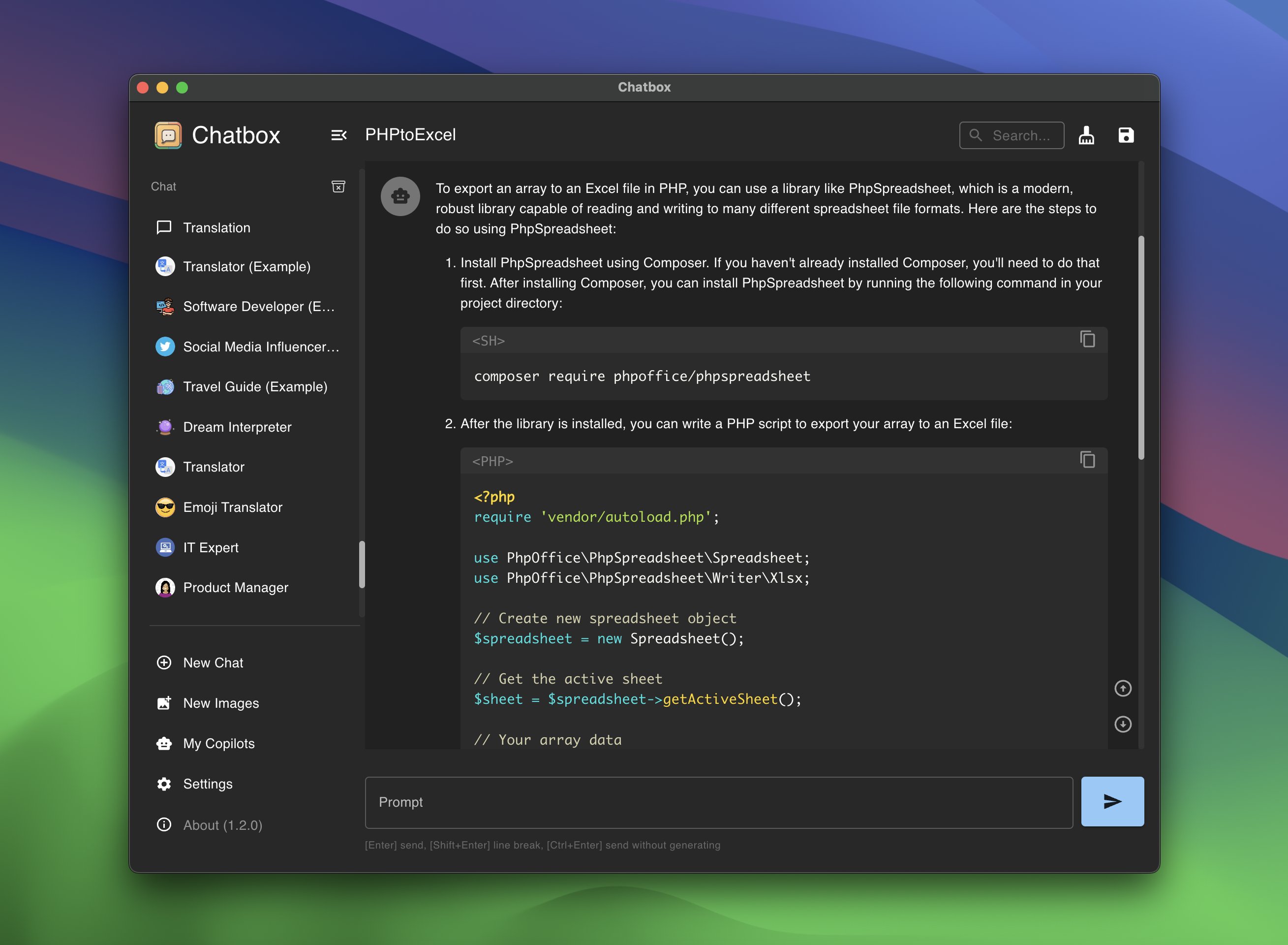 ## 特性
- **本地数据存储**
:floppy_disk: 您的数据保留在您的设备上,确保数据永不丢失并保护您的隐私。
- **无需部署、直接安装的安装包**
:package: 通过可下载的安装包快速开始使用。无需复杂设置!
- **支持多个 LLM 提供商**
:gear: 无缝集成多种 AI 模型:
- OpenAI (ChatGPT)
- Azure OpenAI
- Claude
- Google Gemini Pro
- Ollama (启用对本地模型的访问,如 llama2、Mistral、Mixtral、codellama、vicuna、yi 和 solar)
- ChatGLM-6B
- **使用 Dall-E-3 生成图像**
:art: 使用 Dall-E-3 创建您想象中的图像。
- **增强提示**
:speech_balloon: 高级提示功能,精炼并聚焦您的查询以获得更好的响应。
- **键盘快捷键**
:keyboard: 使用加速您工作流程的快捷键保持高效。
- **Markdown、Latex 和代码高亮**
:scroll: 使用 Markdown 和 Latex 的全部功能生成消息,并结合各种编程语言的语法高亮,提高可读性和呈现效果。
- **提示库和消息引用**
:books: 保存和组织提示以供重复使用,并引用消息以在讨论中提供上下文。
- **流式回复**
:arrow_forward: 通过即时、渐进式回复快速响应您的互动。
- **人体工程学 UI 和深色主题**
:new_moon: 用户友好的界面,带有夜间模式选项,减少长时间使用时的眼睛疲劳。
- **团队协作**
:busts_in_silhouette: 轻松协作并在团队中共享 OpenAI API 资源。[了解更多](../team-sharing/README.md)
- **跨平台可用性**
:computer: 聊天盒已为 Windows、Mac、Linux 用户准备就绪。
- **通过 Web 版本随处访问**
:globe_with_meridians: 在任何设备上使用带有浏览器的 Web 应用程序,随时随地。
- **iOS 和 Android**
:phone: 使用移动应用程序,随时随地在您的指尖上带来这种能力。
- **多语言支持**
:earth_americas: 通过提供多种语言的支持,迎合全球受众:
- English
- 简体中文 (Simplified Chinese)
- 繁體中文 (Traditional Chinese)
- 日本語 (Japanese)
- 한국어 (Korean)
- Français (French)
- Deutsch (German)
- Русский (Russian)
- **更多...**
:sparkles: 不断增强体验,加入新功能!
## 常见问题解答
- [常见问题](./FAQ-CN.md)
## 如何贡献
欢迎任何形式的贡献,包括但不限于:
- 提交问题
- 提交拉取请求
- 提交功能请求
- 提交错误报告
- 提交文档修订
- 提交翻译
- 提交任何其他形式的贡献
## 构建指南
1. 从 Github 克隆仓库
```bash
git clone https://github.com/chatboxai/chatbox.git
```
2. 安装所需的依赖
```bash
npm install
```
3. 启动应用程序(开发模式)
```bash
npm run dev
```
4. 构建应用程序,为当前平台打包安装程序
```bash
npm run package
```
5. 构建应用程序,为所有平台打包安装程序
```bash
npm run package:all
```
## Star History
[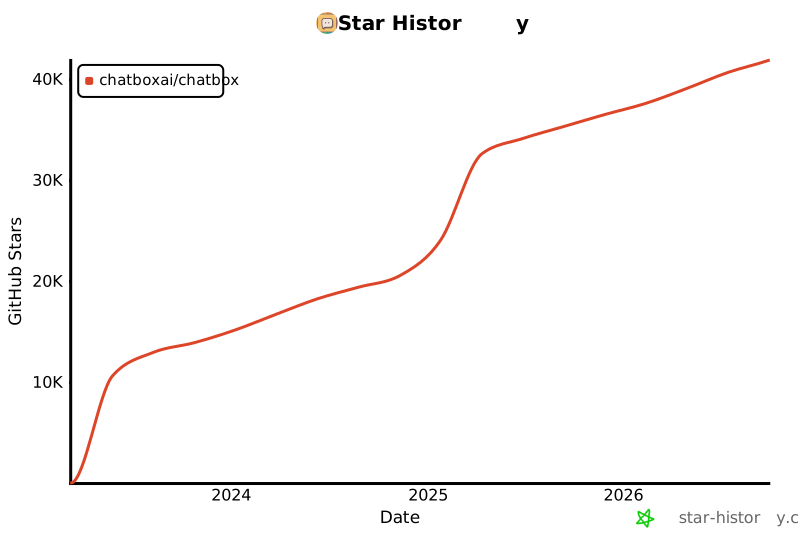](https://star-history.com/#chatboxai/chatbox&Date)
## 联系方式
[Twitter](https://x.com/ChatboxAI_HQ) | [电子邮件](mailto:hi@chatboxai.com)
## 特性
- **本地数据存储**
:floppy_disk: 您的数据保留在您的设备上,确保数据永不丢失并保护您的隐私。
- **无需部署、直接安装的安装包**
:package: 通过可下载的安装包快速开始使用。无需复杂设置!
- **支持多个 LLM 提供商**
:gear: 无缝集成多种 AI 模型:
- OpenAI (ChatGPT)
- Azure OpenAI
- Claude
- Google Gemini Pro
- Ollama (启用对本地模型的访问,如 llama2、Mistral、Mixtral、codellama、vicuna、yi 和 solar)
- ChatGLM-6B
- **使用 Dall-E-3 生成图像**
:art: 使用 Dall-E-3 创建您想象中的图像。
- **增强提示**
:speech_balloon: 高级提示功能,精炼并聚焦您的查询以获得更好的响应。
- **键盘快捷键**
:keyboard: 使用加速您工作流程的快捷键保持高效。
- **Markdown、Latex 和代码高亮**
:scroll: 使用 Markdown 和 Latex 的全部功能生成消息,并结合各种编程语言的语法高亮,提高可读性和呈现效果。
- **提示库和消息引用**
:books: 保存和组织提示以供重复使用,并引用消息以在讨论中提供上下文。
- **流式回复**
:arrow_forward: 通过即时、渐进式回复快速响应您的互动。
- **人体工程学 UI 和深色主题**
:new_moon: 用户友好的界面,带有夜间模式选项,减少长时间使用时的眼睛疲劳。
- **团队协作**
:busts_in_silhouette: 轻松协作并在团队中共享 OpenAI API 资源。[了解更多](../team-sharing/README.md)
- **跨平台可用性**
:computer: 聊天盒已为 Windows、Mac、Linux 用户准备就绪。
- **通过 Web 版本随处访问**
:globe_with_meridians: 在任何设备上使用带有浏览器的 Web 应用程序,随时随地。
- **iOS 和 Android**
:phone: 使用移动应用程序,随时随地在您的指尖上带来这种能力。
- **多语言支持**
:earth_americas: 通过提供多种语言的支持,迎合全球受众:
- English
- 简体中文 (Simplified Chinese)
- 繁體中文 (Traditional Chinese)
- 日本語 (Japanese)
- 한국어 (Korean)
- Français (French)
- Deutsch (German)
- Русский (Russian)
- **更多...**
:sparkles: 不断增强体验,加入新功能!
## 常见问题解答
- [常见问题](./FAQ-CN.md)
## 如何贡献
欢迎任何形式的贡献,包括但不限于:
- 提交问题
- 提交拉取请求
- 提交功能请求
- 提交错误报告
- 提交文档修订
- 提交翻译
- 提交任何其他形式的贡献
## 构建指南
1. 从 Github 克隆仓库
```bash
git clone https://github.com/chatboxai/chatbox.git
```
2. 安装所需的依赖
```bash
npm install
```
3. 启动应用程序(开发模式)
```bash
npm run dev
```
4. 构建应用程序,为当前平台打包安装程序
```bash
npm run package
```
5. 构建应用程序,为所有平台打包安装程序
```bash
npm run package:all
```
## Star History
[](https://star-history.com/#chatboxai/chatbox&Date)
## 联系方式
[Twitter](https://x.com/ChatboxAI_HQ) | [电子邮件](mailto:hi@chatboxai.com)