<p align="center">
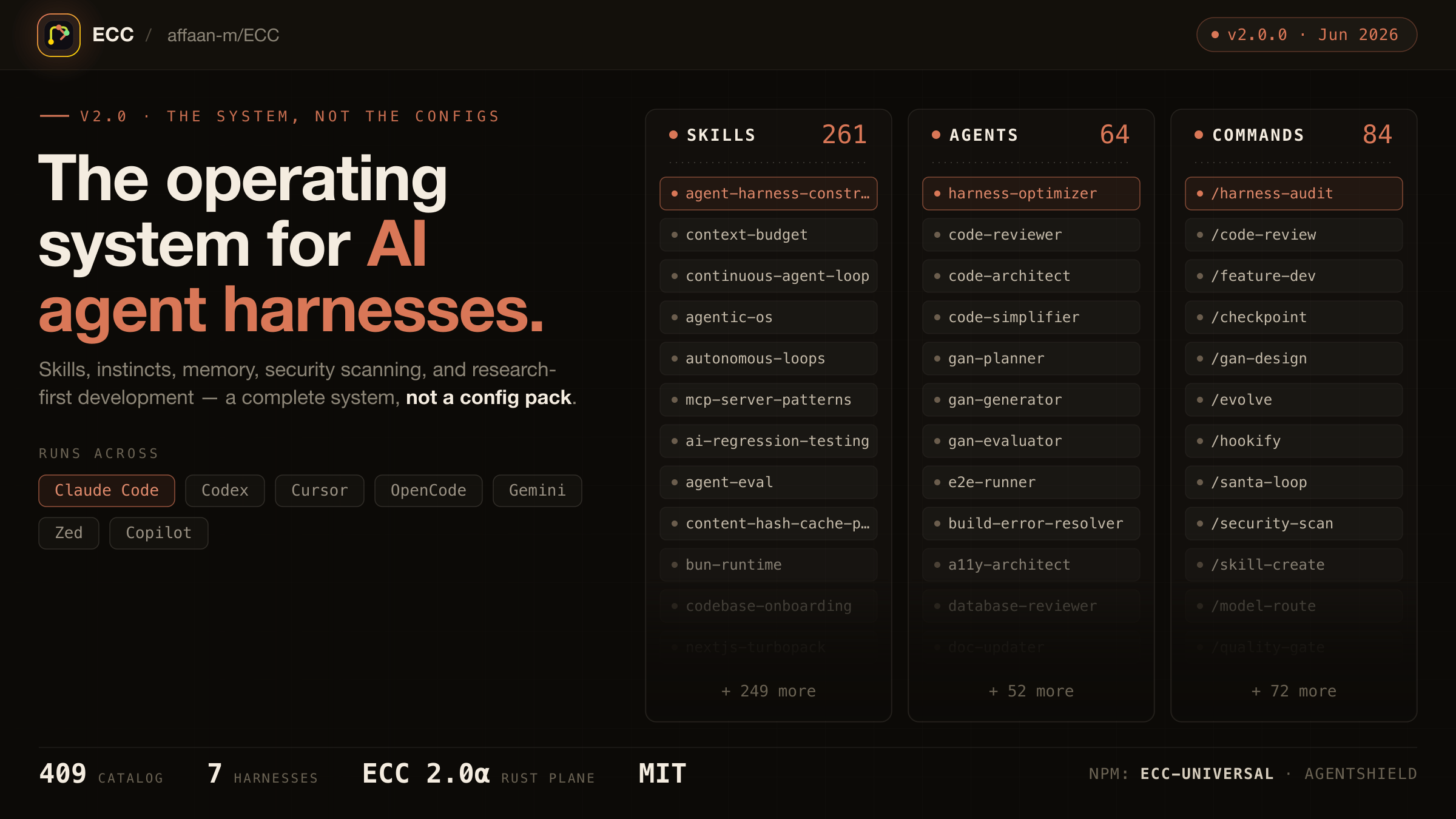
  <img src="assets/hero.png" alt="ECC - the agent harness operating system" width="100%" />
</p>

<p align="center">
  <strong>Language:</strong>
  <a href="README.md">English</a> |
  <a href="docs/pt-BR/README.md">Português (Brasil)</a> |
  <a href="README.zh-CN.md">简体中文</a> |
  <a href="docs/zh-TW/README.md">繁體中文</a> |
  <a href="docs/ja-JP/README.md">日本語</a> |
  <a href="docs/ko-KR/README.md">한국어</a> |
  <a href="docs/tr/README.md">Türkçe</a> |
  <a href="docs/ru/README.md">Русский</a> |
  <a href="docs/vi-VN/README.md">Tiếng Việt</a> |
  <a href="docs/th/README.md">ไทย</a> |
  <a href="docs/de-DE/README.md">Deutsch</a> |
  <a href="docs/es/README.md">Español</a>
</p>

<p align="center">
  <a href="https://discord.gg/36yGMHGFbR"><img src="https://img.shields.io/discord/1496644400590094540?logo=discord&logoColor=white&label=Discord&color=5865F2" alt="Discord" /></a>
  <a href="https://ecc.tools"><img src="https://img.shields.io/badge/Website-ecc.tools-E07856?logo=googlechrome&logoColor=white" alt="Website" /></a>
  <a href="https://github.com/apps/ecc-tools"><img src="https://img.shields.io/badge/GitHub%20App-ECC%20Tools-181717?logo=github&logoColor=white" alt="GitHub App" /></a>
  <a href="LICENSE"><img src="https://img.shields.io/badge/license-MIT-blue.svg" alt="MIT license" /></a>
</p>

<p align="center">
  <a href="https://github.com/affaan-m/ECC/stargazers"><img src="https://img.shields.io/endpoint?url=https%3A%2F%2Fapi.ecc.tools%2Fbadge%2Fstars&style=flat" alt="Stars" /></a>
  <a href="https://github.com/affaan-m/ECC/network/members"><img src="https://img.shields.io/endpoint?url=https%3A%2F%2Fapi.ecc.tools%2Fbadge%2Fforks&style=flat" alt="Forks" /></a>
  <a href="https://github.com/affaan-m/ECC/graphs/contributors"><img src="https://img.shields.io/github/contributors/affaan-m/ECC?style=flat" alt="Contributors" /></a>
  <a href="https://github.com/marketplace/ecc-tools"><img src="https://img.shields.io/endpoint?url=https%3A%2F%2Fapi.ecc.tools%2Fbadge%2Finstalls&logo=github" alt="GitHub App installs" /></a>
</p>

<p align="center">
  <a href="https://www.npmjs.com/package/ecc-universal"><img src="https://img.shields.io/npm/dw/ecc-universal?label=ecc-universal&logo=npm" alt="ecc-universal npm downloads" /></a>
  <a href="https://www.npmjs.com/package/ecc-agentshield"><img src="https://img.shields.io/npm/dw/ecc-agentshield?label=ecc-agentshield&logo=npm" alt="ecc-agentshield npm downloads" /></a>
</p>

<p align="center">
  <img src="https://img.shields.io/badge/-Shell-4EAA25?logo=gnu-bash&logoColor=white" alt="Shell" />
  <img src="https://img.shields.io/badge/-TypeScript-3178C6?logo=typescript&logoColor=white" alt="TypeScript" />
  <img src="https://img.shields.io/badge/-Python-3776AB?logo=python&logoColor=white" alt="Python" />
  <img src="https://img.shields.io/badge/-Go-00ADD8?logo=go&logoColor=white" alt="Go" />
  <img src="https://img.shields.io/badge/-Java-ED8B00?logo=openjdk&logoColor=white" alt="Java" />
  <img src="https://img.shields.io/badge/-Perl-39457E?logo=perl&logoColor=white" alt="Perl" />
  <img src="https://img.shields.io/badge/-Markdown-000000?logo=markdown&logoColor=white" alt="Markdown" />
</p>

> [!WARNING]
> **Official sources only.** Install ECC only from verified channels: the GitHub repository [github.com/affaan-m/ECC](https://github.com/affaan-m/ECC), the npm packages [`ecc-universal`](https://www.npmjs.com/package/ecc-universal) and [`ecc-agentshield`](https://www.npmjs.com/package/ecc-agentshield), the [GitHub App](https://github.com/apps/ecc-tools), the plugin slug `ecc@ecc`, and the project website [ecc.tools](https://ecc.tools). Third-party re-uploads and unofficial mirrors are not maintained or reviewed by the project and may contain malware.

<div align="center">

<table aria-label="ECC primary links">
<tr>
<td width="33%" align="center">
  <a href="https://ecc.tools/pricing">
    <img src="assets/images/community/ecc-tools-mark.svg" height="42" alt="ECC Tools" /><br />
    <strong>ECC Pro + GitHub App</strong>
  </a><br />
  <sub><a href="https://github.com/apps/ecc-tools">Install free</a> · <a href="https://ecc.tools/pricing">Private repos from $19/seat/mo</a></sub>
</td>
<td width="33%" align="center">
  <a href="https://github.com/sponsors/affaan-m">
    <img src="assets/images/community/heart.svg" height="42" alt="" /><br />
    <strong>Sponsor ECC</strong>
  </a><br />
  <sub>Fund the open-source project</sub>
</td>
<td width="33%" align="center">
  <a href="https://discord.gg/36yGMHGFbR">
    <img src="assets/images/community/discord.svg" height="42" alt="Discord" /><br />
    <strong>Community</strong>
  </a><br />
  <sub>Discord · Q&amp;A · Show and Tell</sub>
</td>
</tr>
</table>

</div>

<sub>**OSS stays free.** This repo is MIT-licensed forever. ECC Pro is the hosted GitHub App for private repos. <a href="https://github.com/sponsors/affaan-m">Sponsors</a> and <a href="https://ecc.tools/pricing">Pro subscribers</a> fund the work. That's why a single maintainer ships weekly across 7 harnesses.</sub>

<div align="center">

<sub><strong>Partners &amp; sponsors</strong></sub>

<p align="center" aria-label="Partners and sponsors">
  <a href="https://www.coderabbit.ai" title="CodeRabbit"><img src="assets/images/sponsors/coderabbit.png" height="54" alt="CodeRabbit" /></a>&nbsp;&nbsp;&nbsp;
  <a href="https://www.greptile.com/go/ecc" title="Greptile"><img src="assets/images/sponsors/greptile.png" height="54" alt="Greptile" /></a>&nbsp;&nbsp;&nbsp;
  <a href="https://www.atlascloud.ai/?utm_source=github&amp;utm_medium=link&amp;utm_campaign=ECC" title="Atlas Cloud"><picture><source media="(prefers-color-scheme: dark)" srcset="assets/images/sponsors/atlascloud-dark.svg" /><img src="assets/images/sponsors/atlascloud.svg" width="154" alt="Atlas Cloud" /></picture></a>&nbsp;&nbsp;&nbsp;
  <a href="https://www.moonshot.ai" title="Moonshot AI - Kimi"><picture><source media="(prefers-color-scheme: dark)" srcset="assets/images/sponsors/moonshot-dark.png" /><img src="assets/images/sponsors/moonshot.png" width="132" alt="Moonshot AI - Kimi" /></picture></a>&nbsp;&nbsp;&nbsp;
  <a href="https://compute.itomarkets.com" title="Itô Markets"><picture><source media="(prefers-color-scheme: light)" srcset="assets/images/sponsors/ito-transparent-light.png" /><img src="assets/images/sponsors/ito-transparent.png" width="96" alt="Itô Markets" /></picture></a>
</p>

<sub><strong>Community sponsors:</strong> <a href="https://github.com/mikejmorgan-ai">Mike Morgan</a> · <a href="https://github.com/jasonwu513">@jasonwu513</a> · <a href="https://github.com/1anter">@1anter</a> · <a href="https://github.com/massimotodaro">@massimotodaro</a> · <a href="https://github.com/meadmccabe">@meadmccabe</a></sub>

<sub><a href="https://github.com/sponsors/affaan-m"><strong>Become a Sponsor</strong></a> · <a href="SPONSORS.md">Sponsor Tiers</a> · <a href="SPONSORING.md">Sponsorship Program</a></sub>

</div>

<p align="center"><a href="#install-ecc">Jump to install ↓</a></p>

# ECC

Your agent can write code, but ECC gives it a coordinated engineering system and toolbox: it plans before it builds, verifies changes with tests, reviews its own work from a fresh context, remembers what matters, and turns repeated wins into reusable skills and workflows.

```text
plan -> test -> implement -> review -> verify -> remember -> improve
```

Instead of rebuilding that process in every prompt, you install it once and make it part of how your agent works.

> Optimize the context window. Persist everything else.

ECC is MIT-licensed open source. It works best with Claude Code today, with first-class Codex support and adapters for Cursor, OpenCode, Gemini, Zed, GitHub Copilot, Antigravity, Qwen, and other harnesses.

Access to 67 agents, 281 skills, and 94 legacy command shims, plus hooks, rules, memory, continuous learning, and AgentShield security scanning. The agents are specialized for planning, review, build repair, security, architecture, and domain work.

| Included         |       Count | What it gives you                                                                    |
| ---------------- | ----------: | ------------------------------------------------------------------------------------ |
| Agents           |   67 agents | Planning, review, build repair, security, architecture, and domain work              |
| Skills           |  281 skills | TDD, research, security, docs, frontend, data, ML, operations, and more              |
| Commands         | 94 commands | Convenient entry points while ECC moves to a skills-first surface                    |
| Hooks and memory |     Runtime | Enforcement, session summaries, continuous learning, instincts, and context controls |
| Rules            |   Selective | Always-loaded standards you choose by language or project                            |
| AgentShield      |    Included | Scanning for prompts, hooks, MCP config, permissions, secrets, and agent files       |

## Install ECC

### Pick one path only (per harness)

You can use ECC with Claude Code, Codex, and other harnesses at the same time. Choose one install method for each harness:

- **Works:** Claude Code plugin + Codex sync
- **Avoid:** Claude Code plugin + full Claude manual install
- **Avoid:** Codex sync + Codex marketplace plugin

**Recommended default:** install the Claude Code plugin for Claude Code and use the supported sync flow for Codex. **Do not stack install methods.** Installing ECC twice into the same harness can duplicate skills, commands, hooks, or configuration; installing it once into multiple harnesses does not.

If you already layered multiple installs and things look duplicated, skip straight to [Reset / Uninstall ECC](#reset--uninstall-ecc).

### Claude Code

Run these commands inside Claude Code:

```text
/plugin marketplace add https://github.com/affaan-m/ECC
/plugin install ecc@ecc
```

That installs ECC's skills, agents, commands, and plugin-managed hooks. Claude Code plugins cannot distribute `rules`, so add only the rule packs you actually want:

```bash
git clone https://github.com/affaan-m/ECC.git
cd ECC
mkdir -p ~/.claude/rules/ecc
cp -R rules/common ~/.claude/rules/ecc/
cp -R rules/typescript ~/.claude/rules/ecc/  # replace with your stack
```

Start with `rules/common` plus one language or framework pack you actually use. If you install the plugin, do not run `./install.sh --profile full` afterward.

<details>
<summary><strong>Prefer settings.json? Add the marketplace declaratively</strong></summary>

Add directly to your `~/.claude/settings.json`:

```json
{
  "extraKnownMarketplaces": {
    "ecc": {
      "source": {
        "source": "github",
        "repo": "affaan-m/ECC"
      }
    }
  },
  "enabledPlugins": {
    "ecc@ecc": true
  }
}
```

This gives you the same result as the two `/plugin` commands above.
</details>

<details>
<summary><strong>Naming + migration note (ecc@ecc, affaan-m/ECC, ecc-universal)</strong></summary>

ECC has three public identifiers, and they are not interchangeable:

- GitHub source repo: `affaan-m/ECC`
- Claude marketplace/plugin identifier: `ecc@ecc`
- npm package: `ecc-universal`

This is intentional. Anthropic marketplace/plugin installs are keyed by a canonical plugin identifier, so ECC uses `ecc@ecc` to keep tool names and slash-command namespaces short enough for strict Desktop/API validators. Older posts may still show the former long marketplace identifier; treat that as a legacy alias only. Separately, the npm package stayed on `ecc-universal`, so npm installs and marketplace installs intentionally use different names.

npm releases are cut per version tag, not per commit, so `ecc-universal` tracks releases (2.1, 2.2, ...) rather than every push to `main`. Install from git if you want the bleeding edge.

If your local Claude setup was wiped or reset, that does not mean you need to repurchase anything. Start with `node scripts/ecc.js list-installed`, then run `node scripts/ecc.js doctor` and `node scripts/ecc.js repair` before reinstalling. That usually restores ECC-managed files without rebuilding your setup.
</details>

### Codex App and CLI

The reliable ECC setup for Codex is the sync flow. Run Codex once first so `~/.codex/config.toml` exists. The sync preserves your existing Codex files, creates timestamped backups, and merges ECC's `AGENTS.md`, skills, prompts, agents, and reference config into `~/.codex`:

```bash
git clone https://github.com/affaan-m/ECC.git
cd ECC
npm install
bash scripts/sync-ecc-to-codex.sh
```

You can also open the ECC repository directly in Codex for a project-local setup. Codex reads the root `AGENTS.md` and the trusted project configuration in `.codex/` without a global sync.

For repo navigation, surface ownership, and PR diff packet guidance, read the [Codex ECC Navigation Map](docs/CODEX-NAVIGATION-GUIDE.md).

<details>
<summary><strong>Codex plugin marketplace (experimental for ECC)</strong></summary>

Codex officially supports plugin marketplaces, and ECC publishes a repo marketplace:

```bash
codex plugin marketplace add affaan-m/ECC
codex plugin marketplace list
```

Restart Codex, then install or enable `ecc` from the Plugins directory. Do not add the marketplace plugin on top of the Codex sync flow. Marketplace registration is stable in Codex, but ECC's current plugin package references shared repository content that may not be copied into Codex's install cache. Until that upstream cache behavior is resolved, use the sync flow above when you need all ECC skills reliably.

From an ECC checkout, verify the installed plugin cache with:

```bash
node scripts/codex/check-plugin-cache.js
```

See the [.codex plugin notes](.codex-plugin/README.md) for the current limitation and tracking issues.
</details>

### Other agents and editors

<details>
<summary><strong>Cursor, OpenCode, Gemini, Zed, Antigravity, Qwen, Hermes, OpenClaw, Kimi, CodeBuddy, JoyCode, Copilot</strong></summary>

Clone ECC once, then choose the target that matches your harness:

```bash
git clone https://github.com/affaan-m/ECC.git
cd ECC
```

| Harness | Install or setup | Notes |
|---|---|---|
| Cursor | `./install.sh --profile minimal --target cursor` | Project-local `.cursor/` adapter |
| OpenCode | `npm install && npm run build:opencode && ./install.sh --profile full --target opencode` | Builds the plugin payload before the full install |
| Gemini CLI | `./install.sh --profile minimal --target gemini` | Project-local `.gemini/` config |
| Zed | `./install.sh --profile minimal --target zed` | Project-local `.zed/` adapter |
| Antigravity | `./install.sh --profile minimal --target antigravity` | See the [Antigravity guide](docs/ANTIGRAVITY-GUIDE.md) |
| Qwen CLI | `./install.sh --profile minimal --target qwen` | See the [Qwen guide](docs/QWEN-GUIDE.md) |
| Hermes | `./install.sh --profile minimal --target hermes` | See the [Hermes setup guide](docs/HERMES-SETUP.md) |
| OpenClaw | `./install.sh --profile minimal --target openclaw` | Managed home-directory install |
| Kimi Code CLI | `./install.sh --profile minimal --target kimi` | Project-local `.kimi/` install |
| CodeBuddy | `./install.sh --profile minimal --target codebuddy` | Project-local `.codebuddy/` install |
| JoyCode | `./install.sh --profile minimal --target joycode` | Project-local `.joycode/` install |

GitHub Copilot support is already included in this repository. `.github/copilot-instructions.md` provides the instruction layer, `.github/prompts/` contains the reusable `/plan`, `/tdd`, `/security-review`, `/build-fix`, and `/refactor` prompts, and `.vscode/settings.json` enables `chat.promptFiles`.

For a harness without a native ECC target, use the [manual adaptation guide](docs/MANUAL-ADAPTATION-GUIDE.md). It explains how to carry a small set of ECC skills and workflow instructions into chat-style tools without pretending hooks or native skill discovery are available.

Cursor installs agent definitions under `.cursor/agents/ecc-*.md`. Cursor-native loading behavior can vary by Cursor build. ECC does not install root `AGENTS.md` into `.cursor/`. The adapter keeps Cursor's context scoped to its native rules and agent surfaces.

Deep per-harness notes (feature parity, hook adapters, limitations) live in [Platform Support](#platform-support) below.
</details>

## Advanced Install Options

The options stay here, directly under the main install paths, so you do not have to hunt through the README when the default setup is not the right fit.

<details>
<summary><strong>Low-context install with no hook runtime</strong></summary>

### Low-context / no-hooks path

Use this when you want ECC's rules, agents, commands, platform config, and core workflows without runtime hooks:

```bash
./install.sh --profile minimal --target claude
# or, without cloning first
npx ecc-install --profile minimal --target claude
```

Windows:

```powershell
.\install.ps1 --profile minimal --target claude
```

This profile intentionally excludes `hooks-runtime`.

Claude manual installs place each skill directly under `~/.claude/skills/<skill-name>/` (or `.claude/skills/<skill-name>/` for `claude-project`) so Claude Code can discover it. When upgrading an older ECC manual install, the installer migrates only nested `skills/ecc/` files recorded in ECC install-state. If a flat skill directory is user-owned, ECC preserves it, prints a conflict warning, and keeps any older managed copy tracked for a safe uninstall instead of overwriting user files.

For the normal core profile with hooks disabled:

```bash
./install.sh --profile core --without baseline:hooks --target claude
```

Add the hook runtime later only if you want it:

```bash
./install.sh --target claude --modules hooks-runtime
```
</details>

<details>
<summary><strong>Choose only the components you need</strong></summary>

### Find the right components first

Ask the packaged advisor which components match your work:

```bash
npx ecc consult "security reviews" --target claude
```

It returns matching components, related profiles, and preview/install commands. Use the preview command before installing if you want to inspect the exact file plan.

You can also install explicit skills or capabilities:

```bash
./install.sh --target claude --skills tdd-workflow,security-review
npx ecc install --profile minimal --target claude --with capability:machine-learning
```

Manual component-by-component copying also works. Each component is fully independent:

```bash
# Just agents
cp agents/*.md ~/.claude/agents/

# Rules directories (common + language-specific)
mkdir -p ~/.claude/rules/ecc
cp -r rules/common ~/.claude/rules/ecc/
cp -r rules/typescript ~/.claude/rules/ecc/   # pick your stack

# Core/general skills only (Claude Code loads skills from direct children
# of ~/.claude/skills; do not nest manual installs under ~/.claude/skills/ecc/)
mkdir -p ~/.claude/skills
cp -r .agents/skills/* ~/.claude/skills/
cp -r skills/search-first ~/.claude/skills/

# Optional: maintained slash-command compatibility during migration
mkdir -p ~/.claude/commands
cp commands/*.md ~/.claude/commands/
```

Retired shims live in `legacy-command-shims/`. Copy individual files from there only if you still need old names such as `/tdd`.
</details>

<details>
<summary><strong>Project-local rules instead of global rules</strong></summary>

Use project-local rules when ECC's standards should apply to one repository rather than every Claude Code session:

```bash
cd your-project
mkdir -p .claude/rules/ecc
cp -R /path/to/ECC/rules/common .claude/rules/ecc/
cp -R /path/to/ECC/rules/typescript .claude/rules/ecc/
```

Rules are always-loaded context, so begin with `common` and one pack for the stack you actually use. When copying rules manually, copy the whole language directory (for example `rules/common` or `rules/golang`), not the files inside it, so relative references keep working and filenames do not collide.
</details>

<details>
<summary><strong>Fully manual Claude install</strong></summary>

Use this only when you are intentionally skipping the plugin path:

```bash
git clone https://github.com/affaan-m/ECC.git
cd ECC
./install.sh --profile full
```

Windows:

```powershell
git clone https://github.com/affaan-m/ECC.git
cd ECC
.\install.ps1 --profile full
```

If you choose this path, stop there. Do not also run `/plugin install`.

For hand-picked manual installs, Claude discovers skills as direct children of `~/.claude/skills/`; do not nest them under `~/.claude/skills/ecc/`.

#### Install hooks

Do not copy the raw repo `hooks/hooks.json` into `~/.claude/settings.json` or `~/.claude/hooks/hooks.json`. That file is plugin/repo-oriented; use the installer so hook command paths are rewritten correctly:

```bash
bash ./install.sh --target claude --modules hooks-runtime
```

That writes resolved hooks to `~/.claude/hooks/hooks.json` and leaves any existing `~/.claude/settings.json` untouched.

If you installed ECC via `/plugin install`, do not copy those hooks into `settings.json`. Claude Code v2.1+ already auto-loads plugin `hooks/hooks.json`, and duplicating them in `settings.json` causes duplicate execution and cross-platform hook conflicts.

On Windows, Claude's config root is `%USERPROFILE%\\.claude`; install the hook runtime with:

```powershell
pwsh -File .\install.ps1 --target claude --modules hooks-runtime
```

#### Configure MCPs

Claude plugin installs intentionally do not auto-enable ECC's bundled MCP server definitions. This avoids overlong plugin MCP tool names on strict third-party gateways while keeping manual MCP setup available.

Use Claude Code's `/mcp` command or CLI-managed MCP setup for live Claude Code server changes; Claude Code persists those choices in `~/.claude.json`. For repo-local MCP access, copy desired MCP server definitions from `mcp-configs/mcp-servers.json` into a project-scoped `.mcp.json`.

ECC ships exactly one default connector (`chrome-devtools`); everything else is a skill wrapping a CLI/REST API or an opt-in catalog entry. The rule and the June 2026 audit that retired the previous six defaults live in [docs/MCP-CONNECTOR-POLICY.md](docs/MCP-CONNECTOR-POLICY.md).

If you already run your own copies of ECC-bundled MCPs, set:

```bash
export ECC_DISABLED_MCPS="chrome-devtools"
```

ECC-managed install and Codex sync flows will skip or remove those bundled servers instead of re-adding duplicates. `ECC_DISABLED_MCPS` is an ECC install/sync filter, not a live Claude Code toggle.

**Important:** Replace `YOUR_*_HERE` placeholders with your actual API keys.
</details>

<details>
<summary><strong>Multi-model commands require additional setup</strong></summary>

`multi-*` commands are **not** covered by the base plugin/rules install.

To use `/multi-plan`, `/multi-execute`, `/multi-backend`, `/multi-frontend`, and `/multi-workflow`, you must also install the `ccg-workflow` runtime. Initialize it with `npx ccg-workflow`.

That runtime provides the external dependencies these commands expect, including:

- `~/.claude/bin/codeagent-wrapper`
- `~/.claude/.ccg/prompts/*`

Without `ccg-workflow`, these `multi-*` commands will not run correctly.
</details>

<details>
<summary><strong>Custom API endpoints, model gateways, and self-hosted models</strong></summary>

ECC works through each harness's normal configuration, so you can use an official provider, a compatible custom API endpoint or model gateway, or a self-hosted model without changing ECC's workflows.

For Claude Code, ECC does not hardcode Anthropic-hosted transport settings. Minimal gateway example:

```bash
export ANTHROPIC_BASE_URL=https://your-gateway.example.com
export ANTHROPIC_AUTH_TOKEN=your-token
claude
```

If your gateway remaps model names, configure that in Claude Code rather than in ECC. ECC's hooks, skills, commands, and rules are model-provider agnostic once the `claude` CLI is already working. See Anthropic's [LLM gateway documentation](https://docs.anthropic.com/en/docs/claude-code/llm-gateway) and [model configuration documentation](https://docs.anthropic.com/en/docs/claude-code/model-config).

Run or self-host any open-source model behind that gateway using separate compute and serving setup. If you need GPU capacity, [Itô](https://compute.itomarkets.com) is ECC's preferred compute sponsor; any GPU provider works. The sponsorship link is passive: it does not invoke an RFQ, reserve capacity, provision compute, or configure serving. Separately, `ecc ito find` invokes the explicitly configured canonical Itô CLI and submits a live authenticated RFQ; it does not reserve capacity. Managed inference through Itô is not live yet.

### Self-host Kimi with ECC + Itô compute

The Kimi Code harness and the model-serving layer are separate. ECC configures the agent harness; you bring an API endpoint or self-host an open-weight Kimi model on your own GPU capacity:

<table aria-label="Local Kimi model path" width="100%">
<tr>
<td width="33%" align="center">
  <a href="https://compute.itomarkets.com">
    <picture><source media="(prefers-color-scheme: light)" srcset="assets/images/sponsors/ito-transparent-light.png" /><img src="assets/images/sponsors/ito-transparent.png" width="92" alt="Itô Markets" /></picture><br />
    <strong>1. Get GPU capacity</strong>
  </a><br />
  <sub>Use Itô or any GPU provider.</sub>
</td>
<td width="33%" align="center">
  <a href="https://www.moonshot.ai">
    <picture><source media="(prefers-color-scheme: dark)" srcset="assets/images/sponsors/moonshot-dark.png" /><img src="assets/images/sponsors/moonshot.png" width="126" alt="Moonshot AI - Kimi" /></picture><br />
    <strong>2. Serve Kimi</strong>
  </a><br />
  <sub>Expose the chosen checkpoint through a compatible endpoint.</sub>
</td>
<td width="33%" align="center">
  <a href=".kimi/README.md">
    <img src="assets/images/community/ecc-tools-mark.svg" height="52" alt="ECC Tools" /><br />
    <strong>3. Run Kimi Code with ECC</strong>
  </a><br />
  <sub>Install project instructions and skills, then start Kimi Code.</sub>
</td>
</tr>
</table>

Configure the endpoint with Kimi Code's <a href="https://moonshotai.github.io/kimi-cli/en/configuration/providers.html">official provider guide</a>, then install ECC:

```bash
bash ./install.sh --target kimi --profile minimal
npx ecc doctor --target kimi
kimi
```

Kimi Code discovers the installed `.kimi/AGENTS.md` instructions and `.kimi/skills/` workflows natively. The installer dry-run and regression suite verify that the Kimi target stays inside the project-local `.kimi/` root.

### Itô compute CLI bridge

`ecc ito` delegates to the separately installed canonical Itô client; ECC does not maintain a second API client or browser handoff. The available operations are `ecc ito auth`, `ecc ito find`, `ecc ito status`, and the separately gated `ecc ito evals`. The matching MCP tools remain `ito_auth`, `ito_find`, and `ito_status`; node qualification is CLI-only.

The `ito-compute-cli` package is currently unpublished. Build it locally from the Itô runtime repo (private while the desk hardens; design partners get access) under `cli/ito-compute-cli`, run `npm ci` and `npm run check`, then set `ECC_ITO_CLI_EXECUTABLE` to that build's absolute `dist/bin/ito.js` path. Inject `ITO_API_KEY` from 1Password or the launching environment. ECC does not discover this credential-bearing client through `PATH`. See the [`ito-compute` skill](skills/ito-compute/SKILL.md) for the full RFQ authority and MCP setup contract.

`find` submits a live authenticated RFQ. It does not reserve capacity. `evals` requires both `ITO_ENABLE_SIXTYTWO_LIVE=1` and `--live-sixtytwo`, a separately installed `sixtytwo-cli==0.3.33`, an explicit node list, and an existing absolute configuration directory. It cannot rent, launch, recover, repair, or purchase. ECC exposes no quote lock, purchase, workload, or inference path, and it never replaces a missing client or failed live call with a local result.
</details>

<details>
<summary><strong>Reset, repair, or uninstall</strong></summary>

### Reset / Uninstall ECC

If ECC feels duplicated, intrusive, or broken, inspect the managed state before reinstalling:

```bash
node scripts/ecc.js list-installed
node scripts/ecc.js doctor
node scripts/ecc.js repair
node scripts/ecc.js uninstall --dry-run
```

For direct uninstall:

```bash
node scripts/uninstall.js --dry-run
node scripts/uninstall.js
```

Plugin users should remove the plugin from Claude Code, then delete only the rule folders they manually copied and no longer want. ECC only removes files recorded in its install-state. It does not claim unrelated files in your harness directories.

If you stacked methods, clean up in this order:

1. Remove the Claude Code plugin install.
2. Run the ECC uninstall command from the repo root to remove install-state-managed files.
3. Delete any extra rule folders you copied manually and no longer want.
4. Reinstall once, using a single path.
</details>

## Start Using ECC

Start with the workflow you need, not the full catalog.

| What you are doing | Start here |
|---|---|
| Building a feature | `/ecc:plan "describe the feature"`, then `tdd-workflow` |
| Fixing a bug | Reproduce it with a failing test, then use `tdd-workflow` |
| Reviewing new code | `/code-review` for a fresh-context review |
| Repairing a build | `/build-fix` |
| Cleaning a codebase | `/refactor-clean` |
| Checking context pressure | `/context-budget` |
| Ending a long session | `/save-session` or `/learn-eval` |
| Resuming later | `/resume-session` |
| Auditing agent config | `/security-scan` or `npx -y ecc-agentshield scan --path .` |

<details>
<summary><strong>Plugin commands and manual commands</strong></summary>

Claude Code plugin commands use the namespaced form:

```text
/ecc:plan "Add authentication"
```

Manual installs may expose the shorter compatibility form:

```text
/plan "Add authentication"
```

Skills are the primary workflow surface. Commands remain convenient entry points and compatibility shims. Check what is installed with:

```bash
/plugin list ecc@ecc
```
</details>

<details>
<summary><strong>Which agent should I use?</strong></summary>

Skills are the canonical workflow surface; maintained slash entries stay available for command-first workflows.

| I want to... | Use this surface | Agent used |
|--------------|-----------------|------------|
| Plan a new feature | `/ecc:plan "Add auth"` | planner |
| Design system architecture | `/ecc:plan` + architect agent | architect |
| Write code with tests first | `tdd-workflow` skill | tdd-guide |
| Review code I just wrote | `/code-review` | code-reviewer |
| Fix a failing build | `/build-fix` | build-error-resolver |
| Run end-to-end tests | `e2e-testing` skill | e2e-runner |
| Find security vulnerabilities | `/security-scan` | security-reviewer |
| Remove dead code | `/refactor-clean` | refactor-cleaner |
| Update documentation | `/update-docs` | doc-updater |
| Review Go code | `/go-review` | go-reviewer |
| Review Python code | `/python-review` | python-reviewer |
| Review F# code | *(invoke `fsharp-reviewer` directly)* | fsharp-reviewer |
| Review TypeScript/JavaScript code | *(invoke `typescript-reviewer` directly)* | typescript-reviewer |
| Develop HarmonyOS apps | *(invoke `harmonyos-app-resolver` directly)* | harmonyos-app-resolver |
| Audit database queries | *(auto-delegated)* | database-reviewer |
| Review production ML changes | `mle-workflow` skill + `mle-reviewer` agent | mle-reviewer |

</details>

<details>
<summary><strong>Common workflows</strong></summary>

Slash forms below are shown where they remain part of the maintained command surface. Retired short-name shims such as `/tdd` and `/eval` live in `legacy-command-shims/` for explicit opt-in only.

**Starting a new feature:**
```
/ecc:plan "Add user authentication with OAuth"
                                              -> planner creates implementation blueprint
tdd-workflow skill                            -> tdd-guide enforces write-tests-first
/code-review                                  -> code-reviewer checks your work
```

**Fixing a bug:**
```
tdd-workflow skill                            -> tdd-guide: write a failing test that reproduces it
                                              -> implement the fix, verify test passes
/code-review                                  -> code-reviewer: catch regressions
```

**Preparing for production:**
```
/security-scan                                -> security-reviewer: OWASP Top 10 audit
e2e-testing skill                             -> e2e-runner: critical user flow tests
/test-coverage                                -> verify 80%+ coverage
```
</details>

## What's New: ECC 2.1

> [!IMPORTANT]
> **NEW IN ECC 2.1: Plan Canvas · Kimi harness · self-hosted compute on Itô GPUs.**
> [See the full release notes →](https://github.com/affaan-m/ECC/blob/main/docs/releases/2.1.0/release-notes.md)

### Plan Canvas: review plans by pointing, not retyping

Your agent writes a plan, then opens it in a loopback-only browser canvas. Click the part you mean, attach numbered annotations, chat from a side rail, and hit **Approve plan** or **Request changes**. The verdict maps straight onto `/plan`'s CONFIRM gate. Mermaid diagrams render live, and edits to the plan file reload the page.

![Plan Canvas demo: reviewing an ECC plan in the browser, scrolling diagrams, attaching an anchored annotation, chatting with the agent, and approving the plan](https://raw.githubusercontent.com/affaan-m/ECC/main/docs/releases/2.1.0/assets/ecc-plan-canvas-demo.gif)

It's harness- and model-agnostic: a plain CLI (`ecc-plan-canvas`) speaking JSON, so any agent can drive it. Try it: ask your agent to `/ecc:plan` anything, then review from the page instead of the terminal.

[Open the plan used in this demo →](https://github.com/affaan-m/ECC/blob/main/docs/releases/2.1.0/plan-canvas-demo.plan.md)

### Also in 2.1

- **Kimi Code install target** (`--target kimi`): ECC installs natively into [Moonshot AI](https://www.moonshot.ai)'s Kimi Code CLI
- **Self-host on GPUs**: a verified path with [Itô](https://compute.itomarkets.com), ECC's preferred compute sponsor, including the opt-in `ecc ito find` RFQ bridge (details and disclosures above in the install options)
- **Moonshot AI (Kimi), Itô, and Atlas Cloud** are now public sponsors
- **Hermes + OpenClaw install targets**, a Codex navigation guide, consolidated PostToolUse hooks, and supply-chain hardening

### Current development: Unified Memory Vault

`ecc memory` gives Claude, Codex, Hermes, OpenClaw, Kimi, and other harnesses one local, inspectable Markdown format for durable context and handoffs. The optional `ecc-memory-mcp` stdio server exposes the same bounded save/search/read/doctor surface without enabling itself by default. Full detail in [Share context between harnesses](#share-context-between-harnesses) below.

<details>
<summary><strong>Previous releases</strong></summary>

| Version | Highlights |
|---|---|
| [v2.0.0](https://github.com/affaan-m/ECC/releases/tag/v2.0.0) | The Agent Harness Operating System: cross-harness graduation, control-pane substrate, `orch-*` orchestrators, Discord + ECC bot, single-connector MCP policy |
| [v1.10.0](https://github.com/affaan-m/ECC/releases/tag/v1.10.0) | Surface refresh, operator workflows, ECC 2.0 alpha |
| [v1.9.0](https://github.com/affaan-m/ECC/releases/tag/v1.9.0) | Selective install, ECC Tools Pro, 12 language ecosystems |
| [v1.8.0](https://github.com/affaan-m/ECC/releases/tag/v1.8.0) | Harness performance and cross-platform reliability |
| [v1.7.0](https://github.com/affaan-m/ECC/releases/tag/v1.7.0) | Cross-platform expansion and presentation builder |
| [v1.6.0](https://github.com/affaan-m/ECC/releases/tag/v1.6.0) | Codex Edition and the ECC Tools GitHub App |
| [v1.5.0](https://github.com/affaan-m/ECC/releases/tag/v1.5.0) | Universal Edition |
| [v1.4.0](https://github.com/affaan-m/ECC/releases/tag/v1.4.0) | Multi-language rules, installation wizard, PM2 orchestration |
| [v1.3.0](https://github.com/affaan-m/ECC/releases/tag/v1.3.0) | Complete OpenCode plugin support |
| [v1.2.0](https://github.com/affaan-m/ECC/releases/tag/v1.2.0) | Unified commands and skills |
| [v1.1.0](https://github.com/affaan-m/ECC/releases/tag/v1.1.0) | Cross-platform support and community fixes |
| [v1.0.0](https://github.com/affaan-m/ECC/releases/tag/v1.0.0) | Official plugin release |

</details>

<details>
<summary><strong>Release history in detail</strong></summary>

### v2.0.0: The Agent Harness Operating System (Jun 2026)

Stable graduation of the 2.0 line: the control-pane substrate (session adapters + MCP inventory), the worktree-lifecycle service, the `orch-*` orchestrator family, and the launch of the [ECC Discord community](https://discord.gg/36yGMHGFbR). Full notes: [docs/releases/2.0.0/release-notes.md](docs/releases/2.0.0/release-notes.md).

### v2.0.0-rc.1: Surface Refresh, Operator Workflows, and ECC 2.0 Alpha (Apr 2026)

- **Dashboard GUI**: New Tkinter-based desktop application (`ecc_dashboard.py` or `npm run dashboard`) with dark/light theme toggle, font customization, and project logo in header and taskbar.
- **Public surface synced to the live repo**: metadata, catalog counts, plugin manifests, and install-facing docs now match the actual OSS surface.
- **Operator and outbound workflow expansion**: `brand-voice`, `social-graph-ranker`, `connections-optimizer`, `customer-billing-ops`, `ecc-tools-cost-audit`, `google-workspace-ops`, `project-flow-ops`, and `workspace-surface-audit` round out the operator lane.
- **Media and launch tooling**: `manim-video`, `remotion-video-creation`, and upgraded social publishing surfaces make technical explainers and launch content part of the same system.
- **Framework and product surface growth**: `nestjs-patterns`, richer Codex/OpenCode install surfaces, and expanded cross-harness packaging keep the repo usable beyond a single harness.
- **Itô prediction-market skill pack**: `ito-market-intelligence`, `ito-basket-compare`, `ito-trade-planner`, `ito-data-atlas-agent`, `prediction-market-oracle-research`, and `prediction-market-risk-review` add public, non-advisory market/basket workflows while keeping live Itô API access gated and separate from ECC Tools billing.
- **Optimization skill pack**: `parallel-execution-optimizer`, `benchmark-optimization-loop`, `data-throughput-accelerator`, `latency-critical-systems`, and `recursive-decision-ledger` turn repeated speed/recursion prompts into bounded benchmark, throughput, and decision-ledger workflows.
- **ECC 2.0 alpha in-tree**: the Rust control-plane prototype in `ecc2/` builds locally and exposes `dashboard`, `start`, `sessions`, `status`, `stop`, `resume`, and `daemon` commands.
- **Operator status snapshots**: `ecc status --markdown --write status.md` turns the local state store into a portable handoff covering readiness, active sessions, skill-run health, install health, pending governance events, and linked work items from Linear/GitHub/handoffs.
- **Ecosystem hardening**: AgentShield, ECC Tools cost controls, billing portal work, and website refreshes continue to ship around the core plugin instead of drifting into separate silos.

### v1.9.0: Selective Install and Language Expansion (Mar 2026)

- **Selective install architecture**: Manifest-driven install pipeline with `install-plan.js` and `install-apply.js` for targeted component installation. State store tracks what's installed and enables incremental updates.
- **6 new agents**: `typescript-reviewer`, `pytorch-build-resolver`, `java-build-resolver`, `java-reviewer`, `kotlin-reviewer`, `kotlin-build-resolver` expand language coverage to 10 languages.
- **New skills**: `pytorch-patterns`, `documentation-lookup`, `bun-runtime`, `nextjs-turbopack`, 8 operational domain skills, and `mcp-server-patterns`.
- **Session and state infrastructure**: SQLite state store with query CLI, session adapters for structured recording, skill evolution foundation for self-improving skills.
- **Orchestration overhaul**: Deterministic harness audit scoring, hardened orchestration status and launcher compatibility, observer loop prevention with 5-layer guard.
- **Observer reliability**: Memory explosion fix with throttling and tail sampling, sandbox access fix, lazy-start logic, and re-entrancy guard.
- **12 language ecosystems**: New rules for Java, PHP, Perl, Kotlin/Android/KMP, C++, and Rust join existing TypeScript, Python, Go, and common rules.
- **Community contributions**: Korean and Chinese translations, biome hook optimization, video processing skills, operational skills, PowerShell installer, Antigravity IDE support.
- **CI hardening**: 19 test failure fixes, catalog count enforcement, install manifest validation, and full test suite green.

### v1.8.0: Harness Performance System (Mar 2026)

- **Harness-first release**: ECC is explicitly framed as an agent harness performance system, not just a config pack.
- **Hook reliability overhaul**: SessionStart root fallback, Stop-phase session summaries, and script-based hooks replacing fragile inline one-liners.
- **Hook runtime controls**: `ECC_HOOK_PROFILE=minimal|standard|strict` and `ECC_DISABLED_HOOKS=...` for runtime gating without editing hook files.
- **New harness commands**: `/harness-audit`, `/loop-start`, `/loop-status`, `/quality-gate`, `/model-route`.
- **NanoClaw v2**: model routing, skill hot-load, session branch/search/export/compact/metrics.
- **Cross-harness parity**: behavior tightened across Claude Code, Cursor, OpenCode, and Codex app/CLI.
- **997 internal tests passing**: full suite green after hook/runtime refactor and compatibility updates.

### v1.7.0: Cross-Platform Expansion and Presentation Builder (Feb 2026)

- **Codex app + CLI support**: Direct `AGENTS.md`-based Codex support, installer targeting, and Codex docs
- **`frontend-slides` skill**: Zero-dependency HTML presentation builder with PPTX conversion guidance and strict viewport-fit rules
- **5 new generic business/content skills**: `article-writing`, `content-engine`, `market-research`, `investor-materials`, `investor-outreach`
- **Broader tool coverage**: Cursor, Codex, and OpenCode support tightened so the same repo ships cleanly across all major harnesses
- **992 internal tests**: Expanded validation and regression coverage across plugin, hooks, skills, and packaging

### v1.6.0: Codex CLI, AgentShield, and Marketplace (Feb 2026)

- **Codex CLI support**: New `/codex-setup` command generates `codex.md` for OpenAI Codex CLI compatibility
- **7 new skills**: `search-first`, `swift-actor-persistence`, `swift-protocol-di-testing`, `regex-vs-llm-structured-text`, `content-hash-cache-pattern`, `cost-aware-llm-pipeline`, `skill-stocktake`
- **AgentShield integration**: `/security-scan` runs AgentShield directly from Claude Code; 1282 tests, 102 rules
- **GitHub Marketplace**: ECC Tools GitHub App live at [github.com/marketplace/ecc-tools](https://github.com/marketplace/ecc-tools) with free/pro/enterprise tiers
- **30+ community PRs merged**: Contributions from 30 contributors across 6 languages
- **978 internal tests**: Expanded validation suite across agents, skills, commands, hooks, and rules

### v1.4.1: Bug Fix (Feb 2026)

- **Fixed instinct import content loss**: `parse_instinct_file()` was silently dropping all content after frontmatter (Action, Evidence, Examples sections) during `/instinct-import`. ([#148](https://github.com/affaan-m/ECC/issues/148), [#161](https://github.com/affaan-m/ECC/pull/161))

### v1.4.0: Multi-Language Rules, Installation Wizard, and PM2 (Feb 2026)

- **Interactive installation wizard**: New `configure-ecc` skill provides guided setup with merge/overwrite detection
- **PM2 and multi-agent orchestration**: 6 new commands (`/pm2`, `/multi-plan`, `/multi-execute`, `/multi-backend`, `/multi-frontend`, `/multi-workflow`) for managing complex multi-service workflows
- **Multi-language rules architecture**: Rules restructured from flat files into `common/` + `typescript/` + `python/` + `golang/` directories. Install only the languages you need
- **Chinese (zh-CN) translations**: Complete translation of all agents, commands, skills, and rules (80+ files)
- **GitHub Sponsors support**: Sponsor the project via GitHub Sponsors
- **Enhanced CONTRIBUTING.md**: Detailed PR templates for each contribution type

### v1.3.0: OpenCode Plugin Support (Feb 2026)

- **Full OpenCode integration**: 12 agents, 24 commands, 16 skills with hook support via OpenCode's plugin system (20+ event types)
- **3 native custom tools**: run-tests, check-coverage, security-audit
- **LLM documentation**: `llms.txt` for comprehensive OpenCode docs

### v1.2.0: Unified Commands and Skills (Feb 2026)

- **Python/Django support**: Django patterns, security, TDD, and verification skills
- **Java Spring Boot skills**: Patterns, security, TDD, and verification for Spring Boot
- **Session management**: `/sessions` command for session history
- **Continuous learning v2**: Instinct-based learning with confidence scoring, import/export, evolution

See the full changelog in [Releases](https://github.com/affaan-m/ECC/releases).
</details>

## Why Choose ECC?

| Without a system                                        | With ECC                                                              |
| ------------------------------------------------------- | --------------------------------------------------------------------- |
| Plans disappear into chat history                       | Plans become editable artifacts before implementation starts          |
| "Please use TDD" is an instruction the model may forget | TDD becomes a gated RED -> GREEN -> REFACTOR workflow with evidence   |
| The same context writes and reviews the code            | A fresh-context reviewer looks for regressions and blind spots        |
| Memory means saving an enormous transcript              | Sessions are distilled into summaries, instincts, and reusable skills |
| Quality checks depend on reminders                      | Hooks can enforce deterministic checks outside the prompt             |
| Agent configuration is trusted by default               | AgentShield scans the harness itself as an attack surface             |

### TDD: Test-Driven Development

```text
/ecc:plan "Add usage-based billing alerts"
  -> confirm or edit the plan
  -> activate tdd-workflow
  -> capture RED evidence before implementation
  -> implement until GREEN
  -> review from fresh context
  -> fix findings with regression tests
  -> verify build, lint, types, and tests
```

A result is not just code. It's a trail of evidence: the plan, the failing test, the passing test, the review findings, and the final verification.

### Skills keep the context focused

Rules, skills, agents, and hooks solve different problems. Keeping those jobs separate is how ECC adds capability without dumping the entire repository into every session.

| Concept | What it does | Context behavior |
|---|---|---|
| Skills | Reusable workflows such as TDD, security review, or deep research | Loaded when the task needs them |
| Agents | Scoped workers with their own context and tool permissions | Isolate planning, implementation, and review |
| Rules | Durable project or language standards | Always loaded, so install them selectively |
| Hooks | Scripts triggered by harness events | Run outside the model context |
| Instincts | Patterns learned from real sessions with confidence scores | Recalled when relevant |

### Share context between harnesses

ECC's Memory Vault gives Claude, Codex, Hermes, OpenClaw, Kimi, and other harnesses one local, inspectable Markdown format for durable context and handoffs. Project and team memories live under `.ecc/memory/`; user memories live under `~/.ecc/memory/`.

```bash
npm install -g ecc-universal
ecc memory init --scope project
ecc memory search "authentication migration" --target-harness codex
ecc memory doctor
```

Memory is unreviewed context, not executable policy. Verify important claims against authoritative sources and promote accepted knowledge into governed project documentation. The optional `ecc-memory-mcp` server exposes the same bounded save, search, read, and doctor surface without enabling itself by default.

[Open the Unified Memory workflow →](skills/unified-memory/SKILL.md)

<details>
<summary><strong>Memory Vault in depth: scopes, handoffs, and trust boundaries</strong></summary>

The Memory Vault stores portable `ecc.memory.v1` Markdown documents instead of copying vendor transcripts or emailing context between agents. Project memories are protected by a fail-closed `.gitignore`; use the team scope only for human-inspected, version-controlled sharing. Team memories remain unreviewed context even after they are committed.

Skill-only, minimal, manual, and Claude plugin installs do not put the Memory Vault runtime on `PATH`. Install the npm runtime separately before using the CLI or optional MCP server:

```bash
npm install -g ecc-universal
ecc memory --help
command -v ecc-memory-mcp
```

```bash
# Initialize the project vault.
ecc memory init --scope project

# Write a handoff body to a regular file, then target the next harness.
ecc memory handoff \
  --from hermes \
  --target codex \
  --title "Continue authentication migration" \
  --body-file ./handoff.md

# Recall it from another harness.
ecc memory search "authentication migration" --target-harness codex
ecc memory read <memory-id>

# Validate the vault before sharing team memories.
ecc memory doctor
```

Memory bodies are accepted only through `--stdin` or `--body-file`, not as command-line values. The first release keeps every vault entry unreviewed and create-only; human review promotes accepted knowledge into governed project documentation rather than changing memory trust. Normal search recall returns active project and team memories. A direct ID read may inspect a non-active entry. User-scope recall must be requested explicitly. Agents must verify important claims against authoritative sources and must never treat recalled bodies as executable instructions or policy.

For opt-in MCP access, add the `ecc-memory-vault` entry from [`mcp-configs/mcp-servers.json`](mcp-configs/mcp-servers.json) to each harness that needs it, then run `ecc-memory-mcp`. The server exposes only `memory_save`, `memory_search`, `memory_read`, and `memory_doctor`. Each server must launch with a lowercase `ECC_MEMORY_HARNESS` identity; the identity is server-bound and cannot be supplied by a tool caller. User scope additionally requires the operator-controlled `ECC_MEMORY_ALLOW_USER_SCOPE=1` opt-in. See [`skills/unified-memory/SKILL.md`](skills/unified-memory/SKILL.md) for the workflow and trust boundaries, and [`docs/design/ecc-memory-vault.md`](docs/design/ecc-memory-vault.md) for the capability contract.
</details>

## Guides

This repo is the raw code. The guides explain everything.

<table aria-label="ECC guides" width="100%">
<tr>
<td width="33%" align="center">
<a href="./the-shortform-guide.md">
<img src="assets/images/guides/shorthand-guide.png" width="213" height="120" alt="The Shorthand Guide to ECC" /><br />
<strong>The Shorthand Guide</strong>
</a>
<br /><sub>Setup, foundations, and day-one use. <b>Read this first.</b> (<a href="https://x.com/affaan/status/2012378465664745795">thread</a>)</sub>
</td>
<td width="33%" align="center">
<a href="./the-longform-guide.md">
<img src="assets/images/guides/longform-guide.png" width="213" height="120" alt="The Longform Guide to ECC" /><br />
<strong>The Longform Guide</strong>
</a>
<br /><sub>Context economics, memory, evals, and parallel agents. (<a href="https://x.com/affaan/status/2014040193557471352">thread</a>)</sub>
</td>
<td width="33%" align="center">
<a href="./the-security-guide.md">
<img src="assets/images/guides/security-guide.png" width="213" height="120" alt="The Security Guide to ECC" /><br />
<strong>The Security Guide</strong>
</a>
<br /><sub>Prompt injection, hooks, MCP, and AgentShield. (<a href="https://x.com/affaan/status/2033263813387223421">thread</a>)</sub>
</td>
</tr>
</table>

| Topic | What You'll Learn |
|-------|-------------------|
| Token Optimization | Model selection, system prompt slimming, background processes |
| Memory Persistence | Hooks that save/load context across sessions automatically |
| Continuous Learning | Auto-extract patterns from sessions into reusable skills |
| Verification Loops | Checkpoint vs continuous evals, grader types, pass@k metrics |
| Parallelization | Git worktrees, cascade method, when to scale instances |
| Subagent Orchestration | The context problem, iterative retrieval pattern |

[Commands Quick Reference](./COMMANDS-QUICK-REF.md) | [Manual Adaptation Guide](docs/MANUAL-ADAPTATION-GUIDE.md)

## What's Inside

```text
ECC/
|-- agents/           # 67 specialized subagents for delegation
|-- skills/           # 281 reusable workflows loaded on demand
|-- commands/         # 94 maintained slash-command shims
|-- rules/            # opt-in common and language standards
|-- hooks/            # runtime automation and enforcement
|-- scripts/          # install, repair, sync, orchestration, and checks
|-- .claude-plugin/   # Claude Code marketplace manifest
|-- .codex/           # Codex reference configuration and agent roles
|-- .opencode/        # OpenCode plugin, commands, and instructions
|-- .cursor/          # Cursor rules and hook adapter
|-- docs/             # public setup, architecture, and operating guides
```

The root is the source of truth. Platform adapters package or map these same workflows instead of maintaining separate copies.

<details>
<summary><strong>Annotated component catalog</strong></summary>

```
ECC/
|-- .claude-plugin/   # Plugin and marketplace manifests
|   |-- plugin.json         # Plugin metadata and component paths
|   |-- marketplace.json    # Marketplace catalog for /plugin marketplace add
|
|-- agents/           # 67 specialized subagents for delegation
|   |-- planner.md           # Feature implementation planning
|   |-- architect.md         # System design decisions
|   |-- tdd-guide.md         # Test-driven development
|   |-- code-reviewer.md     # Quality and security review
|   |-- security-reviewer.md # Vulnerability analysis
|   |-- build-error-resolver.md
|   |-- e2e-runner.md        # Playwright E2E testing
|   |-- refactor-cleaner.md  # Dead code cleanup
|   |-- doc-updater.md       # Documentation sync
|   |-- docs-lookup.md       # Documentation/API lookup
|   |-- chief-of-staff.md    # Communication triage and drafts
|   |-- loop-operator.md     # Autonomous loop execution
|   |-- harness-optimizer.md # Harness config tuning
|   |-- cpp-reviewer.md      # C++ code review
|   |-- cpp-build-resolver.md # C++ build error resolution
|   |-- fsharp-reviewer.md   # F# functional code review
|   |-- go-reviewer.md       # Go code review
|   |-- go-build-resolver.md # Go build error resolution
|   |-- python-reviewer.md   # Python code review
|   |-- database-reviewer.md # Database/Supabase review
|   |-- typescript-reviewer.md # TypeScript/JavaScript code review
|   |-- java-reviewer.md     # Java/Spring Boot code review
|   |-- java-build-resolver.md # Java/Maven/Gradle build errors
|   |-- kotlin-reviewer.md   # Kotlin/Android/KMP code review
|   |-- kotlin-build-resolver.md # Kotlin/Gradle build errors
|   |-- harmonyos-app-resolver.md # HarmonyOS/ArkTS app development
|   |-- rust-reviewer.md     # Rust code review
|   |-- rust-build-resolver.md # Rust build error resolution
|   |-- pytorch-build-resolver.md # PyTorch/CUDA training errors
|   |-- mle-reviewer.md      # Production ML pipeline, eval, serving, and monitoring review
|
|-- skills/           # Workflow definitions and domain knowledge
|   |-- coding-standards/           # Language best practices
|   |-- clickhouse-io/              # ClickHouse analytics, queries, data engineering
|   |-- backend-patterns/           # API, database, caching patterns
|   |-- frontend-patterns/          # React, Next.js patterns
|   |-- frontend-slides/            # HTML slide decks and PPTX-to-web presentation workflows
|   |-- article-writing/            # Long-form writing in a supplied voice without generic AI tone
|   |-- content-engine/             # Multi-platform social content and repurposing workflows
|   |-- market-research/            # Source-attributed market, competitor, and investor research
|   |-- investor-materials/         # Pitch decks, one-pagers, memos, and financial models
|   |-- investor-outreach/          # Personalized fundraising outreach and follow-up
|   |-- continuous-learning/        # Legacy v1 Stop-hook pattern extraction
|   |-- continuous-learning-v2/     # Instinct-based learning with confidence scoring
|   |-- iterative-retrieval/        # Progressive context refinement for subagents
|   |-- strategic-compact/          # Manual compaction suggestions (Longform Guide)
|   |-- tdd-workflow/               # TDD methodology
|   |-- security-review/            # Security checklist
|   |-- eval-harness/               # Verification loop evaluation (Longform Guide)
|   |-- verification-loop/          # Continuous verification (Longform Guide)
|   |-- videodb/                    # Video and audio: ingest, search, edit, generate, stream
|   |-- golang-patterns/            # Go idioms and best practices
|   |-- golang-testing/             # Go testing patterns, TDD, benchmarks
|   |-- cpp-coding-standards/       # C++ coding standards from C++ Core Guidelines
|   |-- cpp-testing/                # C++ testing with GoogleTest, CMake/CTest
|   |-- django-patterns/            # Django patterns, models, views
|   |-- django-security/            # Django security best practices
|   |-- django-tdd/                 # Django TDD workflow
|   |-- django-verification/        # Django verification loops
|   |-- laravel-patterns/           # Laravel architecture patterns
|   |-- laravel-security/           # Laravel security best practices
|   |-- laravel-tdd/                # Laravel TDD workflow
|   |-- laravel-verification/       # Laravel verification loops
|   |-- python-patterns/            # Python idioms and best practices
|   |-- python-testing/             # Python testing with pytest
|   |-- quarkus-patterns/           # Java Quarkus patterns
|   |-- quarkus-security/           # Quarkus security
|   |-- quarkus-tdd/                # Quarkus TDD
|   |-- quarkus-verification/       # Quarkus verification
|   |-- springboot-patterns/        # Java Spring Boot patterns
|   |-- springboot-security/        # Spring Boot security
|   |-- springboot-tdd/             # Spring Boot TDD
|   |-- springboot-verification/    # Spring Boot verification
|   |-- configure-ecc/              # Interactive installation wizard
|   |-- security-scan/              # AgentShield security auditor integration
|   |-- java-coding-standards/      # Java coding standards
|   |-- jpa-patterns/               # JPA/Hibernate patterns
|   |-- postgres-patterns/          # PostgreSQL optimization patterns
|   |-- nutrient-document-processing/ # Document processing with Nutrient API
|   |-- database-migrations/        # Migration patterns (Prisma, Drizzle, Django, Go)
|   |-- api-design/                 # REST API design, pagination, error responses
|   |-- deployment-patterns/        # CI/CD, Docker, health checks, rollbacks
|   |-- docker-patterns/            # Docker Compose, networking, volumes, container security
|   |-- e2e-testing/                # Playwright E2E patterns and Page Object Model
|   |-- content-hash-cache-pattern/ # SHA-256 content hash caching for file processing
|   |-- cost-aware-llm-pipeline/    # LLM cost optimization, model routing, budget tracking
|   |-- regex-vs-llm-structured-text/ # Decision framework: regex vs LLM for text parsing
|   |-- swift-actor-persistence/    # Thread-safe Swift data persistence with actors
|   |-- swift-protocol-di-testing/  # Protocol-based DI for testable Swift code
|   |-- search-first/               # Research-before-coding workflow
|   |-- skill-stocktake/            # Audit skills and commands for quality
|   |-- liquid-glass-design/        # iOS 26 Liquid Glass design system
|   |-- foundation-models-on-device/ # Apple on-device LLM with FoundationModels
|   |-- swift-concurrency-6-2/      # Swift 6.2 Approachable Concurrency
|   |-- mle-workflow/               # Production ML data contracts, evals, deployment, monitoring
|   |-- perl-patterns/              # Modern Perl 5.36+ idioms and best practices
|   |-- perl-security/              # Perl security patterns, taint mode, safe I/O
|   |-- perl-testing/               # Perl TDD with Test2::V0, prove, Devel::Cover
|   |-- autonomous-loops/           # Autonomous loop patterns: sequential pipelines, PR loops, DAG orchestration
|   |-- plankton-code-quality/      # Write-time code quality enforcement with Plankton hooks
|   |-- codehealth-mcp/             # Optional CodeScene Code Health MCP skill (opt-in)
|   |-- docs/examples/project-guidelines-template.md  # Template for project-specific skills
|
|-- commands/         # Maintained slash-entry compatibility; prefer skills/
|   |-- plan.md             # /plan - Implementation planning
|   |-- code-review.md      # /code-review - Quality review
|   |-- build-fix.md        # /build-fix - Fix build errors
|   |-- refactor-clean.md   # /refactor-clean - Dead code removal
|   |-- quality-gate.md     # /quality-gate - Verification gate
|   |-- learn.md            # /learn - Extract patterns mid-session (Longform Guide)
|   |-- learn-eval.md       # /learn-eval - Extract, evaluate, and save patterns
|   |-- checkpoint.md       # /checkpoint - Save verification state (Longform Guide)
|   |-- setup-pm.md         # /setup-pm - Configure package manager
|   |-- go-review.md        # /go-review - Go code review
|   |-- go-test.md          # /go-test - Go TDD workflow
|   |-- go-build.md         # /go-build - Fix Go build errors
|   |-- skill-create.md     # /skill-create - Generate skills from git history
|   |-- instinct-status.md  # /instinct-status - View learned instincts
|   |-- instinct-import.md  # /instinct-import - Import instincts
|   |-- instinct-export.md  # /instinct-export - Export instincts
|   |-- evolve.md           # /evolve - Cluster instincts into skills
|   |-- prune.md            # /prune - Delete expired pending instincts
|   |-- pm2.md              # /pm2 - PM2 service lifecycle management
|   |-- multi-plan.md       # /multi-plan - Multi-agent task decomposition
|   |-- multi-execute.md    # /multi-execute - Orchestrated multi-agent workflows
|   |-- multi-backend.md    # /multi-backend - Backend multi-service orchestration
|   |-- multi-frontend.md   # /multi-frontend - Frontend multi-service orchestration
|   |-- multi-workflow.md   # /multi-workflow - General multi-service workflows
|   |-- sessions.md         # /sessions - Session history management
|   |-- test-coverage.md    # /test-coverage - Test coverage analysis
|   |-- update-docs.md      # /update-docs - Update documentation
|   |-- update-codemaps.md  # /update-codemaps - Update codemaps
|   |-- python-review.md    # /python-review - Python code review
|-- legacy-command-shims/   # Opt-in archive for retired shims such as /tdd and /eval
|   |-- tdd.md              # /tdd - Prefer the tdd-workflow skill
|   |-- e2e.md              # /e2e - Prefer the e2e-testing skill
|   |-- eval.md             # /eval - Prefer the eval-harness skill
|   |-- verify.md           # /verify - Prefer the verification-loop skill
|   |-- orchestrate.md      # /orchestrate - Prefer dmux-workflows or multi-workflow
|
|-- rules/            # Always-follow guidelines (copy to ~/.claude/rules/ecc/)
|   |-- README.md            # Structure overview and installation guide
|   |-- common/              # Language-agnostic principles
|   |   |-- coding-style.md    # Immutability, file organization
|   |   |-- git-workflow.md    # Commit format, PR process
|   |   |-- testing.md         # TDD, 80% coverage requirement
|   |   |-- performance.md     # Model selection, context management
|   |   |-- patterns.md        # Design patterns, skeleton projects
|   |   |-- hooks.md           # Hook architecture, TodoWrite
|   |   |-- agents.md          # When to delegate to subagents
|   |   |-- security.md        # Mandatory security checks
|   |-- typescript/          # TypeScript/JavaScript specific
|   |-- python/              # Python specific
|   |-- golang/              # Go specific
|   |-- swift/               # Swift specific
|   |-- php/                 # PHP specific
|   |-- arkts/               # HarmonyOS / ArkTS specific
|
|-- hooks/            # Trigger-based automations
|   |-- README.md                 # Hook documentation, recipes, and customization guide
|   |-- hooks.json                # All hooks config (PreToolUse, PostToolUse, Stop, etc.)
|   |-- memory-persistence/       # Session lifecycle hooks (Longform Guide)
|   |-- strategic-compact/        # Compaction suggestions (Longform Guide)
|
|-- scripts/          # Cross-platform Node.js scripts
|   |-- lib/                     # Shared utilities
|   |   |-- utils.js             # Cross-platform file/path/system utilities
|   |   |-- package-manager.js   # Package manager detection and selection
|   |-- hooks/                   # Hook implementations
|   |   |-- session-start.js     # Load context on session start
|   |   |-- session-end.js       # Save state on session end
|   |   |-- pre-compact.js       # Pre-compaction state saving
|   |   |-- suggest-compact.js   # Strategic compaction suggestions
|   |   |-- evaluate-session.js  # Extract patterns from sessions
|   |-- setup-package-manager.js # Interactive PM setup
|
|-- tests/            # Test suite
|   |-- lib/                     # Library tests
|   |-- hooks/                   # Hook tests
|   |-- run-all.js               # Run all tests
|
|-- contexts/         # Dynamic system prompt injection contexts (Longform Guide)
|   |-- dev.md              # Development mode context
|   |-- review.md           # Code review mode context
|   |-- research.md         # Research/exploration mode context
|
|-- examples/         # Example configurations and sessions
|   |-- CLAUDE.md             # Example project-level config
|   |-- user-CLAUDE.md        # Example user-level config
|   |-- saas-nextjs-CLAUDE.md   # Real-world SaaS (Next.js + Supabase + Stripe)
|   |-- go-microservice-CLAUDE.md # Real-world Go microservice (gRPC + PostgreSQL)
|   |-- django-api-CLAUDE.md      # Real-world Django REST API (DRF + Celery)
|   |-- laravel-api-CLAUDE.md     # Real-world Laravel API (PostgreSQL + Redis)
|   |-- rust-api-CLAUDE.md        # Real-world Rust API (Axum + SQLx + PostgreSQL)
|
|-- mcp-configs/      # MCP server configurations
|   |-- mcp-servers.json    # GitHub, Supabase, Vercel, Railway, etc.
|
|-- ecc_dashboard.py  # Desktop GUI dashboard (Tkinter)
|
|-- marketplace.json  # Self-hosted marketplace config (for /plugin marketplace add)
```
</details>

<details>
<summary><strong>Dashboard GUI</strong></summary>

Launch the desktop dashboard to visually explore ECC components:

```bash
npm run dashboard
# or
python3 ./ecc_dashboard.py
```

**Features:**
- Tabbed interface: Agents, Skills, Commands, Rules, Settings
- Dark/Light theme toggle
- Font customization (family and size)
- Project logo in header and taskbar
- Search and filter across all components
</details>

## Ecosystem Tools

<details>
<summary><strong>Skill Creator: generate skills from your git history</strong></summary>

Two ways to generate skills from your repository:

### Option A: Local Analysis (Built-in)

Use the `/skill-create` command for local analysis without external services:

```bash
/skill-create                    # Analyze current repo
/skill-create --instincts        # Also generate instincts for continuous-learning-v2
```

This analyzes your git history locally and generates SKILL.md files.

### Option B: GitHub App (Advanced)

For advanced features (10k+ commits, auto-PRs, team sharing):

[Install ECC Tools GitHub App](https://github.com/apps/ecc-tools) | [ecc.tools](https://ecc.tools)

```bash
# Comment on any issue:
/ecc-tools analyze
```

Both options create:
- **SKILL.md files**: Ready-to-use skills for the active harness
- **Instinct collections**: For continuous-learning-v2
- **Pattern extraction**: Learns from your commit history
</details>

<details>
<summary><strong>AgentShield: security auditor for agent configs</strong></summary>

> Built at the Claude Code Hackathon (Cerebral Valley x Anthropic, Feb 2026). 1282 tests, 98% coverage, 102 static analysis rules.

Scan your agent configuration for vulnerabilities, misconfigurations, and injection risks.

```bash
# Quick scan (no install needed)
npx ecc-agentshield scan

# Auto-fix safe issues
npx ecc-agentshield scan --fix

# Deep analysis with three Opus 4.6 agents
npx ecc-agentshield scan --opus --stream

# Generate secure config from scratch
npx ecc-agentshield init
```

**What it scans:** CLAUDE.md, settings.json, MCP configs, hooks, agent definitions, and skills across 5 categories: secrets detection (14 patterns), permission auditing, hook injection analysis, MCP server risk profiling, and agent config review.

**The `--opus` flag** runs three Claude Opus 4.6 agents in a red-team/blue-team/auditor pipeline. The attacker finds exploit chains, the defender evaluates protections, and the auditor synthesizes both into a prioritized risk assessment. Adversarial reasoning, not just pattern matching.

**Output formats:** Terminal (color-graded A-F), JSON (CI pipelines), Markdown, HTML. Exit code 2 on critical findings for build gates.

Use `/security-scan` in Claude Code to run it, or add to CI with the [GitHub Action](https://github.com/affaan-m/agentshield).

[GitHub](https://github.com/affaan-m/agentshield) | [npm](https://www.npmjs.com/package/ecc-agentshield)
</details>

<details>
<summary><strong>Continuous Learning v2: instincts</strong></summary>

The instinct-based learning system automatically learns your patterns:

```bash
/instinct-status        # Show learned instincts with confidence
/instinct-import <file> # Import instincts from others
/instinct-export        # Export your instincts for sharing
/evolve                 # Cluster related instincts into skills
```

See `skills/continuous-learning-v2/` for full documentation. Keep `continuous-learning/` only when you explicitly want the legacy v1 Stop-hook learned-skill flow.
</details>

## Key Concepts

<details>
<summary><strong>Agents, skills, hooks, and rules explained</strong></summary>

### Agents

Subagents handle delegated tasks with limited scope. Example:

```markdown
---
name: code-reviewer
description: Reviews code for quality, security, and maintainability
tools: Read, Grep, Glob, Bash
model: opus
---

You are a senior code reviewer...
```

### Skills

Skills are the primary workflow surface. They can be invoked directly, suggested automatically, and reused by agents. ECC still ships maintained `commands/` during migration, while retired short-name shims live under `legacy-command-shims/` for explicit opt-in only. New workflow development should land in `skills/` first.

```markdown
# TDD Workflow

1. Define interfaces first
2. Write failing tests (RED)
3. Implement minimal code (GREEN)
4. Refactor (IMPROVE)
5. Verify 80%+ coverage
```

### Hooks

Hooks fire on tool events. Example: warn about console.log:

```json
{
  "matcher": "tool == \"Edit\" && tool_input.file_path matches \"\\\\.(ts|tsx|js|jsx)$\"",
  "hooks": [{
    "type": "command",
    "command": "#!/bin/bash\ngrep -n 'console\\.log' \"$file_path\" && echo '[Hook] Remove console.log' >&2"
  }]
}
```

### Rules

Rules are always-follow guidelines, organized into `common/` (language-agnostic) + language-specific directories:

```
rules/
  common/          # Universal principles (always install)
  typescript/      # TS/JS specific patterns and tools
  python/          # Python specific patterns and tools
  golang/          # Go specific patterns and tools
  swift/           # Swift specific patterns and tools
  php/             # PHP specific patterns and tools
  arkts/           # HarmonyOS / ArkTS patterns and constraints
```

See [`rules/README.md`](rules/README.md) for installation and structure details.
</details>

## Cross-Platform Support

ECC fully supports **Windows, macOS, and Linux**, alongside tight integration across major IDEs (Cursor, Zed, OpenCode, Antigravity) and CLI harnesses. All hooks and scripts are written in Node.js for maximum compatibility.

<details>
<summary><strong>Package manager detection</strong></summary>

The plugin automatically detects your preferred package manager (npm, pnpm, yarn, or bun) with the following priority:

1. **Environment variable**: `CLAUDE_PACKAGE_MANAGER`
2. **Project config**: `.claude/package-manager.json`
3. **package.json**: `packageManager` field
4. **Lock file**: Detection from package-lock.json, yarn.lock, pnpm-lock.yaml, or bun.lockb
5. **Global config**: `~/.claude/package-manager.json`
6. **Fallback**: First available package manager

To set your preferred package manager:

```bash
# Via environment variable
export CLAUDE_PACKAGE_MANAGER=pnpm

# Via global config
node scripts/setup-package-manager.js --global pnpm

# Via project config
node scripts/setup-package-manager.js --project bun

# Detect current setting
node scripts/setup-package-manager.js --detect
```

Or use the `/setup-pm` command.
</details>

<details>
<summary><strong>Hook runtime controls (env vars)</strong></summary>

Use runtime flags to tune strictness or disable specific hooks temporarily:

```bash
# Hook strictness profile (default: standard)
export ECC_HOOK_PROFILE=standard

# Comma-separated hook IDs to disable
export ECC_DISABLED_HOOKS="pre:bash:tmux-reminder,post:edit:typecheck"

# Cap SessionStart additional context (default: 8000 chars)
export ECC_SESSION_START_MAX_CHARS=4000

# Disable SessionStart additional context entirely for low-context/local-model setups
export ECC_SESSION_START_CONTEXT=off

# Session-tmp retention window in days (default: 30).
# Set to 0, off, false, disabled, never, or none to keep all sessions (disable pruning).
export ECC_SESSION_RETENTION_DAYS=14

# Cap how many learned instincts SessionStart injects into context (default: 6)
export ECC_MAX_INJECTED_INSTINCTS=6

# Minimum confidence an instinct needs to be injected, 0-1 (default: 0.7)
export ECC_INSTINCT_CONFIDENCE_THRESHOLD=0.7

# Keep context/scope/loop warnings but suppress API-rate cost estimates
export ECC_CONTEXT_MONITOR_COST_WARNINGS=off
```

Windows PowerShell:

```powershell
[Environment]::SetEnvironmentVariable('ECC_CONTEXT_MONITOR_COST_WARNINGS', 'off', 'User')
[Environment]::SetEnvironmentVariable('ECC_SESSION_RETENTION_DAYS', '14', 'User')
```
</details>

<details>
<summary><strong>Agent data home (multi-harness isolation)</strong></summary>

Memory persistence hooks (session summaries, learned skills, session aliases, metrics) store data under a single agent data root. By default that root is `~/.claude`. When you use ECC in both Claude Code and Cursor on the same machine, set a separate root for Cursor so the two environments do not overwrite each other's session files:

```bash
# Cursor-only boundary (Claude Code keeps the default ~/.claude)
export ECC_AGENT_DATA_HOME="$HOME/.cursor/ecc"
```

Paths resolved under that root include:

- `$ECC_AGENT_DATA_HOME/session-data/`: session summaries
- `$ECC_AGENT_DATA_HOME/skills/learned/`: learned skills from evaluate-session
- `$ECC_AGENT_DATA_HOME/session-aliases.json`: session aliases
- `$ECC_AGENT_DATA_HOME/metrics/`: cost and activity metrics

See [affaan-m/ECC#2065](https://github.com/affaan-m/ECC/issues/2065).
</details>

## Platform Support

| Harness | ECC distribution | Main instruction surface | Automation |
|---|---|---|---|
| Claude Code | Plugin or selective installer | `CLAUDE.md`, rules, skills, agents | Native plugin hooks |
| Codex | Sync flow, repo config, experimental ECC marketplace | `AGENTS.md`, skills, `.codex/config.toml` | Git hooks and Codex-native configuration |
| Cursor | Project adapter | `.cursor/rules/`, scoped agents | Cursor hook adapter |
| OpenCode | Built plugin plus selective installer | `opencode.json`, instructions, commands | OpenCode plugin events |
| GitHub Copilot | Checked-in instruction layer | `copilot-instructions.md`, prompt files | No ECC hook runtime |

### Cross-Tool Feature Parity

| Feature | Claude Code           | Cursor IDE | Codex CLI | OpenCode | GitHub Copilot |
|---------|-----------------------|------------|-----------|----------|----------------|
| **Agents** | 67                    | Shared (AGENTS.md) | Shared (AGENTS.md) | 12 | N/A |
| **Commands** | 94                    | Shared | Instruction-based | 35 | 5 prompts |
| **Skills** | 281                   | Shared | 10 (native format) | 37 | Via instructions |
| **Hook Events** | 8 types               | 15 types | None yet | 11 types | None |
| **Hook Scripts** | 20+ scripts           | 16 scripts (DRY adapter) | N/A | Plugin hooks | N/A |
| **Rules** | 34 (common + lang)    | 34 (YAML frontmatter) | Instruction-based | 13 instructions | 1 always-on file |
| **Custom Tools** | Via hooks             | Via hooks | N/A | 6 native tools | N/A |
| **MCP Servers** | 14                    | Shared (mcp.json) | 7 (auto-merged via TOML parser) | Full | N/A |
| **Config Format** | settings.json         | hooks.json + rules/ | config.toml | opencode.json | copilot-instructions.md + settings.json |
| **Context File** | CLAUDE.md + AGENTS.md | AGENTS.md | AGENTS.md | AGENTS.md | copilot-instructions.md |
| **Secret Detection** | Hook-based            | beforeSubmitPrompt hook | Sandbox-based | Hook-based | Instruction-based |
| **Auto-Format** | PostToolUse hook      | afterFileEdit hook | N/A | file.edited hook | N/A |
| **Version** | Plugin | Plugin | Reference config | 2.1.0 | Instruction layer |

**Key architectural decisions:**
- **AGENTS.md** at root is the universal cross-tool file (read by Claude Code, Cursor, Codex, and OpenCode; GitHub Copilot uses `.github/copilot-instructions.md` instead)
- **DRY adapter pattern** lets Cursor reuse Claude Code's hook scripts without duplication
- **Skills format** (SKILL.md with YAML frontmatter) works across Claude Code, Codex, and OpenCode
- Codex's lack of hooks is compensated by `AGENTS.md`, optional `model_instructions_file` overrides, and sandbox permissions

<details>
<summary><strong>Cursor IDE support in depth</strong></summary>

ECC provides Cursor IDE support with hooks, rules, agents, skills, commands, and MCP configs adapted for Cursor's project layout.

```bash
# macOS/Linux
./install.sh --target cursor typescript
./install.sh --target cursor python golang swift php
```

```powershell
# Windows PowerShell
.\install.ps1 --target cursor typescript
.\install.ps1 --target cursor python golang swift php
```

#### What's included for Cursor

| Component | Count | Details |
|-----------|-------|---------|
| Hook Events | 15 | sessionStart, beforeShellExecution, afterFileEdit, beforeMCPExecution, beforeSubmitPrompt, and 10 more |
| Hook Scripts | 16 | Thin Node.js scripts delegating to `scripts/hooks/` via shared adapter |
| Rules | 34 | 9 common (alwaysApply) + 25 language-specific (TypeScript, Python, Go, Swift, PHP) |
| Agents | 48 | `.cursor/agents/ecc-*.md` when installed; prefixed to avoid collisions with user or marketplace agents |
| Skills | Shared + Bundled | `.cursor/skills/` for translated additions |
| Commands | Shared | `.cursor/commands/` if installed |
| MCP Config | Shared | `.cursor/mcp.json` if installed |

#### Cursor loading notes

ECC does not install root `AGENTS.md` into `.cursor/`. Cursor treats nested `AGENTS.md` files as directory context, so copying ECC's repo identity into a host project would pollute that project.

Cursor-native loading behavior can vary by Cursor build. ECC installs agents as `.cursor/agents/ecc-*.md`; if your Cursor build does not expose project agents, those files still work as explicit reference definitions instead of hidden global prompt context.

#### Memory and data isolation (Cursor + Claude Code)

ECC memory hooks reuse the same `scripts/hooks/*.js` as Claude Code. For Cursor, ECC tries to keep memory **out of `~/.claude` automatically**:

1. **Cursor `sessionStart` hook** (installed to `.cursor/hooks.json` on `--target cursor`) injects `ECC_AGENT_DATA_HOME` for the whole composer session.
2. **Hook runtime default**: when `CURSOR_VERSION` or `CURSOR_PROJECT_DIR` is present, hooks default to `~/.cursor/ecc` if the env var is unset.
3. **Project config**: `.cursor/ecc-agent-data.json` documents and overrides the path (`agentDataHome`).
4. **Always-on rule**: `.cursor/rules/ecc-agent-data-home.mdc` reminds the agent where memory lives.

You can still override explicitly:

```bash
export ECC_AGENT_DATA_HOME="$HOME/.cursor/ecc"
```

To **share** memory with Claude Code on purpose, set `ECC_AGENT_DATA_HOME=~/.claude` in the shell or in `.cursor/ecc-agent-data.json`.

Continuous learning v2 instincts remain separate under `CLV2_HOMUNCULUS_DIR` (default `~/.local/share/ecc-homunculus`).

#### Hook architecture (DRY adapter pattern)

Cursor has **more hook events than Claude Code** (20 vs 8). The `.cursor/hooks/adapter.js` module transforms Cursor's stdin JSON to Claude Code's format, allowing existing `scripts/hooks/*.js` to be reused without duplication.

```
Cursor stdin JSON -> adapter.js -> transforms -> scripts/hooks/*.js
                                                (shared with Claude Code)
```

Key hooks:
- **beforeShellExecution**: Blocks dev servers outside tmux (exit 2), git push review
- **afterFileEdit**: Auto-format + TypeScript check + console.log warning
- **beforeSubmitPrompt**: Detects secrets (sk-, ghp_, AKIA patterns) in prompts
- **beforeTabFileRead**: Blocks Tab from reading .env, .key, .pem files (exit 2)
- **beforeMCPExecution / afterMCPExecution**: MCP audit logging

#### Rules format

Cursor rules use YAML frontmatter with `description`, `globs`, and `alwaysApply`:

```yaml
---
description: "TypeScript coding style extending common rules"
globs: ["**/*.ts", "**/*.tsx", "**/*.js", "**/*.jsx"]
alwaysApply: false
---
```
</details>

<details>
<summary><strong>Codex macOS app + CLI support in depth</strong></summary>

ECC provides **first-class Codex support** for both the macOS app and CLI, with a reference configuration, Codex-specific AGENTS.md supplement, and shared skills. For repo navigation, surface ownership, and PR diff packet guidance, start with [`docs/CODEX-NAVIGATION-GUIDE.md`](docs/CODEX-NAVIGATION-GUIDE.md).

```bash
# Run Codex CLI in the repo: AGENTS.md and .codex/ are auto-detected
codex

# Automatic setup: sync ECC assets (AGENTS.md, skills, MCP servers) into ~/.codex
npm install && bash scripts/sync-ecc-to-codex.sh

# Or manually: copy the reference config to your home directory
cp .codex/config.toml ~/.codex/config.toml
```

The sync script safely merges ECC MCP servers into your existing `~/.codex/config.toml` using an **add-only** strategy: it never removes or modifies your existing servers. Run with `--dry-run` to preview changes, or `--update-mcp` to force-refresh ECC servers to the latest recommended config.

For Context7, ECC uses the canonical Codex section name `[mcp_servers.context7]` while still launching the `@upstash/context7-mcp` package. If you already have a legacy `[mcp_servers.context7-mcp]` entry, `--update-mcp` migrates it to the canonical section name.

Codex macOS app:
- Open this repository as your workspace.
- The root `AGENTS.md` is auto-detected.
- `.codex/config.toml` and `.codex/agents/*.toml` work best when kept project-local.
- The reference `.codex/config.toml` intentionally does not pin `model` or `model_provider`, so Codex uses its own current default unless you override it.
- Optional: copy `.codex/config.toml` to `~/.codex/config.toml` for global defaults; keep the multi-agent role files project-local unless you also copy `.codex/agents/`.

#### What's included for Codex

| Component | Count | Details |
|-----------|-------|---------|
| Config | 1 | `.codex/config.toml`: top-level approvals/sandbox/web_search, MCP servers, notifications, profiles |
| AGENTS.md | 2 | Root (universal) + `.codex/AGENTS.md` (Codex-specific supplement) |
| Skills | 32 | `.agents/skills/`: SKILL.md + agents/openai.yaml per skill |
| MCP Servers | 6 | GitHub, Context7, Exa, Memory, Playwright, Sequential Thinking (7 with Supabase via `--update-mcp` sync) |
| Profiles | 2 | `strict` (read-only sandbox) and `yolo` (full auto-approve) |
| Agent Roles | 3 | `.codex/agents/`: explorer, reviewer, docs-researcher |

Skills at `.agents/skills/` are auto-loaded by Codex. Canonical Anthropic skills such as `claude-api`, `frontend-design`, and `skill-creator` are intentionally not re-bundled here. Install those from [`anthropics/skills`](https://github.com/anthropics/skills) when you want the official versions.

#### Key limitation

Codex does **not yet provide Claude-style hook execution parity**. ECC enforcement there is instruction-based via `AGENTS.md`, optional `model_instructions_file` overrides, and sandbox/approval settings.

#### Multi-agent support

Current Codex builds support stable multi-agent workflows.

- Enable `features.multi_agent = true` in `.codex/config.toml`
- Define roles under `[agents.<name>]`
- Point each role at a file under `.codex/agents/`
- Use `/agent` in the CLI to inspect or steer child agents

ECC ships three sample role configs:

| Role | Purpose |
|------|---------|
| `explorer` | Read-only codebase evidence gathering before edits |
| `reviewer` | Correctness, security, and missing-test review |
| `docs_researcher` | Documentation and API verification before release/docs changes |

</details>

<details>
<summary><strong>Zed support</strong></summary>

ECC provides Zed project support through a conservative `.zed` adapter for project-local settings, flattened rules, agents, commands, and skills.

```bash
./install.sh --profile minimal --target zed
```

```powershell
.\install.ps1 --profile minimal --target zed
```

The adapter writes ECC-managed files under `.zed/` and keeps BYOK/OpenRouter credentials out of the repo. Configure Zed account or API keys through Zed's own settings UI or your local user settings.
</details>

<details>
<summary><strong>OpenCode support in depth</strong></summary>

ECC provides **full OpenCode support** including plugins and hooks.

```bash
# Install OpenCode
npm install -g opencode

# Run in the repository root
opencode
```

The configuration is automatically detected from `.opencode/opencode.json`.

#### Hook support via plugins

OpenCode's plugin system has 20+ event types:

| Claude Code Hook | OpenCode Plugin Event |
|-----------------|----------------------|
| PreToolUse | `tool.execute.before` |
| PostToolUse | `tool.execute.after` |
| Stop | `session.idle` |
| SessionStart | `session.created` |
| SessionEnd | `session.deleted` |

**Additional OpenCode events**: `file.edited`, `file.watcher.updated`, `message.updated`, `lsp.client.diagnostics`, `tui.toast.show`, and more.

#### Plugin installation

**Option 1: Use directly**
```bash
cd ECC
opencode
```

**Option 2: Install as npm package**
```bash
npm install ecc-universal
```

Then add to your `opencode.json`:
```json
{
  "plugin": ["ecc-universal"]
}
```

That npm plugin entry enables ECC's published OpenCode plugin module (hooks/events and plugin tools). It does **not** automatically add ECC's full command/agent/instruction catalog to your project config.

For the full ECC OpenCode setup, either:
- run OpenCode inside this repository, or
- copy the bundled `.opencode/` config assets into your project and wire the `instructions`, `agent`, and `command` entries in `opencode.json`

#### Documentation

- **Migration Guide**: `.opencode/MIGRATION.md`
- **OpenCode Plugin README**: `.opencode/README.md`
- **Consolidated Rules**: `.opencode/instructions/INSTRUCTIONS.md`
- **LLM Documentation**: `llms.txt` (complete OpenCode docs for LLMs)
</details>

<details>
<summary><strong>GitHub Copilot support in depth</strong></summary>

ECC provides **GitHub Copilot support** for VS Code via Copilot Chat's native instruction and prompt file system. No extra tooling required.

#### What's included for GitHub Copilot

| Component | File | Purpose |
|-----------|------|---------|
| Core instructions | `.github/copilot-instructions.md` | Always-loaded rules: coding style, security, testing, git workflow |
| VS Code settings | `.vscode/settings.json` | Per-task instruction files for code gen, test gen, and commit messages |
| Plan prompt | `.github/prompts/plan.prompt.md` | Phased implementation planning |
| TDD prompt | `.github/prompts/tdd.prompt.md` | Red-Green-Improve cycle |
| Security review prompt | `.github/prompts/security-review.prompt.md` | Deep OWASP-aligned security analysis |
| Build fix prompt | `.github/prompts/build-fix.prompt.md` | Systematic build and CI error resolution |
| Refactor prompt | `.github/prompts/refactor.prompt.md` | Dead code cleanup and simplification |

The files are already in place: open any repo that contains this project and GitHub Copilot Chat will automatically pick up `.github/copilot-instructions.md`. The committed `.vscode/settings.json` enables `chat.promptFiles` so VS Code can load the reusable prompts from `.github/prompts/`.

To use the workflow prompts in Copilot Chat:
1. Open the Copilot Chat panel in VS Code.
2. Click the **paperclip / attach** icon and select **Prompt...**, or type `/` and choose a prompt.
3. Select the prompt (e.g. `plan`, `tdd`, `security-review`).

#### Feature coverage

| ECC Feature | Copilot equivalent |
|-------------|-------------------|
| Coding standards | Always-on via `copilot-instructions.md` |
| Security checklist | Always-on + `security-review` prompt |
| Testing / TDD | Always-on + `tdd` prompt |
| Implementation planning | `plan` prompt |
| Code review | External PR review via CodeRabbit + Greptile |
| Build error resolution | `build-fix` prompt |
| Refactoring | `refactor` prompt |
| Commit message format | Per-task instruction in `settings.json` |
| Hooks / automation | Not supported (Copilot has no hook system) |
| Agents / delegation | Not supported (Copilot has no subagent API) |

#### Limitations

GitHub Copilot does not have a hook system or a subagent API, so ECC's hook automations (auto-format, TypeScript check, session persistence, dev-server guard) and agent delegation are unavailable. The instruction and prompt layer still brings the full ECC coding philosophy (standards, security, TDD, and workflow) into every Copilot Chat session.
</details>

<details>
<summary><strong>What changed in v2.0.0</strong></summary>

ECC v2.0.0 stabilizes the 2.0 line with the public Hermes operator story, 281 skills, 67 agents, 94 command shims, session adapters, MCP inventory, worktree lifecycle services, orchestrator workflows, and the ECC Discord community.

- [v2.0.0 release notes](docs/releases/2.0.0/release-notes.md)
- [ECC 2.0 reference architecture](docs/ECC-2.0-REFERENCE-ARCHITECTURE.md)
- [Hermes setup guide](docs/HERMES-SETUP.md)
- [Migration guide from 1.x](docs/MIGRATION-1X-TO-2.0.md)
</details>

## Token Optimization

Agent usage can be expensive if you don't manage token consumption. These settings significantly reduce costs without sacrificing quality. Full guide: [docs/token-optimization.md](docs/token-optimization.md).

<details>
<summary><strong>Recommended settings</strong></summary>

Add to `~/.claude/settings.json`:

```json
{
  "model": "sonnet",
  "env": {
    "MAX_THINKING_TOKENS": "10000",
    "CLAUDE_AUTOCOMPACT_PCT_OVERRIDE": "50",
    "CLAUDE_CODE_SUBAGENT_MODEL": "haiku"
  }
}
```

| Setting | Default | Recommended | Impact |
|---------|---------|-------------|--------|
| `model` | opus | **sonnet** | ~60% cost reduction; handles 80%+ of coding tasks |
| `MAX_THINKING_TOKENS` | 31,999 | **10,000** | ~70% reduction in hidden thinking cost per request |
| `CLAUDE_AUTOCOMPACT_PCT_OVERRIDE` | 95 | **50** | Compacts earlier, better quality in long sessions |
| `ECC_CONTEXT_MONITOR_COST_WARNINGS` | on | **off for subscription users** | Suppresses agent-facing API-rate estimate warnings while keeping context/scope/loop warnings |

Switch to Opus only when you need deep architectural reasoning:
```
/model opus
```
</details>

<details>
<summary><strong>Daily workflow commands</strong></summary>

| Command | When to Use |
|---------|-------------|
| `/model sonnet` | Default for most tasks |
| `/model opus` | Complex architecture, debugging, deep reasoning |
| `/clear` | Between unrelated tasks (free, instant reset) |
| `/compact` | At logical task breakpoints (research done, milestone complete) |
| `/cost` | Monitor token spending during session |

If you use a subscription and the context monitor's API-rate estimates are not useful, set `ECC_CONTEXT_MONITOR_COST_WARNINGS=off`. This only suppresses the agent-facing cost warnings; it does not disable context exhaustion, scope, or loop warnings.
</details>

<details>
<summary><strong>Strategic compaction</strong></summary>

The `strategic-compact` skill suggests `/compact` at logical breakpoints instead of relying on auto-compaction at 95% context. See `skills/strategic-compact/SKILL.md` for the full decision guide.

**When to compact:**
- After research/exploration, before implementation
- After completing a milestone, before starting the next
- After debugging, before continuing feature work
- After a failed approach, before trying a new one

**When NOT to compact:**
- Mid-implementation (you'll lose variable names, file paths, partial state)
</details>

<details>
<summary><strong>Context window management</strong></summary>

**Critical:** Don't enable all MCPs at once. Each MCP tool description consumes tokens from your 200k window, potentially reducing it to ~70k.

- Keep under 10 MCPs enabled per project
- Keep under 80 tools active
- Use `/mcp` to disable unused Claude Code MCP servers; those runtime choices persist in `~/.claude.json`
- Use `ECC_DISABLED_MCPS` only to filter ECC-generated MCP configs during install/sync flows
- If context is getting heavy, run `/context-budget` and remove rules you do not need

**Agent teams cost warning:** Agent Teams spawns multiple context windows. Each teammate consumes tokens independently. Only use for tasks where parallelism provides clear value (multi-module work, parallel reviews). For simple sequential tasks, subagents are more token-efficient.
</details>

## Requirements

<details>
<summary><strong>Claude Code CLI version + hooks auto-loading behavior</strong></summary>

### Claude Code CLI version

**Minimum version: v2.1.0 or later.** The plugin requires Claude Code CLI v2.1.0+ due to changes in how the plugin system handles hooks.

Check your version:
```bash
claude --version
```

### Important: hooks auto-loading behavior

> WARNING: **For Contributors:** Do NOT add a `"hooks"` field to `.claude-plugin/plugin.json`. This is enforced by a regression test.

Claude Code v2.1+ **automatically loads** `hooks/hooks.json` from any installed plugin by convention. Explicitly declaring it in `plugin.json` causes a duplicate detection error:

```
Duplicate hooks file detected: ./hooks/hooks.json resolves to already-loaded file
```

**History:** This has caused repeated fix/revert cycles in this repo ([#29](https://github.com/affaan-m/ECC/issues/29), [#52](https://github.com/affaan-m/ECC/issues/52), [#103](https://github.com/affaan-m/ECC/issues/103)). The behavior changed between Claude Code versions, leading to confusion. There is now a regression test to prevent this from being reintroduced.
</details>

## Security

Install ECC only from official sources:

- GitHub repository: <https://github.com/affaan-m/ECC>
- Claude Code plugin: `ecc@ecc`
- npm packages: [`ecc-universal`](https://www.npmjs.com/package/ecc-universal) and [`ecc-agentshield`](https://www.npmjs.com/package/ecc-agentshield)
- GitHub App: <https://github.com/apps/ecc-tools>
- Website: <https://ecc.tools>

Scan a project with AgentShield:

```bash
npx -y ecc-agentshield scan --path .
```

- **Report a vulnerability.** Use the private process in [SECURITY.md](SECURITY.md) (GitHub private vulnerability reporting). Please do not open public issues for security reports.
- **Built-in guardrails.** GateGuard gates destructive shell commands (including `rm`, force/path `git checkout`, and destructive `find -exec`) before they run; the supply-chain IOC scanner runs in CI; and AgentShield audits your own agent, hook, MCP, permission, and secret surfaces (`/security-scan`).

<details>
<summary><strong>Hooks, MCP servers, and context controls</strong></summary>

Hooks can run shell commands, MCP servers can hold credentials, and project instructions can enter an agent's context. Treat all three as executable configuration.

Do not copy raw `hooks/hooks.json` into `~/.claude/settings.json` after a plugin install. Modern Claude Code versions load plugin hooks automatically, and a second copy can make them fire twice.

Use `/mcp` for Claude Code runtime disables; Claude Code persists those choices in `~/.claude.json`.

`ECC_DISABLED_MCPS` is an ECC install/sync filter, not a live Claude Code toggle.

If context is getting heavy, run `/context-budget`, remove rules you do not need, and disable unused MCP servers. See the [token optimization guide](docs/token-optimization.md).
</details>

Security references:

- [Security policy](SECURITY.md)
- [Security guide](./the-security-guide.md)
- [MCP connector policy](docs/MCP-CONNECTOR-POLICY.md)
- [Supply-chain incident response](docs/security/supply-chain-incident-response.md)

## Troubleshooting

<details>
<summary><strong>ECC appears twice or hooks fire twice</strong></summary>

The usual cause is installing the Claude plugin and then running `install.sh --profile full` or `npx ecc-install --profile full` on top of it.

1. Remove the Claude Code plugin install.
2. Run `node scripts/ecc.js uninstall --dry-run` from the ECC checkout.
3. Remove extra rule folders you manually copied and no longer want.
4. Reinstall once, using one path.

For hook-specific checks, see the [hooks README](hooks/README.md).
</details>

<details>
<summary><strong>My hooks aren't working / "Duplicate hooks file" errors</strong></summary>

**Do NOT add a `"hooks"` field to `.claude-plugin/plugin.json`.** Claude Code v2.1+ automatically loads `hooks/hooks.json` from installed plugins. Explicitly declaring it causes duplicate detection errors. See [#29](https://github.com/affaan-m/ECC/issues/29), [#52](https://github.com/affaan-m/ECC/issues/52), [#103](https://github.com/affaan-m/ECC/issues/103).
</details>

<details>
<summary><strong>Codex marketplace installs but skills do not load</strong></summary>

Run the cache check from an ECC checkout:

```bash
node scripts/codex/check-plugin-cache.js
```

If it reports unresolved parent references, use `bash scripts/sync-ecc-to-codex.sh`. Registration in `codex plugin list` confirms the marketplace entry, not that every referenced file reached the plugin cache. Runtime skill loading from local/repo marketplaces is still unreliable upstream ([openai/codex#26037](https://github.com/openai/codex/issues/26037)); see [#2128](https://github.com/affaan-m/ECC/issues/2128) for the full investigation.
</details>

<details>
<summary><strong>My context window is shrinking</strong></summary>

Too many MCP servers eat your context. Each MCP tool description consumes tokens from your 200k window, potentially reducing it to ~70k. SessionStart context is capped at 8000 characters by default; lower it with `ECC_SESSION_START_MAX_CHARS=4000` or disable it with `ECC_SESSION_START_CONTEXT=off` for local-model or low-context setups.

**Fix:** Disable unused MCPs from Claude Code with `/mcp`. Claude Code writes those runtime choices to `~/.claude.json`; `.claude/settings.json` and `.claude/settings.local.json` are not reliable toggles for already-loaded MCP servers.

Keep under 10 MCPs enabled and under 80 tools active.
</details>

<details>
<summary><strong>Can I use only some components (e.g., just agents)?</strong></summary>

Yes. Use the manual component copies in [Advanced Install Options](#advanced-install-options) and copy only what you need:

```bash
# Just agents
cp agents/*.md ~/.claude/agents/

# Just rules
mkdir -p ~/.claude/rules/ecc/
cp -r rules/common ~/.claude/rules/ecc/
```

Each component is fully independent.
</details>

<details>
<summary><strong>Does this work with Cursor / OpenCode / Codex / Antigravity / GitHub Copilot?</strong></summary>

Yes. ECC is cross-platform:
- **Cursor**: Pre-translated configs in `.cursor/`. See [Platform Support](#platform-support).
- **Gemini CLI**: Experimental project-local support via `.gemini/GEMINI.md` and shared installer plumbing.
- **OpenCode**: Full plugin support in `.opencode/`.
- **Codex**: First-class support for both macOS app and CLI, with adapter drift guards and SessionStart fallback.
- **GitHub Copilot (VS Code)**: Instruction and prompt layer via `.github/copilot-instructions.md`, `.vscode/settings.json`, and `.github/prompts/`.
- **Antigravity**: Tightly integrated setup for workflows, skills, and flattened rules in `.agent/`. See [Antigravity Guide](docs/ANTIGRAVITY-GUIDE.md).
- **JoyCode / CodeBuddy**: Project-local selective install adapters for commands, agents, skills, and flattened rules. See [JoyCode Adapter Guide](docs/JOYCODE-GUIDE.md).
- **Qwen CLI**: Home-directory selective install adapter for commands, agents, skills, rules, and Qwen config. See [Qwen CLI Adapter Guide](docs/QWEN-GUIDE.md).
- **Zed**: Project-local selective install adapter for `.zed/settings.json`, flattened rules, commands, agents, and skills.
- **Non-native harnesses**: Manual fallback path for chat-style interfaces. See [Manual Adaptation Guide](docs/MANUAL-ADAPTATION-GUIDE.md).
- **Claude Code**: Native. This is the primary target.
</details>

<details>
<summary><strong>My platform is not listed</strong></summary>

Use the [manual adaptation guide](docs/MANUAL-ADAPTATION-GUIDE.md), or open a [GitHub discussion](https://github.com/affaan-m/ECC/discussions) with the harness name and the file, skill, command, and hook formats it supports.
</details>

## Running Tests

The plugin includes a comprehensive test suite:

```bash
# Run all tests
node tests/run-all.js

# Run individual test files
node tests/lib/utils.test.js
node tests/lib/package-manager.test.js
node tests/hooks/hooks.test.js
```

## Background

I've been using Claude Code since the experimental rollout. Won the Anthropic x Forum Ventures hackathon in Sep 2025 with [@DRodriguezFX](https://x.com/DRodriguezFX), built [zenith.chat](https://zenith.chat) entirely with agentic workflows.

These configs are battle-tested across multiple production applications.

## Community and Project

<details>
<summary><strong>Sponsors and ECC Pro</strong></summary>

ECC stays free because sponsors and Pro users fund the work. Sponsor logos are at the top of this README; the full roster and tiers are in [SPONSORS.md](SPONSORS.md).

ECC Pro adds private-repo analysis, PR-triggered audits, AgentShield-backed scanning, automatic push and PR checks, pooled team usage, and priority support through the hosted GitHub App.

<table>
<tr>
<td width="25%" align="center"><a href="https://ecc.tools/pricing"><strong>ECC Pro</strong><br /><sub>Hosted GitHub App for private repos</sub></a></td>
<td width="25%" align="center"><a href="https://github.com/sponsors/affaan-m"><strong>Sponsor ECC</strong><br /><sub>Fund the OSS work</sub></a></td>
<td width="25%" align="center"><a href="https://github.com/affaan-m/ECC/discussions"><strong>Community</strong><br /><sub>Q&amp;A, ideas, and Show and Tell</sub></a></td>
<td width="25%" align="center"><a href="https://github.com/apps/ecc-tools"><strong>GitHub App</strong><br /><sub>PR audits and hosted workflows</sub></a></td>
</tr>
</table>

[Become a sponsor](https://github.com/sponsors/affaan-m) | [Sponsor tiers](SPONSORS.md) | [Sponsorship program](SPONSORING.md)
</details>

<details>
<summary><strong>Contributing</strong></summary>

Contributions are welcome across skills, agents, rules, hooks, docs, tests, adapters, and security improvements.

- [Contributing guide](CONTRIBUTING.md)
- [Skill development guide](docs/SKILL-DEVELOPMENT-GUIDE.md)
- [Skill placement policy](docs/SKILL-PLACEMENT-POLICY.md)
- [Command quick reference](COMMANDS-QUICK-REF.md)

The short version:
1. Fork the repo
2. Create your skill in `skills/your-skill-name/SKILL.md` (with YAML frontmatter)
3. Or create an agent in `agents/your-agent.md`
4. Submit a PR with a clear description of what it does and when to use it

**Ideas for contributions:**

- Language-specific skills (Rust, C#, Kotlin, Java): Go, Python, Perl, Swift, TypeScript, and HarmonyOS/ArkTS already included
- Framework-specific configs (Rails, FastAPI): Django, NestJS, Spring Boot, and Laravel already included
- DevOps agents (Kubernetes, Terraform, AWS, Docker)
- Testing strategies (different frameworks, visual regression)
- Domain-specific knowledge (ML, data engineering, mobile)
</details>

## Links

- **Shorthand Guide (Start Here):** [The Shorthand Guide to ECC](https://x.com/affaan/status/2012378465664745795)
- **Longform Guide (Advanced):** [The Longform Guide to ECC](https://x.com/affaan/status/2014040193557471352)
- **Security Guide:** [Security Guide](./the-security-guide.md) | [Thread](https://x.com/affaan/status/2033263813387223421)
- **Follow:** [@affaan](https://x.com/affaan)

## License

MIT. Use it freely, adapt it to your workflow, and contribute back when you can.

**Star this repo if it helps. Read the guides. Build something great.**







