# Spectrum
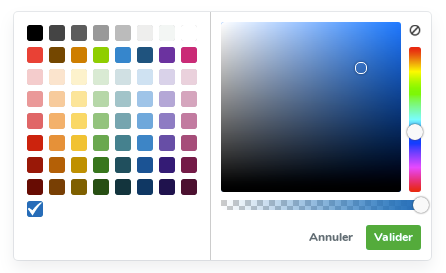
Developed by @bgrins, taken over by @seballot
### Basic Usage
Head over to the [Documentation Website](http://seballot.github.io/spectrum) for more information.
### npm
Spectrum is registered as package with npm. It can be installed with:
npm install spectrum-colorpicker2
### Using spectrum with a CDN
### Download
[Download latest version](https://github.com/seballot/spectrum/releases/latest)
### Building Spectrum Locally
If you'd like to run the development version, spectrum uses Grunt to automate the testing, linting, and building. Head over to http://gruntjs.com/getting-started for more information. First, clone the repository, then run:
npm install -g grunt-cli
npm install
# runs jshint and the unit test suite
grunt
# runs jshint, the unit test suite, and builds a minified version of the file.
grunt build
### Internationalization
If you are able to translate the text in the UI to another language, please do! You can do so by either [filing a pull request](https://github.com/seballot/spectrum/pulls) or [opening an issue]( https://github.com/seballot/spectrum/issues) with the translation. The existing languages are listed at: https://github.com/seballot/spectrum/tree/master/i18n.
For an example, see the [Dutch translation](i18n/jquery.spectrum-nl.js).