Simple Custom CSS Plugin
=================
An easy-to-use WordPress Plugin to add custom CSS styles that override Plugin and Theme default styles. This plugin is designed to meet the needs of administrators who would like to add their own CSS to their WordPress website.
**Now Even Simpler!**
**New for Version 3.0**
- Useful Code Syntax Highlighter
- Checkbox to "Allow Double Quotes" no longer needed
- Plugin attribution block removed
**Features**
- No configuration needed
- Simple interface built on WordPress UI
- Virtually no impact on site performance
- No JavaScript files or complicated database queries
- Thorough documentation
- Active Plugin Support
### Installation
Install Simple Custom CSS just as you would any other WP Plugin:
1. [Download Simple Custom CSS](http://wordpress.org/plugins/simple-custom-css/ "Download Simple Custom CSS") from WordPress.org.
2. Unzip the .zip file.
3. Upload the Plugin folder (simple-custom-css/) to the wp-content/plugins folder.
4. Go to [Plugins Admin Panel](http://codex.wordpress.org/Administration_Panels#Plugins "Plugins Admin Panel") and find the newly uploaded Plugin, "Simple Custom CSS" in the list.
5. Click "Activate Plugin."
[More help installing Plugins](http://codex.wordpress.org/Managing_Plugins#Installing_Plugins "WordPress Codex: Installing Plugins")
### Screenshot
### Use
1. Navigate to Appearance > Custom CSS
2. Enter in valid CSS styles
3. Click "Update Custom CSS"
4. View your changes in the Front End of your website
### Help
[Simple Custom CSS Wiki](https://github.com/johnregan3/simple-custom-css/wiki "Simple Custom CSS Wiki")
[Support Forum](http://wordpress.org/support/plugin/simple-custom-css "Support Forum")
###Changelog
***3.0***
* Added Sytnax Highlighter
* Removed Need for "Allow Quotation Marks" checkbox
* Removed plugin attribution text
* Minor styling changes. Thanks @kucrut!
***2.5***
* Fixed issue with WP installs in subdirectories. Thanks @lopo!
* Tested for compatibility with WP 3.8.1
***2.0***
* Added option to allow Double Quotes in CSS
* Tested for compatibility with WP 3.8
***1.2.1***
* Tested for compatibility with WP 3.7.1
* Code update to conform fully with WP coding standards.
***1.2***
* Give Admins (not just Super Admins) access to the plugin
* Correcting Credit error
* Minor Bugfixes
***1.1.1***
* Allowing the ">" direct child selector.
***1.1***
* Removed unneeded hidden input
* Added Action Hooks
* Added cleanup on deletion
* Added author attribution option
* Added a more elegant method for adding CSS to the page:
Instead of using print_scripts to insert the CSS directly into the HEAD, CSS styles are generated within simple-custom-css.php (the sole file for this plugin), then added via wp_enqueue_scripts, so now it will appear in the HEAD as:
...even though no css file is actually generated.
***1.0***
* Inital Release
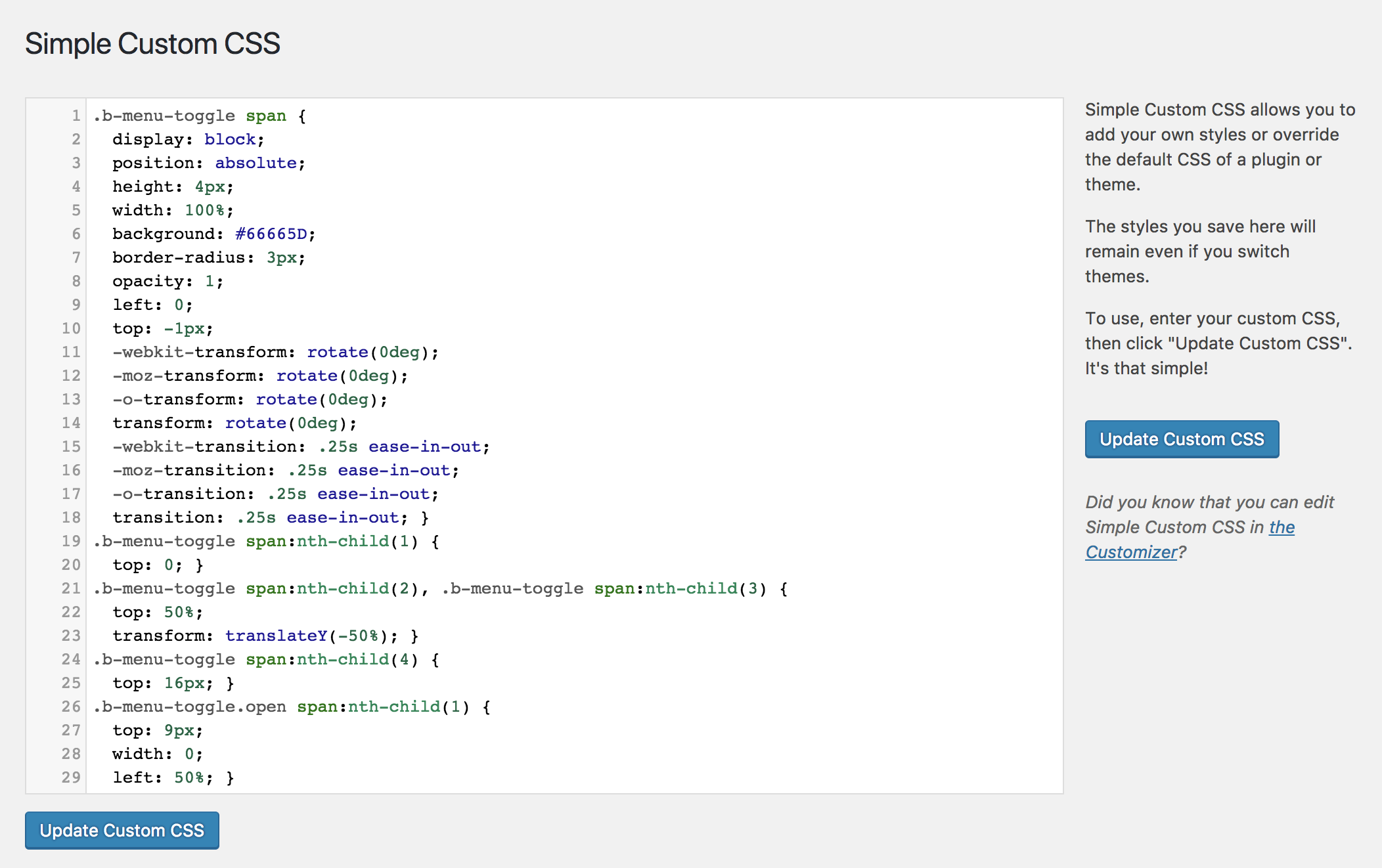 ### Use
1. Navigate to Appearance > Custom CSS
2. Enter in valid CSS styles
3. Click "Update Custom CSS"
4. View your changes in the Front End of your website
### Help
[Simple Custom CSS Wiki](https://github.com/johnregan3/simple-custom-css/wiki "Simple Custom CSS Wiki")
[Support Forum](http://wordpress.org/support/plugin/simple-custom-css "Support Forum")
###Changelog
***3.0***
* Added Sytnax Highlighter
* Removed Need for "Allow Quotation Marks" checkbox
* Removed plugin attribution text
* Minor styling changes. Thanks @kucrut!
***2.5***
* Fixed issue with WP installs in subdirectories. Thanks @lopo!
* Tested for compatibility with WP 3.8.1
***2.0***
* Added option to allow Double Quotes in CSS
* Tested for compatibility with WP 3.8
***1.2.1***
* Tested for compatibility with WP 3.7.1
* Code update to conform fully with WP coding standards.
***1.2***
* Give Admins (not just Super Admins) access to the plugin
* Correcting Credit error
* Minor Bugfixes
***1.1.1***
* Allowing the ">" direct child selector.
***1.1***
* Removed unneeded hidden input
* Added Action Hooks
* Added cleanup on deletion
* Added author attribution option
* Added a more elegant method for adding CSS to the page:
Instead of using print_scripts to insert the CSS directly into the HEAD, CSS styles are generated within simple-custom-css.php (the sole file for this plugin), then added via wp_enqueue_scripts, so now it will appear in the HEAD as:
...even though no css file is actually generated.
***1.0***
* Inital Release
### Use
1. Navigate to Appearance > Custom CSS
2. Enter in valid CSS styles
3. Click "Update Custom CSS"
4. View your changes in the Front End of your website
### Help
[Simple Custom CSS Wiki](https://github.com/johnregan3/simple-custom-css/wiki "Simple Custom CSS Wiki")
[Support Forum](http://wordpress.org/support/plugin/simple-custom-css "Support Forum")
###Changelog
***3.0***
* Added Sytnax Highlighter
* Removed Need for "Allow Quotation Marks" checkbox
* Removed plugin attribution text
* Minor styling changes. Thanks @kucrut!
***2.5***
* Fixed issue with WP installs in subdirectories. Thanks @lopo!
* Tested for compatibility with WP 3.8.1
***2.0***
* Added option to allow Double Quotes in CSS
* Tested for compatibility with WP 3.8
***1.2.1***
* Tested for compatibility with WP 3.7.1
* Code update to conform fully with WP coding standards.
***1.2***
* Give Admins (not just Super Admins) access to the plugin
* Correcting Credit error
* Minor Bugfixes
***1.1.1***
* Allowing the ">" direct child selector.
***1.1***
* Removed unneeded hidden input
* Added Action Hooks
* Added cleanup on deletion
* Added author attribution option
* Added a more elegant method for adding CSS to the page:
Instead of using print_scripts to insert the CSS directly into the HEAD, CSS styles are generated within simple-custom-css.php (the sole file for this plugin), then added via wp_enqueue_scripts, so now it will appear in the HEAD as:
...even though no css file is actually generated.
***1.0***
* Inital Release