Shortcodes

Add shortcodes to your pages

You can copy and paste the shortcodes below to your desired pages.

We have also create some test pages for you. You can start testing by clicking here:

Wordpress internal shortcodes

Wordpress Search Form

Search results will appear in an internal wordpress page with the [Workadu-search-results] shortcode.

[WorkaduForm services="{workadu services ids}" group="{workadu groupid}|optional" type="{rentals/appointments/hotels/transfers}|optional"]

Shortcode examples:
[WorkaduForm] default
[WorkaduForm service=33414,33415] for specific services
[WorkaduForm group=6318] results from all group services
[WorkaduForm type=appointments] show appointment form
[WorkaduForm group=6115 type=transfers] show transfers form and get results only for group_id 6115
Search Results
[Workadu-search-results]
2nd Step of the booking process.
With this shortcode you can get a revision of your selection and add extra services to your booking
[Workadu-contact-info]
3rd step of the booking process.
Add it o a custom page handles the payment gateway. This is a REDIRECT shortcode.
[Workadu-order-revision]
Final step.
Indicates the success or failure of the payment process.
[Workadu-payment]

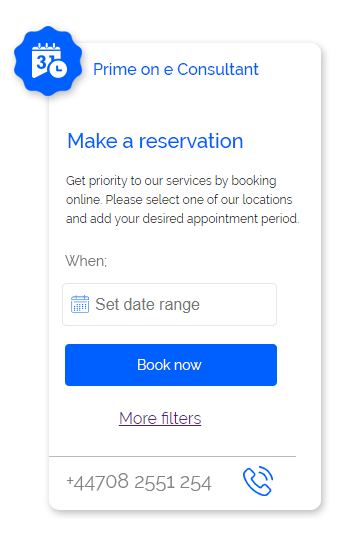
Widget

Widget Icon

Search results will appear in a new window at https://yourcompany.workadu.com domain.

[WorkaduWidget type='rentals/appointments/hotels' locations=true form='widget/form' background='ffffff' buttonBackground='0060ff' buttonColor='ffffff' buttonBorderColor='ffffff' buttonText="Book now?" greetingText='Hi how can i help you?' locale='en_GB' question=false ]

Shortcode examples:
[WorkaduWidget] default
[WorkaduWidget type='appointments'] Set the type of the form
[WorkaduWidget form='widget'] Shows a widget icon at the top left cornert. Alternative you can add it relatively in your pages as form='widget-form'.
[WorkaduWidget backgroun='000000' buttonText='Hello!'] Style the widget.
[WorkaduWidget question=true] Widget show a question that you have to click in order to open the search form.