# OSM Map Widget for Elementor
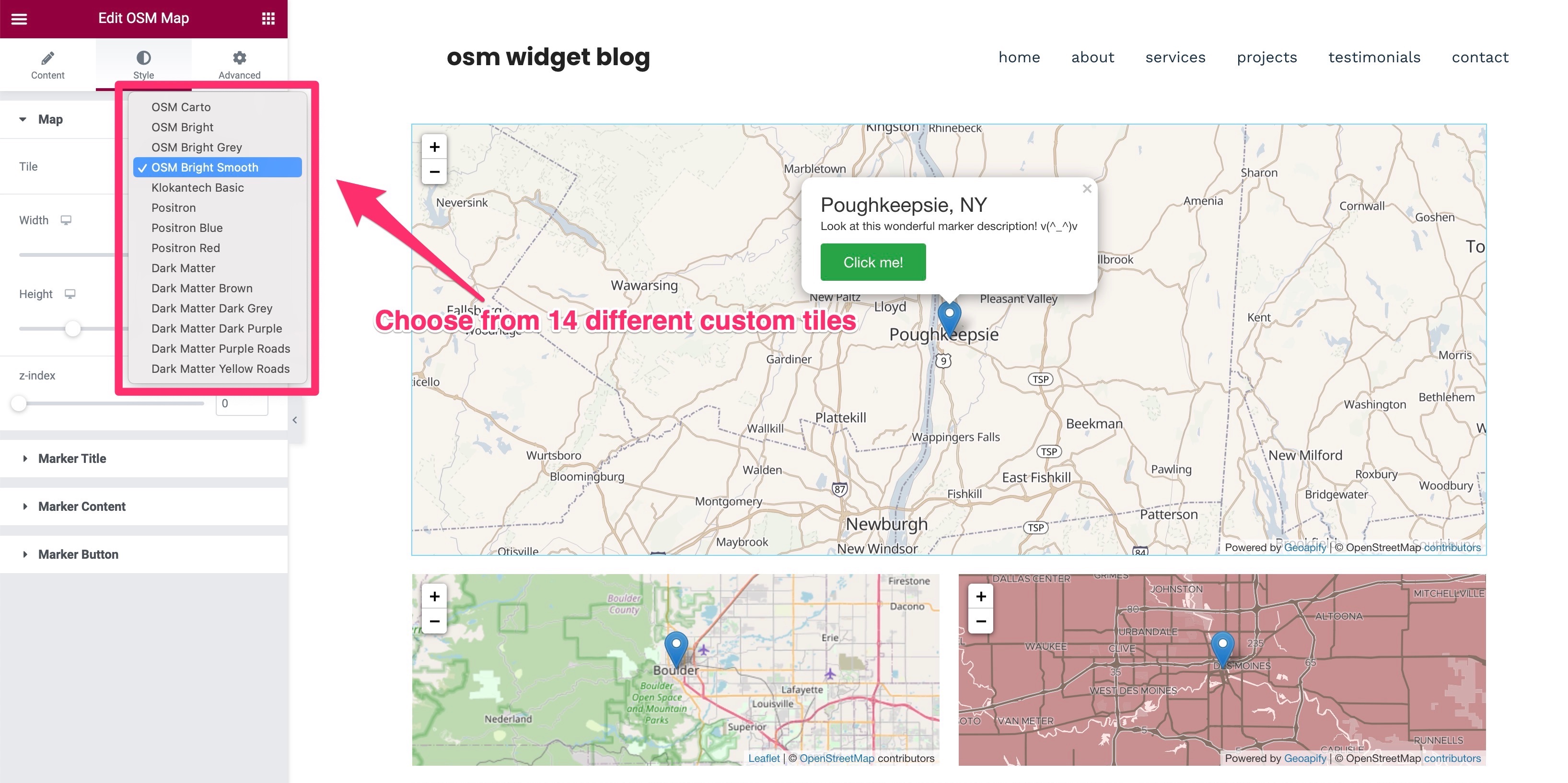
[A free Elementor Map Widget](https://wordpress.org/plugins/osm-map-elementor/) that utilizes [Open Street Map](https://www.openstreetmap.org/about). Comes with features like adding multiple markers, and choosing from a library of custom tiles to change the look and feel. Requires [Elementor Page Builder](https://wordpress.org/plugins/elementor/) Plugin Version: 3.5+
This plugin is [open sourced](https://github.com/flopperj/osm-map-elementor) so feel free to contribute to it by:
1. Adding a topic/issue [here](https://github.com/flopperj/osm-map-elementor/issues)
2. Submitting a pull request with any well-written code that implements the desired feature.
## Usage
1. Make sure that **[Elementor Page Builder](https://wordpress.org/plugins/elementor/)** plugin is installed
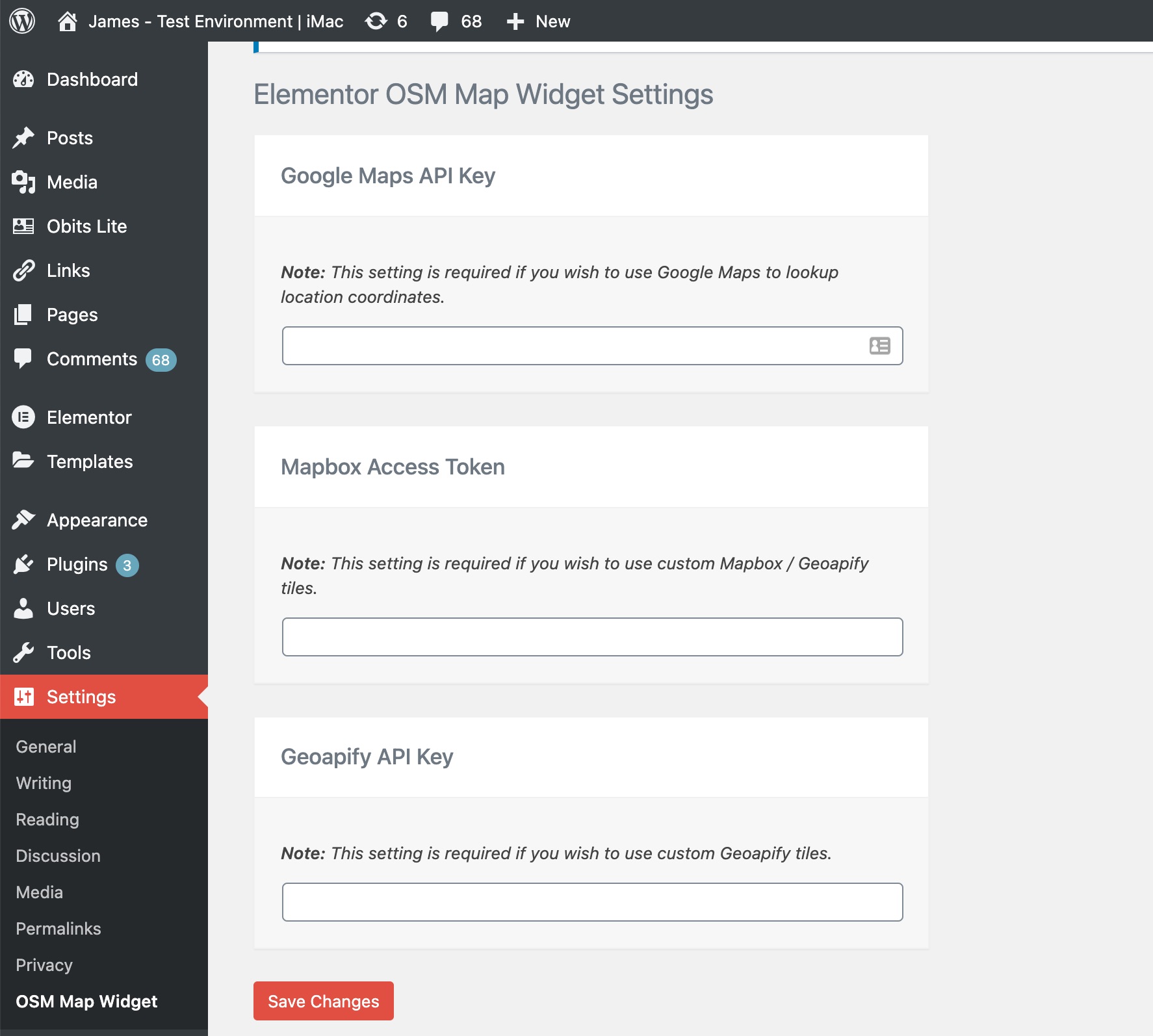
2. Add optional API Keys to the settings page:
- **Google Maps API Key**
_(Used to autocomplete and update the coordinates of markers in a map. Need help to get a Google map API key? [Read this resource](https://developers.google.com/maps/documentation/javascript/get-api-key))_
- **Mapbox Access Token**
_(Used for custom tiles. Need help to get a Mapbox Access Token? [Read this resource](https://docs.mapbox.com/help/how-mapbox-works/access-tokens/))_
- **Geoapify API Key**
_(Used for custom tiles. Need help to get a Geoapify API key? [Read this resource](https://www.geoapify.com/maps-api/))_
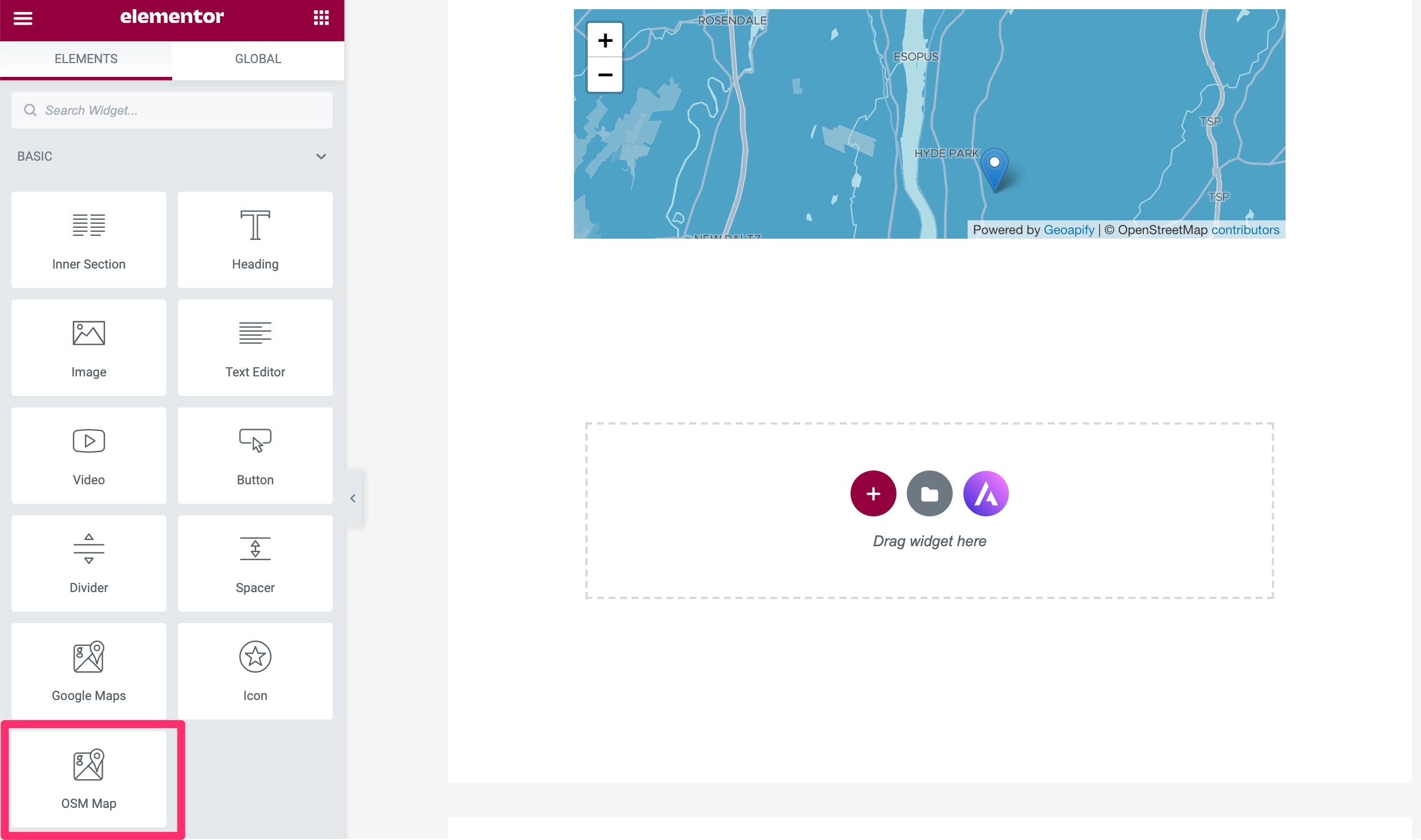
 3. Add OSM Map to your elementor page and have fun :)
- Find OSM Map widget from elements listing and add it to your elementor page
3. Add OSM Map to your elementor page and have fun :)
- Find OSM Map widget from elements listing and add it to your elementor page
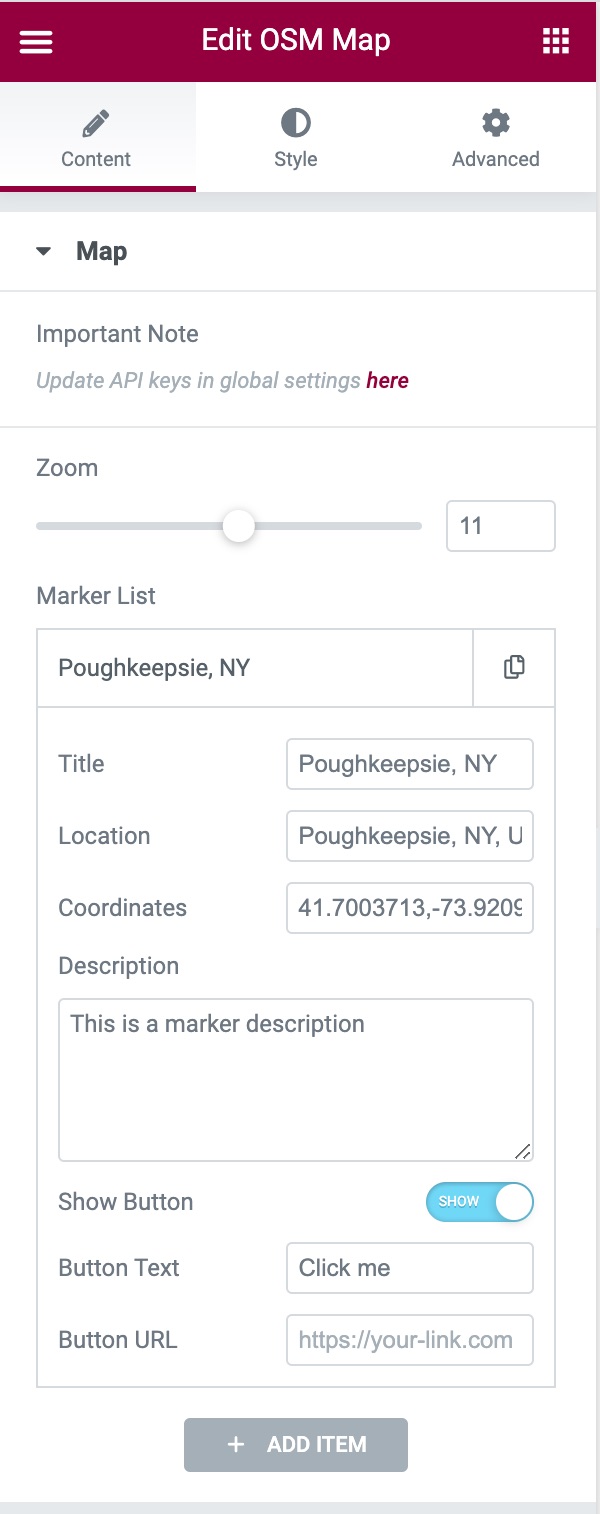
 - Add multiple markers, change Zoom level and style them accordingly
 - _Editing the markers:_ A marker's settings contains **Title, Location, Coordinates, Description, Button Text, and Button URL** fields. Of those fields, only the **Coordinates** field is required to render a marker on the map. If you have a Google Maps API key added, you'll be able to automatically populate the coordinates field without manually doing so.
 - _**NEW:**_ Add custom marker icons. Available Icon types: **Default, Font Awesome** and **Custom Image**.
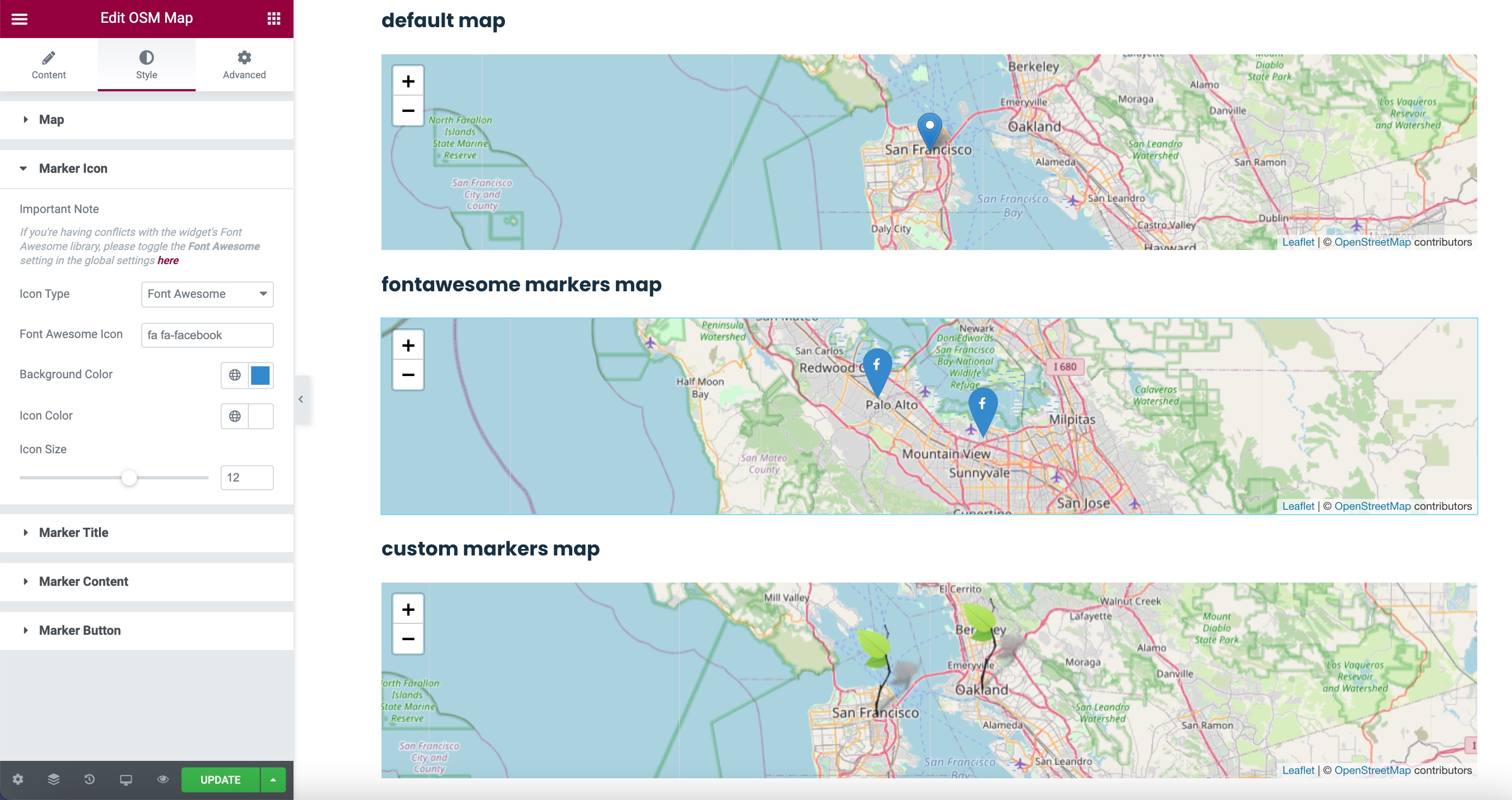 - Change Tiles from style section _(requires **Mapbox Access Token** and **Geoapify API Key**)_
 ## Changelog
[LATEST CHANGES](https://github.com/flopperj/osm-map-elementor/wiki/Changelog)
## Licence
[GNU GENERAL PUBLIC LICENSE](https://raw.githubusercontent.com/flopperj/osm-map-elementor/master/LICENSE.txt)
[OpenStreetMap License](https://www.openstreetmap.org/copyright)
## Changelog
[LATEST CHANGES](https://github.com/flopperj/osm-map-elementor/wiki/Changelog)
## Licence
[GNU GENERAL PUBLIC LICENSE](https://raw.githubusercontent.com/flopperj/osm-map-elementor/master/LICENSE.txt)
[OpenStreetMap License](https://www.openstreetmap.org/copyright)