# Premium Support
## Activation
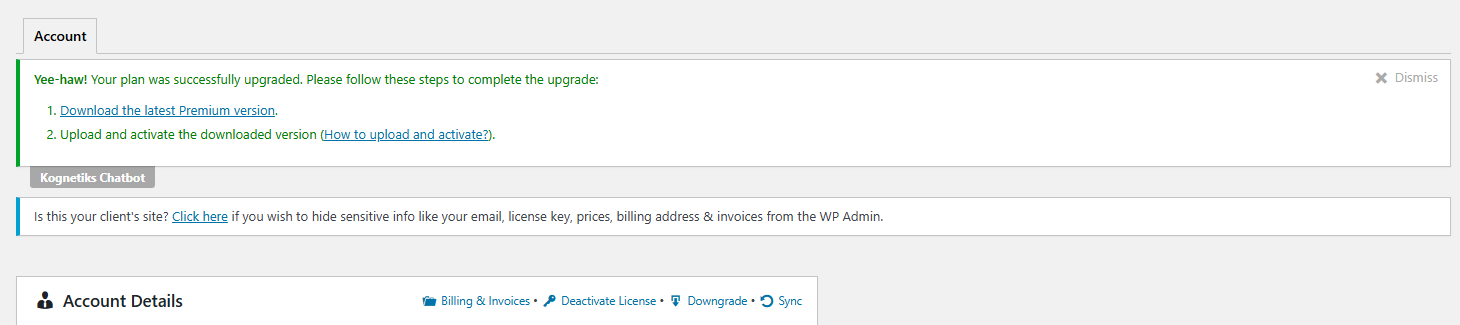 Yee-haw! Your plan was successfully upgraded. Please follow these steps to complete the upgrade:
Download the latest Premium version.
Upload and activate the downloaded version (How to upload and activate?).
## Download the latest Premium version
Yee-haw! Your plan was successfully upgraded. Please follow these steps to complete the upgrade:
Download the latest Premium version.
Upload and activate the downloaded version (How to upload and activate?).
## Download the latest Premium version
 ```Choose File```
```chatbot-chatgpt-premium-latest.zip```
```Install Now```
```Choose File```
```chatbot-chatgpt-premium-latest.zip```
```Install Now```
 ```Activate Plugin```
 ```W00t! Premium pluign version was successfully activated.```

```Kognetiks Chatbot``` is ```deactivated```
```Kognetiks Chatbot Premium``` is ```activated```
## How to upload and activate
http://bit.ly/wp-plugin-upload
https://www.youtube.com/watch?v=kfDZDijL-Wg
```W00t! Premium pluign version was successfully activated.```

```Kognetiks Chatbot``` is ```deactivated```
```Kognetiks Chatbot Premium``` is ```activated```
## How to upload and activate
http://bit.ly/wp-plugin-upload
https://www.youtube.com/watch?v=kfDZDijL-Wg