Contact Form 7 2Checkout
Discription
"Contact Form 7 2Checkout" is a WordPress plugin which allows the site owners to accept credit cards through 2Checkout Payment Gateway integrated with contact form 7 plugin. It takes as little as 5 minutes to set up and is by far the quickest way to integrate 2Checkout Payment gateway. This plugin allow you to accept transactions from all major credit cards including Visa, MasterCard, American Express, and Discover etc. Direct payment API is integrated with CF7 customer will not be directed to 2Checkout site for payments, rather credit cards will be processed on your site. The plugins requires SSL to be active on your site otherwise payments will not be processed.
Support
If you get any problem contact us at codeincept@gmail.com
Documentation
Install & Activate Plugin
- Extract plugin folder from zip
- Upload plugin folder to wp-content/plugins/
- Activate plugin from Admin dashboard's menu "Plugins"
Transaction ID and Order Number
Receive Transaction ID and Order Number via email of Contact form 7, Just add below tags in your message body under Mail settings
- [cf7_2checkout_transaction_id] for to receive transaction id in email
- [cf7_2checkout_order_number] for to receive order number in email
Short Video Tutorial
Initials Settings
You must set your 2Checkout account credentials on settings page this requires seller's ID, private key and publishable key. There are both options sandbox as well as live credentials, First of all add sandox account keys to check whether it works or not. Must select from radio button that what you actually want to use.

2Checkout Tag
Once you create a form you will see a tag named 'twocheckout'

Adding 2Checkout tag to form
Once you click on twocheckout tag to add in form this will ask two fields "Price" you want to charge in this form and "Currency code" in what currency you want to charge, these two fields are mandatory

Billing Fields
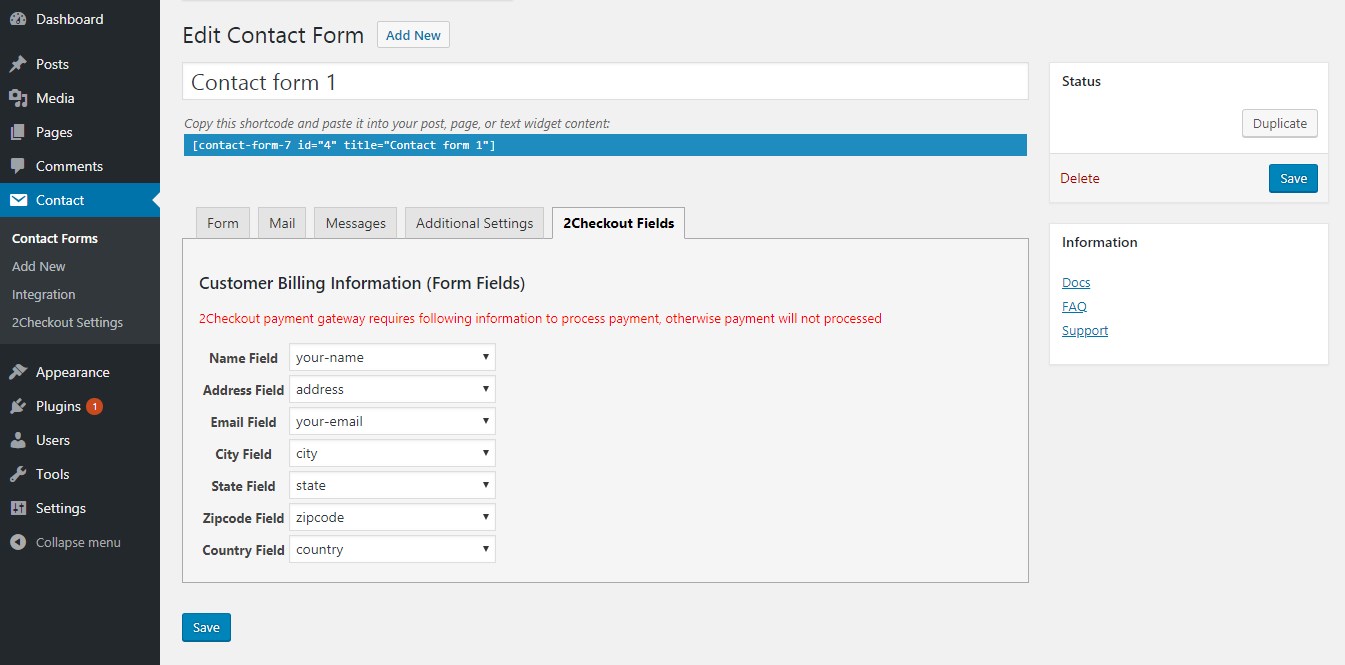
Your form must contain some fields for bilings information this is required otherwise payment will not be processed. Following fields are required.
- Name
- Address
- City
- State
- Zipcode
- Country
Once you add these fields in form then save it to see below options available
Frontend Form View
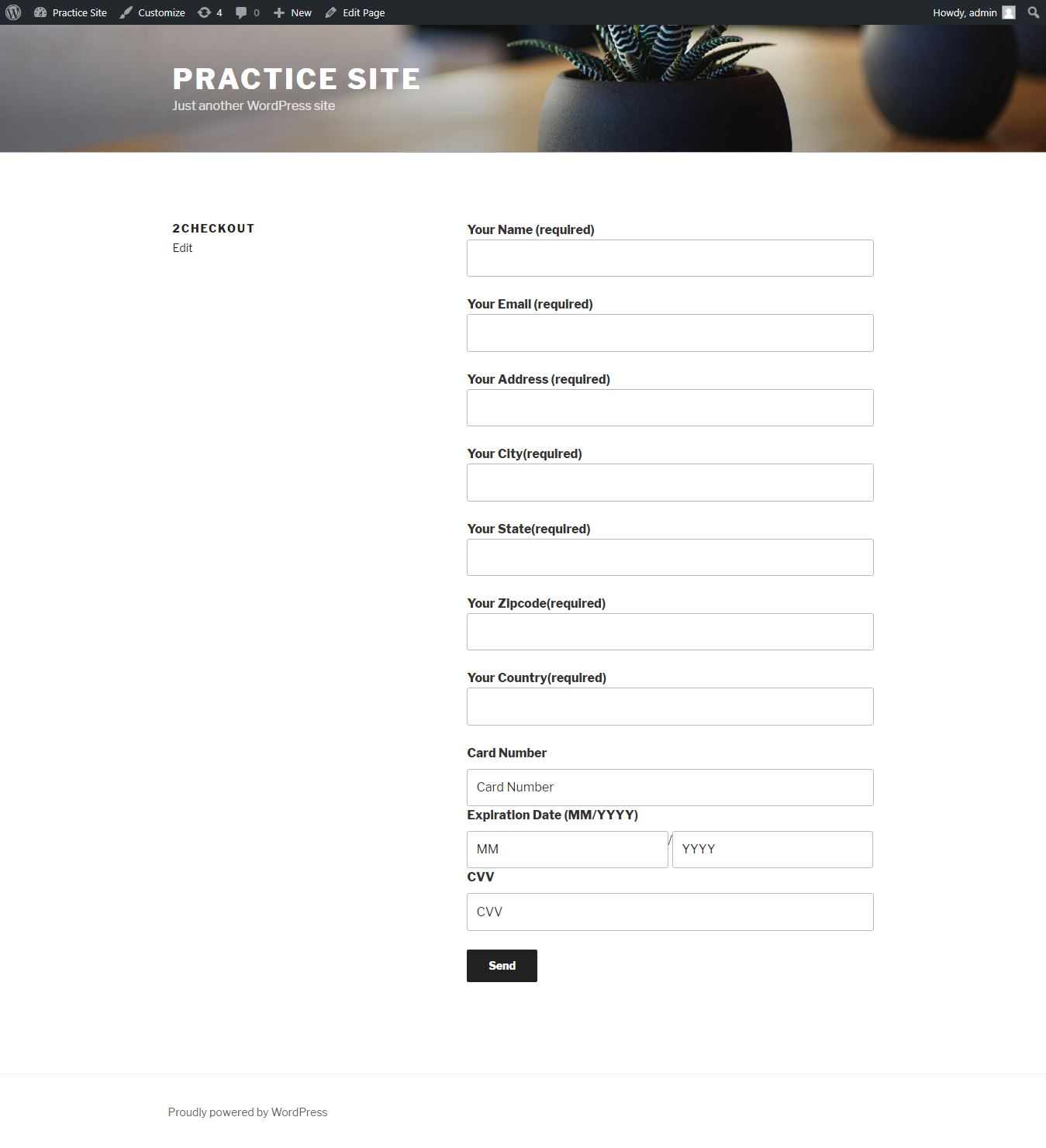
twocheckout tag adds card processing fields to your form once you add twocheckout tag to your form