<h1 align="center"><a href="https://github.com/jaames/zfont" target="blank"><img width="888" src="https://raw.githubusercontent.com/jaames/zfont/master/assets/banner.gif"/><br/>Zfont</a></h1>

<p align="center">
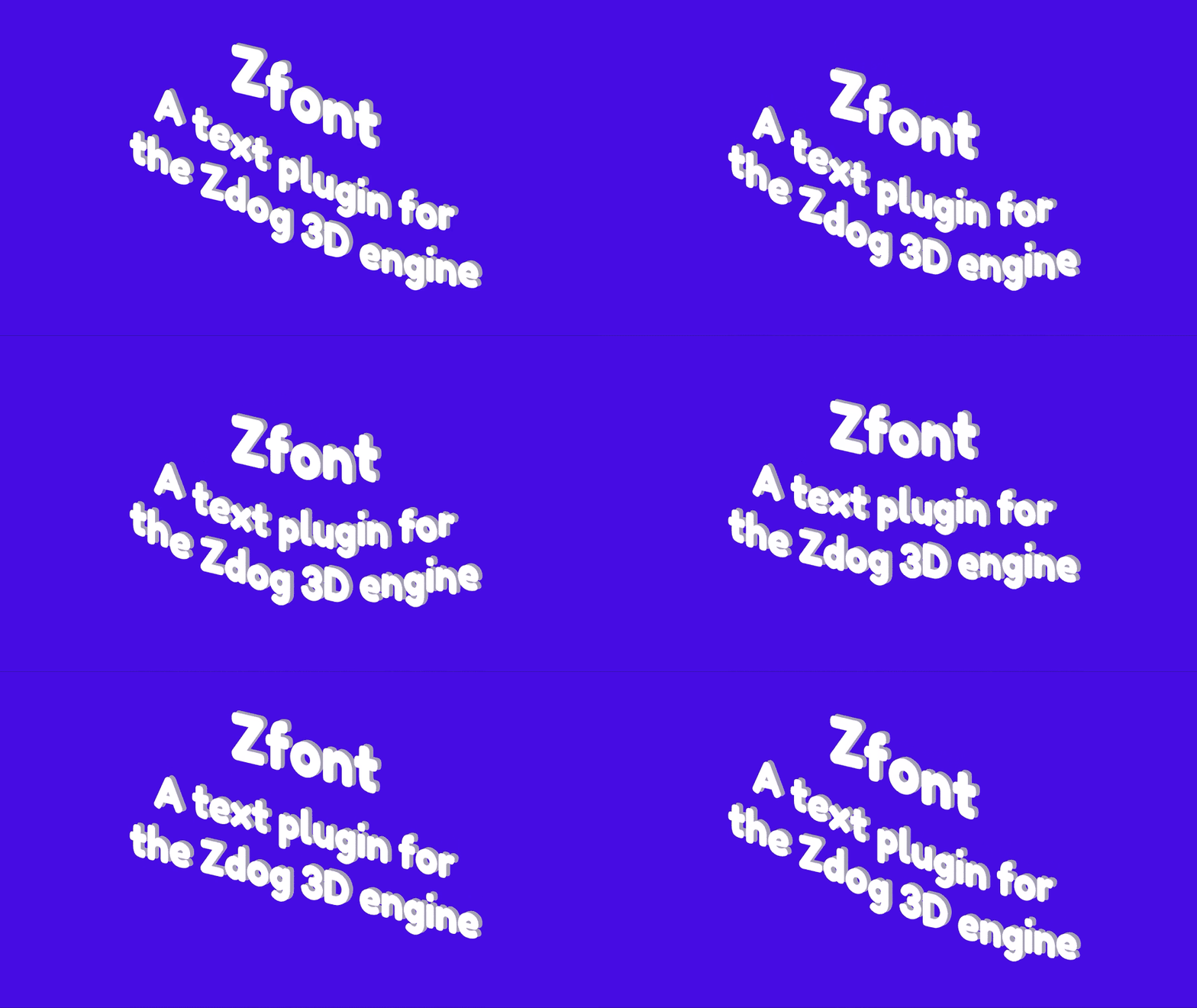
<b>A text plugin for the <a href="https://github.com/metafizzy/zdog">Zdog</a> 3D engine! Renders TrueType fonts via <a href="https://github.com/photopea/Typr.js">Typr.js</a> | <a href="https://jaames.github.io/zfont/">jaames.github.io/zfont</a>
</b>
</p>

<p align="center">
<a href="#features">Features</a> | <a href="#caveats">Caveats</a> | <a href="#demo">Demo</a> | <a href="#installation">Installation</a> | <a href="#usage">Usage</a> | <a href="#api">API</a> | <a href="#zdogfont">Zdog.Font</a> | <a href="#zdogtext">Zdog.Text</a> | <a href="#zdogtextgroup">Zdog.TextGroup</a> | <a href="#todo">Todo</a> | <a href="#building">Building</a>
</p>

<br/>

## Features

* Built on top of [Typr.js](https://github.com/photopea/Typr.js), which supports a wide range of .ttf and .otf fonts with speed and grace
* Less than 14kB minified and gzipped
* No need to worry about waiting for fonts to load; text automatically pops into existence once the font is ready
* Includes support for multiline text
* Update font, text, color, alignment, etc at any time
* Bonus utilities for measuring text, waiting for font load & more!

## Caveats

* You have to provide a .ttf to use yourself; it isn't possible to use system fonts
* Character range is limited to whichever glyphs are supported by your chosen font, and font stacks/fallbacks aren't supported yet

## Demo

A live demo can be found [here](https://jaames.github.io/zfont/), there's also some more in-depth examples on [Codepen](https://codepen.io/collection/DPKGvY/)!

## Installation

### Install with NPM

```bash
$ npm install zfont --save
```

If you are using a module bundler like Webpack or Rollup, import Zfont into your project: 

```javascript
// Using ES6 module syntax
import Zfont from 'zfont';

// Using CommonJS modules
const Zfont = require('zfont');
```

### Using the jsDelivr CDN

```html
<script src="https://cdn.jsdelivr.net/npm/zfont/dist/zfont.min.js"></script>
```

When manually including the library like this, it will be globally available on `window.Zfont`

### Download and Host Yourself

**[Development version](https://raw.githubusercontent.com/jaames/zfont/master/dist/zfont.js)**<br/>
Uncompressed at around 75kB, with source comments included

**[Production version](https://raw.githubusercontent.com/jaames/zfont/master/dist/zfont.min.js)**<br/>
Minified to 45kB

Then add it to the `<head>` of your page with a `<script>` tag:

```html
<html>
  <head>
    <!-- ... -->
    <script src="./path/to/zfont.min.js"></script>
  </head>
  <!-- ... -->
</html>
```

## Usage

### Register Plugin

After both Zdog and Zfont have been imported/downloaded, we need to initialize the Zfont plugin. Once the it's initialized, the `Zdog.Font`, `Zdog.Text` and `Zdog.TextGroup` classes will be available:

```js
Zfont.init(Zdog);
```

### Hello World

(Pssst! If you prefer to dive in, check out the [basic demo over on Codepen](https://codepen.io/rakujira/pen/vqLBwz))

To draw some text in a Zdog scene, first we need to set up a new `Zdog.Font` object with the .ttf url for our desired font, then we can create a new `Zdog.Text` object and add it to the illustration like any other shape:

```js
// Initialize Zfont
Zfont.init(Zdog);


// Create a Zdog illustration
let illo = new Zdog.Illustration({
  element: '.zdog-canvas'
});

// Set up a font to use
let myFont = new Zdog.Font({
  src: './path/to/font.ttf'
});

// Create a text object
// This is just a Zdog.Shape object with a couple of extra parameters!
new Zdog.Text({
  addTo: illo,
  font: myFont,
  value: 'Hey, Zdog!',
  fontSize: 64,
  color: '#fff'
});

// Animation loop
function animate() {
  illo.updateRenderGraph();
  requestAnimationFrame(animate);
}
animate();
```

### Multiline Text

Both `Zdog.Text` and `Zdog.TextGroup` support multiline text, by inserting a newline character (`\n`) wherever you wish to add a line break:

```js
new Zdog.Text({
  ...
  value: 'The quick brown fox\njumps over the\nlazy zdog',
});
```

For better readability you may prefer to use an array of strings for the `value` option. In this case, each string in the array will be treated as a seperate line of text:

```js
new Zdog.Text({
  ...
  value: [
    'The quick brown fox'
    'jumps over the',
    'lazy zdog'
  ]
});
```

### Waiting for Fonts to Load

In most cases you don't have to worry about waiting for fonts to load, as text objects will magically pop into existence once their font is ready to use. However, the plugin also provides a `Zdog.waitForFonts()` utility function if you need to delay anything until all the fonts in your scene have finished loading.

For example, let's modify the animation loop from the previous example so that it doesn't begin until the fonts are ready:

```js
// Animation loop
function animate() {
  illo.updateRenderGraph();
  requestAnimationFrame(animate);
}
// Zdog.waitForFonts() returns a Promise which is resolved once all the fonts added to the scene so far have been loaded
Zdog.waitForFonts().then(() => {
  // Once the fonts are done, start the animation loop
  animate();
})
```

## API

### Zdog.Font

Represents a font that can be used by an instance of either [`Zdog.Text`](#zdogtext) or [`Zdog.TextGroup`](#zdogtextgroup).

```js
let font = new Zdog.Font({
  src: './path/to/font.ttf'
})
```

#### Options

| Param      | Details | Default |
|:-----------|:--------|:--------|
| `src`      | Font URL path. This can be a `.ttf` or `.otf` font, check out the [Typr.js repo](https://github.com/photopea/Typr.js) for more details about font support | `''` |

#### Methods

##### `measureText(text, fontSize)`

Get the measurements for the specified string `text` when rendered at `fontSize` (measured in pixels), similar to [`Canvas​Rendering​Context2D.measure​Text()`](https://developer.mozilla.org/en-US/docs/Web/API/CanvasRenderingContext2D/measureText). 

Returns an object with `width`, `height`, `descender`, `ascender`.

##### `getTextPath(text, fontSize, x=0, y=0, z=0, alignX='left', alignY='bottom')`

Returns an array of [Zdog path commands](https://zzz.dog/shapes#shape-path-commands) for the specified string `text`, when rendered at `fontSize` (measured in pixels).

* (`x`, `y`, `z`) is the origin point of the path
* `alignX` is the horizontal text alignment (equivalent to the CSS `text-align` property); either `"left"`, `"center"` or `"right"`. 
* `alignY` is the vertical text alignment; either `"top"`, `"middle"` or `"bottom".`

##### `waitForLoad()`

Returns a Promise which resolves once this font has finished loading.

### Zdog.Text

An object used for rendering text. It inherits everything from the [`Zdog.Shape`](https://zzz.dog/api#shape) class.

```js
new Zdog.Text({
  addTo: illo,
  font: font,
  value: 'Hey, Zdog!',
  textAlign: 'center',
  textBaseline: 'middle',
  color: '#5222ee',
  stroke: 1,
})
```

#### Options

`Zdog.Text` inherits all the options from the [`Zdog.Shape`](https://zzz.dog/api#shape) class, plus a couple of extras:

| Param      | Details | Default |
|:-----------|:--------|:--------|
| `font`     | [`Zdog.Font`](#zdog-font) to use for this text. This is required. | `null` |
| `value`    | Text string | `''` |
| `fontSize` | Text size, measured in pixels | `64` |
| `textAlign`| Horizontal text alignment, equivalent to the CSS `text-align` property. This can be either `'left'`, `'center'` or `'right'` | `'left'` |
| `textBaseline`| Vertical text alignment, equivalent to the HTML5 canvas' [`textBaseline`](https://developer.mozilla.org/en-US/docs/Web/API/CanvasRenderingContext2D/textBaseline) property. This can be either `'top'`, `'middle'` or `'bottom'` | `'bottom'` |

#### Properties

`Zdog.Text` inherits all the properties from the [`Zdog.Shape`](https://zzz.dog/api#shape) class, as well as some extras. All of these properties can be updated at any time and the rendered text will update automatically. 

##### `font`

The [`Zdog.Font`](#zdog-font) instance being used for this text.

##### `value`

Text value as a string.

##### `fontSize`

Font size, measured in pixels.

##### `textAlign`

Horizontal text alignment, equivalent to the CSS `text-align` property. This can be either `'left'`, `'center'` or `'right'`

##### `textBaseline`

Vertical text alignment, equivalent to the HTML5 canvas' [`textBaseline`](https://developer.mozilla.org/en-US/docs/Web/API/CanvasRenderingContext2D/textBaseline) property. This can be either `'top'`, `'middle'` or `'bottom'`

### Zdog.TextGroup

This class is very similar to [`Zdog.Text`](#zdog-text), except it acts as a [`Zdog.Group`](https://zzz.dog/api#group) instead, and each text glyph is rendered as its own shape. This is helpful for more advanced use-cases where you need control over each character.

```js
new Zdog.TextGroup({
  addTo: illo,
  font: font,
  value: 'Hey, Zdog!',
  textAlign: 'center',
  color: '#5222ee',
  stroke: 2,
})
```

#### Options

`Zdog.TextGroup` inherits all the options from the [`Zdog.Group`](https://zzz.dog/api#group) class, plus a few extras:

| Param      | Details | Default |
|:-----------|:--------|:--------|
| `font`     | [`Zdog.Font`](#zdog-font) to use for this text. This is required. | `null` |
| `value`    | Text string | `''` |
| `fontSize` | Text size, measured in pixels | `64` |
| `textAlign`| Horizontal text alignment, equivalent to the CSS `text-align` property. This can be either `'left'`, `'center'` or `'right'` | `'left'` |
| `textBaseline`| Vertical text alignment, equivalent to the HTML5 canvas' [`textBaseline`](https://developer.mozilla.org/en-US/docs/Web/API/CanvasRenderingContext2D/textBaseline) property. This can be either `'top'`, `'middle'` or `'bottom'` | `'bottom'` |
| `color` | Text color | `#333` |
| `fill` | Text fill | `false` |
| `stroke` | Text stroke | `stroke` |

#### Properties

`Zdog.TextGroup` inherits all the properties from the [`Zdog.Group`](https://zzz.dog/api#group) class, as well as some extras. All of these properties can be updated at any time and the rendered text will update automatically. 

##### `font`

The [`Zdog.Font`](#zdog-font) instance being used for this text.

##### `value`

Text value as a string.

##### `fontSize`

Font size, measured in pixels.

##### `textAlign`

Horizontal text alignment, equivalent to the CSS `text-align` property. This can be either `'left'`, `'center'` or `'right'`

##### `textBaseline`

Vertical text alignment, equivalent to the HTML5 canvas' [`textBaseline`](https://developer.mozilla.org/en-US/docs/Web/API/CanvasRenderingContext2D/textBaseline) property. This can be either `'top'`, `'middle'` or `'bottom'`

##### `color`

Text color, equivalent to [`Shape.color`](https://zzz.dog/api#shape-color). Setting this will update the color for all of the group's children.

##### `fill`

Text fill, equivalent to [`Shape.fill`](https://zzz.dog/api#shape-fill). Setting this will update the fill for all of the group's children.

##### `stroke`

Text stroke, equivalent to [`Shape.stroke`](https://zzz.dog/api#shape-stroke). Setting this will update the stroke for all of the group's children.

### Zdog.waitForFonts

Returns a Promise which resolves as soon as all the fonts currently added to the scene are loaded and ready for use.

```js
Zdog.waitForFonts().then(function() {
  // Do something once the font is ready
}
```

## Todo

* Google Fonts & Typekit integration?
* Support for different text directions, e.g. right-to-left
* Support for fallback fonts
* Support for color (SVG) fonts

## Building

### Install Dependencies with NPM

```bash
$ npm install
```

### Run Devserver

```bash
$ npm start
```

### Build production files

```bash
$ npm run build
```

----

2019 [James Daniel](//github.com/jaames)