

A Vue.js 2.0 Mobile UI at YouZan
[](https://travis-ci.org/youzan/vant) [](https://www.npmjs.com/package/vant) [](https://codecov.io/github/youzan/vant?branch=dev) [](https://www.npmjs.com/package/vant) [](https://www.npmjs.com/package/vant) [访问中文版](./README.zh-CN.md) ## Features * 50+ Reusable components * 90%+ Unit test coverage * Extensive documentation and demos * Support [babel-plugin-import](https://github.com/ant-design/babel-plugin-import) * Support TypeScript * Support SSR ## Install ```shell npm i -S vant ``` ## Quickstart #### 1. Use [babel-plugin-import](https://github.com/ant-design/babel-plugin-import) (Recommended) ```bash # Install babel-plugin-import npm i babel-plugin-import -D ``` ```js // set babel config in .babelrc or babel-loader // Note: Don't set libraryDirectory if you are using webpack 1. { "plugins": [ ["import", { "libraryName": "vant", "libraryDirectory": "es", "style": true }] ] } ``` Then you can import components from vant, equivalent to import manually below. ```js import { Button } from 'vant'; ``` #### 2. Manually import ```js import Button from 'vant/lib/button'; import 'vant/lib/vant-css/base.css'; import 'vant/lib/vant-css/button.css'; ``` #### 3. Import all components ```js import Vue from 'vue'; import Vant from 'vant'; import 'vant/lib/vant-css/index.css'; Vue.use(Vant); ``` ### CDN ```html ``` See more in [Quickstart](https://www.youzanyun.com/zanui/vant#/en-US/quickstart). ## Contribution Please make sure to read the [Contributing Guide](./.github/CONTRIBUTING.md) before making a pull request. ## Browser Support Modern browsers and Android 4.0+, iOS 6+. ## Links * [Documentation](https://www.youzanyun.com/zanui/vant) * [Changelog](https://www.youzanyun.com/zanui/vant#/en-US/changelog) * [React UI](https://www.youzanyun.com/zanui/zent) * [Weapp UI](https://github.com/youzan/zanui-weapp) * [Vant Demo](https://github.com/youzan/vant-demo) * [vue-cli-template-vant](https://github.com/youzan/vue-cli-template-vant) ## Preview You can scan the following QR code to access the demo: 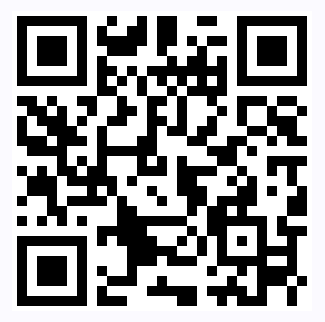 ## LICENSE [MIT](https://zh.wikipedia.org/wiki/MIT%E8%A8%B1%E5%8F%AF%E8%AD%89)