### xshell is a shell designed to provide a brand new human-computer interaction experience.
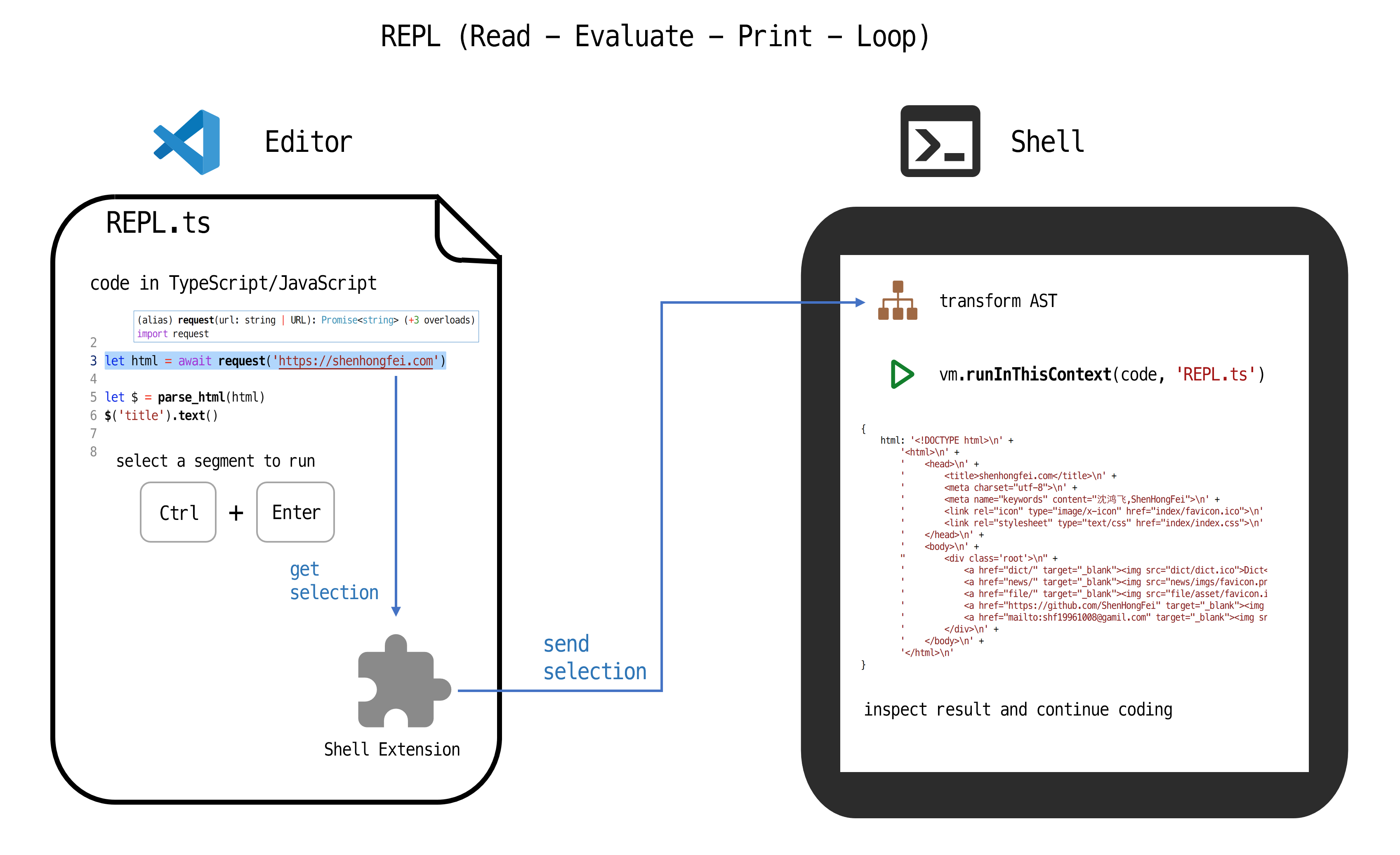
## Getting Started
1. Install the latest version of NodeJS
https://nodejs.org/en/
2. Enter a project directory that has a package.json file.
```shell
cd example/
```
or create a new project
```shell
mkdir example/
cd example/
npm init -y
```
3. Install the npm package `xshell` and you will get a `xshell` command
```shell
npm install xshell
```
4. Run `xshell` to start the shell at http://127.0.0.1:8421
```shell
npx xshell
# or call xshell directly
node ./node_modules/.bin/xshell
# or add `"xshell": "xshell",` in package.json scripts field, and
npm run xshell
```
5. Install the VSCode extenstion `shenhongfei.xshell`
```shell
code --install-extension shenhongfei.xshell
```
- or: search `xshell` in vscode extension sidebar and click install
- or: goto https://marketplace.visualstudio.com/items?itemName=ShenHongFei.xshell
6. Open or create a .ts file and import necessary type definations, then enjoy!
```ts
import { request } from 'xshell'
// start REPL
await request('https://shenhongfei.com')
// select the above line and press Ctrl + Enter, then you can inspect the result in xshell.
```
## Development
Change "main" field in package.json to `extension.js` before release extension.