# xgis-cesium-mars3d


> `xgis-cesium-mars3d`是基于mars3d-cesium开发的,结合项目经验积累,进行定制的内部使用版。
> 非商业项目免费使用,商业应用请购买使用授权key。
## 基于mars3d-cesium的三维开发框架
- v0.0.3 升级基础库,基于mars3d-cesium发布版1.134.0,对应mars3d v3.10.6版;
- v0.0.2 升级对应到xgis-cesium 0.4.0版本(除地形压平暂不能用),基于mars3d-cesium发布版1.125.0;
- v0.0.1 (内测版)对接基于mars3d-cesium发布版1.125.0(只外部依赖,不导出Cesium全局对象),对应xgis-cesium 0.2.8版本.
## *使用说明
> 为了对接mars3d,本库将自带mars3d版本。 v0.0.3对应mars3d 3.10.6 、mars3d-cesium 1.34.0版本。
>
1. mars3d 修改版资源路径为:**node_modules/xgis-cesium-mars3d/dist/assets/mars3d-3.10.6**
2. 拷贝下面的CSS和JS,覆盖**node_modules/mars3d/**下同名文件
对接mars3d使用示例代码工程:(参考验证)
https://github.com/zorrowm/xgis-cesium-mars3d-example
## 核心功能
- 核心的XViewer是扩展Cesium.CesiumWidget的实现,增加很多基础功能
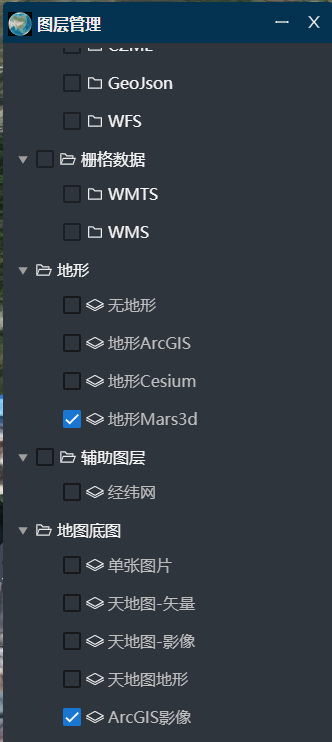
- 基础图层管理,支持多种地图底图
- 图层树管理功能
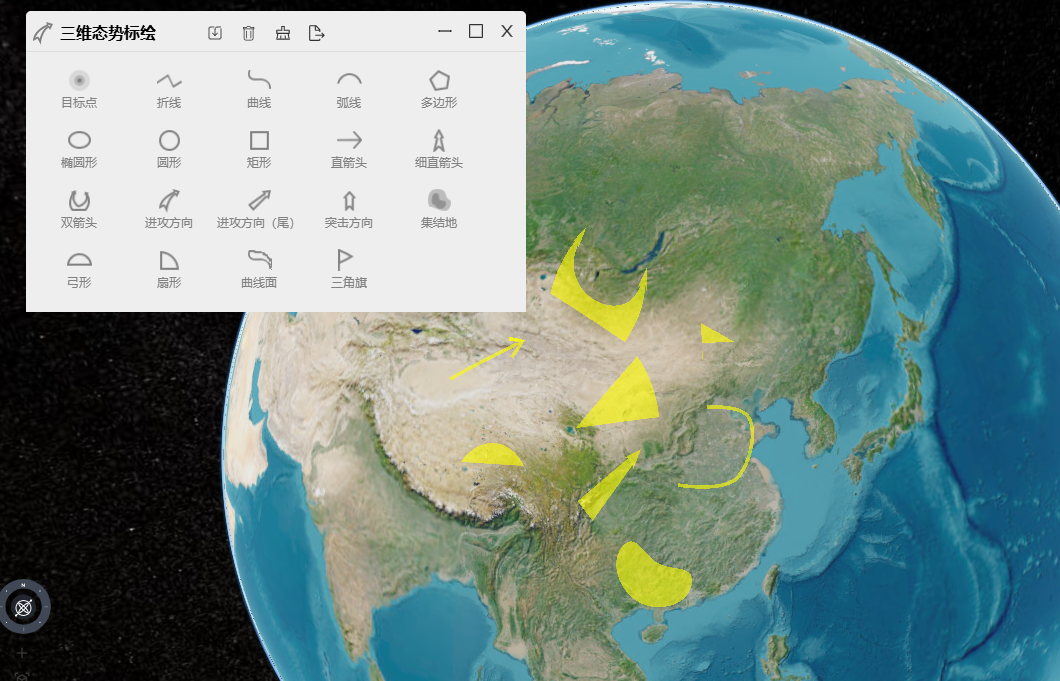
- 三维标绘功能
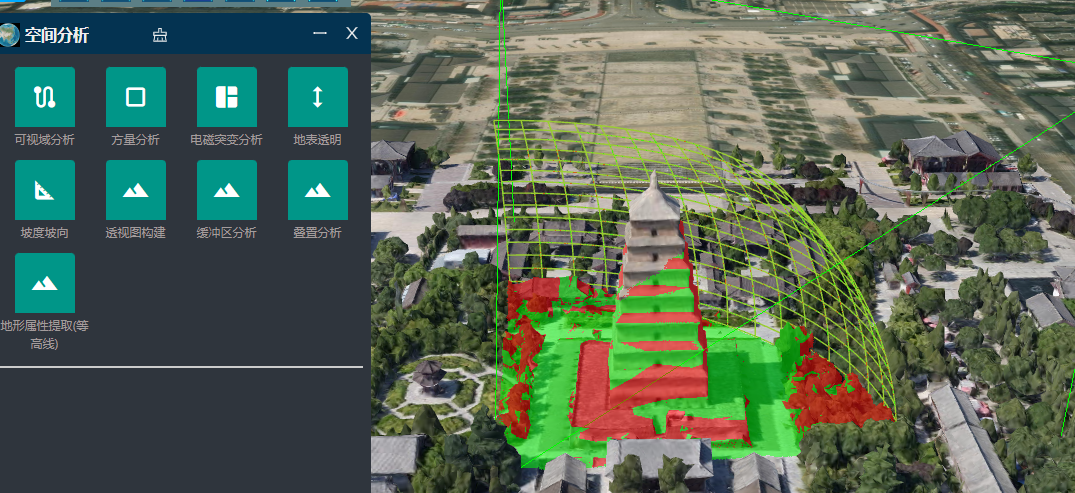
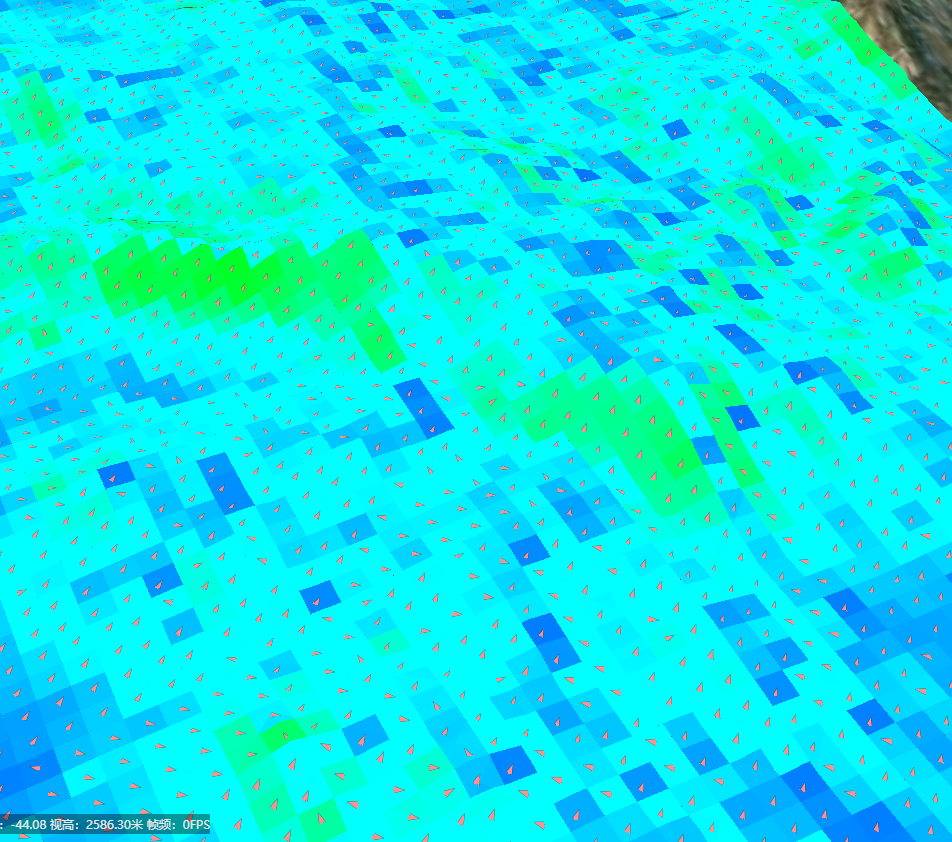
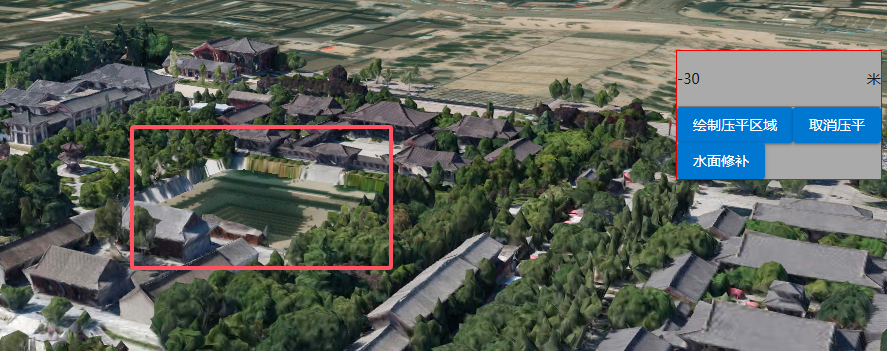
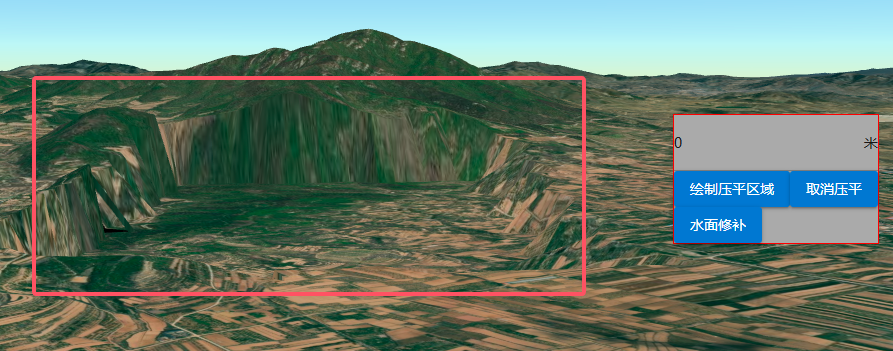
- 空间分析功能
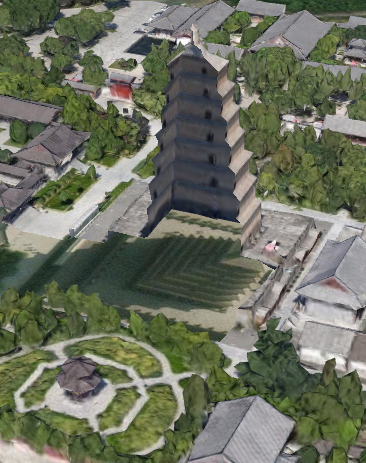
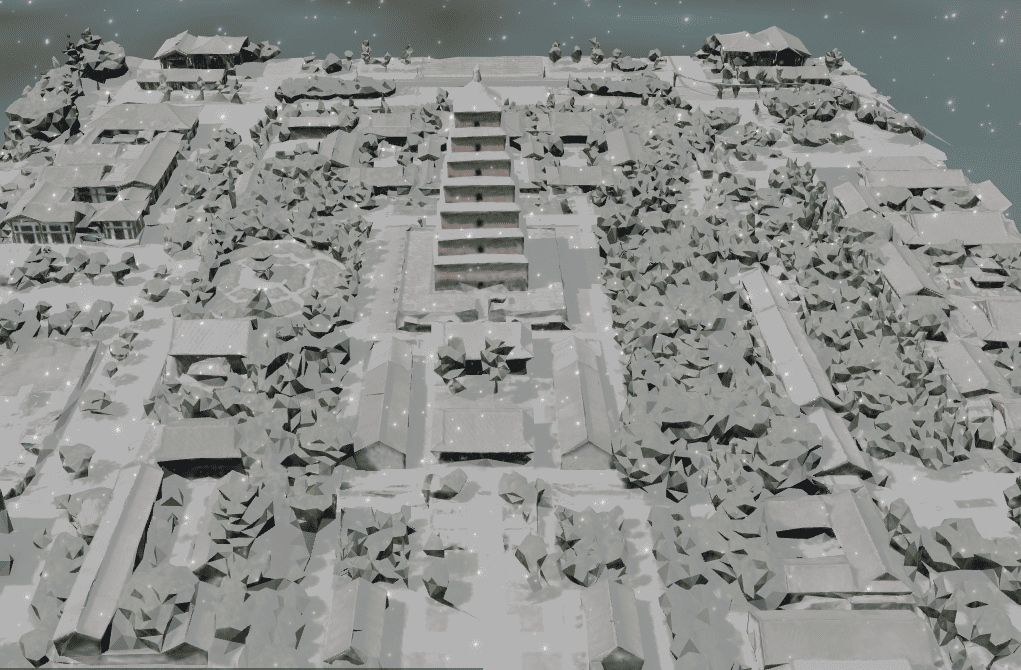
- 天气(积雪效果)
- 三维矢量注记
------
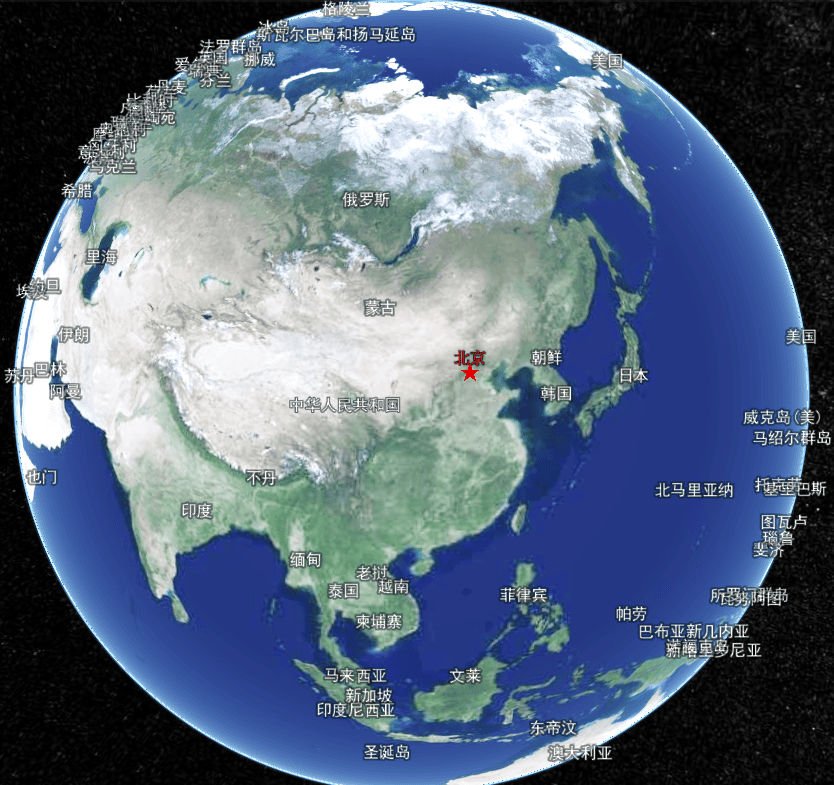
## 安装
`npm i xgis-cesium-mars3d mars3d-cesium`
需要引入类库样式:
`import 'xgis-cesium-mars3d/dist/index.css'`
## 使用方法
### 1、安装mars3d-cesium库
### 2、使用XViewer初始化构建球
```typescript
import {XViewer} from 'xgis-cesium-mars3d';
import * as Cesium from 'mars3d-cesium';
//初始化地球
function initCesiumViewer() {
try {
Cesium.Camera.DEFAULT_VIEW_FACTOR = 0.4;
Cesium.Camera.DEFAULT_VIEW_RECTANGLE = Cesium.Rectangle.fromDegrees(102, 5, 115, 70);
//https://cesium.com/learn/cesiumjs/ref-doc/Viewer.html#.ConstructorOptions
const viewer = new XViewer('mars3dContainer', {
animation: false, //是否创建动画小器件,左下角仪表
baseLayerPicker: false, //是否显示图层选择器
fullscreenButton: false, //是否显示全屏按钮
geocoder: false, //是否显示geocoder小器件,右上角查询按钮
homeButton: false, //是否显示home按钮
infoBox: false, //是否显示信息框
sceneModePicker: false, //是否显示3D/2D选择器
selectionIndicator: false, //是否显示选取指示器组件 鼠标绿色框
timeline: false, // 是否显示时间轴
navigationHelpButton: false, // 是否显示右上角的帮助按钮
vrButton: false, // 是否显示双屏
scene3DOnly: true, // 如果设置为true,则所有几何图形以3d模式绘制以节约gpu资源
contextOptions: {
// cesium状态下允许canvas转图片convertToImage
webgl: {
preserveDrawingBuffer: true, //通过canvas.toDataURL()实现截图需要将该项设置为true
},
},
requestRenderMode: false,//优化性能,需要主动触发更新 scene.requestRender();
targetFrameRate: 45,
automaticallyTrackDataSourceClocks: false,
//是正确的
baseLayer: false,
//默认地形-无地形
// terrainProvider: new Cesium.EllipsoidTerrainProvider(),
//允许动画
shouldAnimate: true,
});
viewer.clock.currentTime = Cesium.JulianDate.fromDate(new Date());
return viewer;
}
catch (error) {
// Global.Message.err('Cesium Viewer初始化失败!');
// Global.Logger().error('Cesium Viewer初始化失败', error);
}
return undefined;
}
```
### 3、调用开发示例
```typescript
Global.CesiumViewer = initCesiumViewer();
if (Global.CesiumViewer) {
const xviewer = Global.CesiumViewer as XViewer;
// const terrain = TerrainFactory.createUrlTerrain({
// url: 'http://data.marsgis.cn/terrain'
// });
// //地形
// xviewer.setTerrain(terrain);
//默认单张图片,作为底图
xviewer.setBasicLayer('ARCGIS_IMG');
// xviewer.flyToPosition(new Position(116.2698, 36.3475, 203,5.69,-26.2,360));
// xviewer.Weather.rain.enable=true;
// setTimeout(() => {
// xviewer.Weather.rain.destroy();
// xviewer.scene.requestRender();
// }, 5000);
}
```
### 4、三维应用示例
[更多示例](https://3d.gis.digsur.com/#/product/apiexamples)
基础示例:https://3d.gis.digsur.com/#/product/apiexamples?wid=imageBaseLayerWidget
### 5、 空间分析—示例代码
> 大部分空间分析功能需要使用turf库,需要单独引用最新的 turf.min.js
- 初始化Analysis 对象:
```ts
if (Global.CesiumViewer) {
viewer = Global.CesiumViewer;
analysisHelper = new Analysis(viewer);
}
```
- 方量分析:
```ts
analysisHelper.volumeAnalysis(res=>{
// console.log('输出统计结果:',res)
if(res)
{
planeHeightRef.value=res.planeHeight;
wallMinHeightRef.value=res.wallMinHeight;
wallMaxHeightRef.value=res.wallMaxHeight;
}
});
```
- 区域等高线
```ts
analysisHelper.calculateContourLines(100);
```
- 缓冲区分析
```ts
function shapeChanged(value, evt) {
switch (value) {
case 'point':
if (analysisHelper)
plotHelper.draw(EnumPoltType.POINT, (data) => {
// console.log(data,'point111111111111111')
analysisHelper.bufferPoint(data.position, bufferRadius.value);
}, undefined);
break;
case 'line':
if (analysisHelper)
plotHelper.draw(EnumPoltType.POLYLINE, (data) => {
analysisHelper.bufferPolyline(data.positions, bufferRadius.value);
}, undefined);
break;
case 'polygon':
if (analysisHelper)
plotHelper.draw(EnumPoltType.POLYGON, (data) => {
analysisHelper.bufferPolygon(data.positions, bufferRadius.value);
}, undefined);
break;
}
}
```
- 叠置分析(多边形)
```ts
/**
* 两个面叠置分析
* @param value
* @param evt
*/
function doTurfAnalysis() {
if (!poly1 || !poly2) {
Global.Message.warn('必须绘制两个面,不能为空!')
return;
}
if (analysisHelper) {
switch (turfMethod.value) {
case 'intersect': //相交
analysisHelper.intersectByTurf(poly1, poly2);
break;
case 'union':
analysisHelper.unionByTurf(poly1, poly2);
break;
case 'defference':
analysisHelper.differenceByTurf(poly1, poly2);
break;
}
}
}
```
- 坡度坡向分析
```ts
function doSlopeAndAspect() {
if (analysisHelper)
analysisHelper.calculateSlopeAndAspect(cellWidth.value, arrowSize.value, maxCellSize.value);
}
```
- 可视域分析
```ts
analysisHelper.viewShedAnalysis();
```
- 多边形裁切模型
```ts
function doPolygonClipping() {
const targetTileset = Global.Tileset3D ?? tilesetResult;
if (analysisHelper) {
analysisHelper.clipTilesetByPolygon(targetTileset, innerClipRef.value);
}
}
```
- 模型压平
```ts
const flatNumRef=ref(-30);
function doFlatModel()
{
if(!flatTool)
flatTool=analysisHelper.createFlatTilesetHelper(tilesetResult,0);
analysisHelper.flatTileset3D(flatNumRef.value,undefined,id=>{
currentID=id;
});
}
function clearFlatModel()
{
if(currentID)
{
analysisHelper.clearFlatRegion(currentID);
}
}
```
### 6、 地形压平—示例代码
> 调用EnableTerrainProviderFlat实现扩展Cesium.CesiumTerrainProvider支持地形压平,需要window.turf对象不为空。参考实现:https://juejin.cn/post/7350624030464180234
```ts
import { XViewer, Cesium,TerrainFactory,EnableTerrainProviderFlat } from 'xgis-cesium-mars3d';
//初始化地形
EnableTerrainProviderFlat();
const terrain = TerrainFactory.createUrlTerrain({
url: 'http://data.marsgis.cn/terrain'
});
//地形
xviewer.setTerrain(terrain);
```
**地形压平的功能应用代码:**
```ts
function doFlatModel()
{
if(plotHelper)
plotHelper.draw(EnumPoltType.POLYGON, (data) => {
console.log(data.positions,'positions0000000000');
const polygon=Parse.parsePolygonCoordToArray(data.positions, true)
const terrainFlat= viewer.scene.terrainProvider;
if(terrainFlat)
{
uid=uuid();
terrainFlat.addTerrainEditsData(uid,polygon,0);
}
}, undefined);
}
function clearFlatModel()
{
if(uid)
{
const terrainFlat= viewer.scene.terrainProvider;
if(terrainFlat)
{
terrainFlat.removeTerrainEditsData(uid);
}
}
}
```
### 7、下雪积雪效果——示例代码
> 积雪效果是使用CustomShader
>
> https://cesium.com/learn/cesiumjs/ref-doc/CustomShader.html
>
> A user defined GLSL shader used with [`Model`](https://cesium.com/learn/cesiumjs/ref-doc/Model.html) as well as [`Cesium3DTileset`](https://cesium.com/learn/cesiumjs/ref-doc/Cesium3DTileset.html).
开启下雪和积雪效果:**自动绑定Model和Cesium3DTileset**
```ts
viewer.Weather.snow.enable=true;//下雪
viewer.Weather.snowCover.enable=true;//积雪
```
提高(降低)积雪速度:**默认为1,大于0的数字**
```ts
viewer.Weather.snowCover.speed=20;
```
暂停积雪
```ts
viewer.Weather.snowCover.enable=false;
```
释放积雪效果
```ts
viewer.Weather.snowCover.destroy();
```
### 8、三维注记——示例代码
- 中国省级注记:LabelGeojsonLayer
默认样式为:
```ts
//默认样式
private defaultStyleObject:any={
show:false,
minLevel:3,
maxLevel:5,
weight:2,
offset:-15,
fontColor:"#EEEEEE",
fontAlpha:1,
fontFamily: "黑体",
fontSize:16,
labelField:"tsmc",
filterField:"tsmc",
excludeValue:"北京,北京市,中华人民共和国",
outlineColor:"#000000",
outlineWidth:2,
imgUrl:'img/style/city2.png',
imgWidth:20,
imgHeight:20,
children:[
{
weight:5,
offset:-15,
fontColor:"#ff0000",
fontSize:16,
filterField:"tsmc",
includeValue:'北京',
excludeValue:undefined,
imgUrl:'img/style/star.png',
imgWidth:20,
imgHeight:20,
},
{
weight:3,
offset:-15,
fontColor:"#EEEEEE",
fontSize:16,
fontAlpha:1,
fontFamily: "黑体",
filterField:"tsmc",
includeValue:'北京市',
excludeValue:undefined,
imgUrl:'img/style/city1.png',
imgWidth:20,
imgHeight:20,
},
{
weight:5,
offset:-15,
fontColor:"#EEEEEE",
fontSize:16,
fontFamily: "黑体",
filterField:"tsmc",
includeValue:'中华人民共和国',
excludeValue:undefined,
imgUrl:'',
},
{
weight:3,
offset:-15,
fontColor:"#EEEEEE",
fontSize:18,
fontAlpha:1,
fontFamily: "黑体",
filterField:"tsmc",
includeValue:'北京市',
excludeValue:undefined,
imgUrl:'img/style/city1.png',
imgWidth:20,
imgHeight:20,
},
]
};
```
加载中国省级注记:
```ts
import { XViewer,LabelGeojsonLayer } from 'xgis-cesium-mars3d';
//加载中国省级行政区矢量注记
const labelLayer=new LabelGeojsonLayer('chinaPlaces','https://zorrowm.github.io/data/poi/chinaProvince.json',defaultStyleObject);
labelLayer.attr={
type:'注记',
layerID:'chinaPlaces',
layerName:'中国地名',
kind:'geojson'
}
xviewer.addLayer(labelLayer,true);
```
- 世界注记 (mvt矢量切片)
矢量切片数据源:https://zorrowm.github.io/data/mvt3d/world/countryName/metadata.json
```ts
const vtTileView=new VTileView(viewer,"https://zorrowm.github.io/data/mvt3d/world/countryName/metadata.json",{
"countryName":{
show:true,
minLevel:0,
maxLevel:4,
weight:10,
offset:0,
fontColor:"#FFFFFF",
fontAlpha:1,
fontFamily: "黑体",
fontSize:16,
labelField:"name",
filterField:"name",
excludeValue:"中国",
outlineColor:"#000000",
outlineWidth:5,
outlineAlpha:0.5
}
},"图层ID",{});//最后一个参数为图层属性,可空
```
- 打开关闭注记显示代码
根据图层ID,获取对应图层
```ts
//获取图层ID
const layerIDvt = layer.layerID;
if(layerIDvt)
{
const lyr = xviewer.getLayer(layerIDvt);
if (lyr){
lyr.show = visible;
if(lyr.delegate.imageryProvider)//layer.kind==='mvt'
lyr.delegate.imageryProvider.show(visible)
}
}
```
## 版权声明
> xgis-cesium-mars3d是基于mars3d-cesium扩展的三维GIS开发框架库
>
> 版权所有 (c) 2025-2030 保留所有权利。
>
> 开发作者:zorrowm@126.com
>
> NPM地址:https://www.npmjs.com/package/xgis-cesium-mars3d
>
> 授权声明:
>
> 1.允许免费在非商业项目中使用,需保留授权信息输出和版权logo;
>
> 2.未经商业授权的免费使用中的出现任何问题,我方无需负责;
>
> 3.我方只对商业授权版本用户提供技术支持;
>
> 4.我方保留对此版权信息的最终解释权。
>
> 未经授权,禁止对包篡改和移除版权声明输出!
>