# World map
Create and add world maps to your pages, enable zoom to get a more interactive views of the lands, and load additional resources to draw and customize the maps.
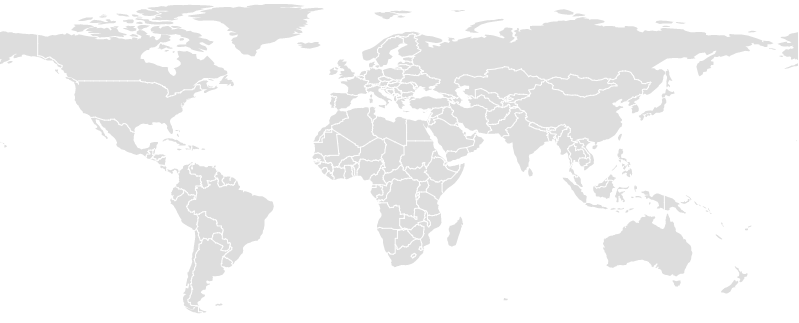
See on [bl.ocks.org](http://bl.ocks.org/santiagohecar/ddd1470b88e1e57d2ec1f7273185f018).
## Usage
Download the [latest release](https://github.com/santiagohecar/world-map/releases/latest), copy `world-map.js` or `world-map.min.js` (for minified version) from the dist folder into your project and simply load the file in a script tag
```html
```
You can also install with npm
npm install world-map --save
Then require it in your code
```javascript
var WorldMap = require("world-map");
```
To create a new map, first add the container where can be loaded
```html
```
Pass the id as first parameter of the constructor, and that's all!
```javascript
var map = new WorldMap("my-map");
```
A optional object of options can be passed as second parameter
```javascript
WorldMap("my-map",
{
width: 960,
height: 480,
zoom: false, // enable/disable dragging and zooming
resources: // load additional resources to customize the maps
[
{
name: 'stations', // when loaded can access as map.resources.stations
type: 'json', // also could be 'csv'
src: 'example.com/a.json', // path to the resource
onLoad: function (map, resource) {}, // called after the resource is loaded
row: myOtherFunction, // called for all row of the resource, used whit csv
}
],
onLoad: function (map) {}, // called when all resources loading is complete
hideAntarctic: true,
landsColor: '#ddd',
landsBorder: '#fff',
onDraw: function (map) {} // draw additional canvas shapes inside
});
```
Take a look to a [live example](http://plnkr.co/edit/sOvkiTxQMgwtRFERq4qr?p=preview).
For a more advanced example [flights-map](https://github.com/santiagohecar/flights-map) can be useful, see working [here](http://bl.ocks.org/santiagohecar/2f8be5c36ac9a08168b10b5a10a916e4).
## License
Copyright © 2016 [Santiago H. Cardona](https://github.com/santiagohecar).
Licensed under the [MIT License](LICENSE).