# **NPM INSTALL WANZOFC 1.0.1
Simple Rest-API With Login System, Built using MongoDB, Express.js, and Node.js
Demo App : https://api-only-awan.biz.id
Rest-Api : https://api-only-awan.biz.id
# Installation
Requirements
* [Node.js](https://nodejs.org/en/)
* [Git](https://git-scm.com/downloads)
* [VS Code](https://code.visualstudio.com/download) or Any Text Editor
## Cloning this repo
```cmd
> git clone https://github.com/wanzofc/ad.git
> cd wanzofc
```
Use `code .` to open file in VS Code
```cmd
> code .
```
## Editing the file
Edit the required value in folder `lib` file `settings.js`.
```js
module.exports = {
port: '5000',
limitCount: 0,
recaptcha_key_1: '',
recaptcha_key_2: '',
// ex Mongodb Atlas : mongodb+srv:/xxx
dbURI: ''
};
```
`port`: PORT localhost.
`recaptcha_key_1`: reCaptcha Key.
`recaptcha_key_2`: reCaptcha Key.
`dbURI`: Connection String MongoDb.
## How to Get recaptcha_key
Contact Me ([WhatsApp](https://api.whatsapp.com/send/?phone=6287715579966&text&app_absent=0)) How to get Recaptcha Key
## How to Get Mongodb URI
1. Sign In [Mongodb](https://www.mongodb.com/)
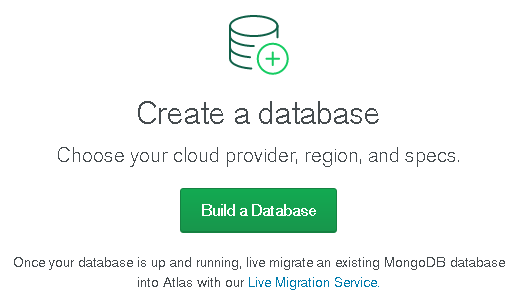
2. Create a Database.
 3. Create Free Cluster.
4. Choose Cloud Provider & Region, Create Cluster.
5. Select `Connect`.
6. Add a Connection IP Address.
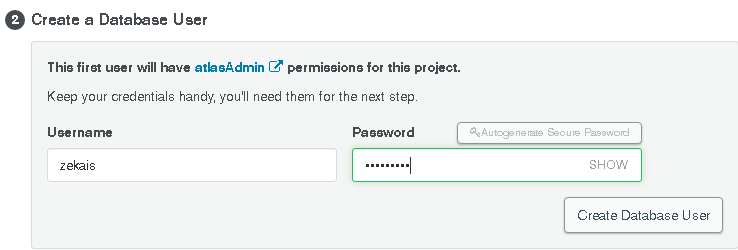
 7. Create a Database User
 8. Connect Your Application
9. Change `` with Your Password Database User `step 7`
Contact Me ([WhatsApp](https://api.whatsapp.com/send/?phone=62895402567224&text&app_absent=0)) if You Have Problem with mongodb
## Installing the dependencies
```cmd
> npm install
```
## Running App
```cmd
npm install wanzofc
> npm start
```
https://api-only-awan.biz.id
# Features
| API | EndPoint | Query |
| :--------------: | :------------: | :------------: |
| Youtube MP3 | /ytmp3?url= | url & apikey |
| Youtube MP4 | /ytmp4?url= | url & apikey |
| Youtube Play | /ytplay?query= | query & apikey |
| Random Quotes | /quotes | apikey |
| Random Fakta | /fakta | apikey |
| Random Kata Bijak | /bijak | apikey |
| Random Kata Motivasi | /motivasi | apikey |
| Random Ptl | /ptl | apikey |
| Cak Lontong | /caklontong | apikey |
If you want to unlock Premium Feature, please contact me ([WhatsApp](https://api.whatsapp.com/send/?phone=62895402567224&text&app_absent=0))
| Premium | Availability |
| :--------------: | :------------: |
| Premium User | ✔️ |
| Expired Premium User | ✔️ |
| Added Premium Apikey | ✔️ |
| Delete Premium Apikey | ✔️ |
| Limit Apikey | ✔️ |
| Custom Limit Apikey | ✔️ |
| Custom Apikey | ✔️ |
| Reset Manual All Limit | ✔️ |
| Reset One Limit Apikey | ✔️ |
| Photooxy | ✔️ |
| Request (Total, Today) | ✔️ |
| Visitor, Total User | ✔️ |
| Pricing Section | ✔️ |
# Deploy Heroku
Go to [Heroku](https://heroku.com) and Login
Create New App ( App Name For Example : abcd-api)
 Install [Heroku CLI](https://devcenter.heroku.com/articles/heroku-cli)
Open `CMD` and Login Heroku
```cmd
> heroku login
```
Initialize a git repository in a new or existing directory
```cmd
> cd nodejs-restapi
> git init
```
Remote Your App, Use `heroku git:remote -a app-name`
```cmd
> heroku git:remote -a abcd-api
```
Commit your code to the repository and deploy it to Heroku using Git.
```cmd
> git add .
> git commit -am "make it better"
> git push heroku master
```
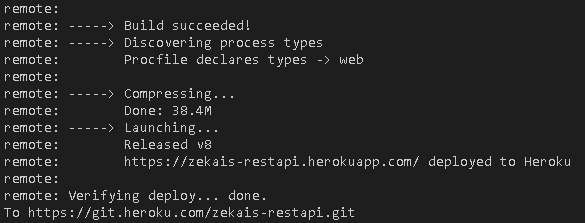
Log Success