# Vuex-table
> Vuex-table is a Vue component created in order to easily fit in any Vue (even Vuex or Typescript) project.
> It consists on a table representation of informations whose data can be provided both from frontend or backend.
> **NEW** ! Vuex-table is now coded on Vue.js and **Typescript** (see Documentation)
## Features ⚙
* **Sorting**
Rows can be sorted according to column field (ex. sorting names alphabetically )
[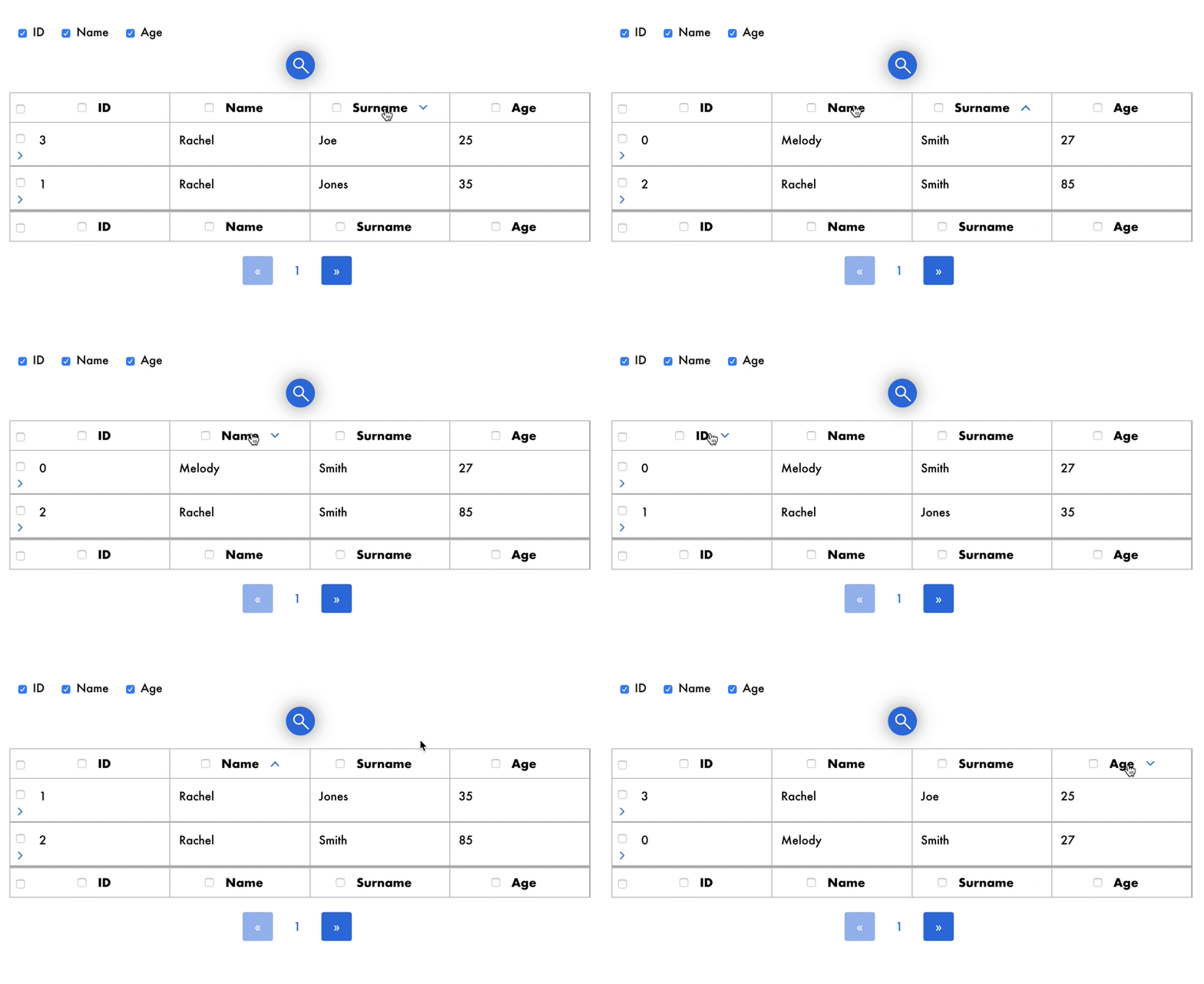](https://gyazo.com/e6ffa59399a44b80f3786daa675bff28)
* **Selection**
Rows can checked one by one or all at once by clicking on checkbox.
[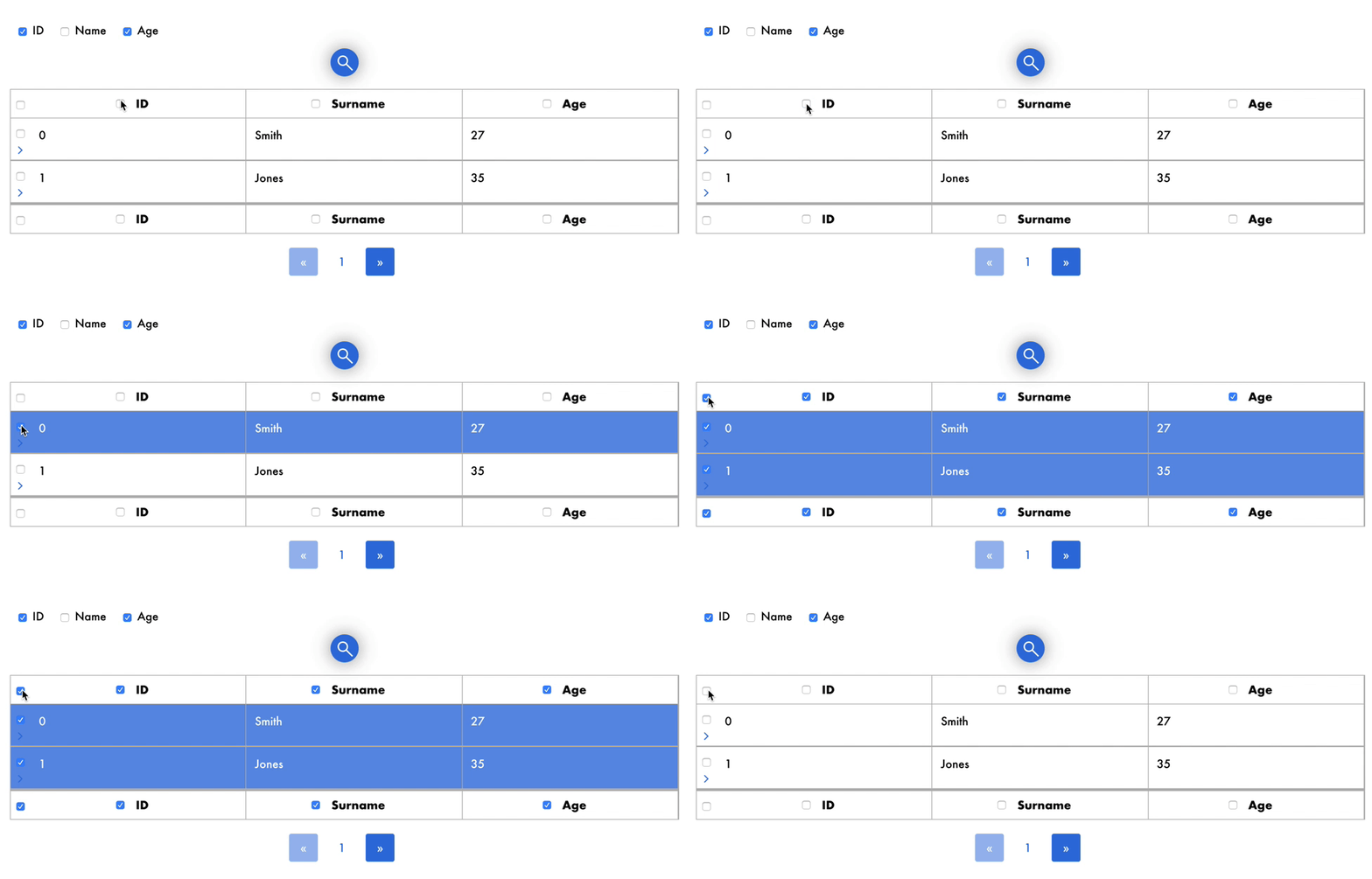](https://gyazo.com/c908cf0cf7e3fec49b1e96ae8d80834e)
* **Search**
Rows which match with user input in searchbar will be displayed, so that user can easily find the information he/she is looking for.
[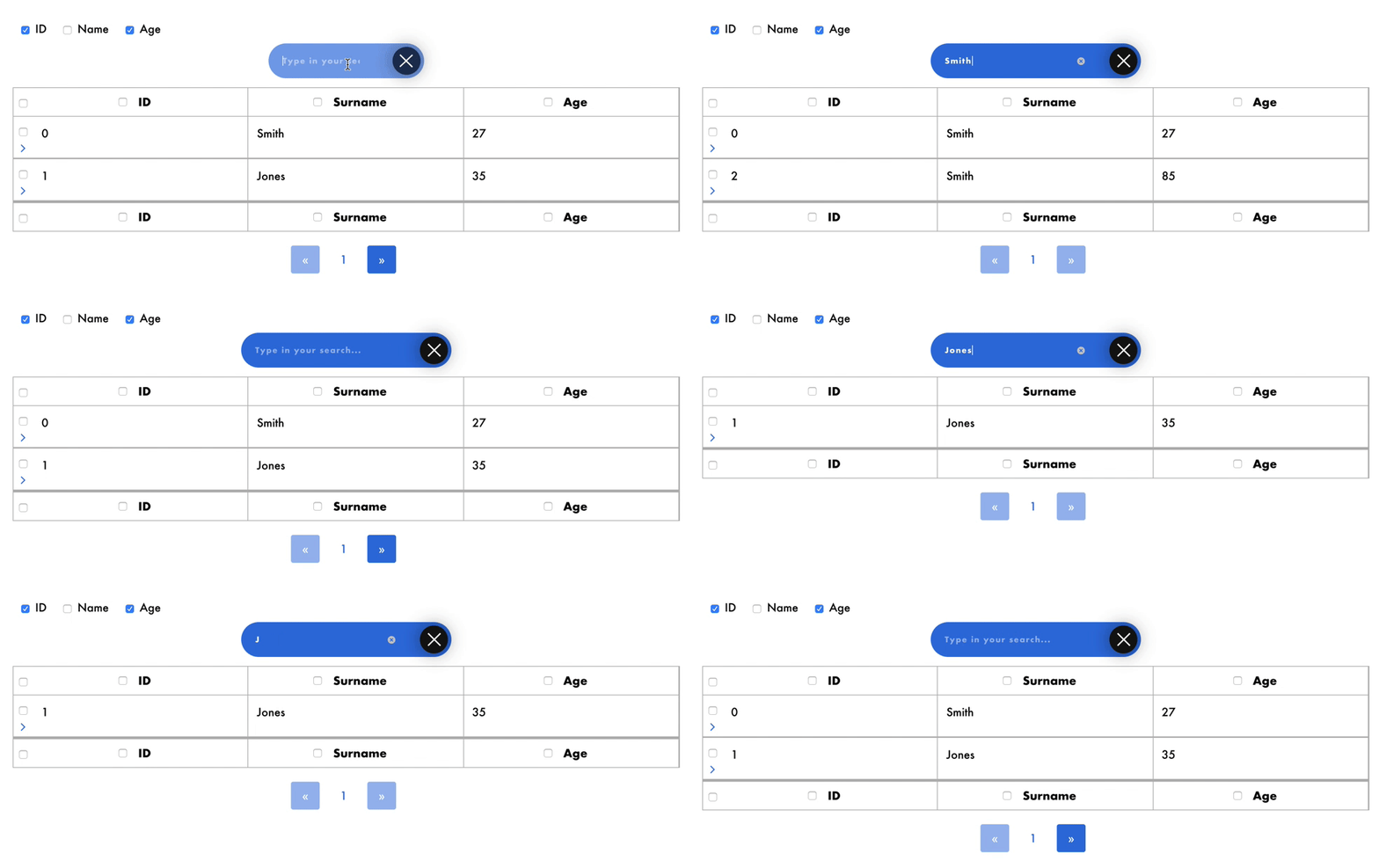](https://gyazo.com/611ccaa4dfc9b8a59dba8d9a425ce7df)
* **Pagination**
For better browsing on data, a maximum number of rows is displayed and others can be shown just by changing page.
[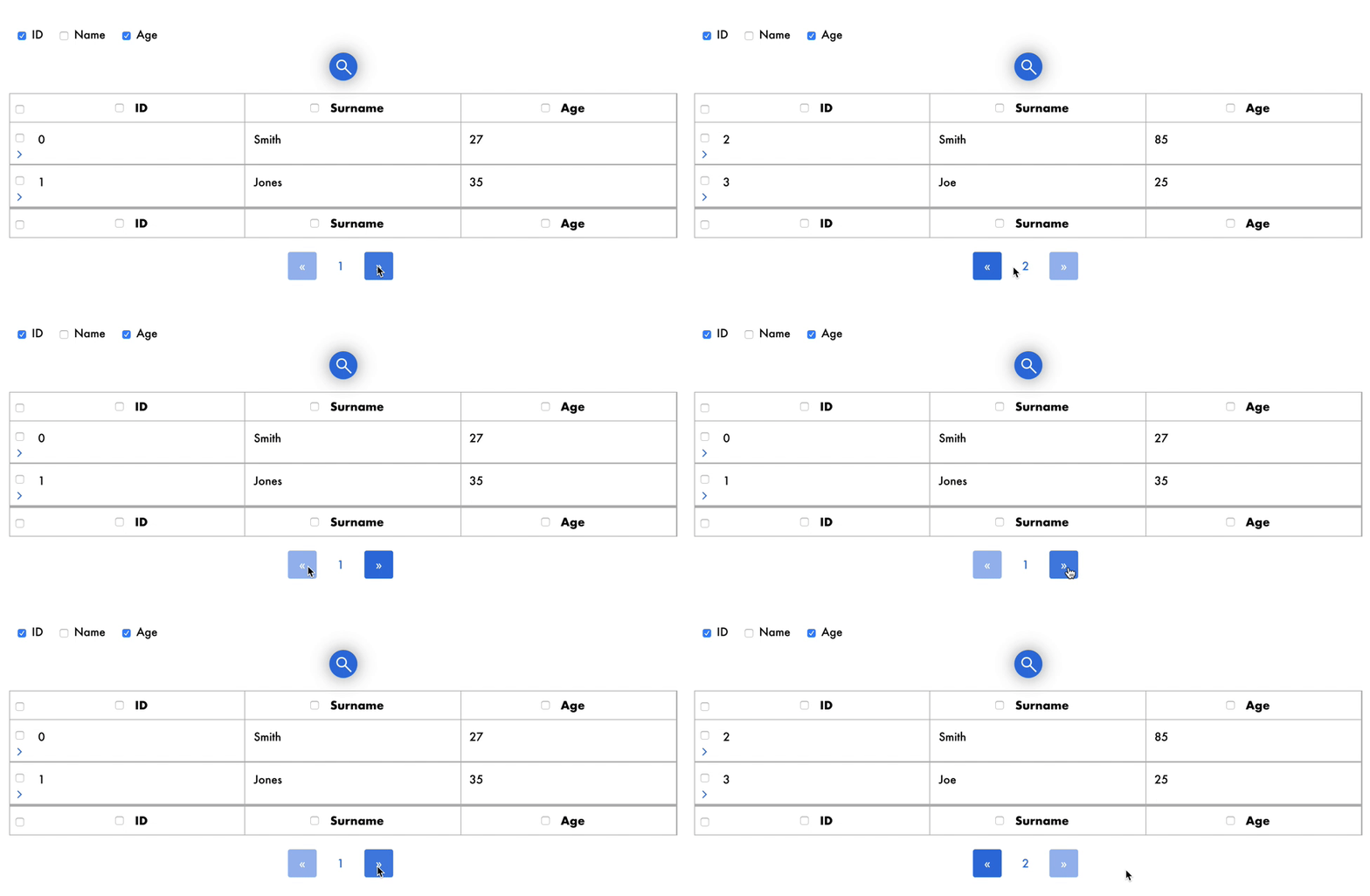](https://gyazo.com/63bfdc8dc966639b782e60b051acc183)
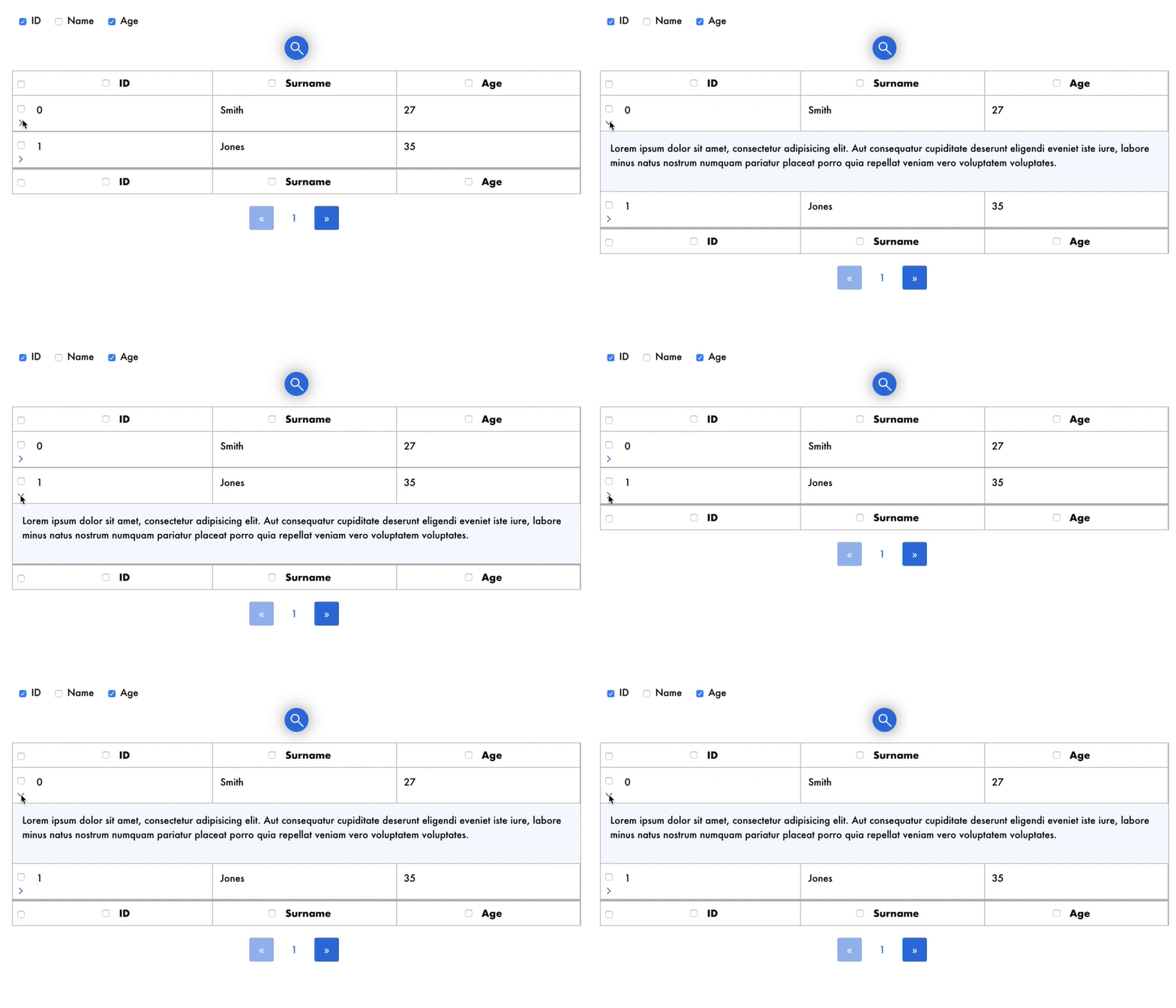
* **Show/Hide details**
Each row may contain details that users can show and hide by clicking on the icon.
[](https://gyazo.com/c7944af5c67c67a75a313a35c5cc8312)
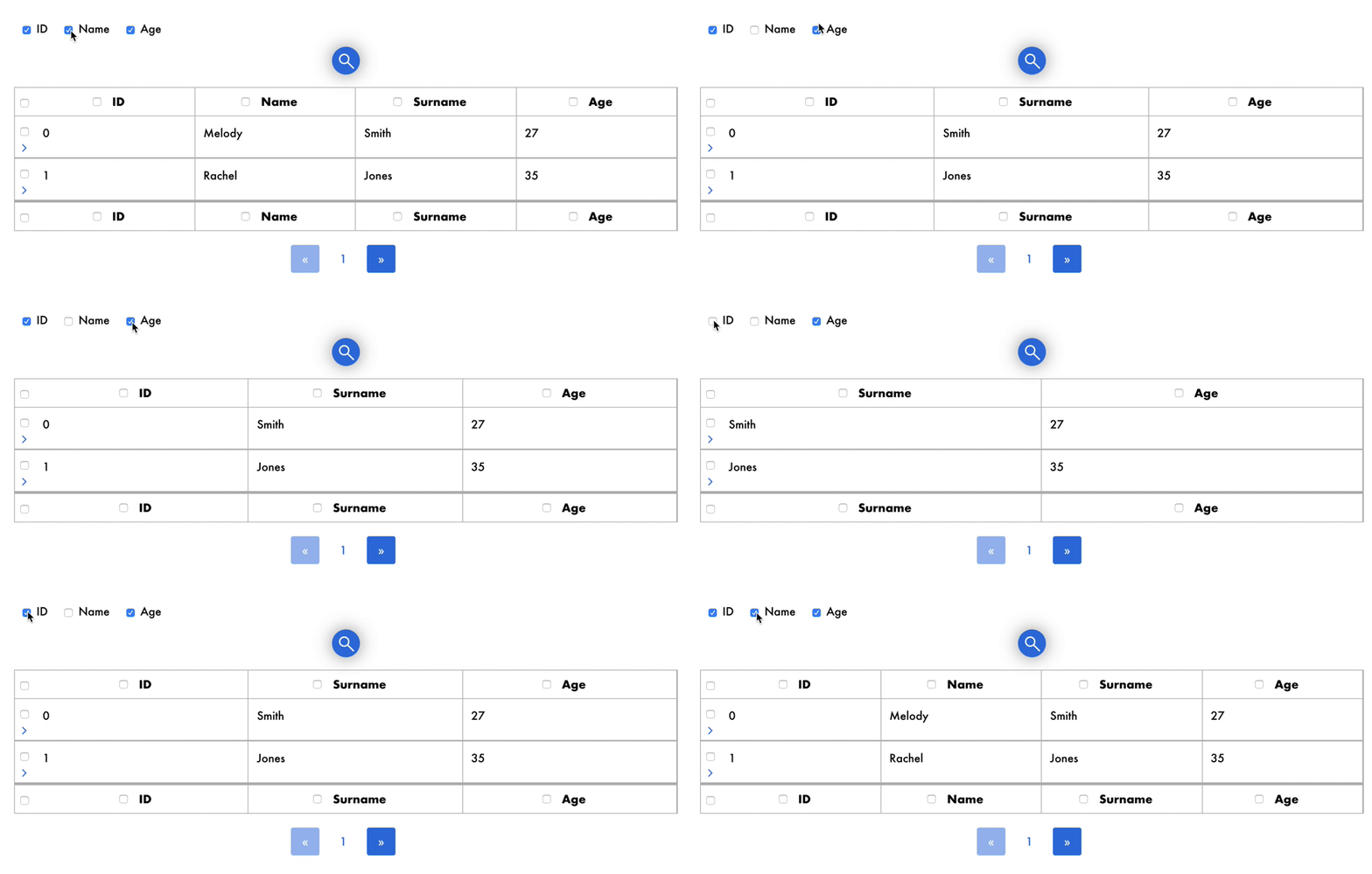
* **Show/Hide columns**
Each column can be hidden or shown by clicking on the appropriate checkbox.
[](https://gyazo.com/e3d3ecb9678eddaae821b03266647d5d)
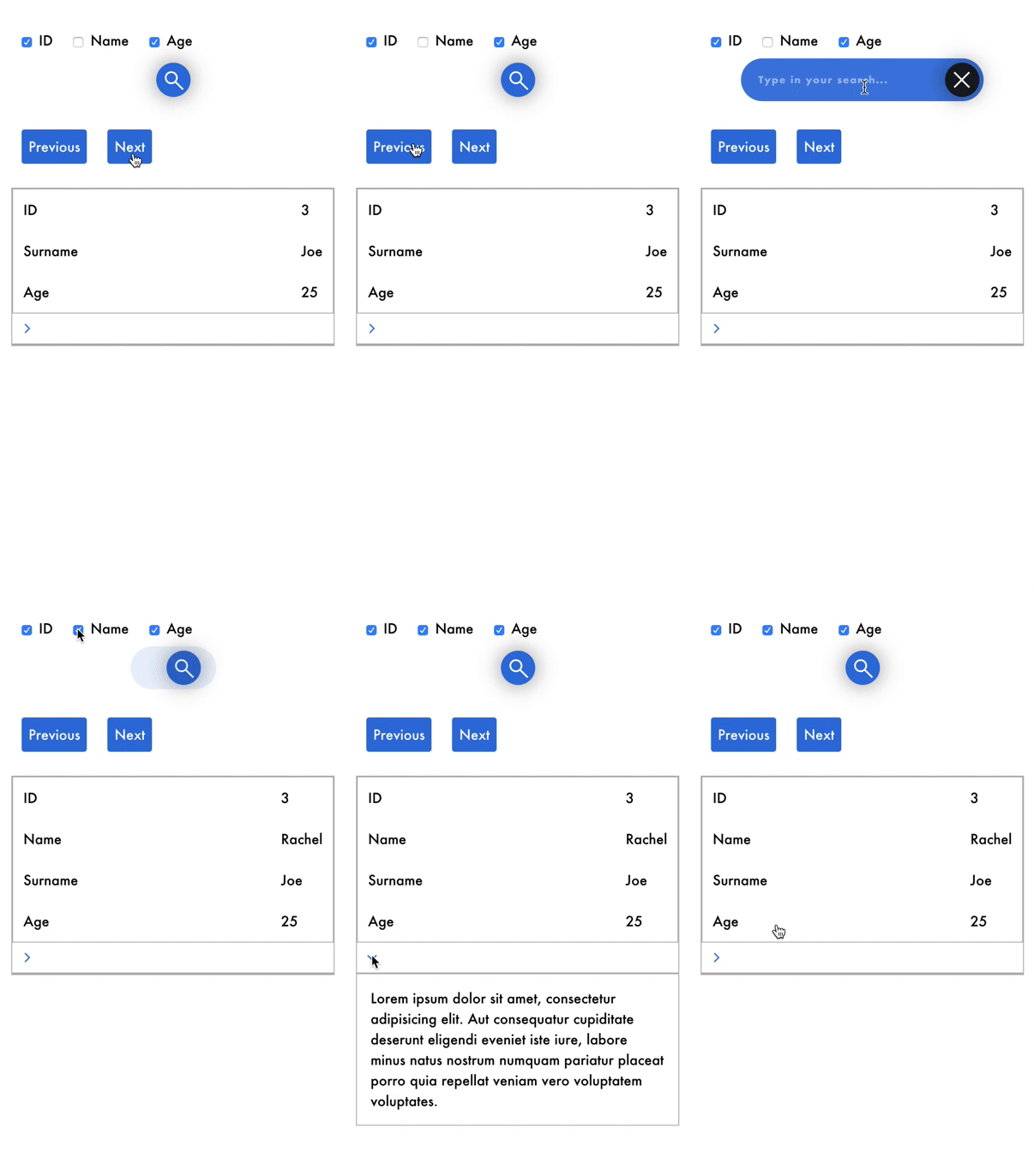
* **Responsive**
Vuex-table is responsive, with simple and intuitive mobile User Experience.
[](https://gyazo.com/eee6ec6c571222c241d82da544bb7c11)
## Language Support (i18n)
Vuex-table is conceived to be translated in all languages.
In order to properly set your default language you need the following elements:
* ISO 639-1 code in lowercase of the language (i.e. *`en`* for English, `fr` for French, etc)
* A script or JSON containing all translations for each language you'd like to add
Example (for setting German):
```
// externalLangs.js
export default {
"de":
{
"search": "Geben Sie Ihren Suchbegriff ein",
"previous": "Vorheriges Item",
"next": "Nächstes Item"
}
}
```
Then you can change your default language like this
```
import ExternalVuexTableLangs from '../langs/externalLangs.js;
```
## Documentation 📔
Documentation is in the ```docs``` directory.
You can find [here](https://superpitch-agency.github.io/vuex-table/) online documentation.
## Quick start 🚀
> Pss...it's easy! 😎
### Install
```
npm install --save vuex-table
```
or
```
yarn add vuex-table
```
To install dependencies
```
npm install
```
### Import
```
import Vue from 'vue';
import VuexTable from 'vuex-table';
Vue.use(VuexTable);
```
### Example
```
{{props.data}}
Lorem ipsum dolor sit amet, consectetur adipisicing elit. Aut consequatur cupiditate deserunt eligendi eveniet iste iure, labore minus natus nostrum numquam pariatur placeat porro quia repellat veniam vero voluptatem voluptates.
```
## API
### Properties
Name | Description | Type | Values | Default
--- | --- | --- | --- | ---
`backend-pagination` | Use asynchronous data fetching from any API or backend | boolean | - | false
`backend-sorting` | Use asynchronous data sorting from any API or backend | boolean | - | false
`current-lang` | Current lang of the table | string | ISO 639-1 | en
`current-page` | Current page showed when initializing the table | number | - | 1
`data` | Data passed to the table | Object[] | required | -
`default-sort-direction` | Sort direction by default | string | asc OR desc | asc
`details` | All opened detail slots by default | number[] | - | []
`enable-details` | Enable detail slots for each row | boolean | - | false
`headers` | Headers of the table | Object[] | required | -
`is-sortable` | Allow columns to be sorted | boolean | - | true
`langs` | Extra langs added by the user (see related section) | Object | - | {}
`paginated` | Enable pagination | boolean | - | true
`selectable-columns` | Allow columns to be selected | boolean | - | false
`selectable-rows` | Allow rows to be selected | boolean | - | false
`selected-columns` | Selected columns when initializing the table | number[] | - | []
`selected-rows` | Selected rows when initializing the table | number[] | - | []
`total` | Total number of items (for pagination) | number | required | -
### Slots
Slot name | Description | Props (if scoped)
--- | --- | ---
`default` | Default slot rendered for each cell | `field: string`, `row: number`, `column: number`, `header: Object`, `data: any`
`details` | Row detail (collapsible) | `row: number`
### Events
Event name | Description | Parameters
--- | --- | ---
`sort` | Triggered when a sort is requested | `header: Object`, `currentSortDirection: asc OR desc`
`next-card` | Triggered in mobile mode when the next item is requested | `oldCard: number`, `newCard: number`
`previous-card` | Triggered in mobile mode when the previous item is requested | `oldCard: number`, `newCard: number`
`details-open` | Triggered when a detail slot is opened | `index: number`
`details-close` | Triggered when a detail slot is closed | `index: number`
`selected-row` | Triggered when a row is selected or de-selected | `selection: number[]`, `newlySelectedRow: number (-1 if all is selected)`, `isDeselected: boolean`
`selected-column` | Triggered when a column is selected or de-selected | `selection: number[]`, `newlySelectedRow: number (-1 if all is selected)`, `isDeselected: boolean`
`page-change` | Triggered the current page change | `oldPage: number`, `newPage: number`
## Collaborators 👩🏻💻👨🏼💻
[Superpitch team](http://superpitch.fr)
## License
Code released under MIT license.
Copyright (c) 2019, [Superpitch](http://superpitch.fr).