# VueUploader
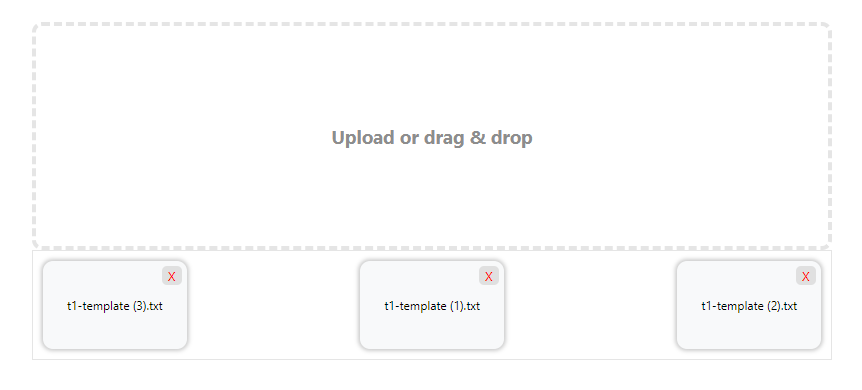
`VueUploader` is a Vue.js component that provides a user-friendly interface for uploading files. It supports both drag-and-drop functionality and traditional file selection.
## Features
- **Drag-and-Drop Upload**: Users can drag files into the drop zone to upload them.
- **File Selection**: Allows users to click and select files from their file system.
- **Multiple File Support**: Upload multiple files at once or restrict to a single file.
- **File Removal**: Option to remove files from the list after they've been added.
## Installation
Install `VueUploader` via npm:
```bash
npm install vue-uploader
```
## usage / example
import `VueUploader` compnent in main.js:
```javascript
import vueUploader from "vue-uploader";
import "vue-uploader/dist/style.css";
const app = createApp(App);
app.use(vueUploader);
app.mount("#app");
```
use of the VueUploader
```javascript
```
## Props and events
- **@onFileUpload="onFileUpload"**: This binds the onFileUpload function to the onFileUpload event of the VueUploader component, which will be triggered when a file is uploaded.
- **@onRemoveFile="onRemoveFile"**: This binds the onRemoveFile function to the onRemoveFile event of the VueUploader component, which will be triggered when a file is removed.
- **:multiple="false"**:This prop ensures that only one file can be uploaded at a time.
- **label="Upload or drag & drop"**: This prop sets the label or placeholder text displayed in the uploader component
## Preview
## Thanks a lot
If you appreciate my work and want to support future projects, consider buying me a coffee! ☕️
