[](https://www.npmjs.com/package/vue-upload-image)
# vue-upload-image
Configurable image uploader with preview
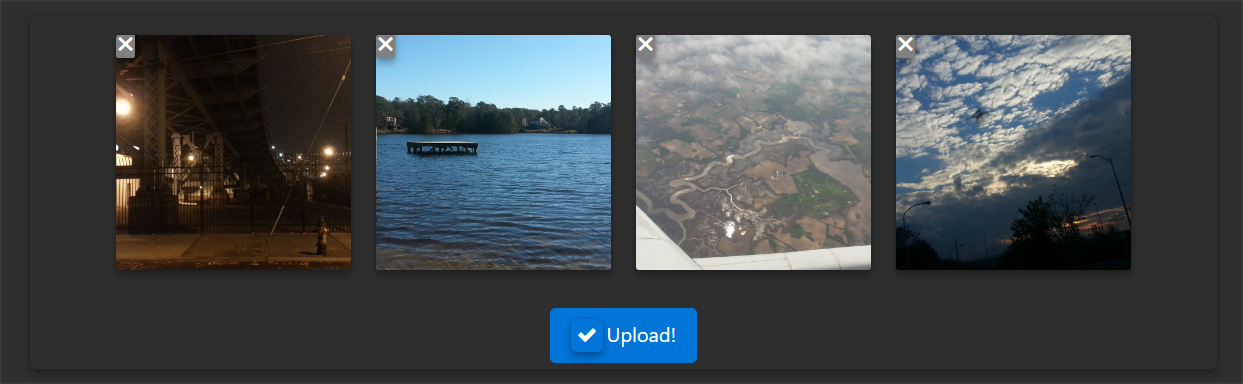
+ drag and drop with input backup
+ image previews
+ simple resizing
+ events
+ minimal
+ configurable
## Installation & Usage
Vue.prototype.$http must be define, for automatic uploads to work.
[info](https://medium.com/the-vue-point/retiring-vue-resource-871a82880af4#.z4rqh1qtp)
* install the package
```bash
npm install vue-upload-image --save
```
* import & register the component
```js
import UploadImage from 'vue-upload-image';
// register globally
Vue.component('upload-image', UploadImage)
// or ... register locally
new Vue({
...,
components: {
UploadImage
}
})
```
* add component to page
```html
// html template
// or set Vue instance template property
{
name: 'component or root Vue instance',
template: '',
props: ...,
data: ...
components: {
UploadImage
}
}
```
## Configuration
```js
input_id: { // Id of upload control
type: String,
required: false,
default: "default"
},
url: { // upload url
type: String,
required: true,
default: null
},
name: { // name to use for FormData
type: String,
required: false,
default: 'images[]'
},
disable_upload: { // disable auto uploading
type: Boolean,
required: false,
default: false
},
max_batch: { // # of files to upload within one request
type: Number,
required: false,
default: 0
},
max_files: { // total # of files allowed to be uploaded
type: Number,
required: false,
default: 10
},
max_filesize: { // max files size in KB
type: Number,
required: false,
default: 8000
},
resize_enabled: { // resize image prior to preview/upload
type: Boolean,
required: false,
default: false
},
resize_max_width: { // resize max width
type: Number,
required: false,
default: 800
},
resize_max_height: { // resize max height
type: Number,
required: false,
default: 600
},
button_html: { // text/html for button
type: String,
required: false,
default: 'Upload Images'
},
button_class: { // classes for button
type: String,
required: false,
default: 'btn btn-primary'
}
```
## UI/UX Adjustments
* Basic look & feel can be adjusted via html/css classes
```css
.vue_component__upload--image
.upload_image_form__thumbnails
.upload_image_form__thumbnail [&.bad-size, &.uploaded]
.img [&.show, &:hover]
span
```
## Events
* Event listeners can be added as such
```html
```
```js
{
methods: {
uploadImageSuccess: function(result){
result[0] // FormData
result[1] // response
},
uploadImageLoaded: function(image){
image.name || image.file
},
uploadImageClicked: function(image){
image.name || image.file
},
uploadImageRemoved: function(image){
image.name || image.file
},
uploadImageSubmit: function(images){
}
}
}
```
* **upload-image-loaded** **-** [image]
* event is called after an image has been fully loaded & rendered in preview area
* emits an object containing the file name & blob of the image
* **upload-image-clicked** **-** [image]
* event is called when an image in preview has been clicked
* emits an object containing the file name & blob of the image
* **upload-image-removed** **-** [image]
* event is called after an image has been removed from preview
* emits an object containing the file name & blob of the image
* **upload-image-submit** **-** [images]
* event is called immediately after the end user triggers the "submit" action (button_html property)
* emits a FormData object composed of images being uploaded
* batched submissions will emit this event per batch
* **can be utilized with disable_upload property for manual uploads**
* **upload-image-attempt** **-** [FormData]
* event is called prior to an automatic upload to the designated url
* emits a FormData object composed of images being uploaded
* batched submissions will emit this event per batch
* **upload-image-success** **-** [FormData, Response]
* event is called after s successful automatic upload to the designated url
* emits a FormData object composed of images being uploaded along with the success response object from the server
* **upload-image-failure** **-** [FormData, Response]
* event is called after s failed automatic upload to the designated url
* emits a FormData object composed of images being uploaded along with the error response object from the server
## License
This project is licensed under the [MIT](http://vjpr.mit-license.org) License.
## Contributing Guidelines
* All changes must be documented in [CHANGELOG.md](CHANGELOG.md)