# vue-simple-notification
> 一个简单的vue提示组件
> 效果如下:
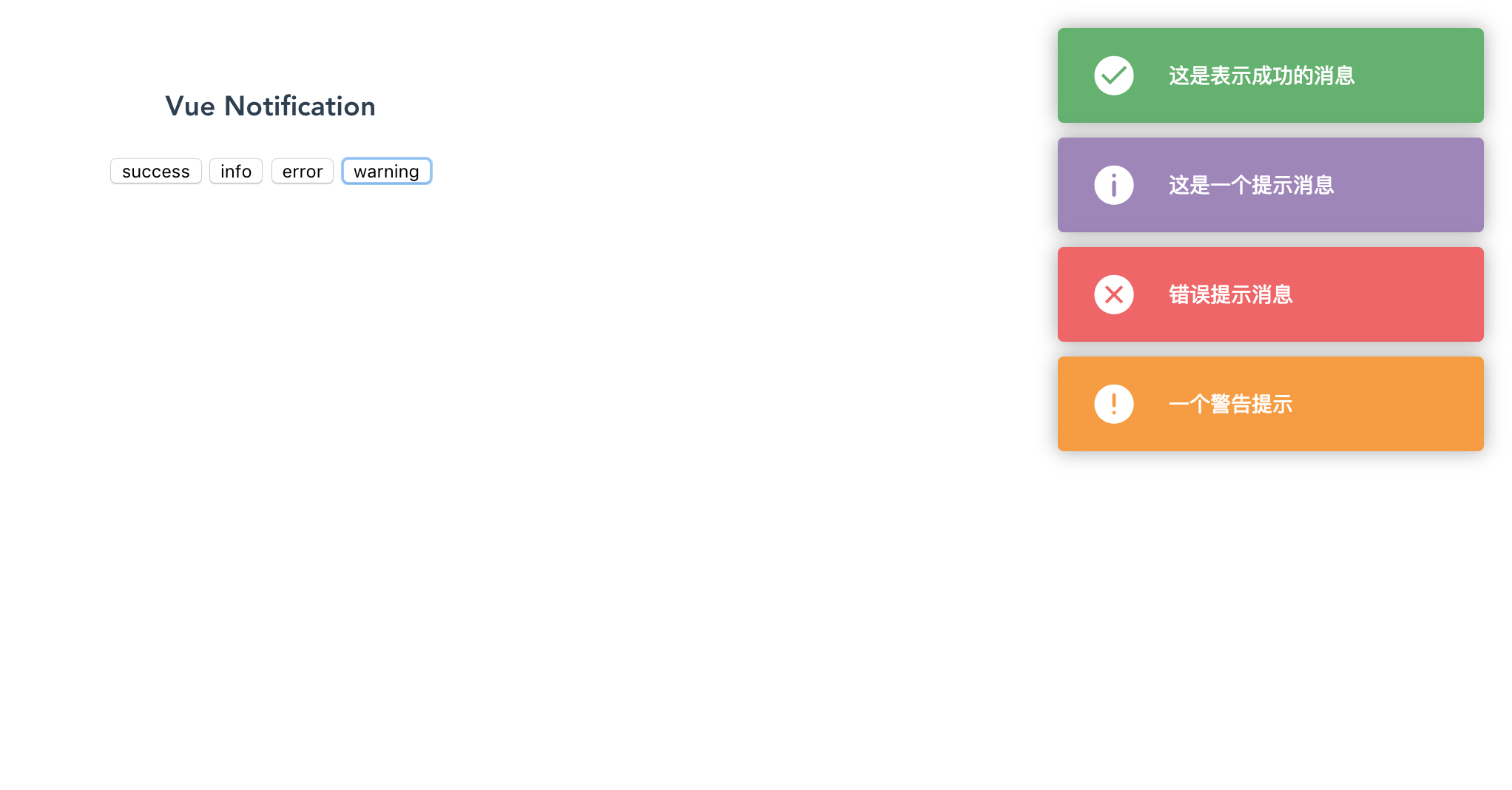
> [Demo](http://demo.2017017.xyz/vue-demo/#/vue-simple-notification)
#### 使用
> 方法 1:
```
# 全局注册
import Message from 'vue-simple-notification'
import 'vue-simple-notification/dist/style.css'
Vue.prototype.$Message = Message
...
# 使用
```
> 方法 2:
```
```
#### Message对象的方法
**Message提供四个弹框方法:success()、info()、error()、warning();和一个全局配置方法:config()**
**弹框方法参数:**
* **1. content:**
* 提示信息内容
* 是否必须:**必须**
* **2. duration**
* 提示框持续时间(s)
* 类型:**Number**
* 是否必须:**非必须**
* 默认值:3(s)
**配置方法参数:**
* **position:**
* 提示框位置
* 类型:**String** (值可以为:'top-left', 'top-center', 'top-right', 'center', 'bottom-left', 'bottom-center', 'bottom-right' 中的一个)
* 是否必须:**非必须**
* 默认值:'top-right'
* **bubbling**
* 冒泡方向(旧通知消失时,动画的方向)
* 类型:**String** (值可以为:'up', 'down' 中的一个)
* 是否必须:**非必须**
* 默认值:'up'
* **duration**
* 弹框持续时间(优先级低于弹框方法中的duration)
* 类型:**Number**
* 是否必须:**非必须**
* 默认值:3(s)
* **closeBtn**
* 是否需要关闭按钮
* 类型:**Boolean**
* 是否必须:**非必须**
* 默认值:false
* **onlyOneNotification**
* 是否同时只允许一个提示框
* 类型:**Boolean**
* 是否必须:**非必须**
* 默认值:false
* **示例**
```
Message.config({
position: 'center',
bubbling: 'down',
duration: 1.5,
closeBtn: true
});
...
Message.warning('这是一条警告提示信息......xxxxxxxxx');
...
```