# vue-qr

 The Vue 3 Component for [SumiMakito's Awesome-qr.js](https://github.com/SumiMakito/Awesome-qr.js).
The only one qr code component for Vue.js you need!
### Notice
- v5.x 仅支持 Vue 3
- Vue 2 用户请使用 v4.x: `npm install vue-qr@4`
- 不支持 IE 浏览器
### Examples
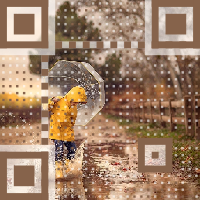
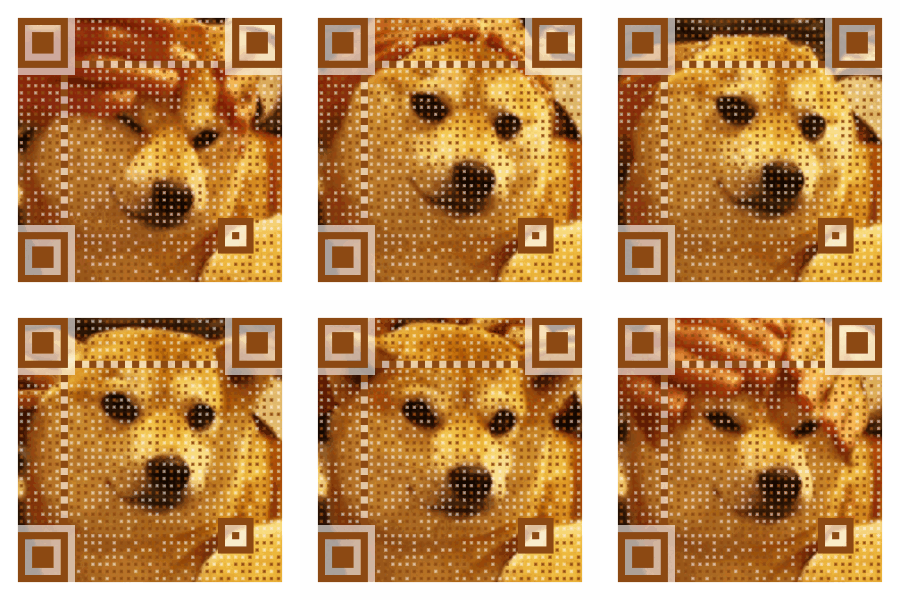
> Try to scan these QR codes below with your smart phone.
Example 1|Example 2|Example 3|Example 4
------------ | ------------- | -------------| -------------
The Vue 3 Component for [SumiMakito's Awesome-qr.js](https://github.com/SumiMakito/Awesome-qr.js).
The only one qr code component for Vue.js you need!
### Notice
- v5.x 仅支持 Vue 3
- Vue 2 用户请使用 v4.x: `npm install vue-qr@4`
- 不支持 IE 浏览器
### Examples
> Try to scan these QR codes below with your smart phone.
Example 1|Example 2|Example 3|Example 4
------------ | ------------- | -------------| -------------
 |
|  |
|  |
|  ### Demo
```bash
npm run dev
```
## Installation
```bash
npm install vue-qr --save
```
## Usage
### Global Registration
```js
import { createApp } from 'vue'
import { VueQr, install } from 'vue-qr'
const app = createApp(App)
app.use({ install }) // or app.component('VueQr', VueQr)
app.mount('#app')
```
### Local Registration
```vue
```
### Event Handling
```vue
```
## Props
Parameter | Type | Default | Explanation
----|----|----|----
text | String | (required) | Contents to encode
correctLevel | Number | 1 | Correct Level 0-3
size | Number | 200 | Width and height of the output QR code, includes margin
margin | Number | 20 | Margin around the QR code
colorDark | String | '#000000' | Color of data blocks
colorLight | String | '#FFFFFF' | Color of empty space
components | Object | - | Controls appearances of parts. See [ComponentOptions](#componentoptions)
bgSrc | String | - | Background image URL
gifBgSrc | String | - | GIF background URL (overrides bgSrc)
backgroundColor | String | '#FFFFFF' | Background color
backgroundDimming | String | 'rgba(0,0,0,0)' | Color mask above background image
logoSrc | String | - | Logo URL at center
logoScale | Number | 0.2 | Logo size = logoScale * (size - 2 * margin)
logoMargin | Number | 0 | White margin around logo
logoBackgroundColor | String | 'rgba(255,255,255,1)' | Logo background color
logoCornerRadius | Number | 8 | Logo corner radius
whiteMargin | Boolean | true | White border around background image
dotScale | Number | 1 | Data dots scale (0 < scale ≤ 1)
autoColor | Boolean | true | Use dominant color of background as colorDark
binarize | Boolean | false | Binarize the image
binarizeThreshold | Number | 128 | Binarize threshold (0-255)
bindElement | Boolean | true | Auto-binds generated QR to HTML element
qid | String | - | ID for async identification
## Events
Event | Parameters | Description
----|----|----|
generated | (dataUrl, qid) | Emitted when QR code is generated
## ComponentOptions
```ts
type ComponentOptions = {
data?: { scale?: number }
timing?: { scale?: number; protectors?: boolean }
alignment?: { scale?: number; protectors?: boolean }
cornerAlignment?: { scale?: number; protectors?: boolean }
}
```
Default:
```js
{
data: { scale: 1 },
timing: { scale: 1, protectors: false },
alignment: { scale: 1, protectors: false },
cornerAlignment: { scale: 1, protectors: true }
}
```
For more details check out [Awesome-qr.js](https://github.com/SumiMakito/Awesome-qr.js)
### Demo
```bash
npm run dev
```
## Installation
```bash
npm install vue-qr --save
```
## Usage
### Global Registration
```js
import { createApp } from 'vue'
import { VueQr, install } from 'vue-qr'
const app = createApp(App)
app.use({ install }) // or app.component('VueQr', VueQr)
app.mount('#app')
```
### Local Registration
```vue
```
### Event Handling
```vue
```
## Props
Parameter | Type | Default | Explanation
----|----|----|----
text | String | (required) | Contents to encode
correctLevel | Number | 1 | Correct Level 0-3
size | Number | 200 | Width and height of the output QR code, includes margin
margin | Number | 20 | Margin around the QR code
colorDark | String | '#000000' | Color of data blocks
colorLight | String | '#FFFFFF' | Color of empty space
components | Object | - | Controls appearances of parts. See [ComponentOptions](#componentoptions)
bgSrc | String | - | Background image URL
gifBgSrc | String | - | GIF background URL (overrides bgSrc)
backgroundColor | String | '#FFFFFF' | Background color
backgroundDimming | String | 'rgba(0,0,0,0)' | Color mask above background image
logoSrc | String | - | Logo URL at center
logoScale | Number | 0.2 | Logo size = logoScale * (size - 2 * margin)
logoMargin | Number | 0 | White margin around logo
logoBackgroundColor | String | 'rgba(255,255,255,1)' | Logo background color
logoCornerRadius | Number | 8 | Logo corner radius
whiteMargin | Boolean | true | White border around background image
dotScale | Number | 1 | Data dots scale (0 < scale ≤ 1)
autoColor | Boolean | true | Use dominant color of background as colorDark
binarize | Boolean | false | Binarize the image
binarizeThreshold | Number | 128 | Binarize threshold (0-255)
bindElement | Boolean | true | Auto-binds generated QR to HTML element
qid | String | - | ID for async identification
## Events
Event | Parameters | Description
----|----|----|
generated | (dataUrl, qid) | Emitted when QR code is generated
## ComponentOptions
```ts
type ComponentOptions = {
data?: { scale?: number }
timing?: { scale?: number; protectors?: boolean }
alignment?: { scale?: number; protectors?: boolean }
cornerAlignment?: { scale?: number; protectors?: boolean }
}
```
Default:
```js
{
data: { scale: 1 },
timing: { scale: 1, protectors: false },
alignment: { scale: 1, protectors: false },
cornerAlignment: { scale: 1, protectors: true }
}
```
For more details check out [Awesome-qr.js](https://github.com/SumiMakito/Awesome-qr.js)