# Google Place Autocomplete
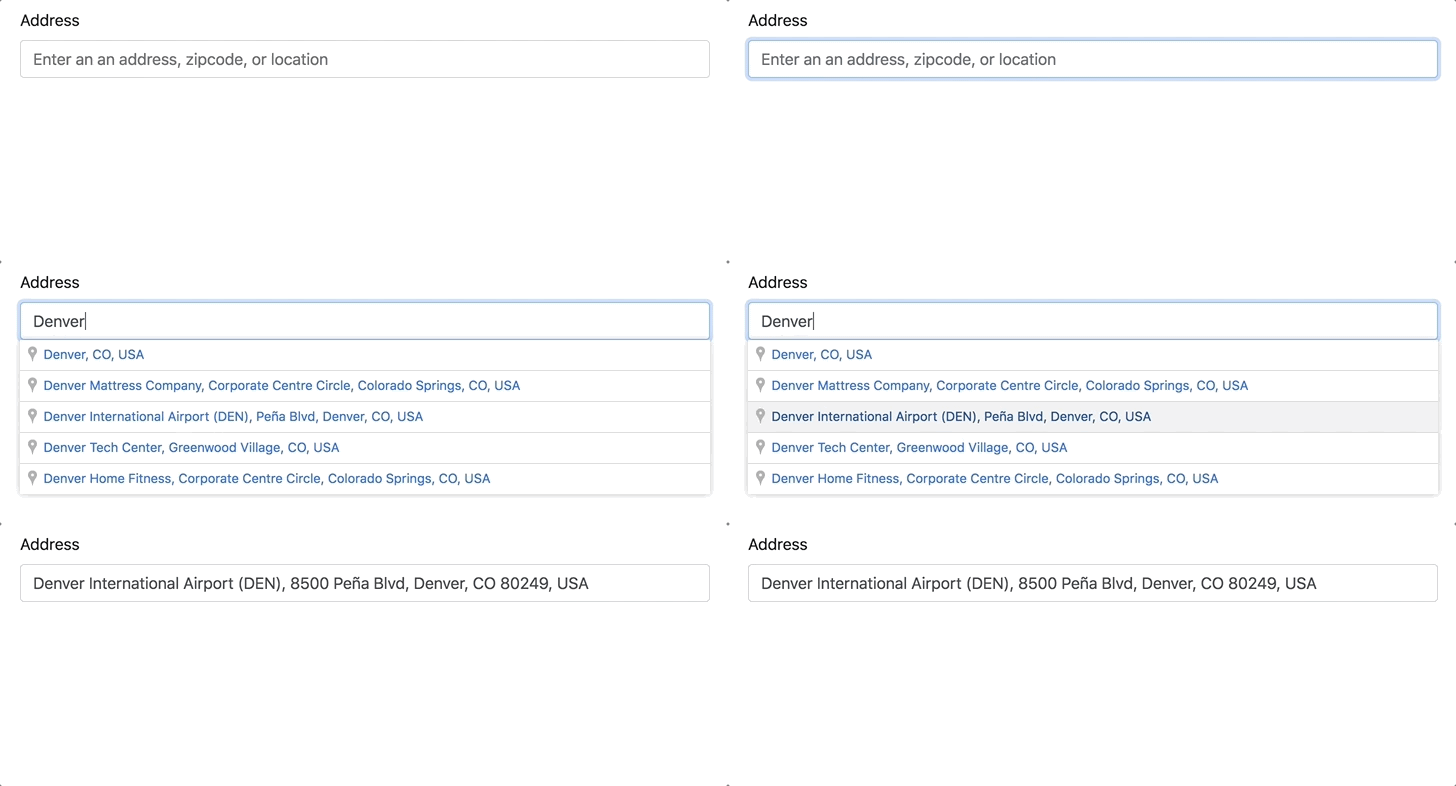
This Vue component incorporates full support the Google Places and Geocoder API's a single input field.
The goal is provide the most native and seamlessly integrated solution possible.
## Features
- Built for Bootstrap 4
- Works just like a native input field
- Full support for keyboard accessibility and shortcuts
- Fully customizable markup and extensible JS
- Full support for Google Places and Geocoder API's
- Use multiple instances on the same page
- Easily auto-fill additional input fields with address component
## Installation
NPM
npm install vue-place-autocomplete --save
// ES6 Usage
import Vue from 'vue';
import VuePlaceAutocomplete from 'vue-place-autocomplete';
Vue.use(VuePlaceAutocomplete);
CDN
https://www.jsdelivr.com/package/npm/vue-place-autocomplete
## Default Usage
The default usage extends the InputField from [vue-interface](https://github.com/actengage/vue-interface/tree/master/src/Components/InputField), so all the properties are inherited.
Current Value: {{field1}}
## Autofill fields
Sometimes you may need to autofill address components into other input fields...
Enter an address above and watch the fields below get auto-filled...

## Build Commands
`npm run dev`
Start the Rollup build process and watch the source files and
trigger livereload when a file changes.
`npm run commit`
Makes a GIT commit with the current version from package.json. (This command is
called automatically in the `npm run release` command.)
`npm run release-patch`
Compiles the latest source files, makes an incremental version bump (1.0.x) to
package.json, then makes a commit with new version, and finally publishes the
latest build to NPM.
`npm run release-minor`
Compiles the latest source files, makes a minor version bump (1.x.0) to
package.json, then makes a commit with new version, and finally publishes the
latest build to NPM.
`npm run release-major`
Compiles the latest source files, makes a major version bump
(x.1.0) to package.json, then makes a commit with new version, and finally
publishes the latest build to NPM.
`npm run release`
Compiles the latest source files for release, runs the
uglification process, makes the commit, and published the package. This command
is called automatically uses any of the other `npm run release-{type}` commands.
`npm run uglify`
Rund the uglify library over the compiled source to create a
`{package-name}.min.js` file that Gzip and minifies that library.