# videojs-selector-quality-hls
A option in controlbar for select differents qualitys.
## Examples

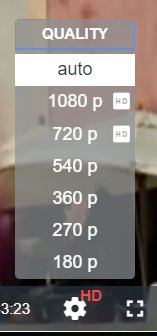
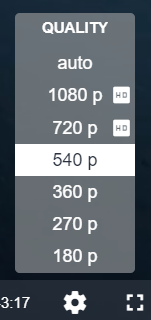
## Installation
```sh
npm install --save videojs-selector-quality-hls
```
## Usage
To include videojs-selector-quality-hls on your website or web application, use any of the following methods.
### Styles
Don't forget to include the styles
```html
```
### `
```
### Browserify/CommonJS
When using with Browserify, install videojs-selector-quality-hls via npm and `require` the plugin as you would any other module.
```js
var videojs = require("video.js");
// The actual plugin function is exported by this module, but it is also
// attached to the `Player.prototype`; so, there is no need to assign it
// to a variable.
require("videojs-selector-quality-hls");
var player = videojs("my-video");
player.selectorQuality();
```
### RequireJS/AMD
When using with RequireJS (or another AMD library), get the script in whatever way you prefer and `require` the plugin as you normally would:
```js
require(["video.js", "videojs-selector-quality-hls"], function(videojs) {
var player = videojs("my-video");
player.selectorQuality();
});
```
## License
MIT. Copyright (c) Marcos Gin <marcosgin291@gmail.com>
[videojs]: http://videojs.com/