
<div align="center">

<img src="./docs/assets/logo.png" alt="videoclaw logo" width="160" />

# videoclaw

**Turn a one-line idea into a finished AI video — step by step, in the open, with a human approval before anything expensive runs and automated QC before anything ships.**

A command-line tool (`vclaw`) that takes a plain-English idea like *"a 15-second ad for my coffee brand"* and walks it all the way to a reviewed, published video — using AI video services like **Veo, Seedance, and Runway**. Every step is saved to a file you can read, so nothing is hidden and you can stop, inspect, or replay any stage. Optional vision QC can inspect motion defects such as breath vapour, morphing, vanishing props and character drift. It requires a configured vision backend; final playback review remains separate.

[![CI](https://github.com/davendra/videoclaw-v3/actions/workflows/ci.yml/badge.svg)](https://github.com/davendra/videoclaw-v3/actions/workflows/ci.yml)
[![Node](https://img.shields.io/badge/node-20%2B-brightgreen)](./package.json)
[![TypeScript](https://img.shields.io/badge/typescript-strict%20%7C%20NodeNext%20ESM-3178c6)](./tsconfig.json)
[![Status](https://img.shields.io/badge/status-active%20development-orange)](https://videoclaw-docs.vercel.app/reference/MASTER_PLAN_ALIGNMENT)
[![License](https://img.shields.io/badge/license-source--available%20%7C%20commercial%20paid-blue)](./LICENSE)

[What is it?](#-what-is-videoclaw-in-plain-english) · [What you can do](#-what-you-can-do-with-it) · [How it works](#-how-it-works-step-by-step) · [The main parts](#-the-main-parts-explained-simply) · [Quickstart](#-quickstart) · [Deep docs](#-documentation-map)

### 📚 Full documentation site → **[videoclaw-docs.vercel.app](https://videoclaw-docs.vercel.app/)**

The complete, idiot-proof **and** agent-ready docs: an [interactive guide](https://videoclaw-docs.vercel.app/guide/), a page for [**every feature**](https://videoclaw-docs.vercel.app/features/) (30+), a [recipe book](https://videoclaw-docs.vercel.app/guide/what-videos) of what you can make, the [skills catalog](https://videoclaw-docs.vercel.app/skills/), and all the deep [reference docs](https://videoclaw-docs.vercel.app/reference/) — with diagrams throughout.

> **New here?** The easiest path is to **[drive it by talking to Claude Code](https://videoclaw-docs.vercel.app/guide/with-claude-code)** (or any agent host); there's a dedicated [how-it-works page for agents](https://videoclaw-docs.vercel.app/for-agents/) too.
>
> **Agents working in this repo:** read [`docs/CAPABILITIES.md`](docs/CAPABILITIES.md) (or [`llms.txt`](llms.txt)) — a one-read capability manifest: what videoclaw can produce, the provider routes, the spend-safety model, and a command map that names every registered command (exact flags: `vclaw schema --json` and `docs/CLI_REFERENCE.md`). Run `vclaw schema --json` for exact flags.
> Once you're in Claude Code in this repo, just type **`/concierge`** (or **`/videoclaw`**) — or say *"make me a video"* — and **VideoClaw**, speaking as its own concierge, walks you from idea to finished film, with a preview and your approval before anything costs money.
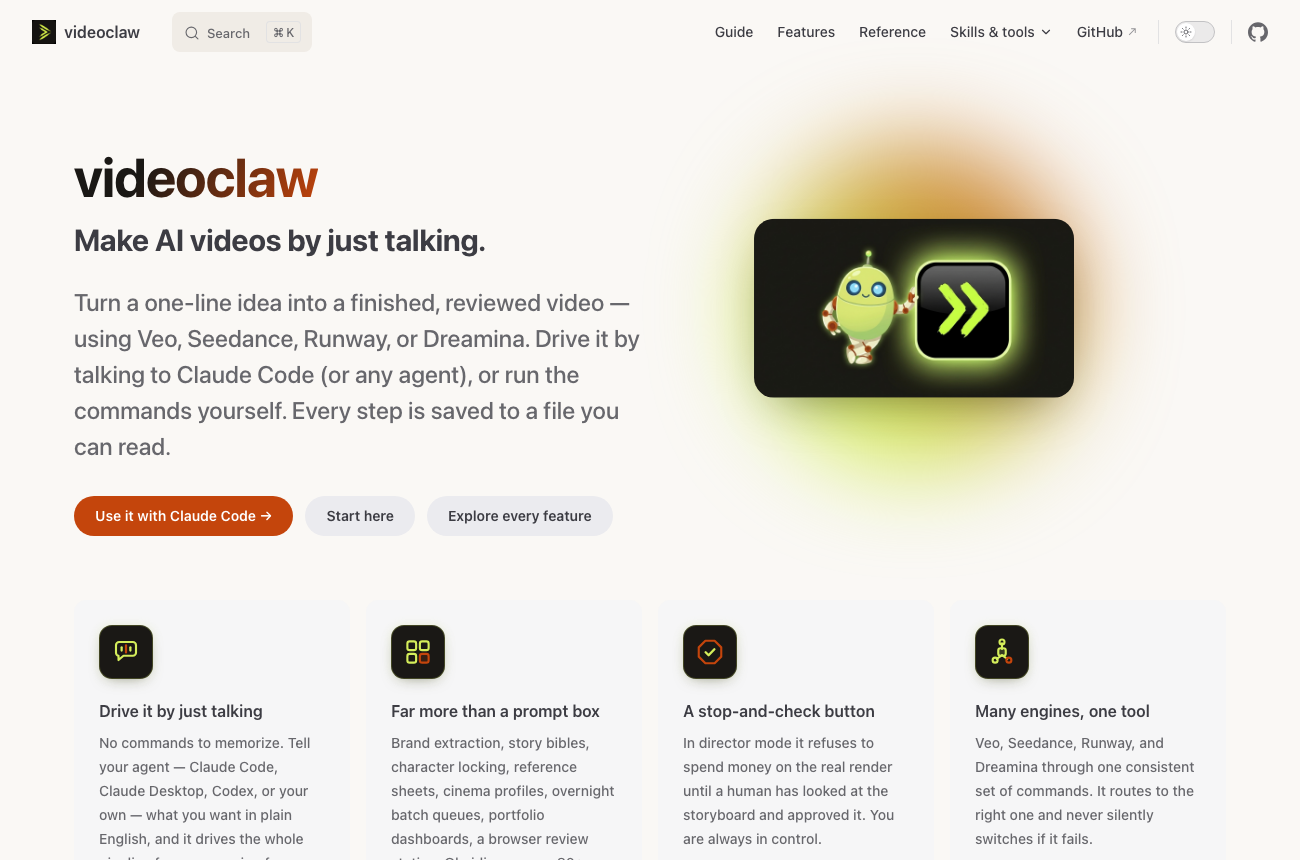
<a href="https://videoclaw-docs.vercel.app/"><img src="./docs/assets/docsite-preview.png" alt="videoclaw documentation site — make AI videos by just talking" width="100%" /></a>

</div>

---

## 🗺️ Explore the docs

Everything lives at **[videoclaw-docs.vercel.app](https://videoclaw-docs.vercel.app/)** (there's a search box on every page).

**Guide** — [Start here](https://videoclaw-docs.vercel.app/guide/) · [Use it with Claude Code](https://videoclaw-docs.vercel.app/guide/with-claude-code) · [Install & setup](https://videoclaw-docs.vercel.app/guide/install) · [Your first video](https://videoclaw-docs.vercel.app/guide/first-video) · [What videos can you make?](https://videoclaw-docs.vercel.app/guide/what-videos) · [How it works](https://videoclaw-docs.vercel.app/guide/concepts) · [Storyboard vs Director](https://videoclaw-docs.vercel.app/guide/modes) · [Characters](https://videoclaw-docs.vercel.app/guide/characters) · [Providers](https://videoclaw-docs.vercel.app/guide/providers) · [Review & publish](https://videoclaw-docs.vercel.app/guide/review-publish) · [Assemble & polish](https://videoclaw-docs.vercel.app/guide/assemble) · [Troubleshooting](https://videoclaw-docs.vercel.app/guide/troubleshooting) · [Cheat sheet](https://videoclaw-docs.vercel.app/guide/cheatsheet)

**Skills & tools** — [Skills catalog](https://videoclaw-docs.vercel.app/skills/) · [Video skills](https://videoclaw-docs.vercel.app/skills/video) · [Workflow skills](https://videoclaw-docs.vercel.app/skills/workflow) · [Scripts & tooling](https://videoclaw-docs.vercel.app/tooling/) · [For agents](https://videoclaw-docs.vercel.app/for-agents/)

**Reference** — [Reference home](https://videoclaw-docs.vercel.app/reference/) · [Architecture](https://videoclaw-docs.vercel.app/reference/ARCHITECTURE) · [CLI reference](https://videoclaw-docs.vercel.app/reference/CLI_REFERENCE) · [Production workflow](https://videoclaw-docs.vercel.app/reference/PRODUCTION_WORKFLOW) · [Provider platform](https://videoclaw-docs.vercel.app/reference/PROVIDER_PLATFORM) · [Story bible](https://videoclaw-docs.vercel.app/reference/STORY_BIBLE) · [Assemble](https://videoclaw-docs.vercel.app/reference/ASSEMBLE) · [Internal plans & specs](https://videoclaw-docs.vercel.app/reference/internal/)

<details>
<summary><strong>Features</strong> — a page for every feature (click to expand all 31)</summary>

[All features](https://videoclaw-docs.vercel.app/features/)

- **Create** — [projects & lifecycle](https://videoclaw-docs.vercel.app/features/projects-lifecycle) · [one-shot create](https://videoclaw-docs.vercel.app/features/one-shot-create) · [briefs](https://videoclaw-docs.vercel.app/features/brief) · [brand DNA](https://videoclaw-docs.vercel.app/features/brand-dna) · [storyboards](https://videoclaw-docs.vercel.app/features/storyboard) · [storyboard grid](https://videoclaw-docs.vercel.app/features/storyboard-grid) · [story bible](https://videoclaw-docs.vercel.app/features/story-bible)
- **Direct & refine** — [director mode](https://videoclaw-docs.vercel.app/features/director-mode) · [prompt quality](https://videoclaw-docs.vercel.app/features/prompt-quality) · [multi-shot](https://videoclaw-docs.vercel.app/features/multi-shot) · [filmmaking & cinematography](https://videoclaw-docs.vercel.app/features/filmmaking-prompts)
- **Keep it consistent** — [characters](https://videoclaw-docs.vercel.app/features/characters) · [reference sheets](https://videoclaw-docs.vercel.app/features/reference-sheets) · [scene candidates](https://videoclaw-docs.vercel.app/features/scene-candidates) · [Seedance Asset Library](https://videoclaw-docs.vercel.app/features/seedance-assets)
- **Generate** — [providers & routing](https://videoclaw-docs.vercel.app/features/providers) · [execution runtime](https://videoclaw-docs.vercel.app/features/execution) · [overnight batch queue](https://videoclaw-docs.vercel.app/features/batch-queue)
- **Finish** — [assembly](https://videoclaw-docs.vercel.app/features/assemble) · [review UI](https://videoclaw-docs.vercel.app/features/review-ui) · [preview portal](https://videoclaw-docs.vercel.app/features/preview-portal) · [publishing](https://videoclaw-docs.vercel.app/features/publish)
- **Manage** — [templates & cloning](https://videoclaw-docs.vercel.app/features/templates-cloning) · [portfolio & ops](https://videoclaw-docs.vercel.app/features/portfolio-ops) · [doctor](https://videoclaw-docs.vercel.app/features/doctor) · [Obsidian](https://videoclaw-docs.vercel.app/features/obsidian) · [telemetry & cost](https://videoclaw-docs.vercel.app/features/telemetry-cost)
- **Plan & agents** — [studio planner](https://videoclaw-docs.vercel.app/features/studio) · [agent surface](https://videoclaw-docs.vercel.app/features/agent-surface) · [Veo CLI](https://videoclaw-docs.vercel.app/features/veo-cli)

</details>

---

## 🎯 What is videoclaw? (in plain English)

videoclaw is a tool you run in your terminal that **makes AI videos for you, one careful step at a time.**

You give it an idea. It writes a short brief, plans the shots (a *storyboard*), generates the video clips with an AI provider, stitches them together with narration and music, lets a human approve the result, and marks it published. That's it.

**Think of it like an assembly line for video.** Your idea goes in one end; a finished MP4 comes out the other. At each station along the line, the machine writes down exactly what it did in a file you can open and read. If something looks wrong, you can rewind to any station and try again — you never have to start over from scratch.

Three things make it different from the usual *"type a prompt, get a video"* tools:

- **It never hides what it's doing.** Every stage leaves a plain, readable file behind. And if a video provider fails, it tells you loudly — it does **not** quietly swap in a different provider and pretend it worked.
- **It has a "stop and check" button.** In *director mode* it refuses to spend money on the real render until a human has looked at the storyboard and said "yes, go."
- **It supports review before you ship.** Vision QC can inspect rendered clips for motion defects and character drift. It needs a configured vision backend and does not replace inspecting the final output and recording review evidence.

> **New here?** You don't need to understand any of the technical sections lower down. Read the next four short sections and you'll know what this whole thing does.

### Who is it for?

- **Creators & marketers** who want repeatable, reviewable AI videos — product ads, presenter explainers, UGC campaigns, music videos.
- **Small teams** juggling many video projects who need a single dashboard of what's stuck, what needs a look, and what's ready to ship.
- **AI agents** — everything is machine-readable, so an automated agent can drive the whole pipeline on its own.

---

## ✨ What you can do with it

- **Go from idea → finished video** without leaving the terminal.
- **Use several AI video engines** (Veo, Seedance, Runway) through one consistent set of commands — no need to learn each provider's quirks.
- **Manage character consistency** — character profiles, reference sheets and the *story bible* carry identity and continuity between scenes; inspect generated results for drift.
- **Review storyboard stills in your browser** — use the Review UI to inspect and select them. Director approval and exact queued spend authorisation are distinct gates; plain `produce` is live by default.
- **Add the finishing touches** — narration, background music, subtitles, thumbnails, and vertical / square / looping variants for different platforms.
- **Run many projects at once** and see them all on a dashboard: what's blocked, what's stale, what needs review, what's ready to publish.
- **Record delivery evidence** — publish readiness requires a passing review report and `metrics.publishReady: true`; planned or previously film-reviewed projects also need current passing film-edit evidence.
- **Preview the intended operation** — use each command’s documented planning or `--dry-run` path. There is no universal dry-run flag; queue compilation and direct rendering have different contracts.

---

## 🪜 How it works, step by step

Here is the whole assembly line in plain words. Each step is a command, and each step saves its work to a file.

| Step | Command | What actually happens |
|---|---|---|
| 1 | `init` | Create a new project folder to hold everything. |
| 2 | `brief` | Turn your one-line idea into a short written brief. |
| 3 | `storyboard` | Break the brief into scenes — and auto-build a **story bible** so characters, settings, and props stay consistent. |
| 4 | *(director mode)* preflight + approval | Check for problems, then **wait for your "go"** before spending anything. |
| 5 | `plan` | Pick the AI provider and prepare the exact request to send. |
| 6 | `produce` | Actually generate the clips. (Add `--dry-run` to rehearse for free.) |
| 7 | `assemble` | Stitch clips + narration + music into one MP4, then quality-check it. |
| 8 | `review` | Record final review; explicit film plans require current full-playback evidence bound to the actual edit. Storyboard approval in the Review UI is a separate gate. |
| 9 | `publish` | Mark it done and hand it off. |

For new agent-led films, add a [structured film plan](./docs/SHARED_FILMMAKING_WORKFLOW.md) at storyboard time. It records format, purpose, shot action and performance; compiled prompts and final edit reviews detect relevant changes before reuse. The host agent manages phases and progress.

You don't always run these by hand — `vclaw video create` can do the whole front of the line in one shot — but this is the path everything follows underneath.

---

## 🧩 The main parts, explained simply

videoclaw is made of a few moving pieces. Here's each one in everyday terms:

| Part | In plain terms |
|---|---|
| **The project folder** (`projects/<slug>/`) | A single folder that holds *everything* about one video — the brief, storyboard, clips, approvals, history. This folder is the **source of truth**; the commands are just a tidy way to work on it. |
| **Stages & checkpoints** | The assembly-line steps above. Each one writes a file and records that it finished, so you can replay or rewind any stage safely. |
| **Two modes: storyboard vs director** | *Storyboard mode* is fast and runs straight through. *Director mode* adds the "stop and approve" gate — it won't render for real until you say so. |
| **The Review UI** | A small web page (`vclaw video review-ui`) where a human looks at the storyboard stills and clicks **approve** or **regenerate**. No code needed. |
| **Characters & the Story Bible** | Reference tools that help maintain the same people, places and props across scenes; generated consistency still needs review. The *story bible* is an auto-written "continuity reference" for the whole project. |
| **Assembly** | The step that turns raw clips into a polished, narrated MP4 — adds a title card, TTS narration, slide animation, music, then runs an automatic **media quality check** on the result. |
| **Providers** | The AI engines that actually make the video (Veo, Seedance, Runway). videoclaw routes to the right one and **never silently switches** if it fails. |
| **Portfolio & ops** | Dashboards for when you have many projects — `status`, `metrics`, `next-actions`, and a `doctor` that tells you the single safest next step. |
| **Obsidian workspace** | The same project data, rendered as browsable notes you can read in Obsidian instead of the terminal. |
| **Skills** | Pre-built, ready-to-run workflows for common jobs (make a presenter video, clone an ad, build a character) that an AI agent can invoke. |

That's the whole picture. Everything below is **reference detail** for power users, people running vclaw day to day, and AI agents — you can stop here and still use the tool.

---

## 🚀 Quickstart

### Install

**Option A — the published package (fastest):**

```bash
npm install -g videoclaw@alpha            # Node >=20.10; installs the `vclaw` command
vclaw video providers                     # show which AI providers are ready
```

No global install? Run it on demand with `npx -p videoclaw@alpha vclaw video providers`.

**Option B — from a source checkout** (to hack on it or run the test suite):

```bash
git clone https://github.com/davendra/videoclaw-v3 && cd videoclaw-v3
npm ci                                    # Node >=20.10; locked dependencies
npm run build                             # compile the CLI
node dist/cli/vclaw.js video providers    # show which AI providers are ready
```

The package and source checkout expose the same core CLI commands. Optional
workflows also need their own runtimes: **FFmpeg/ffprobe** for local media work,
**Python 3.12+** and workflow dependencies for Python helpers, **Bun >=1.3.5**
for the Flow sidecar, and the **sqlite3 CLI** for local lane coordination.
Provider renders additionally require the selected route's credentials and account.
Bundled resource files do not install those runtimes or sidecar dependencies.
See [installation and optional runtime setup](./docs-site/guide/install.md).

Contributor checks need Python and FFmpeg even when no provider is contacted:

```bash
python3.12 -m venv .venv
source .venv/bin/activate
python -m pip install -r requirements-test.txt
npm run check:test-python
npm test
```

Install FFmpeg/ffprobe before that check; title/subtitle tests also need the font
and shaping capabilities reported by `check:test-python`. A passing offline suite
checks local contracts, not live provider access. Current verification and
release limitations are recorded in [release readiness](./docs/RELEASE_READINESS.md).

> The lifecycle examples below use the source-checkout form `node dist/cli/vclaw.js …`. If you installed the published package (Option A), use `vclaw …` instead.

**Then explore the project stages with a sample project (no provider submission — keep `--dry-run`):**

```bash
node dist/cli/vclaw.js video init demo
node dist/cli/vclaw.js video brief    --project demo --title "Demo" --intent "A 15s product tease"
node dist/cli/vclaw.js video storyboard --project demo --scene "open on product" --scene "close on logo"
node dist/cli/vclaw.js video plan     --project demo
node dist/cli/vclaw.js video produce  --project demo --dry-run
node dist/cli/vclaw.js video status   --project demo
```

> **Discovery and authoring need no provider keys.** Planning/direct dry-run can report blocked readiness when assets or a locally configured route are missing; that is diagnostic output, not a successful render. Keep `--dry-run` on plain `produce` while exploring, read the blockers, and configure only the route you intend to use. A zero-call queue compiler and a direct execution preview have different prerequisites.

Add `--auto-chain` to `produce`/`execute` to compile the whole storyboard as a continuity chain into the durable Cinema queue — zero provider calls: the first pending scene is `awaiting-quote`, every later scene stays `blocked` behind its predecessor's selected video, and each link enters exact quotation only when that source exists. `--enqueue` can be added alongside `--auto-chain` (it does not replace it); `--execute`, `--dry-run` and `--confirm-spend` are refused. Each queued task is then quoted, authorized and run one at a time with `vclaw video cinema-work --task <id>` — for `veo-useapi` the shipped `dist/cli/flow-quote-adapter.js` quotes from the account's own Flow price table, so the 0-credit free model authorizes at `--maximum-spend 0`; only `runway-useapi` explore submits provider-free with `--confirm-provider-call`. See "Draining a queued Flow task" in `docs/CLI_REFERENCE.md`.

`vclaw video pool --project <slug> [--max-concurrent <N>] [--scenes <csv>]` compiles pending scenes as independent tasks into the durable Cinema queue. The concurrency cap is recorded on the queue lane; compilation itself submits nothing. `--dry-run` previews without writing. `--execute` is retired and `--confirm-spend` is rejected for enqueueing. Quote, authorise and run the returned tasks through `cinema-work`, then review their candidates. Plain `produce` without `--auto-chain` retains its direct live execution path: use `--dry-run` to preview that path, and do not assume its director approval gate is the same as an exact Cinema spend authorisation.

`vclaw video render-scenes --project <slug> [--method <route>] [--fallback-chain] [--continue-from <i>] [--scenes <csv>]` is the **fallback-ladder** driver: it renders pending scenes **sequentially** and, per scene, walks a **fallback route ladder** — try the primary route; if the provider rejects it, escalate to the next route, and so on (the first route that succeeds wins). This productizes the hand-written `voice-render.mjs` / `chain.mjs` loops (render one scene, on rejection escalate to a fallback method, resumable across crashes). `--method` picks the primary route; `--fallback-chain` appends the project's `routePreference` / mode defaults as the fallback rungs (without it the ladder is just the primary — a plain sequential render). Resumable via `--continue-from <i>` (skips scenes below `i`) and already-selected scenes; spend-gated (`--dry-run` to plan, `--confirm-spend` to render). Contrast: `--auto-chain` = sequential + chained on one route; `pool` = parallel + independent on one route; `render-scenes` = sequential + per-scene route fallback.

The same queue renders **image** assets, not just video. `vclaw video cinema-image-compile --project <slug> --job <id> --route openai-images` turns an already-planned Cinema image job into an `image-generate` task (today that route renders from the prompt alone — a job carrying reference images is refused, and reference-locked identity work still goes through `cinema-image-ingest`), then `cinema-work --dry-run` shows the exact payload, `cinema-image-quote` prices it, the ordinary `cinema-authorize` binds it, and `cinema-work --confirm-spend` renders it. The result enters the same `cinema-image-review` human gate as an image produced out of band — so a render is never usable as a reference until someone has looked at it. See "Cinema image assets" in `docs/CLI_REFERENCE.md`.

**Or just run the packaged pre-flight that does build + tests + smokes + guardrails for you:**

```bash
npm run check:release-readiness-lite
```

---

## 🎬 Production workflow (the three common jobs)

Most people enter through one of three paths:

1. **Make a campaign video** — `create` the director project, open `review-ui`,
   lock real storyboard stills, attach artifact-backed 4K stills, then publish
   only after the saved review report has `verdict: "pass"` and
   `metrics.publishReady: true`.
2. **Review and fix a project** — use `status`, `next-actions`,
   `doctor-project`, and `review-ui` to find the single safest next step.
3. **Manage a portfolio** — use `metrics`, `report`, `export-csv`, and
   `sync-obsidian` to see blocked, stale, review-needed, and publish-ready work.

The advanced command surface stays available, but production trust comes from
one rule: a handoff is ready **only** when `review-report.json` has
`verdict: "pass"` and `metrics.publishReady: true`.
The simple `video review --verdict pass` command intentionally writes that
approval for already-reviewed projects; for director storyboard-image handoffs,
use `review-ui` or `review-autopilot` so `publishReady` is derived from locked
scene candidates, artifact-backed 4K stills, and final assembly approvals.

Full guide: [`docs/PRODUCTION_WORKFLOW.md`](https://videoclaw-docs.vercel.app/reference/PRODUCTION_WORKFLOW).
Handoff checklist: [`docs/OPERATOR_HANDOFF.md`](https://videoclaw-docs.vercel.app/reference/OPERATOR_HANDOFF).

---

## 🤖 For AI agents

> **You are landing in a TypeScript/Node >=20.10 CLI repo.** If you do nothing else, read these in order:
>
> 1. **[`CLAUDE.md`](./CLAUDE.md)** — non-obvious conventions, single-test command, review-state invariant, agent-first orientation.
> 2. **[`AGENTS.md`](./AGENTS.md)** — autonomy directive, coding style, commit/PR format, security expectations.
> 3. **[`docs/ARCHITECTURE.md`](https://videoclaw-docs.vercel.app/reference/ARCHITECTURE)** — layer map and the canonical project flow.
> 4. **[`skills/catalog.json`](./skills/catalog.json)** — machine-readable skill surface (don't scrape markdown).
> 5. **[`docs/MASTER_PLAN_ALIGNMENT.md`](https://videoclaw-docs.vercel.app/reference/MASTER_PLAN_ALIGNMENT)** — what ships today + honest remaining gaps.
>
> **Canonical entry skills** — start broad, specialize later: `video-framework` · `brand-presenter`
> **Contracts** — `schemas/video/*.json` is the source of truth for artifact shapes.
> **Tests** — `src/tests/*.test.ts` run via `node --test dist/tests/*.test.js`.
>
> **Don't:** edit `dist/` · drop `.js` extensions from relative imports (NodeNext ESM requires them) ·
> add silent fallback across materially different provider routes · commit `.omx/` / `.vclaw/` / secrets.

### Agent integration

videoclaw is built as a target for agent hosts, not as an orchestrator.

- **One-call discovery:** `vclaw schema --json` returns the full command contract.
- **MCP server:** `vclaw mcp serve` exposes read-only state queries to MCP-aware hosts.
- **Sample skills:** see `mcp/skills-pack/` for Claude Code skill templates.

See [`docs/AGENT_INTEGRATION_RESEARCH.md`](https://videoclaw-docs.vercel.app/reference/AGENT_INTEGRATION_RESEARCH) for the design rationale.

---

## 🏗️ Architecture

The system is layered: a thin command-line front, a domain core that does the real work, and an adapter tier that talks to the AI providers. Each stage writes to the artifact/checkpoint/event ledger on disk.

<p align="center"><img src="./docs/assets/diagram-architecture.jpg" alt="videoclaw architecture layers — you or an agent at the top, CLI dispatching into domain modules, artifacts/checkpoints/events fanning out, execution runtime feeding the adapter layer, adapter layer branching into native transport, command shim, and custom adapter" width="100%" /></p>

<details>
<summary>Show diagram source (Mermaid)</summary>

```mermaid
flowchart TB
    U[👤 Operator / AI agent]
    U -->|vclaw video ...| CLI["src/cli/vclaw.ts<br/>single entrypoint"]
    CLI --> CORE["src/video/*<br/>domain modules"]

    CORE --> ART[Artifacts · JSON]
    CORE --> CKPT[Checkpoints · stage state]
    CORE --> EVT["Events · events.jsonl"]
    CORE --> RT[Execution runtime]

    RT --> PP[provider-platform/<br/>route descriptors]
    RT --> PM[pipeline-manifests/<br/>storyboard · director]
    RT --> ADP[Adapter layer]

    ADP -->|built-in binary| NAT["Native transports<br/>Seedance · Veo"]
    ADP -->|command shim| CMD["_SUBMIT_CMD<br/>_POLL_CMD · _CANCEL_CMD"]
    ADP -->|custom override| EXT["VCLAW_*_ADAPTER<br/>external binary"]

    CORE -. validates against .-> SCH["schemas/video/*.json"]
    CORE --> OBS[Obsidian export / sync]
    CORE --> REP[Reports · CSV · Snapshots · Diffs]
```

</details>

- **CLI layer** — argparse + dispatch only; no business logic.
- **Domain layer** (`src/video/*`) — small, single-purpose modules. Each file owns one concept (artifacts, checkpoints, readiness, execution-plan, execution-runtime, doctor, metrics, next-actions, project-index, obsidian-export, etc.).
- **Provider platform** — route descriptors for `veo-useapi`, `seedance-direct`, `runway-useapi`, `dreamina-useapi` (registered, not pursued since 2026-09-09), `magnific-rest`, `reapi-seedance` (Seedance 2.5 "Less Restriction" via reAPI — paid per second, opt-in, the one route that accepts a real photograph as the subject), `seedance-modelark` (BytePlus ModelArk Seedance 2.5, paid, opt-in).
- **Adapter layer** — three resolution strategies (custom binary → built-in adapter with command shim → native in-process transport). Explicit fall-through, never silent.
- **Schemas** — JSON Schema contracts under `schemas/video/` are the source of truth for every artifact shape.

---

## 🔁 Project lifecycle

<p align="center"><img src="./docs/assets/diagram-lifecycle.jpg" alt="Video production lifecycle — horizontal flow from init through brief, storyboard, readiness, plan, produce, review, to publish, with a director-mode preflight and approval-gate sub-branch descending into plan" width="100%" /></p>

<details>
<summary>Show diagram source (Mermaid)</summary>

```mermaid
flowchart LR
    init([init]) --> brief([brief])
    brief --> sb([storyboard])
    sb --> ready{{readiness}}
    ready -->|storyboard mode| runPlan([plan / produce])
    ready -->|director mode| pre{{director-preflight<br/>content · refs · pronouns}}
    pre -->|hazards| fix[auto-fix or<br/>storyboard-review]
    fix --> pre
    pre -->|pass| gate{{approval gate<br/>produce --approve}}
    gate -.awaiting-approval.-> ops[(ops queue:<br/>needs-review)]
    gate -->|approved| runPlan
    runPlan --> execStatus([execute-status<br/>poll adapter])
    execStatus --> ingest[[ingest outputs]]
    ingest --> assets([assets])
    assets --> review([review])
    review --> publish([publish])
    execStatus -. you .-> cancel([execute-cancel])
```

</details>

### On-disk shape of a project

```text
projects/<slug>/
├── project.json                 # manifest: slug, mode, state, metadata, execution profile
├── artifacts/
│   ├── brief.json               # canonical brief
│   ├── storyboard.json          # scenes + character bindings
│   ├── story-bible.json         # deterministic continuity reference (cast · settings · props · timeline)
│   ├── asset-manifest.json      # per-scene assets
│   ├── clone-plan.json          # optional: template → clone decisions
│   ├── execution-plan.json      # selected route + payload
│   ├── execution-report.json    # submit · poll · output ingest
│   ├── readiness.json
│   ├── character-consistency.json
│   ├── review-report.json
│   ├── publish-report.json
│   ├── analyze-output.json
│   └── history/                 # append-only artifact snapshots
├── checkpoints/                 # brief · storyboard · assets · review · publish (+ state)
├── events/events.jsonl          # append-only timeline
├── characters/characters.json   # optional GB-anchored profiles
├── storyboard.md                # director-mode approval review (human-readable)
└── state/                       # derived state cache
```

---

## 🧭 Production modes

Every command accepts `--mode storyboard|director`. The mode drives the pipeline manifest and the gate semantics.

| Dimension | `storyboard` mode | `director` mode |
|---|---|---|
| Default stage set | init → brief → storyboard → assets → review → publish | Same, **plus** preflight + approval gate before execution |
| Approval gate | none | `produce --approve` (or `VIDEOCLAW_APPROVE_STORYBOARD=1` unattended) required before provider submission |
| Storyboard review file | optional | `projects/<slug>/storyboard.md` auto-generated with character binding table and cost estimate |
| Preflight checks | readiness + character-consistency | + content-hazard detection · GB-id validation · remote-ref probe · pronoun drift · repeated-scene warnings |
| Preflight bypasses | n/a | `DIRECTOR_AUTO_FIX_CONTENT=1` (rewrite hazards) · `SKIP_DIRECTOR_PREFLIGHT=1` |
| Ops visibility | `active` | `awaiting-approval` → surfaced as **`needs-review`** across index · metrics · dashboards |

The normalized **review-state ladder** (`missing` → `current` → `stale`) flows through `status`, `index`, `report`,
`export-csv`, Obsidian export, dashboards, next-actions, snapshot diffs, and the doctor layer. **A stale director review
blocks `execute`/`execute-status` even if approval is set** — review freshness is a first-class runtime invariant.

---

## 🔌 Provider routing

<p align="center"><img src="./docs/assets/diagram-routing.jpg" alt="Provider routing decision tree — starts with the selected route, branches on whether a custom adapter is set, whether a built-in adapter supports the route, whether a command shim is configured, and whether native credentials are available; hard-fails if none of the paths resolve" width="560" /></p>

<details>
<summary>Show diagram source (Mermaid)</summary>

```mermaid
flowchart TD
    Start[["route ∈ { veo-useapi · seedance-direct · runway-useapi ·<br/>dreamina-useapi · magnific-rest · seedance-modelark · reapi-seedance }"]]
    Start --> Q1{"VCLAW_*_ADAPTER set?"}
    Q1 -->|yes| Custom[["Custom adapter binary<br/>stdin → JSON, stdout → JSON"]]
    Q1 -->|no| Q2{"Built-in adapter supports route?<br/>(all seven routes ship one)"}
    Q2 -->|no| Fail([["❌ hard fail<br/>no silent fallback"]])
    Q2 -->|yes| Q3{"_SUBMIT_CMD / _POLL_CMD set?"}
    Q3 -->|yes| Shim[["Command shim<br/>through built-in adapter"]]
    Q3 -->|no| Q4{"Native creds available?<br/>SUTUI_API_KEY or the free Higgsfield engine (seedance) · local vclaw-cli (veo) · USEAPI_API_TOKEN (runway, dreamina) · MAGNIFIC_API_KEY (magnific) · ARK_API_KEY (modelark) · VCLAW_REAPI_SEEDANCE_VIA + TREG_TOKEN or REAPI_API_KEY (reapi)"}
    Q4 -->|yes| Native[["✅ Native in-process transport"]]
    Q4 -->|no| Fail
```

</details>

### Environment variables

| Variable | Used by | Purpose |
|---|---|---|
| `VCLAW_VEO_USEAPI_ADAPTER` | veo-useapi | custom adapter binary override |
| `VCLAW_SEEDANCE_DIRECT_ADAPTER` | seedance-direct | custom adapter binary override |
| `VCLAW_RUNWAY_USEAPI_ADAPTER` | runway-useapi | custom adapter binary override |
| `VCLAW_SEEDANCE_DIRECT_SUBMIT_CMD` · `_POLL_CMD` · `_CANCEL_CMD` | seedance-direct | command shim through built-in adapter |
| `SUTUI_API_KEY` | seedance-direct (native) | XSkill API credentials for in-process transport |
| `VCLAW_MAGNIFIC_REST_ADAPTER` · `_SUBMIT_CMD` · `_POLL_CMD` · `_CANCEL_CMD` | magnific-rest | custom adapter override / command shim |
| `MAGNIFIC_API_KEY` | magnific-rest (native) + `finish --backend magnific-precision` | Magnific/Freepik REST key (`x-magnific-api-key`) for video generation + upscale |
| `VCLAW_MAGNIFIC_MODEL` · `VCLAW_MAGNIFIC_API_URL` | magnific-rest | proxied image-to-video model (default = cheapest catalog model fitting the op; premium `kling-o1-pro` opt-in; unknown ids throw) · API base override |
| `ARK_API_KEY` | seedance-modelark (native) | BytePlus ModelArk API key (Bearer) for the official Seedance 2.5 / 2.0 API — paid per second; never the xskill `SUTUI_API_KEY` |
| `VCLAW_MODELARK_MODEL` · `VCLAW_MODELARK_BASE_URL` | seedance-modelark | `dreamina-seedance-2-5-260628` (default) / `dreamina-seedance-2-0-fast-260128` / `dreamina-seedance-2-0-mini-260615`; unknown ids throw · API base override |
| `VCLAW_MODELARK_CHAIN_MODE` | seedance-modelark | `first-frame` (default) or `extend` — an `extend` chain sends the previous clip itself as `@Video 1` and bills its seconds as input; part of the `--require-contract` fingerprint |
| `VCLAW_SEEDANCE_MODELARK_ADAPTER` · `_SUBMIT_CMD` · `_POLL_CMD` · `_CANCEL_CMD` | seedance-modelark | custom adapter override / command shim |
| `VCLAW_REAPI_SEEDANCE_VIA` | reapi-seedance | `treg` or `direct` — which credential (and so which account) pays; never inferred, unset = the route is blocked |
| `TREG_TOKEN` | reapi-seedance (`via=treg`) | treg relay token; also hosts local references |
| `REAPI_API_KEY` · `GO_BANANAS_API_KEY` | reapi-seedance (`via=direct`) | reAPI key, plus Go Bananas R2 for reference hosting |
| `VCLAW_REAPI_SEEDANCE_RESOLUTION` | reapi-seedance | probe tier (e.g. `480p`); part of the approval fingerprint |
| `VIDEOCLAW_APPROVE_STORYBOARD` | director mode | `=1` approves the storyboard for an unattended run (the interactive form is `produce --approve`) |
| `DIRECTOR_AUTO_FIX_CONTENT` | director mode | `=1` to rewrite provider-risk phrases in storyboard |
| `SKIP_DIRECTOR_PREFLIGHT` | director mode | `=1` to bypass preflight (use sparingly) |
| `DIRECTOR_STRICT_PROMPT_QUALITY` | director mode | `=1` to promote prompt-quality warnings to blockers |
| `DIRECTOR_STRICT_DIALOGUE_FIT` | director mode | `=1` to promote dialogue-duration warnings to blockers |
| `GEMINI_API_KEYS` · `GOOGLE_API_KEYS` · `GOOGLE_API_KEY` | analyze-template / analyze | Gemini key pool (round-robin with per-key cooldown) |
| `VCLAW_GEMINI_API_ENDPOINT` | Gemini pool | override HTTP endpoint (local or alt Gemini-compatible) |
| `VCLAW_GEMINI_VIDEO_PROCESSING` | analyze --auto | default processing mode, `static` (sampled frames) or `agentic` (whole video via the Interactions API); `--processing` wins |
| `VCLAW_GEMINI_AGENTIC_MODEL` | analyze --auto --processing agentic | Interactions model (default `gemini-3.8-flash`); `--gemini-model` wins |
| `VCLAW_GEMINI_AGENTIC_MODELS` | analyze --auto --processing agentic | comma list extending the agentic-capable model allowlist |
| `VCLAW_GEMINI_API_BASE` | Interactions + Files API | base URL override for the agentic path (not `generateContent`) |
| `GO_BANANAS_API_KEY` | preflight | validate stored character GB-id anchors |

### Google Flow inline @-markers (veo-useapi)

useapi.net's Google Flow v1 API (blog 260609) accepts **inline `@`-mention markers** in prompt text that anchor a body-slot reference to a position in the prompt:

| Marker | Index range | Endpoint |
|---|---|---|
| `@character_N` | 1–7 | `POST /videos` and `POST /images` |
| `@referenceImage_N` | 1–7 | `POST /videos` |
| `@referenceAudio_N` | 1–5 | `POST /videos` |
| `@reference_N` | 1–10 | `POST /images` |

Markers are **case-insensitive** and **opt-in** (a slot without a marker is fine; a marker without a matching body slot makes the API 400). The grammar is reserved through videoclaw's prompt pipeline (`@Name` tag resolution preserves the tokens verbatim, like `@imageN`) and is **veo-useapi-route-only** — on any other route the tokens are stripped from the scene prompt with a warning. V2V deliberately has **no** marker (`referenceVideo_1` stays flag-only via `--ref-video`). Helper module: `src/video/flow-markers.ts`; full details in [`docs/CLI_REFERENCE.md`](https://videoclaw-docs.vercel.app/reference/CLI_REFERENCE).

**Auto-injection:** on veo-useapi, when a scene's prompt tags a character that has a registered Flow ref (`flow-characters.json`), `buildExecutionPayload` rewrites the `@Name` tag into its canonical `@character_N` marker automatically. Slot order = scene cast order first, then tag-only characters (capped at 7, overflow warned); hand-authored markers pass through untouched. Cast-name matching stays **exact-case** (the legacy lookup, verbatim) — which is exactly why a tagless prompt produces a byte-identical payload; only `@Name` **tag** matching is case-insensitive (`@mascot` resolves to a registered `Mascot`). Note that a ref-registered character's tag no longer also attaches its loose portrait image — the saved Flow character bundles its identity images. Characters without a Flow ref keep the normal descriptor substitution (including portrait collection).

---

## 🧰 Command surface

Full reference: [`docs/CLI_REFERENCE.md`](https://videoclaw-docs.vercel.app/reference/CLI_REFERENCE). Condensed groups:

### Lifecycle
`init` · `create` · `auto` · `iterate` · `run-pipeline` · `brief` · `storyboard` · `assets` · `review` · `publish` · `approve` (deprecated since 3.0.0-alpha.13 — use `produce --approve`)

### Readiness · planning · runtime
`readiness` · `plan` (alias `execution-plan`) · `produce` (alias `execute`) · `execute-status` · `execute-cancel` · `execute-abandon` · `execute-bind` · `director-preflight` · `storyboard-review` · `review-ui` · `review-autopilot`

**When a submission's answer is lost.** A create that never returned an id leaves the scene
`submit-unknown` — the provider task may exist and may be billing. `execute-status` looks it up
in the provider's own task list and binds it when exactly one candidate sits in the window.
When it cannot decide (several candidates, a window it could not search, no recorded intent
time), read the task id off the provider console and name it:

```bash
vclaw video execute-bind --project <slug> --task <taskId>                  # shows what it would bind
vclaw video execute-bind --project <slug> --task <taskId> --confirm-bind   # does it
```

It makes no submission and never re-submits: the task is read once and bound only if it exists,
names this job's model, is not already owned by another job, and the scene's output path is not
already another run's clip. `seedance-modelark` only. `execute-abandon` remains the exit when the
task cannot be named — it stops the waiting without cancelling anything.

`review-ui` is the local human-in-the-loop station for the Seedance storyboard
workflow documented in
[`docs/REFERENCE_VIDEO_SEEDANCE_MOTION_DESIGN_WORKFLOW.md`](https://videoclaw-docs.vercel.app/reference/REFERENCE_VIDEO_SEEDANCE_MOTION_DESIGN_WORKFLOW).
Use its director defaults to save a production ledger that follows the
still-frame-first, start/end-frame, bridge-pose, variant-pass, and post-retiming
recipe. It binds to loopback by default and uses a one-time launch token plus an
HttpOnly session cookie; non-loopback hosts require an explicit `--allow-remote`,
and wildcard binds are refused. Treat the printed launch URL as a credential.

`review-autopilot` lets the agent do that handoff without manual clicks once
storyboard still candidates exist. It locks the best available stills, promotes
artifact-backed upscaled handoff assets, fills the reference and assembly gates,
and writes the same review artifacts as the browser station.

**Live run dashboard** (`vclaw video portal --surface run` → `run.html`) is the
operations view of a render: one card per generation (storyboard scene) with a
STATUS badge (`done`/`rendering`/`pending`/`failed`), the provider job id + error,
the input keyframe, a playable in-progress clip (`outputs/scene-N.mp4`), the exact
submit prompt + contract, a spend estimate, and an event log — auto-refreshing so
an open tab stays current. It paints a RED **diff-vs-contract alarm** when the
payload that was actually submitted has diverged from the current contract (the
class of bug where an `@tag` silently hijacks the references), or when the
packet's provider settings (resolution, duration, prompt variant, slot plan)
moved after submit, backed by a frozen `artifacts/run-contract.json` snapshot
that `produce`/`execute` persists at submit time. `run.html` is part of the default `vclaw video portal` surface set and is
regenerated automatically on every `produce`/`execute` and `execute-status` poll
(`VCLAW_NO_RUN_SURFACE=1` opts out).

### Templates · cloning · storyboard templates
`analyze` (`analyze-template` is a deprecated spelling) · `template-save` (`template-create` is a deprecated spelling) · `template-list` · `template-show` · `template-validate` · `clone-plan` · `clone-init` · `clone-execute` (`clone-ad` is a deprecated spelling) · `storyboard-from-clone` · `storyboard-template-list` · `storyboard-template-show`

### Character subsystem
`character-add` · `character-list` · `character-show` · `character-consistency` · `consistency-audit` · `motion-qc` · `clip-qc` · `keyframe-qc` · `character-auto-create` · `environment-auto-create` · `character-import-library` · `find-library` · `library find` (deprecated spelling of `find-library`) · `library clean` · `list-library` · `seedance-register-assets` · `flow-register-characters` · `flow-register-voices` · `flow-r2v` · `voice-clone` · `show-bible` · `show-preflight`

`consistency-audit` is the **automated character identity/costume vision audit**: for each rendered scene it extracts a representative mid-frame and asks an (injectable, Gemini-backed) vision client whether each registered scene character still matches its locked reference face/hair AND costume/colours, plus a deterministic dark-border check and an extra-figure flag — catching wardrobe/identity drift (a dhoti rendering crimson in one scene and tan in another) BEFORE a render is presented as done. It writes `consistency-audit.json` and also runs advisory/non-fatal at the end of a real `produce`/`execute` run when a Gemini key is configured.

`motion-qc` is its sibling for **rendering artifacts a still-frame QC pass is blind to**: it samples K dense frames per rendered clip (default 9) and runs a per-frame lane (breath-vapour condensation puffs, film grain rendering as drifting fog over dark regions) plus an adjacent-pair lane (objects/faces **morphing** between moments, solid props **vanishing** mid-clip — anchored on the scene keyframe when bound). Conservative prompts, advisory on transport failure, `clipChecked:false` for image-only/unrendered scenes. Writes `motion-artifact-qc.json`; requires a Gemini vision key. See `docs/CLI_REFERENCE.md`.

`clip-qc` is the third lane: a **per-second headcount** over every rendered clip. `consistency-audit` samples one mid-frame and `motion-qc` looks for morph/vanish artefacts — neither counts people, so invented, duplicated, or edge-entering cast is invisible to both (eight clips of a 37-shot film shipped that way). Flags `headcount-variance` (the count changes mid-clip) and `headcount-exceeds-cast` (more people than the scene names), and writes a filmstrip contact sheet per clip to `projects/<slug>/qc/` — that lane needs no vision key. Writes `clip-qc.json`. See `docs/CLI_REFERENCE.md`.

`keyframe-qc` is the **fail-fast PRE-render keyframe readiness gate** — deterministic and offline (pure Node PNG IHDR header parse; no vision model, no spend). Given the storyboard's scene count it verifies every scene has `references/scene<i>-keyframe.png`, that each is a readable PNG, and that all keyframes share the dominant WxH; a missing storyboard, missing/unreadable keyframe, or dimension mismatch fails the gate (exit 3, GATE) so an `&&` chain halts BEFORE `produce` spends on drifted keyframes. A uniform-but-non-1280x720 set passes with an advisory. Writes `keyframe-qc.json`.

### Portfolio · ops · reporting
`list` · `index` · `metrics` · `workload` · `next-actions` · `dependencies` · `status` · `doctor-project` · `doctor-portfolio` · `report` · `report-snapshot` · `report-history` · `report-diff` · `trends` · `export-csv` · `artifact-history` · `verify-env` · `cost-estimate`

### Mission Control
- `vclaw video monitor` — Mission Control: a live localhost cockpit across every project and provider.
- `vclaw video migrate-home [--confirm] [--root <home>]` — (deprecated since 3.0.0-alpha.13, one-shot) consolidate scattered projects (`~/.videoclaw-*` roots) into the one canonical workspace home (`~/videoclaw`) via `mv` + a symlink left at the old path. Dry-run by default; `--confirm` performs the moves. Collision-safe and idempotent.

### Metadata
`set-meta` · `set-execution-profile` · `import-legacy` (deprecated, historical v2 import)

### Post-production
`remix-narrated` · `verify-final` · `qc` · `make-vertical` · `make-square` · `make-loop` · `thumbnail` · `archive-project` · `motion-overlay` · subtitle burn-in

`vclaw video match-highlights --source <video> --out <dir>` cuts a long fixed-camera sports recording down to only the events — by default every cricket delivery, run-up to dead ball. It splits the source into stream-copied segments, runs one Gemini agentic video call per segment, merges the answers onto the source timeline and stitches two reels (`all-events.mp4` and a `--types` `highlights.mp4`) with EDLs and QC filmstrips. Three verification passes then sit on top of the listing, which is reliable on timestamps but not on completeness or outcome labels: a gap pass rescans long silences for missed events, a judge rules on every candidate boundary, and a second judge re-examines the stretch around one it rejected. Events are relabelled from the verdicts. `--dry-run` prints the segment plan, the exact prompt and the exact request body with `providerCalls: 0`. Productised from a live run that turned a 91-minute club match into 120 located deliveries. See `docs/CLI_REFERENCE.md`.

### Obsidian
`export-obsidian` · `sync-obsidian` · `scaffold-obsidian-vault`

### Multi-shot prompt
`multi-shot` — scaffold / validate / Gemini-author timecoded multi-shot cinematic prompts, with preset discovery, storyboard scene hydration, provider-shaped defaults, and parsed shot artifacts ([docs](https://videoclaw-docs.vercel.app/reference/CLI_REFERENCE))

### Motion graphics (style-locked)
`mograph-sheet` · `mograph-pack` · `mograph-render` · `mograph-logos` — lock a motion-graphics look ONCE in a motion sheet (master style board + ≤120-word style lock), turn the VO into a coverage-mapped pack of action-only P1/P2/P3 blocks, lint them against style drift, and compile batch-eligible blocks into a batch-queue manifest for overnight rendering ([docs](https://videoclaw-docs.vercel.app/reference/MOGRAPH))

### Director & brand layer
`director-blueprint` — validate + persist the project visual bible (`artifacts/project-blueprint.json`); `filmmaking-prompts` auto-appends a prose `DIRECTOR` addendum when present ([docs](https://videoclaw-docs.vercel.app/reference/DIRECTOR_BLUEPRINT)) · `brand-definition` — validate + persist the locked brand system (`artifacts/brand-definition.json`: palette/voice/typography/theme map, strict `#RRGGBB` hex validation); `filmmaking-prompts` auto-appends a prose `BRAND` line when present ([docs](https://videoclaw-docs.vercel.app/reference/BRAND_AGENCY))

### Reference libraries
`playbook-list` · `playbook-show` · `prompt-lib-list` · `prompt-lib-show` · `providers`

---

## 📖 The story bible & assembly (newest features)

Two recent additions are worth calling out because they fix the two things that most often go wrong in multi-scene AI video — **consistency** and **timing**.

- **Story bible** (`artifacts/story-bible.json`) — a single, machine-readable "continuity reference" for a project: the cast, settings, props, and the full scene timeline, with per-scene continuity notes. It is **auto-written every time the storyboard is created**, derived deterministically from the brief + storyboard + character profiles, so downstream generation stays consistent across scenes and regenerations. It spends no credits and calls no providers. Full guide: [`docs/STORY_BIBLE.md`](https://videoclaw-docs.vercel.app/reference/STORY_BIBLE).
- **Assemble: media QC + narration fit** — when `vclaw video assemble` stitches the final MP4 it now (a) **ffprobe-checks** every clip and the master for codec / audio / duration problems and folds the findings into the report, and (b) **fits the narration to the video** — speeding the voice slightly when it's a hair too long, otherwise keeping speech natural and looping the visual bed. Full guide: [`docs/ASSEMBLE.md`](https://videoclaw-docs.vercel.app/reference/ASSEMBLE).
- **Soundtrack A/B** (`vclaw video soundtrack`) — generate a music bed candidate from **every configured backend** (Suno via `KIE_API_KEY`, Lyria via Vertex, Lyria 3 via a Gemini key, **FlowMusic** — full vocal songs via Lyria 3 Pro on the shared `USEAPI_API_TOKEN`, with `--lyrics`/`--instrumental`), compare them side-by-side in the preview portal, then `--select <backend>` to lock the winning track into the project (written to `soundtrack.json` + the manifest `soundtrack` field). Dry-run plans the candidates with no keys. Full guide: [`docs/ASSEMBLE.md`](https://videoclaw-docs.vercel.app/reference/ASSEMBLE).
- **Narration / TTS** (`vclaw video narrate`) — synthesize a narration clip from a script via a **TTS backend** (`gemini-tts`, the Gemini API `gemini-2.5-flash-preview-tts` model — API-key product, resolves a key from `GEMINI_API_KEYS` / `GOOGLE_API_KEYS` / `GOOGLE_API_KEY`) to `artifacts/audio/narration.wav` + a typed `narration.json`. `--video-duration-ms` embeds a narration-fit timing plan; `--dry-run` estimates duration with no keys. Full guide: [`docs/ASSEMBLE.md`](https://videoclaw-docs.vercel.app/reference/ASSEMBLE).
- **Cartoon-show voice clone** (`vclaw video voice-clone`) — build the **"blank video with audio" voice reference** (the production-learned voice-cloning trick) so a target voice — including **your own** — locks into a Seedance/Veo generation. A raw MP3/WAV reference drifts to a generic accent; a **black-frame video carrying the same audio** locks the voice. Renders that clip from `--audio` (local ffmpeg, no spend) and persists it in `voice-clones.json`; `--character` binds it so the character's scene `@Name` tags auto-route the clip into Seedance `reference_videos`. Plan-only by default; `--execute` renders + persists. `--slice-seconds` splits the recording per line for drift control. Full guide: [`docs/CLI_REFERENCE.md`](https://videoclaw-docs.vercel.app/reference/CLI_REFERENCE).
- **Cartoon-show bible** (`vclaw video show-bible`) — the repeatable cartoon-SHOW **asset-library index** (`show-bible.json`): tie the project's characters + locations + voice clones into one reusable world and track the episode list, so a solo creator can make many consistent episodes. Derives the bible from existing artifacts (auto-binding each character's voice clone), or `--from-json` to persist an authored one; `--add-episode "id|title|logline"` merges episodes by id; `--show` prints without writing. Deterministic, no spend — distinct from `story-bible` (continuity) and `director-blueprint` (visual direction). Full guide: [`docs/CLI_REFERENCE.md`](https://videoclaw-docs.vercel.app/reference/CLI_REFERENCE).
- **Cartoon-show method, ENFORCED** — once a project has a `show-bible`, `produce`/`execute` **auto-attach the route-correct references per scene** (Seedance routes: each scene cast member's character sheet + the matched location plate as image refs + each speaking character's bound voice clip as a video ref; Flow/`veo-useapi`: scene cast → registered Flow Characters) and **refuse to render if a piece is missing**. The gate is `vclaw video show-preflight --project <slug>` — a read-only fail-fast check that exits `3` with a JSON blocker report when a cast sheet, Asset-Library registration, location plate, bound voice clip, Flow Character, or specific descriptor (never "the man") is missing for the resolved route; `produce`/`execute` run the same gate (skip with `SKIP_SHOW_PREFLIGHT=1`). Projects with no `show-bible` are unaffected (opt-in).
- **Diegetic stills** (`vclaw video gen-image`) — generate an in-world **prop**, on-screen **screen** (UI/dashboard), or **overlay** graphic (e.g. a "SYSTEM COMPROMISED" alert) into `assets/props/`. Three backends via `--backend`: **gobananas** (default, `GO_BANANAS_API_KEY`, no OpenAI key), **openai** (gpt-image), and **flow** — Google Flow via useapi.net (`USEAPI_API_TOKEN` + `USEAPI_ACCOUNT_EMAIL`): `nano-banana-2-lite` / `nano-banana-2` / `nano-banana-pro` auto-selected by reference count (the retired `imagen-4` and `nano-banana` ids still map to the current models), repeated `--ref` (`reference_1..10`, local paths upload first) + `--character` (`character_1..7`, names resolve via `flow-characters.json`) slots, `--count`/`--seed`, and inline `@reference_N`/`@character_N` prompt markers validated **before any upload or spend**. Per-kind render directives (screens/overlays keep text, props suppress it); `--dry-run` prints the composed request with no spend. Composite it onto footage with the assemble overlay builders. Full guide: [`docs/CLI_REFERENCE.md`](https://videoclaw-docs.vercel.app/reference/CLI_REFERENCE).
- **Motion-graphics overlays** (`vclaw video overlay`) — composite a graphic onto a clip (time-gated, faded, positioned — pairs with `gen-image` to drop a generated screen/alert onto footage, **font-free + real-render validated**), or burn a pulsing `--alert` / boxed `--lower-third` caption (FFmpeg `drawtext`, needs a libfreetype build). `--dry-run` prints the planned ffmpeg command. Full guide: [`docs/CLI_REFERENCE.md`](https://videoclaw-docs.vercel.app/reference/CLI_REFERENCE).
- **Motion-overlay reels** (`vclaw video motion-overlay`) — turn an existing **talking-head video** into a reel with **motion-graphics overlays synced to the speech** via Google Flow's **Omni Flash V2V** (kinetic typography / icons / metaphors painted on the footage, original voice preserved). Plan/dry by default — ingest → Gemini STT (or `--transcript`) → sentence-boundary slice into ≤10s takes → per-take overlay-prompt composition → work folder + manifest + `--preview` review surface, **no spend**. `--execute --confirm-spend` renders each take (V2V → audio-restore → clip-stitch). Four layouts (`split` / `overlay` / `motion-only` / `avatar-host`); the `avatar-host` layout fills the frame with an **identity-locked character host** (go-bananas `generate_with_character` → Veo I2V) and needs `--gb-character <Name:ID>`. Full guide: [`docs/MOTION_OVERLAY.md`](https://videoclaw-docs.vercel.app/reference/MOTION_OVERLAY).
- **Style-locked motion graphics** (`vclaw video mograph-sheet` / `mograph-pack` / `mograph-render` / `mograph-logos`) — generate **fleets of explainer B-roll clips that share one look with a shared visual reference**. A **motion sheet** (master style-board image + ≤120-word style lock, persisted as `artifacts/motion-sheet.json`) locks the visual system ONCE; a **motion pack** turns the VO into time-coded, **action-only** blocks tagged P1/P2/P3, gated by an anti-drift lint (style words and hex codes are banned from choreography). `mograph-render` is plan-only — it assembles `style lock + SHOT + AVOID` per block and compiles a **batch-queue manifest** for `batch-submit`/`cinema-sync` (the free Runway explore route by default); v2v modes route to omni-flash. Clips render **silent** and sit under your own narration; a block's SFX cues ride in its sidecar for the post mix. Full guide: [`docs/MOGRAPH.md`](https://videoclaw-docs.vercel.app/reference/MOGRAPH).

- **Music videos** (`vclaw video music-video`) — the **vocal-synced, beat-exact assembler**. From a hand-authored config (song + clip registry + B-roll pools + an explicit vocal map *or* a transcript it auto-classifies into rap / hook / instrumental / outro by **word density**), it pins each performer to **their own vocal** time-aligned across B-roll cutaways (lips stay locked to the muxed song), cuts every segment **frame-exact** (`-frames:v`, never `-t`, so there is **zero cumulative drift**), then concats + applies one grade pass + muxes the song. **Fully local — ffmpeg only, no provider, no spend.** Plan/dry by default; `--execute` renders and asserts the built master matches the plan within one frame. Full guide: [`docs/CLI_REFERENCE.md`](https://videoclaw-docs.vercel.app/reference/CLI_REFERENCE).

- **Music-video titles** (`vclaw video title-card`) — burn the **titles you see in music videos** (a faded **lower-third** + a centred **end card** that holds to EOF) onto a finished cut. Text is rasterized via **Pillow + RAQM**, so it works on **any ffmpeg build** (no libfreetype) and **any script** — including **Devanagari/Arabic** (vowel marks shape + stack correctly). Each card is a looped PNG input so delayed alpha fades animate. Fully local, no spend; `--dry-run` plans, omit to render. Full guide: [`docs/CLI_REFERENCE.md`](https://videoclaw-docs.vercel.app/reference/CLI_REFERENCE).

- **HD finish / upscale** (`vclaw video finish`) — upscale a rendered cut to a clean HD master. **`--backend ffmpeg-upscale` is free, local and needs no key or install**: one ffmpeg pass that denoises *before* it scales (so h264 noise is not interpolated up), rescales with spline into the `--target 1080p|1440p|2160p` box preserving aspect, and restores micro-contrast with a gentle luma unsharp — `providerCalls: 0`, no `--confirm-spend`, with opt-in macOS `--encoder hevc_videotoolbox`. Anamorphic sources are corrected to square pixels before the fit (so a 1440x1080 SAR 4:3 clip yields a true 16:9 master, not a padded 2.37:1 one), every audio track is kept, and a target smaller than the source is refused. The hosted alternatives use **Topaz** (hosted Proteus/Gaia/Starlight through the apiz/xskill service, or a local Topaz CLI), **Magnific Video Upscaler Precision** (`--backend magnific-precision`, direct Magnific REST, `--target-resolution 1k|2k|4k`), or **free Runway Topaz 4K** (`--backend runway-topaz-free`, useapi `exploreMode` — $0 on a Runway Unlimited plan; chunks the source at the 40 s cap and re-muxes the original audio). Magnific accepts MP4/MOV/AVI/WebM/MKV and ffprobe-preflights every input against its limits (≤15 s / ≤450 frames / ≤150 MB / ≤4K), failing fast unless `--normalize` re-encodes to fit. The **anti-plastic** "detail-not-sharp" recipe (denoise + halo off, film grain kept + clamped to the real 0.1 cap, detail recovery high) avoids waxy skin. Hosted backends are **paid** → refuses without `--confirm-spend` (`--dry-run` plans free); `topaz-local` is free. Hosted needs `APIZ_API_KEY`/`XSKILL_API_KEY` (Topaz) or `MAGNIFIC_API_KEY` (Magnific). Full guide: [`docs/CLI_REFERENCE.md`](https://videoclaw-docs.vercel.app/reference/CLI_REFERENCE).
- **Image upscale** (`vclaw video image-ops --op upscale`) — still-image upscaling 2×–16× via **Magnific's image upscaler** (`image-upscaler-precision-v2`, live-verified). Local image is base64-encoded inline; an `http(s)` URL is passed through. `--logo-safe` keeps flat graphics/text crisp without hallucinated texture. **Paid** → `--confirm-spend` (`--dry-run` plans free); needs `MAGNIFIC_API_KEY`.

- **Audio-driven lip-sync** (`vclaw video lipsync`) — a **still/keyframe + a vocal track** → a **lip-synced talking-head clip** via **OmniHuman v1.5** (apiz/xskill). Uploads image+audio → submits → awaits → downloads → **normalizes** to CFR fps + even dims (OmniHuman's 25fps/odd dims otherwise break frame-accurate seeking). Drives an **external** vocal (a rapper's verse, a singer's hook) — the way to put a performer's real vocal on their face. Audio cap enforced up front (1080p≤30s, 720p≤60s). **Paid** → refuses without `--confirm-spend` (`--dry-run` plans free); needs `APIZ_API_KEY`/`XSKILL_API_KEY`. Full guide: [`docs/CLI_REFERENCE.md`](https://videoclaw-docs.vercel.app/reference/CLI_REFERENCE).

---

## 🧠 Skills ecosystem

The repo bundles a curated **skills library** — agent-invokable workflows split into *video* (production)
and *workflow* (orchestration) categories. Skills are not equal: a small hierarchy keeps the surface
sane.

<p align="center"><img src="./docs/assets/diagram-skills-ecosystem.jpg" alt="Skills ecosystem map showing video-framework and brand-presenter as canonical entry points with specialist children, plus a grid of workflow skills" width="100%" /></p>

| Role | Examples | When you reach for it |
|---|---|---|
| **Canonical entry** | `video-framework`, `brand-presenter` | Generic / unspecified video request — the entry skill routes into a specialist. |
| **Specialist** | `video-storyboard`, `video-clone-ad`, `movie-director`, `video-post`, ... | The mode is clearly known up front. |
| **Compatibility alias** | `davendra-presenter`, `david-sales-presenter`, `nex-presenter`, `bunty` | Personal/brand presets that delegate into `brand-presenter`. |
| **Workflow** | `concierge`, `improvement-run`, `deepsearch`, `graphify`, ... | Orchestration, repo ops, search — independent of any one production mode. |

**Rule of thumb:** start at a canonical entry, specialize only when the mode is clearly known.

### Quick skill map

<details>
<summary><strong>🎬 Video skills</strong> (a curated 15 of 41 — click to expand; the <a href="https://videoclaw-docs.vercel.app/skills/video">docs site lists all 41</a>)</summary>

| Skill | Role | One-liner |
|---|---|---|
| [`video-framework`](./skills/video-framework) | canonical | Routes across copy/create/narrated/presentation/long-form/film/UGC. |
| [`brand-presenter`](./skills/brand-presenter) | canonical (generic) | Slide deck → narrated presenter video over a branded host profile. |
| [`video-storyboard`](./skills/video-storyboard) | native clean-room | Brief or clone plan → scene-by-scene storyboard artifact. |
| [`video-analyze-template`](./skills/video-analyze-template) | native clean-room | Reference video → reusable template packet (Gemini auto-mode). |
| [`video-clone-ad`](./skills/video-clone-ad) | native clean-room | Saved template → new product/brand via `clone-execute`. |
| [`video-thumbnail-lab`](./skills/video-thumbnail-lab) | native clean-room | Final render → thumbnail + platform variants. |
| [`movie-director`](./skills/movie-director) | imported | Multi-scene Director-mode (12 genres, two-phase approval, structured entry modes). |
| [`video-replicator`](./skills/video-replicator) | imported (deep) | 7-mode legacy pipeline (COPY/CREATE/NARRATED/PRESENTATION/LONG-FORM/FILM/UGC). |
| [`video-post`](./skills/video-post) | imported | Post-render verify, variants, thumbnails, archive. |
| [`higgsfield-generate`](./skills/higgsfield-generate) | external bridge | Higgsfield CLI bridge for Marketing Studio, product photoshoots, Soul IDs, and virality scoring. |
| [`character-creator`](./skills/character-creator) | imported | Go Bananas characters with multi-view reference sheets. |
| [`character-library`](./skills/character-library) | imported | Audit / patch / delete entries in the shared GB library. |
| [`seedance-prompts`](./skills/seedance-prompts) | imported | Seedance prompt reference library (incl. music-video patterns). |
| [`youtube-audio`](./skills/youtube-audio) | imported | YouTube → MP3/MP4 via `yt-dlp` + FFmpeg. |
| [`ugc`](./skills/ugc) | imported | Belief-driven UGC campaign generator (E5 method). |

**Compatibility aliases** (all delegate into `brand-presenter`):
[`davendra-presenter`](./skills/davendra-presenter) · [`david-sales-presenter`](./skills/david-sales-presenter) · [`nex-presenter`](./skills/nex-presenter) · [`bunty`](./skills/bunty)

</details>

<details>
<summary><strong>⚙️ Workflow skills</strong> (9 — click to expand)</summary>

| Group | Skills |
|---|---|
| **Front door & orchestration** | [`concierge`](./skills/concierge) (speaks as VideoClaw; alias [`videoclaw`](./skills/videoclaw)) · [`improvement-run`](./skills/improvement-run) |
| **Search & knowledge** | [`deepsearch`](./skills/deepsearch) · [`graphify`](./skills/graphify) · [`web-clone`](./skills/web-clone) |
| **Review & governance** | [`ai-slop-cleaner`](./skills/ai-slop-cleaner) · [`skills-auditor`](./skills/skills-auditor) |
| **Design utilities** | [`ui-ux-pro-max`](./skills/ui-ux-pro-max) |

Generic orchestration skills that duplicated the global plugin set were culled from the repo; use the global versions.

</details>

📖 **Full per-skill reference** with descriptions, key features, and when-to-reach-for guidance:
**[`docs/SKILLS.md`](https://videoclaw-docs.vercel.app/skills/)** · machine-readable index: [`skills/catalog.json`](./skills/catalog.json)

---

## 🗂️ Obsidian workspace

The repo writes a **vault of machine-generated notes** that mirrors canonical project state — dashboards,
queues, metrics, health, timelines, dependencies, and per-project notes — all regenerated from one command.

> **Obsidian is a view, not the source of truth.** The repo state on disk is canonical; the vault is a
> regenerable rendering of it.

<p align="center"><img src="./docs/assets/diagram-obsidian-loop.jpg" alt="Daily loop — five-step circular workflow: make changes via vclaw, sync vault, read Dashboard, triage queue, update metadata, then back to making changes" width="100%" /></p>

### What you get

- **A control plane that isn't a terminal** — browse the active queue, blockers, owners, dependencies, and review-state ladder from a normal Obsidian sidebar.
- **12 dashboard notes** — `Dashboard`, `Active`, `Needs Review`, `Blocked`, `Complete`, `Metrics`, `Health`, `Next Actions`, `Dependencies`, `Timeline`, `Changes`, `Owner Workload`.
- **One project note per project** — rich frontmatter (lifecycle state, owner, priority, due risk, blockers, character bindings, review-state, execution profile, genre, runtime) plus body sections for stage status, recent events, artifact links, and cost estimates.
- **Honest health visibility** — backed by the same `doctor-portfolio` and `metrics` machinery that drives reporting, including missing-approval and stale-review counts.
- **Zero lock-in** — plain markdown files anywhere you point `--output-dir`. Delete and rebuild any time.

### Three commands

```bash
vclaw video scaffold-obsidian-vault --output-dir ./ops/obsidian       # one-time scaffold
vclaw video export-obsidian --project my-project --output-dir ./ops/obsidian/Projects   # single-project export
vclaw video sync-obsidian --root . --output-dir ./ops/obsidian        # full regenerate (the common case)
```

📖 **Full guide** — vault layout, every dashboard note explained, frontmatter schema, daily loop,
common workflows: **[`docs/OBSIDIAN.md`](https://videoclaw-docs.vercel.app/reference/OBSIDIAN)**

---

## 📦 Artifacts & schemas

Every stage writes a canonical JSON artifact under `projects/<slug>/artifacts/`. Schemas under
[`schemas/video/`](./schemas/video/) are the machine-readable source of truth. Key artifacts:

- **brief** → `brief.json`
- **storyboard** → `storyboard.json` (+ optional `storyboard.md` review)
- **story bible** → `story-bible.json` (deterministic continuity reference — cast, settings, props, scene timeline, and continuity notes derived from brief + storyboard + character profiles; auto-written at storyboard time so downstream generation stays consistent across scenes and regenerations)
- **asset manifest** → `asset-manifest.json`
- **readiness** → `readiness.json`
- **clone plan** → `clone-plan.json`
- **execution plan** → `execution-plan.json`
- **execution report** → `execution-report.json`
- **review report** → `review-report.json`
- **publish report** → `publish-report.json`
- **analyze output** → `analyze-output.json`
- **character consistency** → `character-consistency.json`
- **consistency audit** → `consistency-audit.json`
- **motion-artifact QC** → `motion-artifact-qc.json`
- **keyframe QC** → `keyframe-qc.json`

Artifacts are append-only via `artifacts/history/` and every write emits a machine-readable event to `events/events.jsonl`.

---

## ✅ Testing & smoke matrix

Unit + CLI contract tests run via `node:test`:

```bash
npm test                         # lint + module-size + build + Node suite
npm run test:node                # rerun compiled tests only
npm run test:coverage            # critical security/execution coverage gate
npm run lint                     # source safety/style checks
npm run check:module-size        # prevent oversized-module growth
npm run check:test-python        # verify Python helper prerequisites
node --test dist/tests/cli-full-flow.test.js      # single test file
```

Reproducible end-to-end smokes — each builds first:

| Command | Covers | Run after |
|---|---|---|
| `npm run smoke:runtime` | init → brief → storyboard → assets → plan → produce dry-run → status → report → Obsidian | runtime / artifact changes |
| `npm run smoke:native-veo` | Native Veo (`veo-useapi`) path | changes to built-in Veo path |
| `npm run smoke:character-hydration` | Create-time cast hydration + approval-gate cost | character-profile or cost changes |
| `npm run smoke:execution-cancel` | Submit → cancel → failed-assets transition | adapter cancel or project cancel changes |
| `npm run smoke:portfolio` | init → brief → storyboard → plan → index → report → export-csv | index/report/CSV visibility changes |
| `npm run smoke:story-bible-image` | create → storyboard continuity bible + content-fix propagation, image-only path | story-bible artifact or storyboard-time continuity changes |
| `npm run e2e:image-storyboard` | Go Bananas still manifest → local image assets → scene candidates → selections → reference sheet → readiness/preflight/plan plus Review UI API checks for request queues, candidate recording, media proxy, artifact-backed upscales, and final review decision, with no video generation. Uses a temporary root unless `--root` is passed to the script. | review UI or image-storyboard workflow changes |
| `npm run e2e:image-storyboard:examples` | Image-storyboard E2E plus non-video example smokes; writes a human-readable prompt, command, API, and artifact ledger in the run root. Uses a temporary root by default. | before testing live provider credentials |

Guardrails — fast local sanity checks:

| Command | Watches |
|---|---|
| `npm run check:movie-director-wrappers` | Bundled Director helper scripts target the clean-room CLI |
| `npm run check:cleanroom-docs` | Clean-room-facing docs/skills don't reference stale legacy paths |
| `npm run check:skill-frontdoor` | Repo-local skill front door stays consistent |
| `npm run check:release-readiness-lite` | **One-shot**: generated-artifact ignore guard + build + tests + smokes + isolated image-storyboard E2E + guardrails |

Use `check:release-readiness-lite` as the pre-flight before any non-trivial change lands.
It also checks that local verification output folders, Playwright state, and
Review UI screenshots stay ignored so release diffs remain source-only unless a
fixture update is intentional.

---

## 📍 What's shipped

The master plan has **50+ implemented slices** across lifecycle state, ops visibility, execution planning, adapter-backed
runtime, character hydration, director approval gate, review-freshness enforcement, create-time parity, cost visibility,
environment verification, post-production utilities, and packaged release-readiness. Themes:

- **Lifecycle & contracts** — canonical artifacts, stage checkpoints, pipeline manifests, stage guards, legacy import bridge.
- **Portfolio ops** — index · metrics · next-actions · workload · dependencies · readiness · doctor · scorecards.
- **Reporting** — report · snapshots · history · diffs · trends · CSV export · Obsidian export/sync/dashboards.
- **Runtime** — adapter submission, dry-run, polling, output ingest, native Seedance transport, native Veo transport, execution cancel.
- **Character subsystem** — project profiles, GB-id anchors, consistency enforcement, library hygiene, auto-create, import-library, cast provenance.
- **Director lane** — storyboard-first approval, preflight hazards, review freshness ladder, review-as-runtime-invariant, cost visibility.
- **Continuity & assembly** — deterministic story bible at storyboard time, assemble media-QC (ffprobe clips + master), and narration-fit timing planner.
- **Prompt-quality preflight** — six Seedance-handbook anti-pattern checks (adjective soup, multiple actions, multiple camera moves, style-word overload, literary emotion, overlong prompts) via `director-preflight`; warnings by default, `DIRECTOR_STRICT_PROMPT_QUALITY=1` to block.
- **Dialogue preflight** — duration-aware dialogue fit checks via `director-preflight`; warnings by default, `DIRECTOR_STRICT_DIALOGUE_FIT=1` to block.
- **Reference sheets** — role-tagged sheets (identity, outfit-material, environment, motion-camera, palette-mood) with closed role vocabularies, per-scene bindings, Go Bananas refs, and identity-per-character-bound-scene enforcement in director readiness/preflight.
- **Scene candidates** — per-scene append-only candidate registry + mutable selection ledger, `produce --scene <n>` partial reruns, chain-from-prev with hard-fail on missing upstream, selection-coverage stage guards on review/publish, per-scene Obsidian notes, and a migration helper for legacy single-generation projects.
- **Generation telemetry** — route/task/config/cost/timing/output events recorded after execute and poll, with completed Seedance USD samples feeding `cost-estimate`.
- **Clone workflow enrichment** — analyze/template/clone artifacts carry style layers, beat compression, technical notes, dialogue notes, and workflow checklists.
- **Front door** — `video create` / `auto` / `iterate` / `run-pipeline` with genre-aware defaults (`approve` is a deprecated spelling of `produce --approve`).
- **Release-readiness** — packaged one-build smoke bundle + doc guardrails.

**Honest remaining gaps** (tracked in [`docs/MASTER_PLAN_ALIGNMENT.md`](https://videoclaw-docs.vercel.app/reference/MASTER_PLAN_ALIGNMENT)):

1. Deeper `video create` parity with the legacy Director/movie surface (richer decomposition/tuning).
2. Historical project migration from shallow stage-guess → structured reconciliation.
3. Provider-contract hardening (shared error taxonomy, richer recovery guidance).

Current status: **`npm test` green · `check:release-readiness-lite` passing.**

---

## 📚 Documentation map

> **Read it on the site:** everything below is rendered (with search + diagrams) at
> **[videoclaw-docs.vercel.app](https://videoclaw-docs.vercel.app/)** —
> jump to the [Guide](https://videoclaw-docs.vercel.app/guide/),
> a page for [every feature](https://videoclaw-docs.vercel.app/features/),
> the [skills catalog](https://videoclaw-docs.vercel.app/skills/), or the
> full [reference](https://videoclaw-docs.vercel.app/reference/).
> The links below open the same docs on the live site; each also exists as raw
> markdown under [`docs/`](./docs).

| # | Doc | What it gives you |
|---|---|---|
| 1 | [Production workflow](https://videoclaw-docs.vercel.app/reference/PRODUCTION_WORKFLOW) | A workflow built around you: make, review and fix, and manage video projects |
| 2 | [Architecture](https://videoclaw-docs.vercel.app/reference/ARCHITECTURE) | Layer map + canonical flow |
| 3 | [CLI reference](https://videoclaw-docs.vercel.app/reference/CLI_REFERENCE) | Full command reference |
| 4 | [Skills](https://videoclaw-docs.vercel.app/skills/) | **Comprehensive per-skill reference with features and when-to-reach-for guidance** |
| 5 | [Story bible](https://videoclaw-docs.vercel.app/reference/STORY_BIBLE) | **Story bible reference — the deterministic continuity artifact, when it's generated, its shape, and how downstream stages use it** |
| 6 | [Assemble](https://videoclaw-docs.vercel.app/reference/ASSEMBLE) | **`vclaw video assemble` guide — pipeline stages, media QC, narration fit, API keys, dry-run vs real render, validation status** |
| 7 | [Obsidian](https://videoclaw-docs.vercel.app/reference/OBSIDIAN) | **Obsidian workspace deep guide — vault layout, dashboard notes, frontmatter schema, daily loop** |
| 8 | [Reference sheets](https://videoclaw-docs.vercel.app/reference/REFERENCE_SHEETS) | **Reference sheets guide — 5 sheet types, role vocabularies, CLI commands, readiness/preflight semantics, GB integration** |
| 9 | [Scene candidates](https://videoclaw-docs.vercel.app/reference/SCENE_CANDIDATES) | **Scene candidates guide — append-only candidates + mutable selection, 9 CLI commands, partial reruns, chain-from-prev, migration** |
| 10 | [Prompt quality](https://videoclaw-docs.vercel.app/reference/PROMPT_QUALITY) | **Prompt-quality preflight guide — Seedance-handbook anti-pattern checks, thresholds, strict-mode blocking** |
| 11 | [Generation telemetry](https://videoclaw-docs.vercel.app/reference/GENERATION_TELEMETRY) | Generation event ledger + cost-estimate telemetry behavior |
| 12 | [Operations](https://videoclaw-docs.vercel.app/reference/OPERATIONS) | Day-to-day maintenance loop |
| 13 | [Templates](https://videoclaw-docs.vercel.app/reference/TEMPLATES) | Template store + clone bridge |
| 14 | [Migration](https://videoclaw-docs.vercel.app/reference/MIGRATION) | Legacy → clean-room moves |
| 15 | [Deprecation](https://videoclaw-docs.vercel.app/reference/DEPRECATION) | Alias + deprecation status |
| 16 | [Release readiness](https://videoclaw-docs.vercel.app/reference/RELEASE_READINESS) | Release checklist |
| 17 | [Master plan alignment](https://videoclaw-docs.vercel.app/reference/MASTER_PLAN_ALIGNMENT) | What's shipped + remaining gaps |
| 18 | [Shared filmmaking workflow](https://videoclaw-docs.vercel.app/reference/SHARED_FILMMAKING_WORKFLOW) | Structured film plans, contextual acting, reference freshness and full-playback edit evidence |

Skill deep-dives (also indexed in [`docs/SKILLS.md`](https://videoclaw-docs.vercel.app/skills/)):

- [`skills/video-framework/SKILL.md`](./skills/video-framework/SKILL.md) · [`skills/brand-presenter/SKILL.md`](./skills/brand-presenter/SKILL.md) — canonical entries
- [`skills/video-storyboard/SKILL.md`](./skills/video-storyboard/SKILL.md) · [`skills/video-clone-ad/SKILL.md`](./skills/video-clone-ad/SKILL.md) · [`skills/video-analyze-template/SKILL.md`](./skills/video-analyze-template/SKILL.md) — clean-room native specialists
- Full catalog in [`skills/README.md`](./skills/README.md) · machine-readable in [`skills/catalog.json`](./skills/catalog.json)

### Working notes & prompts (internal)

Not published to the site; kept in `docs/` for the sessions that use them:
[`AI_FILMMAKING_PROMPTS`](./docs/AI_FILMMAKING_PROMPTS.md) ·
[`CODEBASE_REVIEW_PROMPT`](./docs/CODEBASE_REVIEW_PROMPT.md) ·
[`CONCIERGE_PROMPT`](./docs/CONCIERGE_PROMPT.md) ·
[`CONCIERGE_COVERAGE_PROMPT`](./docs/CONCIERGE_COVERAGE_PROMPT.md) ·
[`IMPROVE_PROMPT`](./docs/IMPROVE_PROMPT.md) ·
[`INFOGRAPHICS_PROMPT`](./docs/INFOGRAPHICS_PROMPT.md) ·
[`SKILL_COHESION_PROMPT`](./docs/SKILL_COHESION_PROMPT.md) ·
[`UPDATE_DOCS_PROMPT`](./docs/UPDATE_DOCS_PROMPT.md) ·
[`ENGINE_ESCAPE_AUDIT`](./docs/ENGINE_ESCAPE_AUDIT.md) ·
[`SEEDANCE_HARVEST`](./docs/SEEDANCE_HARVEST.md) ·
[`HIGGSFIELD_MCP_CREATIVE_AGENCY`](./docs/HIGGSFIELD_MCP_CREATIVE_AGENCY.md)

---

## 🧬 Where it came from

`videoclaw` (the current `videoclaw-v3` repo) is the **merged successor** of two predecessor codebases: the older `videoclaw` package (which had a heavy orchestration layer on top of a video pipeline) and the clean-room `vclaw-video-core` rebuild (which kept only the pipeline, with strict on-disk artifacts and approval gates). This repo takes the clean-room core as its foundation, **drops the old orchestration layer** (Claude Code, Codex, and the OMC plugin cover those workflows natively now), and **ports forward** the pieces worth keeping: the `vclaw-cli` Bun package for Google Flow + UseAPI, the Runway transport, a curated Python pipeline, and the Omni Flash backend additions. See [`MERGE_PLAN.md`](./MERGE_PLAN.md) for the full rationale and per-phase commits.

---

## 🧭 Principles

1. **Clean-room implementation only.** No code inherited from the legacy repo; every module against an explicit contract.
2. **Video-first command surface.** One `vclaw video ...` namespace that mirrors the production flow.
3. **Explicit stage artifacts.** Every stage writes machine-readable JSON; the state on disk is the source of truth.
4. **No silent fallback across materially different provider paths.** Fail hard and say what went wrong.

---

## 🤝 Contributing

Read [`AGENTS.md`](./AGENTS.md) for the autonomy directive, coding style, and commit protocol, then
[`CLAUDE.md`](./CLAUDE.md) for non-obvious conventions (NodeNext ESM `.js` extensions, review-state ladder,
`dist/` is generated, etc.). The expected pre-flight before a non-trivial change lands:

```bash
npm run check:release-readiness-lite
```

## 🪪 License

Source-available under a custom proprietary license — see [`LICENSE`](./LICENSE).

- ✅ **Free** for personal, educational, research, evaluation, and non-commercial internal use
- 💼 **Commercial / production use requires a paid license** — contact the repository owner via
  [github.com/davendra/videoclaw](https://github.com/davendra/videoclaw)

