# v-form-antd

[![MIT](https://img.shields.io/badge/License-MIT-green.svg)](https://github.com/Alfred-Skyblue/v-form-antd)
[![github](https://img.shields.io/badge/Author-Alfred_Skyblue-blue.svg)](https://github.com/Alfred-Skyblue)

[![CompositionAPI](https://img.shields.io/badge/Composition-API-green.svg)](https://github.com/vuejs/composition-api)
[![CompositionAPI](https://img.shields.io/badge/Doc-welcome-green.svg)](https://yuan_fangy.gitee.io/v-form-antd/)
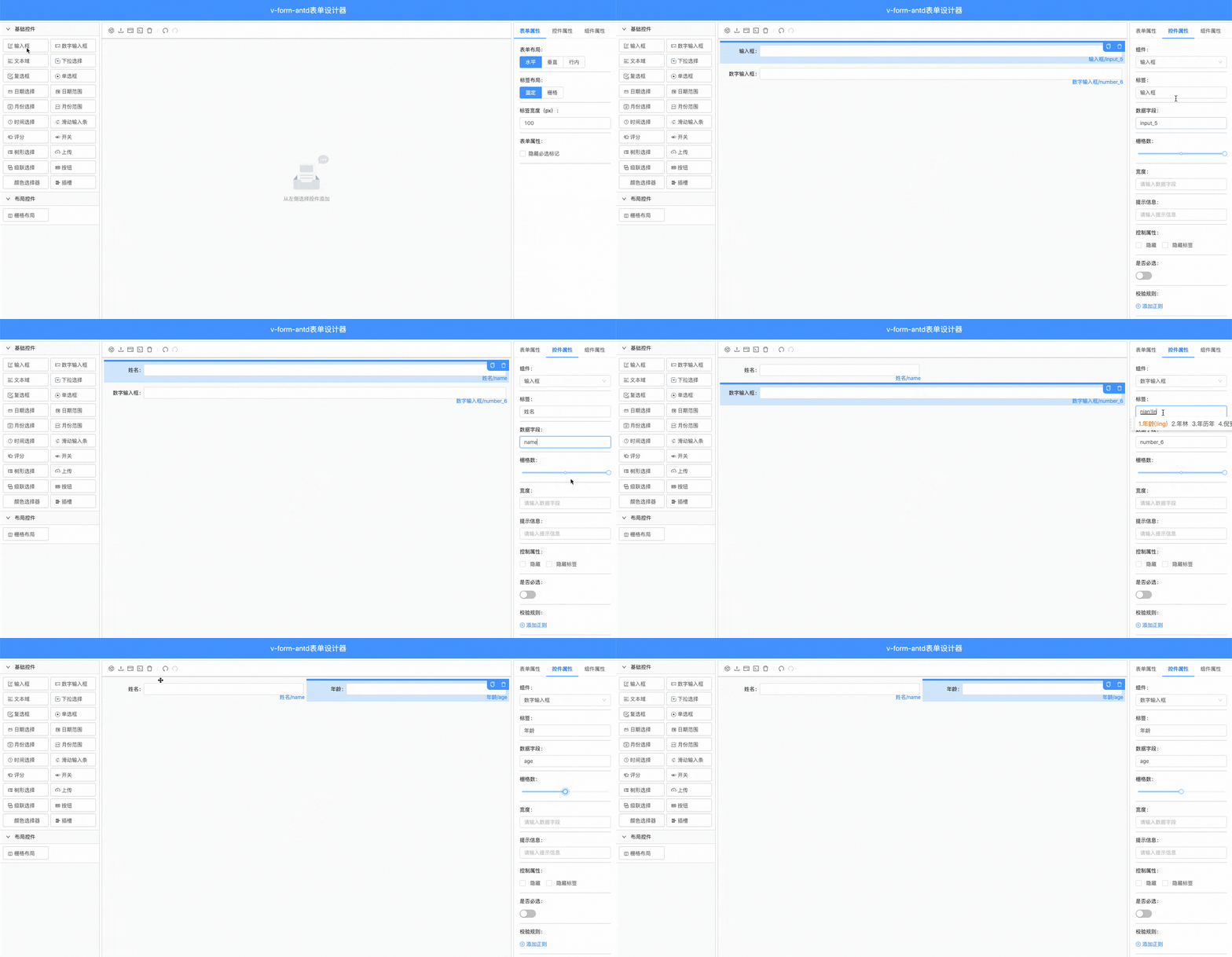
![](https://photos-1301289647.cos.ap-shanghai.myqcloud.com/github/form_design_view.gif)


## 简介
本项目使用json渲染表单，支持自定义组件、表单联动等高级功能，使用 vue2 + CompositionAPI + ts 实现伪 vue3 应用


+ [表单设计器](https://yuan_fangy.gitee.io/v-form-design/)
+ [github](https://github.com/Alfred-Skyblue/v-form-antd)
+ [码云](https://gitee.com/yuan_fangY/v-form-antd)
+ [Document](https://alfred-skyblue.github.io/v-form-antd/)
+ [国内文档地址](https://yuan_fangy.gitee.io/v-form-antd/)
## 使用方法

在引入`v-form-antd`之前，请确保您已经引入`ant-design-vue`以下组件：

```javascript
import {
  Input,
  ConfigProvider,
  Collapse,
  Empty,
  FormModel,
  Row,
  Tabs,
  Button,
  Icon,
  Radio,
  InputNumber,
  Slider,
  Tooltip,
  Divider,
  Modal,
  Col,
  Checkbox,
  Select,
  DatePicker,
  Upload,
  Switch,
  Space,
  Popover,
  Cascader,
  Rate,
  TimePicker,
  TreeSelect
} from 'ant-design-vue'
```


1. 安装
```shell
yarn add v-form-antd
# or
npm install v-form-antd
```

2. 在vue中使用
```javascript
// main.js
import Vue from 'vue'
import VFormAntd from 'v-form-antd'
import 'v-form-antd/lib/index.css'

Vue.use(VFormAntd)
```

3. 使用表单设计器
```vue
<template>
  <v-form-design title="v-form-antd-表单设计器"/>
</template>
```

4. 使用v-form-create渲染表单
```vue
<template>
  <div>
    <v-form-create
      :formConfig="formConfig"
      :formData="formData"
      v-model="fApi"
    />
    <button @click="submit">提交</button>
  </div>
</template>

<script>
export default {
  data () {
    return {
      fApi:{},
      formData:{},
      formConfig: {
        formItems: [
          {
            type: 'input',
            label: '姓名',
            field: 'name',
            span: 12,
            props: {
              type: 'text'
            }
          },
          {
            type: 'number',
            label: '年龄',
            field: 'age',
            span: 12,
            props: {}
          }
        ],
        config: {
          layout: 'horizontal',
          labelLayout: 'flex',
          labelWidth: 100,
          labelCol: {},
          wrapperCol: {}
        }
      }
    }
  },
  methods: {
    async submit() {
      const data = await this.fApi.submit()
      console.log(data)
    }
  }
}
</script>
```

