[](https://img.shields.io/npm/v/v-clipboard)
[](https://img.shields.io/npm/dy/v-clipboard)
## Vue Clipboard
### Demo
https://codesandbox.io/s/epic-waterfall-17yet5?file=/src/App.vue
### Install
```bash
npm install --save v-clipboard
```
```bash
yarn add v-clipboard
```
```javascript
import Vue from 'vue'
import Clipboard from 'v-clipboard'
Vue.use(Clipboard)
```
### Using
When an element that contains `v-clipboard` directive is clicked, the value of `value` will be copied into clipboard.
---
Copying **static** value (directive should receive actual value):
```vue
```
```vue
```
Copying **dynamic** value (directive should recieve a function that returns value):
```vue
```
Copying **anything** in your methods:
```js
this.$clipboard(value)
```
Without plugin:
```js
import { Clipboard } from "v-clipboard"
Clipboard.copy(value)
```
### Events
```vue
```
```js
{
methods: {
clipboardSuccessHandler ({ value, event }) {
console.log('success', value)
},
clipboardErrorHandler ({ value, event }) {
console.log('error', value)
}
}
}
```
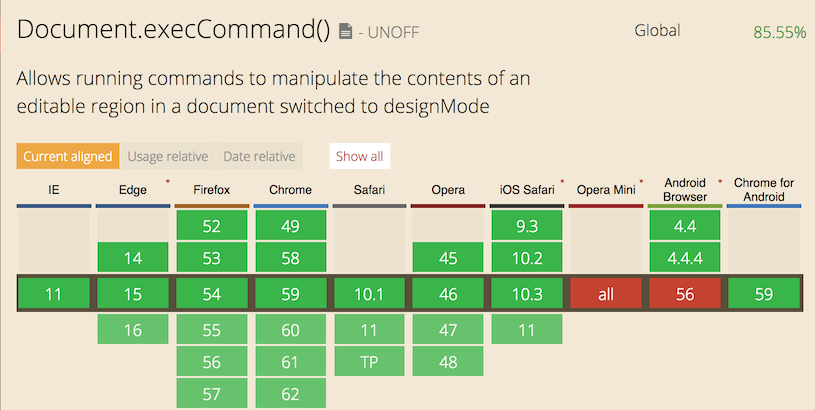
### Compatibility