
A flexible React Hook for using Local Storage.
 [](https://codecov.io/gh/nas5w/use-local-storage/branch/master)
# Features
✅ Persists data to local storage with an interface similar to the React `useState` hook
✅ Works with any hooks-compatible React version
✅ Works with SSR
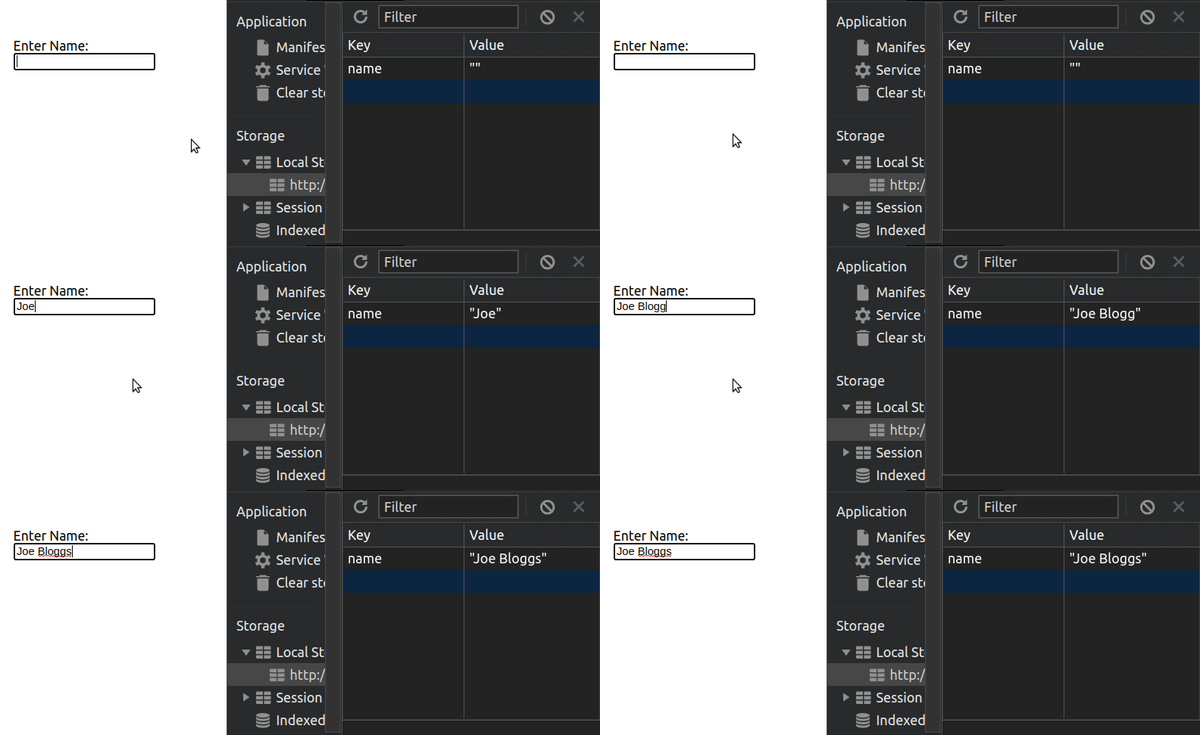
✅ Syncs data between components in the same or different browser tabs
# Installation
Install with npm
```bash
npm i use-local-storage
```
Install with yarn
```bash
yarn add use-local-storage
```
# Basic Usage
In its most basic form, the `useLocalStorage` hook just needs the Local Storage `key` you wish to use. However, it's advised that you also provde a default value as a second argument in the event that they `key` does not yet exist in Local Storage.
The following usage will persist the `username` variable in a `"name"` key in Local Storage. It will have a default/initial value of an empty string `""`. This default value will _only_ be used if there is no value already in Local Storage, moreover setting the variable `username` to `undefined` will remove it from Local Storage.
```jsx
import useLocalStorage from "use-local-storage";
function MyComponent() {
const [username, setUsername] = useLocalStorage("name", "");
return (
<>
{
setUsername(e.target.value);
}}
/>
);
}
```
**Note:** By default, the `useLocalStorage` hook uses `JSON.stringify` and `JSON.parse` to serialize and parse the data, respectively. A custom serializer and/or parser can be configured if desired (discussed below in the Advanced Usage section).
## Typescript Use
The type of `username` will be inferred from your default value. In this case, the type of `string` will be inferred.
If you use `useLocalStorage` _without_ providing a default value, or you simply want to specify that `username` is actually of a different type, you should pass the type of your data as a generic:
```tsx
import useLocalStorage from "use-local-storage";
function MyComponent() {
const [username, setUsername] = useLocalStorage("name");
return (
<>
{
setUsername(e.target.value);
}}
/>
);
}
```
# Advanced Usage / Options
the `useLocalStorage` hook takes an optional third `options` argument. This allows you to configure a custom serializer and/or parser if you need to use something other than `JSON.stringify` and `JSON.parse`. The `options` object also has a `logger` key to log an errors caught in the hook. You can also disable the cross-context synchronization by setting `syncData` to false.
```javascript
const options = {
serializer: (obj) => {
/* Serialize logic */
return someString;
},
parser: (str) => {
/* Parse logic */
return parsedObject;
},
logger: (error) => {
// Do some logging
},
syncData: false, // You can disable cross context sync
};
const [data, setData] = useLocalStorage("data", { foo: "bar" }, options);
```
# Attribution