# Uptime Kuma
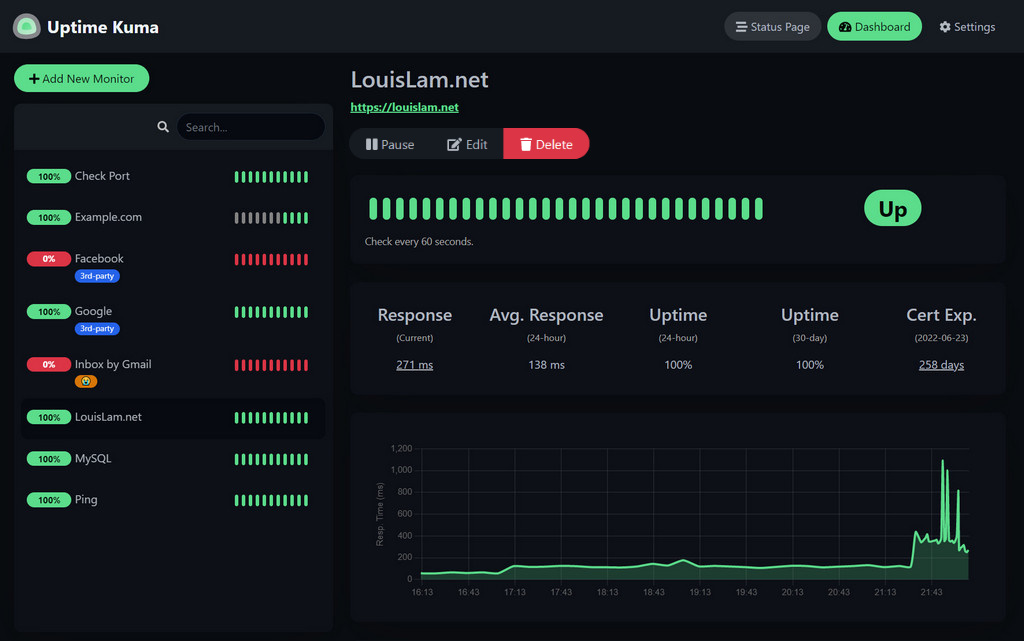
Uptime Kuma is an easy-to-use self-hosted monitoring tool.




 [](https://github.com/sponsors/louislam)
[](https://github.com/sponsors/louislam)

 ## 🔧 How to Install
### Via npm
Requirements:
- Platform
- ✅ Major Linux distros such as Debian, Ubuntu, CentOS, Fedora and ArchLinux etc.
- ✅ Windows 10 (x64), Windows Server 2012 R2 (x64) or higher
- ❌ Replit / Heroku
- [Node.js](https://nodejs.org/en/download/) 14 / 16 / 18 / 20.4
- [npm](https://docs.npmjs.com/cli/) >= 7
- [Git](https://git-scm.com/downloads)
- [pm2](https://pm2.keymetrics.io/) - For running Uptime Kuma in the background
npm:
```bash
npm install uptime-kuma -g
# or you can use pnpm
# pnpm install uptime-kuma -g
# Try Uptime Kuma in the foreground
uptime-kuma
# Run Uptime Kuma in the background
# TODO
```
Uptime Kuma is now running on http://localhost:3001
More useful commands:
```bash
# TODO
```
### 🐳 Docker
```bash
docker run -d --restart=always -p 3001:3001 -v uptime-kuma:/app/data --name uptime-kuma louislam/uptime-kuma:1
```
⚠️ Please use a **local volume** only. Other types such as NFS are not supported.
Uptime Kuma is now running on http://localhost:3001
### More installation methods
Please go to https://github.com/louislam/uptime-kuma for more information.
## 🆙 How to Update
```
npm install uptime-kuma -g
```
## More
Please go to https://github.com/louislam/uptime-kuma for more information.
## 🔧 How to Install
### Via npm
Requirements:
- Platform
- ✅ Major Linux distros such as Debian, Ubuntu, CentOS, Fedora and ArchLinux etc.
- ✅ Windows 10 (x64), Windows Server 2012 R2 (x64) or higher
- ❌ Replit / Heroku
- [Node.js](https://nodejs.org/en/download/) 14 / 16 / 18 / 20.4
- [npm](https://docs.npmjs.com/cli/) >= 7
- [Git](https://git-scm.com/downloads)
- [pm2](https://pm2.keymetrics.io/) - For running Uptime Kuma in the background
npm:
```bash
npm install uptime-kuma -g
# or you can use pnpm
# pnpm install uptime-kuma -g
# Try Uptime Kuma in the foreground
uptime-kuma
# Run Uptime Kuma in the background
# TODO
```
Uptime Kuma is now running on http://localhost:3001
More useful commands:
```bash
# TODO
```
### 🐳 Docker
```bash
docker run -d --restart=always -p 3001:3001 -v uptime-kuma:/app/data --name uptime-kuma louislam/uptime-kuma:1
```
⚠️ Please use a **local volume** only. Other types such as NFS are not supported.
Uptime Kuma is now running on http://localhost:3001
### More installation methods
Please go to https://github.com/louislam/uptime-kuma for more information.
## 🆙 How to Update
```
npm install uptime-kuma -g
```
## More
Please go to https://github.com/louislam/uptime-kuma for more information.
