---
parent: Components
permalink: /svg-chart/
---
# svg-chart
`` renders an SVG, modifying parts of it based on data using rules.
This is useful when creating:
- Data-driven infographics like [data portraits](https://gramener.com/gramex/guide/workshop/data-portraits/)
- [Coloring maps using data](https://gramener.com/cartogram/)
- Coloring physical layouts like
- [manufacturing plants](https://gramener.com/processmonitor/monitor)
- [store layouts](https://gramener.com/store/retail_store_layout)
- Coloring logical workflows like
- [supply chains](https://gramener.com/store/retail_supply_chain)
- [process workflows](https://gramener.com/servicerequests/)
## Usage
Add this code anywhere in your HTML page:
```html
```
This renders the following output:
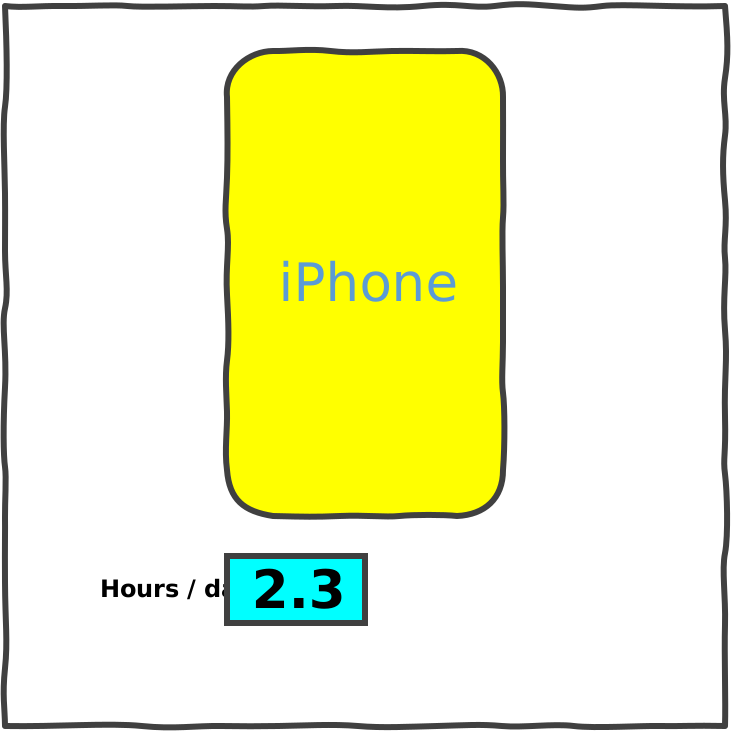{.img-fluid}
## Properties
`` has 3 properties:
- `src:urltext` (**required**). The SVG file or URL to render. For example:
- `src="https://example.org/your.svg"` renders the SVG -- provided
[CORS](https://developer.mozilla.org/en-US/docs/Web/HTTP/CORS) is enabled.
- `src:string=""` treats the
attribute value as a string (instead of a URL) and renders it as SVG.
- `src:js="myGlobalSvgString"` renders the SVG in the JavaScript global variable `myGlobalSvgString`
- `rules:urljson` (optional). The [JSON rules](#rules) to map data to SVG attributes. For example:
- `rules="https://example.org/rules.json"` applies rules from the JSON file -- if
[CORS](https://developer.mozilla.org/en-US/docs/Web/HTTP/CORS) is enabled.
- `rules:js="'.phone': { fill: data.phone == 'Android' ? 'pink' : 'yellow' }` defines a rule inline as a JavaScript object
- `data:urljson` (optional). The data to modify the SVG file.
- `data="https://example.org/data.json"` loads data from the JSON file -- if
[CORS](https://developer.mozilla.org/en-US/docs/Web/HTTP/CORS) is enabled.
- `data:js="{ phone: 'iPhone', hours: 2.3 }"` defines the data inline as a JavaScript object
Changing any property re-renders the component. For example:
```js
// Re-render the component with new data
document.querySelector('svg-chart').data = { phone: 'Android', hours: 2.9}
// Re-render the component with a new SVG that has a tall blue rectangle
document.querySelector('svg-chart').src = ""
```
## Rules
Here's an example rule:
```json
{
".phone": {
"fill": "data.phone == 'Android' ? 'pink' : 'yellow'"
}
}
```
Each rule has 3 parts:
1. A CSS **selector**, like `.phone`. It applies this rule only to SVG elements matching `class="phone"`
2. An **attribute**, like `fill`. It replaces the `fill=` attribute of the selected SVG elements
3. A JavaScript **expression**, like `data.phone == 'Android' ? 'pink' : 'yellow'`. It replaces the
`fill=` attribute with the result of this expression.
- You can use `data` as a variable. This is the same `data=` property you defined.
- You can use any global variables, like `uifactory`
## Examples
TODO