# typing
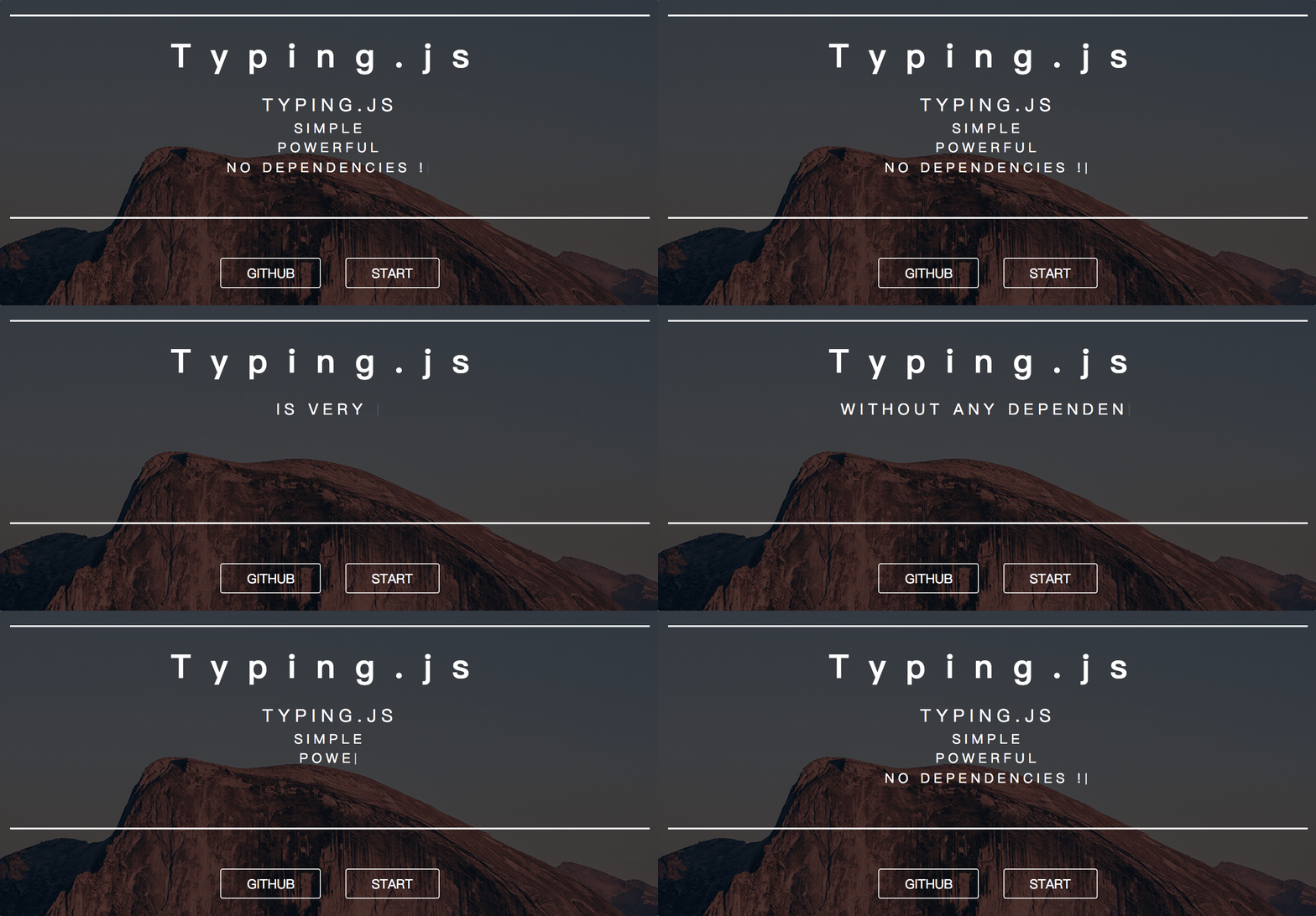
Typing.js is a simple, powerful and without any dependencies(such as jQuery).
You can use it to implement a typing effect.
[https://typing-blackcater.surge.sh](https://typing-blackcater.surge.sh)
## Install
You can use `typing.js` in [browser](#user-content-browser) or [node.js](#user-content-node)
### Browser
`typing.min.js` is a `UMD` library.
The `typing.min.js` is in the directory `dist/typing.min.js`
Then add the following code :
```html
```
### Node
You can install it with `yarn` or `npm` :
```shell
yarn add typing-bc --save
# or
npm install typing-cb --save-dev
```
Then, you should import the module :
```javascript
// es5
const Typing = require('typing-bc').Typing
// es6
import { Typing } from 'typing-bc'
```
## Use.
`Typing` supports multi-line.
So it is based on `ul, li` to constitute.
### `Typing.init`
This is a function, it needs two parameters. First is `string` or `HTMLElement`. If it is a `string`, we will call `querySelector` to find the `HTMLElement`.
When you call this function. It will return an instance of `Class Typing`.
After you call this function, `ul, li` has been appended to `HTMLElement` said before.
### `Typing.run`/`typing.run`
*`typing` is an instance of `Class Typing`.*
You can call this function to start typing.
```javascript
const typing = Typing.init(...)
typing.run() // or Typing.run(typing)
```
### `Typing.stop`/`typing.stop`
*`typing` is an instance of `Class Typing`.*
You can call this function to stop typing.
So, you can call `run` function to continute typing.
```javascript
const typing = Typing.init(...)
typing.stop() // or Typing.stop(typing)
setTimeout(() => {
typing.run() // continute typing
}, 2000)
```
### `Typing.abort`/`typing.abort`
*`typing` is an instance of `Class Typing`.*
You can call this function to abort typing.
After you call this function, we can no longer recover to type.
```javascript
const typing = Typing.init(...)
typing.abort() // or Typing.abort(typing)
typing.run() // It is no use.
```
## Config
There are some properties which you can set.
```javascript
const defualtConfiguration = {
"cssPrefix": "typing", // css prefix
"typeSpeed": 100, // typing interval
"backSpeed": 50, // back interval
"startDelay": 500,
"sectionDelay": 1000,
"sentenceDelay": 50,
"blinkDelay": 20, // interval for blinking of typing cursor
"infinite": false,
}
```
## Examples
The following are some examples.
### Simple use
```javascript
import { Typing } from 'typing-bc'
// global config
Typing.config({
infinite: true,
})
// init
Typing.init('#demo1', [
'Typing is simple',
'Typing is powerful',
'Typing without dependencies',
]).run()
```
### Advanced use
```javascript
// global config
Typing.config({})
// run
Typing.init('#demo2', [
[
'Typing is simple',
{
text: 'It is really simple!!!!',
styles: {
color: 'red',
},
},
],
[
'Typing is powerful',
{
text: 'It is really powerful!!!!',
styles: {
color: 'green',
},
},
],
[
'Typing without dependencies',
{
text: 'Such as jQuery',
styles: {
color: 'yellow',
},
},
],
]).run()
```


 [https://typing-blackcater.surge.sh](https://typing-blackcater.surge.sh)

## Install
You can use `typing.js` in [browser](#user-content-browser) or [node.js](#user-content-node)
### Browser
`typing.min.js` is a `UMD` library.
The `typing.min.js` is in the directory `dist/typing.min.js`
Then add the following code :
```html
```
### Node
You can install it with `yarn` or `npm` :
```shell
yarn add typing-bc --save
# or
npm install typing-cb --save-dev
```
Then, you should import the module :
```javascript
// es5
const Typing = require('typing-bc').Typing
// es6
import { Typing } from 'typing-bc'
```
## Use.
`Typing` supports multi-line.
So it is based on `ul, li` to constitute.
### `Typing.init`
This is a function, it needs two parameters. First is `string` or `HTMLElement`. If it is a `string`, we will call `querySelector` to find the `HTMLElement`.
When you call this function. It will return an instance of `Class Typing`.
After you call this function, `ul, li` has been appended to `HTMLElement` said before.
### `Typing.run`/`typing.run`
*`typing` is an instance of `Class Typing`.*
You can call this function to start typing.
```javascript
const typing = Typing.init(...)
typing.run() // or Typing.run(typing)
```
### `Typing.stop`/`typing.stop`
*`typing` is an instance of `Class Typing`.*
You can call this function to stop typing.
So, you can call `run` function to continute typing.
```javascript
const typing = Typing.init(...)
typing.stop() // or Typing.stop(typing)
setTimeout(() => {
typing.run() // continute typing
}, 2000)
```
### `Typing.abort`/`typing.abort`
*`typing` is an instance of `Class Typing`.*
You can call this function to abort typing.
After you call this function, we can no longer recover to type.
```javascript
const typing = Typing.init(...)
typing.abort() // or Typing.abort(typing)
typing.run() // It is no use.
```
## Config
There are some properties which you can set.
```javascript
const defualtConfiguration = {
"cssPrefix": "typing", // css prefix
"typeSpeed": 100, // typing interval
"backSpeed": 50, // back interval
"startDelay": 500,
"sectionDelay": 1000,
"sentenceDelay": 50,
"blinkDelay": 20, // interval for blinking of typing cursor
"infinite": false,
}
```
## Examples
The following are some examples.
### Simple use
```javascript
import { Typing } from 'typing-bc'
// global config
Typing.config({
infinite: true,
})
// init
Typing.init('#demo1', [
'Typing is simple',
'Typing is powerful',
'Typing without dependencies',
]).run()
```
### Advanced use
```javascript
// global config
Typing.config({})
// run
Typing.init('#demo2', [
[
'Typing is simple',
{
text: 'It is really simple!!!!',
styles: {
color: 'red',
},
},
],
[
'Typing is powerful',
{
text: 'It is really powerful!!!!',
styles: {
color: 'green',
},
},
],
[
'Typing without dependencies',
{
text: 'Such as jQuery',
styles: {
color: 'yellow',
},
},
],
]).run()
```
[https://typing-blackcater.surge.sh](https://typing-blackcater.surge.sh)

## Install
You can use `typing.js` in [browser](#user-content-browser) or [node.js](#user-content-node)
### Browser
`typing.min.js` is a `UMD` library.
The `typing.min.js` is in the directory `dist/typing.min.js`
Then add the following code :
```html
```
### Node
You can install it with `yarn` or `npm` :
```shell
yarn add typing-bc --save
# or
npm install typing-cb --save-dev
```
Then, you should import the module :
```javascript
// es5
const Typing = require('typing-bc').Typing
// es6
import { Typing } from 'typing-bc'
```
## Use.
`Typing` supports multi-line.
So it is based on `ul, li` to constitute.
### `Typing.init`
This is a function, it needs two parameters. First is `string` or `HTMLElement`. If it is a `string`, we will call `querySelector` to find the `HTMLElement`.
When you call this function. It will return an instance of `Class Typing`.
After you call this function, `ul, li` has been appended to `HTMLElement` said before.
### `Typing.run`/`typing.run`
*`typing` is an instance of `Class Typing`.*
You can call this function to start typing.
```javascript
const typing = Typing.init(...)
typing.run() // or Typing.run(typing)
```
### `Typing.stop`/`typing.stop`
*`typing` is an instance of `Class Typing`.*
You can call this function to stop typing.
So, you can call `run` function to continute typing.
```javascript
const typing = Typing.init(...)
typing.stop() // or Typing.stop(typing)
setTimeout(() => {
typing.run() // continute typing
}, 2000)
```
### `Typing.abort`/`typing.abort`
*`typing` is an instance of `Class Typing`.*
You can call this function to abort typing.
After you call this function, we can no longer recover to type.
```javascript
const typing = Typing.init(...)
typing.abort() // or Typing.abort(typing)
typing.run() // It is no use.
```
## Config
There are some properties which you can set.
```javascript
const defualtConfiguration = {
"cssPrefix": "typing", // css prefix
"typeSpeed": 100, // typing interval
"backSpeed": 50, // back interval
"startDelay": 500,
"sectionDelay": 1000,
"sentenceDelay": 50,
"blinkDelay": 20, // interval for blinking of typing cursor
"infinite": false,
}
```
## Examples
The following are some examples.
### Simple use
```javascript
import { Typing } from 'typing-bc'
// global config
Typing.config({
infinite: true,
})
// init
Typing.init('#demo1', [
'Typing is simple',
'Typing is powerful',
'Typing without dependencies',
]).run()
```
### Advanced use
```javascript
// global config
Typing.config({})
// run
Typing.init('#demo2', [
[
'Typing is simple',
{
text: 'It is really simple!!!!',
styles: {
color: 'red',
},
},
],
[
'Typing is powerful',
{
text: 'It is really powerful!!!!',
styles: {
color: 'green',
},
},
],
[
'Typing without dependencies',
{
text: 'Such as jQuery',
styles: {
color: 'yellow',
},
},
],
]).run()
```