# tomo
> A friendly command line tool designed to help create sustainable software using web technology
*It's like* [create-react-app](https://github.com/facebook/create-react-app/), but with less complexity and more flexibility (tomo even has "out of the box" support for HMR using Webpack or [Parcel](https://github.com/jhwohlgemuth/tomo-cli#create-a-new-app-using-react-and-parcel-with-blazing-fast-hmr))
*It's like* [yeoman](https://yeoman.io/)+[generator](https://yeoman.io/generators/), but with a bespoke interface written with the [React API](https://github.com/vadimdemedes/ink) that focuses on [User Experience (UX)](https://github.com/jhwohlgemuth/tomo-cli#made-a-mistake-while-typing-tomo-has-your-back-). tomo can also be used to [progressively enhance existing projects!](https://github.com/jhwohlgemuth/tomo-cli#add-eslint-to-your-project)
*It's like* [GatsbyJS](https://www.gatsbyjs.org/), but can be used to make and enhance modules, libraries, plugins, apps, sites, servers, and more.
*It's like* [mrm](https://github.com/sapegin/mrm), but with mostly different options, built with a React-based UI, and focused more on code, less on config. Honestly, `mrm` is really cool... `tomo` and `mrm` could definitely be used together.
*It's like* boilerplate from GitHub, but with a streamlined interface designed to be user friendly (and all of the stuff above too)
(see the wiki for [my full list of alternatives/inspirations](https://github.com/jhwohlgemuth/tomo-cli/wiki/Alternatives))
## Global install
```
$ npm install --global tomo-cli
```
## No install
```
$ npx tomo-cli [command] [terms] [options]
```
> View available commands, terms and options with `tomo -h`
## Local install
- Create a package.json with `npm init -y`
- Add a "setup" script to the package.json
```json
{
"scripts": {
"setup": "tomo-cli new app --use-react --with-cesium",
"deploy": "surge dist"
}
}
```
- Install tomo locally with `npm install tomo-cli --save-dev`
- Build a new app with `npm run setup`
## Install and Deploy
> tomo web apps work with [surge.sh](https://surge.sh/) and [now.sh](https://zeit.co/download) out of the box!
1. [Install tomo-cli](https://github.com/jhwohlgemuth/tomo-cli#install)
2. Install surge or now CLI
3. Scaffold a web app:
```shell
tomo new app [options]
```
4. Update `deploy` task in `package.json` (pick surge or now):
```json
{
"deploy": "surge dist"
}
```
```json
{
"deploy": "now dist"
}
5. Excecute deploy script:
```shell
npm run deploy
```
## No Install and Deploy
> Quickly see the results of `tomo new server`... live ... on [Heroku]()
[](https://heroku.com/deploy)
## Usage
> tomo wants to help you explore and exploit modern web technologies. With a strong focus on Developer Experience (DX), tomo will allow you to build new stuff and augment existing stuff. "No [FOMO](https://en.wikipedia.org/wiki/Fear_of_missing_out) with tomo!"™
#### Create a new app with [Marionette.js](https://marionettejs.com/) and [Webpack](https://webpack.js.org/)
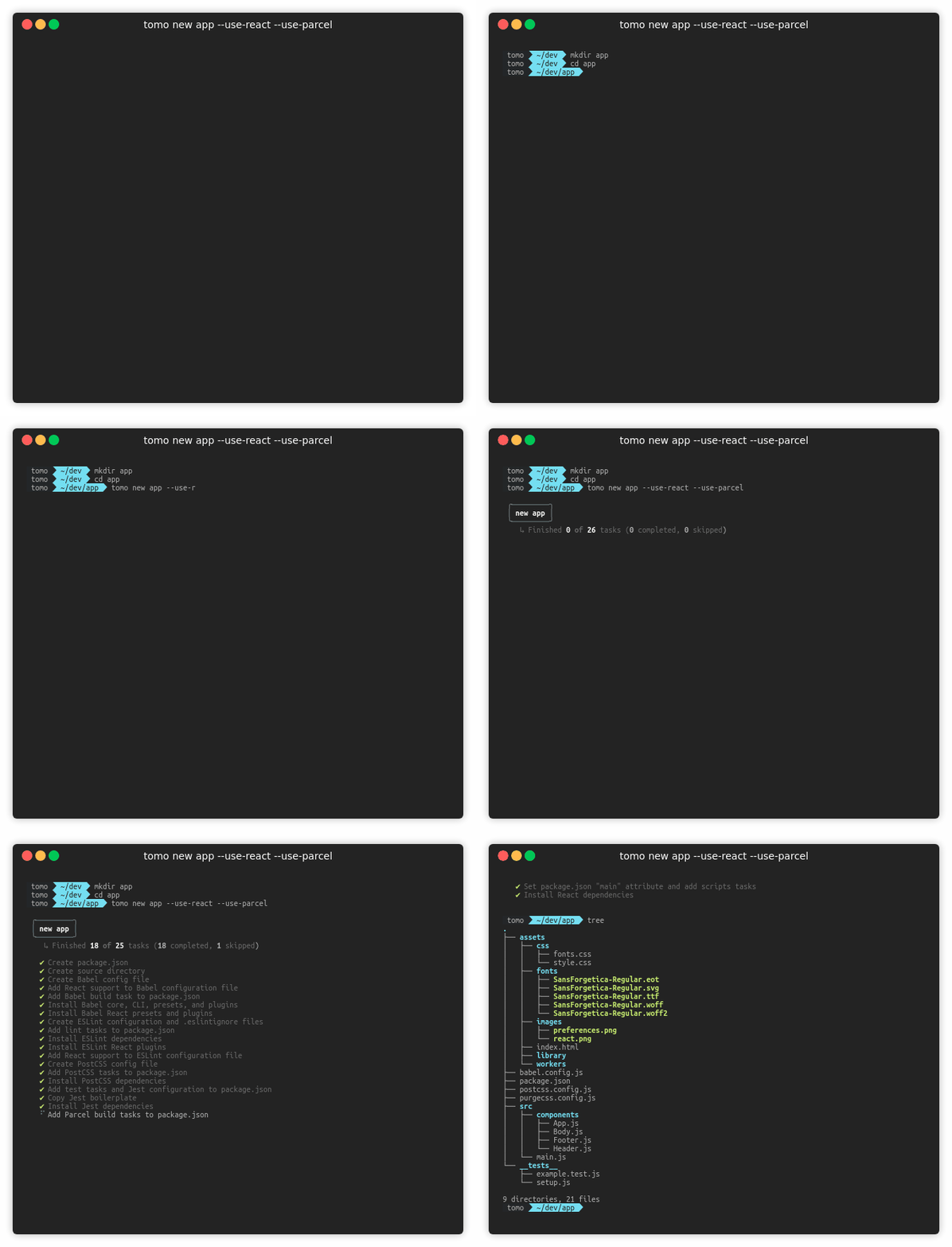
#### Create a new app using [React](https://reactjs.org/) and [Parcel](https://parceljs.org/) (with blazing fast [HMR](https://parceljs.org/hmr.html))
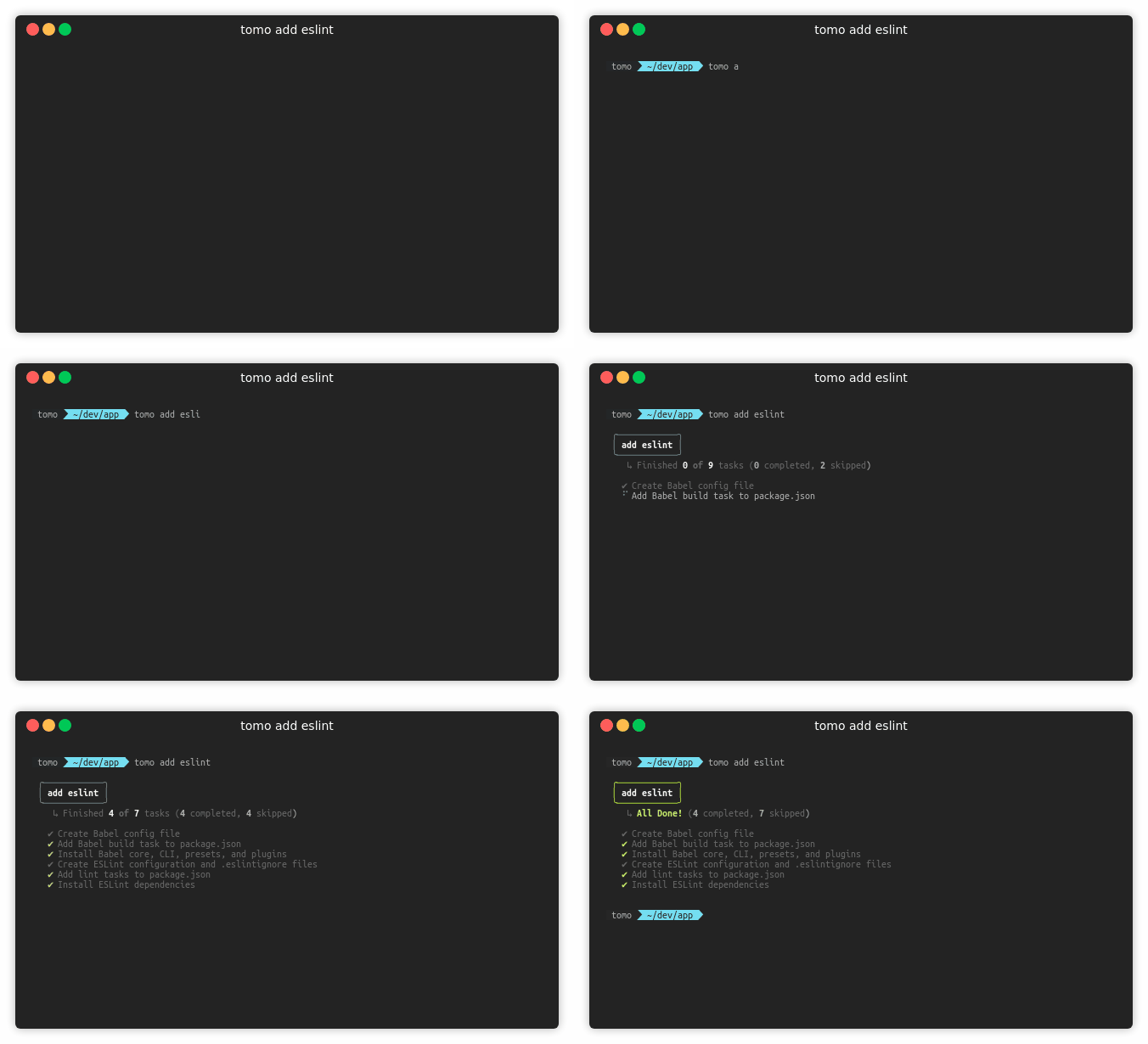
#### Add [ESLint](https://eslint.org/) to your project
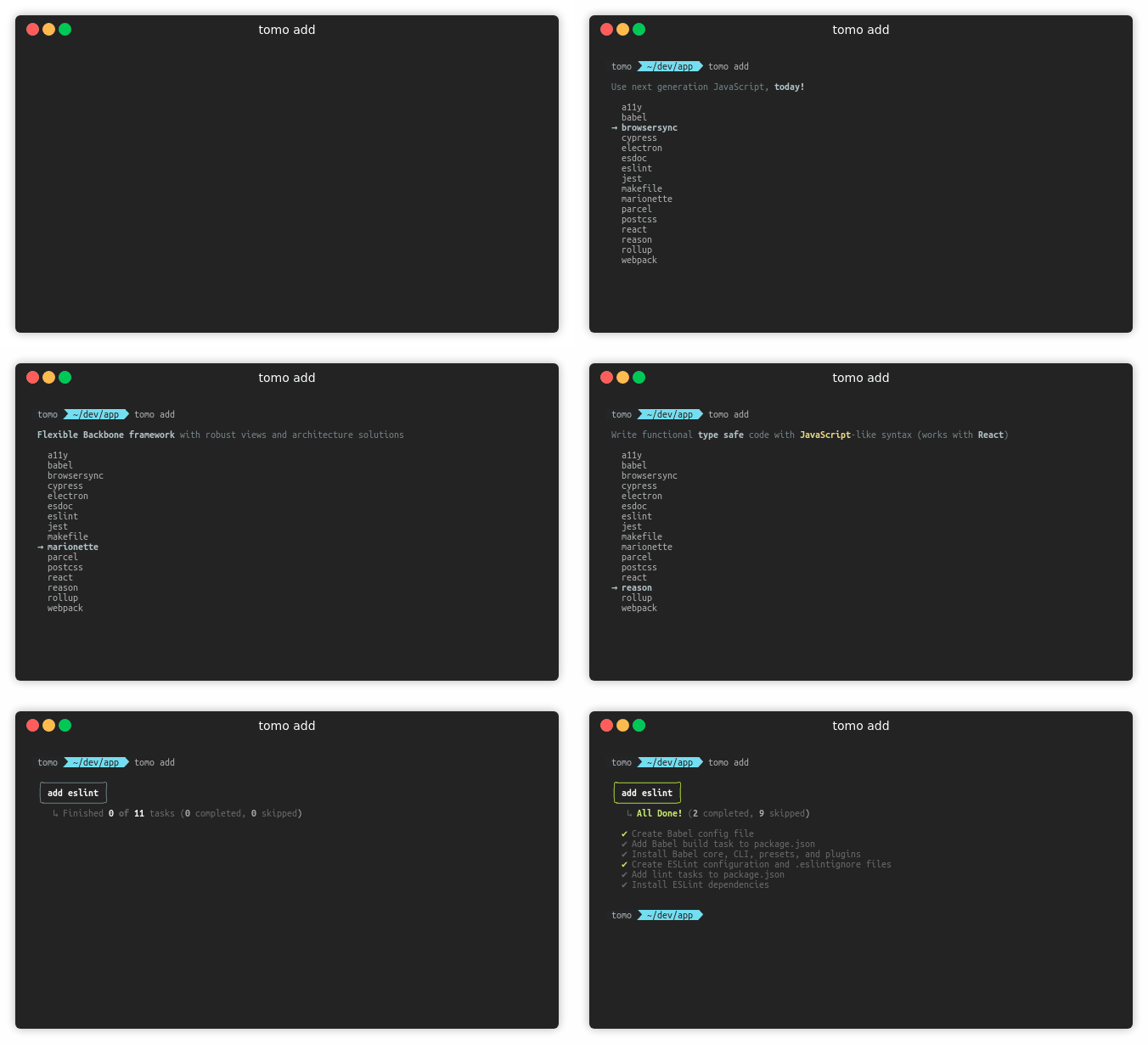
#### Select what you want to add via the tomo CLI "add" menu
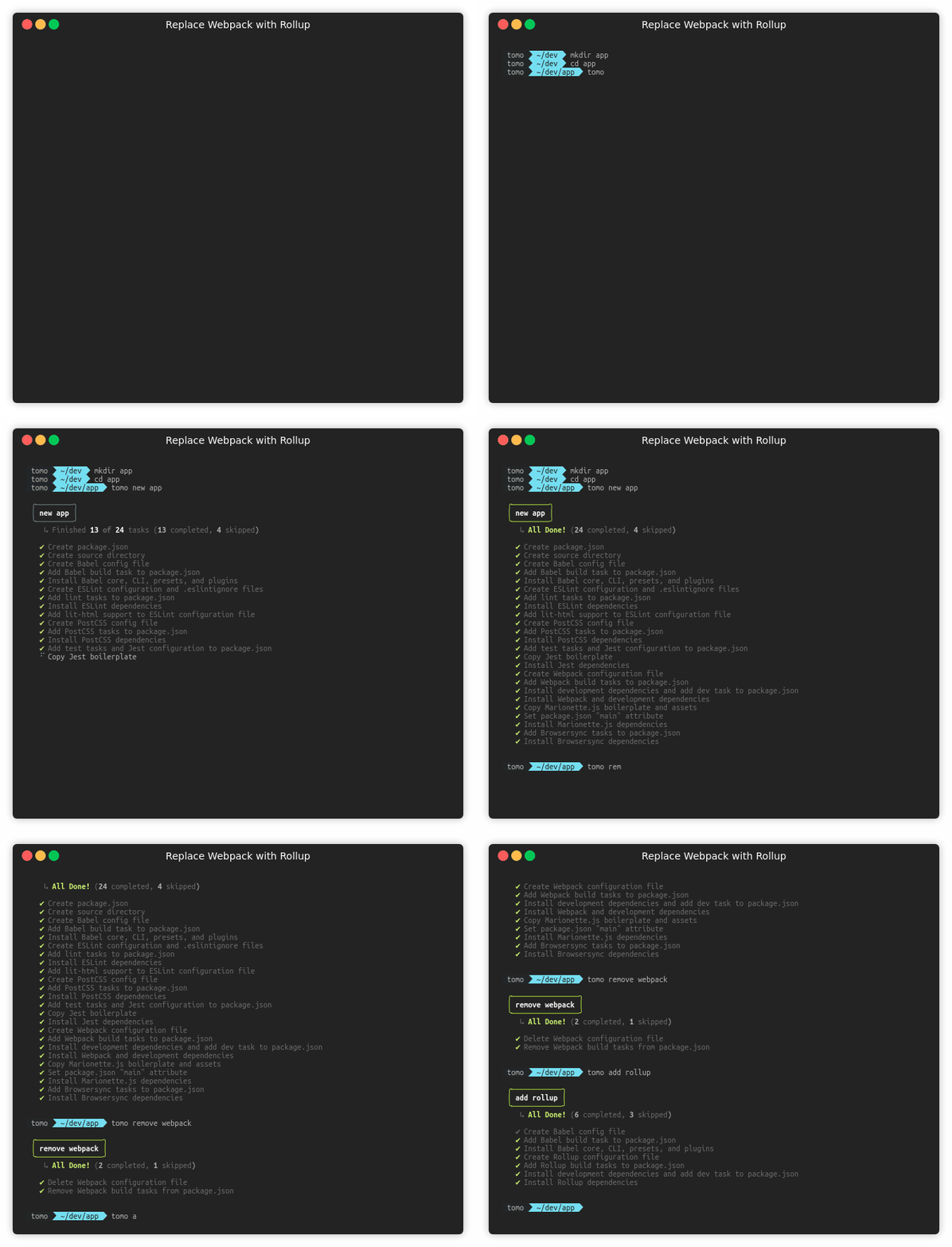
#### Replace [Webpack](https://webpack.js.org/) with [Rollup](https://rollupjs.org/guide/en/)
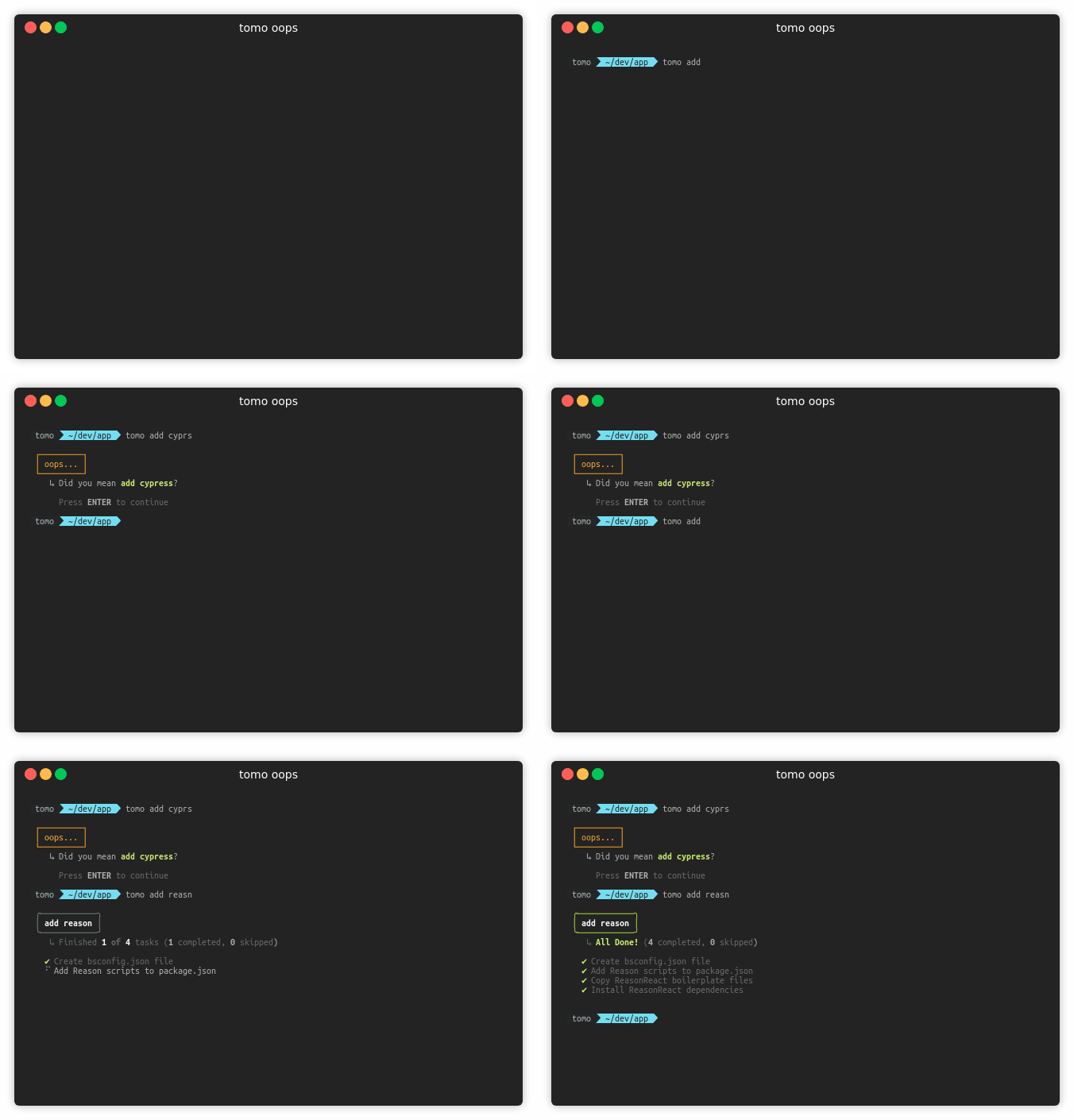
#### Made a mistake while typing? tomo has your back ;)
### Read the help! So exciting!
```bash
$ tomo --help
Usage
tomo [commands] [terms] [options]
Commands
new, add, remove, version
Terms
[new]
project, app, server
[add]
a11y, babel, browsersync, cypress, electron, esdoc, eslint, jest,
marionette, makefile, parcel, postcss, react, reason, rollup, webpack
[remove]
a11y, browsersync, cypress, parcel, postcss, reason, rollup, webpack
Options
--version, -v Print version
--source-directory, -d Directory for source code [Default: ./src]
--output-directory, -o Directory for build targets [Default: ./dist]
--assets-directory, -a Directory for assets [Default: ./assets]
--use-rollup, Use Rollup instead of Webpack [Default: false]
--use-parcel, Use Parcel instead of Webpack [Default: false]
--use-react, -r Add React support to workflow [Default: false]
--react-version React version for ESLint configuration [Default: '16.8']
--with-cesium Add CesiumJS to your project [Default: false]
--ignore-warnings, -i Ignore warning messages [Default: false]
--skip-install, -s Skip npm installations [Default: false]
--overwrite Copy files, even if they alrady exist [Default: false]
--browser Indicate tasks are intended for the browser [Default: false]
--port, -p Configure port for workflow tasks that use it [Default: 4669]
--debug Show debug data [Default: false]
```
## BTW
> **tomo** means ["friend" in Japanese (友)](https://translate.google.com/#view=home&op=translate&sl=ja&tl=en&text=%E5%8F%8B)
## License
MIT © [Jason Wohlgemuth](https://twitter.com/jhwohlgemuth)