# [Timeline Studio](https://chatman-media.github.io/timeline-studio/)
[English](README.md) | [Italiano](README.it.md) | [Español](README.es.md) | [Français](README.fr.md) | [Deutsch](README.de.md) | [Русский](README.ru.md) | [Português](README.pt.md) | [日本語](README.ja.md) | [한국어](README.ko.md) | [Türkçe](README.tr.md) | [ไทย](README.th.md) | [العربية](README.ar.md) | [فارسی](README.fa.md) | [हिन्दी](README.hi.md)
[](https://www.npmjs.com/package/timeline-studio)
[](https://github.com/chatman-media/timeline-studio/actions/workflows/build.yml)
[](https://github.com/chatman-media/timeline-studio/actions/workflows/test-coverage.yml)
[](https://codecov.io/gh/chatman-media/timeline-studio)
[](https://github.com/chatman-media/timeline-studio/commits/main)
[](https://github.com/chatman-media/timeline-studio/graphs/commit-activity)
[](https://www.npmjs.com/package/timeline-studio)
[](https://github.com/chatman-media/timeline-studio/stargazers)
[](./docs/en/README.md)
[](https://t.me/timelinestudio)
[](https://discord.gg/uvSBCw6e)
## 🎬 项目概述
**Timeline Studio** - AI驱动的视频编辑器,将您的视频、音乐和喜爱的效果转换为数十个可直接发布到所有平台的视频片段!
### 🚀 想象无限可能
**一次上传您的视频、照片、音乐** → 获得:
- 📱 **TikTok** - 带有热门效果的竖版短视频
- 📺 **YouTube** - 完整影片、短片段、Shorts
- 📸 **Instagram** - 不同时长的Reels、Stories、帖子
- ✈️ **Telegram** - 为频道和聊天优化的版本
AI助手将为每个平台创建合适数量的版本!🤖
### 💡 工作原理
> *"为我的亚洲之旅创建视频并发布到所有社交媒体" - 几分钟内您就有了现成的选项:TikTok的动态短视频、YouTube的氛围视频博客、Instagram的生动Stories。AI将选择最佳时刻,与音乐同步,并适配每个平台。*
### ⚡ 这将改变一切
- **节省10倍时间** - 不再需要为每个视频手动调整
- **AI理解趋势** - 知道什么在每个社交网络上有效
- **专业质量** - 使用与大型工作室相同的工具
- **一切本地运行** - 您的内容保持私密


### 项目状态(2025年6月)
**总体完成度:58%** ⬆️(根据API密钥管理100%完成和14个新计划模块重新计算)
- **已完成**:13个模块(100% 就绪)
- **开发中**:7个模块(45-90% 就绪)
- **已计划**:4个模块(30-80% 就绪)
- **新计划**:14个模块(0% 就绪)- [详情见 planned/](docs-ru/08-roadmap/planned/)
### 关键成就:
- ✅ **核心架构** - 时间轴、视频编译器、媒体管理(100%)
- ✅ **API密钥管理** - 使用AES-256-GCM加密的安全存储(100%)
- ✅ **识别** - YOLO v11对象和人脸识别(100%)
- ✅ **导出** - YouTube/TikTok/Vimeo的OAuth集成(100%)
- 🚧 **效果/滤镜/转场** - 丰富的库正在开发中(75-80%)
- 🚧 **时间轴AI** - 使用41个Claude工具的自动化(90%)
### 当前任务:
- 🔄 **OAuth回调处理** - 完成社交网络集成
- ⏳ **HTTP API验证** - 实时连接测试
- ⏳ **从.env导入** - 现有密钥的迁移
### 下一步:
1. **社交网络集成** - 完整的OAuth流程实现
2. **高级效果** - 完成Filmora风格的库
3. **时间轴AI** - 智能视频创作自动化
## 主要功能
- 🎬 专业视频编辑,支持多轨道时间轴
- 🖥️ 跨平台(Windows、macOS、Linux)
- 🚀 GPU 加速视频处理(NVENC、QuickSync、VideoToolbox)
- 🤖 AI 驱动的对象/人脸识别(YOLO v11 - ORT 已修复)
- 🎨 30+ 种转场、视觉效果和滤镜
- 📝 高级字幕系统,支持 12 种样式和动画
- 🎵 多轨音频编辑,带效果
- 📤 导出到 MP4/MOV/WebM,支持社交媒体 OAuth 集成
- 🔐 支持 YouTube/TikTok/Vimeo/Telegram OAuth,安全令牌存储
- 📱 设备预设(iPhone、iPad、Android)用于优化导出
- 🌐 国际化支持(13 种语言)
- 💾 智能缓存和统一预览系统
- 🎨 使用 Tailwind CSS v4、shadcn-ui 的现代 UI
- 📚 完整文档,2400+ 测试(98.8% 成功率)
## 开始使用
### 快速设置
```bash
# 克隆并安装
git clone https://github.com/chatman-media/timeline-studio.git
cd timeline-studio
bun install
# 运行开发模式
bun run tauri dev
```
### 要求
- Node.js v18+、Rust、Bun、FFmpeg
📚 **[完整安装指南 →](docs-ru/01-getting-started/README.md)**
🪟 **[Windows设置 →](docs-ru/06-deployment/platforms/windows-build.md)**
## 文档
### 📚 主要文档
- 📚 [文档地图](docs-ru/MAP.md) - 完整文档概述
- 🏗️ [架构指南](docs-ru/ARCHITECTURE.md) - 系统架构
- 🧪 [测试指南](docs-ru/testing/TESTING.md) - 测试策略
- 📡 [API 参考](docs-ru/API.md) - Tauri 命令参考
- 🚀 [部署指南](docs-ru/deployment/DEPLOYMENT.md) - 构建和部署
- 🛣️ [路线图](docs-ru/ROADMAP.md) - 开发路线图
### 📋 项目文档
- **`src/features/README.md`** - 所有功能的概述,包含优先级和状态
- **语言版本**:通过上方的切换器提供13种语言版本
## 开发
### 快速开始
```bash
# 开发模式
bun run tauri dev
# 运行测试
bun run test && bun run test:rust
# 检查代码质量
bun run check:all
```
📚 **[完整开发指南 →](docs-ru/05-development/README.md)**
## CI/CD 和代码质量
### 自动化流程
- ✅ **代码检查**:ESLint、Stylelint、Clippy
- ✅ **测试**:前端(Vitest)、后端(Rust)、E2E(Playwright)
- ✅ **覆盖率**:Codecov 集成
- ✅ **构建**:跨平台构建
📚 **[详细 CI/CD 指南 →](docs-ru/06-deployment/README.md)**
🔧 **[代码检查和格式化 →](docs-ru/05-development/linting-and-formatting.md)**
## 文档和资源
- 📚 [**API 文档**](https://chatman-media.github.io/timeline-studio/api-docs/) - 自动生成的TypeScript文档
- 🚀 [**网站**](https://chatman-media.github.io/timeline-studio/) - 项目展示
- 📖 [**完整文档**](docs-ru/README.md) - 俄语完整指南
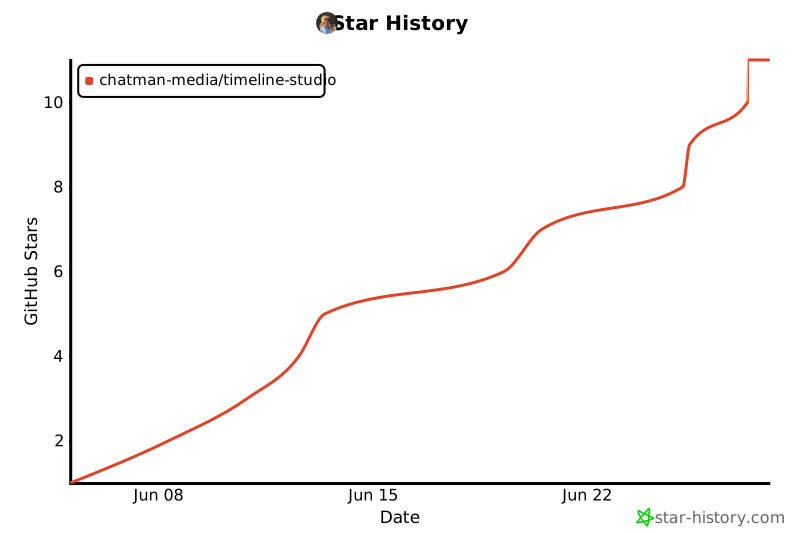
## Star History
 ## 许可证
MIT许可证附带Commons Clause - 个人使用免费,商业使用需要协议。
📄 **[完整许可证详情 →](docs-ru/10-legal/license.md)** | 📧 **商业许可证**: ak.chatman.media@gmail.com
## 许可证
MIT许可证附带Commons Clause - 个人使用免费,商业使用需要协议。
📄 **[完整许可证详情 →](docs-ru/10-legal/license.md)** | 📧 **商业许可证**: ak.chatman.media@gmail.com