# [Timeline Studio](https://chatman-media.github.io/timeline-studio/)
[English](README.md) | [Italiano](README.it.md) | [Español](README.es.md) | [Français](README.fr.md) | [Deutsch](README.de.md) | [Русский](README.ru.md) | [中文](README.zh.md) | [Português](README.pt.md) | [日本語](README.ja.md) | [한국어](README.ko.md) | [Türkçe](README.tr.md) | [العربية](README.ar.md) | [فارسی](README.fa.md) | [हिन्दी](README.hi.md)
[](https://www.npmjs.com/package/timeline-studio)
[](https://github.com/chatman-media/timeline-studio/actions/workflows/build.yml)
[](https://github.com/chatman-media/timeline-studio/actions/workflows/test-coverage.yml)
[](https://codecov.io/gh/chatman-media/timeline-studio)
[](https://github.com/chatman-media/timeline-studio/commits/main)
[](https://github.com/chatman-media/timeline-studio/graphs/commit-activity)
[](https://www.npmjs.com/package/timeline-studio)
[](https://t.me/timelinestudio)
[](https://discord.gg/uvSBCw6e)
[](https://x.com/chatman_media)
[](https://www.youtube.com/@chatman-media)
[](https://github.com/chatman-media/timeline-studio/stargazers)
[](https://chatman-media.github.io/timeline-studio/api-docs/)
[](https://chatman-media.github.io/timeline-studio/)
## 🎬 ภาพรวมของโครงการ
**Timeline Studio** - ตัวแก้ไขวิดีโอที่ขับเคลื่อนโดย AI ที่เปลี่ยนวิดีโอ เพลง และเอฟเฟกต์ที่คุณชื่นชอบให้เป็นคลิปนับสิบคลิปที่พร้อมเผยแพร่บนทุกแพลตฟอร์ม!
### 🚀 จินตนาการถึงความเป็นไปได้
**อัปโหลดวิดีโอ รูปภาพ เพลงของคุณครั้งเดียว** → ได้รับ:
- 📱 **TikTok** - วิดีโอสั้นแนวตั้งพร้อมเอฟเฟกต์ยอดฮิต
- 📺 **YouTube** - ภาพยนตร์เต็มรูปแบบ คลิปสั้น Shorts
- 📸 **Instagram** - Reels, Stories, โพสต์ในความยาวต่างๆ
- ✈️ **Telegram** - เวอร์ชันที่ปรับแต่งสำหรับช่องและแชท
ผู้ช่วย AI จะสร้างเวอร์ชันจำนวนที่เหมาะสมสำหรับแต่ละแพลตฟอร์ม! 🤖
### 💡 วิธีการทำงาน
> *"สร้างวิดีโอเกี่ยวกับการเดินทางในเอเชียของฉันสำหรับโซเชียลมีเดียทุกแพลตฟอร์ม" - และในไม่กี่นาทีคุณจะมีตัวเลือกที่พร้อม: วิดีโอสั้นแบบไดนามิกสำหรับ TikTok, วล็อกสร้างบรรยากาศสำหรับ YouTube, Stories ที่มีชีวิตชีวาสำหรับ Instagram AI จะเลือกช่วงเวลาที่ดีที่สุด ซิงค์กับเพลง และปรับให้เข้ากับแต่ละแพลตฟอร์ม*
### ⚡ เหตุใดจึงเปลี่ยนแปลงทุกอย่าง
- **ประหยัดเวลา 10 เท่า** - ไม่ต้องปรับแต่งด้วยตนเองสำหรับแต่ละวิดีโอ
- **AI เข้าใจเทรนด์** - รู้ว่าอะไรใช้งานได้ในแต่ละโซเชียลเน็ตเวิร์ก
- **คุณภาพระดับมืออาชีพ** - ใช้เครื่องมือเดียวกับสตูดิโอใหญ่
- **ทุกอย่างทำงานในเครื่อง** - เนื้อหาของคุณยังคงเป็นความลับ

### สถานะโครงการ (มิถุนายน 2025)
**ความสมบูรณ์โดยรวม: 58%** ⬆️ (คำนวณใหม่ด้วยการจัดการ API Keys ที่เสร็จสิ้น 100% และโมดูลที่วางแผนใหม่ 14 โมดูล)
- **เสร็จสิ้น**: 13 โมดูล (100% พร้อม)
- **อยู่ในการพัฒนา**: 7 โมดูล (45-90% พร้อม)
- **วางแผนแล้ว**: 4 โมดูล (30-80% พร้อม)
- **วางแผนใหม่**: 14 โมดูล (0% พร้อม) - [รายละเอียดใน planned/](docs-ru/08-roadmap/planned/)
### ความสำเร็จหลัก:
- ✅ **สถาปัตยกรรมหลัก** - ไทม์ไลน์, คอมไพเลอร์วิดีโอ, การจัดการมีเดีย (100%)
- ✅ **การจัดการ API Keys** - การจัดเก็บที่ปลอดภัยด้วยการเข้ารหัส AES-256-GCM (100%)
- ✅ **การจดจำ** - การจดจำวัตถุและใบหน้า YOLO v11 (100%)
- ✅ **การส่งออก** - การรวม OAuth สำหรับ YouTube/TikTok/Vimeo (100%)
- 🚧 **เอฟเฟกต์/ฟิลเตอร์/ทรานซิชัน** - ไลบรารีที่สมบูรณ์กำลังพัฒนา (75-80%)
- 🚧 **Timeline AI** - ระบบอัตโนมัติด้วยเครื่องมือ Claude 41 รายการ (90%)
### งานปัจจุบัน:
- 🔄 **การจัดการ OAuth callback** - การเสร็จสิ้นการรวมโซเชียลเน็ตเวิร์ก
- ⏳ **การตรวจสอบ HTTP API** - การทดสอบการเชื่อมต่อแบบเรียลไทม์
- ⏳ **การนำเข้าจาก .env** - การย้าย keys ที่มีอยู่
### ขั้นตอนต่อไป:
1. **การรวมโซเชียลเน็ตเวิร์ก** - การใช้งาน OAuth flow แบบสมบูรณ์
2. **เอฟเฟกต์ขั้นสูง** - การเสร็จสิ้นไลบรารีสไตล์ Filmora
3. **Timeline AI** - ระบบอัตโนมัติการสร้างวิดีโออัจฉริยะ
## คุณสมบัติหลัก
- 🎬 การแก้ไขวิดีโอระดับมืออาชีพด้วยไทม์ไลน์หลายแทร็ก
- 🖥️ ข้ามแพลตฟอร์ม (Windows, macOS, Linux)
- 🚀 การประมวลผลวิดีโอที่เร่งด้วย GPU (NVENC, QuickSync, VideoToolbox)
- 🤖 การรู้จำวัตถุ/ใบหน้าขับเคลื่อนโดย AI (YOLO v11)
- 🎨 การเปลี่ยนผ่าน เอฟเฟกต์ภาพ และฟิลเตอร์กว่า 30 แบบ
- 📝 ระบบซับไตเติลขั้นสูงพร้อม 12 สไตล์และแอนิเมชัน
- 🎵 การแก้ไขเสียงหลายแทร็กพร้อมเอฟเฟกต์
- 🌐 การสนับสนุนนานาชาติ (13 ภาษา)
- 💾 การแคชอัจฉริยะและการสร้างตัวอย่าง
- 🎨 UI สมัยใหม่โดยใช้ Tailwind CSS v4, shadcn-ui
- 📚 เอกสารครบถ้วนพร้อม 2400+ การทดสอบ (อัตราความสำเร็จ 98.8%)
## เริ่มต้น
### การตั้งค่าอย่างรวดเร็ว
```bash
# โคลนและติดตั้ง
git clone https://github.com/chatman-media/timeline-studio.git
cd timeline-studio
bun install
# เรียกใช้โหมดการพัฒนา
bun run tauri dev
```
### ข้อกำหนด
- Node.js v18+, Rust, Bun, FFmpeg
📚 **[คู่มือการติดตั้งฉบับสมบูรณ์ →](docs-ru/01-getting-started/README.md)**
🪟 **[การตั้งค่า Windows →](docs-ru/06-deployment/platforms/windows-build.md)**
## เอกสาร
### 📚 เอกสารหลัก
- 📚 [แผนที่เอกสาร](docs-ru/MAP.md) - ภาพรวมเอกสารที่สมบูรณ์
- 🏗️ [คู่มือสถาปัตยกรรม](docs-ru/ARCHITECTURE.md) - สถาปัตยกรรมระบบ
- 🧪 [คู่มือการทดสอบ](docs-ru/testing/TESTING.md) - กลยุทธ์การทดสอบ
- 📡 [การอ้างอิง API](docs-ru/API.md) - การอ้างอิงคำสั่ง Tauri
- 🚀 [คู่มือการปรับใช้](docs-ru/deployment/DEPLOYMENT.md) - การบิลด์และการปรับใช้
- 🛣️ [แผนงาน](docs-ru/ROADMAP.md) - แผนงานการพัฒนา
### 📋 เอกสารโครงการ
- **`src/features/README.md`** - ภาพรวมของฟีเจอร์ทั้งหมดพร้อมความสำคัญและสถานะ
- **เวอร์ชันภาษา**: ใช้ได้ใน 11 ภาษาผ่านตัวเลือกด้านบน
## การพัฒนา
### เริ่มต้นอย่างรวดเร็ว
```bash
# โหมดการพัฒนา
bun run tauri dev
# รันการทดสอบ
bun run test && bun run test:rust
# ตรวจสอบคุณภาพโค้ด
bun run check:all
```
### คำสั่งพื้นฐาน
| คำสั่ง | คำอธิบาย |
|-------|----------|
| `bun run tauri dev` | เริ่มแอปพลิเคชันเต็มรูปแบบในโหมดการพัฒนา |
| `bun run dev` | เริ่มเฉพาะ frontend |
| `bun run build` | บิลด์สำหรับการใช้งานจริง |
| `bun run test` | รันการทดสอบ frontend |
| `bun run test:rust` | รันการทดสอบ backend |
| `bun run lint` | ตรวจสอบคุณภาพโค้ด |
| `bun run fix:all` | แก้ไขปัญหาโค้ดอัตโนมัติ |
📚 **[คู่มือการพัฒนาครบถ้วน →](docs-ru/05-development/README.md)**
### สถานะการครอบคลุมการทดสอบ
✅ **การทดสอบ Frontend**: 3,604 ผ่าน
✅ **การทดสอบ Backend**: 554 ผ่าน (+18 ใหม่!)
📊 **รวม**: 4,158 การทดสอบผ่าน
### การทดสอบ
โครงการใช้ Vitest สำหรับการทดสอบหน่วย การทดสอบอยู่ในไดเร็กทอรี __tests__ ของฟีเจอร์ พร้อมกับ mocks ใน __mocks__
## CI/CD และคุณภาพโค้ด
### กระบวนการอัตโนมัติ
- ✅ **การตรวจสอบ**: ESLint, Stylelint, Clippy
- ✅ **การทดสอบ**: Frontend (Vitest), Backend (Rust), E2E (Playwright)
- ✅ **การครอบคลุม**: การรวม Codecov
- ✅ **การบิลด์**: การบิลด์หลายแพลตฟอร์ม
📚 **[คู่มือ CI/CD รายละเอียด →](docs-ru/06-deployment/README.md)**
🔧 **[การตรวจสอบและการจัดรูปแบบ →](docs-ru/05-development/linting-and-formatting.md)**
## เอกสารและทรัพยากร
- 📚 [**เอกสาร API**](https://chatman-media.github.io/timeline-studio/api-docs/) - เอกสาร TypeScript ที่สร้างโดยอัตโนมัติ
- 🚀 [**หน้าโปรโมท**](https://chatman-media.github.io/timeline-studio/) - การนำเสนอโครงการ
- 📖 [**เอกสารครบถ้วน**](docs-ru/README.md) - คู่มือครบถ้วนภาษารัสเซีย
- 🎬 [**การสาธิตสด**](https://chatman-media.github.io/timeline-studio/) - ลองใช้ตัวแก้ไขออนไลน์
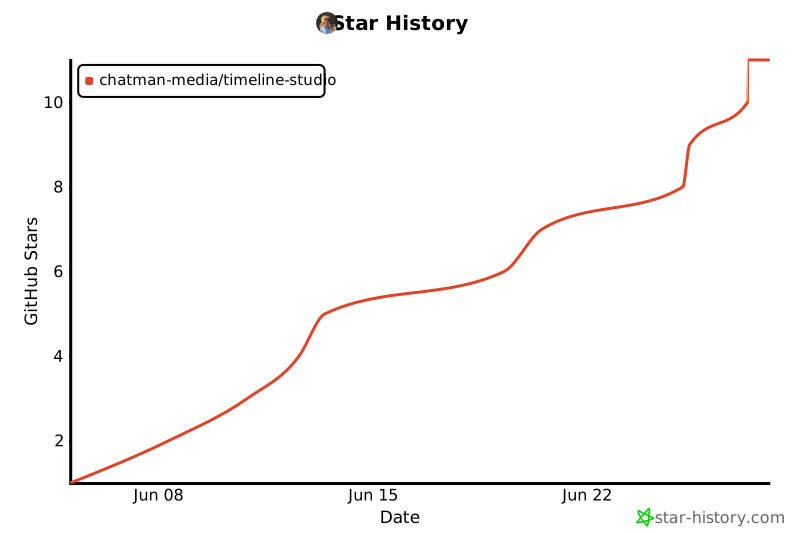
## Star History
 ## ใบอนุญาต
MIT License พร้อม Commons Clause - ใช้ฟรีสำหรับการใช้ส่วนบุคคล การใช้เชิงพาณิชย์ต้องมีข้อตกลง
📄 **[รายละเอียดใบอนุญาตฉบับเต็ม →](docs-ru/10-legal/license.md)** | 📧 **ใบอนุญาตเชิงพาณิชย์**: ak.chatman.media@gmail.com
## ใบอนุญาต
MIT License พร้อม Commons Clause - ใช้ฟรีสำหรับการใช้ส่วนบุคคล การใช้เชิงพาณิชย์ต้องมีข้อตกลง
📄 **[รายละเอียดใบอนุญาตฉบับเต็ม →](docs-ru/10-legal/license.md)** | 📧 **ใบอนุญาตเชิงพาณิชย์**: ak.chatman.media@gmail.com