# three-platformize
一个让 THREE 平台化的项目
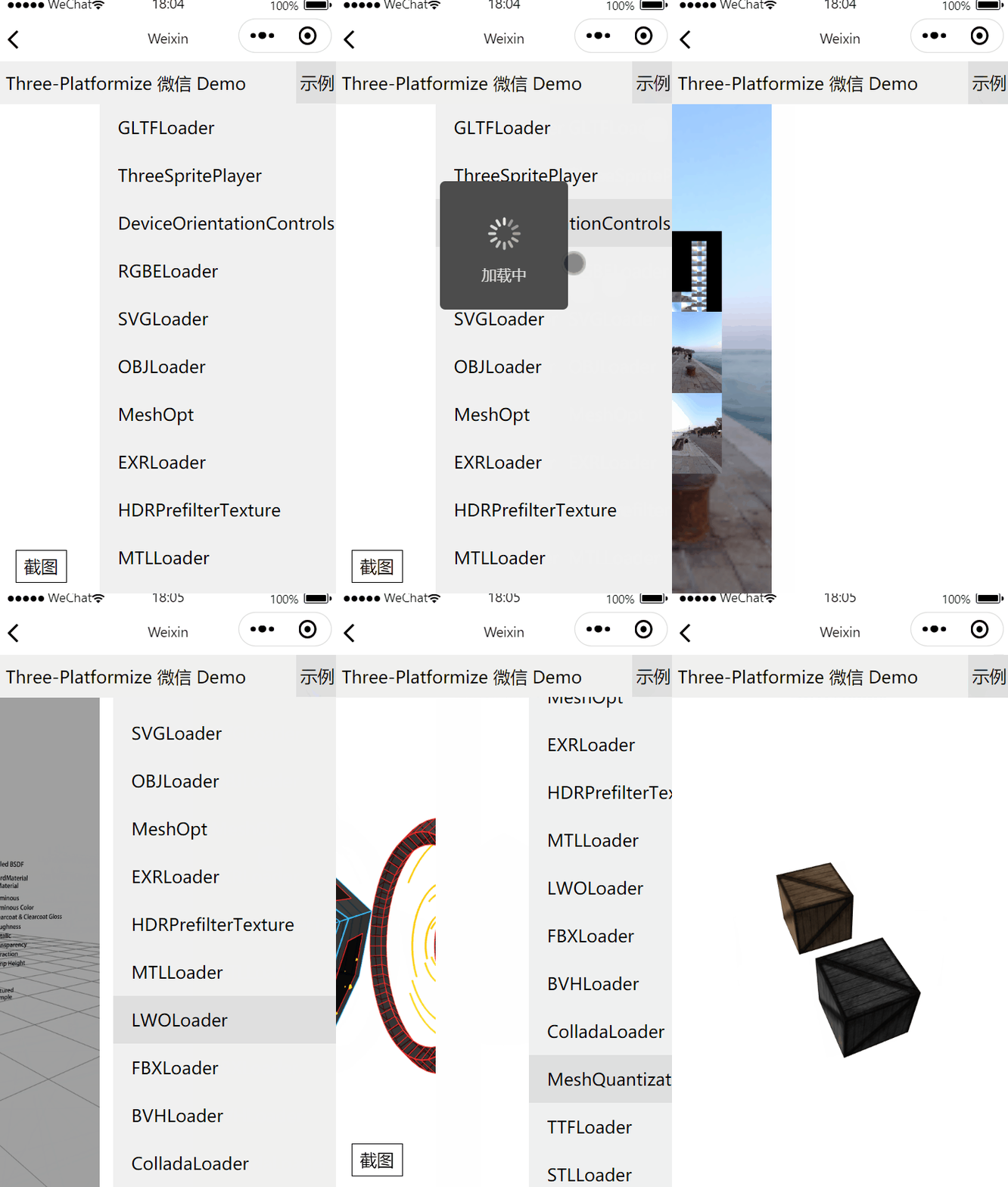
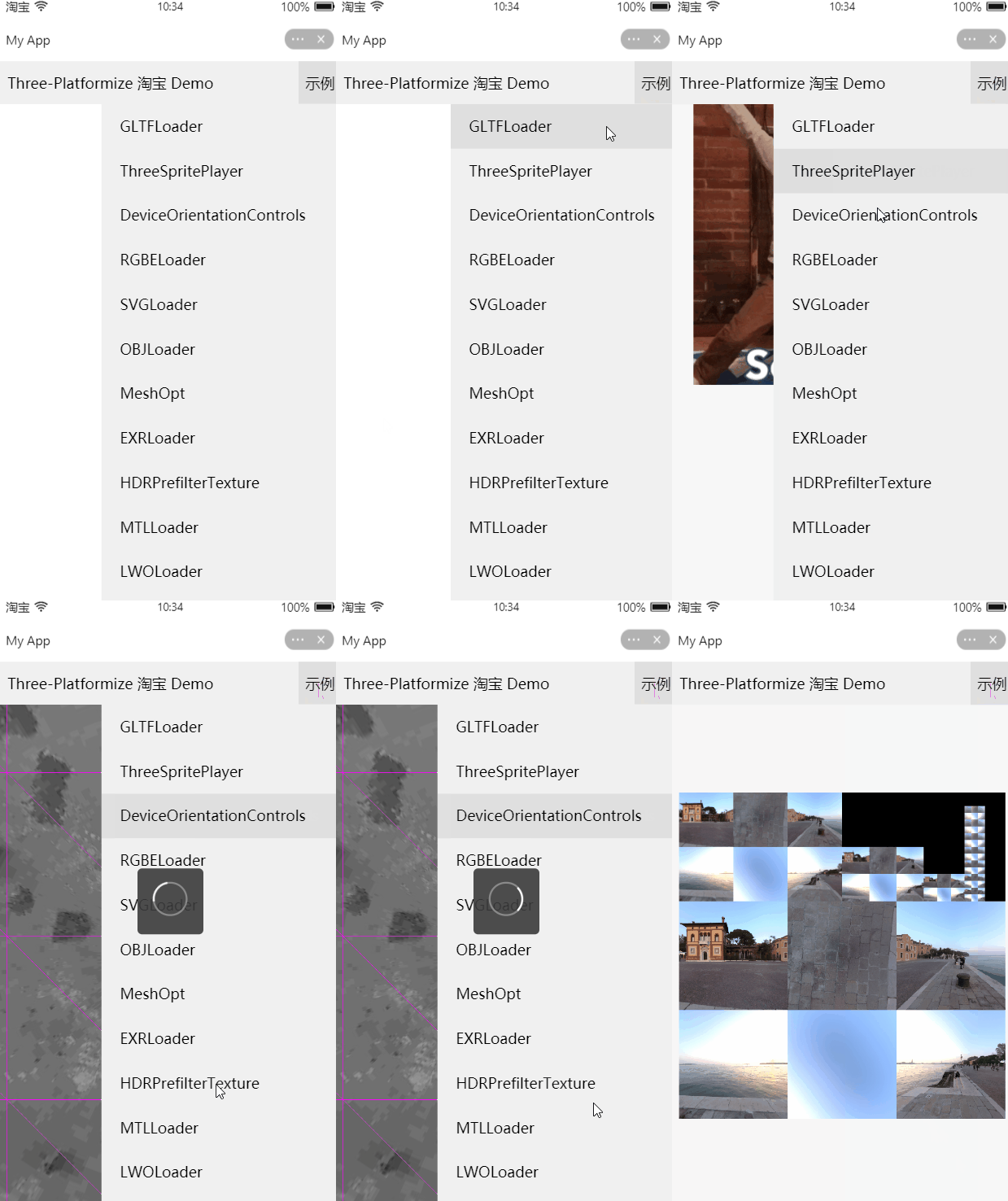
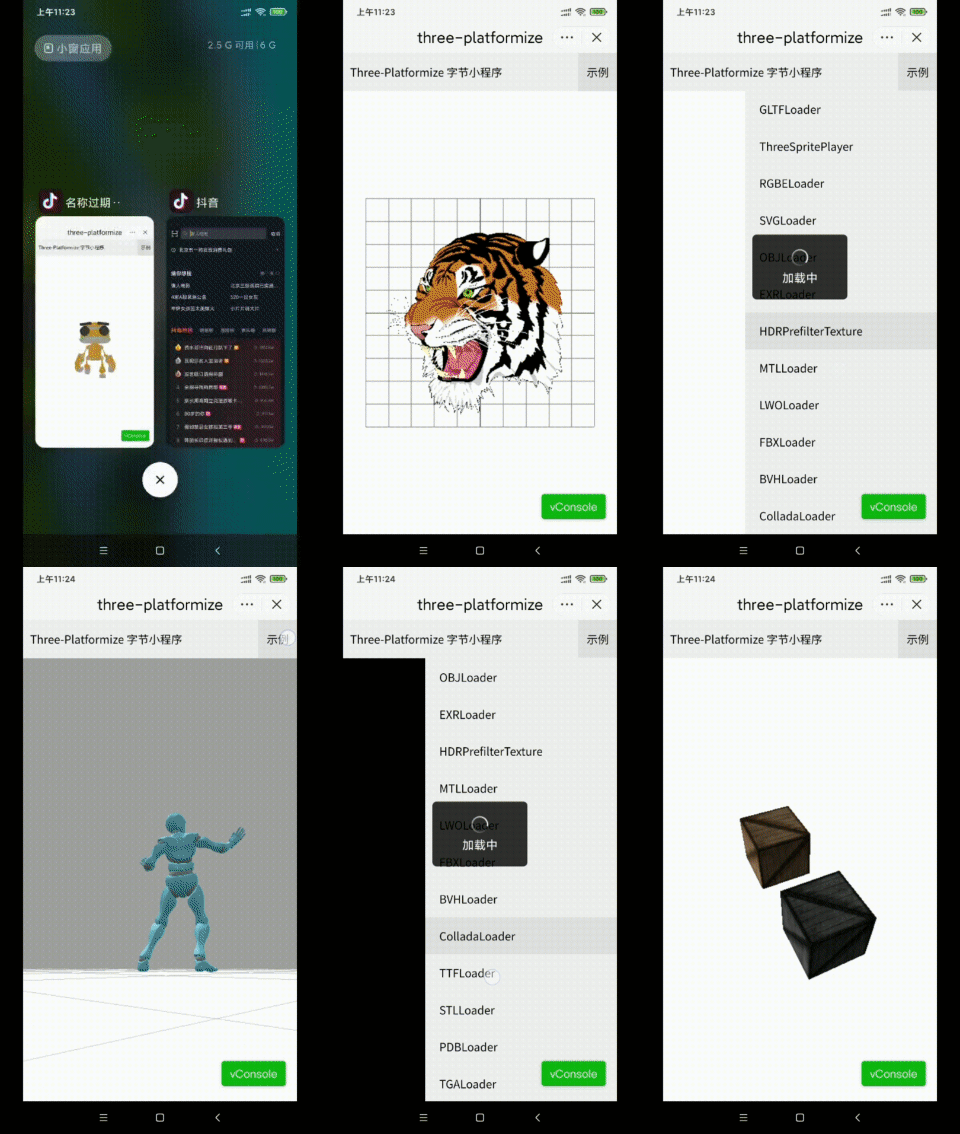
1. 目前已适配微信,淘宝,字节小程序
2. 支持 tree shaking(需用 webpack,rollup 等构建工具)
3. VSCode types 正常,能正常访问各个类的定义
4. 适配 examples/jsm/\*\*/\*.js,types 正常
5. 可升级、降级版本或使用自定义 THREE
6. 微信小程序 IOS 内存优化,更少切页面导致的崩溃
7. 支持自定义新平台适配,参考 WechatPlatform 编写适配器即可
8. [three-platformize-plugin-wechat](https://github.com/deepkolos/three-platformize-plugin-wechat) 支持微信插件跨插件复用
Special Sponsors
### 适配情况
| | 微信 | 淘宝 | 字节 |
| ------------ | ---- | ---- | ---- |
| 小程序真机 | ✔️ | ✔️ | ✔️ |
| 小程序模拟器 | ✔️ | ✔️ | |
| 小游戏真机 | ✔️ | | |
| 小游戏模拟器 | ✔️ | | |
> [奥本未来](https://www.oppentech.com/)招聘前端、WebGL、图形学算法,欢迎投简历
## DEMO
> 注:运行 DEMO 时记得开启调试模式,取消域名验证,使用**最新版本**微信开发工具打开
> 具体 Loader 使用方法的 Demo 在这个仓库下[three-platformize-demo](https://github.com/deepkolos/three-platformize-demo)
### 已测试模块
#### Loader
1. GLTFLoader (支持带纹理的 GLB) && (EXT_meshopt_compression 安卓可用 WASM,ios 可用 ASM 版,见 tools) && (KHR_mesh_quantization,小程序可用) [【网格压缩测评】MeshQuan、MeshOpt、Draco ](https://juejin.cn/post/6931954784018628621) (微信 8.0 后 WebAssembly API 已无法使用需要使用 WXWebAssembly, 且只支持包内 wasm, 已新增 meshopt_decoder.wasm.module, [使用见](https://github.com/deepkolos/three-platformize-demo/blob/main/src/MeshOpt.ts#L8))
2. TextureLoader
3. RGBELoader & PMREMGenerator (小程序部分机型可能偶现[生成 envMap 错误](https://juejin.cn/post/6922829073920032775),可用[HDRPrefilter](https://github.com/deepkolos/hdr-prefilter-texture)避免 )
4. SVGLoader
5. OBJLoader
6. EXRLoader (需支持 OES_texture_float_linear 扩展,部分移动端 GPU 不支持)
7. MTLLoader (小程序使用 JPG 纹理即可)
8. DDSLoader (需支持 WEBGL_compressed_texture_s3tc 扩展,移动端 GPU 不支持)
9. LWOLoader (需支持 EXT_blend_minmax 扩展,小程序一半效果绘制出错)
10. FBXLoader
11. BVHLoader
12. ColladaLoader (DOMParser querySelector 未适配)
13. TTFLoader
14. STLLoader
15. PDBLoader
16. TGALoader (改用 DataTextureLoader [PR](https://github.com/mrdoob/three.js/pull/21377) 已合并,r127 可用)
17. VTKLoader
#### Controls
0. OrbitControls & MapControls
1. DeviceOrientationControls (微信、淘宝小程序下 onDeviceMotionChange,安卓下返回数据质量极其低下,基本不可用,社区 bug 反馈 3 年多了,官方无修复意愿)
### 不支持模块
0. ImageBitmapLoader(微信小程序未开放 ImageBitmap)
#### Tools
0. dispose-three(销毁节点
1. flip(截屏需要 flipY
2. screenshot
3. worker-pool.module(暂未适配微信小程序
4. zstddec.worker.module(暂未适配微信小程序
5. zstddec.module(暂未适配微信小程序
6. toEnvMap(用于 hdr prefilter
7. meshopt_decoder.asm.module(微信小程序可用
8. meshopt_decoder.wasm.module(微信小程序可用
#### Extensions
0. GLTFGPUCompressedTexture(BasisTextureLoader 的代替方案) 生成工具通过[gltf-gpu-compressed-texture](https://github.com/deepkolos/gltf-gpu-compressed-texture)获取(暂未适配微信小程序
## 使用
```js
import * as THREE from 'three-platformize';
import WechatPlatform from 'three-platformize/src/WechatPlatform';
const platform = new WechatPlatform(canvas); // webgl canvas
platform.enableDeviceOrientation('game'); // 开启DeviceOrientation
THREE.PLATFORM.set(platform);
// 使用完毕后释放资源
THREE.PLATFORM.dispose();
// 正常使用three即可
// DEMO 代码示例见 https://github.com/deepkolos/three-platformize-demo
// 基础的使用DEMO见 https://github.com/deepkolos/three-platformize-demo-wechat-simple
```
### 经验
0. 微信小程序不支持 2048 以上的纹理图片
1. 淘宝小程序显示 RGB 格式纹理 (JPG) 有问题,通过 TextureLoader 加载纹理后,把 texture.format 设置为 RGBAFromat 即可(淘宝版本 9.20.0),原因可能是服务端对图片大图片优化,把图片压缩导致格式改变 RGB 变 RGBA
2. r126 不能设置全 pixelRatio,可以设置为一半,或者 2,不能是 3
3. 虽然支持加载 GLB,但图片是使用 js 版的 ArrayBuffer 转 base64,耗时且占用内存,虽可用 wasm 的 encoder 缓解 (https://github.com/marcosc90/encoding-wasm),但wasm对字符串处理性能不如js,用AssemblyScript编译的wasm测试
4. IOS 前后进入退出页面崩可以降低 pixelRatio 缓解
5. IOS 微信 readPixels 不支持抗锯齿,如果直接 canvas 的 buffer 需要关闭抗锯齿(antialias: false), 另一种方式是 WebglRenderTarget,同时也可以开启抗锯齿,但是纹理大小受限(小米 8 下纹理宽/高不能超过 4096,需要注意先 setSize,再 setPixelRatio)(截图 Demo 见[微信小程序 DEMO](https://github.com/deepkolos/three-platformize-demo-wechat))
6. 淘宝小程序有严格的域名验证,可使用云存储放模型,但是如果模型和纹理分开则需要手动关联,推荐 GLB
7. URL 的 polyfill 可以使用 fileSystemManager 来获取临时文件的方式避免 arraybuffer 转 base64, 但是需要手动管理临时文件
## 实现
构建时替换平台相关的 api 调用,转发到 PLATFORM 的引用,通过 PLATFORM.set 更新
## 维护
### 如何更新/降级 Three 的版本?
```shell
# 拉取源码
> git clone https://github.com/deepkolos/three-platformize
# 安装依赖
> npm i
# 更新到最新的three版本
> npm i -S three@latest
# 或者指定three版本
> npm i -S three@0.122.0
# 需要把目标three的构建`utils/build/rollup.config.js`同步到本项目的构建`config/rollup.config.three-origin.js`
# 建立软链接
> npm run link
# 构建
> npm run build
# 使用
> npm link
# 到使用的项目目录,并链接
> cd your-project
> npm link three-platformize
# 或者自行发NPM包
```
### 如何平台化自定义的 Three?
```shell
# 把自定义Three link 到./three
> npx symlink-dir yourthree ./three
# 不使用软链接直接复制或者git submodule也可以
> cp yourthree ./three
# 复制对应版本three构建配置替换到rollup.config.three-origin.js
> cp yourthree/utils/build/rollup.config.js ./config/rollup.config.three-origin.js
# 构建
> npm run build
```
### 如何编写自定义平台?
可参考`src/WechatPlatform`或者`src/TaobaoPlatform`
```js
class CustomPlatform {
getGlobals() {
// 自定义的polyfill
return {
atob,
Blob,
window,
document,
XMLHttpRequest,
OffscreenCanvas,
HTMLCanvasElement,
createImageBitmap,
};
}
setWebGLExtensions() {
return {
// 可覆盖gl返回值,比如淘宝小程序IOS返回值不为null,但是扩展不可用的bug
EXT_blend_minmax: null,
};
}
dispose() {
// 释放资源
}
}
```
## TODO
0. 更彻底 dispose,减少内存泄漏,Web 测试用例已增加,微信小程序已增加,IOS 仍有内存问题,多次切页面仍会崩溃,3mb 模型 iphone7 打开 30 次
1. 适配头条小程序 done
2. 生成微信插件,通过插件实现 three 的代码跨小程序、跨小程序插件复用 done [three-platformize-plugin-wechat](https://github.com/deepkolos/three-platformize-plugin-wechat)
3. 适配微信小游戏 done
4. 适配 ReactNative
## 讨论
可通过群里 DeepKolos 联系我
 ### [CHANGELOG](https://github.com/deepkolos/three-platformize/blob/master/CHANGELOG.md)
# 赞助
如果项目对您有帮助或者有适配需求,欢迎打赏
### [CHANGELOG](https://github.com/deepkolos/three-platformize/blob/master/CHANGELOG.md)
# 赞助
如果项目对您有帮助或者有适配需求,欢迎打赏
 感谢各位支持~~
| 时间 | 大佬 |
| ---------- | ------------------------------------------ |
| 2021/11/10 | 神神 |
| 2021/09/27 | 阿不 |
| 2021/08/10 | 奥本未来 |
| 2021/07/28 | Noth1ng |
| 2021/07/09 | 匿名 |
| 2021/07/07 | [云图 CAD-刘鑫](https://www.yuntucad.com/) |
| 2021/06/23 | Fong |
| 2021/06/23 | 刘子弃 |
| 2021/06/23 | Joson |
| 2021/06/03 | 仿生伏尔泰 |
| 2021/04/28 | Noth1ng |
感谢各位支持~~
| 时间 | 大佬 |
| ---------- | ------------------------------------------ |
| 2021/11/10 | 神神 |
| 2021/09/27 | 阿不 |
| 2021/08/10 | 奥本未来 |
| 2021/07/28 | Noth1ng |
| 2021/07/09 | 匿名 |
| 2021/07/07 | [云图 CAD-刘鑫](https://www.yuntucad.com/) |
| 2021/06/23 | Fong |
| 2021/06/23 | 刘子弃 |
| 2021/06/23 | Joson |
| 2021/06/03 | 仿生伏尔泰 |
| 2021/04/28 | Noth1ng |