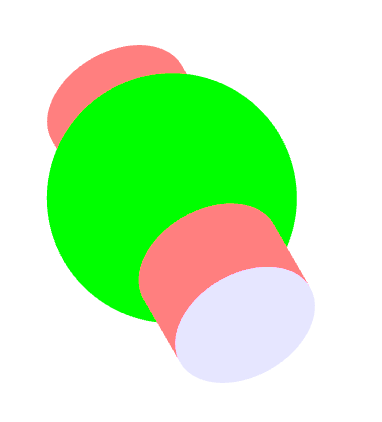
 # Three-Geometry
为[image3D.js](https://hai2007.gitee.io/image3d/)设计开发的三维几何坐标运算库






## Issues
使用的时候遇到任何问题或有好的建议,请点击进入[issue](https://github.com/clunch-contrib/Three-Geometry/issues),欢迎参与维护!
## How to use?
首先,你需要使用npm进行安装:
```
npm install --save three-geometry
```
然后就可以引入:
```js
import ThreeGeometry from 'three-geometry';
```
当然,你也可以通过CDN的方式引入:
```html
```
使用语法:
```js
var threeGeometry = ThreeGeometry(options);
```
通过传递一个json格式的```options```来获取一个计算实例```threeGeometry```,其上提供了各种几何体的绘制数据```data```的方法。
他们的数据格式如下:
- options
```js
{
precision:number, // 精度,必输
normal:boolean, // 是否需要法向量,默认false
}
```
- data
```js
{
// 点数组
points:Array,
// 点的个数
length:number,
// 字符串,表示应该使用什么方法来绘制这些点
// 关于这些方法,你可以参考image3D.js中的文档:
// https://hai2007.gitee.io/image3d/index.html#/api?fixed=painter
methods:Triangle|StripTriangle|FanTriangle,
}
```
如果存在法向量,那个就是点```points```格式就会有改变:
```js
points:Array,
```
也就是由原来的:
```js
点1、点2.....
```
变成了:
```js
点1、点1的法向量、点2、点2的法向量.....
```
## List of Geometry
下面,我们来列举一下具体的几何体有哪些(需要注意的是,为了方便计算,默认我们统一是把物体看成平放在xoz平面上)。
### 圆柱体(cylinder)
```js
// 底部坐标(x,y,z)、半径radius、高height
threeGeometry.cylinder(function(data){
// todo
},x,y,z,radius,height);
```
### 棱柱体(prism)
```js
// 底部坐标(x,y,z)、半径radius、高height、棱的个数num
threeGeometry.prism(function(data){
// todo
},x,y,z,radius,height,num);
```
### 球体(sphere)
```js
// 球心(cx,cy,cz)、半径radius
threeGeometry.sphere(function(data){
// todo
},cx,cy,cz,radius);
```
开源协议
---------------------------------------
[MIT](https://github.com/clunch-contrib/Three-Geometry/blob/master/LICENSE)
Copyright (c) 2021-2022 [hai2007](https://hai2007.gitee.io/sweethome/) 走一步,再走一步。