<div align="center">

<img src="https://raw.githubusercontent.com/apoorvdarshan/TetherShot/main/web/assets/logo.png" width="168" alt="TetherShot logo" />

<h1>TetherShot</h1>

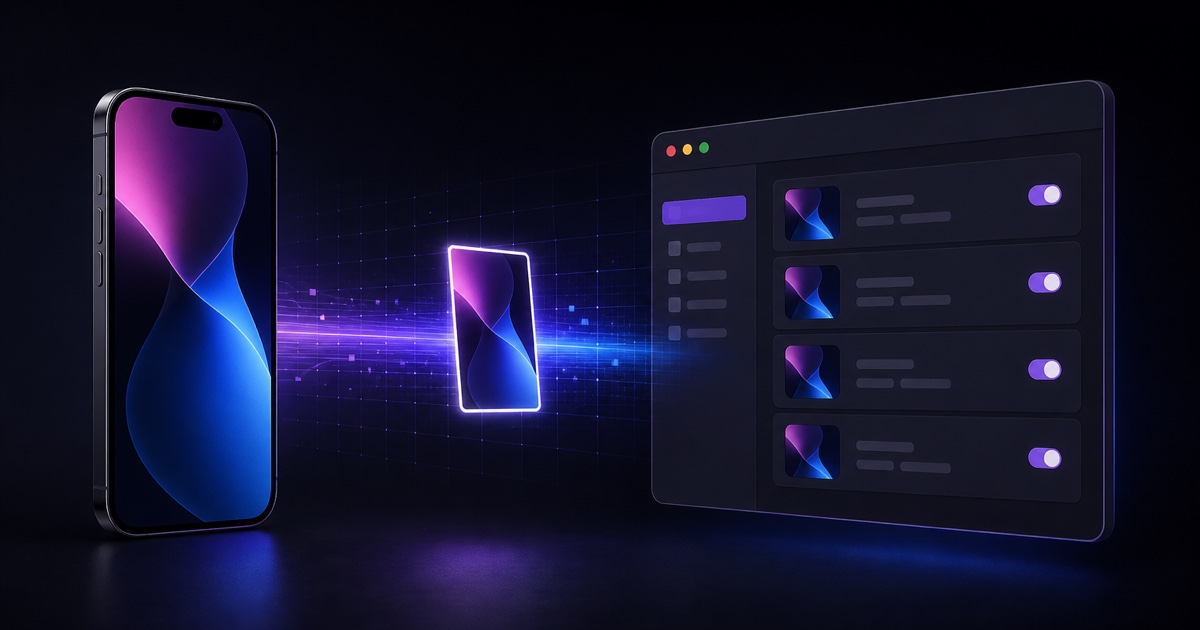
<strong>See and capture your iPhone or Android screen from a native Mac app.</strong>

<p>USB or Wi-Fi · pixel-perfect captures · saved to a folder you choose · copied to your clipboard.</p>

<p>
  <img src="https://img.shields.io/badge/macOS-14%2B-000000?logo=apple&logoColor=white" alt="macOS 14+" />
  <img src="https://img.shields.io/badge/Swift-6.0-FA7343?logo=swift&logoColor=white" alt="Swift 6" />
  <img src="https://img.shields.io/badge/UI-SwiftUI-1575F9?logo=swift&logoColor=white" alt="SwiftUI" />
  <img src="https://img.shields.io/badge/iPhone-USB%20%2B%20Wi--Fi-5856D6?logo=apple&logoColor=white" alt="iPhone USB + Wi-Fi" />
  <img src="https://img.shields.io/badge/Homebrew-Cask-FBB040?logo=homebrew&logoColor=black" alt="Homebrew Cask" />
  <img src="https://img.shields.io/npm/v/tethershot?logo=npm&label=npm&color=CB3837" alt="npm version" />
  <img src="https://img.shields.io/github/stars/apoorvdarshan/TetherShot?logo=github&color=FFCA28" alt="GitHub stars" />
  <img src="https://img.shields.io/badge/license-MIT-3DA639" alt="MIT License" />
  <a href="https://www.producthunt.com/products/tethershot-2/"><img src="https://img.shields.io/badge/Product_Hunt-Upvote-DA552F?logo=producthunt&logoColor=white" alt="Upvote on Product Hunt" /></a>
</p>

<p>
  <a href="https://tethershot.apoorvdarshan.com"><b>Website</b></a> ·
  <a href="https://github.com/apoorvdarshan/homebrew-tap">Homebrew</a> ·
  <a href="https://www.npmjs.com/package/tethershot">npm</a> ·
  <a href="#installation">Install</a> ·
  <a href="https://tethershot.apoorvdarshan.com/docs.html">Docs</a> ·
  <a href="#support">Support</a>
</p>

<p><code>brew install --cask apoorvdarshan/tap/tethershot</code></p>

<br />

<img src="https://raw.githubusercontent.com/apoorvdarshan/TetherShot/main/web/assets/og-v106.jpg" width="760" alt="TetherShot capture beam preview" />

</div>

---

> **Status — shipping.** iPhone USB/Wi-Fi capture, Android ADB capture, clipboard, global hotkey, per-device folders, Homebrew and npm installs, and in-app self-update are working. Built and tested on macOS 26 (Tahoe) with iOS 26.

## Why TetherShot

macOS already exposes a tethered iPhone's screen as an AVFoundation source, while Android exposes its framebuffer through ADB. TetherShot turns both into a focused one-click capture workflow that writes straight to disk and your clipboard — including cable-free iPhone Wi-Fi capture through Apple's developer-services tunnel.

## Features

- 🔌 **USB capture** — a trusted, cabled iPhone is grabbed at full resolution via native AVFoundation. Instant, zero setup.
- 📶 **Wi-Fi capture** — cable-free over your local network via a RemoteXPC tunnel ([`pymobiledevice3`](https://github.com/doronz88/pymobiledevice3)). Pixel-perfect, even when the phone is locked.
- 🤖 **Android capture** — discover authorized Android phones through ADB and capture their native framebuffer over USB or wireless debugging.
- 🪪 **Stable device identity** — USB/Wi-Fi appearances of the same phone are merged, names can change safely, and hidden/quick-capture choices persist.
- 📋 **Clipboard** — every capture is copied, ready to paste (toggle on by default).
- ⌨️ **Global hotkey** — press <kbd>⌘⇧7</kbd> anywhere to capture every connected device, or choose one preferred iPhone and remember it across launches.
- 🗂️ **Your folder, your rules** — any destination, timestamped filenames, optional per-device subfolders.
- ⬆️ **Self-updating** — in-app **Check for Updates** downloads the signed, notarized GitHub release, verifies it, replaces the current app in place, and relaunches.
- 🧭 **Single-window Mac dashboard** — capture, storage, connections, background behavior, updates, and project links stay together without sidebar navigation.
- 🍥 **Optional menu-bar control** — enabled by default for quick capture and settings, and can be hidden persistently.
- 🚀 **Launch at login** — keeps capture and the global hotkey ready in the background.
- 🔒 **Local-first** — no account, no analytics, no servers. Screenshots never leave your Mac.

## Requirements

- **macOS 14 (Sonoma)+** — developed/tested on macOS 26 (Tahoe)
- **Xcode Command Line Tools** — only needed to build from source (`xcode-select --install`)
- **Node.js 18+** — only needed for npm installation
- An **iPhone** you can set to *Trust This Computer*
- For Wi-Fi: iPhone + Mac on the same network, plus [`pymobiledevice3`](https://github.com/doronz88/pymobiledevice3)
- For Android: [Android Platform Tools](https://developer.android.com/tools/releases/platform-tools) and USB debugging or wireless debugging enabled

## Installation

### Via Homebrew — recommended

```bash
brew install --cask apoorvdarshan/tap/tethershot
```

Homebrew downloads the checksum-verified, signed, and notarized universal DMG
and installs TetherShot into `/Applications`. Future Cask versions follow the
latest stable GitHub Release.

### Via DMG

Download the signed, notarized universal DMG from the [latest GitHub release](https://github.com/apoorvdarshan/TetherShot/releases/latest), open it, and drag TetherShot into Applications. The same build runs natively on Apple silicon and Intel Macs and becomes the canonical `/Applications` copy.

### Via npm

```bash
npm install -g tethershot     # installs the CLI (and builds the app)
tethershot install            # ensure the app is built into ~/Applications
tethershot                    # launch it
```

This path **builds from source on your machine** and lands in `~/Applications` (no sudo). If a signed `/Applications/TetherShot.app` already exists, the CLI preserves it instead of replacing its Developer ID signature with a local build.

All installation methods use the same bundle identity and settings. Homebrew and
the DMG install the canonical `/Applications` copy. If you install either after
using npm, the stale `~/Applications` copy is moved to Trash on launch. Future
in-app updates replace that canonical copy in place.

> npm 11+ blocks `postinstall` scripts by default, so if the app isn't built after `npm install`, the explicit `tethershot install` step always does it.

### From source

```bash
git clone https://github.com/apoorvdarshan/TetherShot.git
cd TetherShot
./build.sh             # compiles + packages TetherShot.app
open .build/TetherShot.app  # launches the app and menu-bar control
```

On first USB capture, macOS asks for **Camera** permission — expected: the iPhone screen is delivered through the AVFoundation (camera) privacy bucket. TetherShot never uses your Mac's camera.

## Usage

Open TetherShot from Applications or Spotlight, or click its menu-bar icon, then pick your phone. The PNG saves to your folder (default `~/Pictures/TetherShot`) and copies to your clipboard. Closing the window leaves capture and the global hotkey active in the background; open TetherShot again to bring the window back.

| Option | What it does |
|---|---|
| <kbd>⌘⇧7</kbd> | Quick-capture the saved preferred phone, or every visible connected device by default |
| **Quick Capture Device** | Choose one phone for the hotkey; the stable selection persists across names and transports |
| **Hidden Devices** | Exclude unwanted phones from captures, then restore them at any time |
| **Copy to Clipboard** | Also place each capture on the clipboard (default on) |
| **Organize by Device** | Save into a per-device subfolder |
| **Choose Folder…** | Pick any destination; remembered across launches |
| **Show in Menu Bar** | Keep quick controls in the menu bar (default on) |
| **Show in Dock** | Independently show or hide TetherShot in the Dock |
| **Launch at Login** | Keep TetherShot available across reboots |
| **Check for Updates** | Verify the latest signed GitHub DMG, replace the current app, and relaunch |

## Wireless (Wi-Fi) setup — one time

Wi-Fi capture uses a root LaunchDaemon (`tunneld`) that keeps a RemoteXPC tunnel alive so captures need no sudo.

```bash
pip3 install -U pymobiledevice3            # the engine
tethershot setup-wifi                       # installs the tunnel daemon (admin password once)
```

Then, with the iPhone connected by USB once:

- Enable **Developer Mode** — Settings ▸ Privacy & Security ▸ Developer Mode
- Enable Wi-Fi reachability — `pymobiledevice3 lockdown wifi-connections --state on`

After that you can unplug. While the iPhone and Mac share a Wi-Fi network, the menu shows it as **(Wi-Fi)** and `tunneld` discovers it automatically. Remove the daemon with `bash scripts/uninstall-tunneld.sh`.

> **Why not AirPlay mirroring?** On macOS Tahoe, a mirrored iPhone window blacks out whenever a capture context is active — so TetherShot uses the developer-services path instead, capturing the device's own framebuffer regardless of transport.

## CLI

```bash
tethershot            # launch the app
tethershot install    # build & install to ~/Applications
tethershot update     # update to the latest published version
tethershot setup-wifi # install the Wi-Fi tunnel service
tethershot uninstall  # remove the app
tethershot version    # print the installed version
```

## How it works

| Component | Role |
|---|---|
| `USBCapture` | Flips the CoreMediaIO screen-capture flag, finds the iPhone as a `.muxed` device, grabs one frame → PNG |
| `WirelessCapture` | Talks to the `tunneld` HTTP API, runs `pymobiledevice3 developer dvt screenshot` over the Wi-Fi tunnel |
| `AndroidCapture` | Uses ADB device discovery, stable Android IDs, and native `screencap` PNG transfer |
| `Updater` | Checks GitHub Releases, verifies the asset digest and Developer ID signature, then atomically replaces and relaunches the current app |
| `AppModel` | Main-actor state: device list, destination folder, options, status |
| `MainWindow` / `MenuContent` | Compact SwiftUI app window plus optional `MenuBarExtra` controls |
| `TetherShotApp` | Window lifecycle and independent Dock/menu-bar visibility while background capture stays alive |

Capture backends sit behind a `CaptureBackend` protocol, so USB and Wi-Fi share one code path. The marketing/docs site lives in [`/web`](web) and deploys to [tethershot.apoorvdarshan.com](https://tethershot.apoorvdarshan.com).

## Contributing

Contributions are welcome — see **[CONTRIBUTING.md](CONTRIBUTING.md)** for how to build, the project layout, and the PR flow.

## Security

Found a vulnerability? Please report it privately — see **[SECURITY.md](SECURITY.md)**.

## Support

If TetherShot is useful to you:

- 🚀 **[Upvote on Product Hunt](https://www.producthunt.com/products/tethershot-2/)**
- ⭐ **Star** the repo
- ☕ **[Support on Ko-fi](https://ko-fi.com/apoorvdarshan)**
- 🐦 **Follow [@apoorvdarshan](https://x.com/apoorvdarshan)** on X

## Star History

<a href="https://github.com/apoorvdarshan/TetherShot/stargazers">
  <picture>
    <source media="(prefers-color-scheme: dark)" srcset="https://tethershot.apoorvdarshan.com/api/star-history.svg?theme=dark&amp;v=1" />
    <source media="(prefers-color-scheme: light)" srcset="https://tethershot.apoorvdarshan.com/api/star-history.svg?theme=light&amp;v=1" />
    <img alt="TetherShot GitHub star history" src="https://tethershot.apoorvdarshan.com/api/star-history.svg?theme=light&amp;v=1" />
  </picture>
</a>

## License

[MIT](LICENSE) © 2026 [Apoorv Darshan](https://github.com/apoorvdarshan)

<sub>Not affiliated with Apple Inc. iPhone, macOS, and Apple are trademarks of Apple Inc.</sub>