
Barrage plugin for Vue.js.




Overview •
Overview •
Demo •
Installation •
Usage •
Plug Options •
Roadmap
## Introduction
Baberrage is one of the popular comment perform style in China.
## Overview
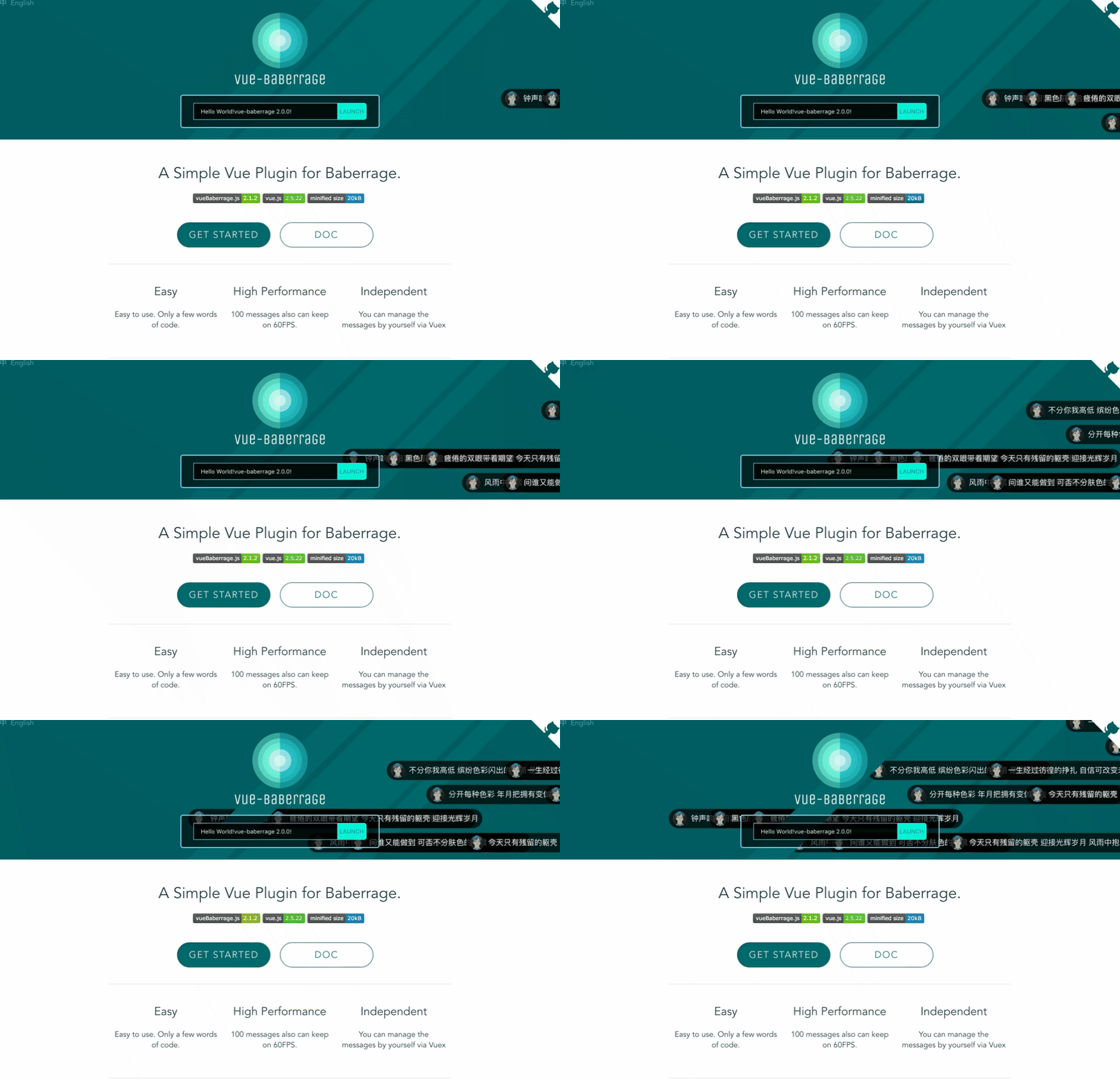
GIF performance is not good enough. Please refer to [DEMO](http://blog.chenhaotaishuaile.com/vue-baberrage/) page
[中文文档](/docs/zh/README.md)
## Demo
See the [DEMO](https://blog.chenhaotaishuaile.com/vue-baberrage/) page
## Installation
1) Install package via NPM
```bash
npm i vue-baberrage
```
2) Install plugin within project
```javascript
import Vue from 'vue'
import { vueBaberrage } from 'vue-baberrage'
Vue.use(vueBaberrage)
```
or
```javascript
const vueBaberrage = request('vue-baberrage').vueBaberrage
```
or
```html
```
## Usage
1) Template
`isShow` and `barrageList` are necessary.
```html
```
2) Script
```javascript
import { MESSAGE_TYPE } from 'vue-baberrage'
export default {
name: 'app',
data () {
return {
msg: 'Hello vue-baberrage',
barrageIsShow: true,
currentId : 0,
barrageLoop: false,
barrageList: []
}
},
methods:{
addToList (){
this.barrageList.push({
id: ++this.currentId,
avatar: "./static/avatar.jpg",
msg: this.msg,
time: 5,
type: MESSAGE_TYPE.NORMAL
});
...
```
3) Already done
Just two step, and add new barrage message by pushing data into the `barrageList`. You needn't concern about the management of the barrageList, it will be handled by vue-baberrage. Suggest the `barrageList` store into the Vuex.
## Custom Example
New function in version 3.2.0. Support provides VNode to render the barrage.
````javascript
{{slotProps.item.data.userName}}: {{slotProps.item.msg}}
````
Customized your barrage UI as the slot of component.`props.item` data same as barrage data. Noticed that, if the width of barrage not fit in stage. You can add the field `extraWidth` in barrage data.
````javascript
{
id: ++this.currentId,
avatar: "./static/avatar.jpg",
msg: this.msg,
data: {
userName: 'more data'
},
time: 5,
type: MESSAGE_TYPE.NORMAL,
extraWidth: 60
}
````
Since vue-baberrage only count the width of length of the barrage's message.
## Plugin Options
#### isShow
- Default: `true`
- Acceptable-Values: Boolean
- Function: This is the switch that if barrage is displayed.
#### barrageList
- Default: `[]`
- Acceptable-Values: Array
- Function: The is the container for managing the all barrage messages.
#### boxWidth
- Default: `parent's Width`
- Acceptable-Values: Number
- Function: Determine the width of the stage.
#### boxHeight
- Default: `window's Height`
- Acceptable-Values: Number
- Function: Determine the height of the stage.
#### messageHeight
- Default: `message's Height`
- Acceptable-Values: Number
- Function: Determine the height of the message.
#### maxWordCount
- Default: 60
- Acceptable-Values: Number
- Function: Determine the word count of the message.
#### loop
- Default: `false`
- Acceptable-Values: Boolean
- Function: Loop or not.
#### throttleGap
- Default: 2000
- Acceptable-Values: Number
- Function: The gap time between the message
#### posRender
- Default: null
- Acceptable-Values: Function
- Function: To customize the lane of babbarrage messages.
- Return: The function muse return the index of the lane.
#### lanesCount
- Default: 0
- Acceptable-Values: Number
- Function: To fixed the number of the lanes.
## Barrage Message Options
#### id
- Default: `null`
- Acceptable-Values: Number
- Function: For distinguish with other barrage messages.
#### avatar
- Default: `#`
- Acceptable-Values: String
- Function: Show the avatar of the barrage message.
#### msg
- Default: `null`
- Acceptable-Values: String
- Function: The content of the barrage message.
#### barrageStyle
- Default: `normal`
- Acceptable-Values: String
- Function: the css class name of the barrage message.
#### time
- Default: `10`
- Acceptable-Values: Number
- Function: How long does the barrage message show.(Seconds)
#### type
- Default: MESSAGE_TYPE.NORMAL
- Acceptable-Values: Symbol
- Function: The type of the barrage message.
MESSAGE_TYPE.NORMAL for scroll from right to left.
MESSAGE_TYPE.FROM_TOP for fixed on the top of the stage.
#### extraWidth
- Default: 0
- Acceptable-Values: Number
- Function: Add extra width to the barrage message.
## Events
`barrage-list-empty` when the `barrageList` is empty will be called.
```html
```
## Roadmap
#### Version 0.0.1
- Realized the basic functionality.
#### Version 1.0.0
- Performance improvement.
#### Version 1.2.0
- Code specification
- Performance improvement.
#### Version 2.1.2
- Used ES6.
- Performance improvement.
#### Version 2.1.9
- Added Throttling
#### Version 3.1.0
- Used Rollup to build.
- Add `posRender` attribute for customizing the show up lane of baberrage messages.
- Fixed issues.
#### Version 3.2.0
- Support customize baberrage.
- Fixed issues.
## Future
I am developing `Vue-Baberrage-Plus`, difference between `Vue-Barrage` and `Vue-Baberrage-Plus` is former will be used for a tool, and `Plus` is a baberrage system.