# table-xlsx
 [](http://badge.fury.io/js/table-xlsx)
[](https://travis-ci.com/github/PengChen96/table-xlsx)
[](https://codecov.io/gh/PengChen96/table-xlsx)
[](https://www.npmjs.com/package/table-xlsx)
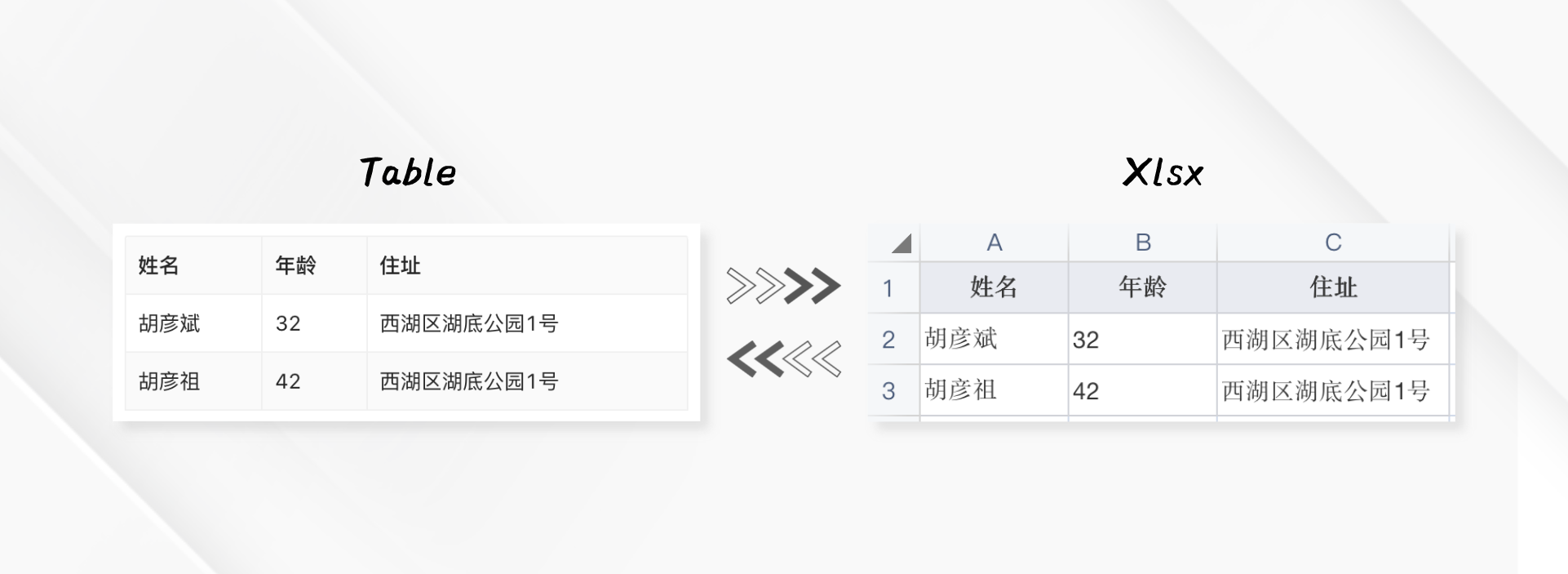
基于SheetJS封装,帮助你快速将xlsx文件转换成表格数据或表格数据导出生成xlsx文件,导出支持简单样式设置、多sheet页、行/列合并等
文档&演示地址:https://pengchen96.github.io/table-xlsx/docs/intro
## 📦 安装
**使用npm或yarn**
```shell
npm install --save table-xlsx @pengchen/xlsx
# or
yarn add table-xlsx @pengchen/xlsx
```
**使用CDN**
```html
```
如果使用CDN的方式引入table-xlsx,建议设置[crossorigin](https://developer.mozilla.org/en-US/docs/Web/HTML/Attributes/crossorigin)属性
[](http://badge.fury.io/js/table-xlsx)
[](https://travis-ci.com/github/PengChen96/table-xlsx)
[](https://codecov.io/gh/PengChen96/table-xlsx)
[](https://www.npmjs.com/package/table-xlsx)
基于SheetJS封装,帮助你快速将xlsx文件转换成表格数据或表格数据导出生成xlsx文件,导出支持简单样式设置、多sheet页、行/列合并等
文档&演示地址:https://pengchen96.github.io/table-xlsx/docs/intro
## 📦 安装
**使用npm或yarn**
```shell
npm install --save table-xlsx @pengchen/xlsx
# or
yarn add table-xlsx @pengchen/xlsx
```
**使用CDN**
```html
```
如果使用CDN的方式引入table-xlsx,建议设置[crossorigin](https://developer.mozilla.org/en-US/docs/Web/HTML/Attributes/crossorigin)属性
CDN Availability (click to show)
| CDN | URL |
|-----------:|:-------------------------------------------|
| `unpkg` | |
| `jsDelivr` | |
## 🔨 使用
### 导出
```javascript
import { exportFile } from "table-xlsx";
const columns = [
{ title: '姓名', dataIndex: 'name' },
{ title: '年龄', dataIndex: 'age' },
{ title: '住址', dataIndex: 'address' },
];
const dataSource = [
{ key: '1', name: '胡彦斌', age: 32, address: '西湖区湖底公园1号' },
{ key: '2', name: '胡彦祖', age: 42, address: '西湖区湖底公园1号' },
];
exportFile({ columns, dataSource });
```
### 解析
```javascript
import { parseFile } from "table-xlsx";
parseFile({ file/*binary*/ }).then((result) => {
// result = {
// wb, // wookbook对象
// tables: [{
// sheetName,
// dataSource,
// columns,
// },
// ...
// ]
// }
});
```
## 📖 API
### exportFile
参数 | 说明 | 类型 | 默认值
---|---|---|---
columns | 表格列 | array | []
cellStyle | 单元格样式 | object | {}
headerCellStyle | 表头单元格样式 | object | {}
bodyCellStyle | 主体单元格样式 | object | {}
dataSource | 表格数据 | array | []
fileName | 文件名 | string | 'table.xlsx'
showHeader | 显示表头 | bool | true
raw | 是否格式化值的类型 | bool | false
rowHpx | 行高 | number | 25
sheetNames | sheet页 | array | ['sheet1']
useRender | 使用render返回的值 | boolean | true
onTxBodyRow | 设置表格主体行,@return里可设置单元格样式| function(record, index) { return { style } } | -
#### columns
参数 | 说明 | 类型 | 默认值
---|---|---|---
dataIndex | 列数据在数据项中对应的路径,支持通过数组查询嵌套路径 | string/string[] | -
title | 列头显示文字 | string | -
width | 列宽度 | string/number | 100
txHeaderCellStyle | 列头单元格样式 | object | -
render | 生成复杂数据的渲染函数,参数分别为当前行的值,当前行数据,行索引,@return 里面可以设置表格行/列合并 | function(text, record, index) {} | -
xlsxRender | 设置xlsx列导出值,参数分别为当前行的值,当前行数据,行索引,返回String类型 | function(text, record, index) { return String } | -
onTxBodyCell | 设置表格主体单元格,@return里可设置单元格样式;如果是多级表头,需要设置在末级列 | function(record, index) { return { style } } | -
#### cellStyle、headerCellStyle、bodyCellStyle、txHeaderCellStyle、onTxBodyCell().style
参数 | 说明 | 类型 | 默认值
---|---|---|---
fontName | 字体 | string | 'Calibri'
fontColorRgb | 字体颜色(ARGB) | string | '333333'
fontBold | 加粗 | boolean | false
fillFgColorRgb | 背景填充颜色(ARGB) | string | 'ffffff'
borderStyle | 边框风格(thin、medium、thick、dotted、hair、dashed、mediumDashed、dashDot、mediumDashDot、dashDotDot、mediumDashDotDot、slantDashDot) | string | 'thin'
borderColorRgb | 边框颜色(ARGB) | string | 'd1d3d8'
alignmentHorizontal | 水平对齐(left、center、right) | string | 'center'
alignmentVertical | 垂直对齐(top、center、bottom) | string | 'center'
alignmentWrapText | 自动换行(true、false) | boolean | false
alignmentReadingOrder | 阅读顺序 | number | 2
alignmentTextRotation | 文本旋转(0 to 180 or 255) | number | 0
### parseFile
参数 | 说明 | 类型 | 默认值
---|---|---|---
file | 文件 | binary | -
**输出内容**
```
[
{
columns: [],
dataSource: [],
sheetName: ''
},
...
]
```
## 📝 License
table-xlsx is available under the MIT License.