# Getting Started with Swagger Petstore - OpenAPI 3.0
## Introduction
This is a sample Pet Store Server based on the OpenAPI 3.0 specification. You can find out more about
Swagger at [https://swagger.io](https://swagger.io). In the third iteration of the pet store, we've switched to the design first approach!
You can now help us improve the API whether it's by making changes to the definition itself or to the code.
That way, with time, we can improve the API in general, and expose some of the new features in OAS3.
Some useful links:
- [The Pet Store repository](https://github.com/swagger-api/swagger-petstore)
- [The source API definition for the Pet Store](https://github.com/swagger-api/swagger-petstore/blob/master/src/main/resources/openapi.yaml)
Find out more about Swagger: [https://swagger.io](https://swagger.io)
## Building
### Requirements
The SDK relies on **Node.js** and **npm** (to resolve dependencies). It also requires **Typescript version >=4.1**. You can download and install Node.js and [npm](https://www.npmjs.com/) from [the official Node.js website](https://nodejs.org/en/download/).
> **NOTE:** npm is installed by default when Node.js is installed.
### Verify Successful Installation
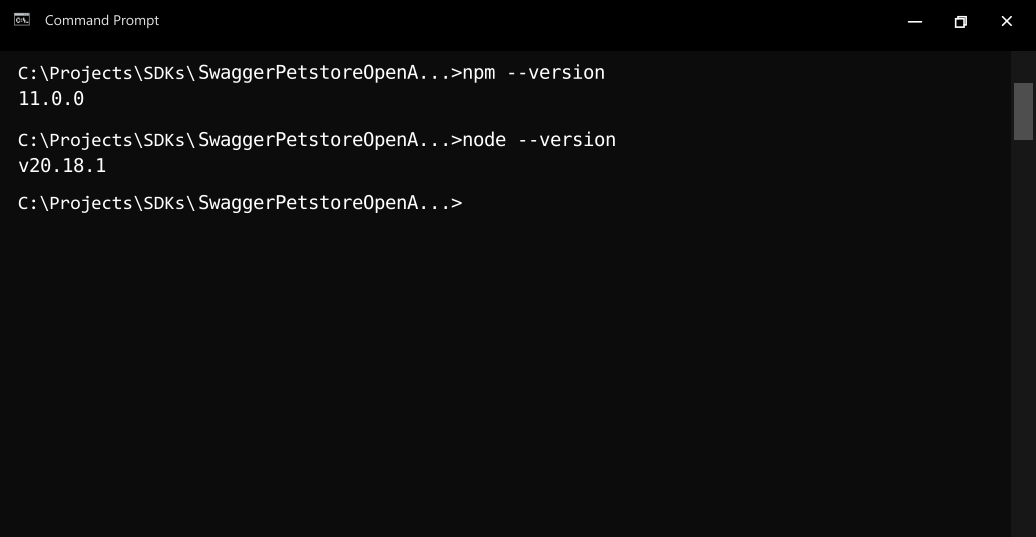
Run the following commands in the command prompt or shell of your choice to check if Node.js and npm are successfully installed:
* Node.js: `node --version`
* npm: `npm --version`
### Install Dependencies
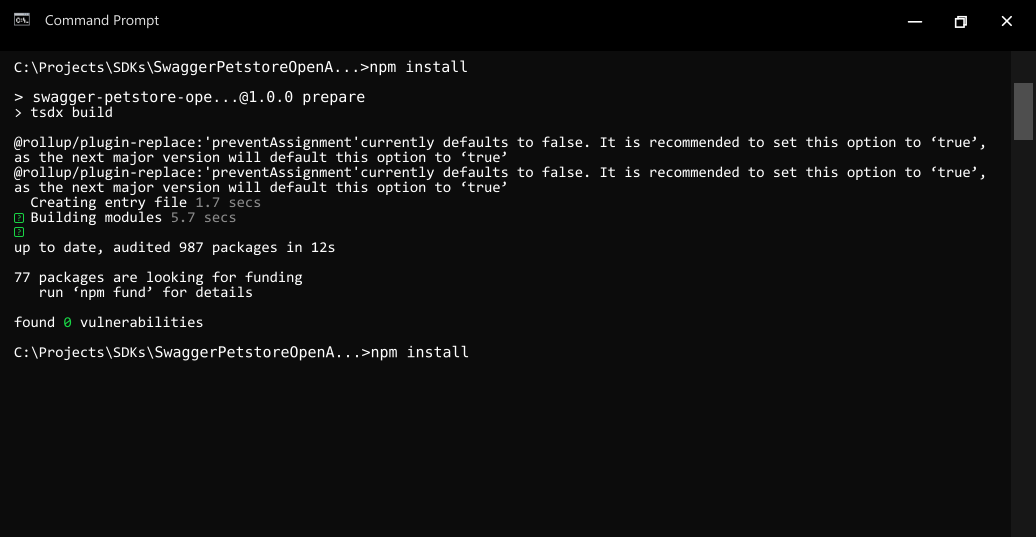
- To resolve all dependencies, go to the **SDK root directory** and run the following command with npm:
```bash
npm install
```
- This will install all dependencies in the **node_modules** folder.
## Installation
The following section explains how to use the generated library in a new project.
### 1. Initialize the Node Project
- Open an IDE/text editor for JavaScript like Visual Studio Code. The basic workflow presented here is also applicable if you prefer using a different editor or IDE.
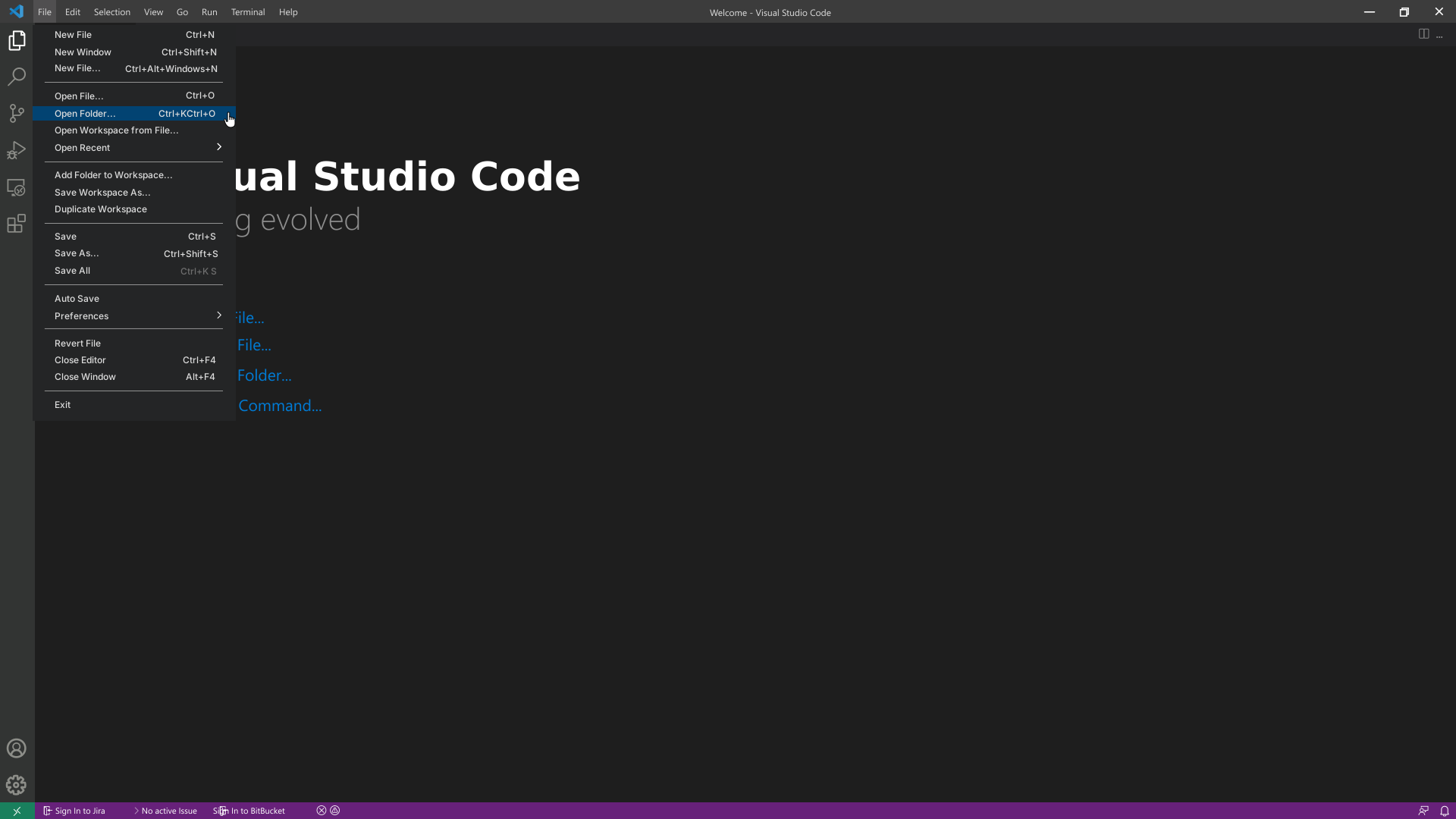
- Click on **File** and select **Open Folder**. Select an empty folder of your project, the folder will become visible in the sidebar on the left.
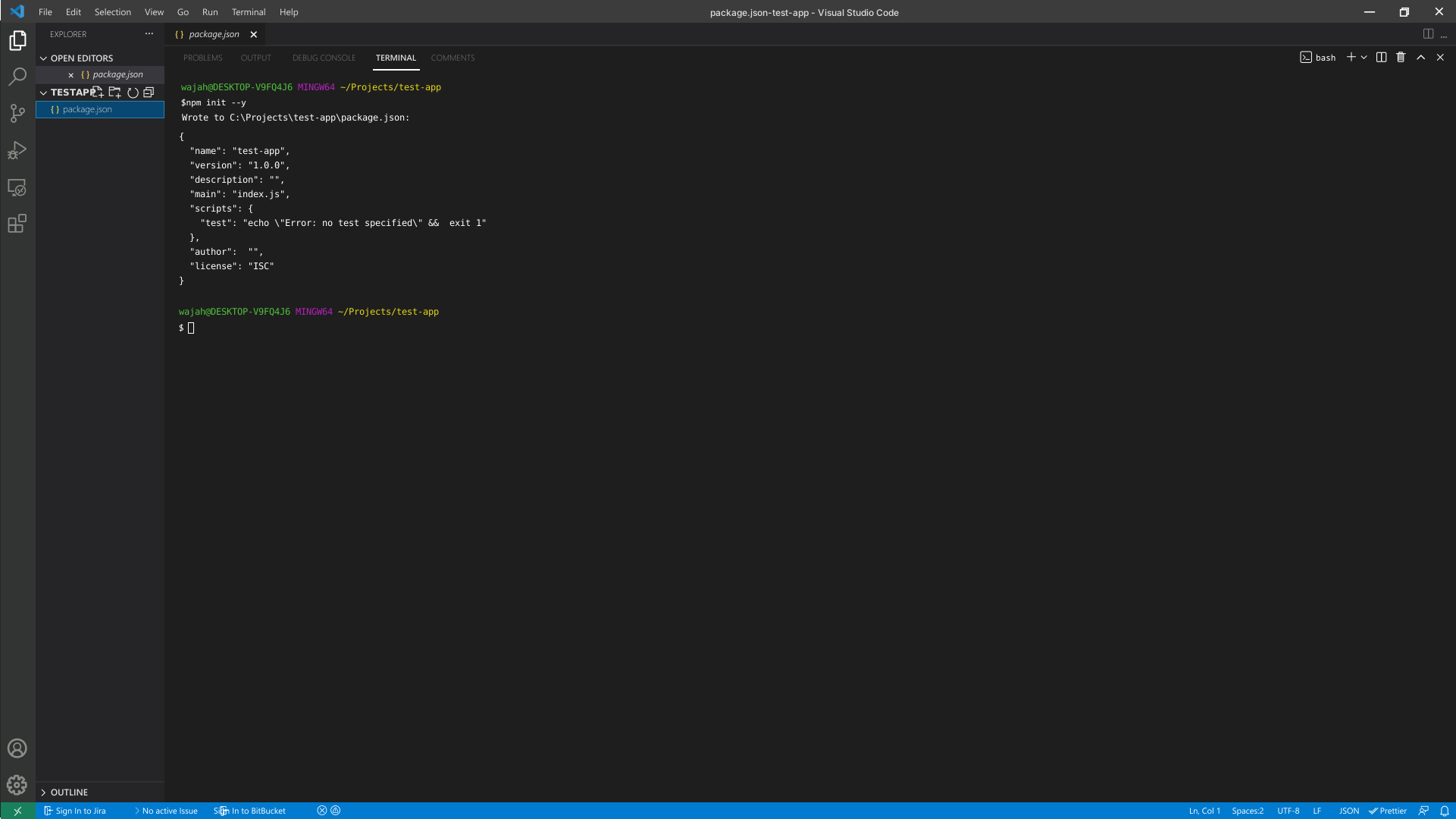
- To initialize the Node project, click on **Terminal** and select **New Terminal**. Execute the following command in the terminal:
```bash
npm init --y
```
### 2. Add Dependencies to the Client Library
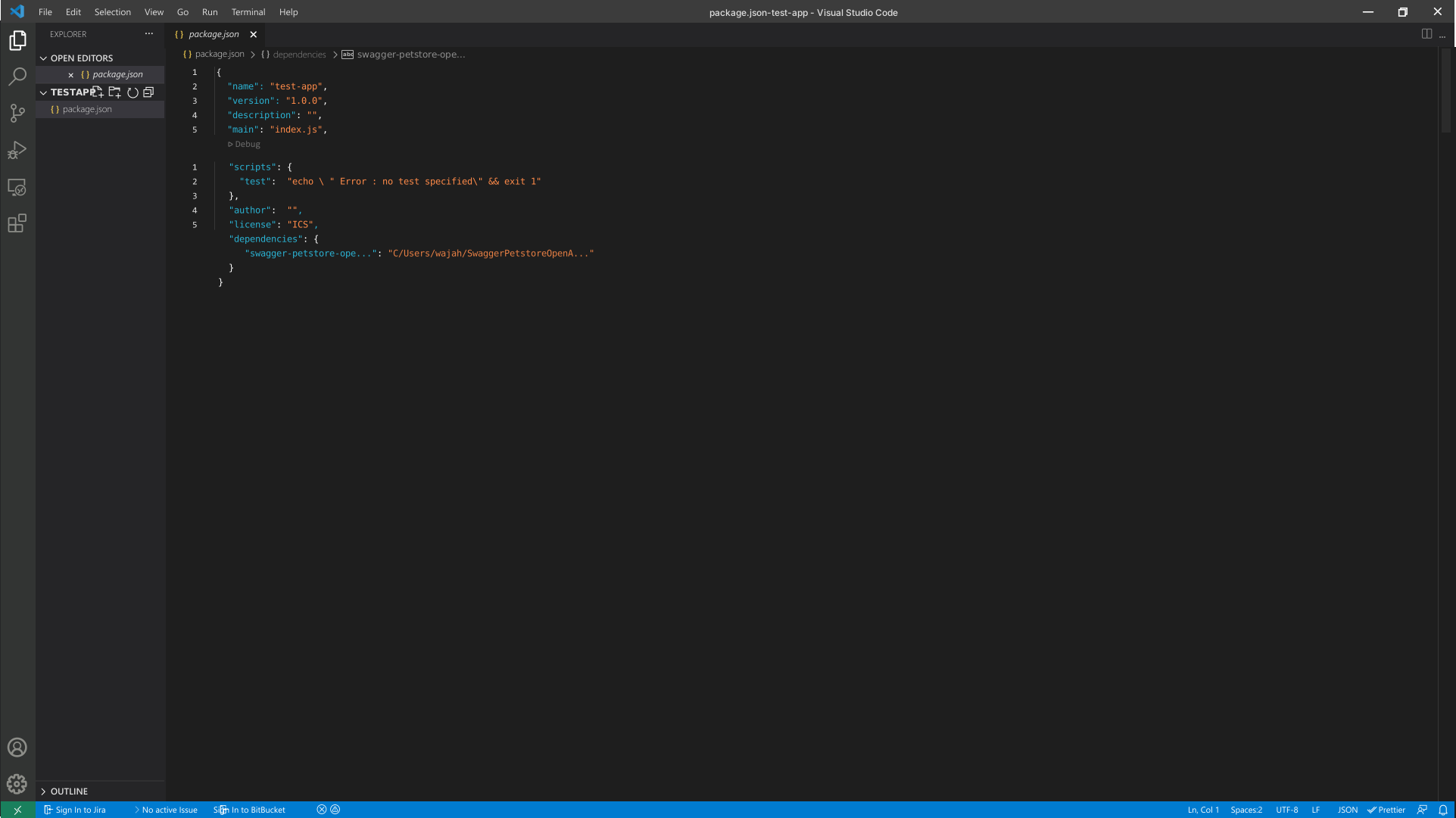
- The created project manages its dependencies using its `package.json` file. In order to add a dependency on the *Swagger Petstore - OpenAPI 3.0Lib* client library, double click on the `package.json` file in the bar on the left and add the dependency to the package in it.
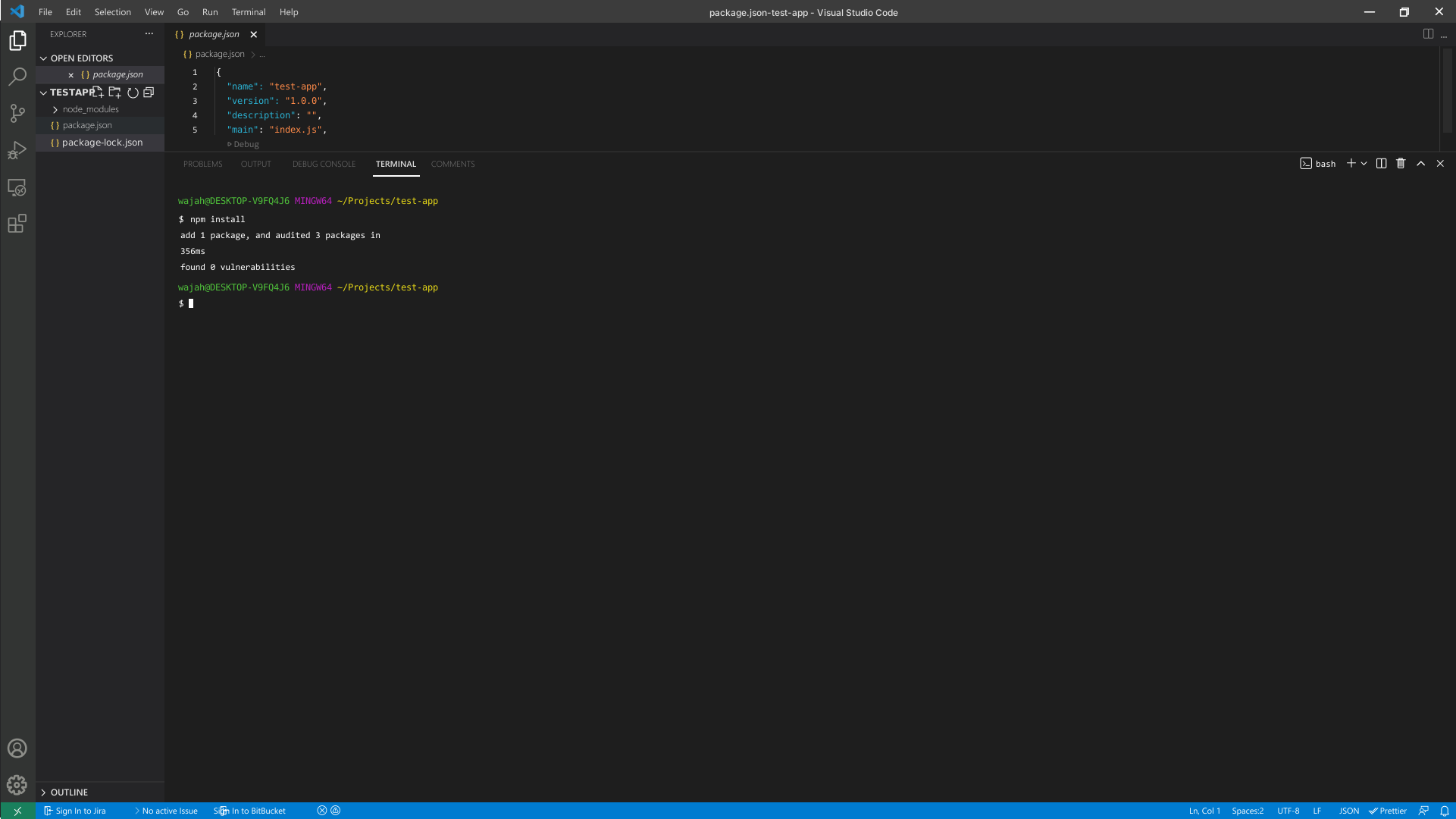
- To install the package in the project, run the following command in the terminal:
```bash
npm install
```
## Initialize the API Client
**_Note:_** Documentation for the client can be found [here.](doc/client.md)
The following parameters are configurable for the API Client:
| Parameter | Type | Description |
| --- | --- | --- |
| environment | [`Environment`](README.md#environments) | The API environment.
**Default: `Environment.Production`** |
| timeout | `number` | Timeout for API calls.
*Default*: `30000` |
| httpClientOptions | [`Partial`](doc/http-client-options.md) | Stable configurable http client options. |
| unstableHttpClientOptions | `any` | Unstable configurable http client options. |
| logging | [`PartialLoggingOptions`](doc/partial-logging-options.md) | Logging Configuration to enable logging |
| petstoreAuthCredentials | [`PetstoreAuthCredentials`](doc/auth/oauth-2-implicit-grant.md) | The credential object for petstoreAuth |
| apiKeyCredentials | [`ApiKeyCredentials`](doc/auth/custom-header-signature.md) | The credential object for apiKey |
The API client can be initialized as follows:
### Code-Based Client Initialization
```ts
import {
Client,
Environment,
LogLevel,
OauthScopePetstoreAuth,
} from 'swagger-petstore-openapi-3-0-lib';
const client = new Client({
petstoreAuthCredentials: {
oauthClientId: 'OAuthClientId',
oauthRedirectUri: 'OAuthRedirectUri',
oauthScopes: [
OauthScopePetstoreAuth.Writepets,
OauthScopePetstoreAuth.Readpets
]
},
apiKeyCredentials: {
'api_key': 'api_key'
},
timeout: 30000,
environment: Environment.Production,
logging: {
logLevel: LogLevel.Info,
logRequest: {
logBody: true
},
logResponse: {
logHeaders: true
}
},
});
```
### Configuration-Based Client Initialization
```ts
import * as path from 'path';
import * as fs from 'fs';
import { Client } from 'swagger-petstore-openapi-3-0-lib';
// Provide absolute path for the configuration file
const absolutePath = path.resolve('./config.json');
// Read the configuration file content
const fileContent = fs.readFileSync(absolutePath, 'utf-8');
// Initialize client from JSON configuration content
const client = Client.fromJsonConfig(fileContent);
```
See the [Configuration-Based Client Initialization](doc/configuration-based-client-initialization.md) section for details.
### Environment-Based Client Initialization
```ts
import * as dotenv from 'dotenv';
import * as path from 'path';
import * as fs from 'fs';
import { Client } from 'swagger-petstore-openapi-3-0-lib';
// Optional - Provide absolute path for the .env file
const absolutePath = path.resolve('./.env');
if (fs.existsSync(absolutePath)) {
// Load environment variables from .env file
dotenv.config({ path: absolutePath, override: true });
}
// Initialize client using environment variables
const client = Client.fromEnvironment(process.env);
```
See the [Environment-Based Client Initialization](doc/environment-based-client-initialization.md) section for details.
## Environments
The SDK can be configured to use a different environment for making API calls. Available environments are:
### Fields
| Name | Description |
| --- | --- |
| Production | **Default** |
## Authorization
This API uses the following authentication schemes.
* [`petstore_auth (OAuth 2 Implicit Grant)`](doc/auth/oauth-2-implicit-grant.md)
* [`api_key (Custom Header Signature)`](doc/auth/custom-header-signature.md)
## List of APIs
* [Pet](doc/controllers/pet.md)
* [Store](doc/controllers/store.md)
* [User](doc/controllers/user.md)
## SDK Infrastructure
### Configuration
* [HttpClientOptions](doc/http-client-options.md)
* [RetryConfiguration](doc/retry-configuration.md)
* [ProxySettings](doc/proxy-settings.md)
* [Configuration-Based Client Initialization](doc/configuration-based-client-initialization.md)
* [Environment-Based Client Initialization](doc/environment-based-client-initialization.md)
* [PartialLoggingOptions](doc/partial-logging-options.md)
* [PartialRequestLoggingOptions](doc/partial-request-logging-options.md)
* [PartialResponseLoggingOptions](doc/partial-response-logging-options.md)
* [LoggerInterface](doc/logger-interface.md)
### HTTP
* [HttpRequest](doc/http-request.md)
### Utilities
* [ApiResponse](doc/api-response.md)
* [ApiError](doc/api-error.md)