
svelte-virtuallists
Keep your page efficient and fast: only shows the visible items!





About •
Features •
Usage •
Demos •
Samples

## About
Keep your tables and lists efficient and fast: only render the visible items, instead of displaying all your data in large lists.
This package is a merge of [svelte-tiny-virtual-list](https://github.com/jonasgeiler/svelte-tiny-virtual-list) and [he-virtual-list](https://github.com/phphe/virtual-list), ported to Svelte 5. I spend many many hours to learn and build an improved version. Many thanks to the original authors.
## Features
- ❺❺➎⓹⓹ **Svelte 5+ only**
Build for Svelte 5+ in Typescript.
- 🚀 **Performant**
Render millions of items, without breaking a sweat.
- 🛠 **Configurable**
Customize width, heigh, position, style, content.
- 💠 **Layout Control**
Headless, support fixed and variables sizing, along with vertical and horizontal lists and tables.
- 🧩 **Programming Interface**
Set positions and properties, raises events on state mutation.
- 💼 **Small**
Compact and dependency free – Only ~5kb when compressed.
## Installation
`npm i svelte-virtuallists`
## Usage
This component can be used two different ways:
- 🤖 As a scrollable listover a large number of items, optionally read incrementally.
- 🧠 As a fondation for more complex components - TreeViews and DataGrids.
## Browser Support
|  |  |  |  |  |  |
| ---------------------------------------------------------------------------------------- | ------------------------------------------------------------------------------------------- | ---------------------------------------------------------------------------------------- | ------------------------------------------------------------------------------------- | ---------------------------------------------------------------------------------- | ---------------------------------------------------------------------------------------------------------------------------- |
| Latest ✔ | Latest ✔ | Latest ✔ | Latest ✔ | Latest ✔ | 11 ✔ |
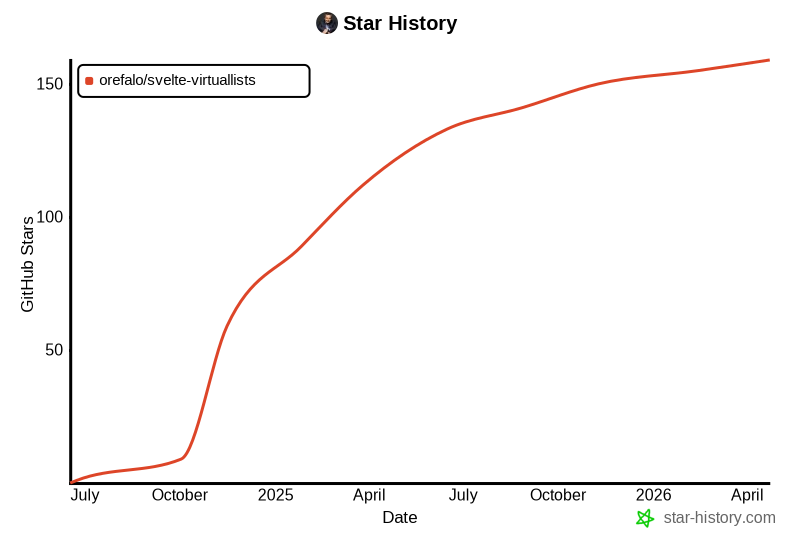
## Star History
[](https://star-history.com/#orefalo/svelte-virtuallists&Date)
## Examples
- [Demos](https://orefalo.github.io/svelte-virtuallists/)
## Samples
```svelte
{#snippet vl_slot({ index, item })}
Row: #{index} Item: {item}
{/snippet}
```
### Props
The component accepts the following properties
| Property | Type | Required? | Description |
| ----------------- | ----------- | :-------: | ------------ |
| items | `any[]` | ✓ | the model, the data for the items to display in the list. |
| isHorizontal | `boolean (false)` | | Whether the list should scroll vertically or horizontally. One of `'vertical'` (default) or `'horizontal'`. |
| isDisabled | `boolean (false)` | | When the component is disabled it renders as a regular list |
| isTable | `boolean (false)` | | Whether the rendering should be a table layout |
| sizeCalculator | `(index: number, item:any) => number alias SizingCalculatorFn` | | Not recommended, as the component will adjust to the css rendering. If you need to control the sizing programmatically, use a function that returns the size (height or width) of the rendered row or column. This function's output is used for scrollbar positioning and is passed to the vl_slot. |
| scrollToOffset | `number`(in pixels) | | Can be used to control the scrollbar offset in pixel. **scrollToIndex** and **scrollToOffset** MUST not be used together. |
| scrollToIndex | `number`(item index) | | Moves the scrollbar to display the given item (at index). Follows scroll behavior and alignment policies. **scrollToIndex** and **scrollToOffset** MUST not be used together. |
| scrollToAlignment | `string (AUTO)` | | Used in combination with **scrollToIndex** and **scrollToOffset**. Use `'start'` to always align items to the top of the container and `'end'` to align them bottom. Use `'center`' to align them in the middle of the container. `'auto'` scrolls the least amount possible to ensure that the specified `scrollToIndex` item is fully visible. |
| scrollToBehaviour | `string (AUTO)` | | Used in combination with **scrollToIndex** and **scrollToOffset**, controls the scrolling behaviour movement. One of: `'auto'`, `'smooth'` or `'instant'` (default). |
### Snippets
| Property | Type | Required? | Description |
| -------- | --------------------------------------------------------- | :-------: | ------------------------------------------------------------ |
| vl_slot | `(index:number, item:any, size?:number) => SnippetResult` | ✓ | Snippet called to render every item, see description below. Typescript signature **VLSlotSignature** |
| header | `() => SnippetResult` | | Useful in table mode to render the table header columns. |
| footer | `() => SnippetResult` | | Useful in table mode to render any table footer. |
For instance,
```svelte
{#snippet vl_slot({ index, item }: VLSlotSignature)}
Index:{index} Content:{item.text}
{/snippet}
```
### Events
| Property | Type | Required? | Description |
| -------------------- | ----------------- | :-------: | ------------------------------------------------------------ |
| onAfterScroll | `{offset, event}` | | Fired when the scrollbar changes position. |
| onVisibleRangeUpdate | `{start, end}` | | Fired when the visible window is sliding to display new items |
- `onAfterScroll`
Accepts a function with the following signature `(event):VLScrollEvent => void`
```typescript
export interface VLScrollEvent {
// either the value of `wrapper.scrollTop` or `wrapper.scrollLeft`
offset: number | string;
// the original event
event: Event;
}
```
- `onVisibleRangeUpdate`
Accepts a function with the following signature `(range):VLRangeEvent => void`
```typescript
export interface VLRangeEvent {
// index of the first visible item
start: number;
// index of the last visible item
end: number;
}
```
## Contributing
Please read [CODE OF CONDUCT](CODE_OF_CONDUCT.md) and the [CONTRIBUTION](CONTRIBUTING.md) guide for more details.