# Sugar High
[![version][npm-version-badge]][npm]
[![downloads][npm-downloads-badge]][npm]
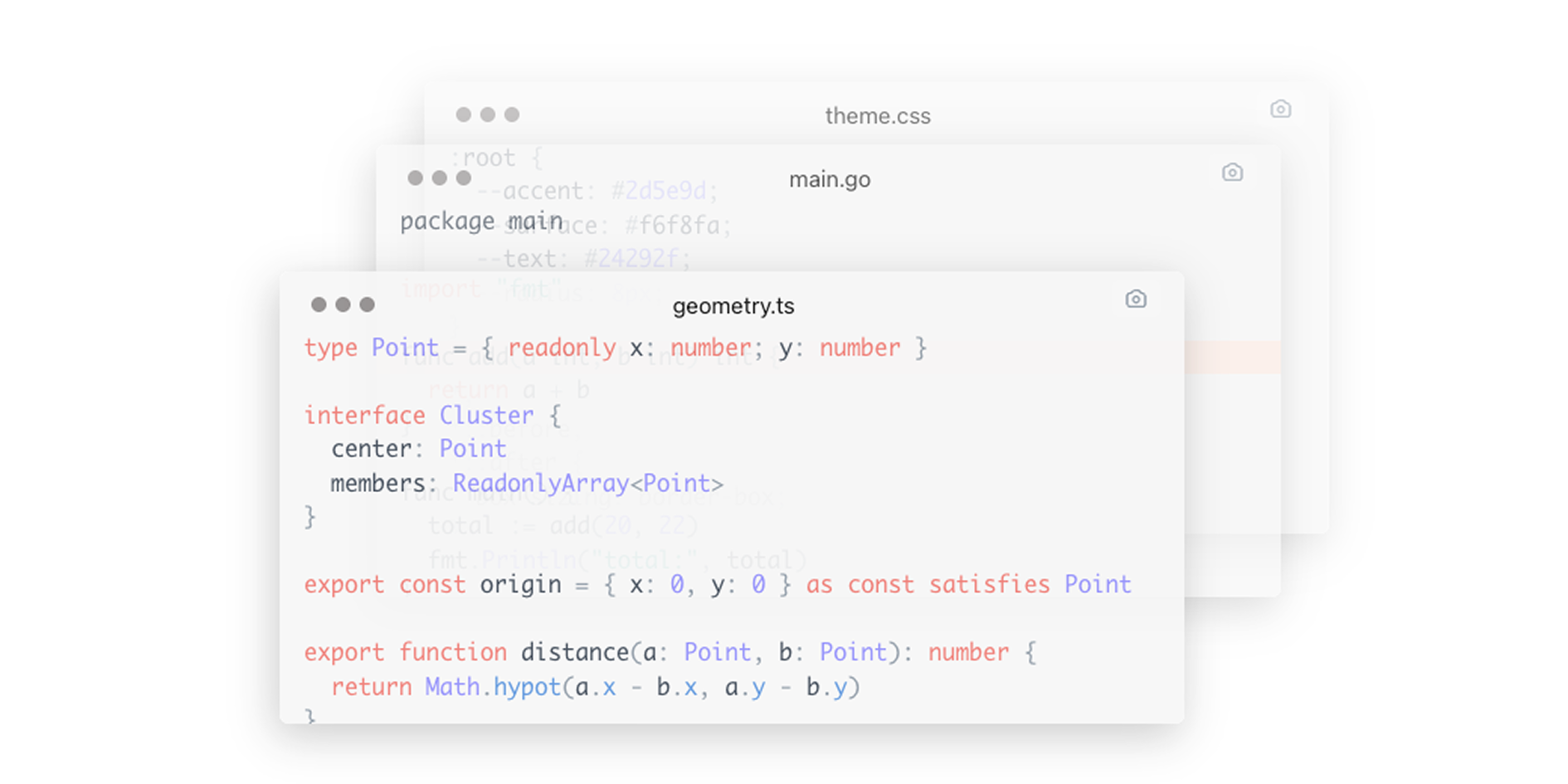
Lightweight syntax highlighting for JavaScript, popular programming languages, and formats
commonly generated by coding agents. It runs in browsers and JavaScript runtimes and returns HTML
without requiring a DOM.
## Install
```sh
npm install sugar-high
```
## Agent skill
Install Sugar High guidance for an AI coding agent with the Skills CLI:
```sh
npx skills add huozhi/sugar-high --skill sugar-high
```
## Highlight code
```js
import { highlight } from 'sugar-high'
const html = highlight('const ready = true')
```
JavaScript, including JSX, is the default. Pass a canonical name for another built-in language:
```js
highlight('print("hi")', { lang: 'python' })
highlight('{"ready": true}', { lang: 'json' })
highlight('+ added', { lang: 'diff' })
```
The `lang` option is typed and accepts canonical names only.
## Advanced: normalize extensions and aliases
You do not need `lang()` when the language is already known. Use it only when input comes from a
filename extension, Markdown fence, or another integration. It converts aliases to the canonical
name expected by `highlight`:
```js
import { lang } from 'sugar-high/lang'
lang('py') // 'python'
lang('bash') // 'shell'
lang('jsonc') // 'json'
lang('.yml') // 'yaml'
```
If you already have a canonical name, pass it directly—`lang()` is not required.
See [the API reference](../../docs/API.md#lang-mapping) for the complete mapping and normalization
behavior.
## Built-in languages
`javascript`, `typescript`, `css`, `python`, `c`, `go`, `glsl`, `java`, `rust`, `json`, `diff`, `shell`,
`cpp`, `csharp`, `sql`, `html`, `vue`, `svelte`, `yaml`, `markdown`, `plaintext`, `ruby`, `kotlin`, `swift`, `php`,
`toml`, `powershell`, `dockerfile`, `graphql`, `hcl`, `zig`, and `lua`.
Related dialects share one implementation: JavaScript includes JSX, TypeScript includes TSX, JSON
includes JSONC comments, Shell includes sh/Bash/Zsh, HTML currently provides the base highlighting
for Vue and Svelte, and HCL includes Terraform.
## Composable core
Use `sugar-high/core` to separate configurable syntax parsing from HTML rendering. It does not
include the built-in language registry:
```js
import { parse, render } from 'sugar-high/core'
const parsed = parse('select * from users', {
keywords: new Set(['select', 'from', 'where']),
})
const html = render(parsed, {
cx: { keyword: 'font-bold' },
})
```
If bundle size matters and you only need a few built-in languages, import their configurations
directly instead of loading the complete registry from `sugar-high` or `sugar-high/lang`:
```js
import { parse, render } from 'sugar-high/core'
import * as css from 'sugar-high/lang/css'
import * as python from 'sugar-high/lang/python'
const languages = { css, python }
const highlight = (code, language) =>
render(parse(code, languages[language]))
```
Use the default `sugar-high` export when you want built-in languages and one-step `highlight()`.
For project-specific GLSL types, copy the built-in configuration before extending its type set:
```js
import { parse, render } from 'sugar-high/core'
import * as glsl from 'sugar-high/lang/glsl'
const shader = {
...glsl,
typeKeywords: new Set([...glsl.typeKeywords, 'myVector']),
}
render(parse('myVector color;', shader))
```
## Customize tokens
Use `cx` for a class map. It works well with utility CSS, CSS Modules, and global styles while
preserving Sugar High's semantic token classes.
```js
highlight(source, {
lang: 'typescript',
cx: {
keyword: 'font-bold',
comment: 'italic opacity-60',
},
})
```
Use `mark(token)` for conditional classes, inline styles, or custom attributes. It mutates the
token and returns nothing:
```js
highlight(source, {
mark(token) {
if (token.type === 'comment' && token.value.includes('TODO')) {
token.className += ' text-orange-500'
token.properties['data-todo'] = true
}
},
})
```
`cx` runs before `mark`, so `mark` receives the composed class name.
## Highlight lines
Use `markLine` to customize generated lines. Its index is zero-based:
```js
highlight(source, {
markLine(line) {
if (line.index === 1) {
line.className += ' sh__line--highlighted'
}
},
})
```
Style the class with CSS. The React package also provides the one-based
`highlightLines={[1, [4, 7]]}` prop, while the Remark plugin reads ranges from fence metadata such
as `{2,5-7}`.
## Styling
Each line uses `.sh__line`. Token colors use CSS custom properties, so a theme can be embedded in
your own stylesheet or scoped to any ancestor:
```css
.code {
--sh-class: #2d5e9d;
--sh-identifier: #354150;
--sh-sign: #8996a3;
--sh-property: #0550ae;
--sh-entity: #249a97;
--sh-jsxliterals: #6266d1;
--sh-string: #00a99a;
--sh-keyword: #f47067;
--sh-comment: #a19595;
}
```
Lines can be styled or numbered with ordinary CSS:
```css
pre code {
counter-reset: line;
}
.sh__line {
display: block;
}
.sh__line::before {
counter-increment: line;
content: counter(line);
margin-right: 1.5rem;
color: #a4a4a4;
}
.sh__line:nth-child(5),
.sh__line--highlighted {
background: #fff8c5;
}
```
## React
[`@sugar-high/react`](https://sugar-high.vercel.app/react) provides a highlighted `{source}
```
## Remark
[`@sugar-high/remark`](https://sugar-high.vercel.app/remark) highlights fenced code blocks while
processing Markdown. Fence aliases are normalized through the same `lang()` mapping.
## API
See [`docs/API.md`](https://github.com/huozhi/sugar-high/blob/main/docs/API.md) for package exports, the full language mapping, highlighting
options, and lower-level functions. Upgrading from v1? Read the
[v2 migration guide](https://github.com/huozhi/sugar-high/blob/main/docs/MIGRATION.md).
## Benchmarks
Sugar High, PrismJS, and highlight.js highlighting the same generated TypeScript files:
Measured 2026-10-24 with Node v26.5.0, darwin arm64, Apple M4.
| TypeScript | Sugar High 2.6.3 | PrismJS 1.30.0 | highlight.js 11.12.0 |
| --- | ---: | ---: | ---: |
| Minified (KiB) | 12.11 | 14.58 | 29.49 |
| Gzip (KiB) | 5.16 | 5.50 | 11.18 |
| 11 KiB | 0.53 | 1.19 | 2.13 |
| 100 KiB | 5.68 | 14.63 | 23.06 |
| 500 KiB | 36.19 | 91.81 | 120.82 |
Median milliseconds per file; lower is better. 5 timed samples after warmup.
Sizes are TypeScript-only browser bundles, minified with Bun; gzip uses level 9. Theme CSS is excluded.
Loading and initialization are excluded. Each library highlights the same generated TypeScript
into HTML using an explicit language. Grammars and HTML output differ; this is not a measure
of highlighting quality or browser rendering speed. Results vary by machine and workload.
Run `pnpm --filter sugar-high benchmark:large --write` to refresh this table and the
[website comparison](https://sugar-high.vercel.app/#benchmarks) from the same measurement.
See [benchmark methodology and options](https://github.com/huozhi/sugar-high/blob/main/docs/BENCHMARK.md).
### Small parser, just enough context
Regex matches can misclassify tokens without context. Sugar High's small parser tracks
“loose context” for highlighting—far lighter than an abstract syntax tree (AST). This
helps keep tokens in context while balancing correctness, bundle size, and speed.
## License
MIT
[npm-version-badge]: https://img.shields.io/npm/v/sugar-high?style=flat&colorA=000000&colorB=000000
[npm-downloads-badge]: https://img.shields.io/npm/dt/sugar-high.svg?style=flat&colorA=000000&colorB=000000
[npm]: https://www.npmjs.com/package/sugar-high