---
name: Introduction
route: /
---
import { Playground } from 'docz'
import { ThemeProvider, Container, Header, Footer, Text } from '../src'
# Component Studio 1.0.11
Welcome to Digital Studio's components library.
As a developer, a designer, or a CMS contributor, you can found here the components that you'll use to build your website.
## NOTE
Currently, the project name is `component-studio` but the npm repository is `studio-components`.
So when you want to consume our components, you need to import it from `studio-components`.
## Installation
```bash
$ npm i studio-components
```
## Get started
Import the studio-components
```javascript
import {
ThemeProvider,
Container,
Header,
Footer,
Text,
ActionBanner,
Slice,
Button,
} from 'studio-components'
```
In order to make our components looks nicely, we have few stuff to add first:
- Use the `` by wrapping all your pages inside.
- Add a `` and a ``
- Add a `` just after the ``
- Wrap every pages that is not a `template` inside a `` component. It will add margins and add some responsive behavior to it.
- Add whatever you want inside ``!
## Quick example
Here is a snippet you can use to kickstart any project !
```javascript
import {
ThemeProvider,
Container,
Header,
Footer,
Text,
ActionBanner,
Slice,
Button,
} from 'studio-components'
function App() {
return (
Lorem
Enim non sint magna esse. Sit dolore velit minim nostrud nisi ipsum
consequat labore. Voluptate dolor eiusmod anim enim adipisicing
proident commodo voluptate consectetur officia sit ullamco pariatur
aute. Excepteur nostrud exercitation minim exercitation enim laborum
est eu laboris quis est. Est magna aliqua elit eiusmod cillum dolore
id. Excepteur non deserunt fugiat dolore velit veniam fugiat anim
consequat proident consequat excepteur aliquip.
)
}
export default App
```
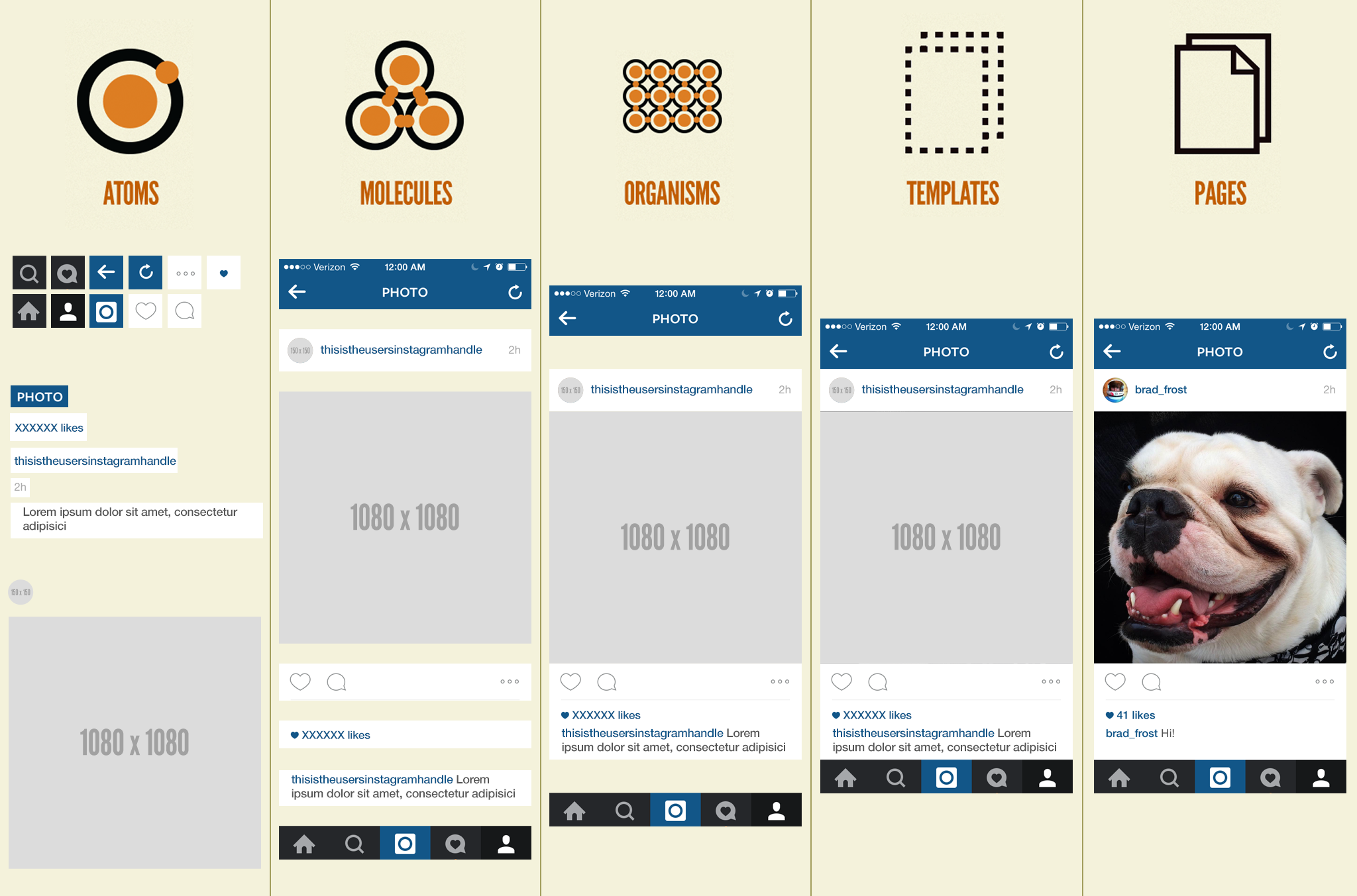
## Philosophy
### Utils
Utils components are used by the developer only.
They're here to facilitate the integration work, and should not provide any design, or be flexible enough to take one.
- [Container](/container): automatically resize and center the content.
- [Link](/link): every click action on all the components.
- [Modal](/modal): a modal system to display content above the whole page.
- [Slice](/slice): put margin between each components, allow a title and actions.
### Layout
Used one on each page, or in page that needs it, layout slices keep the design consistancy between pages.
- [Footer](/footer): allow quick links, links to social media, language switch and copyright.
- [Header](/header): show a logo, a menu, and allow user to login, logout or see profil.
- [Notification2](/notification-2): full width content, with actions and a close button.
- [Pagination](/pagination): functionnal component that be used at the end of each search page.
### Design system
Used to create the look and fill of every website we create, theses components are low level.
They often reused in other components, most of time slices.
- [Button](/button): a simple button, used for most of the actions in the pages.
- [Contract Item](/contract-item): display the resume informations about a policy.
- [Data Table](/data-table): a small table for simple values.
- [Forms](/forms): collection of inputs and field our design uses.
- [Formula](/formula): graphical component that displays the different part of a price.
- [Icon](/icon): list of icons in our designs.
- [Pie Chart](/pie-chart): colored disk to display datas.
- [Pill](/pill): small colored label.
- [Service Card](/service-card): a small card with category, title, text and call to action.
- [Simple Button](/simple-button): variant of `Button`, that looks like a link.
- [Simple Filters](/simple-filters): checkboxes that can act like filters.
- [Table](/table): styled `
`, with sort functions.
- [Text](/text): homogenisation of all the text of our websites, from titles to labels.
- [Tip](/tip): small box with title + text.
## Slices
Slices can be view as an horizontal section of a webiste.
It can display text, images, graph, data, videos, etc...
### Data oriented
Theses slices are meant to display data, like charts, numbers, prices, etc...
- [Absenteeism](/absenteeism): a list of numbers with their label, alon side an image.
- [Activity](/activity): two pie chart representing a percent usage of a service.
- [Benefits Table](/benefits-table): represent a price and it's decomposition through differents incomes.
- [Commissions Repartition](/commission-repartition): a pie chart and a table.
- [Contract List](/contract-list): a list of contracts, in which you can display filters.
- [Health Overview](/health-overview): displays a list of refunds, and a pie chart of differents incomes.
- [Pension Dashboard](/pension-dashboard): ???
- [Profil Info List](/profil-list-info): list of key:value, with an image on the right, and some actions.
- [Quick Contract List](/quick-contract-list): highlight of 3 contract items.
- [Saving](/saving): a piechart and multiple tables.
- [Savings](/savings): 2 cards, each displays a title, a pie chart, a data table, and up to 2 actions.
- [Simulator view](/simulator-view): special slice for France Simulator.
### Editorial oriented
Theses slices are used to display content like text, images, videos, call to action, etc...
- [Accordion](/accordion): multiple contents that hide and show, one at a time. Mainly used for content like FAQ.
- [Aside Cards](/aside-cards): a succession of text, CTA, image. 1 row on 2, the image change from left to right.
- [Contact CTA](/contact-cta): a CTA mainly used as a contact point.
- [Documents List](/documents-list): display a list of downlodable documents or visitable links.
- [Editorial Content](/editorial-content): display a chunk of text.
- [Four Cards](/four-cards): 4 images, texts and CTAs, display on a 2\*2 grid.
- [Iframe](/iframe): show content in an iframe, ideal for youtube vidéo.
- [Item List](/item-list): list of links or documents.
- [Large Cards](/large-cards): 2 images and texts, displayed in large cards, one above the other.
- [Notification](/notification): content + call to action, boxed.
- [Reminder CTA](/reminder-cta): content with an image as background.
- [Rounded Cards](/rounded-cards): 3 images, texts and CTAs, display on 3 cards on the same row.
- [Service Selector](/service-selector): list of content which can be filtered.
- [Tabs Content](/tabs-content): list of content accessible by a menu on the left.
- [Three Cards](/three-cards): variant of `Rounded Cards` with square images.
- [Thumbnails](/thumbnails): variant of `Rounded Cards` with images as background.
### Articles
To display an article, which should have it's own page and treat of one subjet, you may need the following slices :
- [Article Content](/article-content): variant of `Editorial Content`, with a less wide container.
- [Article Header](/article-header): display the title, date, category and cover of the article.
- [Article List](/article-list): show a list of articles.
- [Quick News](/quick-news): highlight of 3 articles.
### Banners
Banners should be used as the first item of a page, and to break the flow inside one.
- [Action Banner](/action-banner): combination of title, breadcumb, description, and banner modules.
- [Banner](/banner): display a title, a description, a category, with an image as background.
- [Cutting Title](/cutting-title): show a title next to image, above a full colored background.
- [Dashboard Banner](/dashboard-banner): variant of `Action Banner` with search module, and a centered title.
- [Navigation Banner](/navigation-banner): carousel of image and title, for a quick navigation, or an highlight of some pages.
## Others
To customize the theme, you can refer to the [theming page](/theme)
To customize the [`Link`](/link), refer to the [`Link Context Provider`](/link#customize)