# ST
JSON Selector + Transformer
- Website: [https://selecttransform.github.io/site](https://selecttransform.github.io/site)
- Twitter: [@selecttransform](https://www.twitter.com/selecttransform)
---
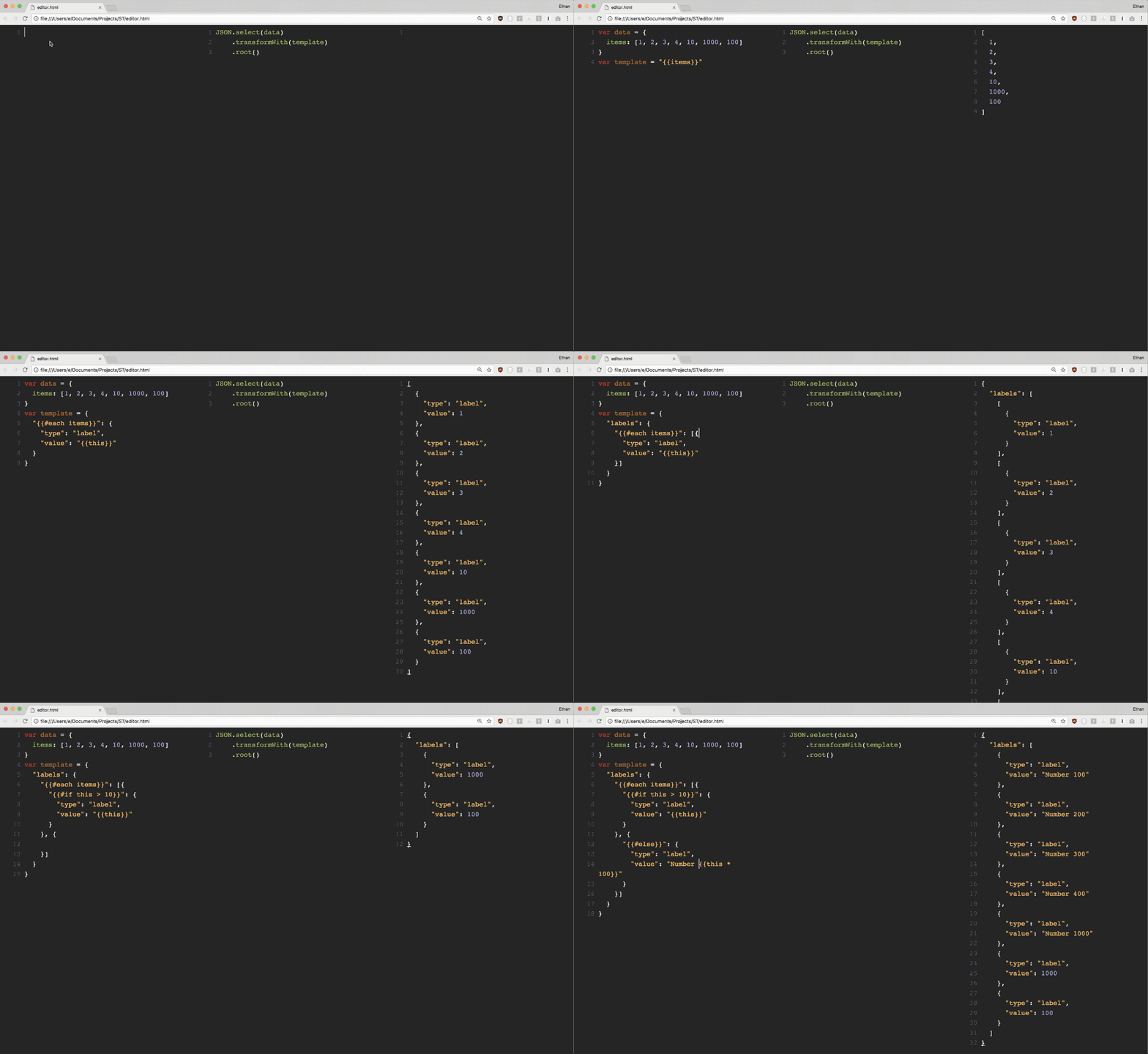
1. **Select:** Query any JSON tree to select exactly the subtree you are looking for.
2. **Transform:** Transform any JSON object to another by parsing with a template, also written in JSON
You can also mix and match Select AND Transform to perform partial transform, modularize JSON objects, etc.
# Features
## 1. Select
Select a JSON object or its subtree that matches your criteria
> Step 1. Take any JSON object
```js
var data = {
"links": [
{ "remote_url": "http://localhost" },
{ "file_url": "file://documents" },
{ "remote_url": "https://blahblah.com" }
],
"preview": "https://image",
"metadata": "This is a link collection"
}
```
> Step 2. Find all key/value pairs that match a selector function
```js
var sel = ST.select(data, function(key, val) {
return /https?:/.test(val);
})
```
> Step 3. Get the result
```js
var keys = sel.keys();
// [
// "remote_url",
// "remote_url",
// "preview"
// ]
var values = sel.values();
// [
// "http://localhost",
// "https://blahblah.com",
// "https://image"
// ]
var paths = sel.paths();
// [
// "[\"links\"]",
// "[\"links\"]",
// ""
// ]
```
## 2. Transform
Use template to transform one object to another
> Step 1. Take any JSON object
```js
var data = {
"title": "List of websites",
"description": "This is a list of popular websites"
"data": {
"sites": [{
"name": "Google",
"url": "https://google.com"
}, {
"name": "Facebook",
"url": "https://facebook.com"
}, {
"name": "Twitter",
"url": "https://twitter.com"
}, {
"name": "Github",
"url": "https://github.com"
}]
}
}
```
> Step 2. Select and transform with a template JSON object
```js
var sel = ST.select(data, function(key, val){
return key === 'sites';
})
.transformWith({
"items": {
"{{#each sites}}": {
"tag": "{{name}}"
}
}
})
```
> Step 3. Get the result
```js
var keys = sel.keys();
// [
// "tag",
// "tag",
// "tag",
// "tag"
// ]
var values = sel.values();
// [
// "Google",
// "Facebook",
// "Twitter",
// "Github"
// ]
var objects = sel.objects();
// [
// {
// "tag": "Google"
// }, {
// "tag": "Facebook"
// }, {
// "tag": "Twitter"
// }, {
// "tag": "Github"
// }
// ]
var root = sel.root();
// {
// "items": [{
// "tag": "Google"
// }, {
// "tag": "Facebook"
// }, {
// "tag": "Twitter"
// }, {
// "tag": "Github"
// }]
// }
```
---
# Usage
## In a browser
```js
```
## In node.js
> Install through npm:
```bash
$ npm install stjs
```
> Use
```js
const ST = require('st');
const parsed = ST.select({ "items": [1,2,3,4] })
.transformWith({
"{{#each items}}": {
"type": "label", "text": "{{this}}"
}
})
.root();
```
### Learn more at [selecttransform.github.io/site](https://selecttransform.github.io/site)