
A Pi harness setup, built to specification.


Website · Documentation · Evaluations · Releases
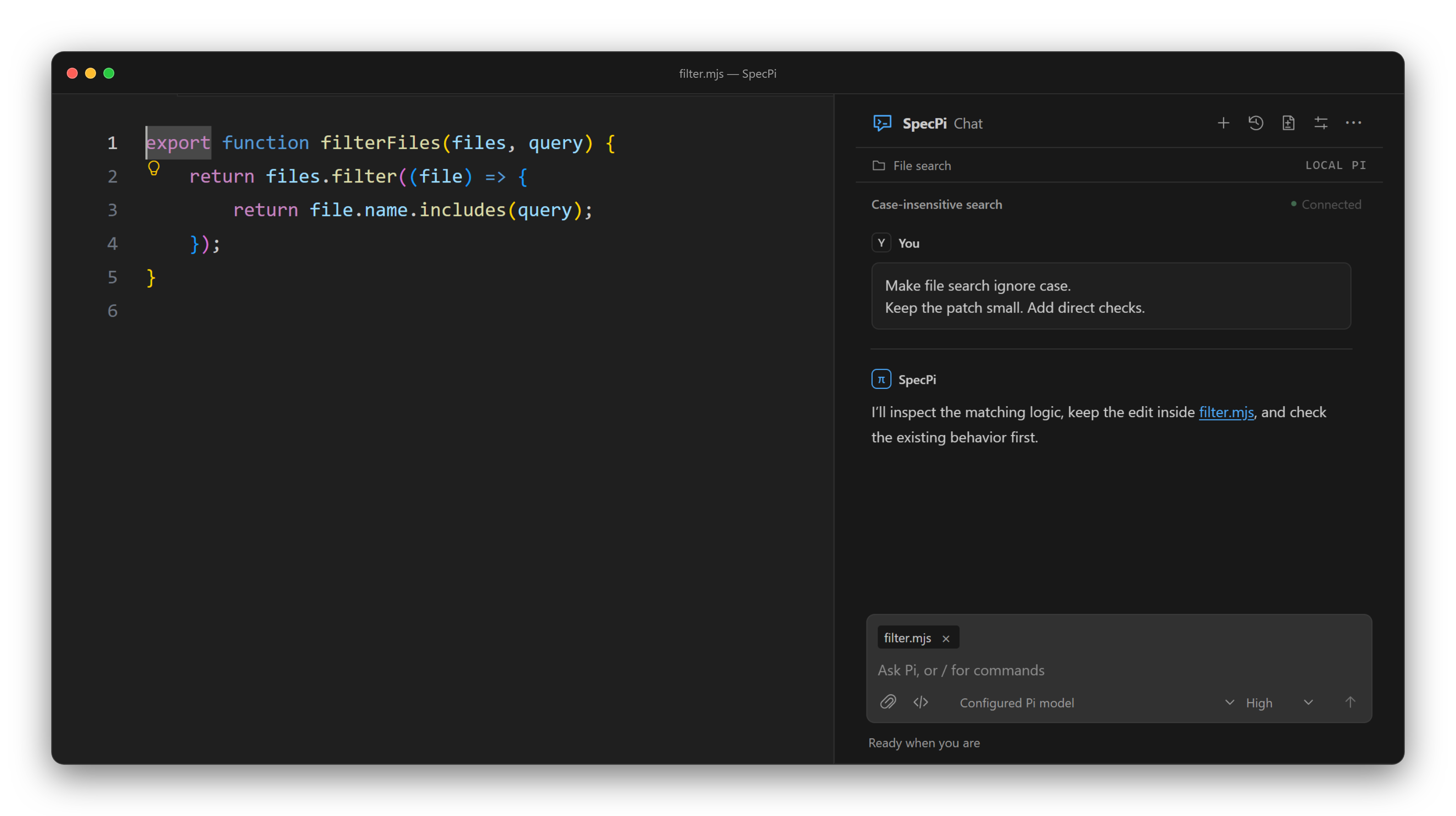
SpecPi Chat · Example workspace
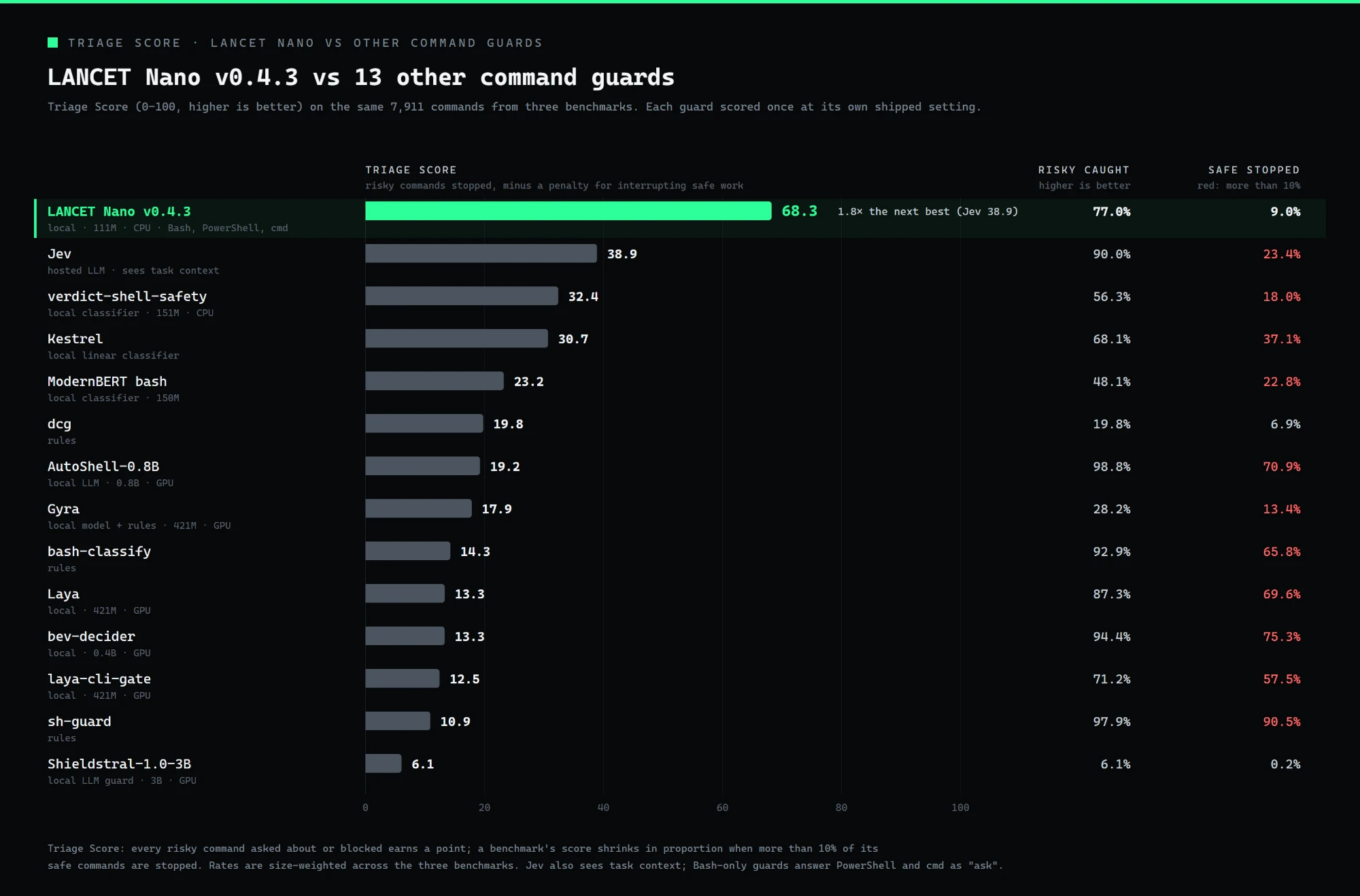
--- SpecPi 0.37.1 is a small starting point for the [Pi coding agent](https://pi.dev/). It is one opinionated setup for how the agent should work, not a marketplace of plugins. At the center are two built-in extensions. **Scope control** keeps each task to the files it said it would touch. The **improvement loop** turns repeated friction into small, tested changes to the setup, instead of letting prompts and workarounds pile up. Around those are eight hand-picked packages, each locked to an exact version and checked before anything installs, plus **SpecPi Chat**, a VS Code panel for working alongside the agent. It focuses on five things: - **Control:** clear scope, tool permissions, and lifecycle commands that ask before they change anything - **Accuracy:** exact version pins, checksums on state, rollback on failure, and proof over promises - **Improvement:** local notes become small, checked changes through `/harness-improvement` - **Efficiency:** delegation, persistent goals, and browser QA handled by the right tool for the job - **Keep talking:** long evals, builds and servers can run as background jobs, so the conversation is not stuck until they finish. The agent hears back when each one ends, and `/jobs` lists or stops them - **Lean default:** web access, browser QA, and delegation stay off until you need them. Turn them on for a session with `/webaccess on`, `/browser on`, and `/delegate on` — or let the agent ask when it hits the need, and answer the prompt Everything it touches is written down, versioned, and easy to undo. ## A local command guard Before the agent runs a shell command, [LANCET Nano](https://github.com/TannerMidd/LANCET-model), a 111M-parameter classifier, can check it on your own CPU. It reads Bash, PowerShell and cmd, takes about 10 ms for a typical command, needs no API key, sends nothing over the network, and costs nothing per check. Fixed rules settle the obvious cases first, blocking `rm -rf /` and passing `git status`, and the model scores the rest. A risky or uncertain verdict asks you before anything runs; `/lancet-guard mode block` blocks risky ones outright instead.

Measured tool schemas + system/developer instructions · node scripts/measure-context.mjs --chart --omp=<path to Oh My Pi's cli.js> --oc=<path to OpenCode's binary> --dsh=<path to the DeepSeek Harness bin> · Recorded measurements and package pins · Method and caveats

Every tool in the measured request belongs to exactly one group · Leaving all three opt-in groups hidden keeps 23,797 characters of tool schema out of every request
## Harness evaluations The chart above counts characters. It says nothing about what a harness costs to actually use, or whether it finishes the job. That is what the evals are for: [Terminal-Bench 2.0](https://www.tbench.ai/), the same model and the same frozen price list, with only the harness changing. **947 scored attempts on two benchmarks and 6 harnesses**, all on `deepseek-v4.1-flash`. SpecPi is the published 0.33.0 release, with the experimental Jev layer off. SWE-bench Verified, 12 tasks × 3: SpecPi solved 34/36 against Pi's 34/36 (p = 1.00), with 2% more prompt tokens and 1% less cost per attempt. Terminal-Bench 2.0, 731 attempts across 20 tasks: | Harness | Solved | Rate | Cost/attempt | Prompt tokens | Cache hit | | --- | --- | --- | --- | --- | --- | | OpenCode | 29/39 | 0.744 | $0.0124 | 494,173 | 96.5% | | SpecPi | 62/77 | 0.805 | $0.0144 | 407,416 | 92.4% | | Pi (base) | 164/230 | 0.713 | $0.0155 | 436,214 | 92.9% | | DeepSeek Harness | 21/38 | 0.553 | $0.0226 | 1,126,586 | 95.4% | | Oh My Pi | 115/151 | 0.762 | $0.0237 | 1,108,076 | 96.5% | | Claude Code | 81/112 | 0.723 | $0.0273 | 670,828 | 95.4% | SpecPi and Pi ran side by side in the 24 Sep · a sitting. SpecPi solved 30/38 against Pi's 25/39 (Fisher p = 0.21), sending 16% fewer prompt tokens and costing 22% less per attempt. On `sanitize-git-repo`, with that sitting's extra attempts, SpecPi solved 10/10 against 3/10 (p = 0.003); `fix-git` was 10/10 for both. Overall solve rate is a different matter: one sitting cannot rank harnesses here. Bare Pi, on unchanged software and the same thirteen tasks, spans 56-77% across 5 sittings, a wider gap than any measured between two harnesses. Pooled across sittings, SpecPi leads DeepSeek Harness (p = 0.007) and Oh My Pi leads DeepSeek Harness (p = 0.015), but pooling sets one harness's sittings against another's. Cost is recomputed from recorded tokens against a dated price file, never taken from a harness's self-report. This run is still in progress. See the results and brief method on the [evaluations page](https://tannermidd.github.io/SpecPi/evaluations/). The table above is regenerated from the run data by `node scripts/tb2-site.mjs`, so it cannot drift from the published figures. ## Install Requires Node.js 22.19+, Git, npm, and an existing Pi installation on PATH. The base is tested with Pi 1.0.0. ```sh npm install --global specpi@latest specpi plan specpi install specpi doctor ``` `plan` shows what will change without modifying anything. Restart Pi after install. Install also turns on Pi's built-in [codemode](https://github.com/earendil-works/pi/blob/main/packages/coding-agent/docs/codemode.md) tool, which lets the model run a short sandboxed script that calls several tools at once. It does this by adding `+codemode` to `defaultTools` in Pi's `settings.json`, only on Pi 0.99 or later. To keep it off, put `-codemode` there instead; SpecPi leaves an existing choice alone, and uninstall removes only the entry it added. Full setup options, package details, and requirements: [website](https://tannermidd.github.io/SpecPi/#install). ## Where things live | | | | --- | --- | | [Packages](https://tannermidd.github.io/SpecPi/#packages) | The eight pinned packages and what each provides | | [Scope control](https://tannermidd.github.io/SpecPi/wiki/#scope) | `/scope` commands and drift monitoring | | [Command guard](https://tannermidd.github.io/SpecPi/lancet/) | LANCET, the local classifier that checks shell commands before they run | | [Improvement loop](https://tannermidd.github.io/SpecPi/#loop) | Local wishlist, `/harness-improvement`, and retirement with evidence | | [SpecPi Chat](https://tannermidd.github.io/SpecPi/#vscode-chat) | VS Code frontend and VSIX install · [Chat guide](https://github.com/TannerMidd/SpecPi/blob/main/vscode/README.md) | | [Updating](https://tannermidd.github.io/SpecPi/#updating) | Update, uninstall, and migration notes | ## Development ```sh npm install --ignore-scripts --omit=peer --no-package-lock node --test tests/workflow-controls.test.mjs tests/workflow-controls-extension.test.mjs npm run check ``` Installer tests use disposable Pi directories — never test against a live Pi installation. Publication follows the [release procedure](NPM_RELEASE.md). [Security model](SECURITY_MODEL.md) · [Third-party components](THIRD_PARTY.md) · [Release notes](CHANGELOG.md) · [MIT License](LICENSE)